Greenbrier County Correction Deed Form
Last validated November 2, 2026 by our Forms Development TeamFormatted for recording in Greenbrier County, for property anywhere in the county: rural and unincorporated areas as well as Asbury, Caldwell, Charmco, Crawley, Fairlea, Frankford, Grassy Meadows, Leslie and 10 more.
- 3 documents included
- Immediate PDF download
- Formatting guarantee
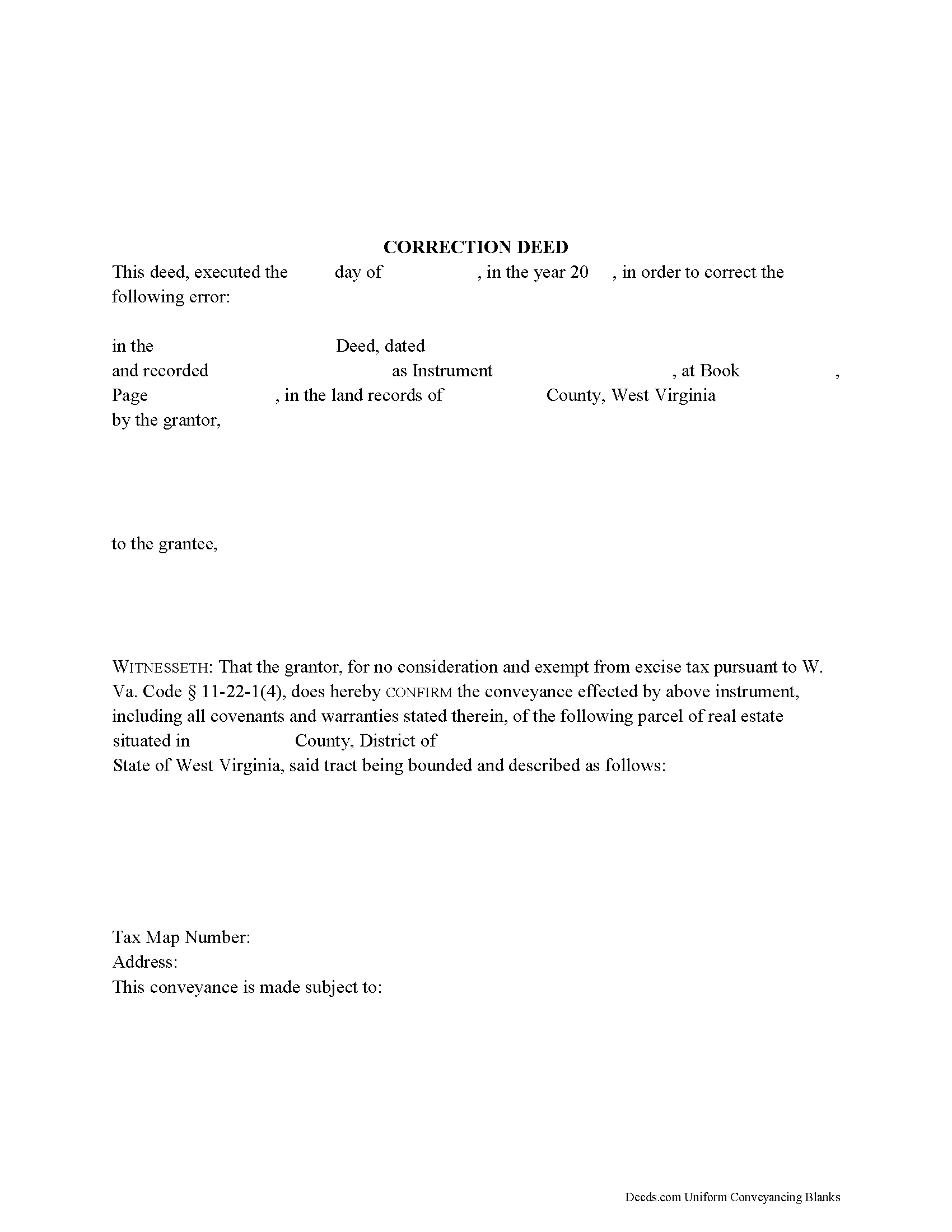
Greenbrier County Correction Deed Form
Fill in the blank form formatted to comply with all recording and content requirements.
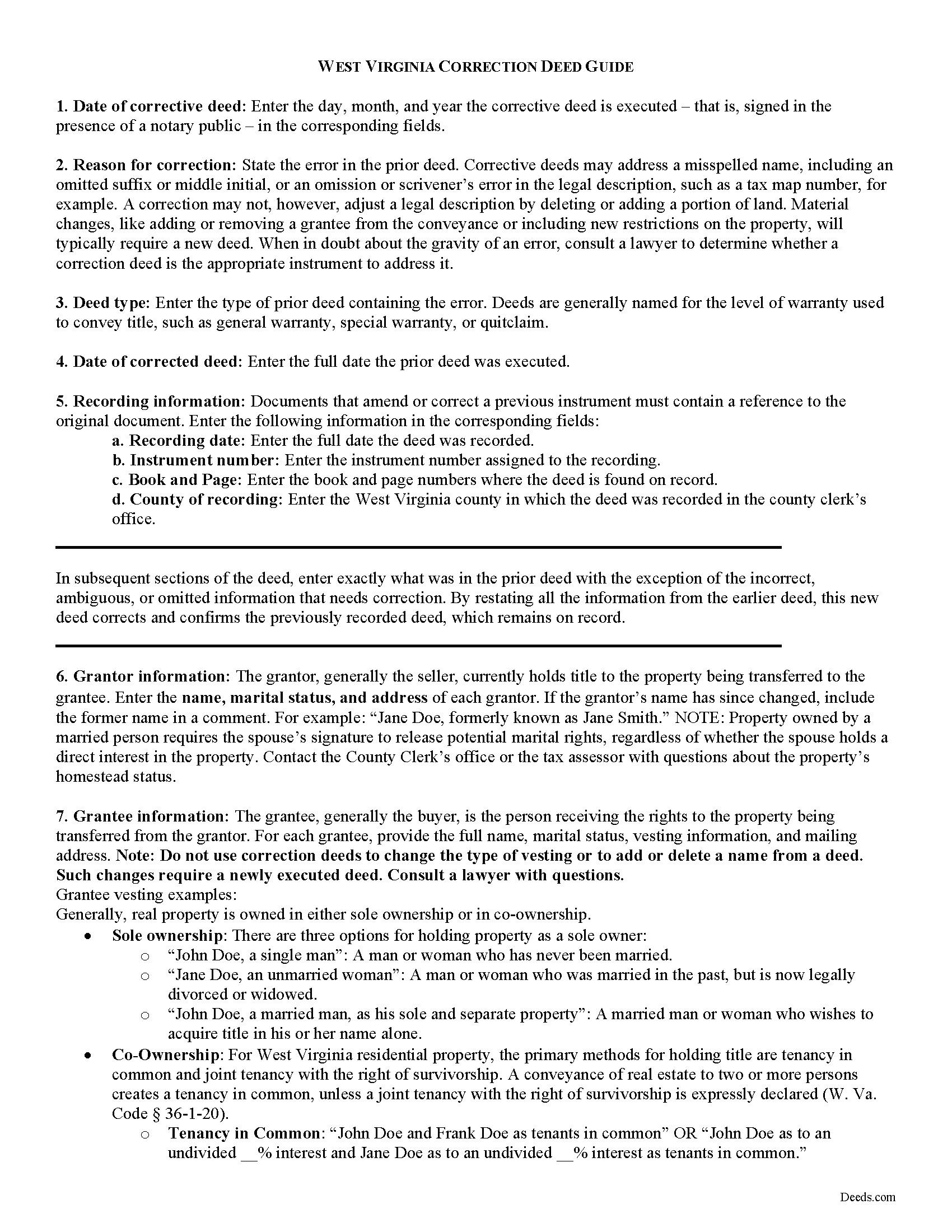
Greenbrier County Correction Deed Guide
Line by line guide explaining every blank on the form.
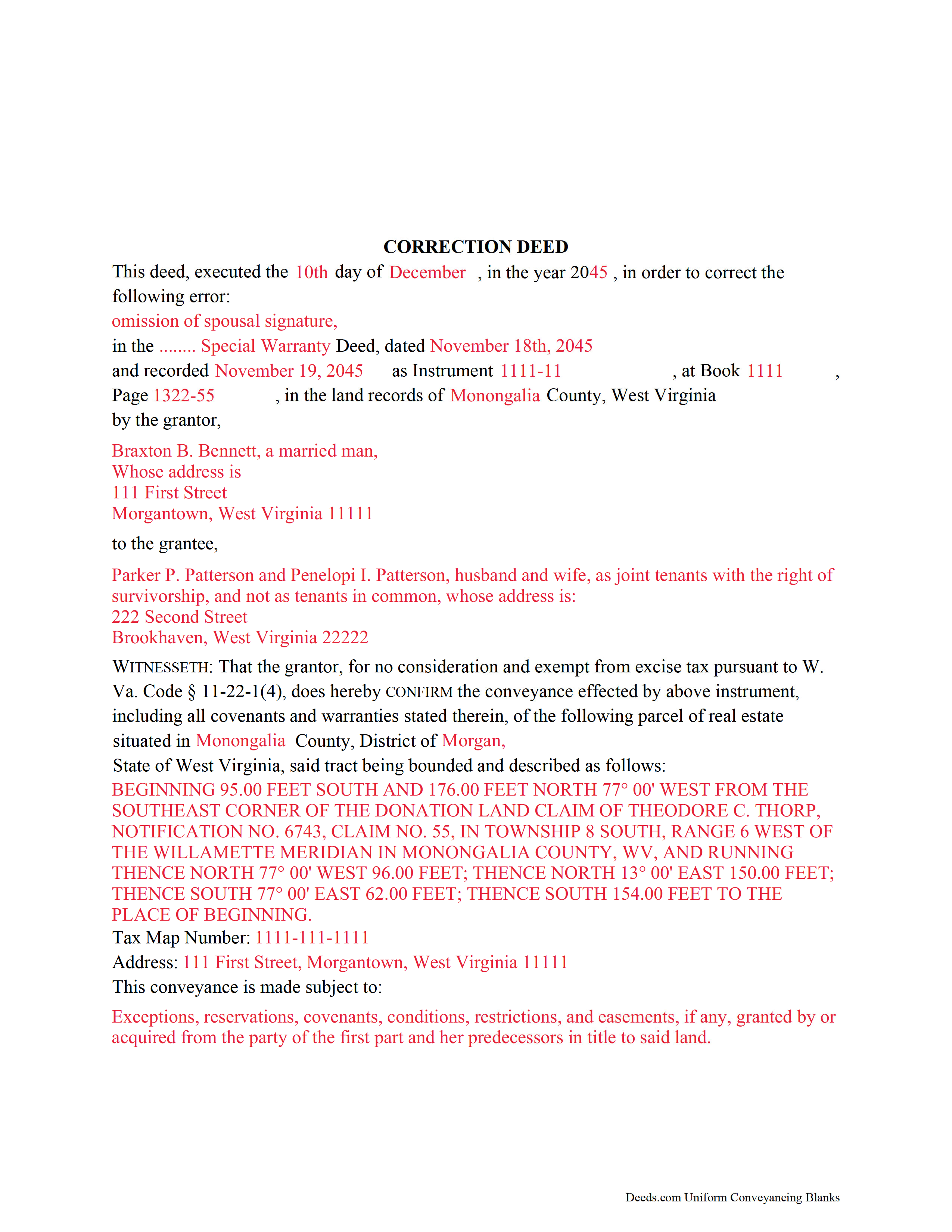
Greenbrier County Completed Example of the Correction Deed Document
Example of a properly completed form for reference.
All 3 documents above included • One-time purchase • No recurring fees
Immediate Download • Secure Checkout
Additional West Virginia and Greenbrier County documents included at no extra charge:
Where to Record Your Documents
Greenbrier County Clerk
Lewisburg, West Virginia 24901-1170
Hours: 8:00 to 4:30 M-F
Phone: (304) 647-6602
Recording Tips for Greenbrier County:
- Bring your driver's license or state-issued photo ID
- Ensure all signatures are in blue or black ink
- Avoid the last business day of the month when possible
- Both spouses typically need to sign if property is jointly owned
- Bring extra funds - fees can vary by document type and page count
Cities and Jurisdictions in Greenbrier County
Properties in any of these areas use Greenbrier County forms:
- Asbury
- Caldwell
- Charmco
- Crawley
- Fairlea
- Frankford
- Grassy Meadows
- Leslie
- Lewisburg
- Maxwelton
- Quinwood
- Rainelle
- Renick
- Ronceverte
- Rupert
- Smoot
- White Sulphur Springs
- Williamsburg
Hours, fees, requirements, and more for Greenbrier County
How do I get my forms?
Forms are available for immediate download after payment. The Greenbrier County forms will be in your account ready to download to your computer. An account is created for you during checkout if you don't have one. Forms are NOT emailed.
Are these forms guaranteed to be recordable in Greenbrier County?
Yes. Our form blanks are guaranteed to meet or exceed the applicable formatting requirements used for recording in Greenbrier County, including margin requirements, font requirements, and other layout standards. This guarantee applies to formatting, not to the legal sufficiency of information entered by the user or the suitability of a form for a particular transaction.
Can I reuse these forms?
Yes. You can reuse the forms for your personal use. For example, if you have multiple properties in Greenbrier County you only need to order once.
What do I need to use these forms?
The forms are PDFs that you fill out on your computer. The free Adobe Acrobat Reader is recommended, and most PDF apps also work. You do NOT enter your property information online - you download the blank forms and complete them privately on your own computer.
Are there any recurring fees?
No. This is a one-time purchase. Nothing to cancel, no memberships, no recurring fees.
How much does it cost to record in Greenbrier County?
Recording fees in Greenbrier County vary. Contact the recorder's office at (304) 647-6602 for current fees.
Questions answered? Let's get started!
Use the correction deed to amend a previously recorded warranty, special warranty, or quitclaim deed.
A correction deed explains and corrects an error in a prior instrument. As such, it passes no title, but confirms the conveyance effected by the previously recorded document. It must be executed from the original grantor to the original grantee, and it must be recorded in order to be legally valid.
The correction deed should reference the prior conveyance by type of error, date of execution, date of recording, as well as by recording number and location. Beyond that, it restates the information given in the prior deed, thus serving as its confirmation. The original instrument remains on record as well.
Deeds of correction are most appropriate for minor errors and omissions in the original deed, such as misspelled names, omission of marital status, or typos in the legal description. If an error has the potential to cloud the title and affect its future transfer, recording a correction deed will help.
More substantial changes, such as adding a name to the title or adding/subtracting a portion of land to the legal description of the property, usually require a new deed of conveyance instead of a correction deed. When in doubt, seek legal counsel to determine which instrument is most appropriate for a case that involves a material change.
(West Virginia CD Package includes form, guidelines, and completed example)
Important: Your property must be located in Greenbrier County to use these forms. Documents should be recorded at the county recording office listed above.
This Correction Deed meets all recording requirements specific to Greenbrier County.
Our Promise
The documents you receive here are guaranteed to meet or exceed the applicable Greenbrier County recording format requirements. If there is a rejection caused by our formatting, we will correct the issue or refund your payment. This guarantee applies to document formatting only and does not extend to information entered by the user, the selection of the form, or the legal effect of the completed document.
Save Time and Money
Get your Greenbrier County Correction Deed form done right the first time with Deeds.com Uniform Conveyancing Blanks. At Deeds.com, we understand that your time and money are valuable resources, and we don't want you to face a penalty fee or rejection imposed by a county recorder for submitting nonstandard documents. We constantly review and update our forms to meet rapidly changing state and county recording requirements for roughly 3,500 counties and local jurisdictions.
4.8 out of 5 - ( 4,865 Reviews )
Susan J. 5 out of 5 stars
Simple and easy to use. I was thrilled to find deeds.com during my online search for deed forms and more pleased that I could narrow it down by state and county. Thanks
We appreciate your business and value your feedback. Thank you. Have a wonderful day!
Donald S. 2 out of 5 stars
Guidelines somewhat helpful. Forms fillable but not editable unless you buy an Adobe conversion service subscription. End product looks crude and amateurish. Fields can't be reduced or enlarged to accommodate unique data. Very disappointing.
Thank you for your feedback. We really appreciate it. Have a great day!
Tamara B. 5 out of 5 stars
Simple and easy to use
Your feedback means a lot to us. Thank you.
Chris O. 5 out of 5 stars
Very user friendly website. Had a variety of forms. Reasonable price
We appreciate your business and value your feedback. Thank you. Have a wonderful day!
Susan M. 5 out of 5 stars
I was able to download a lot of forms that I need, will be going back to day to search for records so I can fill in the blanks. A great website for forms - It was easy to find what I needed and download! Thanks!!!
We appreciate your business and value your feedback. Thank you. Have a wonderful day!
Mark S. 5 out of 5 stars
Had the forms i needed for illinois. More than i expected. Most companies would charge per form.
Thank you!
Donna C. 5 out of 5 stars
Easy to use.
Thank you!
Jay B. 5 out of 5 stars
Fantastic!
Thank you!
Michael W. 5 out of 5 stars
Appreciate the help with DC's non-intuitive forms. Superb service.
Thank you!
Kevin C. 3 out of 5 stars
Nice site but $30 to download a blank form is a bit much.
Thank you for your feedback. We really appreciate it. Have a great day!
Wilma D. 5 out of 5 stars
The certification of trust looks fine to me. I printed it and filled it out and had it notarized today. I have not sent it to the company that wants it yet so that will be the test. They are very picky. If they have any comment I will let you know.
Thank you for your feedback. We really appreciate it. Have a great day!
Joseph H. 5 out of 5 stars
Form needed was accessed easily and printed for use
We appreciate your business and value your feedback. Thank you. Have a wonderful day!
Winifred T. 5 out of 5 stars
ive been looking for this information thank you .
We appreciate your business and value your feedback. Thank you. Have a wonderful day!
Malissa B. 5 out of 5 stars
Fast response and quick delivery love it!
It was a pleasure serving you. Thank you for the positive feedback!
Terri L. 5 out of 5 stars
Great Tool! Very easy to complete.
We appreciate your business and value your feedback. Thank you. Have a wonderful day!