Albemarle County Quitclaim Deed Form
Last validated September 25, 2026 by our Forms Development TeamFormatted for recording in Albemarle County, for property anywhere in the county or independent city: rural and unincorporated areas as well as Batesville, Charlottesville, Covesville, Crozet, Earlysville, Esmont, Free Union, Greenwood and 6 more.
- 3 documents included
- Immediate PDF download
- Formatting guarantee
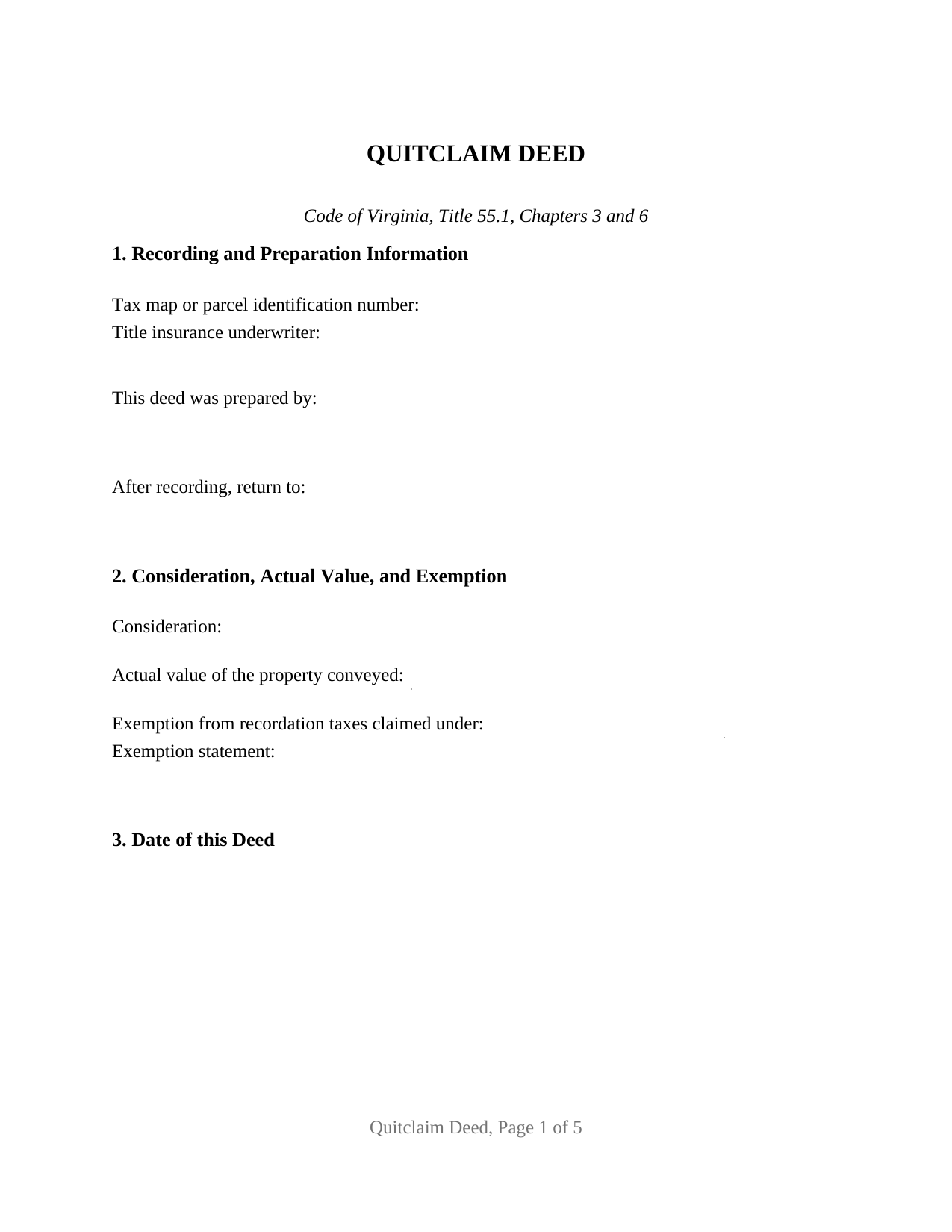
Albemarle County Quitclaim Deed Form
Fill in the blank Quitclaim Deed form formatted to comply with all Virginia recording and content requirements.
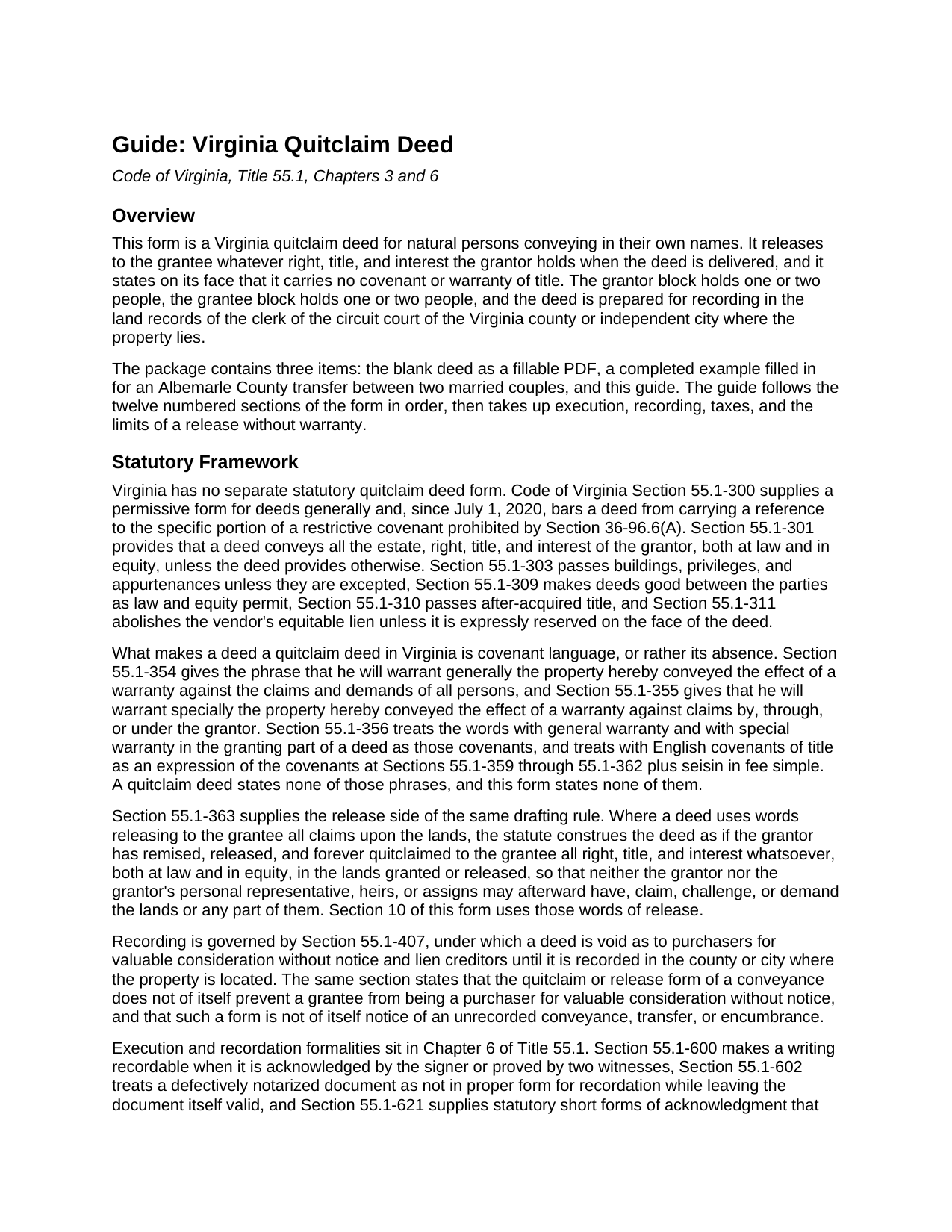
Albemarle County Quitclaim Deed Guide
Line by line guide explaining every blank on the Quitclaim Deed form.
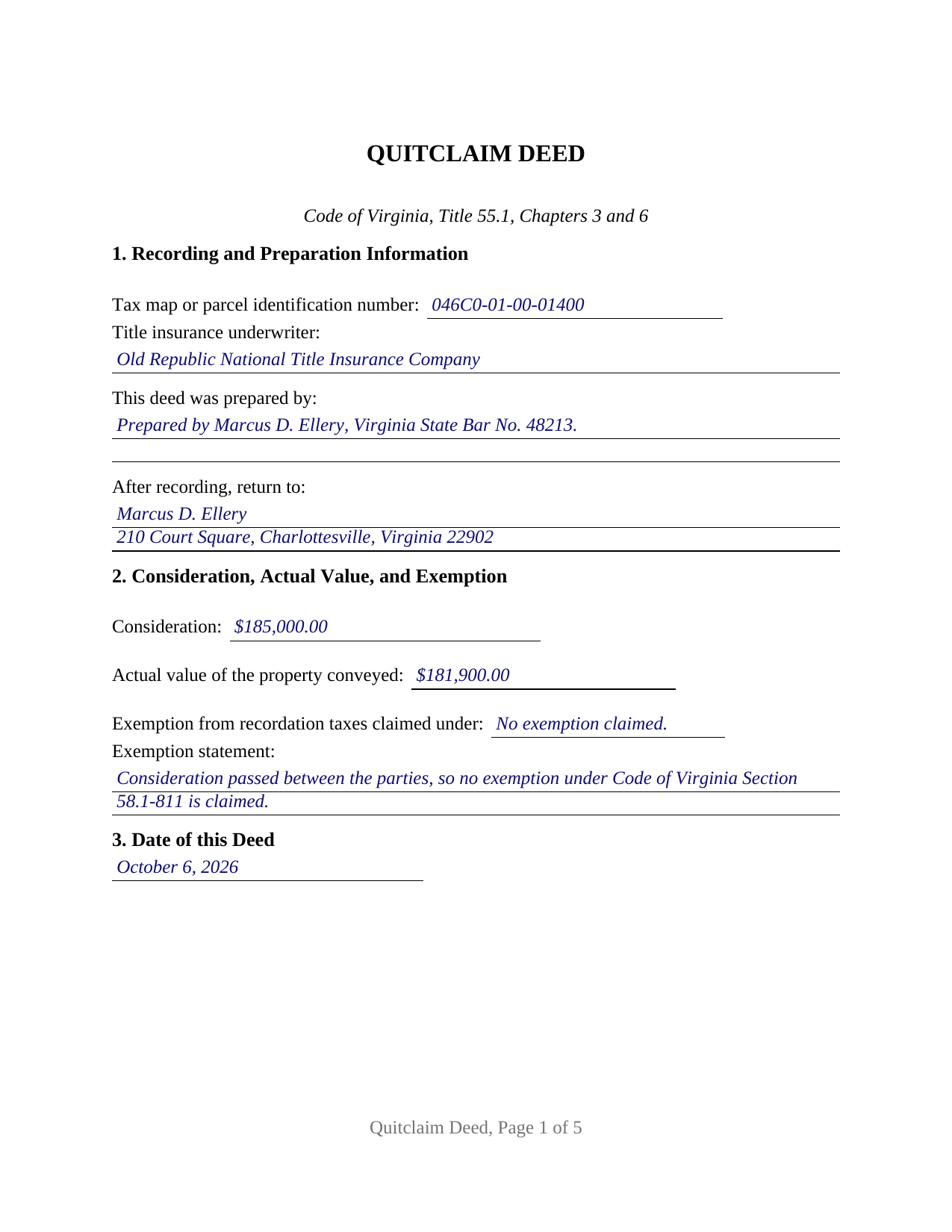
Albemarle County Completed Example of the Quitclaim Deed Document
Example of a properly completed Virginia Quitclaim Deed document for reference.
All 3 documents above included • One-time purchase • No recurring fees
Immediate Download • Secure Checkout
Additional Virginia and Albemarle County documents included at no extra charge:
Where to Record Your Documents
Albemarle County Circuit Court Clerk
Charlottesville, Virginia 22902-5110
Hours: 8:30 to 4:30 M-F
Phone: (434) 972-4085
Recording Tips for Albemarle County:
- Bring your driver's license or state-issued photo ID
- Ensure all signatures are in blue or black ink
- Leave recording info boxes blank - the office fills these
- Make copies of your documents before recording - keep originals safe
- Recorded documents become public record - avoid including SSNs
Cities and Jurisdictions in Albemarle County
Properties in any of these areas use Albemarle County forms:
- Batesville
- Charlottesville
- Covesville
- Crozet
- Earlysville
- Esmont
- Free Union
- Greenwood
- Ivy
- Keene
- Keswick
- North Garden
- Scottsville
- White Hall
Hours, fees, requirements, and more for Albemarle County
How do I get my forms?
Forms are available for immediate download after payment. The Albemarle County forms will be in your account ready to download to your computer. An account is created for you during checkout if you don't have one. Forms are NOT emailed.
Are these forms guaranteed to be recordable in Albemarle County?
Yes. Our form blanks are guaranteed to meet or exceed the applicable formatting requirements used for recording in Albemarle County, including margin requirements, font requirements, and other layout standards. This guarantee applies to formatting, not to the legal sufficiency of information entered by the user or the suitability of a form for a particular transaction.
Can I reuse these forms?
Yes. You can reuse the forms for your personal use. For example, if you have multiple properties in Albemarle County you only need to order once.
What do I need to use these forms?
The forms are PDFs that you fill out on your computer. The free Adobe Acrobat Reader is recommended, and most PDF apps also work. You do NOT enter your property information online - you download the blank forms and complete them privately on your own computer.
Are there any recurring fees?
No. This is a one-time purchase. Nothing to cancel, no memberships, no recurring fees.
How much does it cost to record in Albemarle County?
Recording fees in Albemarle County vary. Contact the recorder's office at (434) 972-4085 for current fees.
Questions answered? Let's get started!
Virginia never wrote a quitclaim deed form. What the Code of Virginia wrote instead is a pair of rules about words: Section 55.1-363 fixes what a release of all claims upon the land means, and Sections 55.1-354 through 55.1-362 fix what a warranty phrase means. A quitclaim deed speaks the first set and stays silent on the second, and this package prepares that deed for one or two individual owners releasing an interest in Virginia land.
A release the Code construes for itself
Section 55.1-363 supplies the meaning no caption can. Where a deed uses words releasing to the grantee all claims upon the lands, the statute reads it as though the grantor has remised, released, and forever quitted claim to all right, title, and interest whatsoever, at law and in equity, so that neither the grantor nor the grantor's heirs or assigns may afterward have, claim, challenge, or demand the lands. Section 10 of the form speaks in those words, and Section 55.1-301 sets their reach: unless a deed provides otherwise it passes the whole of the grantor's estate, which on a release is whatever is genuinely there the day it is delivered.
The covenants that go unspoken
Warranty here is a matter of covenant phrases, never of a heading. Section 55.1-354 turns a promise to warrant generally into a defense against the claims of all persons, and Section 55.1-355 narrows the special warranty version to claims by, through, or under the grantor. This deed contains neither, and Section 10 says so in capital letters, listing what is withheld: seisin, the right to convey, quiet possession, freedom from encumbrances, and further assurances. A judgment or a gap two owners back rides straight through. Recording keeps its own footing under Section 55.1-407, which names the quitclaim form in the recording act and leaves a grantee taking by one eligible to be a purchaser for valuable consideration without notice.
One or two names a side, and nothing preprinted
The grantor block is four open lines and no more. It receives one or two people signing in their own names, with whatever status words the filler adds, and the grantee block is built the same way, with room for a vesting designation behind the names. Nothing about marriage, capacity, or tenancy is printed in advance, so a sole owner releasing to one grantee or to two, and a couple releasing to either, all sit on the same page. Two signature blocks and two certificates follow, the second of each left empty on a one-grantor fill, which also lets two grantors appear before different notaries. The form is not set up for an entity grantor, for a trustee, executor, or agent signing in a representative capacity, or for three or more owners a side.
The sentence that changed on July 1, 2026
Money, or the absence of it, decides what the counter collects. Section 58.1-801 charges 25 cents on every $100 or fraction of the consideration or the actual value, whichever is greater, and pins that value to the most recent assessment. Where nothing passes, Section 58.1-811(D) exempts a quitclaim deed without consideration, but only where the deed states that classification about itself, a reach the subsection gained on July 1, 2026 when 2026 Acts of Assembly Chapter 966 carried it past the deed of gift. Section 2 takes the price, the value, the Code section relied on, and that sentence.
What page one has to carry
Section 17.1-223(A) is the list a Virginia clerk reads. Absent a cover sheet, a clerk may reject a writing unless each individual party's surname is capitalized or underscored in the first clause naming the parties, the pages are numbered in order, consideration and actual value appear on page one, and the law behind any exemption is clear on the face. Subsection B adds the title insurance underwriter and a preparer statement on a residential deed of four dwelling units or fewer, and Section 17.1-252 adds the parcel number where a locality runs a unique parcel system. Section 1 gathers all of it above the deed's own text.
Buyers find this instrument under three names Virginia treats as one: quitclaim deed, quit claim deed, and release deed. The download holds the blank deed as a fillable PDF, a completed example worked through an Albemarle County transfer, and a plain-language guide covering every blank, the ways a Virginia grantee may hold title, notarization, and the charges collected at recording. The materials are informational and are not legal advice.
Important: Your property must be located in Albemarle County to use these forms. Documents should be recorded at the county or independent city recording office listed above.
This Quitclaim Deed meets all recording requirements specific to Albemarle County.
Our Promise
The documents you receive here are guaranteed to meet or exceed the applicable Albemarle County recording format requirements. If there is a rejection caused by our formatting, we will correct the issue or refund your payment. This guarantee applies to document formatting only and does not extend to information entered by the user, the selection of the form, or the legal effect of the completed document.
Save Time and Money
Get your Albemarle County Quitclaim Deed form done right the first time with Deeds.com Uniform Conveyancing Blanks. At Deeds.com, we understand that your time and money are valuable resources, and we don't want you to face a penalty fee or rejection imposed by a county recorder for submitting nonstandard documents. We constantly review and update our forms to meet rapidly changing state and county recording requirements for roughly 3,500 counties and local jurisdictions.
4.8 out of 5 - ( 4,847 Reviews )
Jeffrey G. 5 out of 5 stars
Transaction went smoothly. The forms in the package were just what was needed.
Thank you for your feedback. We really appreciate it. Have a great day!
Cindy A. 5 out of 5 stars
Easy to understand and use. However, need to add line for phone number for preparer - Thanks
Thank you for your feedback. We really appreciate it. Have a great day!
Matthew D. 5 out of 5 stars
Fantastic forms easy process couldn't be happier! Thanks
Thank you Matthew!
SHERRILL B. 5 out of 5 stars
I received prompt attention to the package I submitted. It was submitted promptly the recorders office with a quick turn around for the recorded document. Overall a very pleasant experience.
We are sincerely grateful for your feedback and are committed to providing the highest quality service. Thank you for your trust in us.
Sheryl G. 5 out of 5 stars
Simple way to complete documents with very detailed instructions. And to be able to e-file them is great too.
We appreciate your business and value your feedback. Thank you. Have a wonderful day!
Don M. 5 out of 5 stars
Easy to set up account. If I am presented with a chance to review the service, I will do that after I have received it.
Thank you!
Stephanie S. 5 out of 5 stars
I received my information almost immediately. I read a few more things on the website and then refreshed and it was there! SO much easier than having to go to the office myself - thanks!!
Thank you!
Edward B. 5 out of 5 stars
Thank you for the rapid response. I shall persevere in my search using other public records. I shall keep your website handy for other such searches in the future.
Thank you!
Margaret M. 5 out of 5 stars
Great job with these forms. Super easy and up to date, a rare find online these days. Thank you.
Thank you!
Billy A. 5 out of 5 stars
Documents were as described, Will not be able to tell if it works or not.. Will be Dead, but easy enough to fill out.
Thank you for taking a moment to share your thoughts.
Kelly S. 5 out of 5 stars
Fast, easy, responsive.
Thank you!
Rachel F. 5 out of 5 stars
Wonderful forms as long as you know what you need. Do some research ahead of time so you can avoid looking like an idiot ordering the incorrect form for your situation.
Thank you!
Thomas D. 2 out of 5 stars
The documents themselves are fine and the information provided with them is helpful. I find the actual processing of the documents, however, to be difficult particularly once the document has been saved. First, I note that the box for the date only allows entry of the last 2 digits of the year. Unfortunately, my download only allows me to enter one of the 2 digits required. When I delete it repeatedly, it eventually allows both digits to be entered but puts them in extremely small text and in superscrypt. I have not found a solution to this problem and am not sure the deed can even be recorded with this problem. Another problem is that if you try to revise the document after you have saved it the curser goes to the end of the line after each key entry. This means that there basically is no way to efficiently save the document for reworking later since you will have to delete everything you have entered in the text box unless you only need to make a single keystroke change or are willing to replace the curser after each entry. Try that with a long property description! Please note that I am using a Mac to prepare my documents and perhaps this is part of an "incompatibility problem". However, I didn't see a disclaimer regarding Mac use and so would expect the documents to perform correctly. Overall, I give the program a "2 star" rating because I am experiencing significant difficulties in entering dates in the documents even before saving them and because saving your work for later revision appears to be basically unworkable.
Thank you for your feedback Thomas, we appreciate you being specific about the issues you encountered. Adobe and Mac have a fairly long history of issues working together.
Tammy S. 5 out of 5 stars
Easy to download, great guidelines, and samples of each form needed.
Thank you!
Timothy N. 5 out of 5 stars
Extremely easy and fast recording of real estate records. I was impressed that it was less than 6 hours from the time I uploaded the document to Deeds.com to receiving confirmation that it was recorded by the county clerk. I would highly recommend this service to save you time and quickly get documents recorded!
Thank you for your feedback. We really appreciate it. Have a great day!