Marion County Quitclaim Deed (Individual Grantor) Form
Last validated October 19, 2026 by our Forms Development TeamFormatted for recording in Marion County, for property anywhere in the county: rural and unincorporated areas as well as Bear Creek, Brilliant, Guin, Hackleburg, Hamilton, Winfield.
- 3 documents included
- Immediate PDF download
- Formatting guarantee
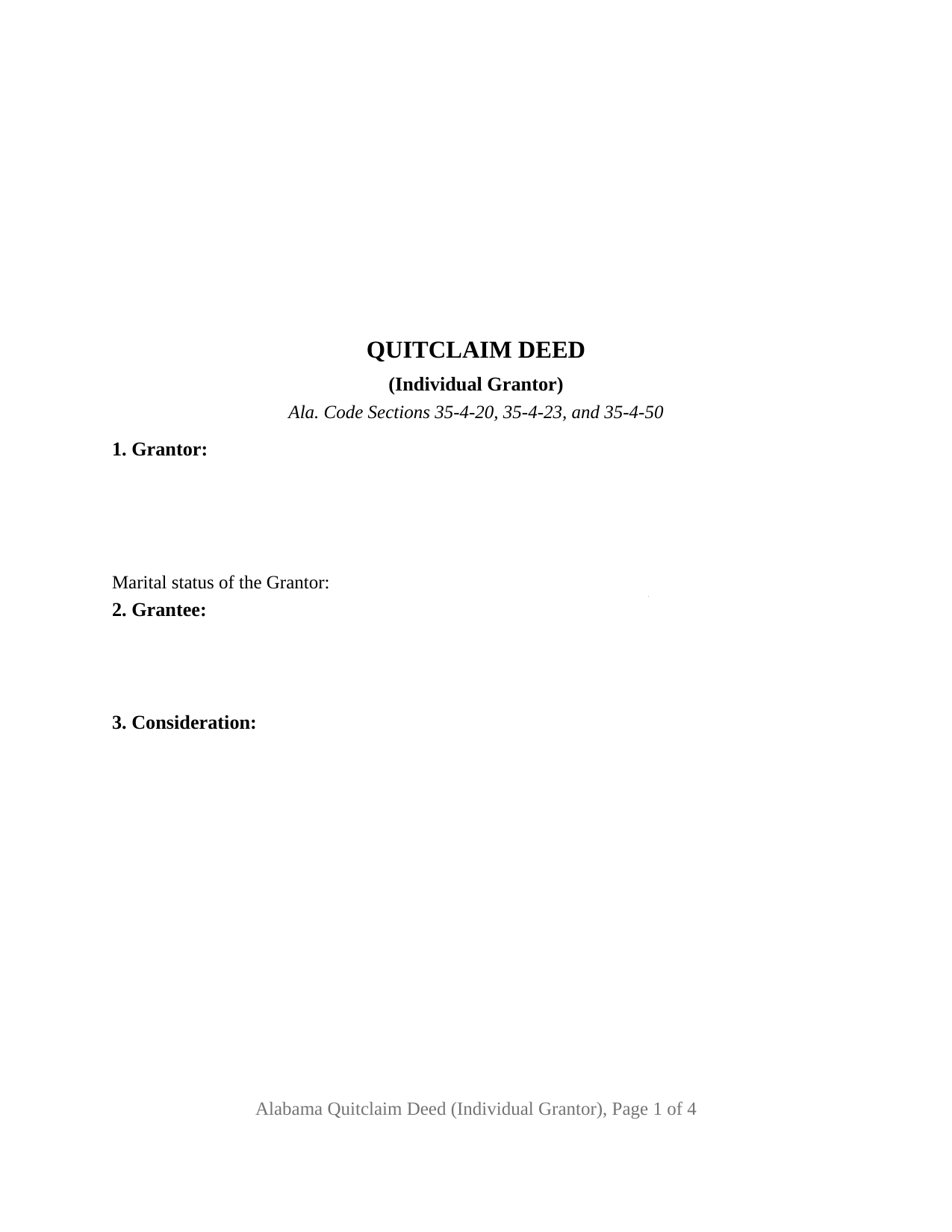
Marion County Quitclaim Deed (Individual Grantor) Form
Fill in the blank Quitclaim Deed (Individual Grantor) form formatted to comply with all Alabama recording and content requirements.
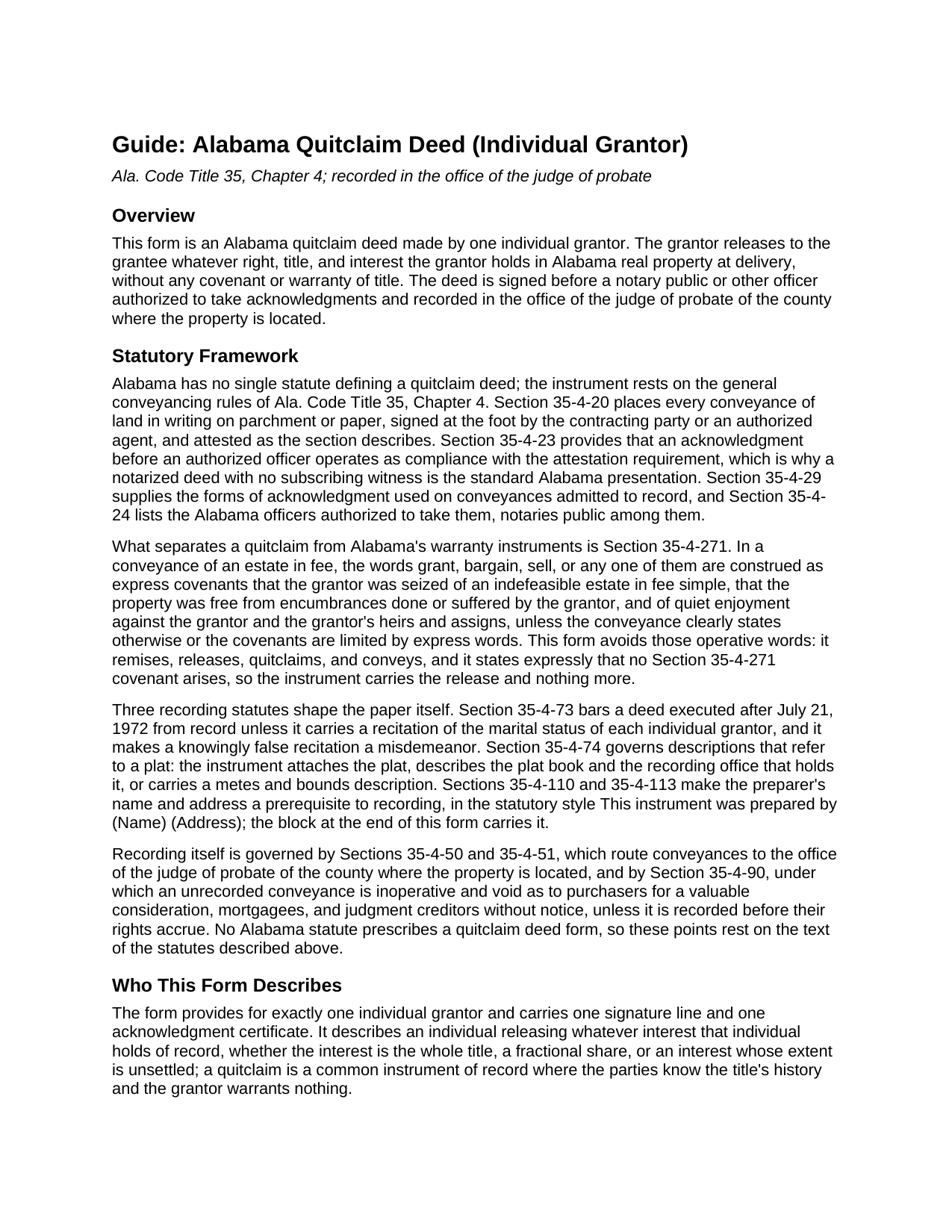
Marion County Quitclaim Deed (Individual Grantor) Guide
Line by line guide explaining every blank on the Quitclaim Deed (Individual Grantor) form.
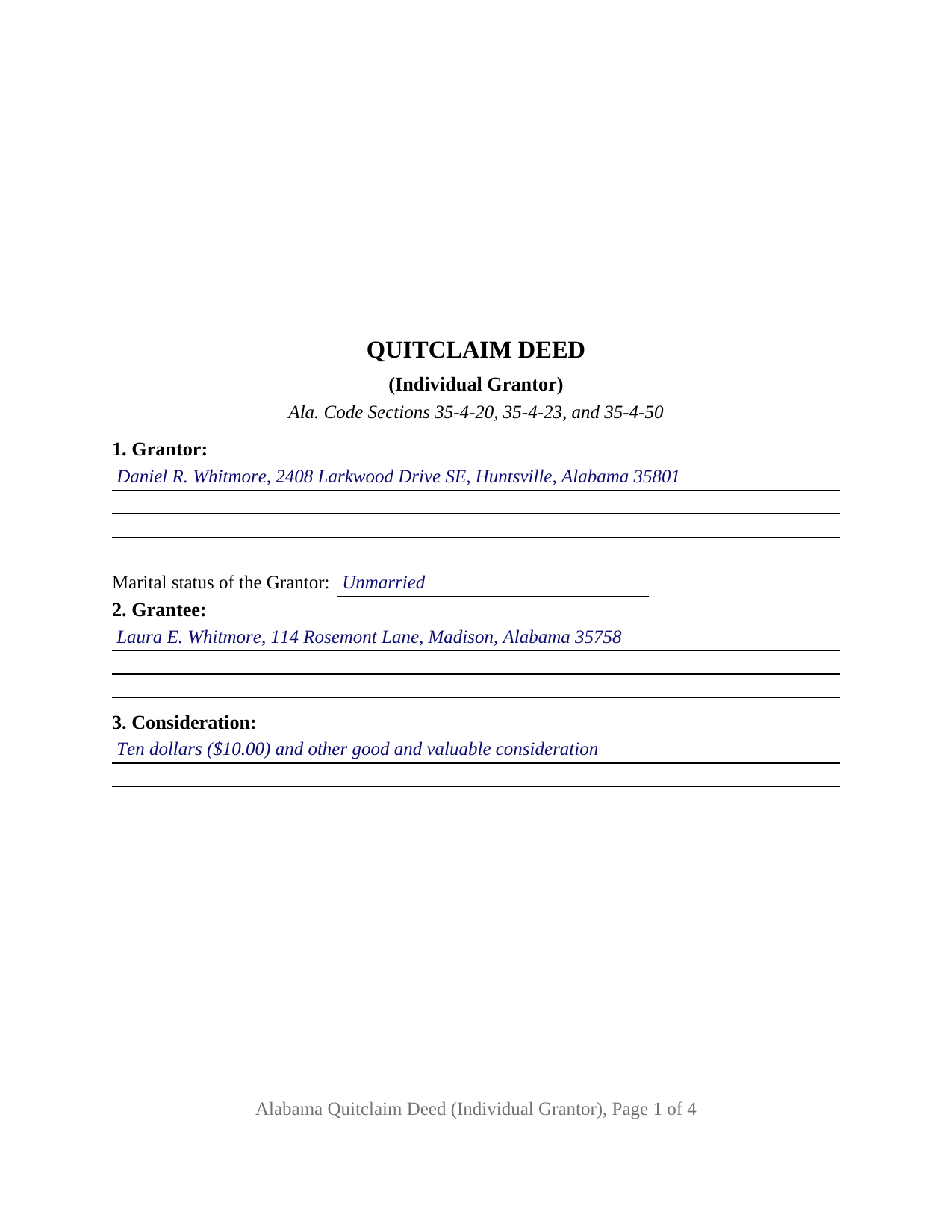
Marion County Completed Example of the Quitclaim Deed (Individual Grantor) Document
Example of a properly completed Alabama Quitclaim Deed (Individual Grantor) document for reference.
All 3 documents above included • One-time purchase • No recurring fees
Immediate Download • Secure Checkout
Additional Alabama and Marion County documents included at no extra charge:
Where to Record Your Documents
Marion Probate Office
Hamilton, Alabama 35570
Hours: 8:00 to 4:30 M-F
Phone: (205) 921-2471
Recording Tips for Marion County:
- Bring your driver's license or state-issued photo ID
- Ensure all signatures are in blue or black ink
- Leave recording info boxes blank - the office fills these
- Make copies of your documents before recording - keep originals safe
- Recorded documents become public record - avoid including SSNs
Cities and Jurisdictions in Marion County
Properties in any of these areas use Marion County forms:
- Bear Creek
- Brilliant
- Guin
- Hackleburg
- Hamilton
- Winfield
Hours, fees, requirements, and more for Marion County
How do I get my forms?
Forms are available for immediate download after payment. The Marion County forms will be in your account ready to download to your computer. An account is created for you during checkout if you don't have one. Forms are NOT emailed.
Are these forms guaranteed to be recordable in Marion County?
Yes. Our form blanks are guaranteed to meet or exceed the applicable formatting requirements used for recording in Marion County, including margin requirements, font requirements, and other layout standards. This guarantee applies to formatting, not to the legal sufficiency of information entered by the user or the suitability of a form for a particular transaction.
Can I reuse these forms?
Yes. You can reuse the forms for your personal use. For example, if you have multiple properties in Marion County you only need to order once.
What do I need to use these forms?
The forms are PDFs that you fill out on your computer. The free Adobe Acrobat Reader is recommended, and most PDF apps also work. You do NOT enter your property information online - you download the blank forms and complete them privately on your own computer.
Are there any recurring fees?
No. This is a one-time purchase. Nothing to cancel, no memberships, no recurring fees.
How much does it cost to record in Marion County?
Recording fees in Marion County vary. Contact the recorder's office at (205) 921-2471 for current fees.
Questions answered? Let's get started!
One grantor, one signature line, one acknowledgment certificate: the Alabama Quitclaim Deed (Individual Grantor) is built around a release of Alabama real property by a single person acting alone. The form carries the marital status entry Alabama expects of every individual grantor in its first section, then releases to the grantee whatever right, title, and interest the signer holds, without any covenant of title.
Configured around a single signer
The deed recites exactly one individual grantor. Section 1 takes that grantor's name, mailing address, and marital status; Section 10 carries the one signature line; and a single acknowledgment certificate closes the instrument. One record owner releasing an undivided fractional interest to a single grantee, and an unmarried owner delivering record title to settle a boundary line, present the single grantor pattern this deed recites. The form is not set up as a co owner release or an entity conveyance, and a married grantor's transfer of homestead property presents a two signature pattern under Ala. Code Section 6-10-3 that this configuration does not carry; the deed prints that homestead rule in capital letters so the condition is visible on the face of the instrument.
The marital status line most states never ask for
Ala. Code Section 35-4-73 keeps a deed out of the record unless it carries a recitation of the marital status of each individual grantor or vendor, a rule that has applied to instruments executed since July 21, 1972, and a knowingly false recitation is a misdemeanor. This form builds the entry into the grantor section rather than leaving it to be added at the counter, and the completed example shows the wording in place.
Release words, chosen against Section 35-4-271
Alabama attaches covenants to word choice. In a fee conveyance, the words grant, bargain, or sell, standing as operative words, are construed as express covenants of seisin, freedom from encumbrances done or suffered by the grantor, and quiet enjoyment, unless the instrument limits them (Ala. Code Section 35-4-271). This deed remises, releases, quitclaims, and conveys, and it states on its face that no Section 35-4-271 covenant arises, so the release stays a release: the grantee takes whatever interest the grantor holds at delivery, and nothing is promised about what that interest is.
An Alabama certificate, not a generic one
Alabama's statutory acknowledgment reads differently from the short forms most states use. Under Ala. Code Section 35-4-29, the officer certifies that the person whose name is signed to the conveyance is known to the officer and, being informed of the contents of the conveyance, executed it voluntarily on the day it bears date. The certificate printed on this form carries that substance. Acknowledgment also operates as compliance with the witness rule of Ala. Code Section 35-4-20 (Section 35-4-23), so the notarized deed goes to record with no subscribing witness line, and the notary block closes with the officer's printed name, state, and commission expiration.
At the probate office
The signed deed goes to the judge of probate of the county where the property is located. Recording is what protects the grantee against third parties: under Ala. Code Section 35-4-90, an unrecorded conveyance is inoperative and void as to purchasers for a valuable consideration, mortgagees, and judgment creditors without notice. At recording, the probate office collects the deed tax of fifty cents per five hundred dollars of value (Ala. Code Section 40-22-1) along with the sales value disclosure Alabama has collected since 2012, commonly on Department of Revenue Form RT-1, a one page state form completed separately at recording and not part of the deed itself. The form reserves the top three inches of its first page for the recording stamp and carries the preparer statement Ala. Code Sections 35-4-110 and 35-4-113 make a prerequisite to recording, so the paper arrives shaped for county intake.
The download delivers this Alabama quitclaim deed, also searched for as a quit claim or quick claim deed, as a blank fillable PDF, together with a completed example on a Madison County fact pattern and a guide that walks the form section by section, from the marital status entry through the acknowledgment certificate. The materials describe Alabama law in general terms and are not legal advice; an Alabama attorney can apply these rules to a particular title.
Important: Your property must be located in Marion County to use these forms. Documents should be recorded at the county recording office listed above.
This Quitclaim Deed (Individual Grantor) meets all recording requirements specific to Marion County.
Our Promise
The documents you receive here are guaranteed to meet or exceed the applicable Marion County recording format requirements. If there is a rejection caused by our formatting, we will correct the issue or refund your payment. This guarantee applies to document formatting only and does not extend to information entered by the user, the selection of the form, or the legal effect of the completed document.
Save Time and Money
Get your Marion County Quitclaim Deed (Individual Grantor) form done right the first time with Deeds.com Uniform Conveyancing Blanks. At Deeds.com, we understand that your time and money are valuable resources, and we don't want you to face a penalty fee or rejection imposed by a county recorder for submitting nonstandard documents. We constantly review and update our forms to meet rapidly changing state and county recording requirements for roughly 3,500 counties and local jurisdictions.
4.8 out of 5 - ( 4,828 Reviews )
Bonnie A. 5 out of 5 stars
I little struggle downloading the forms at first but support helped. After that it was a breeze, happy with everything.
We appreciate your business and value your feedback. Thank you. Have a wonderful day!
Peggy R. 5 out of 5 stars
Thank you it was quick and easy
Thank you!
Marlin M. 5 out of 5 stars
5 stars!
Thank you!
James J. 5 out of 5 stars
Downloaded and used the Ladybird Warranty Deed for a county in Florida with no issues. Cost for the download and subsequent recording fee of the deed totaled less than $40. No reason to pay hundreds. I assume the subsequent transfer upon death will go smoothly, but I of course, will never know. The "example" of a completed form was very beneficial. Also, get a copy of the current deed and make sure legal description of real estate is exactly the same on the new deed.
Thank you for your feedback. We really appreciate it. Have a great day!
Suzanne D. 5 out of 5 stars
Information found, thank you. I own Ground Rent on property and needed to know name of property owner and address for mailing bill.
Thank you!
Barbara P. 5 out of 5 stars
Easy and fast!
We appreciate your business and value your feedback. Thank you. Have a wonderful day!
Michael S. 5 out of 5 stars
So easy.
Happy we could assist. Thank you for sharing your experience.
Tom B. 4 out of 5 stars
I ended up loading the same file twice and was unable to delete one of them. I did send e request in to have one deleted and I did get a response back that only one file was processed. This was done in a timely manner but required more additional time. It would have been nice to be able to delete the file myself and finish the process at the same time. Other than this every thing did go very well. Thank you
Thank you for your feedback. We really appreciate it. Have a great day!
Maribel P. 5 out of 5 stars
Thank you so much for providing simple but very significant documents one can basically do PRO SE, without any additional huge counsel expenses and yet be legitimate enough to officially file them as state law allows and extends to basic documents processing and filings. Thank you so much for the professional documents provided as they do the proper job. MP
Thank you for the kind words Maribel. Glad we were able to help!
Hans S. 5 out of 5 stars
This is my first time using this service so having not yet filed the documents I purchased, I will say that I am impressed at how comprehensive the instructions are that accompany the document I purchased.
We appreciate your business and value your feedback. Thank you. Have a wonderful day!
Stephen F. 5 out of 5 stars
Easy to use. Outstanding interface.
Thank you!
Lori A. 5 out of 5 stars
My county accessors office recommended this site. My Uncle passed away and did not leave a will and I needed to have his deed transferred into my name. I was able to do it using the sample Deeds.com provided. I used it as a guide to fill out the paperwork that I printed off of the Deeds.com site. I had no problem when I went to the county and turned in the paperwork and the clerk said everything looked great.
Thank you so much for taking the time to share your experience Lori. We are deeply sorry for your loss and understand how challenging managing affairs can be during such a difficult time. It's heartening to hear that our resources were helpful to you in transferring your uncle's deed into your name.
We strive to make complex processes more accessible and manageable, and your feedback affirms the value of our work. Knowing that the county assessor's office recommended us and that the clerk found everything in order with your paperwork is incredibly gratifying.
Sandra H. 1 out of 5 stars
I did not receive the information in a timely fashion as stated on the website. I would not recommend this service.
Thank you for your feedback Sandra. In reviewing your order I see that it did take our staff 11 minutes to respond to your order. That is significantly longer than the 10 minute average listed on our website. Even in these unprecedented times of quarantines and staff shortages our failure is unacceptable. We have fully refunded your account and we do hope that you found something more suitable to your needs elsewhere.
Kristi T. 5 out of 5 stars
This was so very easy and fast! Well worth the small fee. I will use this again if I have a need. Thank you!
We appreciate your business and value your feedback. Thank you. Have a wonderful day!
bill h. 5 out of 5 stars
so far getting what i needed was easy the site is well done thank you
We appreciate your business and value your feedback. Thank you. Have a wonderful day!