Jackson County Quitclaim Deed (LLC Grantor) Form
Last validated October 1, 2026 by our Forms Development TeamFormatted for recording in Jackson County, for property anywhere in the county: rural and unincorporated areas as well as Bridgeport, Bryant, Dutton, Estillfork, Fackler, Flat Rock, Higdon, Hollytree and 10 more.
- 3 documents included
- Immediate PDF download
- Formatting guarantee
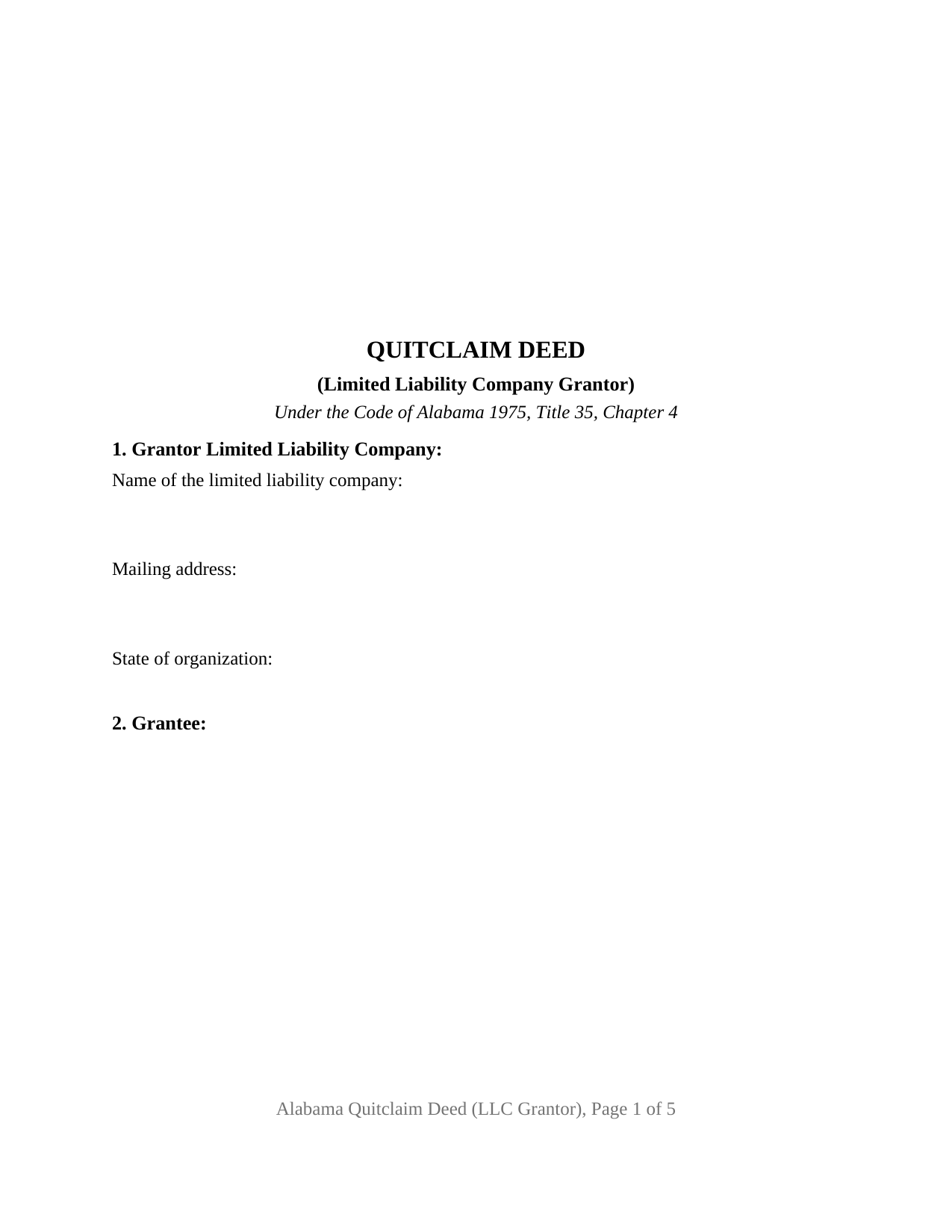
Jackson County Quitclaim Deed (LLC Grantor) Form
Fill in the blank Quitclaim Deed (LLC Grantor) form formatted to comply with all Alabama recording and content requirements.
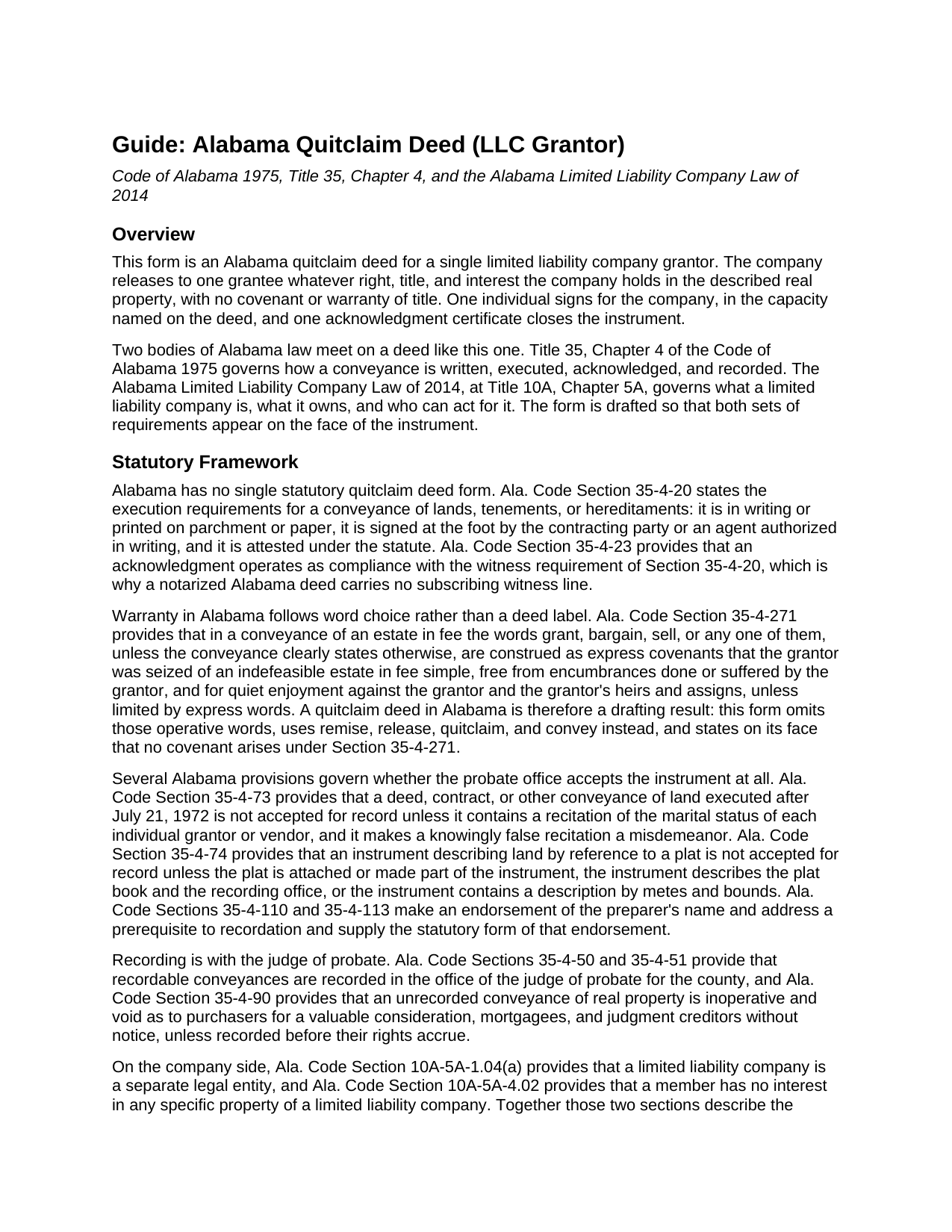
Jackson County Quitclaim Deed (LLC Grantor) Guide
Line by line guide explaining every blank on the Quitclaim Deed (LLC Grantor) form.
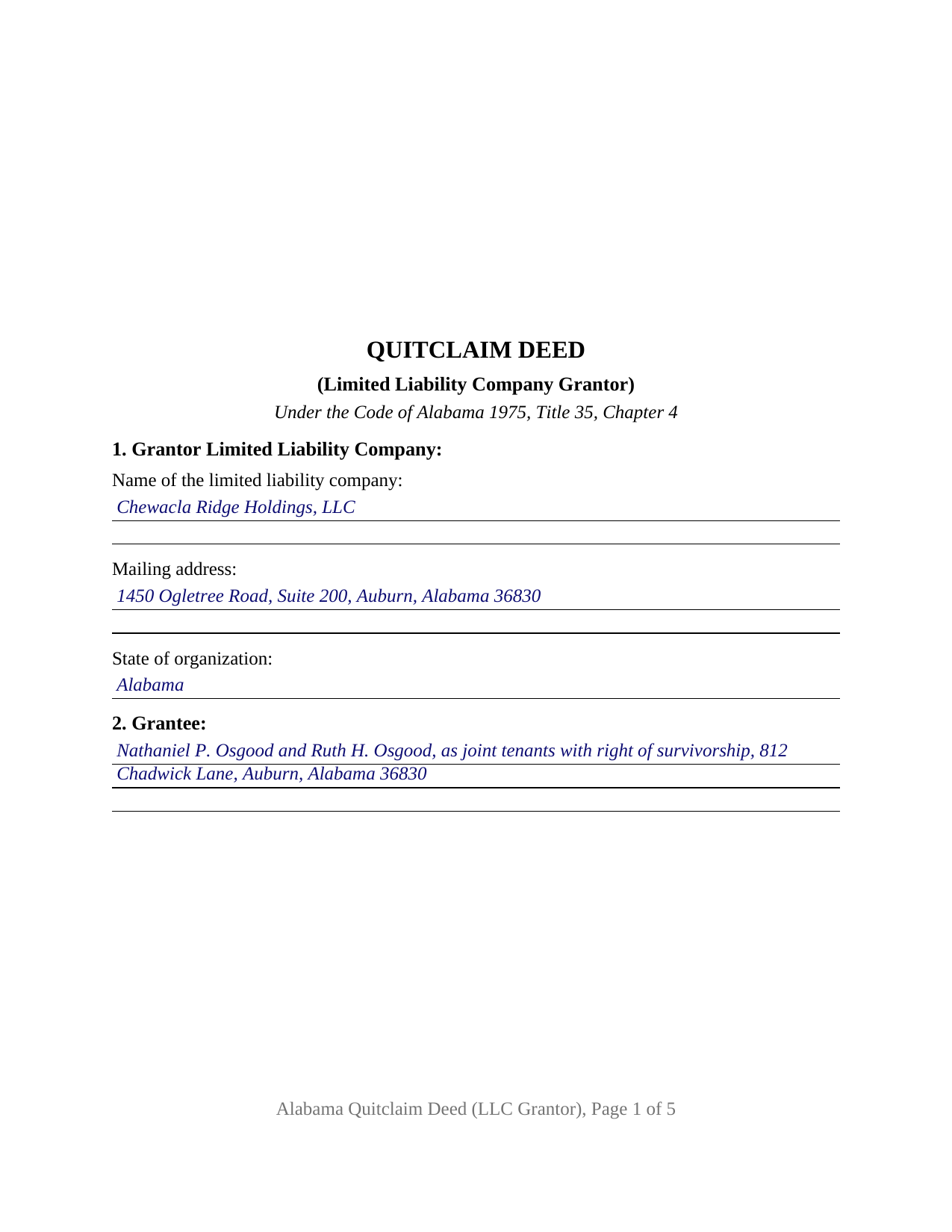
Jackson County Completed Example of the Quitclaim Deed (LLC Grantor) Document
Example of a properly completed Alabama Quitclaim Deed (LLC Grantor) document for reference.
All 3 documents above included • One-time purchase • No recurring fees
Immediate Download • Secure Checkout
Additional Alabama and Jackson County documents included at no extra charge:
Where to Record Your Documents
Probate Office: Recording Dept.
Scottsboro, Alabama 35768
Hours: 8:00 to 4:30 M-F
Phone: (256) 574-9290
Recording Tips for Jackson County:
- Bring your driver's license or state-issued photo ID
- Ensure all signatures are in blue or black ink
- Documents must be on 8.5 x 11 inch white paper
- Double-check legal descriptions match your existing deed
- Verify all names are spelled correctly before recording
Cities and Jurisdictions in Jackson County
Properties in any of these areas use Jackson County forms:
- Bridgeport
- Bryant
- Dutton
- Estillfork
- Fackler
- Flat Rock
- Higdon
- Hollytree
- Hollywood
- Langston
- Paint Rock
- Pisgah
- Princeton
- Scottsboro
- Section
- Stevenson
- Trenton
- Woodville
Hours, fees, requirements, and more for Jackson County
How do I get my forms?
Forms are available for immediate download after payment. The Jackson County forms will be in your account ready to download to your computer. An account is created for you during checkout if you don't have one. Forms are NOT emailed.
Are these forms guaranteed to be recordable in Jackson County?
Yes. Our form blanks are guaranteed to meet or exceed the applicable formatting requirements used for recording in Jackson County, including margin requirements, font requirements, and other layout standards. This guarantee applies to formatting, not to the legal sufficiency of information entered by the user or the suitability of a form for a particular transaction.
Can I reuse these forms?
Yes. You can reuse the forms for your personal use. For example, if you have multiple properties in Jackson County you only need to order once.
What do I need to use these forms?
The forms are PDFs that you fill out on your computer. The free Adobe Acrobat Reader is recommended, and most PDF apps also work. You do NOT enter your property information online - you download the blank forms and complete them privately on your own computer.
Are there any recurring fees?
No. This is a one-time purchase. Nothing to cancel, no memberships, no recurring fees.
How much does it cost to record in Jackson County?
Recording fees in Jackson County vary. Contact the recorder's office at (256) 574-9290 for current fees.
Questions answered? Let's get started!
The grantor on this deed cannot hold a pen. The Alabama Quitclaim Deed (LLC Grantor) is drafted for a limited liability company that releases Alabama real property to one grantee, so it must say who signs for the company and what that person's authority rests on. Section 8 collects both, and the certificate at the end is worded for an officer rather than for a person signing in his or her own right.
Title stands in the company, not in its members
The Alabama Limited Liability Company Law of 2014 describes the ownership this release acts on. Ala. Code Section 10A-5A-1.04(a) provides that a limited liability company is a separate legal entity, and Ala. Code Section 10A-5A-4.02 provides that a member has no interest in any specific property of a limited liability company. The parcel stands in the company's name, and no member holds a sliver of it to pass along. Both provisions are printed in the operative section. Section 1 takes the company's full name, including the designation Ala. Code Section 10A-1-5.06 requires, its mailing address, and its state of organization.
The signature question Alabama law actually asks
Ala. Code Section 10A-5A-3.02 provides that no person has the power to bind a limited liability company except as authorized to act as its agent under or pursuant to the limited liability company agreement, under three further sections of the same chapter, or by law outside it. Section 8 is built around that sentence and asks three things: the individual's name, that person's title or capacity, such as manager, managing member, or sole member, and the source of the authority relied on, such as a numbered section of the company agreement or a dated written consent. Those governing documents stay with the company.
A certificate written for an officer
Ala. Code Section 35-4-29 prints what it calls substantially the forms of acknowledgment used in Alabama on recorded conveyances, and alongside the individual wording it prints an entity form: the officer certifies that the person whose name as the stated officer of the entity is signed to the conveyance, being informed of the contents, executed it as such officer and with full authority for and as the act of the entity. The certificate here closes with that substance. Ala. Code Section 35-4-25, on acknowledgments of conveyances to or by a corporation, was amended by Act 2024-314 and Act 2025-365 to name limited liability companies too.
The blanks an entity grantor leaves behind
Two entries that dominate an individual Alabama deed drop out here. Ala. Code Section 35-4-73 keeps a conveyance out of the record unless it recites the marital status of each individual grantor or vendor, and this deed states instead that the grantor is a company and that no individual grantor is named. Ala. Code Section 6-10-3 conditions a married person's homestead conveyance on a spouse's signature and assent, and a company is not a married person, so no spouse signature block appears. The form recites one company grantor and one authorized signer; it is not set up for two grantors, an individual or corporate grantor, co-signature by two managers, or a release of series assets under Ala. Code Section 10A-5A-11.03.
Release words, then the probate counter
Alabama attaches title covenants to word choice: in a fee conveyance, grant, bargain, and sell are read as express covenants of an indefeasible fee, of freedom from encumbrances, and of quiet enjoyment, unless the instrument limits them (Ala. Code Section 35-4-271). This deed leaves those words out and says on its face that no Section 35-4-271 covenant arises. The deed goes to the judge of probate where the land lies, where an unrecorded Alabama conveyance is void against purchasers, mortgagees, and judgment creditors without notice (Ala. Code Section 35-4-90), and where the deed tax of Ala. Code Section 40-22-1 is collected with the sales value information the state gathers on Form RT-1.
Page one holds its upper three inches clear for the recording stamp, and the preparer endorsement Ala. Code Sections 35-4-110 and 35-4-113 require is printed in the deed's text. Buyers reach this Alabama quitclaim deed as a quit claim deed, a quick claim deed, or an LLC deed. The download delivers the blank fillable PDF, a completed example set in Lee County, and a guide covering every entry, the authority section, and the certificate. These pages set out Alabama law generally and are not legal advice; an Alabama attorney can weigh them against a particular company and title.
Important: Your property must be located in Jackson County to use these forms. Documents should be recorded at the county recording office listed above.
This Quitclaim Deed (LLC Grantor) meets all recording requirements specific to Jackson County.
Our Promise
The documents you receive here are guaranteed to meet or exceed the applicable Jackson County recording format requirements. If there is a rejection caused by our formatting, we will correct the issue or refund your payment. This guarantee applies to document formatting only and does not extend to information entered by the user, the selection of the form, or the legal effect of the completed document.
Save Time and Money
Get your Jackson County Quitclaim Deed (LLC Grantor) form done right the first time with Deeds.com Uniform Conveyancing Blanks. At Deeds.com, we understand that your time and money are valuable resources, and we don't want you to face a penalty fee or rejection imposed by a county recorder for submitting nonstandard documents. We constantly review and update our forms to meet rapidly changing state and county recording requirements for roughly 3,500 counties and local jurisdictions.
4.8 out of 5 - ( 4,829 Reviews )
Richard H. 5 out of 5 stars
Thank You! Very informative and helpful!
We appreciate your business and value your feedback. Thank you. Have a wonderful day!
Kayreen B. 5 out of 5 stars
Very happy with my experience with using Deeds.com! Especially easy to use with the sample page of what a form looks like filled out. saved a lot of money and it worked!
We appreciate your business and value your feedback. Thank you. Have a wonderful day!
Alan C. 5 out of 5 stars
The Transfer on Death Deed paperwork was easy to complete, as it included a detailed guide and a completed example. We encountered no issues recording the document with our County. Thanks to Deeds.com, we were also able to save time and money by utilizing a DIY approach for our situation.
We are delighted to have been of service. Thank you for the positive review!
Dale S. 5 out of 5 stars
I used the Affidavit of Death form provided by Deeds.com. The form and directions were easy to follow. I took the form to the county clerk's office for filing after getting it notarized. They accepted the form with no issues. A task that many people go to a lawyer complete was completed easily by me in less than an hour.
Thanks, Dale! Glad it worked exactly as it should — clear form, smooth filing, no issues at the clerk's office. That's the goal every time.
Roger W. 5 out of 5 stars
worked very good or me
Thank you Roger, have a great day!
Michael L. 5 out of 5 stars
Professional, simple. Very good.
We appreciate your business and value your feedback. Thank you. Have a wonderful day!
Sherri R. 5 out of 5 stars
I was impressed with how quick and easy the process was.
Happy we could assist. Thank you for sharing your experience.
Kimberly L. 5 out of 5 stars
Great to have online resources! I will most definitely refer others! Best regards,
We appreciate your business and value your feedback. Thank you. Have a wonderful day!
Rosa Irene G. 5 out of 5 stars
nd your site/forms. The cost is also great. Thank you so much for making this affordable to everyone.
Thank you for your feedback. We really appreciate it. Have a great day!
Cyrus A. 5 out of 5 stars
Easy site to work with.
We are grateful for your feedback and looking forward to serving you again. Thank you!
Monica M. 5 out of 5 stars
I was very impressed with the quick responses I received from my questions. Usually when forced to communicate via email, responses aren't received right away. Thank you for being on top of things.
Thank you!
Donald P. 4 out of 5 stars
Very fast and efficient. Easy to fill out but was upset the latest tax exemptions ruled in 2014 did not seem to be included. Exclusion of sale to blood relatives, etc. _ the one I needed.
Thank you for your feedback. We really appreciate it. Have a great day!
Nancy v. 5 out of 5 stars
Amazing! So easy to get all the forms. Very impressive!
Thank you!
Pat A. 5 out of 5 stars
I was impressed that the forms were easy to read and the directions were helpful. Thank you for providing this.
Thank you!
Thomas D. 2 out of 5 stars
The documents themselves are fine and the information provided with them is helpful. I find the actual processing of the documents, however, to be difficult particularly once the document has been saved. First, I note that the box for the date only allows entry of the last 2 digits of the year. Unfortunately, my download only allows me to enter one of the 2 digits required. When I delete it repeatedly, it eventually allows both digits to be entered but puts them in extremely small text and in superscrypt. I have not found a solution to this problem and am not sure the deed can even be recorded with this problem. Another problem is that if you try to revise the document after you have saved it the curser goes to the end of the line after each key entry. This means that there basically is no way to efficiently save the document for reworking later since you will have to delete everything you have entered in the text box unless you only need to make a single keystroke change or are willing to replace the curser after each entry. Try that with a long property description! Please note that I am using a Mac to prepare my documents and perhaps this is part of an "incompatibility problem". However, I didn't see a disclaimer regarding Mac use and so would expect the documents to perform correctly. Overall, I give the program a "2 star" rating because I am experiencing significant difficulties in entering dates in the documents even before saving them and because saving your work for later revision appears to be basically unworkable.
Thank you for your feedback Thomas, we appreciate you being specific about the issues you encountered. Adobe and Mac have a fairly long history of issues working together.