Carroll County Scrivener's Error Affidavit Form
Last validated October 15, 2026 by our Forms Development TeamFormatted for recording in Carroll County, for property anywhere in the county: rural and unincorporated areas as well as Beaver, Berryville, Eureka Springs, Green Forest, Oak Grove.
- 3 documents included
- Immediate PDF download
- Formatting guarantee
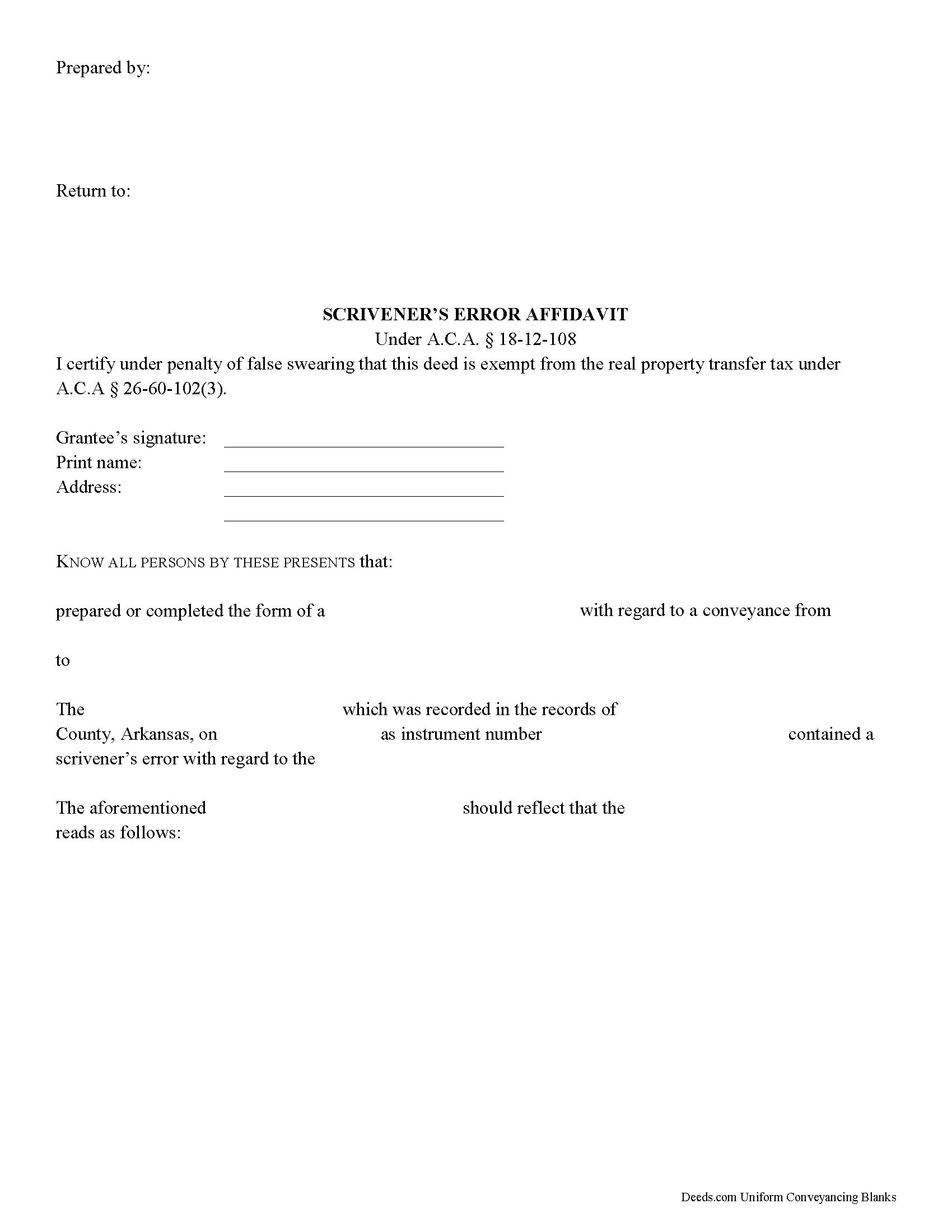
Carroll County Scrivener's Error Affidavit Form
Fill in the blank Scrivener's Error Affidavit form formatted to comply with all Arkansas recording and content requirements.
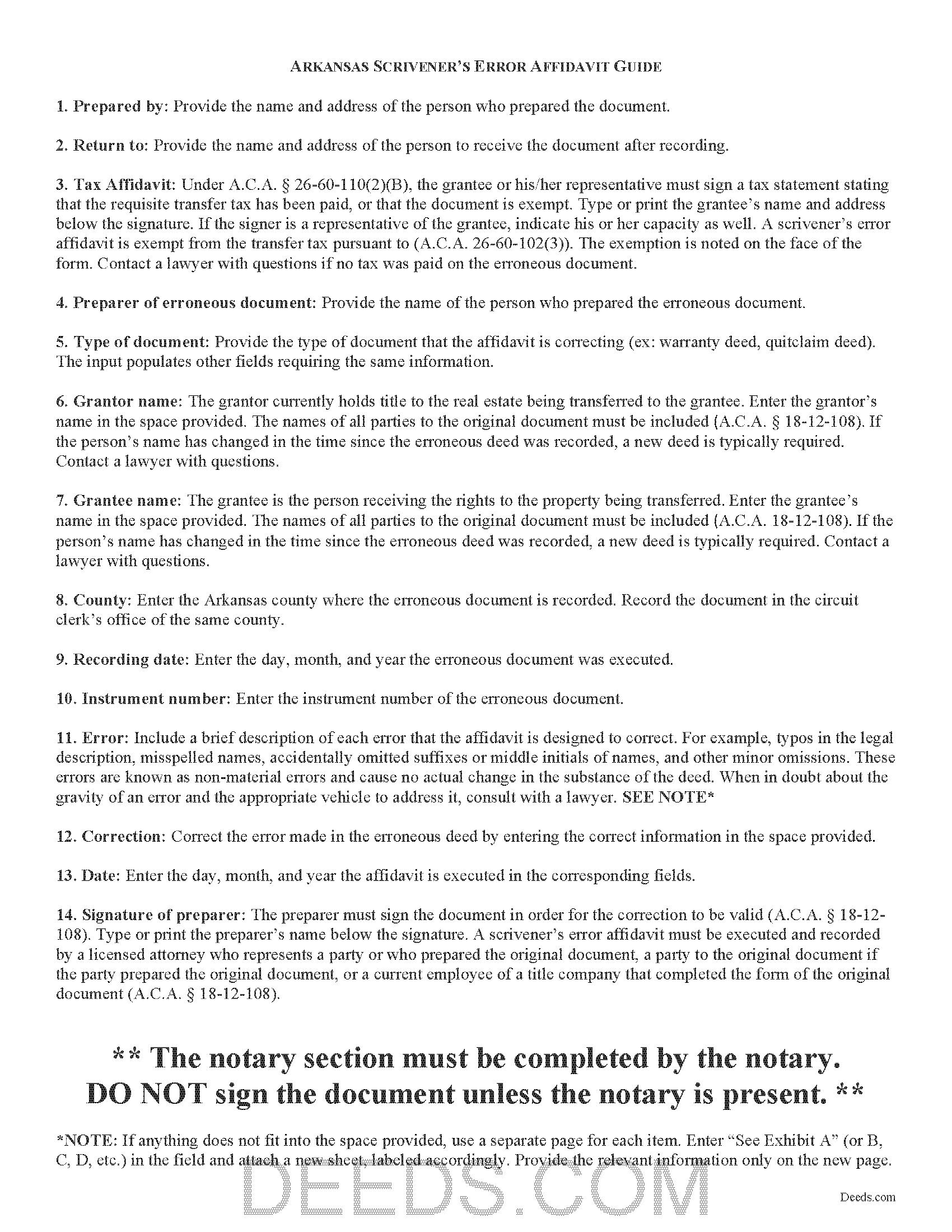
Carroll County Scrivener's Error Affidavit Guide
Line by line guide explaining every blank on the Scrivener's Error Affidavit form.
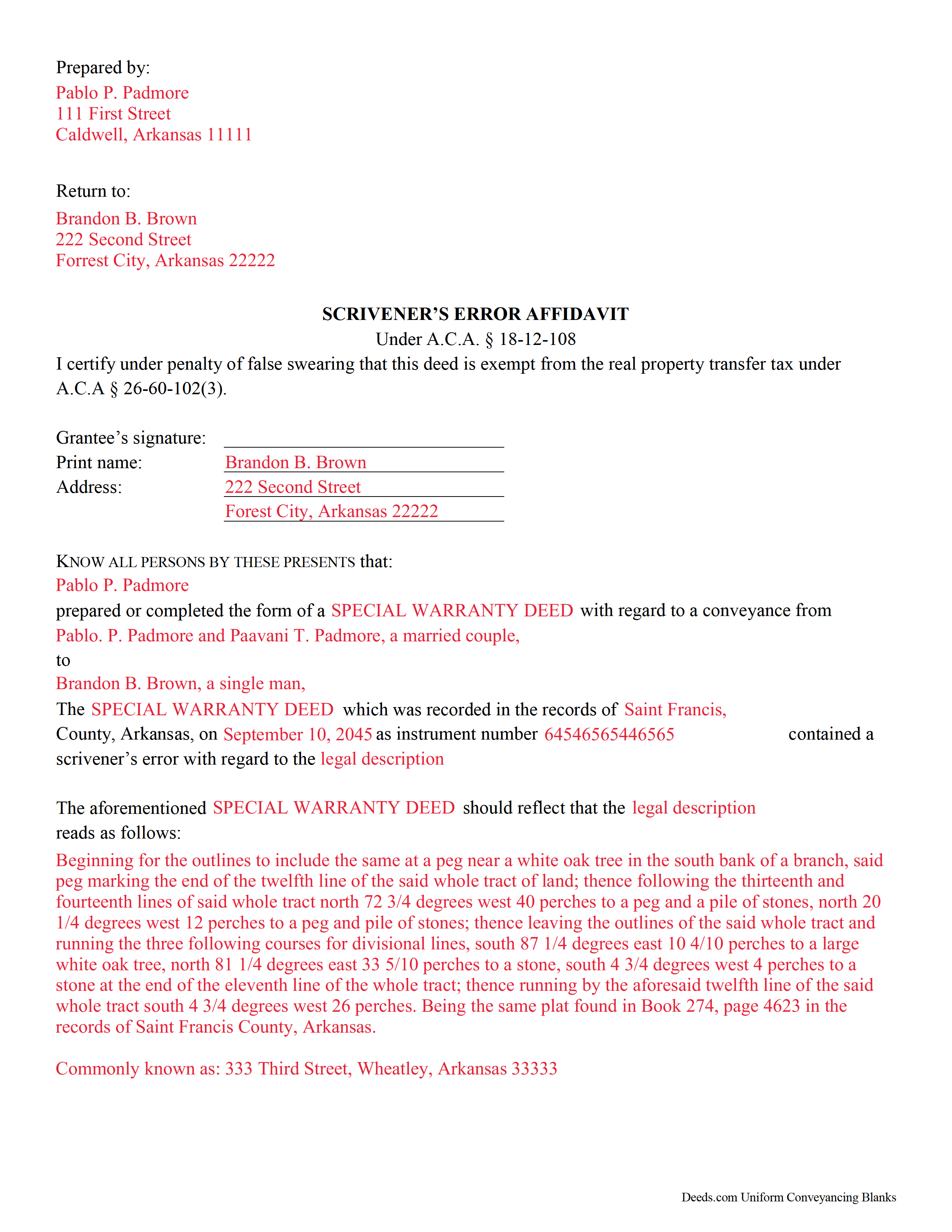
Carroll County Completed Example of the Scrivener's Error Affidavit Document
Example of a properly completed Arkansas Scrivener's Error Affidavit document for reference.
All 3 documents above included • One-time purchase • No recurring fees
Immediate Download • Secure Checkout
Additional Arkansas and Carroll County documents included at no extra charge:
Where to Record Your Documents
Circuit Clerk - Berryville Office
Berryville, Arkansas 72616
Hours: 8:30 to 4:30 M-F
Phone: (870) 423-2422
Eureka Springs Office
Eureka Springs, Arkansas 72632
Hours: 8:30 to 4:30 M-F
Phone: (870) 423-2422
Recording Tips for Carroll County:
- Bring your driver's license or state-issued photo ID
- Ensure all signatures are in blue or black ink
- Ask about their eRecording option for future transactions
- Avoid the last business day of the month when possible
- Both spouses typically need to sign if property is jointly owned
Cities and Jurisdictions in Carroll County
Properties in any of these areas use Carroll County forms:
- Beaver
- Berryville
- Eureka Springs
- Green Forest
- Oak Grove
Hours, fees, requirements, and more for Carroll County
How do I get my forms?
Forms are available for immediate download after payment. The Carroll County forms will be in your account ready to download to your computer. An account is created for you during checkout if you don't have one. Forms are NOT emailed.
Are these forms guaranteed to be recordable in Carroll County?
Yes. Our form blanks are guaranteed to meet or exceed the applicable formatting requirements used for recording in Carroll County, including margin requirements, font requirements, and other layout standards. This guarantee applies to formatting, not to the legal sufficiency of information entered by the user or the suitability of a form for a particular transaction.
Can I reuse these forms?
Yes. You can reuse the forms for your personal use. For example, if you have multiple properties in Carroll County you only need to order once.
What do I need to use these forms?
The forms are PDFs that you fill out on your computer. The free Adobe Acrobat Reader is recommended, and most PDF apps also work. You do NOT enter your property information online - you download the blank forms and complete them privately on your own computer.
Are there any recurring fees?
No. This is a one-time purchase. Nothing to cancel, no memberships, no recurring fees.
How much does it cost to record in Carroll County?
Recording fees in Carroll County vary. Contact the recorder's office at (870) 423-2422 for current fees.
Questions answered? Let's get started!
Scrivener's Error Affidavits in Arkansas
What happens when an important document like a deed or a mortgage has been recorded, and an error is spotted after the fact? What can you do to fix it? One option may be filing a corrective scrivener's affidavit.
A scrivener's affidavit is an instrument containing sworn statements by the affiant, or person making the affidavit, that sets forth the intent of the original document by correcting a non-material error in a document which has been recorded at an earlier date. The Arkansas statutes specifically state that scrivener's affidavits may be used to correct the following: the identification, marital status, heirship, relation, death, or the time of death of a person; the identification of a corporation or other legal entity;or the legal description to real property (A.C.A. 18-12-108).
Major, or material, changes to the substance of the document have a legal effect in how property is titled, and therefore require a new deed. Adding or removing a grantee, for example, or making significant modifications to the legal description, may require a new document. When in doubt about the gravity of an error and the appropriate vehicle to address it, consult with a lawyer.
In order to be valid, the affidavit must include the name of the person or entity that completed or prepared the original instrument, and the names of all parties to the original instrument (A.C.A. 18-12-108). If the person's name has changed in the time since the erroneous document was recorded, a new document is typically required. The affidavit must also include the recording information from the original instrument. And of course, the affidavit states a brief description of each error and the correction itself (A.C.A. 18-12-108).
Because a scrivener's affidavit is correcting another document where the transfer tax has already been paid, it is exempt from said transfer tax pursuant to A.C.A. 26-60-102(3). Contact a lawyer with questions if no tax was paid on the recorded document.
The affidavit must be executed and recorded by one of the individuals listed in A.C.A. 18-12-108 who were party to the original document. The affiant must sign the document in order for the correction to be valid (A.C.A. 18-12-108). It must also meet all state and local standards for recorded documents. Submit the completed affidavit at the circuit clerk's office in the county where the real property is located (A.C.A. 18-12-108).
This article is provided for informational purposes only and is not a substitute for legal advice. Contact an attorney with questions about scrivener's affidavits, or for any other issues related to real property in Arkansas.
(Arkansas Correction Deed Package includes form, guidelines, and completed example)
Important: Your property must be located in Carroll County to use these forms. Documents should be recorded at the county recording office listed above.
This Scrivener's Error Affidavit meets all recording requirements specific to Carroll County.
Our Promise
The documents you receive here are guaranteed to meet or exceed the applicable Carroll County recording format requirements. If there is a rejection caused by our formatting, we will correct the issue or refund your payment. This guarantee applies to document formatting only and does not extend to information entered by the user, the selection of the form, or the legal effect of the completed document.
Save Time and Money
Get your Carroll County Scrivener's Error Affidavit form done right the first time with Deeds.com Uniform Conveyancing Blanks. At Deeds.com, we understand that your time and money are valuable resources, and we don't want you to face a penalty fee or rejection imposed by a county recorder for submitting nonstandard documents. We constantly review and update our forms to meet rapidly changing state and county recording requirements for roughly 3,500 counties and local jurisdictions.
4.8 out of 5 - ( 4,828 Reviews )
Chris D. 5 out of 5 stars
Easy and affordable. I would recommend deeds.com
Thank you!
Judy F. 5 out of 5 stars
The site was easy to use, I just wasn't sure which of all these documents I needed.
Thank you!
Rodney K. 5 out of 5 stars
I need more time to review the vast number of documents received for such a good price. Hoping your info allows me to meet with and talk intelligently with a lawyer.
Thank you!
JESUS G. 5 out of 5 stars
Easy And fast to use just scan upload and pay the fee and they take care of the rest.
Thank you!
Monica T. 5 out of 5 stars
Super easy to use. Very pleased. The turn around time was very fast. I have another one pending. Thank you!
We are grateful for your feedback and looking forward to serving you again. Thank you!
Celeste F. 5 out of 5 stars
Great experience. No hassle. It kept me out of a government office.
Thank you for your feedback. We really appreciate it. Have a great day!
Robert B. 5 out of 5 stars
Excellent Service I was looking for a copy of deeds on a few properties. Researched online and ended up at Deeds.com. I signed up for a new account, entered the pertinent information, paid a nominal fee and received all deeds within 40 minutes. Seamless and very impressed! Bob
Thank you!
Shirley G. 5 out of 5 stars
Excellent so far. Quick response!
Thank you!
Rhonda H. 5 out of 5 stars
Love the names on the example! thanks for the smiles!
Thank you for your feedback. We really appreciate it. Have a great day!
James D. 5 out of 5 stars
I had a satisfying experience very informative and easy to navigate.
Thank you!
Darlene D. 5 out of 5 stars
A little confusing to try to save your docouments and how to process them but once figured out easy to do.
Thank you!
Diyang W. 5 out of 5 stars
Very Good Product. Provided a lot of good info to assist people to DIY various Deed
We are grateful for your engagement and feedback, which help us to serve you better. Thank you for being an integral part of our community.
Rhobe M. 5 out of 5 stars
Very user friendly site. I was able to get the information I needed fast.
Thank you!
Patricia R. 5 out of 5 stars
Very helpful. Worth the cost. Hopefully we will be able to proceed without expense of an attorney.
We are thankful for your continued support and feedback, which inspire us to continuously improve. Thank you..
SHERRI B. 5 out of 5 stars
World class forms and service. Downloaded and prepared the deed in minutes. Used the recording service (digital), so convenient.
Thank you for the kind words Sherri. Have an amazing day!