Marion County Substitute of Trustee for Deed of Trust Form
Last validated October 27, 2026 by our Forms Development TeamFormatted for recording in Marion County, for property anywhere in the county: rural and unincorporated areas as well as Bull Shoals, Flippin, Oakland, Peel, Pyatt, Summit, Yellville.
- 3 documents included
- Immediate PDF download
- Formatting guarantee
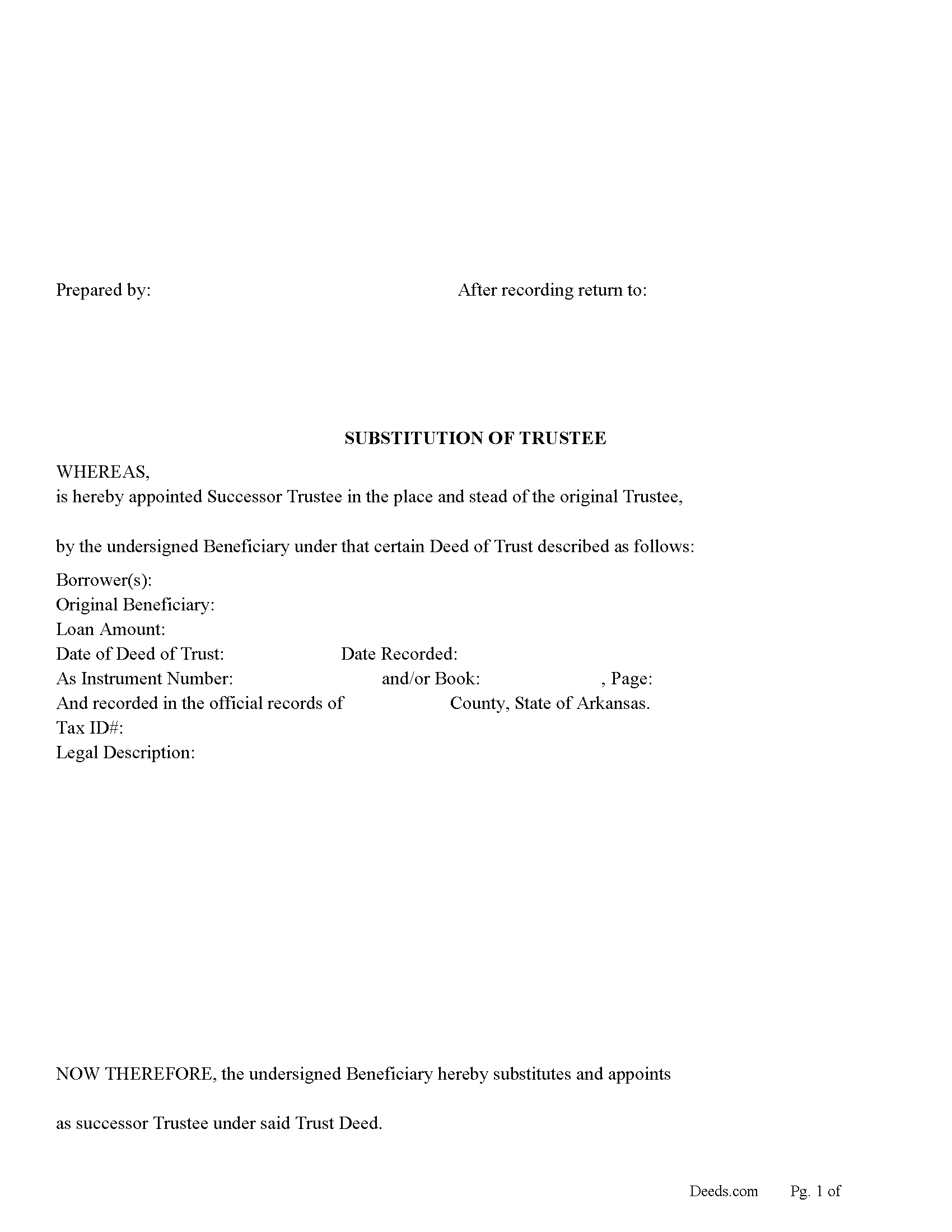
Marion County Substitution of Trustee for Deed of Trust Form
Fill in the blank form formatted to comply with all recording and content requirements.
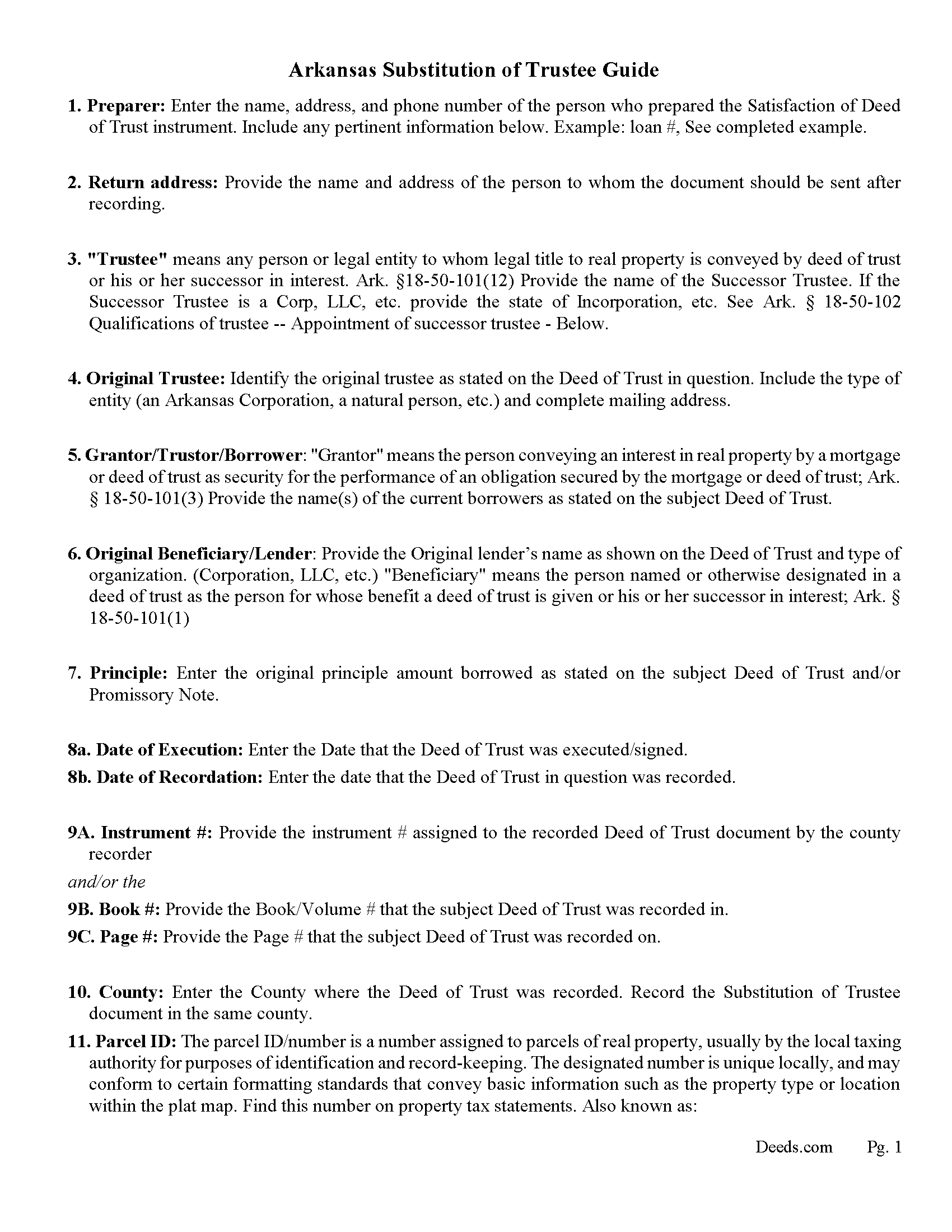
Marion County Substitution of Trustee Guidelines
Line by line guide explaining every blank on the form.
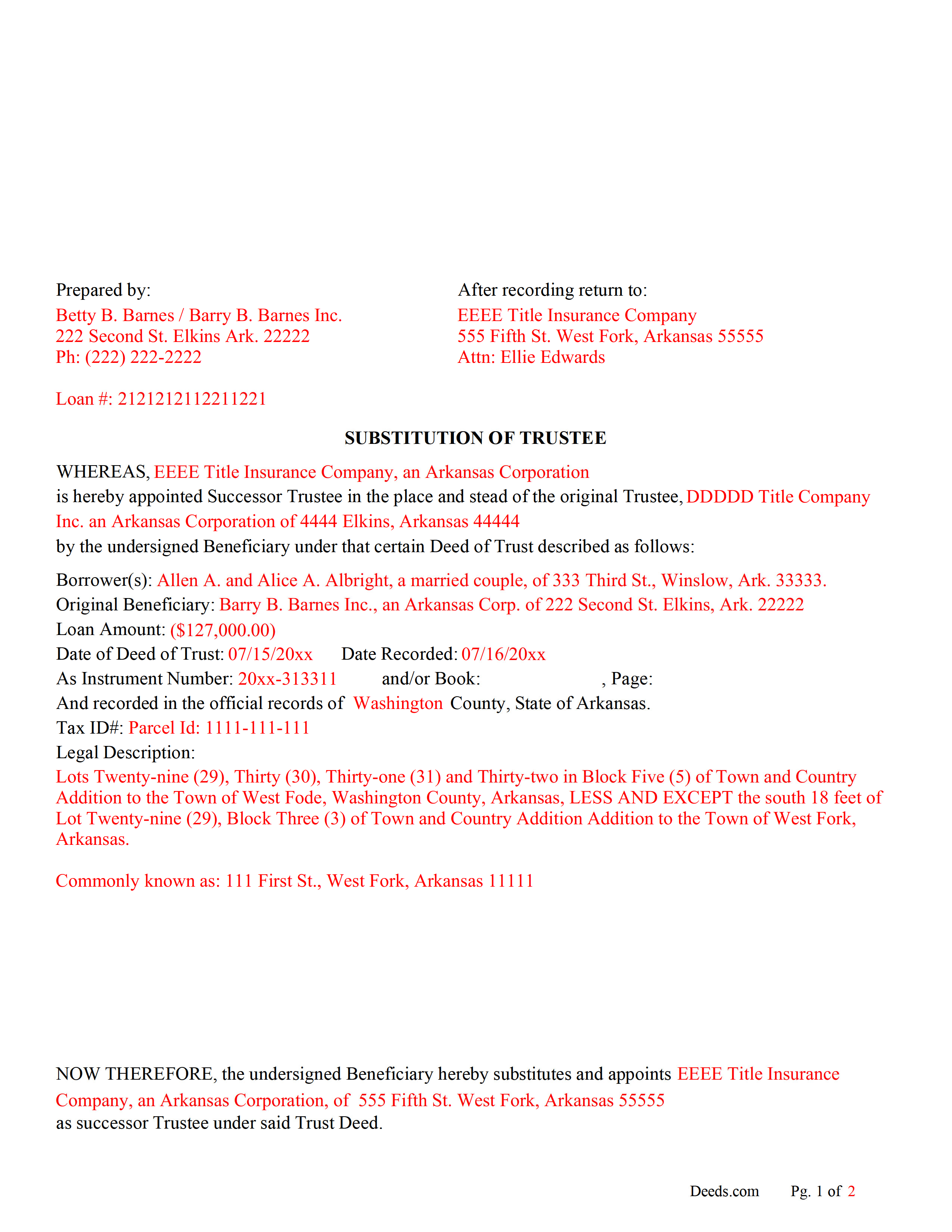
Marion County Completed Example of the Substitution of Trustee Document
Example of a properly completed form for reference.
All 3 documents above included • One-time purchase • No recurring fees
Immediate Download • Secure Checkout
Additional Arkansas and Marion County documents included at no extra charge:
Where to Record Your Documents
Circuit Clerk
Yellville, Arkansas 72687
Hours: 8:30 to 4:30 M-F
Phone: (870) 739-3248
Recording Tips for Marion County:
- Bring your driver's license or state-issued photo ID
- Ensure all signatures are in blue or black ink
- Verify all names are spelled correctly before recording
- White-out or correction fluid may cause rejection
- Ask about their eRecording option for future transactions
Cities and Jurisdictions in Marion County
Properties in any of these areas use Marion County forms:
- Bull Shoals
- Flippin
- Oakland
- Peel
- Pyatt
- Summit
- Yellville
Hours, fees, requirements, and more for Marion County
How do I get my forms?
Forms are available for immediate download after payment. The Marion County forms will be in your account ready to download to your computer. An account is created for you during checkout if you don't have one. Forms are NOT emailed.
Are these forms guaranteed to be recordable in Marion County?
Yes. Our form blanks are guaranteed to meet or exceed the applicable formatting requirements used for recording in Marion County, including margin requirements, font requirements, and other layout standards. This guarantee applies to formatting, not to the legal sufficiency of information entered by the user or the suitability of a form for a particular transaction.
Can I reuse these forms?
Yes. You can reuse the forms for your personal use. For example, if you have multiple properties in Marion County you only need to order once.
What do I need to use these forms?
The forms are PDFs that you fill out on your computer. The free Adobe Acrobat Reader is recommended, and most PDF apps also work. You do NOT enter your property information online - you download the blank forms and complete them privately on your own computer.
Are there any recurring fees?
No. This is a one-time purchase. Nothing to cancel, no memberships, no recurring fees.
How much does it cost to record in Marion County?
Recording fees in Marion County vary. Contact the recorder's office at (870) 739-3248 for current fees.
Questions answered? Let's get started!
There are many reasons why a Substitute Trustee is needed, some include: original trustee is no longer available or can't act, the lender wants to change the trustee, property needs to foreclosed on and a different trustee is required, etc. This form is used by the current beneficiary/lender to appoint a new trustee for a Deed of Trust.
Arkansas Statutes State:
(b)(1) The beneficiary may appoint a successor trustee at any time by filing a substitution of trustee for record with the recorder of the county in which the trust property is situated.
(2) The new trustee shall succeed to all the power, duties, authority, and title of the original trustee and any previous successor trustee.
(3) The beneficiary may, by express provision in the substitution of a trustee, ratify and confirm actions taken on its behalf by the new trustee prior to the recording of the substitution of the trustee. Ark Statute 18-50-102(b)
(c) The substitution shall identify the deed of trust by stating the names of the original parties thereto, the date of recordation, and the book and page where recorded or the recorder's document number. The substitution shall also state the name of the new trustee and shall be executed and duly acknowledged by all the beneficiaries or their successors in interest.
Ark Statute 18-50-102(c) - Qualifications of trustee -- Appointment of successor trustee.
(Arkansas Substitution of Trustee Package includes form, guidelines, and completed example) For use in Arkansas only.
Important: Your property must be located in Marion County to use these forms. Documents should be recorded at the county recording office listed above.
This Substitute of Trustee for Deed of Trust meets all recording requirements specific to Marion County.
Our Promise
The documents you receive here are guaranteed to meet or exceed the applicable Marion County recording format requirements. If there is a rejection caused by our formatting, we will correct the issue or refund your payment. This guarantee applies to document formatting only and does not extend to information entered by the user, the selection of the form, or the legal effect of the completed document.
Save Time and Money
Get your Marion County Substitute of Trustee for Deed of Trust form done right the first time with Deeds.com Uniform Conveyancing Blanks. At Deeds.com, we understand that your time and money are valuable resources, and we don't want you to face a penalty fee or rejection imposed by a county recorder for submitting nonstandard documents. We constantly review and update our forms to meet rapidly changing state and county recording requirements for roughly 3,500 counties and local jurisdictions.
4.8 out of 5 - ( 4,864 Reviews )
AHMED E. 5 out of 5 stars
5 stars
Thank you!
Rosalinda R. 5 out of 5 stars
THESE FORMS ARE JUST WHAT I NEEDED, SHORT AND TO THE POINT. EXCELLENT QUESTIONS FOR MY NEED. THAK YOU!!!!
Thank you for your feedback. We really appreciate it. Have a great day!
Giustino C. 5 out of 5 stars
I am pleased with this electronic service in making a time sensitive deed transfer since very few options exist currently with the Covid 19 Crisis. This was the only rapid and available option to record the deed transfer and the fee was reasonable. I was able to upload my notarized and executed document and had a record number as well as the official document within 24 hours. It was simple and easy to use. Thank you deeds.com!!
Thank you Giustino, glad we could help.
Nancy v. 5 out of 5 stars
Amazing! So easy to get all the forms. Very impressive!
Thank you!
Shantu S. 5 out of 5 stars
Easy to follow directions and complete the Deed.
Thank you!
Sharon C. 4 out of 5 stars
I purchased a beneficiary deed form but some additional information was required by my county. I had to hand write a few changes, but otherwise the form worked well for me.
Your feedback means a lot to us. Thank you.
Jeri M. 5 out of 5 stars
Your form was accepted by my county. The form I downloaded from eforms was not.
Thanks for sharing your experience, Jeri. We’re glad your county accepted your form. Local recording requirements are why we prepare our deed forms county by county.
Barbara P. 5 out of 5 stars
Easy and fast!
We appreciate your business and value your feedback. Thank you. Have a wonderful day!
Ronald P. 3 out of 5 stars
Forms easy to download but experienced problems trying to type in my information into the forms. Then when I went to print a form, Adobe wanted to charge me for printing. I ended up printing the blank forms and then filling them out manually.
Thank you, Ronald. We're glad you found the forms easy to download, though we're sorry to hear about the printing and fill-in experience. Our forms are designed to be fillable and printable using free software like Adobe Reader. If you ever run into issues, our support team is happy to help!
Margaret M. 5 out of 5 stars
Great job with these forms. Super easy and up to date, a rare find online these days. Thank you.
Thank you!
Mary P. 5 out of 5 stars
Excellent easy to follow instructions.
Great to hear Mary, Have a wonderful day!
Peggy D. 5 out of 5 stars
Very helpful in finding the information for me. Quick response. Very easy to use the forms.
Thank you for your feedback. We really appreciate it. Have a great day!
Kevin C. 5 out of 5 stars
Easy to use but the quit claim deep looked old and dated. The example of how to fill out should have asterisks stating what is need and what can be skipped
Thank you for your feedback. We really appreciate it. Have a great day!
Sierra S. 5 out of 5 stars
Thank you so much for making this process seemless. We are very pleased with the service.
Thank you!
Harry B. 5 out of 5 stars
I received exactly what I was looking for on Deeds.com. Not only that, but this website provided instructions for form completion, and an example of a completed form. I'm certainly glad I chose this website.
Thank you for your feedback. We really appreciate it. Have a great day!