Pitkin County Certificate of Trust Form
Last validated September 7, 2026 by our Forms Development TeamFormatted for recording in Pitkin County, for property anywhere in the county: rural and unincorporated areas as well as Aspen, Meredith, Snowmass, Snowmass Village, Woody Creek.
- 3 documents included
- Immediate PDF download
- Formatting guarantee
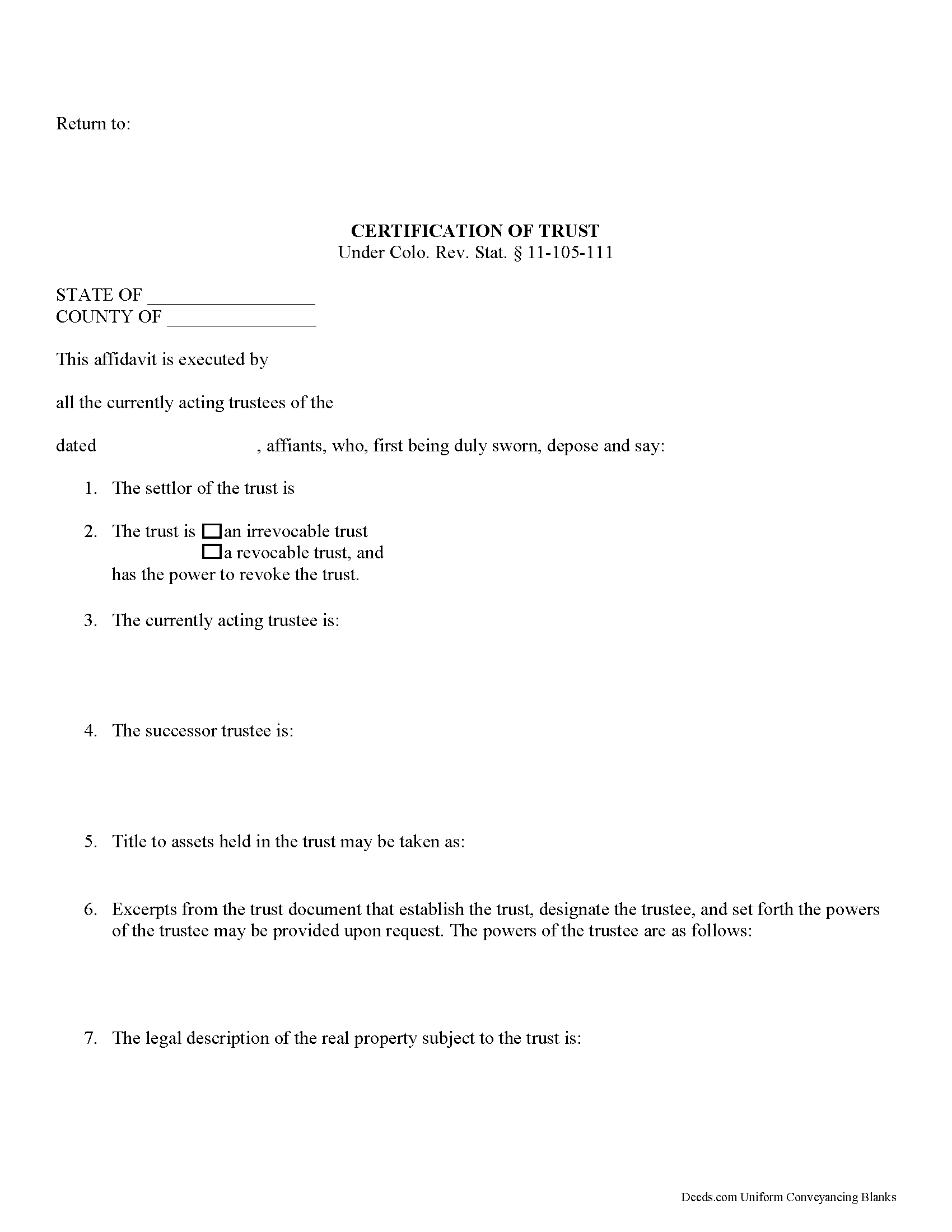
Pitkin County Certificate of Trust Form
Fill in the blank form formatted to comply with all recording and content requirements.
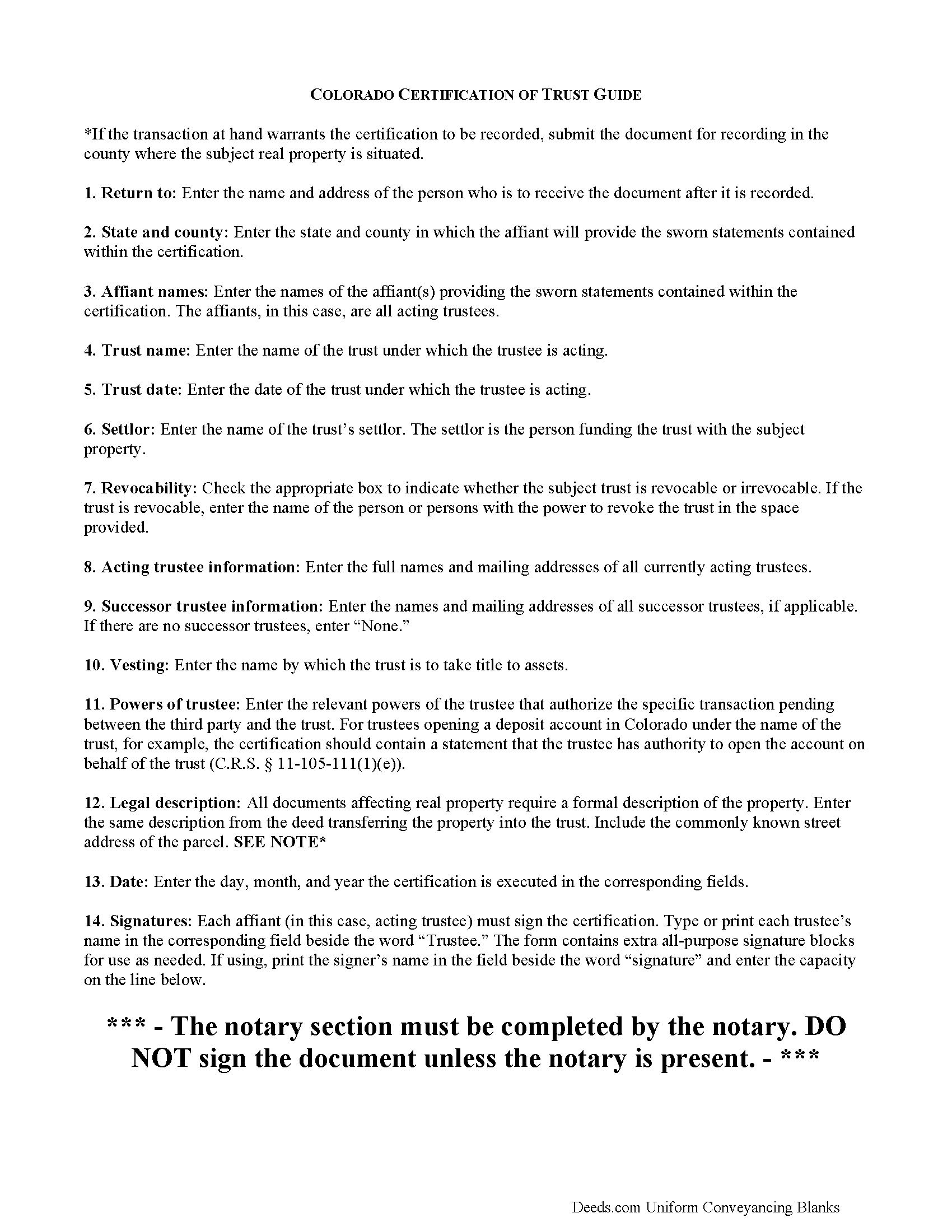
Pitkin County Certificate of Trust Guide
Line by line guide explaining every blank on the form.
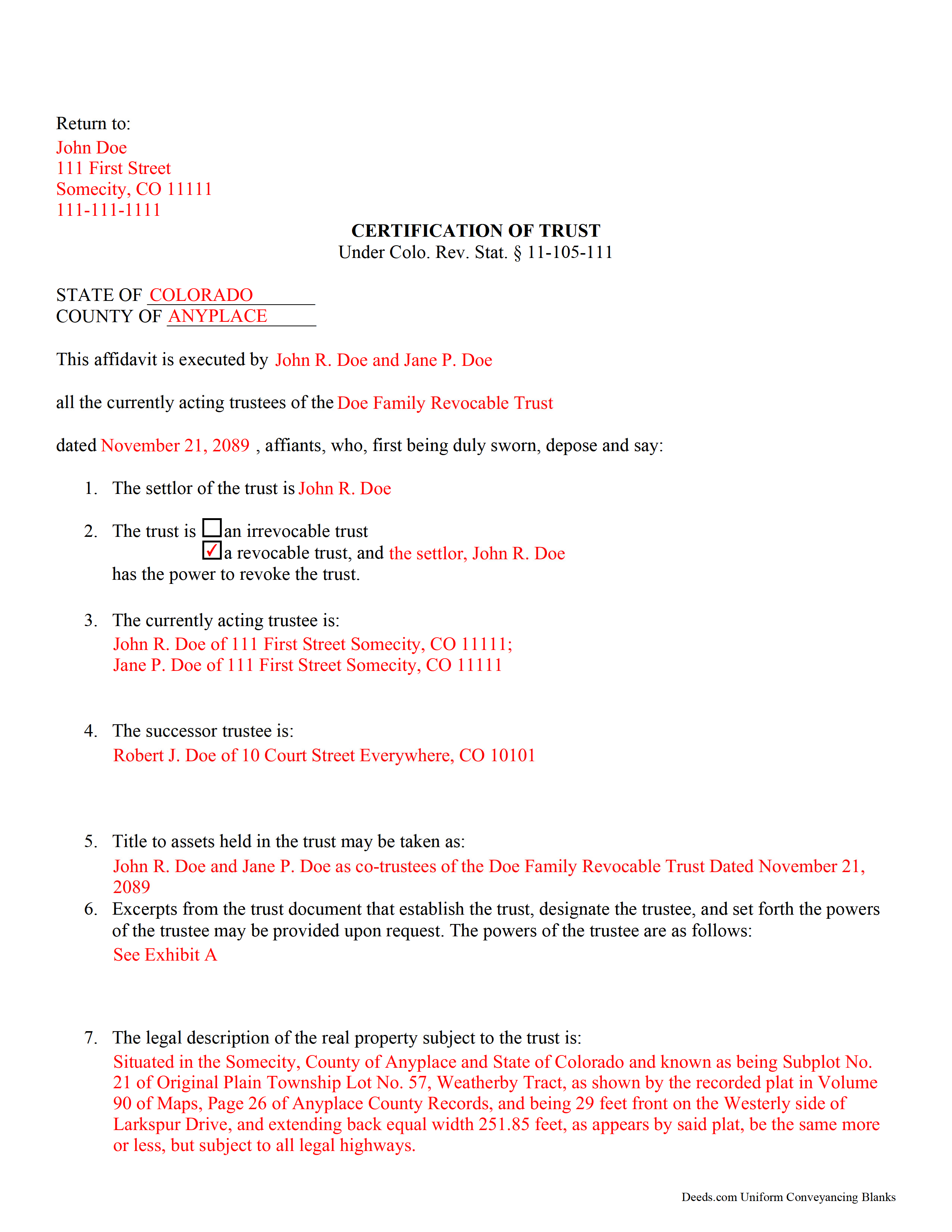
Pitkin County Completed Example of the Certificate of Trust Document
Example of a properly completed form for reference.
All 3 documents above included • One-time purchase • No recurring fees
Immediate Download • Secure Checkout
Additional Colorado and Pitkin County documents included at no extra charge:
Where to Record Your Documents
Pitkin County Clerk and Recorder
Aspen, Colorado 81611
Hours: 8:30 to 4:30 Mon-Thu; Friday until 5:00
Phone: (970) 920-5180
Recording Tips for Pitkin County:
- Bring your driver's license or state-issued photo ID
- Ensure all signatures are in blue or black ink
- Ask about their eRecording option for future transactions
- Avoid the last business day of the month when possible
- Both spouses typically need to sign if property is jointly owned
Cities and Jurisdictions in Pitkin County
Properties in any of these areas use Pitkin County forms:
- Aspen
- Meredith
- Snowmass
- Snowmass Village
- Woody Creek
Hours, fees, requirements, and more for Pitkin County
How do I get my forms?
Forms are available for immediate download after payment. The Pitkin County forms will be in your account ready to download to your computer. An account is created for you during checkout if you don't have one. Forms are NOT emailed.
Are these forms guaranteed to be recordable in Pitkin County?
Yes. Our form blanks are guaranteed to meet or exceed the applicable formatting requirements used for recording in Pitkin County, including margin requirements, font requirements, and other layout standards. This guarantee applies to formatting, not to the legal sufficiency of information entered by the user or the suitability of a form for a particular transaction.
Can I reuse these forms?
Yes. You can reuse the forms for your personal use. For example, if you have multiple properties in Pitkin County you only need to order once.
What do I need to use these forms?
The forms are PDFs that you fill out on your computer. The free Adobe Acrobat Reader is recommended, and most PDF apps also work. You do NOT enter your property information online - you download the blank forms and complete them privately on your own computer.
Are there any recurring fees?
No. This is a one-time purchase. Nothing to cancel, no memberships, no recurring fees.
How much does it cost to record in Pitkin County?
Recording fees in Pitkin County vary. Contact the recorder's office at (970) 920-5180 for current fees.
Questions answered? Let's get started!
Certification of a Trust in Colorado
When a trustee wishes to conduct business with a bank in the name of a trust, he/she needs to prove his/her authority to do so by producing a certification of trust, governed by C.R.S. 11-105-111 (2017). The certification of trust stands as prima facie evidence of the facts presented within.
Similar to a statement of authority, which identifies a trust and its trustee, and is recorded alongside a conveyance of real property into a trust, the certificate of trust verifies the existence of a trust and a trustee's authority to act on behalf of the trust. However, the certificate of trust is not necessarily recorded, and it provides more information about the trust.
The certificate functions as "evidence of the trust relationship" by presenting essential information about the trust (C.R.S. 11-105-111(1)). It is a summary of the trust agreement conferring administrative powers to the trustee, and sometimes contains excerpts of the relevant information directly from the trust agreement. The certificate does not disclose nonessential provisions of the trust agreement, such as the identity of those having a beneficial interest in the trust, which some may prefer to keep confidential.
A valid certificate contains the trust's name and date, the identities of the settlor and the acting trustee, and the powers of the acting trustee regarding the transaction at hand. In addition, it identifies the trust as either irrevocable or revocable, and confirms who holds a power to revoke the trust, as well as the name by which the trust will hold title to assets. As with other documents affecting real property, the certificate should contain a legal description, including the commonly known street address of the property.
Trust law can quickly become complicated, and each situation is unique, and some lending institutions may require further information to supplement a certificate of trust.
(Colorado Certificate of Trust Package includes form, guidelines, and completed example)
Important: Your property must be located in Pitkin County to use these forms. Documents should be recorded at the county recording office listed above.
This Certificate of Trust meets all recording requirements specific to Pitkin County.
Our Promise
The documents you receive here are guaranteed to meet or exceed the applicable Pitkin County recording format requirements. If there is a rejection caused by our formatting, we will correct the issue or refund your payment. This guarantee applies to document formatting only and does not extend to information entered by the user, the selection of the form, or the legal effect of the completed document.
Save Time and Money
Get your Pitkin County Certificate of Trust form done right the first time with Deeds.com Uniform Conveyancing Blanks. At Deeds.com, we understand that your time and money are valuable resources, and we don't want you to face a penalty fee or rejection imposed by a county recorder for submitting nonstandard documents. We constantly review and update our forms to meet rapidly changing state and county recording requirements for roughly 3,500 counties and local jurisdictions.
4.8 out of 5 - ( 4,815 Reviews )
JACK G. 5 out of 5 stars
Worked out good can the forms be filled out on the computer and printed off.
Thank you for your feedback. We really appreciate it. Have a great day!
James C. 5 out of 5 stars
An excellent resource for users.
Thank you!
Brennan H. 5 out of 5 stars
I had worked for a couple of months sending things back and forth to the county and still had no success. I decided to use deeds.com and it was all done in a few hours. Such a relief! While I find this to be wrong and the county should work with property owners as well as they work with third parties, I was still grateful for this service.
Thank you for your feedback. We really appreciate it. Have a great day!
Beverly D. 5 out of 5 stars
Thank You, Job well done. So nice not to have to leave house and drive all over to record these documents. Very satisfied.
Thank you for your feedback. We really appreciate it. Have a great day!
Colleen K. 5 out of 5 stars
This product was easy to use and instructions were helpful.
We appreciate your business and value your feedback. Thank you. Have a wonderful day!
Donna B. 5 out of 5 stars
Really liked the quick access to documents. Great service, thanks.
Thank you Donna, we appreciate you taken the time to leave your feedback. Have a great day!
Jermaine H. 5 out of 5 stars
Great informative site.... helped me find exactly what I was looking for. DETAILED information on my property!
Thank you for your feedback. We really appreciate it. Have a great day!
Suzanne A. 5 out of 5 stars
The purchase and download from Deeds.com were pleasantly straightforward. The actual of filing not so obvious in our case.
Your insights are invaluable to us and help us strive for better service. Thank you for taking the time to share your thoughts.
roby m. 5 out of 5 stars
I found exactly what I needed and the download system allowed me to use the files immediately. Will use the service again.
Thank you for your feedback. We really appreciate it. Have a great day!
Linda s. 5 out of 5 stars
This was such an easy process and even tho you had to pay a $15 - to me it was well worth not having to drive downtown etc or take the risk of mailing the documents (fearing that they would get lost). I'll be using this from now on...
We appreciate your business and value your feedback. Thank you. Have a wonderful day!
Gail W. 5 out of 5 stars
Deeds.com had the forms I needed, along with completed examples. Fast download. Easy to use site. Thanks!
Thank you!
Thomas T. 5 out of 5 stars
Amazing site, been using it since 2018 for forms and never an issue.
Thank you for your feedback. We really appreciate it. Have a great day!
John S. 1 out of 5 stars
You dont really know what your buying until after you spend the money. Cant use any of them
Thank you for your feedback. Best practice is to know what you need before purchasing. Buying legal documents should not be a exploratory endeavor. Your order has been canceled. We do hope that you find something more suitable to your needs elsewhere.
Anita C. 5 out of 5 stars
I found this site when looking for help filing a quitclaim deed to change my property deed to my married name. I received the correct forms, an example filled out, and a guide specific to my state. I have already submitted it for review to my county assessor's office (they were extremely helpful also) and it looks as if it should sail through. Thank you Deeds.com!
Thank you for your feedback. We really appreciate it. Have a great day!
Home For Life S. 5 out of 5 stars
Covers everything; very pleased.
Thank you!