Seminole County Enhanced Life Estate Quitclaim Deed (Individual Grantor) Form
Last validated September 10, 2026 by our Forms Development TeamFormatted for recording in Seminole County, for property anywhere in the county: rural and unincorporated areas as well as Altamonte Springs, Casselberry, Geneva, Goldenrod, Lake Mary, Lake Monroe, Longwood, Mid Florida and 3 more.
- 3 documents included
- Immediate PDF download
- Formatting guarantee
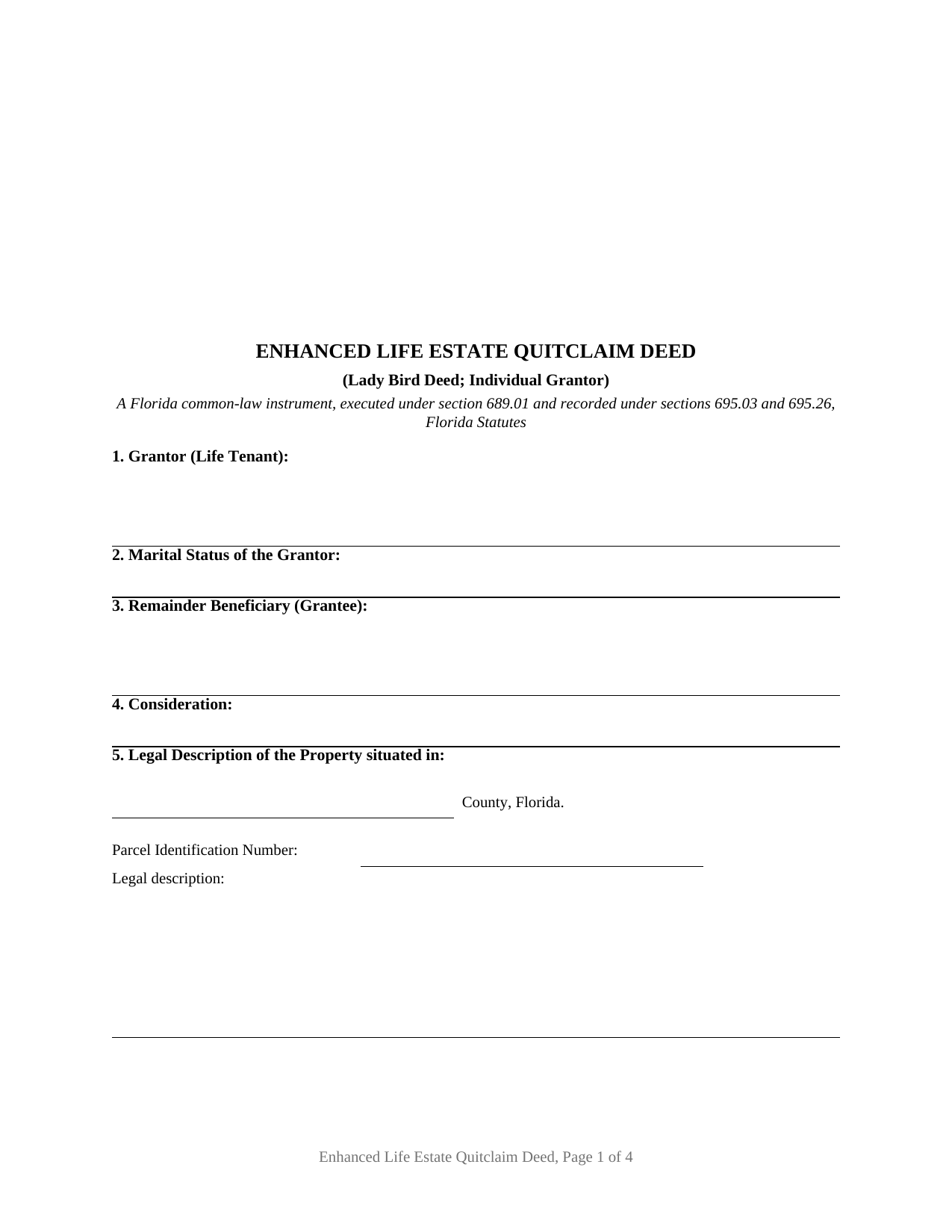
Seminole County Enhanced Life Estate Quitclaim Deed (Individual Grantor) Form
Fill in the blank Enhanced Life Estate Quitclaim Deed (Individual Grantor) form formatted to comply with all Florida recording and content requirements.
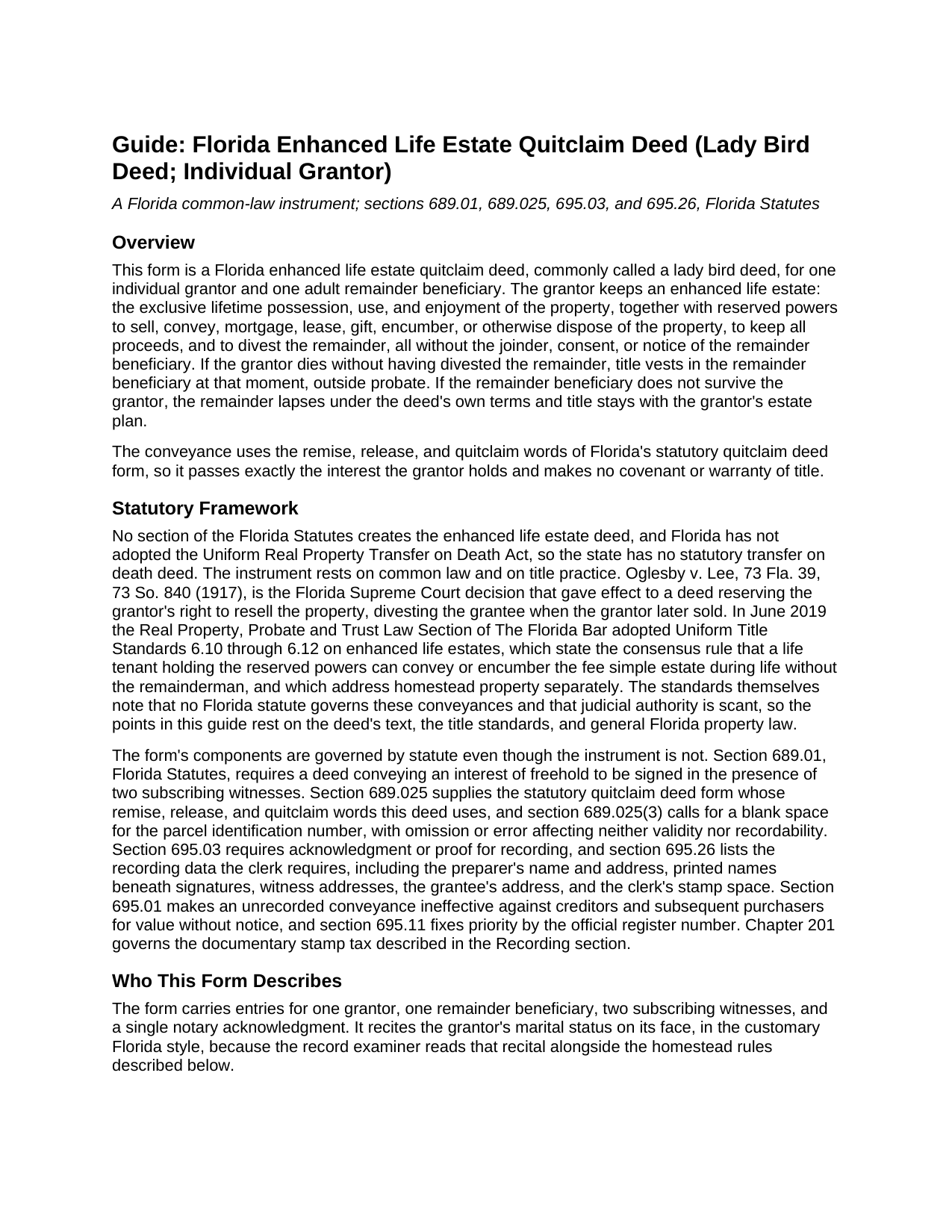
Seminole County Enhanced Life Estate Quitclaim Deed (Individual Grantor) Guide
Line by line guide explaining every blank on the Enhanced Life Estate Quitclaim Deed (Individual Grantor) form.
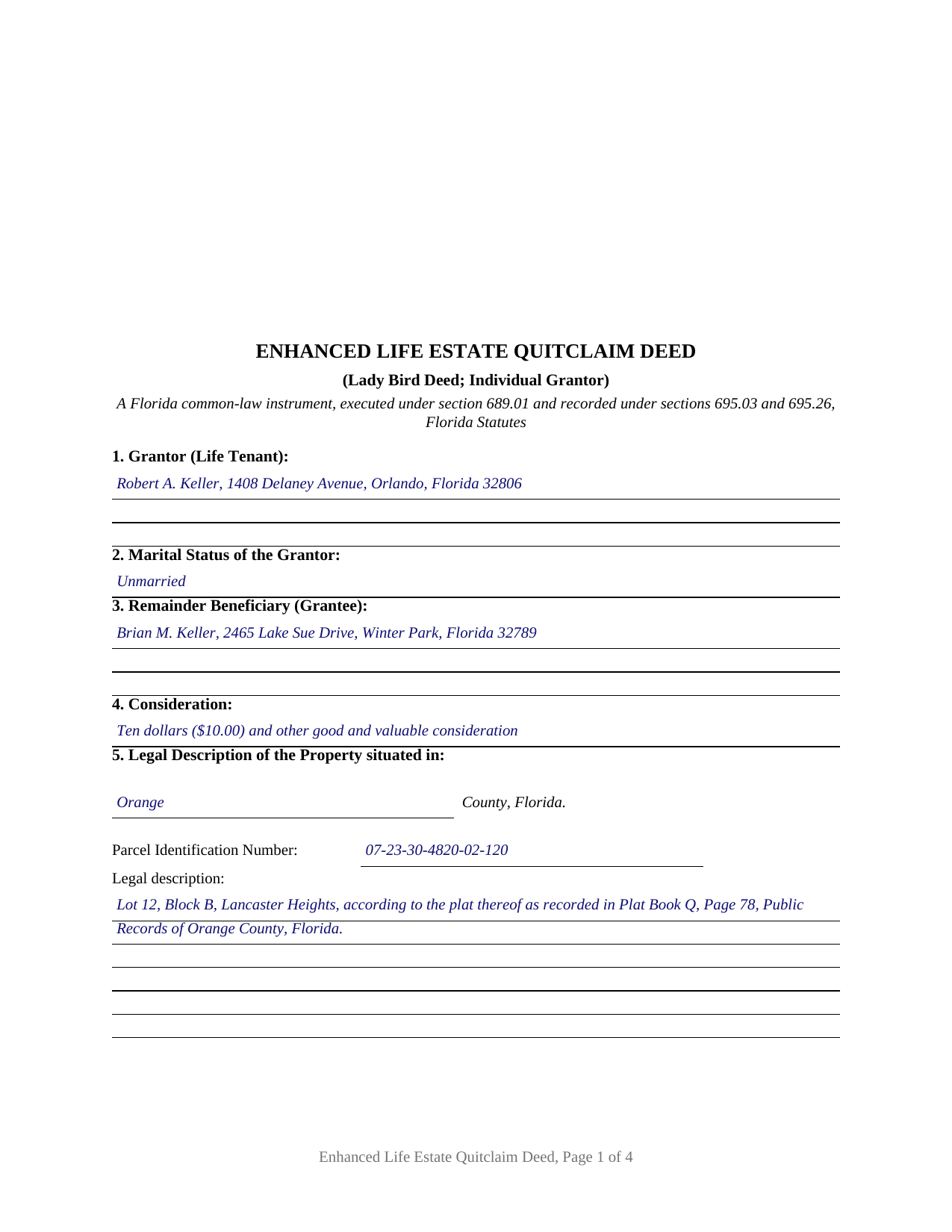
Seminole County Completed Example of the Enhanced Life Estate Quitclaim Deed (Individual Grantor) Document
Example of a properly completed Florida Enhanced Life Estate Quitclaim Deed (Individual Grantor) document for reference.
All 3 documents above included • One-time purchase • No recurring fees
Immediate Download • Secure Checkout
Additional Florida and Seminole County documents included at no extra charge:
Where to Record Your Documents
Seminole County Clerk of Court - Records Center
Sanford, Florida 32773 / 32772-8099
Hours: 8:00am to 4:30 pm M-F
Phone: (407) 665-4340
Recording Tips for Seminole County:
- Bring your driver's license or state-issued photo ID
- Ensure all signatures are in blue or black ink
- Verify all names are spelled correctly before recording
- White-out or correction fluid may cause rejection
- Ask about their eRecording option for future transactions
Cities and Jurisdictions in Seminole County
Properties in any of these areas use Seminole County forms:
- Altamonte Springs
- Casselberry
- Geneva
- Goldenrod
- Lake Mary
- Lake Monroe
- Longwood
- Mid Florida
- Oviedo
- Sanford
- Winter Springs
Hours, fees, requirements, and more for Seminole County
How do I get my forms?
Forms are available for immediate download after payment. The Seminole County forms will be in your account ready to download to your computer. An account is created for you during checkout if you don't have one. Forms are NOT emailed.
Are these forms guaranteed to be recordable in Seminole County?
Yes. Our form blanks are guaranteed to meet or exceed the applicable formatting requirements used for recording in Seminole County, including margin requirements, font requirements, and other layout standards. This guarantee applies to formatting, not to the legal sufficiency of information entered by the user or the suitability of a form for a particular transaction.
Can I reuse these forms?
Yes. You can reuse the forms for your personal use. For example, if you have multiple properties in Seminole County you only need to order once.
What do I need to use these forms?
The forms are PDFs that you fill out on your computer. The free Adobe Acrobat Reader is recommended, and most PDF apps also work. You do NOT enter your property information online - you download the blank forms and complete them privately on your own computer.
Are there any recurring fees?
No. This is a one-time purchase. Nothing to cancel, no memberships, no recurring fees.
How much does it cost to record in Seminole County?
Recording fees in Seminole County vary. Contact the recorder's office at (407) 665-4340 for current fees.
Questions answered? Let's get started!
No section of the Florida Statutes creates the lady bird deed. The instrument that Florida homeowners use in place of a transfer on death deed, a state that never adopted the Uniform Real Property Transfer on Death Act, rests instead on common law reaching back to Oglesby v. Lee, 73 So. 840 (Fla. 1917), on a century of conveyancing practice, and on the Florida Bar Uniform Title Standards adopted in 2019 to give title insurers a consensus rule for accepting it. This form prepares that instrument, formally an enhanced life estate deed, in quitclaim form for an individual grantor.
A remainder the grantor can erase
The deed works by splitting title in a way ordinary life estate deeds do not. The grantor conveys a remainder to the named beneficiary while reserving a life estate enhanced with the full set of powers Florida title practice looks for: to sell, convey, mortgage, lease, gift, or otherwise dispose of the property without the beneficiary's joinder or consent, to keep every dollar of the proceeds, and to divest the remainder entirely, including by recording a later deed. Uniform Title Standards 6.10 and 6.11 confirm that a life tenant holding these powers can convey or encumber the fee alone. The beneficiary holds nothing fixed during the grantor's life; if the grantor dies without exercising the reserved powers, title vests in the beneficiary at that moment, outside probate. This form adds a lapse provision: a beneficiary who does not survive the grantor takes nothing, and title stays with the grantor's estate plan rather than the beneficiary's.
Quitclaim words for a family transfer
The conveyance uses the remise, release, and quitclaim words of the statutory quitclaim form in section 689.025, Florida Statutes, so it passes exactly the interest the grantor holds and makes no warranty of title. That character suits the transfers this deed usually documents, parent to adult child on a long-held home.
Homestead is the hard part
Florida's constitution requires a married owner's spouse to join in any lifetime gift or conveyance of homestead, and its restriction on devise can defeat a remainder in homestead at death. This form is prepared for an individual grantor: it carries signature lines for one grantor, two subscribing witnesses, and a single notary certificate, and no spouse joinder block or homestead waiver language. The guide describes how marriage, homestead status, or a surviving minor child interacts with the arrangement the deed makes, and where those facts place a conveyance outside what this form recites.
Two witnesses, seventy cents
Execution follows section 689.01, Florida Statutes: two subscribing witnesses, with printed names and post-office addresses that recording offices have required since January 2024, plus a notary acknowledgment stating physical presence or online notarization. The Department of Revenue's published ruling on enhanced life estate deeds, TAA 20B4-004, treats the recording as no present transfer, so clerks collect the minimum 70-cent documentary stamp rather than tax on a mortgage balance. The download includes the fillable deed formatted to section 695.26 recording standards, a completed example on an Orange County fact pattern, and a plain-language guide to every blank; the materials are informational and are not legal advice.
Important: Your property must be located in Seminole County to use these forms. Documents should be recorded at the county recording office listed above.
This Enhanced Life Estate Quitclaim Deed (Individual Grantor) meets all recording requirements specific to Seminole County.
Our Promise
The documents you receive here are guaranteed to meet or exceed the applicable Seminole County recording format requirements. If there is a rejection caused by our formatting, we will correct the issue or refund your payment. This guarantee applies to document formatting only and does not extend to information entered by the user, the selection of the form, or the legal effect of the completed document.
Save Time and Money
Get your Seminole County Enhanced Life Estate Quitclaim Deed (Individual Grantor) form done right the first time with Deeds.com Uniform Conveyancing Blanks. At Deeds.com, we understand that your time and money are valuable resources, and we don't want you to face a penalty fee or rejection imposed by a county recorder for submitting nonstandard documents. We constantly review and update our forms to meet rapidly changing state and county recording requirements for roughly 3,500 counties and local jurisdictions.
4.8 out of 5 - ( 4,804 Reviews )
mark L. 4 out of 5 stars
i really liked that the information i received from Deed .com concerning deed and title transfer for representative made it so i was able to find the correct forms that i needed. It was a bonus that Deed.com had the forms and instructions that i required
Thank you for your feedback. We really appreciate it. Have a great day!
David P. 5 out of 5 stars
The forms were easy to follow and it was good to have an example to follow as well. It was convenient that they had forms for each County.
We truly value your business and appreciate your review.
William A B. 5 out of 5 stars
Good service...deed release form as required.
Thank you!
Natasha M. 5 out of 5 stars
Your forms, guides, sample deeds and submission process were accessible, easy to understand and simple. I also was pleasantly surprised by the efficiency, professionalism and ease of staff communicating with me after I uploaded the document to ensure the county accepted it. I will continue to use this website to record deeds. Thank you!
Thank you for your feedback. We really appreciate it. Have a great day!
Theresa S. 5 out of 5 stars
So far everything ive had to do is very simple and easy. Thanks
Thank you for your kind words and for choosing us.
Steve R. 5 out of 5 stars
Quick, clean, easy. A hat trick.
Thank you!
Shanna B. 5 out of 5 stars
So quick and easy
We’re glad you had a positive experience. Thank you.
Jesse H. 5 out of 5 stars
Good & friendly software, complete & clear instructions & guidance, generates proper forms that were readily accepted @ Clerk & Recorder Office, all of this @ reasonable cost. Five Stars!
Thank you for your feedback. We really appreciate it. Have a great day!
Jenny E. 5 out of 5 stars
I thought the website was good. But once I paid the money and downloaded the papers I needed for Grays Harbor. I had to end up calling a escrow company that we had worked with only to find out that they work with a slightly different version. The escrow company was kind enough to email me the version Grays Harbor recommends and uses. There is a chance I could use theses in the future.
Thank you for your feedback. We really appreciate it. Have a great day!
Darrell G. 5 out of 5 stars
Very easy to work with.
Thank you!
Lori G. 5 out of 5 stars
thank you for all your help and patience. I would highly recommend Deeds.com to everyone. Sincerely, Lori G.
Thank you!
Thomas E. 5 out of 5 stars
Great, immediate access to everything I needed to assist my client! This is truly a great resource for a Notary Public! I will surely keep my account open, and will refer others as well!
Thank you for the Kind words Thomas. We really appreciate you! Have a great day.
M T. 5 out of 5 stars
Really nice deed form and guide the whole process was super easy.
Thank you!
Marolyn V. 3 out of 5 stars
The booklet is too wordy. Not concise enough for someone who is inexperienced at filling out your form. It would be nice to have a picture example of what you are talking about. When we got to the Registars office we found out they do not have a notary. Would have been nice to know before we went. The form asks for page and book which is no longer needed. So why have it on there?
Thank you, Marolyn, this is useful feedback. A completed sample is actually included with the form, and your note tells us we should make it easier to find and tie it more directly to the instructions, so we'll do that. We'll also add a "before you begin" checklist and a clearer note that the document needs to be notarized in advance, since recording offices don't provide notary service. On the book and page: that reference is required by the Utah statute this affidavit is filed under (§ 57-1-5.1) and still applies to older deeds recorded before counties moved to entry-number-only indexing around 2000. You enter whichever reference appears on your recorded deed and leave the rest blank. Appreciate you taking the time to write in.
Ruth L. 5 out of 5 stars
Easy to use form. I filled it out and took it to the county office. Entire process took less than 20 min.
We appreciate your business and value your feedback. Thank you. Have a wonderful day!