Upson County Assent to Devise Form
Last validated October 8, 2026 by our Forms Development TeamFormatted for recording in Upson County, for property anywhere in the county: rural and unincorporated areas as well as The Rock, Thomaston, Yatesville.
- 3 documents included
- Immediate PDF download
- Formatting guarantee
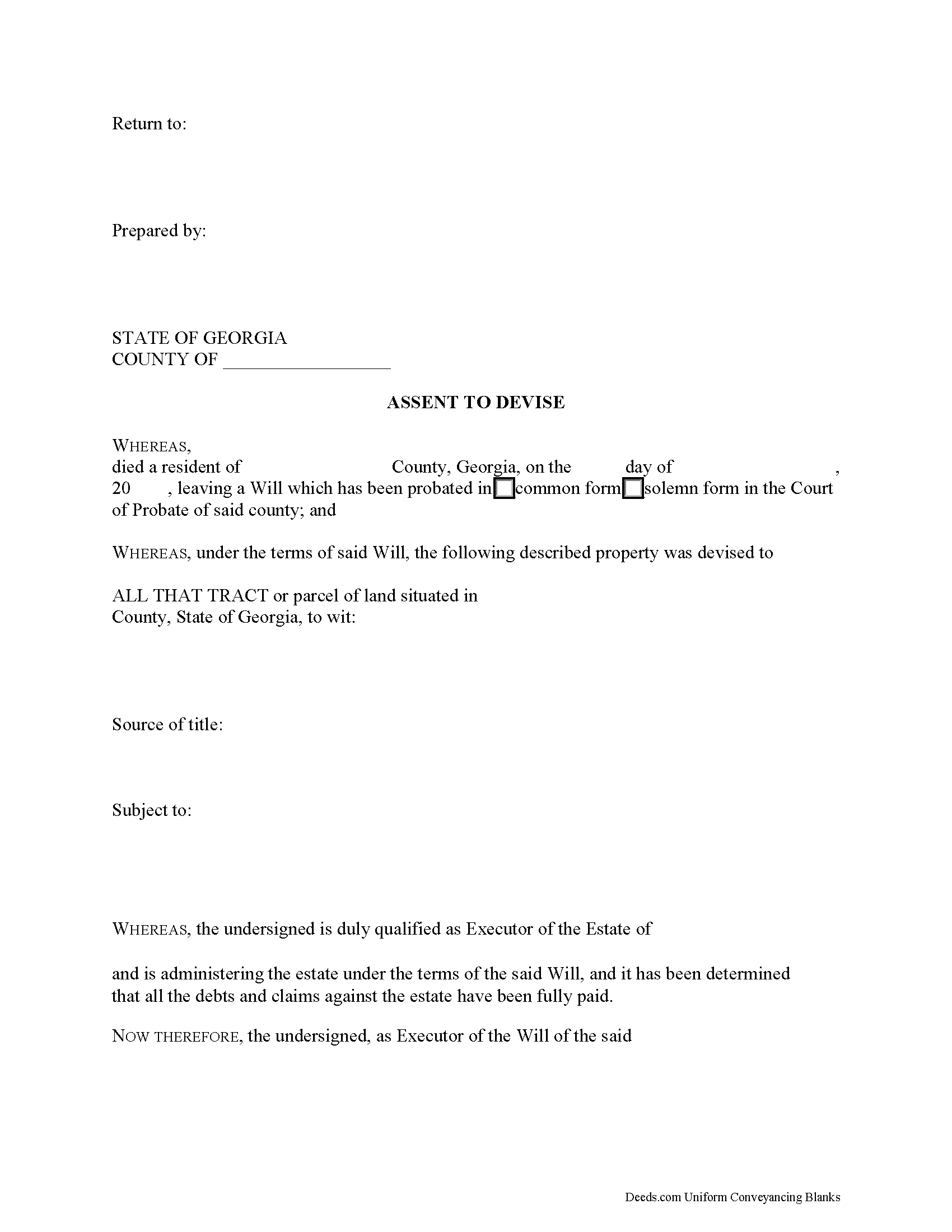
Upson County Assent to Devise Form
Fill in the blank form formatted to comply with all recording and content requirements.
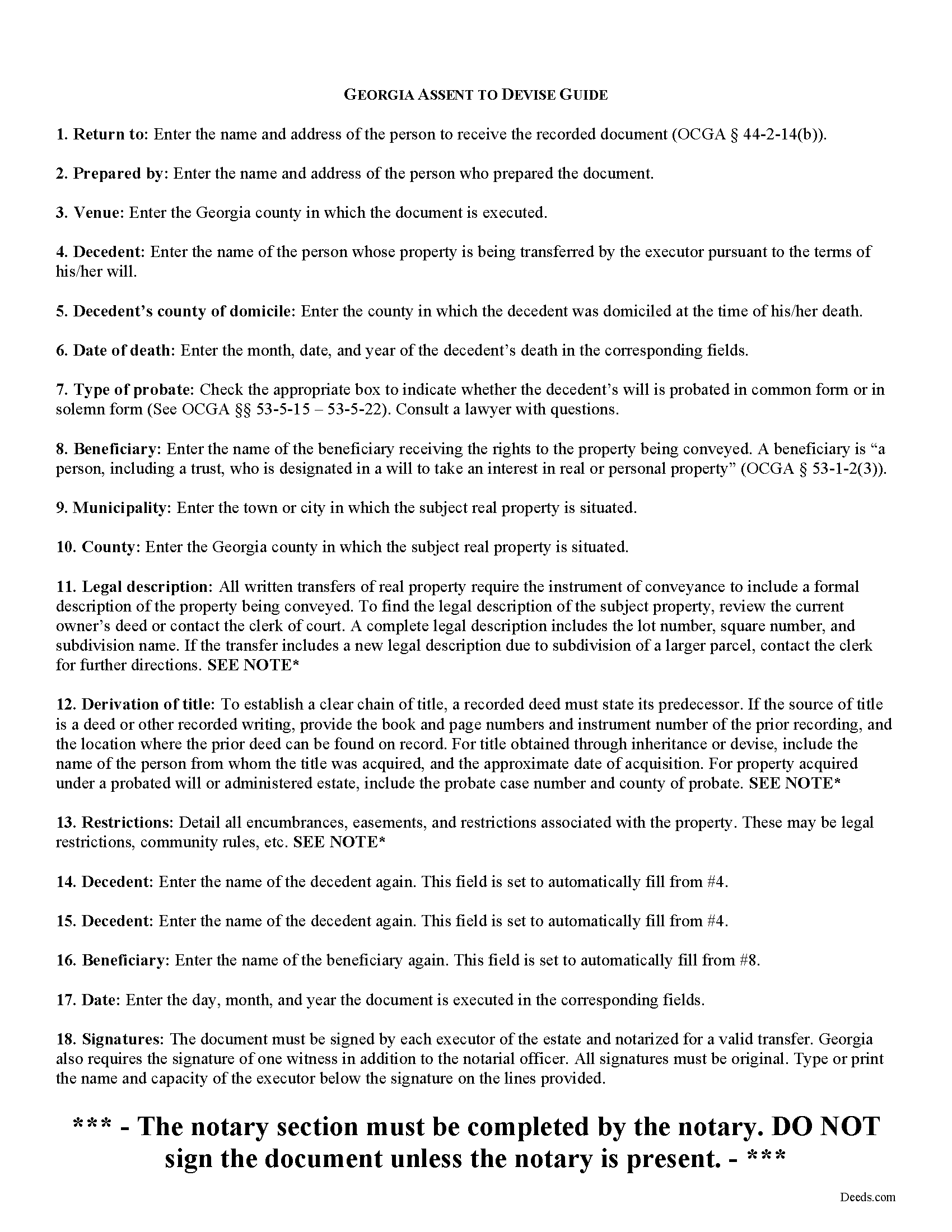
Upson County Assent to Devise Guide
Line by line guide explaining every blank on the form.
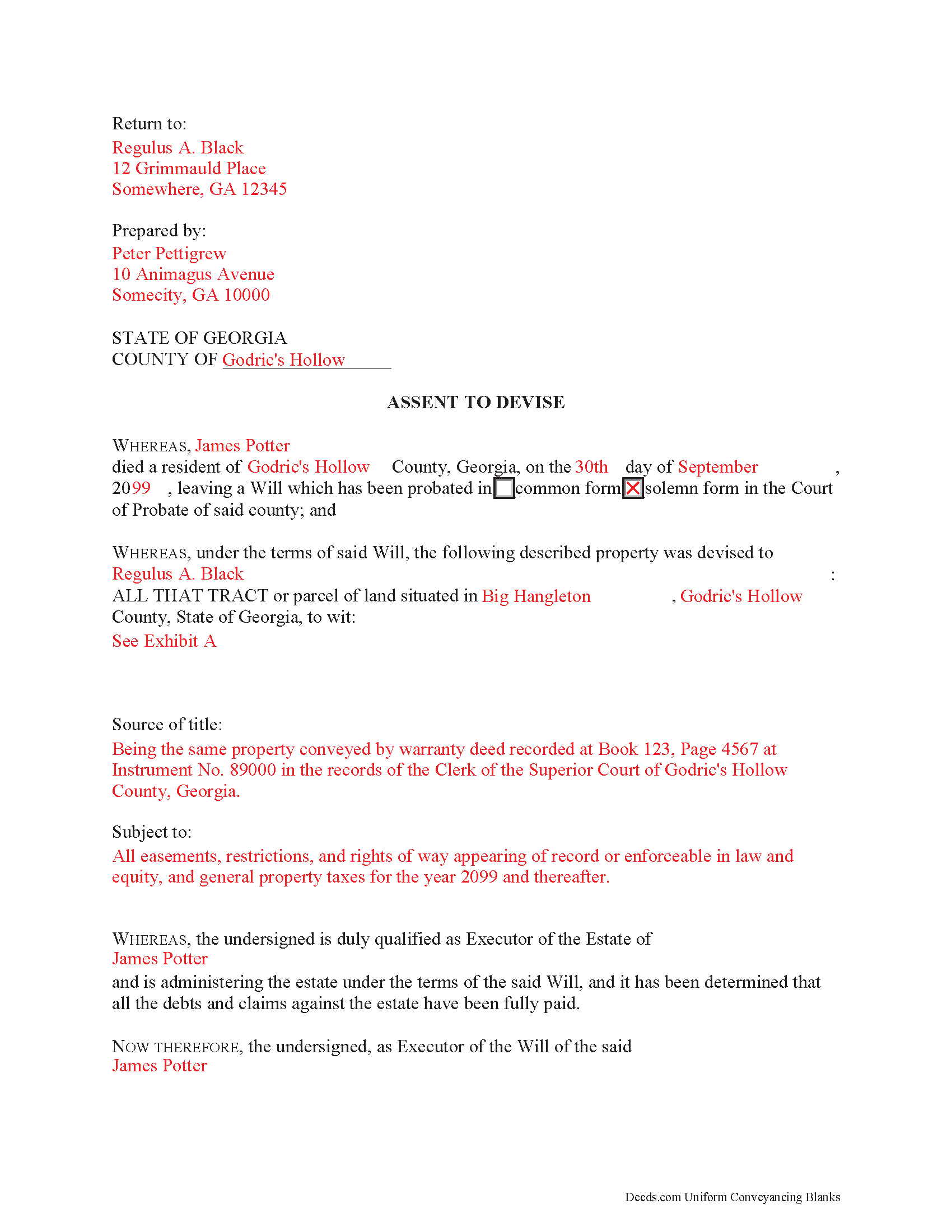
Upson County Completed Example of the Assent to Devise Document
Example of a properly completed form for reference.
All 3 documents above included • One-time purchase • No recurring fees
Immediate Download • Secure Checkout
Additional Georgia and Upson County documents included at no extra charge:
Where to Record Your Documents
Upson County Clerk Of Court
Thomaston, Georgia 30286
Hours: 8:00am-5:00pm M-F
Phone: (706) 647-5847
Recording Tips for Upson County:
- Bring your driver's license or state-issued photo ID
- Ensure all signatures are in blue or black ink
- Request a receipt showing your recording numbers
- Ask about accepted payment methods when you call ahead
- Ask for certified copies if you need them for other transactions
Cities and Jurisdictions in Upson County
Properties in any of these areas use Upson County forms:
- The Rock
- Thomaston
- Yatesville
Hours, fees, requirements, and more for Upson County
How do I get my forms?
Forms are available for immediate download after payment. The Upson County forms will be in your account ready to download to your computer. An account is created for you during checkout if you don't have one. Forms are NOT emailed.
Are these forms guaranteed to be recordable in Upson County?
Yes. Our form blanks are guaranteed to meet or exceed the applicable formatting requirements used for recording in Upson County, including margin requirements, font requirements, and other layout standards. This guarantee applies to formatting, not to the legal sufficiency of information entered by the user or the suitability of a form for a particular transaction.
Can I reuse these forms?
Yes. You can reuse the forms for your personal use. For example, if you have multiple properties in Upson County you only need to order once.
What do I need to use these forms?
The forms are PDFs that you fill out on your computer. The free Adobe Acrobat Reader is recommended, and most PDF apps also work. You do NOT enter your property information online - you download the blank forms and complete them privately on your own computer.
Are there any recurring fees?
No. This is a one-time purchase. Nothing to cancel, no memberships, no recurring fees.
How much does it cost to record in Upson County?
Recording fees in Upson County vary. Contact the recorder's office at (706) 647-5847 for current fees.
Questions answered? Let's get started!
Commonly, when people create their wills, they identify one or more individuals to supervise the distribution of their assets. The person who fills this role is called an executor. An executor uses an assent to devise to transfer real property from the decedent's estate to beneficiaries named in the decedent's will.
Under Georgia law, "title to property in the estate does not pass to the heirs or beneficiaries until the personal representative assents thereto" (OCGA 53-8-15).
Record the completed assent to devise, along with any necessary supporting documents, with the real property records of the appropriate county. This shows that the executor assents to the passing of title from the decedent to the beneficiary.
Consult an attorney with questions about the assent to devise form, or with any other issues related to probate in Georgia.
(Georgia Assent to Devise Package includes form, guidelines, and completed example)
Important: Your property must be located in Upson County to use these forms. Documents should be recorded at the county recording office listed above.
This Assent to Devise meets all recording requirements specific to Upson County.
Our Promise
The documents you receive here are guaranteed to meet or exceed the applicable Upson County recording format requirements. If there is a rejection caused by our formatting, we will correct the issue or refund your payment. This guarantee applies to document formatting only and does not extend to information entered by the user, the selection of the form, or the legal effect of the completed document.
Save Time and Money
Get your Upson County Assent to Devise form done right the first time with Deeds.com Uniform Conveyancing Blanks. At Deeds.com, we understand that your time and money are valuable resources, and we don't want you to face a penalty fee or rejection imposed by a county recorder for submitting nonstandard documents. We constantly review and update our forms to meet rapidly changing state and county recording requirements for roughly 3,500 counties and local jurisdictions.
4.8 out of 5 - ( 4,822 Reviews )
James N. 2 out of 5 stars
The purchasing process was very slick and my credit card was charged IMMEDIATELY. The deliver went well as the link was provided immediately. However I asked a question via the "Contact Us" link and days later I get a survey but no reply. I may have been directed to the wrong forms via my County and I wanted to confirm that...but still no answer. What would that deserve as a rating???
Also, your history on our site shows no messages sent via our contact us page.
Steven N. 5 out of 5 stars
I was introduced to Deeds.com from my title company. I wanted the title company to do a courtesy recording for me and they suggested Deeds.com. Best suggestion in a while. The interface to use the website was seemlessly easy. The communication with the service staff was thorough and prompt. After the initial verification process (which the photo app was a little tricky), everything was easy. Will use them again.
Your feedback is greatly appreciated. Thank you for taking the time to share your experience!
sandra f. 5 out of 5 stars
excellent transaction...very informative prior to purchase..
We appreciate your business and value your feedback. Thank you. Have a wonderful day!
Sven S. 5 out of 5 stars
great experience so far! Im using Deeds.com for e-recording. Easy to use website, document upload is a snap, you are walked through and reminded if theres something missing.
We appreciate your business and value your feedback. Thank you. Have a wonderful day!
Katie G. 5 out of 5 stars
I haven't used the forms yet but it appears, with your tutelage, that they should not be too difficult to fill out and file. Your site was easy to navigate. Thank You
Thank you for the kinds words Katie. have a fantastic day!
Justin F. 5 out of 5 stars
Provided the template and guide I was looking for. Reasonable pricing,
Thank you!
Herbert L. 5 out of 5 stars
Creating my enhanced lifde estate deed was rather easy but I am not happy. After buying the 3 form package for about $29 and crating my legal form... was not happy with your disclaimer than you cannot guarantee the form will meet required legal standards. I was convinced you all knew what you're doing since the forms are supposedly specific to Polk county, Florida.
Herbert, thank you for your feedback.
Our deed forms are prepared to meet the statutory and recording requirements for the state listed, including common formatting and content requirements used by county recorders.
The disclaimer exists because we are not acting as your attorney and cannot evaluate each customer’s specific facts, property history, or intended use of the document. For that reason, we cannot guarantee that a document will meet every possible legal need or circumstance.
Many customers successfully prepare and record their deeds using these materials, but anyone needing legal advice about their particular situation should consult a licensed attorney.
Carla F. 5 out of 5 stars
Forms were easily accessible along with guides. Great resource. Thank you.
We appreciate your business and value your feedback. Thank you. Have a wonderful day!
Jon G. 5 out of 5 stars
Excellent service and professionalism
Thank you!
Richard S. 5 out of 5 stars
Nicely done. Smooooth
Thank you for your feedback. We really appreciate it. Have a great day!
Nicholas F. 5 out of 5 stars
Thankyou for your easy to use website and prompt service.
We appreciate your business and value your feedback. Thank you. Have a wonderful day!
Amber H. 3 out of 5 stars
after typing in the information, the printing is not in alignment - looks disorganized on the page and hard to read
Thank you for your feedback. We will flag the document for review.
Patricia J. 5 out of 5 stars
No word "Download" so had a little trouble figuring out how to download, but finally figured it out.
Thank you for your feedback. We really appreciate it. Have a great day!
yourr m. 1 out of 5 stars
Did not tell me how to obtain the deed to America, I am now sad that I cannot own America
Sorry to have caused your sadness, we do hope that you day gets better.
Brenda Y. 5 out of 5 stars
Five stars rating for sure. All so easy to download and print from your home computer. I live in rural Arizona and have no store to run in to like the lady at the County office told me, so Deeds.com is the best. Brenda Y.
Thank you for your feedback. We really appreciate it. Have a great day!