Worth County Certificate of Trust Form
Last validated November 10, 2026 by our Forms Development TeamFormatted for recording in Worth County, for property anywhere in the county: rural and unincorporated areas as well as Oakfield, Poulan, Sumner, Sylvester, Warwick.
- 3 documents included
- Immediate PDF download
- Formatting guarantee
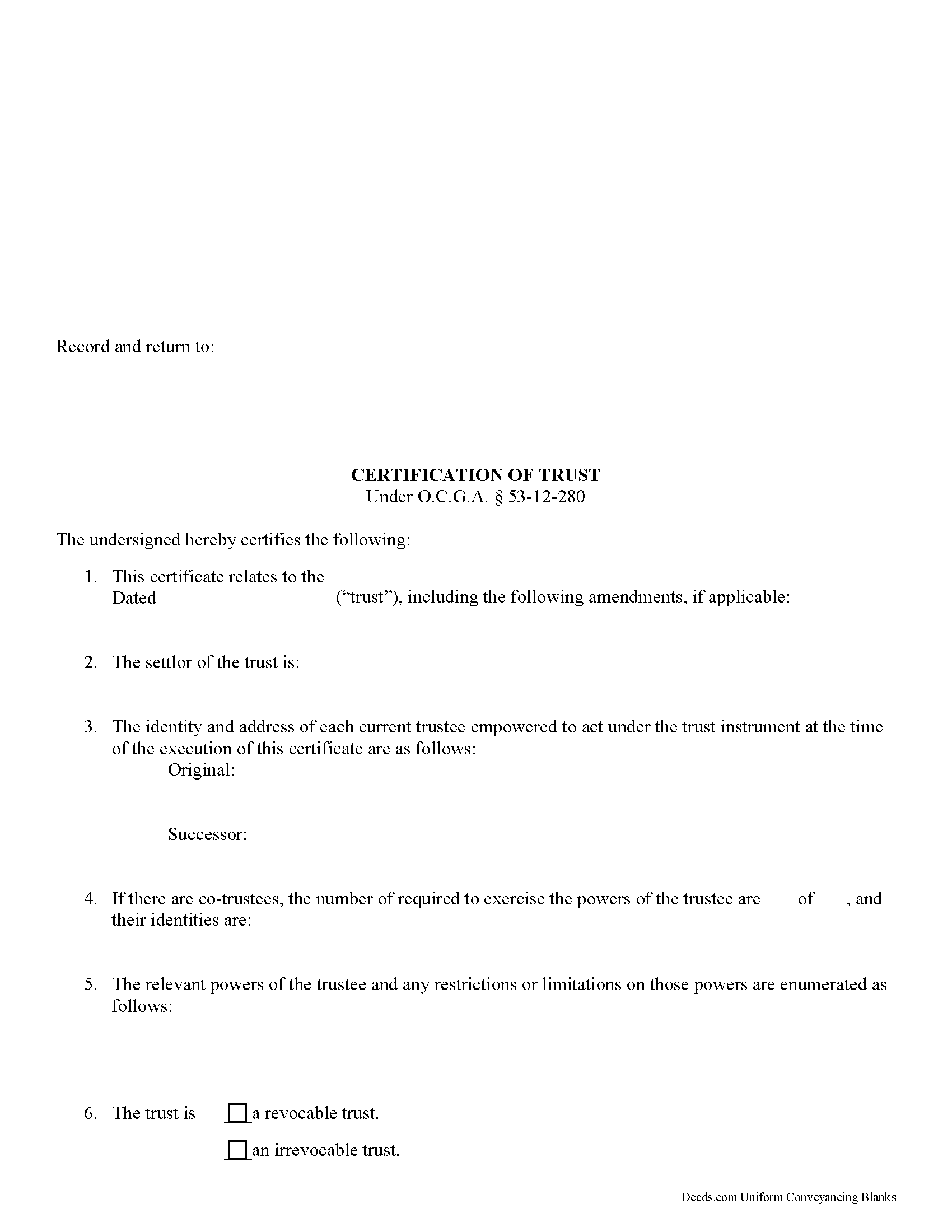
Worth County Certificate of Trust Form
Fill in the blank form formatted to comply with all recording and content requirements.
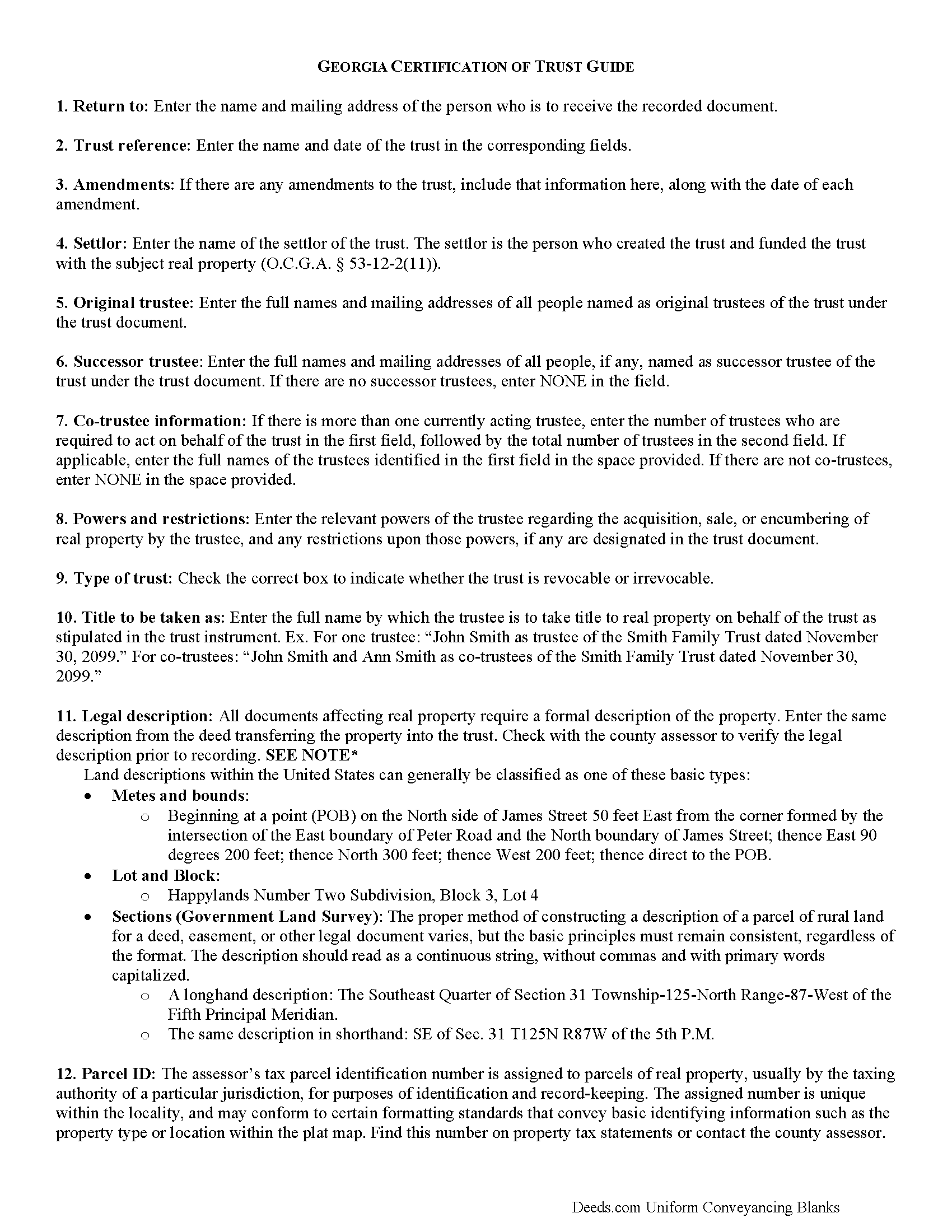
Worth County Certificate of Trust Guide
Line by line guide explaining every blank on the form.
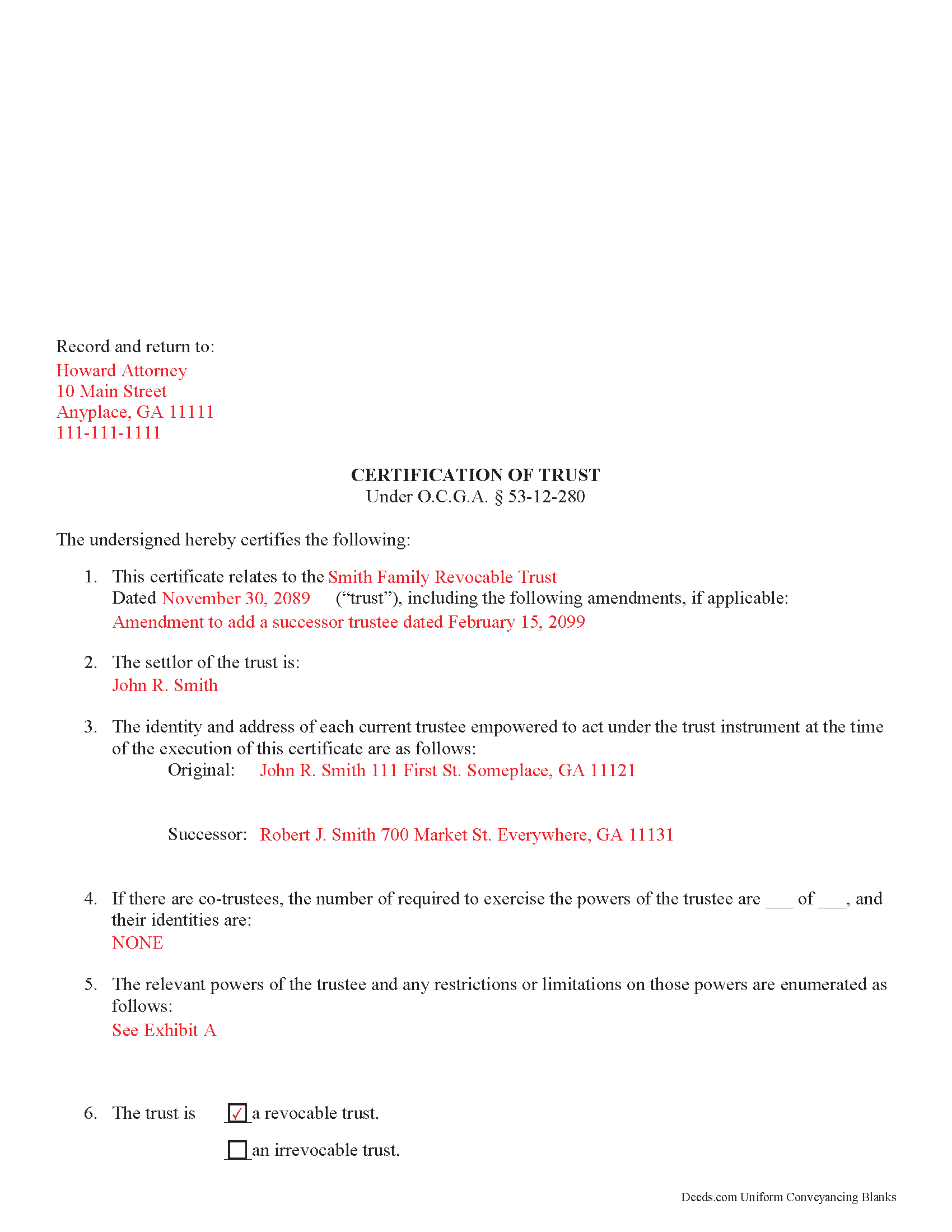
Worth County Completed Example of the Certificate of Trust Document
Example of a properly completed form for reference.
All 3 documents above included • One-time purchase • No recurring fees
Immediate Download • Secure Checkout
Additional Georgia and Worth County documents included at no extra charge:
Where to Record Your Documents
Worth County Clerk of Courts
Sylvester, Georgia 31791
Hours: 8:00am-5:00pm M-F
Phone: (229) 776-8205
Recording Tips for Worth County:
- Bring your driver's license or state-issued photo ID
- Ensure all signatures are in blue or black ink
- Verify all names are spelled correctly before recording
- White-out or correction fluid may cause rejection
- Ask about their eRecording option for future transactions
Cities and Jurisdictions in Worth County
Properties in any of these areas use Worth County forms:
- Oakfield
- Poulan
- Sumner
- Sylvester
- Warwick
Hours, fees, requirements, and more for Worth County
How do I get my forms?
Forms are available for immediate download after payment. The Worth County forms will be in your account ready to download to your computer. An account is created for you during checkout if you don't have one. Forms are NOT emailed.
Are these forms guaranteed to be recordable in Worth County?
Yes. Our form blanks are guaranteed to meet or exceed the applicable formatting requirements used for recording in Worth County, including margin requirements, font requirements, and other layout standards. This guarantee applies to formatting, not to the legal sufficiency of information entered by the user or the suitability of a form for a particular transaction.
Can I reuse these forms?
Yes. You can reuse the forms for your personal use. For example, if you have multiple properties in Worth County you only need to order once.
What do I need to use these forms?
The forms are PDFs that you fill out on your computer. The free Adobe Acrobat Reader is recommended, and most PDF apps also work. You do NOT enter your property information online - you download the blank forms and complete them privately on your own computer.
Are there any recurring fees?
No. This is a one-time purchase. Nothing to cancel, no memberships, no recurring fees.
How much does it cost to record in Worth County?
Recording fees in Worth County vary. Contact the recorder's office at (229) 776-8205 for current fees.
Questions answered? Let's get started!
Georgia Certification of Trust
Under O.C.G.A. 53-12-280, a certification of trust is the document a trustee uses to establish the existence of trust provisions. The trustee furnishes the certificate to a party other than a trust beneficiary (someone who has a beneficial interest in the trust) in lieu of providing a copy of the full trust instrument. The certificate's purpose is to verify the trust's existence and the trustee's authority to act under the trust.
In trusts affecting real property, the trustee is the person who holds legal title to the real property ( 53-12-2(16)). The trustee's powers are established in the trust instrument, which is executed by a settlor in the creation of a trust.
The certificate contains only the essential information about a trust, including the name and date of the trust and identities of the settlor and acting trustees, as well as any successor trustees. The identities of those having a beneficial interest in the trust remain undisclosed. In addition, the certificate states how trust property should be titled, and whether or not the settlor has the power to revoke the trust. The trustee's powers relevant to the management of trust property are enumerated, as well as restrictions, if any, concerning those powers.
Some third parties might request copies of relevant sections of the trust instrument ( 53-12-280(d)), even though Georgia statutes confirm that the details contained within the certificate are to be presumed correct. This presumption suggests that the recipient of a certification of trust is not liable for actions based on false information given within ( 53-12-280(e)).
Like all recorded documents concerning real property, the certificate should also contain a legal description of the real property subject to the trust, including the property's parcel identification number. The document is executed and acknowledged by all trustees in front of a notary before it is recorded in the county wherein the real property subject to the trust is located.
(Georgia Certificate of Trust Package includes form, guidelines, and completed example) Consult a lawyer with any questions concerning trust certificates.
Important: Your property must be located in Worth County to use these forms. Documents should be recorded at the county recording office listed above.
This Certificate of Trust meets all recording requirements specific to Worth County.
Our Promise
The documents you receive here are guaranteed to meet or exceed the applicable Worth County recording format requirements. If there is a rejection caused by our formatting, we will correct the issue or refund your payment. This guarantee applies to document formatting only and does not extend to information entered by the user, the selection of the form, or the legal effect of the completed document.
Save Time and Money
Get your Worth County Certificate of Trust form done right the first time with Deeds.com Uniform Conveyancing Blanks. At Deeds.com, we understand that your time and money are valuable resources, and we don't want you to face a penalty fee or rejection imposed by a county recorder for submitting nonstandard documents. We constantly review and update our forms to meet rapidly changing state and county recording requirements for roughly 3,500 counties and local jurisdictions.
4.8 out of 5 - ( 4,852 Reviews )
Neira S. 5 out of 5 stars
No problem with Recorders Office using your document. It is now completed and recorded.
Thank you Neira, have a wonderful day!
davidjrhall e. 5 out of 5 stars
So far its been good. The David Jr Hall Estate Trust is a Business Blind Trust and we are looking forward to working with your platform and seeing how far we can go.
Thank you!
Natalie F. 5 out of 5 stars
So convenient and easy to use! Will definitely recommend to anyone.
We appreciate your business and value your feedback. Thank you. Have a wonderful day!
GLENN J. 5 out of 5 stars
Totally impressed with the magnitude of data available and ease of operation. Great job.
Thank you, Glenn. We appreciate the kind words and are glad you found the platform easy to use and the information helpful. Thanks for taking the time to share your experience.
Edwina L. 5 out of 5 stars
Awesomeness a true life saver I'm very appreciative.
Thank you!
Wanda R. 5 out of 5 stars
Very satisfied with the ease of using your database. Excellent place to get help with deeds.
We appreciate your business and value your feedback. Thank you. Have a wonderful day!
Roy W. 5 out of 5 stars
It's fine
Thank you!
Pam B. 4 out of 5 stars
This form really helped me out a lot could be a little more explanatory in some areas but all and all it works.
Thanks Pam, we appreciate your feedback.
Colleen K. 5 out of 5 stars
This product was easy to use and instructions were helpful.
We appreciate your business and value your feedback. Thank you. Have a wonderful day!
Diana M. 5 out of 5 stars
Awesome service. Quick and easy. Complete directions on how to complete the forms with examples for further assistance.
We appreciate your business and value your feedback. Thank you. Have a wonderful day!
Lisa P. 5 out of 5 stars
Wonderful forms. It's nice that they were formatted perfectly for my county, it's real easy to miss a requirement (margines, font size, and so on) and end up with a rejection or higher recording fee. Good job folks!
Thank you!
Evaristo R. 2 out of 5 stars
I was very excited to use the website but unfortunately they had a problem retrieving my Deed but thank you for the opportunity.
Thank you for your feedback. We really appreciate it. Have a great day!
Karen F. 5 out of 5 stars
The documents' format contained information needed to complete the necessary paperwork for filing with Georgia. However, the fields were not large enough to put the legal description in, and there was no way to enlarge the area. These were only semi-helpful in providing what I needed per Georgia's filing requirement.
Thank you!
Brian S. 3 out of 5 stars
PDF fields change font sizes leading to an unprofessional-appearing printed page. The examples for "Convey to" section don't include how to specify just one person instead of a married couple. Maybe that is simple but it would help to spell it out in an example. Haven't submitted to County Recorder yet, so will find out if it is acceptable.
Thank you for the feedback Brian.
The font issue is caused by using a PDF viewer other than Adobe Acrobat Reader. Our form fields are set to a uniform 12-point font, but non-Adobe viewers often render form fields inconsistently. Opening and printing the form with the free Adobe Acrobat Reader will resolve that.
Regarding the examples, that's a fair point, we'll look at expanding them.
JAMES E. 5 out of 5 stars
Easy to use and excellent software.
Thank you!