Peach County Correction Deed Form
Last validated September 11, 2026 by our Forms Development TeamFormatted for recording in Peach County, for property anywhere in the county: rural and unincorporated areas as well as Byron, Fort Valley.
- 3 documents included
- Immediate PDF download
- Formatting guarantee
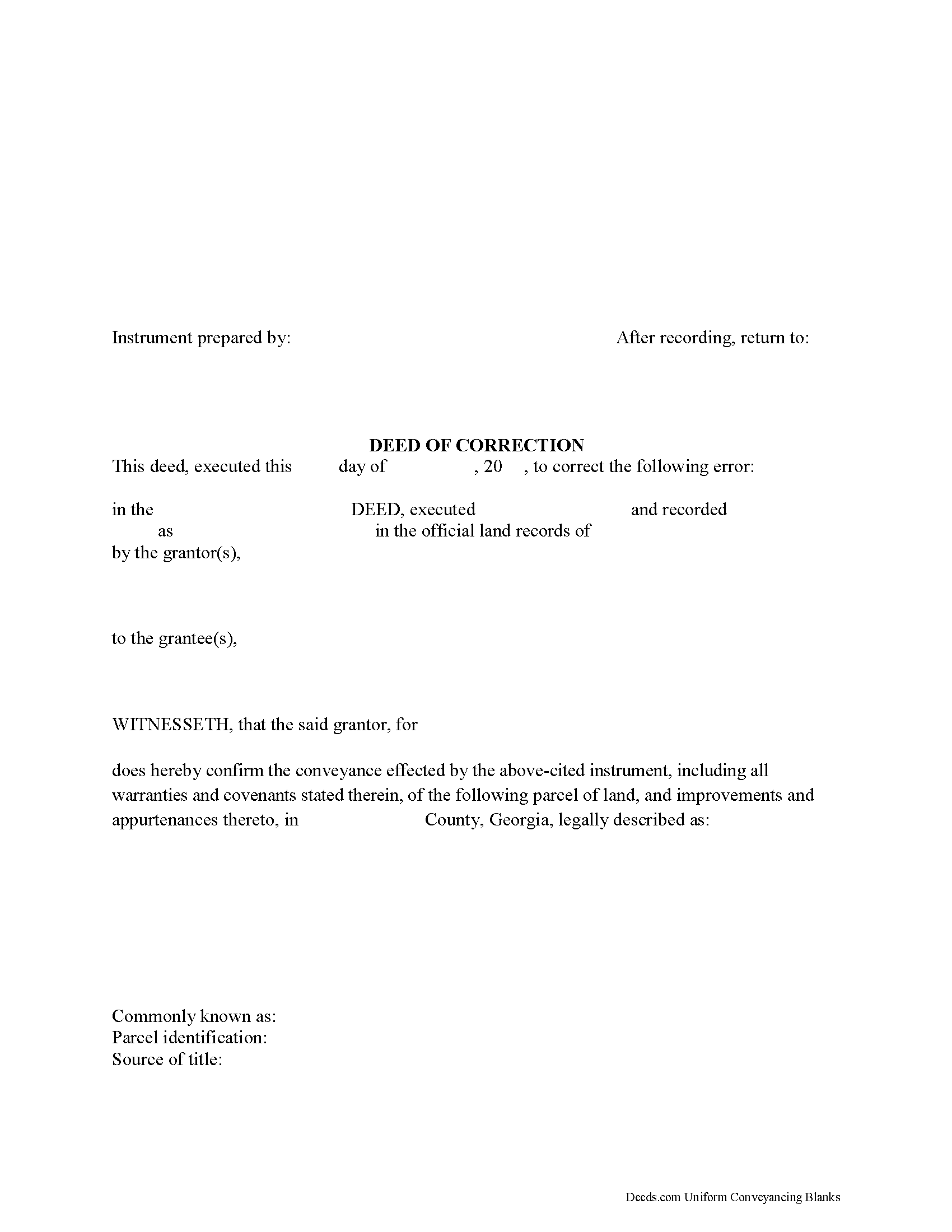
Peach County Correction Deed Form
Fill in the blank form formatted to comply with all recording and content requirements.
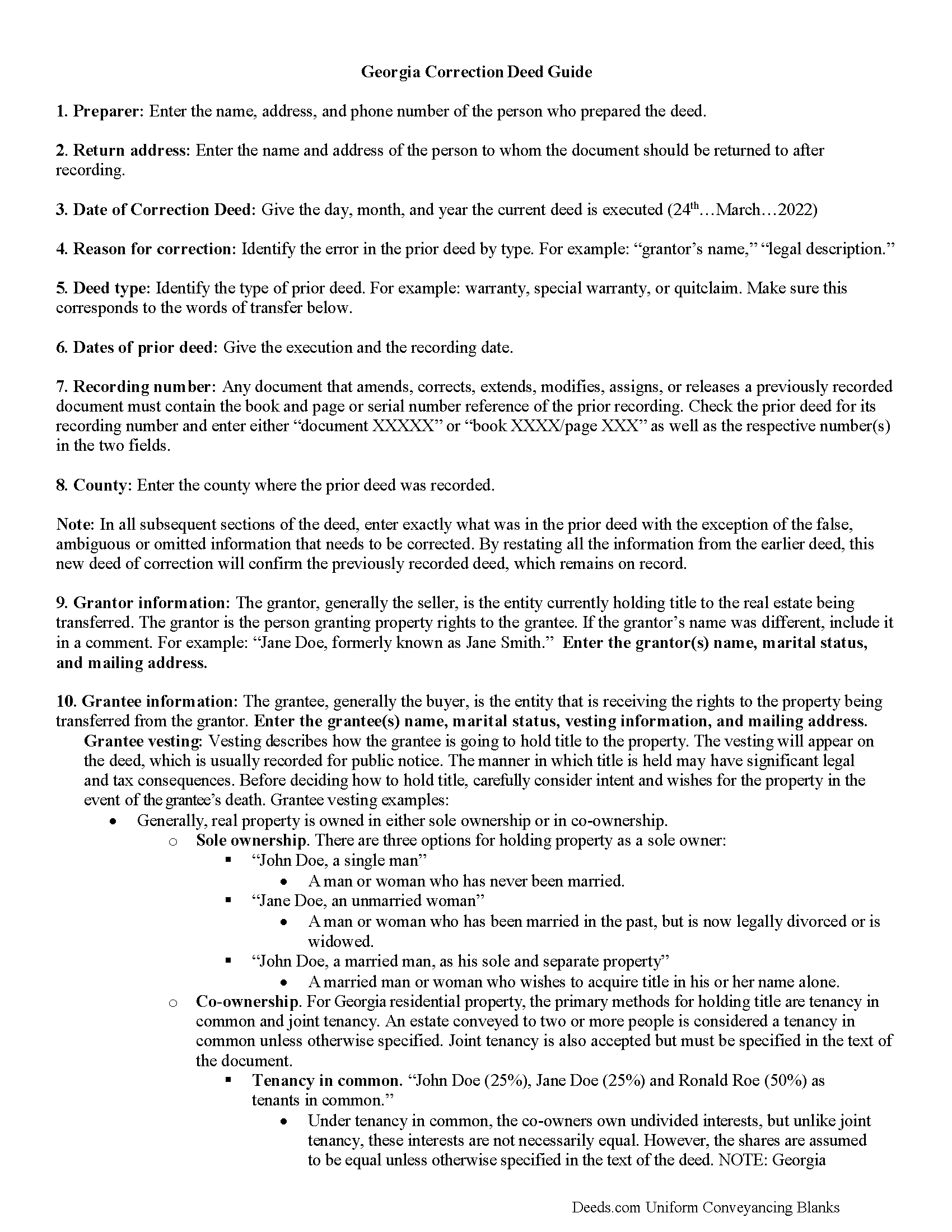
Peach County Correction Deed Guide
Line by line guide explaining every blank on the form.
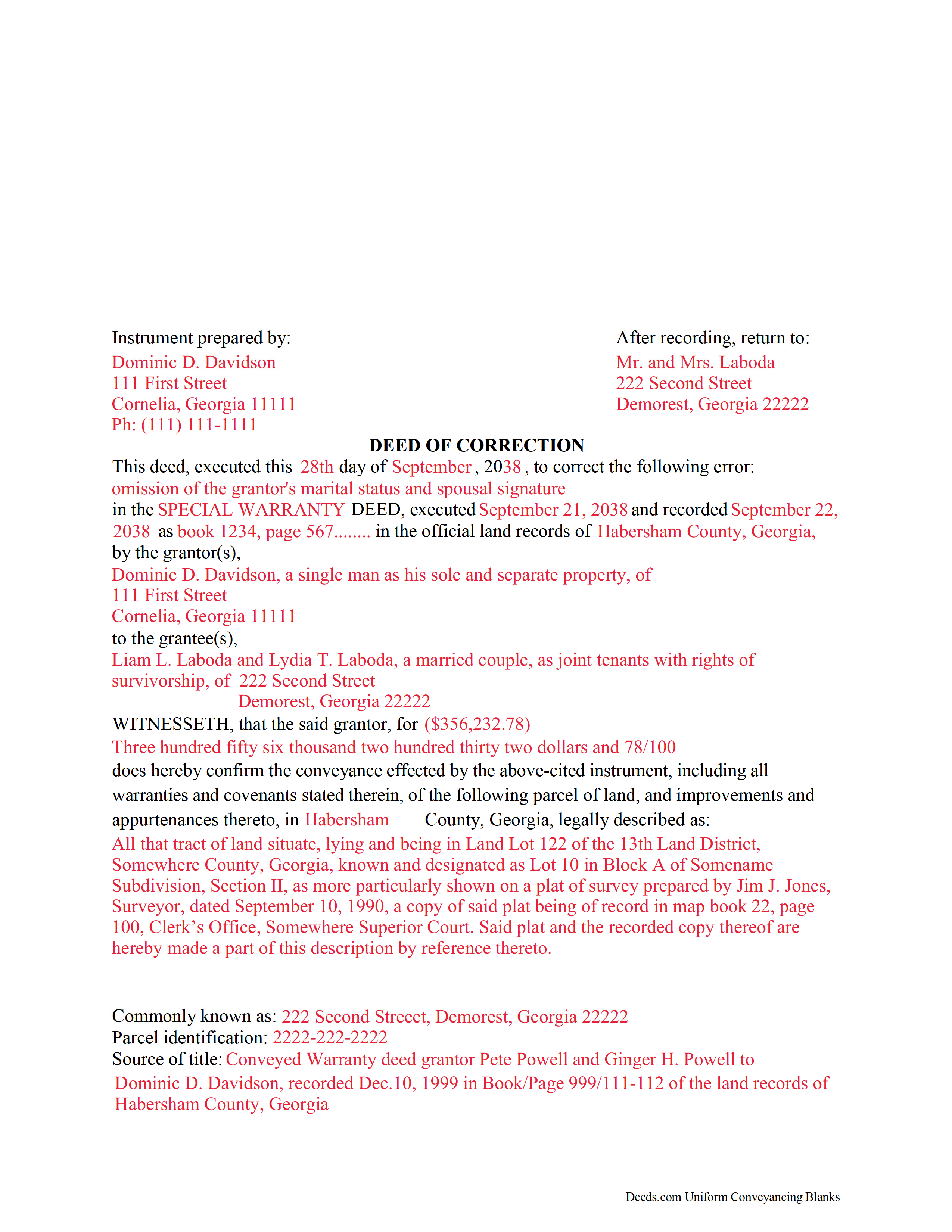
Peach County Completed Example of the Correction Deed Document
Example of a properly completed form for reference.
All 3 documents above included • One-time purchase • No recurring fees
Immediate Download • Secure Checkout
Additional Georgia and Peach County documents included at no extra charge:
Where to Record Your Documents
Clerk of Superior Court
Fort Valley, Georgia 31030
Hours: 8:00am-5:00pm M-F
Phone: (912) 825-5331 and 825-7319
Recording Tips for Peach County:
- Bring your driver's license or state-issued photo ID
- Ensure all signatures are in blue or black ink
- White-out or correction fluid may cause rejection
- Ask about their eRecording option for future transactions
- Avoid the last business day of the month when possible
Cities and Jurisdictions in Peach County
Properties in any of these areas use Peach County forms:
- Byron
- Fort Valley
Hours, fees, requirements, and more for Peach County
How do I get my forms?
Forms are available for immediate download after payment. The Peach County forms will be in your account ready to download to your computer. An account is created for you during checkout if you don't have one. Forms are NOT emailed.
Are these forms guaranteed to be recordable in Peach County?
Yes. Our form blanks are guaranteed to meet or exceed the applicable formatting requirements used for recording in Peach County, including margin requirements, font requirements, and other layout standards. This guarantee applies to formatting, not to the legal sufficiency of information entered by the user or the suitability of a form for a particular transaction.
Can I reuse these forms?
Yes. You can reuse the forms for your personal use. For example, if you have multiple properties in Peach County you only need to order once.
What do I need to use these forms?
The forms are PDFs that you fill out on your computer. The free Adobe Acrobat Reader is recommended, and most PDF apps also work. You do NOT enter your property information online - you download the blank forms and complete them privately on your own computer.
Are there any recurring fees?
No. This is a one-time purchase. Nothing to cancel, no memberships, no recurring fees.
How much does it cost to record in Peach County?
Recording fees in Peach County vary. Contact the recorder's office at (912) 825-5331 and 825-7319 for current fees.
Questions answered? Let's get started!
Use this correction deed to correct an error in a previously executed and recorded deed.
Correction deeds are used to adjust the earlier deed when that document contains minor errors of omission or typographical errors, sometimes called scrivener's mistakes. For example, a misspelled name, an omitted or wrong middle initial, a minor error in the property description, or an omitted execution date.
The correction deed, also called deed of correction or deed of confirmation, must state that its sole purpose is to correct a specific error, which is usually identified by type. For example: an error in the grantor's name, or an error in the grantor's marital status.
Once the correction deed is recorded, it will relate back to the date of the original deed. So it is not necessarily a good idea to re-execute the original deed or to execute and record a different type of deed, such as a quitclaim deed, to correct an error. Both of these cannot relate back to the date of the original deed that needs to be corrected. Only the deed of correction is so closely linked to the prior document that all corrections are effective as of the date of the original recorded instrument.
(Georgia Correction Deed Package includes form, guidelines, and completed example)
Important: Your property must be located in Peach County to use these forms. Documents should be recorded at the county recording office listed above.
This Correction Deed meets all recording requirements specific to Peach County.
Our Promise
The documents you receive here are guaranteed to meet or exceed the applicable Peach County recording format requirements. If there is a rejection caused by our formatting, we will correct the issue or refund your payment. This guarantee applies to document formatting only and does not extend to information entered by the user, the selection of the form, or the legal effect of the completed document.
Save Time and Money
Get your Peach County Correction Deed form done right the first time with Deeds.com Uniform Conveyancing Blanks. At Deeds.com, we understand that your time and money are valuable resources, and we don't want you to face a penalty fee or rejection imposed by a county recorder for submitting nonstandard documents. We constantly review and update our forms to meet rapidly changing state and county recording requirements for roughly 3,500 counties and local jurisdictions.
4.8 out of 5 - ( 4,828 Reviews )
Betty A. 5 out of 5 stars
You've made it very easy to download the form I needed. Thank you.
Thank you!
Christine H. 5 out of 5 stars
Easy to use. Customer service is very responsive!
Thank you!
Mary B. 5 out of 5 stars
Thank you for making these forms available at affordable prices and with lots of information.
Thank you for your positive words! We’re thrilled to hear about your experience.
Lois S. 5 out of 5 stars
This website made it easy to quickly research what was recorded/released on the title of my home.
Thank you for your feedback. We really appreciate it. Have a great day!
Kim P. 5 out of 5 stars
I want to thank you so much. You made a stressful process easy. The customer service was amazing. There is no doubt I will use your service again.
Thank you!
Arturo P. 5 out of 5 stars
Super easy to use! Totally satisfied. Thanks.
We appreciate your business and value your feedback. Thank you. Have a wonderful day!
Mary W. 5 out of 5 stars
Easy to access and good instructions. Where to mail would be the only thing I would add.
Thank you for your feedback. We really appreciate it. Have a great day!
Robert P. 5 out of 5 stars
Excellent product. Wish I had found this site a week earlier. It would have saved me many hours of struggle and $40.00 in notary fees. Thanks and I will recommend to anyone needing forms.
Thank you for your feedback. We really appreciate it. Have a great day!
Roy T. 5 out of 5 stars
Thank you for an easy to use system. I was able to find all the information I needed.
We appreciate your business and value your feedback. Thank you. Have a wonderful day!
Monica M. 5 out of 5 stars
I was very impressed with the quick responses I received from my questions. Usually when forced to communicate via email, responses aren't received right away. Thank you for being on top of things.
Thank you!
Ronald C. 5 out of 5 stars
Easy to navigate and very concise
Thank you!
Charles B. 5 out of 5 stars
The support received was far above expectations.
We are grateful for your feedback and looking forward to serving you again. Thank you!
David M. 5 out of 5 stars
Very easy to use and modify if necessary. Spot on with each county requirement for recording and Notarizing
Thank you for your feedback. We really appreciate it. Have a great day!
Dana P. 5 out of 5 stars
Thank you for making a difficult time a little easier. The forms are easy to download and complete and the Guide is very helpful.
Thank you for your feedback. We really appreciate it. Have a great day!
David C. 5 out of 5 stars
I was able to use your website for the purpose I was looking for. I was able to conclude the transactions I needed without having to use an attorney.
We appreciate your business and value your feedback. Thank you. Have a wonderful day!