Tift County Correction Deed Form
Last validated October 23, 2026 by our Forms Development TeamFormatted for recording in Tift County, for property anywhere in the county: rural and unincorporated areas as well as Brookfield, Chula, Omega, Tifton, Ty Ty.
- 3 documents included
- Immediate PDF download
- Formatting guarantee
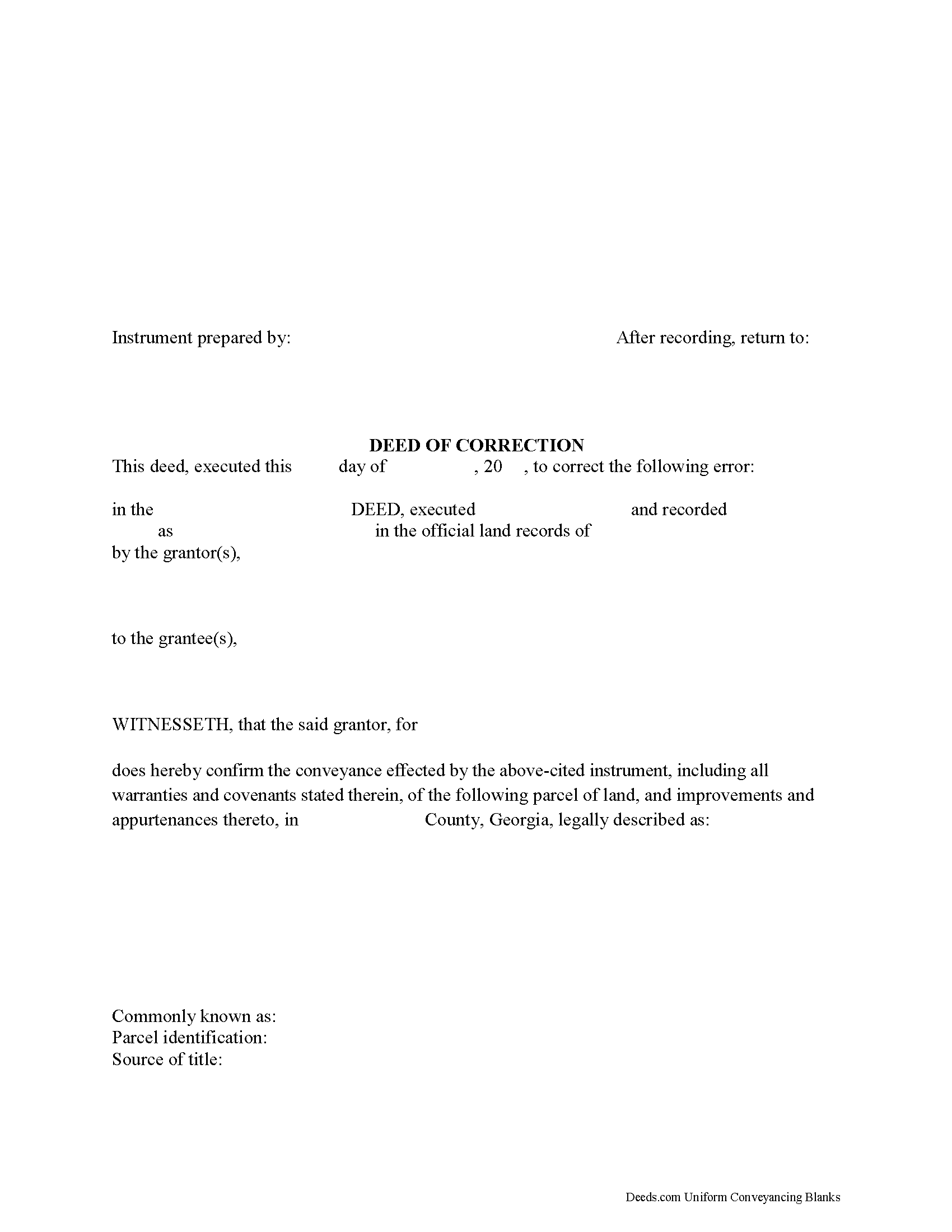
Tift County Correction Deed Form
Fill in the blank form formatted to comply with all recording and content requirements.
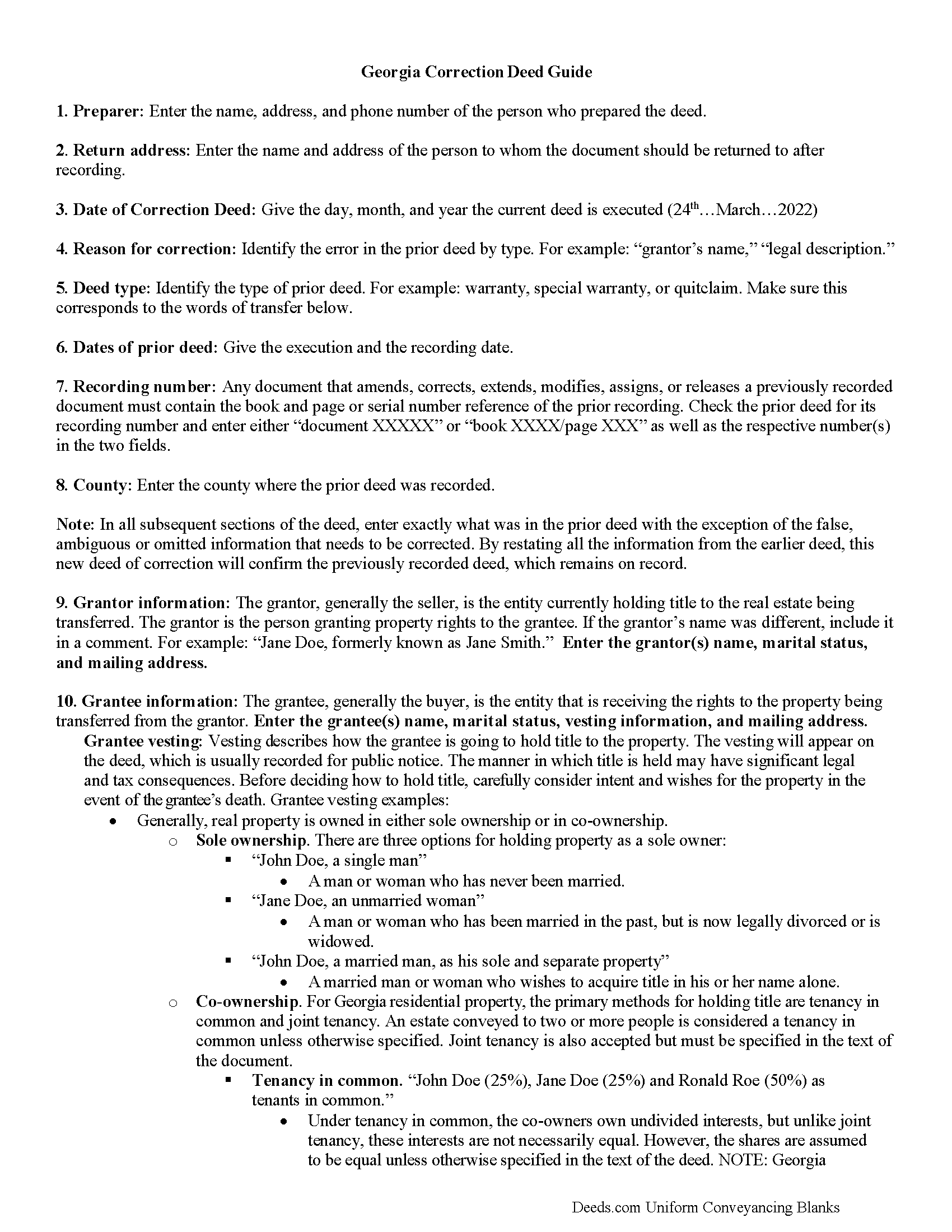
Tift County Correction Deed Guide
Line by line guide explaining every blank on the form.
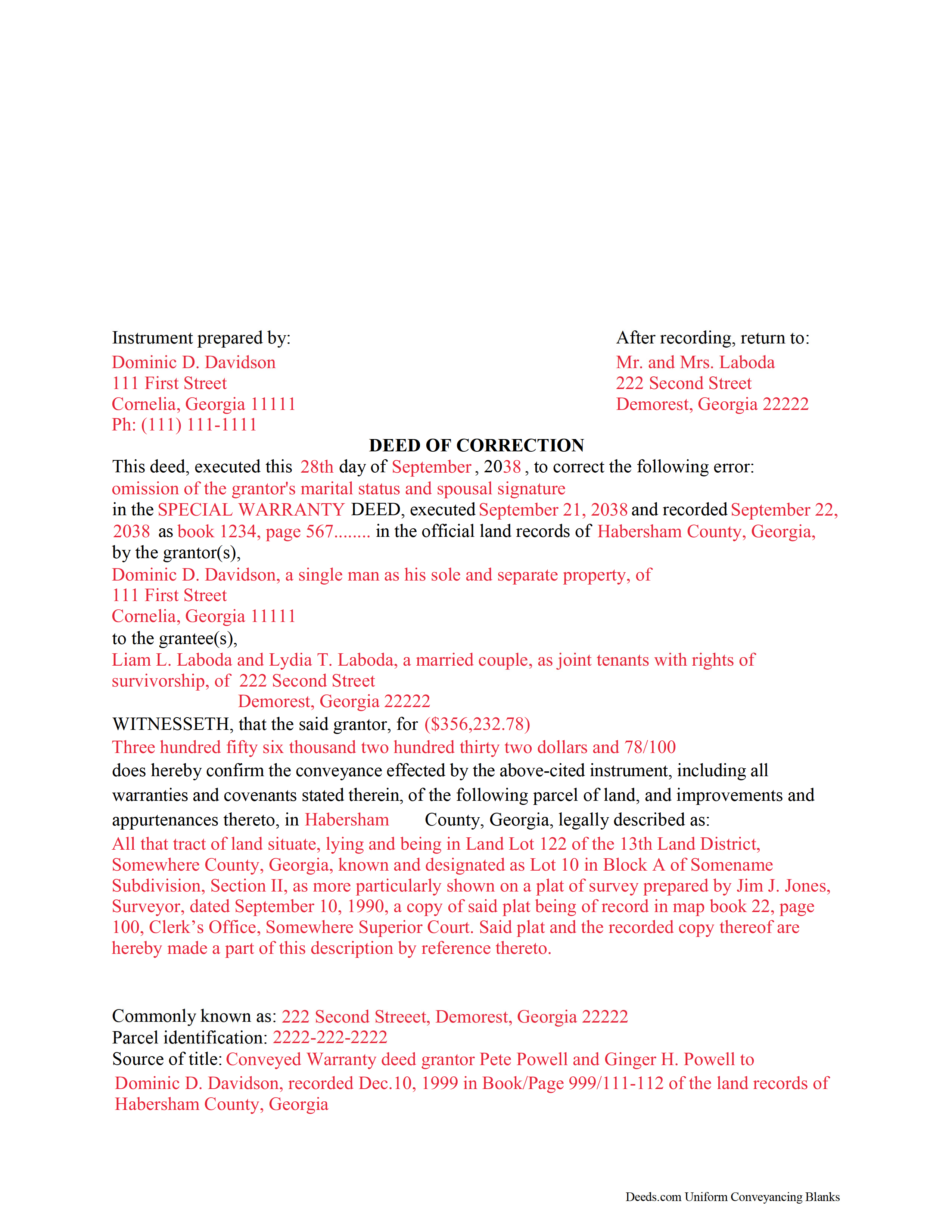
Tift County Completed Example of the Correction Deed Document
Example of a properly completed form for reference.
All 3 documents above included • One-time purchase • No recurring fees
Immediate Download • Secure Checkout
Additional Georgia and Tift County documents included at no extra charge:
Where to Record Your Documents
Clerk of Superior Court
Tifton, Georgia 31794 / 31793
Hours: 8:00 to 5:00 M-F
Phone: (229) 386-7810 & 7816
Recording Tips for Tift County:
- Bring your driver's license or state-issued photo ID
- Ensure all signatures are in blue or black ink
- Both spouses typically need to sign if property is jointly owned
- Bring extra funds - fees can vary by document type and page count
- Check margin requirements - usually 1-2 inches at top
Cities and Jurisdictions in Tift County
Properties in any of these areas use Tift County forms:
- Brookfield
- Chula
- Omega
- Tifton
- Ty Ty
Hours, fees, requirements, and more for Tift County
How do I get my forms?
Forms are available for immediate download after payment. The Tift County forms will be in your account ready to download to your computer. An account is created for you during checkout if you don't have one. Forms are NOT emailed.
Are these forms guaranteed to be recordable in Tift County?
Yes. Our form blanks are guaranteed to meet or exceed the applicable formatting requirements used for recording in Tift County, including margin requirements, font requirements, and other layout standards. This guarantee applies to formatting, not to the legal sufficiency of information entered by the user or the suitability of a form for a particular transaction.
Can I reuse these forms?
Yes. You can reuse the forms for your personal use. For example, if you have multiple properties in Tift County you only need to order once.
What do I need to use these forms?
The forms are PDFs that you fill out on your computer. The free Adobe Acrobat Reader is recommended, and most PDF apps also work. You do NOT enter your property information online - you download the blank forms and complete them privately on your own computer.
Are there any recurring fees?
No. This is a one-time purchase. Nothing to cancel, no memberships, no recurring fees.
How much does it cost to record in Tift County?
Recording fees in Tift County vary. Contact the recorder's office at (229) 386-7810 & 7816 for current fees.
Questions answered? Let's get started!
Use this correction deed to correct an error in a previously executed and recorded deed.
Correction deeds are used to adjust the earlier deed when that document contains minor errors of omission or typographical errors, sometimes called scrivener's mistakes. For example, a misspelled name, an omitted or wrong middle initial, a minor error in the property description, or an omitted execution date.
The correction deed, also called deed of correction or deed of confirmation, must state that its sole purpose is to correct a specific error, which is usually identified by type. For example: an error in the grantor's name, or an error in the grantor's marital status.
Once the correction deed is recorded, it will relate back to the date of the original deed. So it is not necessarily a good idea to re-execute the original deed or to execute and record a different type of deed, such as a quitclaim deed, to correct an error. Both of these cannot relate back to the date of the original deed that needs to be corrected. Only the deed of correction is so closely linked to the prior document that all corrections are effective as of the date of the original recorded instrument.
(Georgia Correction Deed Package includes form, guidelines, and completed example)
Important: Your property must be located in Tift County to use these forms. Documents should be recorded at the county recording office listed above.
This Correction Deed meets all recording requirements specific to Tift County.
Our Promise
The documents you receive here are guaranteed to meet or exceed the applicable Tift County recording format requirements. If there is a rejection caused by our formatting, we will correct the issue or refund your payment. This guarantee applies to document formatting only and does not extend to information entered by the user, the selection of the form, or the legal effect of the completed document.
Save Time and Money
Get your Tift County Correction Deed form done right the first time with Deeds.com Uniform Conveyancing Blanks. At Deeds.com, we understand that your time and money are valuable resources, and we don't want you to face a penalty fee or rejection imposed by a county recorder for submitting nonstandard documents. We constantly review and update our forms to meet rapidly changing state and county recording requirements for roughly 3,500 counties and local jurisdictions.
4.8 out of 5 - ( 4,853 Reviews )
Jodi W. 1 out of 5 stars
Absolutely horrible service and experience. Would not recommend to anyone. If there was an option to select a zero star rating I would have. I am sure this review will not be posted.
Thank you for your feedback Jodi.
Julia M. 5 out of 5 stars
I live in AZ and have an existing beneficiary deed on my property. I needed to know the process of revoking a beneficiary deed. Your site was very helpful by providing the correct form and instructions for recording it. Thank you!
Your satisfaction with our services is of utmost importance to us. Thank you for letting us know how we did!
Jennifer H. 1 out of 5 stars
Price is too expensive.
Thank you for your feedback Jennifer.
Johnathan D. 5 out of 5 stars
Very helpful and quick responses
Thank you!
JAMES D. 5 out of 5 stars
Fast and easy. Sample completed form & guidelines very useful.
We appreciate your business and value your feedback. Thank you. Have a wonderful day!
Patricia N. 5 out of 5 stars
Wonderful fast service, quick thoughtful responses on chat! Files download easily too, great pruces
We are delighted to have been of service. Thank you for the positive review!
alena t. 5 out of 5 stars
It was quick and easy to print and download the forms I needed.
We appreciate your business and value your feedback. Thank you. Have a wonderful day!
Ronald P. 5 out of 5 stars
Very easy to use... awaiting info
Thank you for your feedback. We really appreciate it. Have a great day!
Kelli W. 5 out of 5 stars
Fantastic documents! Easy to complete, looked great after I filled them in and printed them. No problems with the notary or recorder (recorder clerk actually said they see deeds.com documents all the time and they love em cause it makes their job easier). Highly recommend!!
Thank you for your feedback. We really appreciate it. Have a great day!
MARILYN T. 5 out of 5 stars
Deed.com was so easy to use to file my Quit Claim deed. They instructed me on how to send them my documents and it was a breeze. The cost was minimal and saved me tons of time.
Thank you!
Bryan A. 5 out of 5 stars
Very easy thank you for this quick process.
Thank you for the kind words Bryan.
Thomas H. 5 out of 5 stars
I had an initial problem of downloading the form. After contacting the website, I got an answer very quickly, and they fixed the problem.
Thank you for your feedback. We really appreciate it. Have a great day!
Janet P. 5 out of 5 stars
Extremely easy to use. The guide and sample were a great source of reference.
Thank you for your feedback. We really appreciate it. Have a great day!
Willard V. 3 out of 5 stars
While it's nice to get all the forms and info in one package for a reasonable cost, the fixed format of the form does not allow for a lengthy meet and bounds property description for real property. Also, the Cover Sheet has big fillable sections with no instructions about what's supposed to go there. I tried the "Contact Us" link, but all it does is spin saying it's trying verify the security of my connection. Looks like I;m going to have to create my own deed in MS Word instead of just filling in the blacks of the PDF file that I downloaded. Bummer!
Your feedback is a crucial part of our dedication to ongoing improvement. Thank you for your insightful comments.
Liliana H. 5 out of 5 stars
I had a great experience using Deeds.com to file my legal document. The whole process was simple and easy to follow. The website walks you through each step, and everything is explained clearly. At one point, I had to resubmit my documents, but even that was quick and easy. There were clear instructions, and I had no trouble making the changes and sending them again. The communication was great too. I was kept updated the whole time, and any questions I had were answered fast. If you need to file legal documents and want a stress-free way to do it, I definitely recommend Deeds.com. They made the whole process smooth from start to finish.
Thank you, Liliana! We really appreciate you taking the time to share your experience. We're glad everything went smoothly and that our team could support you when needed. It means a lot to know you'd recommend us!