Franklin County Preliminary Notice of Mechanics Lien Form
Last validated October 1, 2026 by our Forms Development TeamFormatted for recording in Franklin County, for property anywhere in the county: rural and unincorporated areas as well as Canon, Carnesville, Franklin Springs, Lavonia, Royston.
- 3 documents included
- Immediate PDF download
- Formatting guarantee
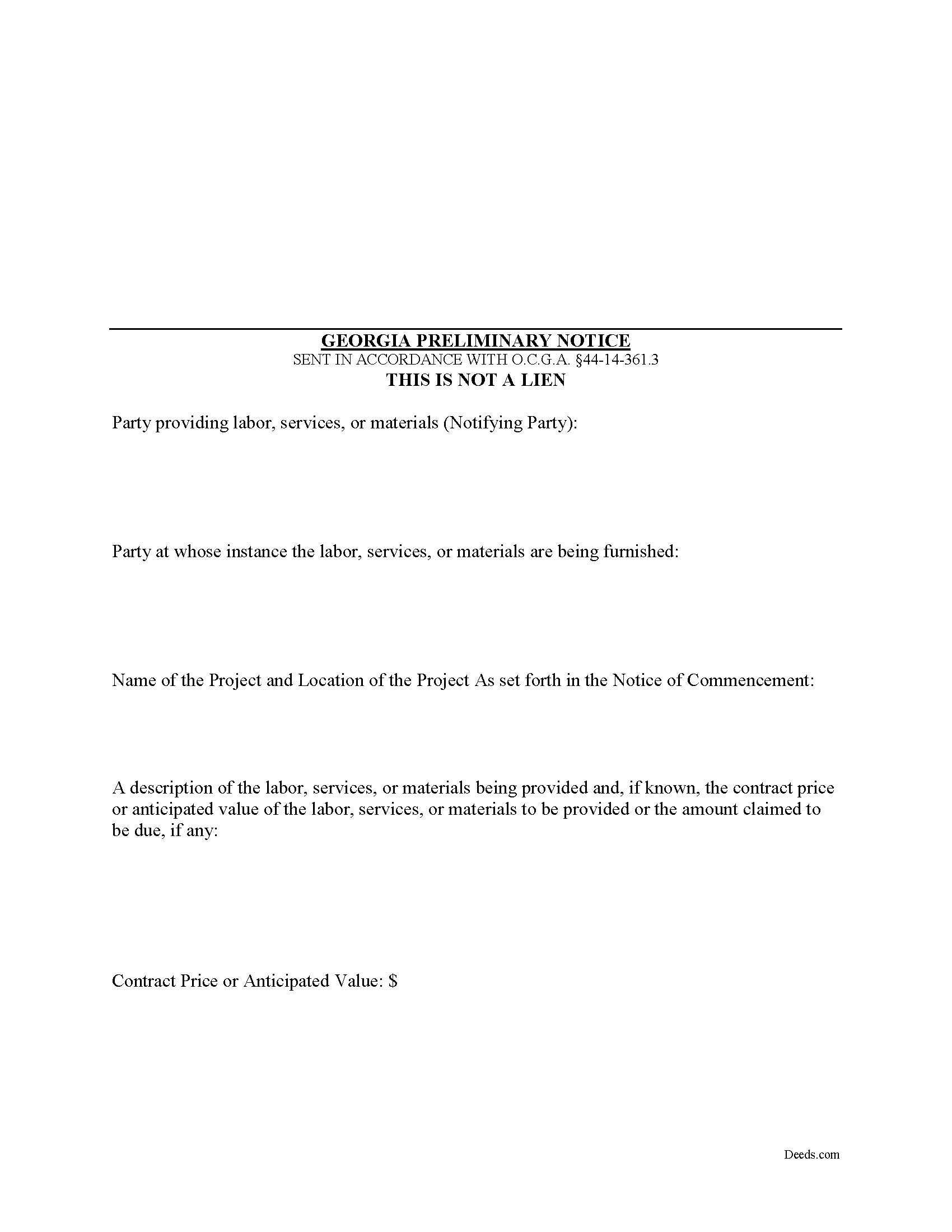
Franklin County Preliminary Notice of Mechanics Lien Form
Fill in the blank Preliminary Notice of Mechanics Lien form formatted to comply with all Georgia recording and content requirements.
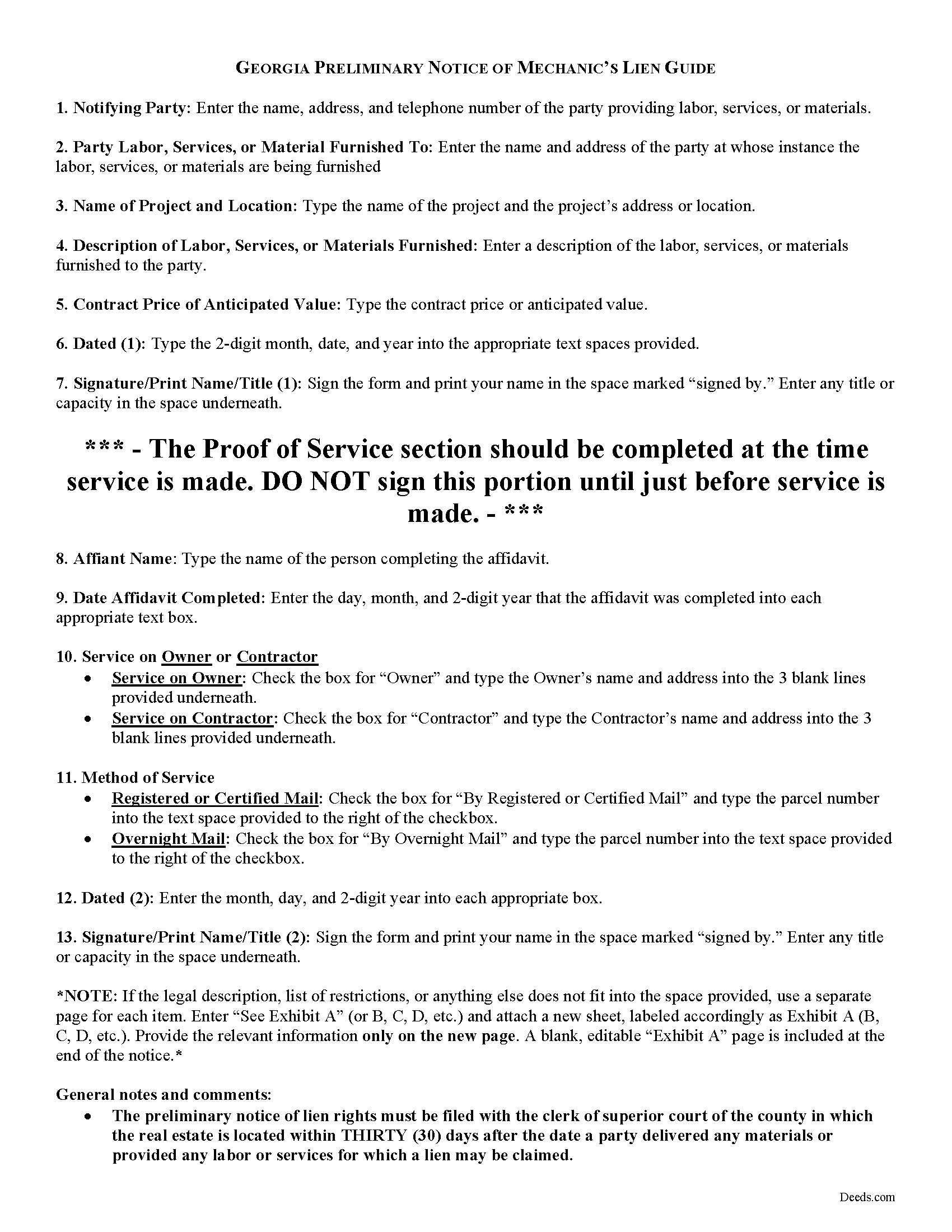
Franklin County Preliminary Notice of Mechanics Lien Guide
Line by line guide explaining every blank on the form.
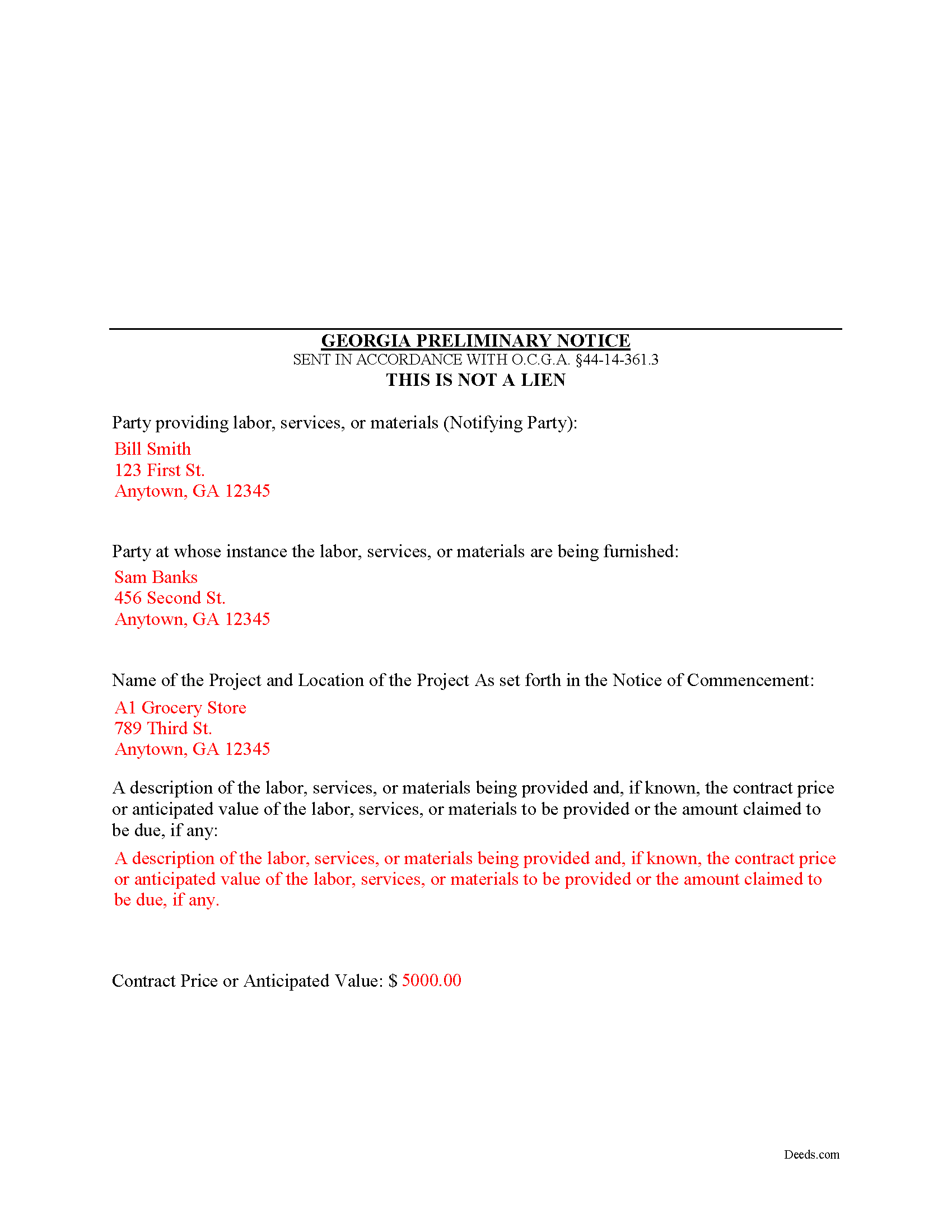
Franklin County Completed Example of the Preliminary Notice of Mechanics Lien Document
Example of a properly completed form for reference.
All 3 documents above included • One-time purchase • No recurring fees
Immediate Download • Secure Checkout
Additional Georgia and Franklin County documents included at no extra charge:
Where to Record Your Documents
Clerk of Superior Court
Carnesville, Georgia 30521
Hours: 8:00am - 5:00pm Monday-Friday
Phone: (706) 384-2514
Recording Tips for Franklin County:
- Bring your driver's license or state-issued photo ID
- Ensure all signatures are in blue or black ink
- Check margin requirements - usually 1-2 inches at top
- Leave recording info boxes blank - the office fills these
- Make copies of your documents before recording - keep originals safe
Cities and Jurisdictions in Franklin County
Properties in any of these areas use Franklin County forms:
- Canon
- Carnesville
- Franklin Springs
- Lavonia
- Royston
Hours, fees, requirements, and more for Franklin County
How do I get my forms?
Forms are available for immediate download after payment. The Franklin County forms will be in your account ready to download to your computer. An account is created for you during checkout if you don't have one. Forms are NOT emailed.
Are these forms guaranteed to be recordable in Franklin County?
Yes. Our form blanks are guaranteed to meet or exceed the applicable formatting requirements used for recording in Franklin County, including margin requirements, font requirements, and other layout standards. This guarantee applies to formatting, not to the legal sufficiency of information entered by the user or the suitability of a form for a particular transaction.
Can I reuse these forms?
Yes. You can reuse the forms for your personal use. For example, if you have multiple properties in Franklin County you only need to order once.
What do I need to use these forms?
The forms are PDFs that you fill out on your computer. The free Adobe Acrobat Reader is recommended, and most PDF apps also work. You do NOT enter your property information online - you download the blank forms and complete them privately on your own computer.
Are there any recurring fees?
No. This is a one-time purchase. Nothing to cancel, no memberships, no recurring fees.
How much does it cost to record in Franklin County?
Recording fees in Franklin County vary. Contact the recorder's office at (706) 384-2514 for current fees.
Questions answered? Let's get started!
Georgia Mechanic's Lien on your mind? First file your preliminary notice!
In many states, claimants must file a document known as a "preliminary" or "pre-lien" notice as a prerequisite to securing mechanic's lien rights. Georgia does not adhere to this requirement, so forgetting to file preliminary notice won't cost the claimant's lien rights. Under Georgia law, however, a person with a lien right may, at his or her option, file a preliminary notice. O.G.C.A. 44-14-361.3.
Preliminary notices are used by subcontractors and material suppliers who are not under a direct contract with the owner. A preliminary notice form follows a simple format that must include: (1) the name, address, and telephone number of the potential lien claimant; (2) the name and address of the contractor or other person at whose instance the labor, services, or materials were furnished; (3) the name of the owner of the real estate and include a description sufficient to identify the real estate against which the lien is or may be claimed; and (4) include a general description of the labor, services, or materials furnished or to be furnished. O.G.C.A. 44-14-361.3(a)(2)---(5).
The preliminary notice of lien rights must be filed with the clerk of superior court of the county in which the real estate is located within thirty (30) days after the date a party delivered any materials or provided any labor or services for which a lien may be claimed. O.G.C.A. 44-14-361.3(a)(1).
The Notice must also be served after filing on either the owner or contractor. A party filing a preliminary notice of lien rights (except a contractor) shall, within seven (7) days of filing the notice, send by registered or certified mail or statutory overnight delivery a copy of the notice to the contractor on the property named in the notice or to the owner of the property. The lien claimant may rely on the building permit issued on the property for the name of the contractor. O.G.C.A. 44-14-361.3(b).
As stated earlier, the preliminary notice is not a required document. A person having a lien may enforce the lien without filing a preliminary notice of lien. O.G.C.A. 44-14-361.3(d). However, filing and serving preliminary notice on an owner or prime contractor is good practice and can help preserve your lien rights, especially when there are multiple claimants.
This article is provided for informational purposes only and should not be used as a substitute for the advice of an attorney. Please contact an attorney with questions about the preliminary notice or any other issues related to liens in Georgia.
Important: Your property must be located in Franklin County to use these forms. Documents should be recorded at the county recording office listed above.
This Preliminary Notice of Mechanics Lien meets all recording requirements specific to Franklin County.
Our Promise
The documents you receive here are guaranteed to meet or exceed the applicable Franklin County recording format requirements. If there is a rejection caused by our formatting, we will correct the issue or refund your payment. This guarantee applies to document formatting only and does not extend to information entered by the user, the selection of the form, or the legal effect of the completed document.
Save Time and Money
Get your Franklin County Preliminary Notice of Mechanics Lien form done right the first time with Deeds.com Uniform Conveyancing Blanks. At Deeds.com, we understand that your time and money are valuable resources, and we don't want you to face a penalty fee or rejection imposed by a county recorder for submitting nonstandard documents. We constantly review and update our forms to meet rapidly changing state and county recording requirements for roughly 3,500 counties and local jurisdictions.
4.8 out of 5 - ( 4,833 Reviews )
Dale A C. 5 out of 5 stars
Deeds.com was a very efficient and simple website to use in preparing my documents needed to complete a real estate closing. I highly recommend this website, as it is easy to use, inexpensive, and effective.
We appreciate your business and value your feedback. Thank you. Have a wonderful day!
Ashley H. 5 out of 5 stars
Thank you for the quick response time messaging back and forth to get this completed, and also the fairly speedy e-recording! Excellent customer service!!!
We appreciate your business and value your feedback. Thank you. Have a wonderful day!
Edward S. 1 out of 5 stars
The spaces do not line up correctly with the text.
Thank you for your feedback. We really appreciate it. Have a great day!
Daniel A. 5 out of 5 stars
First time using Deeds.com. Downloaded the PDF forms for creating an Illinois Mortgage and Promissory Note. Filled them out, saved them, and printed them out. Going to send them to my Title Company for closing on a property. Save a bunch of money on not have to pay lawyer fees for creating the same legal documents that Deeds.com provided.
We appreciate your business and value your feedback. Thank you. Have a wonderful day!
timothy h. 2 out of 5 stars
Too complicated and too expensive
Sorry to hear that Timothy, we do hope that you found something more suitable to your needs elsewhere. Have a wonderful day.
Marlin M. 5 out of 5 stars
all round GREAT!
Always great to hear kind words from such a long time customer Marlin, thank you.
Sandra W. 5 out of 5 stars
No issues with the forms.
Thank you!
Margaret T. 5 out of 5 stars
Had a difficult time finding my download after purchase. Thankfully I had printed the form and had. However it was read only and I'm not experienced enough to be able to change that. So I went into my word program and typed in the form. I should be able to use it for my purpose. Just glad I was finally able to find it after hours of searching online. I'm in my 70's and not real computer intelligent which may have been part of the problem
Sorry to hear of your struggle Margaret, we will try harder to make our forms easier for everyone.
Marion B. 5 out of 5 stars
As far as I know all is in order as far as my transfer on death instrument for Illinois. Thank you so much!
Thank you for your feedback. We really appreciate it. Have a great day!
Renee M. 5 out of 5 stars
My sister in law is in a hospital ICU with Covid, so we were trying to get her affairs in order. Deeds.com made this difficult situation so much better by making this process very easy to understand and do.
Glad we could help Renee, hoping the very best for you and your family.
Kay M. 5 out of 5 stars
Worked great. Not being real tech savey was no problem.
We appreciate your business and value your feedback. Thank you. Have a wonderful day!
Cynthia S. 5 out of 5 stars
I am an attorney assisting my son with some simple legal docs & this service saved me a lot of time and is user friendly!
We appreciate your business and value your feedback. Thank you. Have a wonderful day!
Paula V. 5 out of 5 stars
Fast, easy, helpful instructions. I’ll use them again!
Thank you for your feedback. We really appreciate it. Have a great day!
CAROL C. 5 out of 5 stars
Deeds.com is very user friendly and quite simple to use. Customer service is also prompt in responding to any inquiry. I have been pleased with them since I began using them over 3-years ago.
We appreciate your business and value your feedback. Thank you. Have a wonderful day!
Rick M. 1 out of 5 stars
Sign up process was fine. The search could be refined a bit to make it easier. Rather than being presented with a large number of fields and trying to figure out, it say street suffice (Drive, Street, Lane) are needed and with what spelled out, what abbreviated it would be nice to have them presented as questions with examples. The $30 price point of r a deed is way too high for me as an appraiser. This is why I didn't complete the transaction.
Thank you for your feedback. We really appreciate it. Have a great day!