Effingham County Release of Claim of Lien Form
Last validated October 2, 2026 by our Forms Development TeamFormatted for recording in Effingham County, for property anywhere in the county: rural and unincorporated areas as well as Clyo, Eden, Guyton, Meldrim, Rincon, Springfield.
- 3 documents included
- Immediate PDF download
- Formatting guarantee
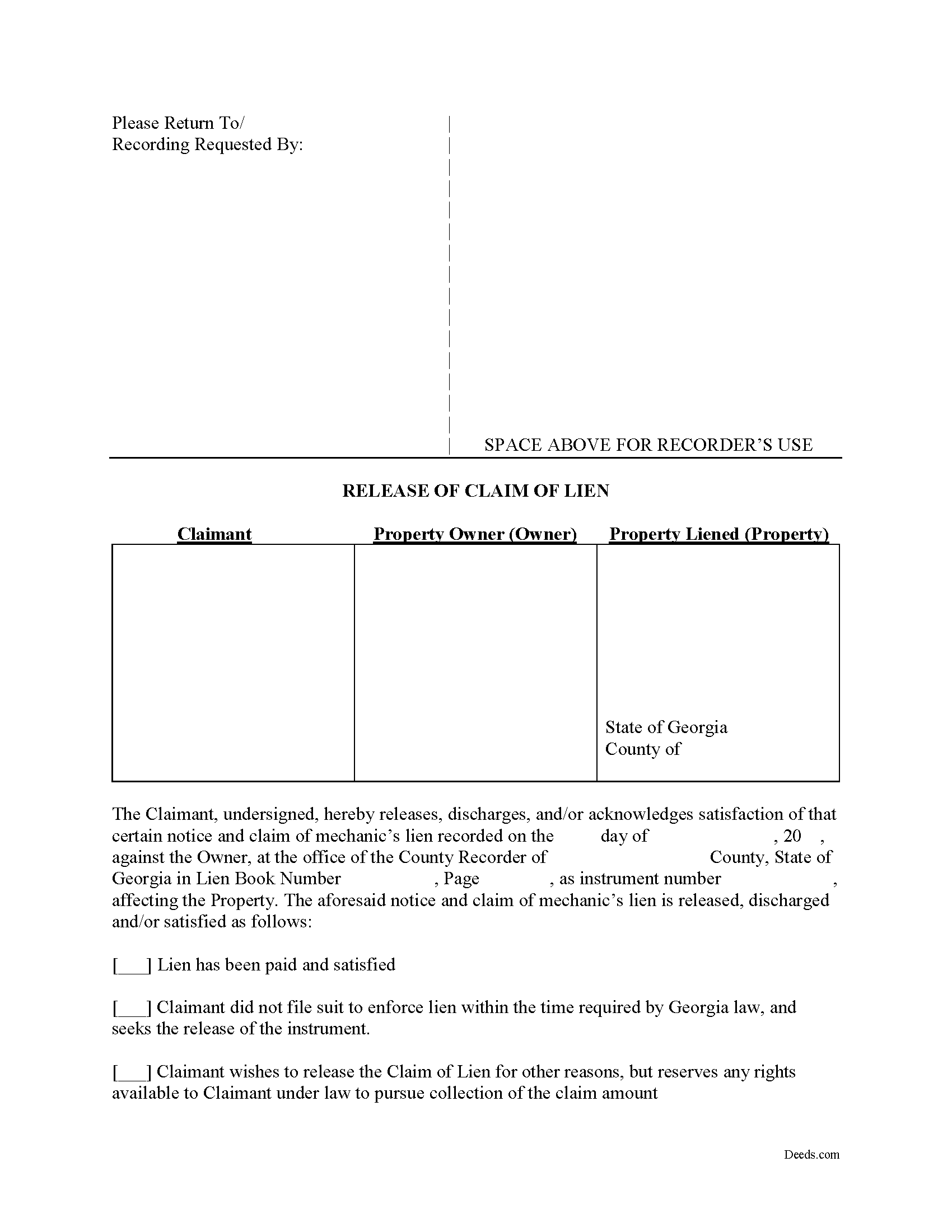
Effingham County Release of Claim of Lien Form
Fill in the blank Release of Claim of Lien form formatted to comply with all Georgia recording and content requirements.
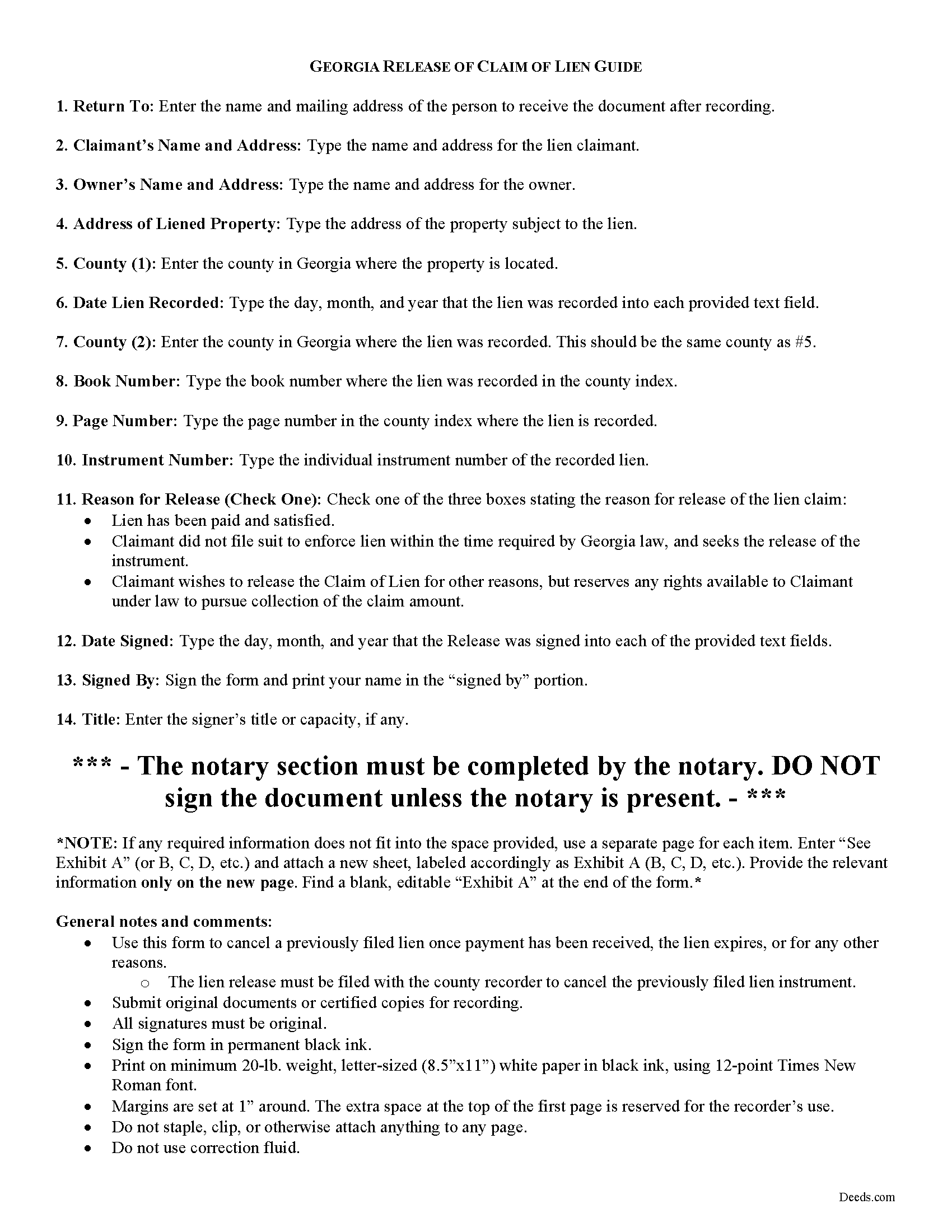
Effingham County Release of Claim of Lien Guide
Line by line guide explaining every blank on the form.
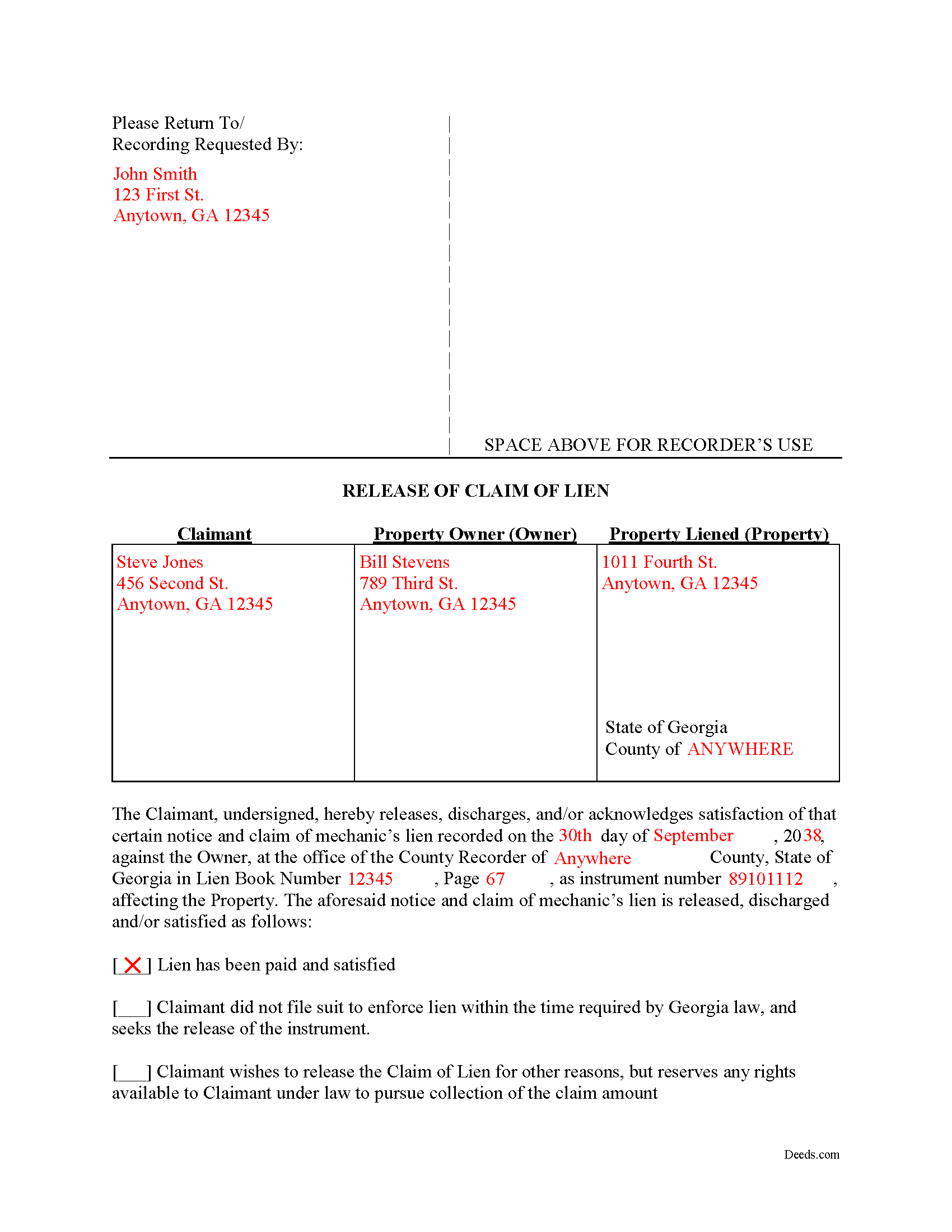
Effingham County Completed Example of the Release of Claim of Lien Document
Example of a properly completed form for reference.
All 3 documents above included • One-time purchase • No recurring fees
Immediate Download • Secure Checkout
Additional Georgia and Effingham County documents included at no extra charge:
Where to Record Your Documents
Clerk of Superior Court
Springfield, Georgia 31329
Hours: 8:30am - 5:00pm Monday - Friday
Phone: (912) 754-2118
Recording Tips for Effingham County:
- Bring your driver's license or state-issued photo ID
- Ensure all signatures are in blue or black ink
- White-out or correction fluid may cause rejection
- Ask about their eRecording option for future transactions
- Avoid the last business day of the month when possible
Cities and Jurisdictions in Effingham County
Properties in any of these areas use Effingham County forms:
- Clyo
- Eden
- Guyton
- Meldrim
- Rincon
- Springfield
Hours, fees, requirements, and more for Effingham County
How do I get my forms?
Forms are available for immediate download after payment. The Effingham County forms will be in your account ready to download to your computer. An account is created for you during checkout if you don't have one. Forms are NOT emailed.
Are these forms guaranteed to be recordable in Effingham County?
Yes. Our form blanks are guaranteed to meet or exceed the applicable formatting requirements used for recording in Effingham County, including margin requirements, font requirements, and other layout standards. This guarantee applies to formatting, not to the legal sufficiency of information entered by the user or the suitability of a form for a particular transaction.
Can I reuse these forms?
Yes. You can reuse the forms for your personal use. For example, if you have multiple properties in Effingham County you only need to order once.
What do I need to use these forms?
The forms are PDFs that you fill out on your computer. The free Adobe Acrobat Reader is recommended, and most PDF apps also work. You do NOT enter your property information online - you download the blank forms and complete them privately on your own computer.
Are there any recurring fees?
No. This is a one-time purchase. Nothing to cancel, no memberships, no recurring fees.
How much does it cost to record in Effingham County?
Recording fees in Effingham County vary. Contact the recorder's office at (912) 754-2118 for current fees.
Questions answered? Let's get started!
Cancelling a Georgia Mechanic's Lien After Payment
To dissolve previously filed mechanic's lien claims, claimants must file a Release of Claim of Lien. Construction liens must be canceled once payment has been received, the lien expires, or for any other reason. The lien release must be filed with the county recorder to cancel the previously filed lien instrument. The lien release is different than a lien waiver because it discharges an already filed lien, while a waiver surrenders the right to file one in the first place.
A Release form contains the following information: 1) lien claimant's name and address; 2) property owner's name and address; 3) address of the subject property; 4) date the lien was recorded; 5) the book number, page number, and instrument number as indexed by the county; and 6) reason for cancellation (lien has been paid, expired, or any other reason for discharge). The Release must be signed in front of a notary public who then signs as a notary and/or affixes his or her seal.
This article is provided for informational purposes only and does not constitute legal advice. Please speak with an attorney regarding releases or any other issues related to liens in Georgia.
Important: Your property must be located in Effingham County to use these forms. Documents should be recorded at the county recording office listed above.
This Release of Claim of Lien meets all recording requirements specific to Effingham County.
Our Promise
The documents you receive here are guaranteed to meet or exceed the applicable Effingham County recording format requirements. If there is a rejection caused by our formatting, we will correct the issue or refund your payment. This guarantee applies to document formatting only and does not extend to information entered by the user, the selection of the form, or the legal effect of the completed document.
Save Time and Money
Get your Effingham County Release of Claim of Lien form done right the first time with Deeds.com Uniform Conveyancing Blanks. At Deeds.com, we understand that your time and money are valuable resources, and we don't want you to face a penalty fee or rejection imposed by a county recorder for submitting nonstandard documents. We constantly review and update our forms to meet rapidly changing state and county recording requirements for roughly 3,500 counties and local jurisdictions.
4.8 out of 5 - ( 4,828 Reviews )
Jose S. 5 out of 5 stars
Thank you so very much I live in Texas but I Owned a home in Indiana with your help I could never get those paper that I need to change the ownership in Indiana. You have a great site.
Thank you!
Lorraine F. 2 out of 5 stars
I followed the instructions to download the form for my Mac, typed in the legal description of the real property but the space provided for it would not expand so I just typed the form into Word as a document. While I appreciate having the form to work with it would have been a breeze if it worked properly.
Your insights are invaluable to us and help us strive for better service. Thank you for taking the time to share your thoughts.
Dennis F. 4 out of 5 stars
The release of mortgage form was OK, and accepted at the recorder's office, but there were some problems. Many of the fields to type in were too small to accept the data, and I could not find a way to change the field size or use a smaller font. Otherwise I was satisfied.
Your feedback is a crucial part of our dedication to ongoing improvement. Thank you for your insightful comments.
Arthur T. 5 out of 5 stars
Thanks
Thank you!
Alan K. 5 out of 5 stars
All I needed was a simple Certificate of Trust. Deeds.com had a template for exactly what I needed. I didn't have to make an appt with an attorney, wait for one to be available, nor pay a ridiculous amount for a standardized document. Super easy.
Thank you for your feedback. We really appreciate it. Have a great day!
constance t. 5 out of 5 stars
Excellent service!
We appreciate your business and value your feedback. Thank you. Have a wonderful day!
RUTH O. 5 out of 5 stars
Got access to the forms immediately after ordering. Lots of helpful information, forms were easy to use. Happy I choose this site.
Thank you Ruth. Have a great day!
oscar r. 5 out of 5 stars
VERY MUCH HELPFUL SAVED ME 600 on not having to hire attorney
Thank you!
Darrell G. 5 out of 5 stars
Very easy to work with.
Thank you!
Carolyn D. 5 out of 5 stars
The sight provided exactly what I needed and was easy to use. I was able to download the type of Deed I used and was completely satisfied with the website.
Thank you!
Gretchen B. 2 out of 5 stars
I wanna give more stars because the required information is there, but the character spacing is disjointed on the first page, rendering a gap-filled, awkward-looking document. Also, the opening parenthesis for the first field on the first page is on the wrong line and is backwards, which sets the wrong tone especially since it's the first thing you have to fill out.
Thank you for your feedback. We really appreciate it. Have a great day!
Patricia K. 5 out of 5 stars
Able to find the information that I needed.
Thank you!
ROSA C. 5 out of 5 stars
Very happy with the service. Easy to use.
Thank you for your feedback. We really appreciate it. Have a great day!
RAMONA F. 3 out of 5 stars
Good communication but they were unable to help me
Thank you for your feedback. We really appreciate it. Have a great day!
Anthony N. 3 out of 5 stars
The site was not easy to navigate. Maybe putting the different things offered at the heading instead of searching for it.
Thank you for your feedback. We really appreciate it. Have a great day!