Tattnall County Release of Claim of Lien Form
Last validated October 29, 2026 by our Forms Development TeamFormatted for recording in Tattnall County, for property anywhere in the county: rural and unincorporated areas as well as Cobbtown, Collins, Glennville, Manassas, Reidsville.
- 3 documents included
- Immediate PDF download
- Formatting guarantee
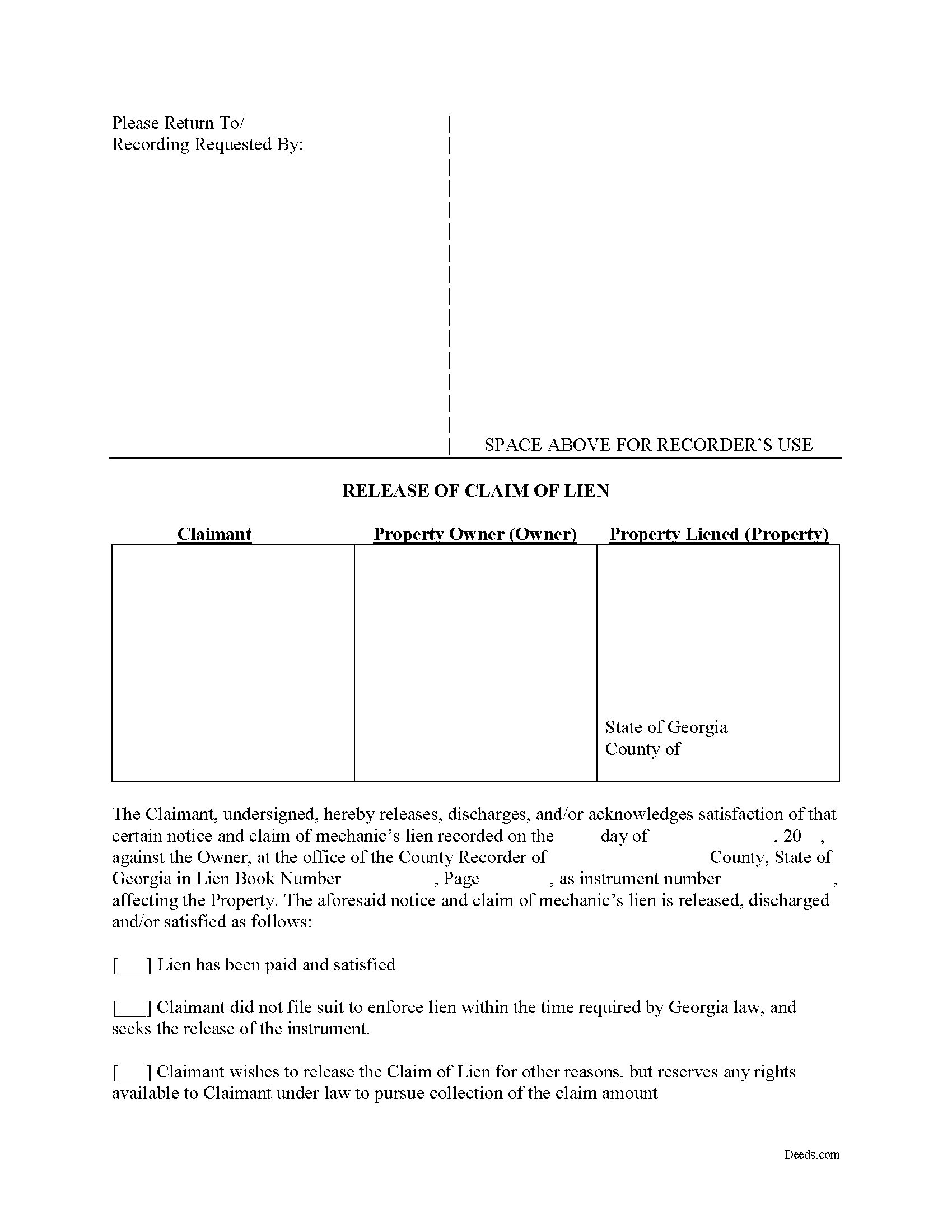
Tattnall County Release of Claim of Lien Form
Fill in the blank Release of Claim of Lien form formatted to comply with all Georgia recording and content requirements.
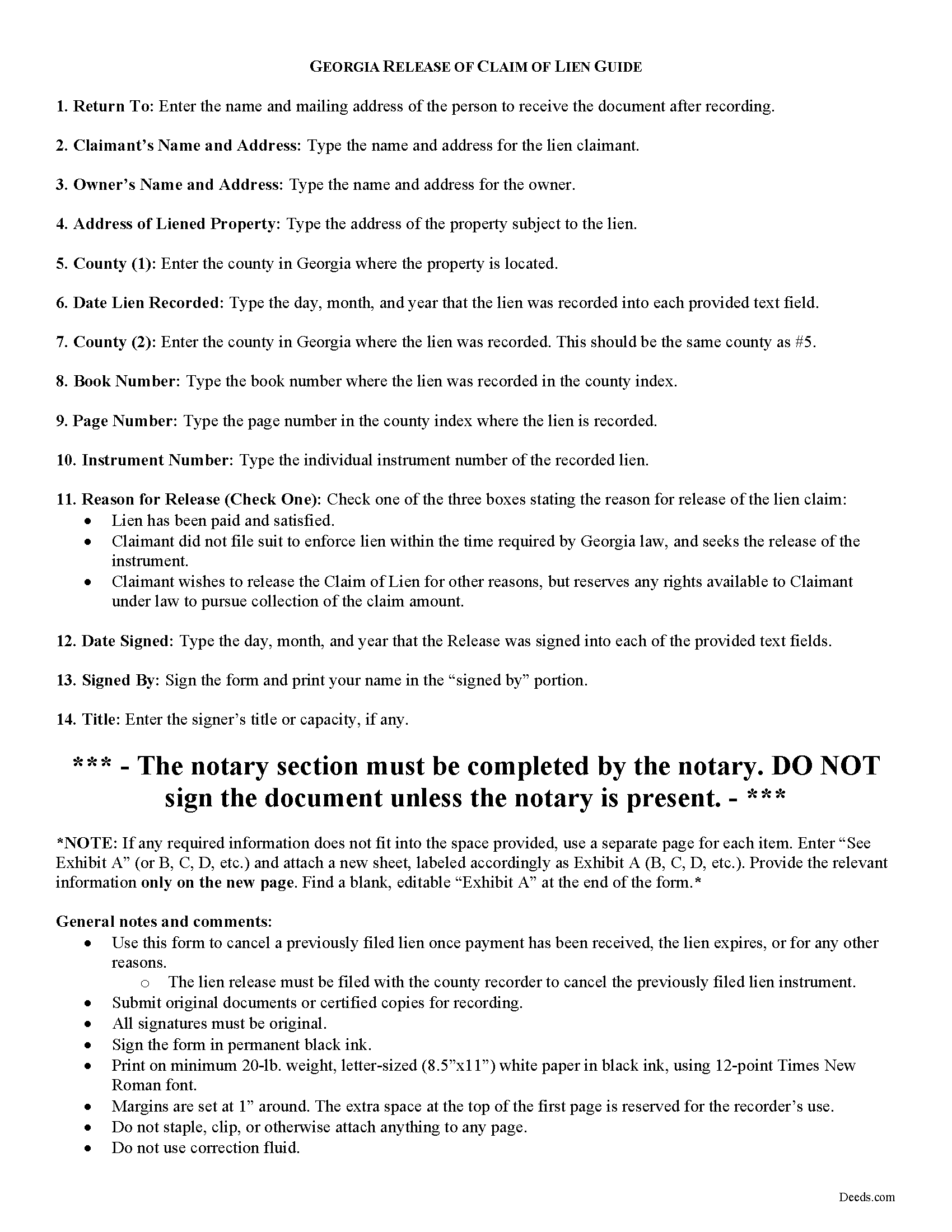
Tattnall County Release of Claim of Lien Guide
Line by line guide explaining every blank on the form.
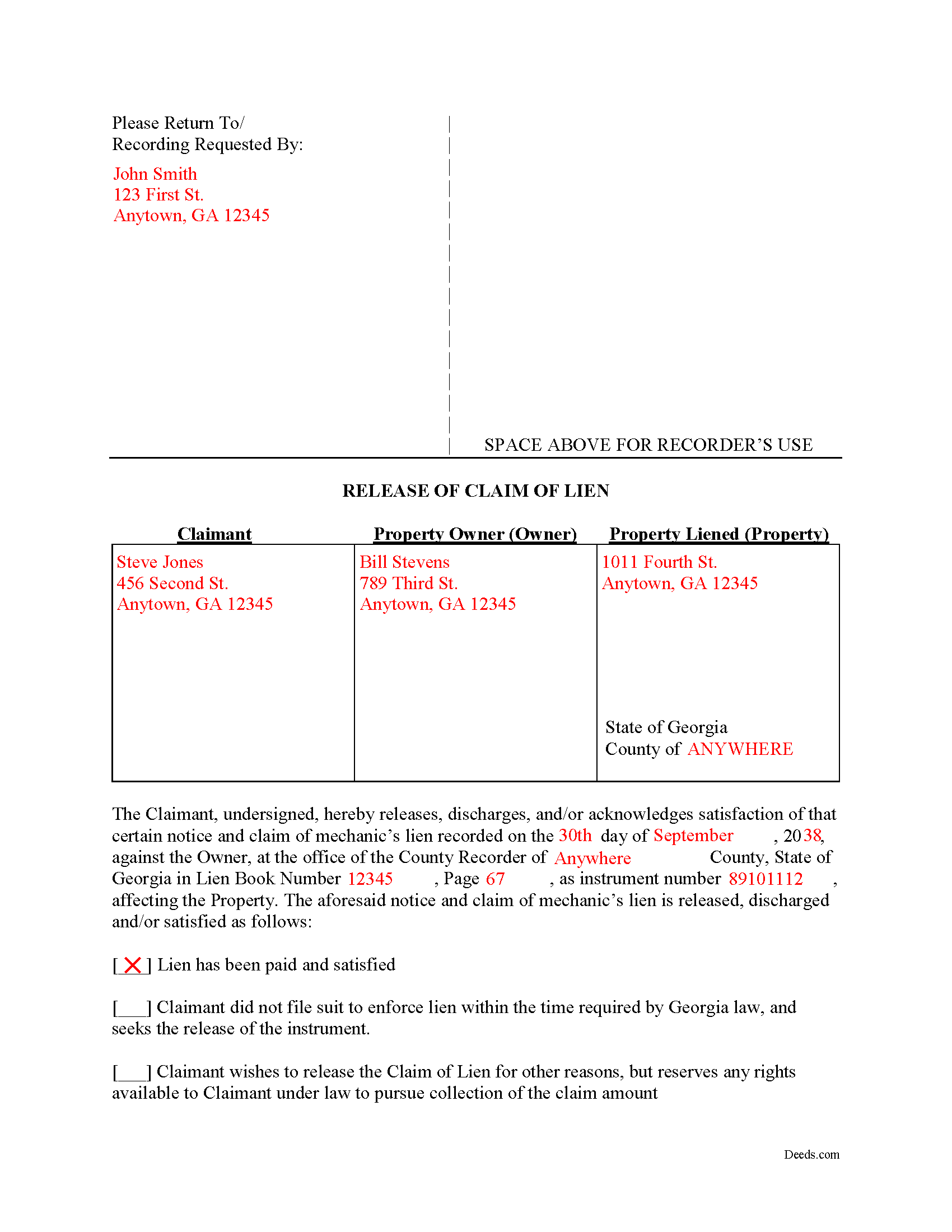
Tattnall County Completed Example of the Release of Claim of Lien Document
Example of a properly completed form for reference.
All 3 documents above included • One-time purchase • No recurring fees
Immediate Download • Secure Checkout
Additional Georgia and Tattnall County documents included at no extra charge:
Where to Record Your Documents
Clerk of Courts
Reidsville, Georgia 30453
Hours: 8:00am to 5:00pm M-F
Phone: (912) 557-6716
Recording Tips for Tattnall County:
- Bring your driver's license or state-issued photo ID
- Ensure all signatures are in blue or black ink
- Recording fees may differ from what's posted online - verify current rates
- Request a receipt showing your recording numbers
- Ask about accepted payment methods when you call ahead
Cities and Jurisdictions in Tattnall County
Properties in any of these areas use Tattnall County forms:
- Cobbtown
- Collins
- Glennville
- Manassas
- Reidsville
Hours, fees, requirements, and more for Tattnall County
How do I get my forms?
Forms are available for immediate download after payment. The Tattnall County forms will be in your account ready to download to your computer. An account is created for you during checkout if you don't have one. Forms are NOT emailed.
Are these forms guaranteed to be recordable in Tattnall County?
Yes. Our form blanks are guaranteed to meet or exceed the applicable formatting requirements used for recording in Tattnall County, including margin requirements, font requirements, and other layout standards. This guarantee applies to formatting, not to the legal sufficiency of information entered by the user or the suitability of a form for a particular transaction.
Can I reuse these forms?
Yes. You can reuse the forms for your personal use. For example, if you have multiple properties in Tattnall County you only need to order once.
What do I need to use these forms?
The forms are PDFs that you fill out on your computer. The free Adobe Acrobat Reader is recommended, and most PDF apps also work. You do NOT enter your property information online - you download the blank forms and complete them privately on your own computer.
Are there any recurring fees?
No. This is a one-time purchase. Nothing to cancel, no memberships, no recurring fees.
How much does it cost to record in Tattnall County?
Recording fees in Tattnall County vary. Contact the recorder's office at (912) 557-6716 for current fees.
Questions answered? Let's get started!
Cancelling a Georgia Mechanic's Lien After Payment
To dissolve previously filed mechanic's lien claims, claimants must file a Release of Claim of Lien. Construction liens must be canceled once payment has been received, the lien expires, or for any other reason. The lien release must be filed with the county recorder to cancel the previously filed lien instrument. The lien release is different than a lien waiver because it discharges an already filed lien, while a waiver surrenders the right to file one in the first place.
A Release form contains the following information: 1) lien claimant's name and address; 2) property owner's name and address; 3) address of the subject property; 4) date the lien was recorded; 5) the book number, page number, and instrument number as indexed by the county; and 6) reason for cancellation (lien has been paid, expired, or any other reason for discharge). The Release must be signed in front of a notary public who then signs as a notary and/or affixes his or her seal.
This article is provided for informational purposes only and does not constitute legal advice. Please speak with an attorney regarding releases or any other issues related to liens in Georgia.
Important: Your property must be located in Tattnall County to use these forms. Documents should be recorded at the county recording office listed above.
This Release of Claim of Lien meets all recording requirements specific to Tattnall County.
Our Promise
The documents you receive here are guaranteed to meet or exceed the applicable Tattnall County recording format requirements. If there is a rejection caused by our formatting, we will correct the issue or refund your payment. This guarantee applies to document formatting only and does not extend to information entered by the user, the selection of the form, or the legal effect of the completed document.
Save Time and Money
Get your Tattnall County Release of Claim of Lien form done right the first time with Deeds.com Uniform Conveyancing Blanks. At Deeds.com, we understand that your time and money are valuable resources, and we don't want you to face a penalty fee or rejection imposed by a county recorder for submitting nonstandard documents. We constantly review and update our forms to meet rapidly changing state and county recording requirements for roughly 3,500 counties and local jurisdictions.
4.8 out of 5 - ( 4,857 Reviews )
steven l. 3 out of 5 stars
As a first time user and not having knowledge of how your site worked it was awkward to upload a file and not know what to do next. I found out there is nothing to do next but that after some time looking for a submit button or some kind of confirmation that I was doing the right thing. Ended up being very easy, just wasted time trying to figure out what to do when there was nothing left to do.
Thank you!
Robert M. 1 out of 5 stars
Ultimately, it directed me to the wrong form. Not very helpful. I had to turn to a title company to get my issue addressed.
Our website makes documents available to you. It does not direct you as to which one to use. We are glad that you sought the assistance it sounds like you needed. Have a wonderful day
Edward S. 1 out of 5 stars
The spaces do not line up correctly with the text.
Thank you for your feedback. We really appreciate it. Have a great day!
Kolette S. 3 out of 5 stars
The forms are nice; however, they do not display the "th" after the day or the second digit of the year. You can type them in, but they will not print out. I just left them blank and will handwrite.
Thank you for your feedback. We really appreciate it. Have a great day!
virgil r. 5 out of 5 stars
Easy access and guide throughout.
Thank you!
Jennifer K. 5 out of 5 stars
User friendly!
Thank you!
Kathleen M. 5 out of 5 stars
Your Service was excellent. Very responsive. Thank you.
Thank you!
Lisa C. 3 out of 5 stars
Please change on the example for the warranty deed the portion that says Source of Title: They don't use book and pages anymore They only use recording numbers. Please show an example with that for Maricopa County AZ Plus your Notary certificates should have a blank part for if it is signed in another state.
Thank you for your feedback. We really appreciate it. Have a great day!
VICKI R. 5 out of 5 stars
Thank you for your helpful information.
Thank you!
Toni M. 5 out of 5 stars
I liked having the forms. Some may need to know they can look at the legal Description from online county records, then type up in Word document line by line, the degree sign in Word program is achieved by using alt and 248 on number pad. Then on the form page one write SEE Exibit A and title your Word program description as Exibit A. Goes without saying the legal description should be looked over many times and it is easier to do so if you format your Word the same lineage as the legal description online which is usually not text which is why you have to retype it.
Thank you for your feedback. We really appreciate it. Have a great day!
Clarence O. 5 out of 5 stars
Very easy process to record a Quit Claim Deed. Would definitely recommend!
Thank you!
Jay P. 5 out of 5 stars
Great site, even for Tech dummies like me. Easy to use and VERY prompt! Thanks!
Thank you for your feedback. We really appreciate it. Have a great day!
Michael M. 5 out of 5 stars
Easy to follow directions and instructions to properly and legally fill-in the Deed that I requested. It was also very easy and convenient. If I was going to employ an Attorney or Legal Documents Preparer, they would easily charge me between $150 to $225 a Deed! For the cost of $19.97, anyone would pursue this price! Thank you, Deeds.com for a wonderful and terrific experience! I'm going to need you again to change Titles for my other Investment Properties.
Thank you for your feedback. We really appreciate it. Have a great day!
Michael M. 5 out of 5 stars
I downloaded the gift deed and I can not type my info onto it what am I doing wrong. Please advise
Sounds like you may be trying to complete the form in your browser. The document needs to be downloaded and saved to you computer, then opened in Adobe.
Santo W. 5 out of 5 stars
Quality platform! Five Stars for sure and easy to navigate!
We appreciate your comments and your trust in us. Thank you.