Johnson County Affidavit of Surviving Spouse Form
Last validated October 20, 2026 by our Forms Development TeamFormatted for recording in Johnson County, for property anywhere in the county: rural and unincorporated areas as well as Bargersville, Edinburgh, Franklin, Greenwood, Needham, Nineveh, Trafalgar, Whiteland.
- 3 documents included
- Immediate PDF download
- Formatting guarantee
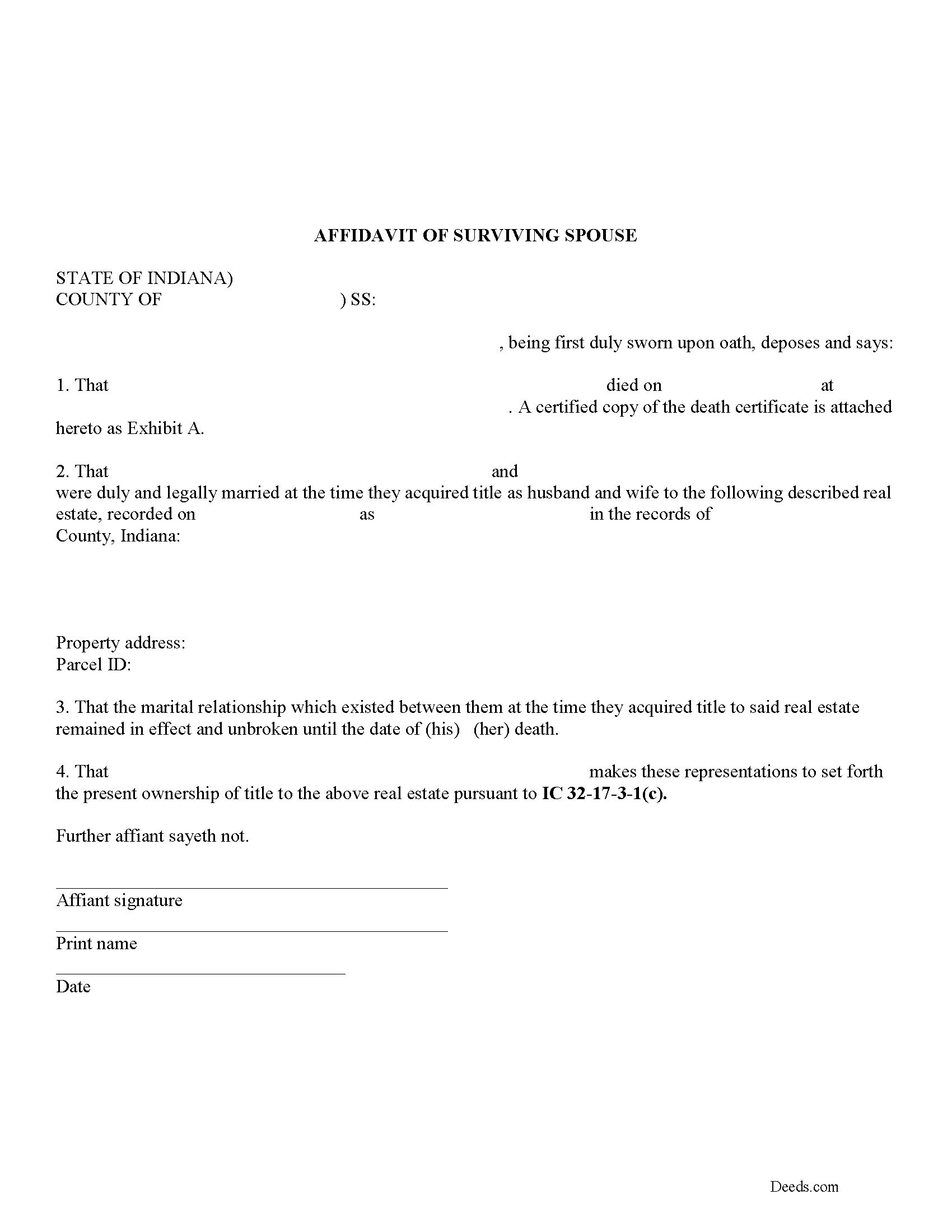
Johnson County Affidavit of Surviving Spouse Form
Fill in the blank form formatted to comply with all recording and content requirements.
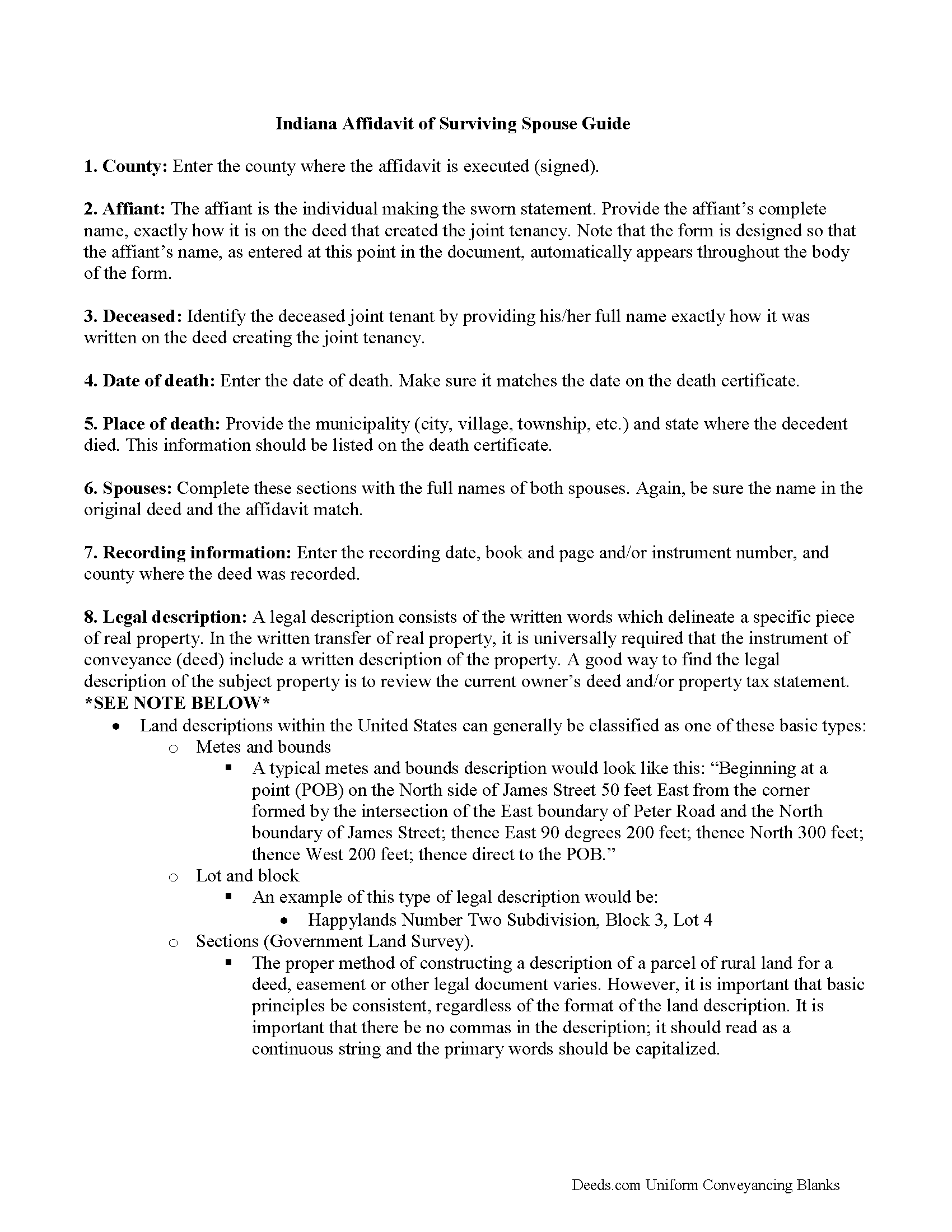
Johnson County Affidavit of Surviving Spouse Guide
Line by line guide explaining every blank on the form.
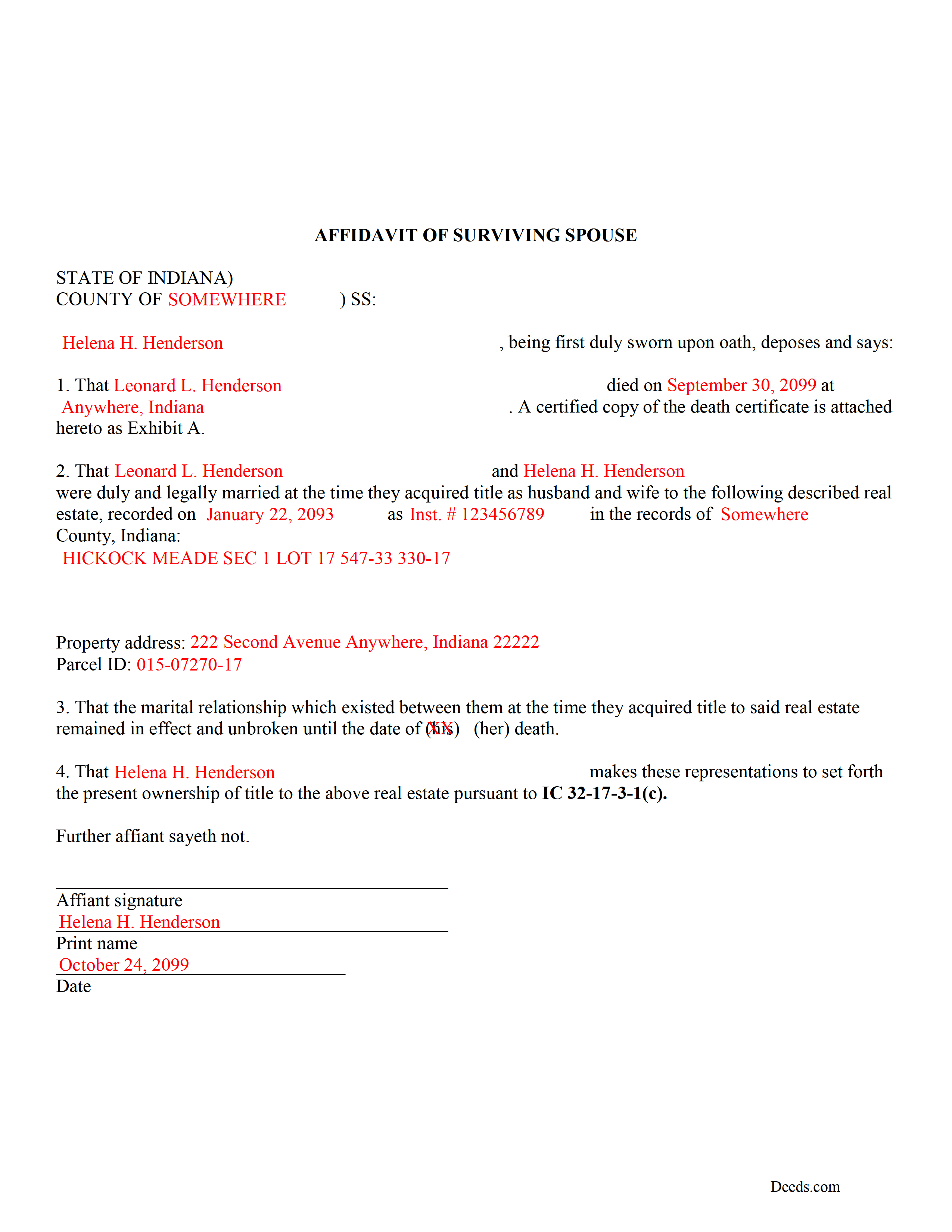
Johnson County Completed Example of the Affidavit of Surviving Spouse Document
Example of a properly completed form for reference.
All 3 documents above included • One-time purchase • No recurring fees
Immediate Download • Secure Checkout
Additional Indiana and Johnson County documents included at no extra charge:
Where to Record Your Documents
Johnson County Recorder
Franklin, Indiana 46131
Hours: Monday - Friday 8:00am - 4:30pm
Phone: (317) 346-4385
Recording Tips for Johnson County:
- Bring your driver's license or state-issued photo ID
- Ensure all signatures are in blue or black ink
- Ask about their eRecording option for future transactions
- Avoid the last business day of the month when possible
- Both spouses typically need to sign if property is jointly owned
Cities and Jurisdictions in Johnson County
Properties in any of these areas use Johnson County forms:
- Bargersville
- Edinburgh
- Franklin
- Greenwood
- Needham
- Nineveh
- Trafalgar
- Whiteland
Hours, fees, requirements, and more for Johnson County
How do I get my forms?
Forms are available for immediate download after payment. The Johnson County forms will be in your account ready to download to your computer. An account is created for you during checkout if you don't have one. Forms are NOT emailed.
Are these forms guaranteed to be recordable in Johnson County?
Yes. Our form blanks are guaranteed to meet or exceed the applicable formatting requirements used for recording in Johnson County, including margin requirements, font requirements, and other layout standards. This guarantee applies to formatting, not to the legal sufficiency of information entered by the user or the suitability of a form for a particular transaction.
Can I reuse these forms?
Yes. You can reuse the forms for your personal use. For example, if you have multiple properties in Johnson County you only need to order once.
What do I need to use these forms?
The forms are PDFs that you fill out on your computer. The free Adobe Acrobat Reader is recommended, and most PDF apps also work. You do NOT enter your property information online - you download the blank forms and complete them privately on your own computer.
Are there any recurring fees?
No. This is a one-time purchase. Nothing to cancel, no memberships, no recurring fees.
How much does it cost to record in Johnson County?
Recording fees in Johnson County vary. Contact the recorder's office at (317) 346-4385 for current fees.
Questions answered? Let's get started!
Married couples in Indiana may hold title to real estate as tenants by the entireties. This means that when one spouse dies, the other gains full ownership of the property by function of law, and without the need for probate. Use this instrument to formalize the acceptance of ownership rights conveyed when a spouse dies. Complete and sign the affidavit and submit it, along with a certified copy of the decedent's death certificate, to the recorder for the county where the real estate is located.
In order to gain full ownership, the husband or wife submits a completed affidavit of surviving spouse, along with an official copy of the death certificate of the deceased spouse, to the recorder for the county where the land is located.
This does not, however, remove the deceased's name from the deed. To accomplish that, the survivor must execute and record a new deed from the married couple to the remaining spouse only. After completing this final step, the public record and current deed will contain the most up-to-date information.
(Indiana Affidavit of Surviving Spouse Package includes form, guidelines, and completed example)
Important: Your property must be located in Johnson County to use these forms. Documents should be recorded at the county recording office listed above.
This Affidavit of Surviving Spouse meets all recording requirements specific to Johnson County.
Our Promise
The documents you receive here are guaranteed to meet or exceed the applicable Johnson County recording format requirements. If there is a rejection caused by our formatting, we will correct the issue or refund your payment. This guarantee applies to document formatting only and does not extend to information entered by the user, the selection of the form, or the legal effect of the completed document.
Save Time and Money
Get your Johnson County Affidavit of Surviving Spouse form done right the first time with Deeds.com Uniform Conveyancing Blanks. At Deeds.com, we understand that your time and money are valuable resources, and we don't want you to face a penalty fee or rejection imposed by a county recorder for submitting nonstandard documents. We constantly review and update our forms to meet rapidly changing state and county recording requirements for roughly 3,500 counties and local jurisdictions.
4.8 out of 5 - ( 4,851 Reviews )
Richard L. 5 out of 5 stars
Thanks for the complete and reasonably priced set of docs. I was specifically looking for and glad to find a current version of a TOD deed following the California extension.
Thank you for your feedback. We really appreciate it. Have a great day!
Alison B. 5 out of 5 stars
The Deed of trust form was fine but the promissory note was less user friendly since I needed to change a few things that were fixed in the template. I ended up using white-out after I got no response when I emailed the help site that was provided in one of your emails, so it looks a little odd but should be usable
Thank you for your feedback. We really appreciate it. Have a great day!
Leslie C. 5 out of 5 stars
I recently purchased online DIY legal forms, and I must say I was thoroughly impressed. The documents provided were accurate, comprehensive, and precisely what I needed. The accompanying guide was clear, instructive, and really bridged the gap for someone like me who isn't well-versed in legal jargon. What stood out the most, however, was the inclusion of the example. It served as a practical reference and made the entire process so much more approachable. Being able to see a filled-out sample made all the difference. Overall, this product has been invaluable in helping me navigate legal processes on my own.
Thank you for your feedback. We really appreciate it. Have a great day!
Karen C. 5 out of 5 stars
Very easy site to use and reasonably priced. My document was received by the county and filed within 1/2 hour.
Thank you for your feedback. We really appreciate it. Have a great day!
Deborah B. 5 out of 5 stars
Easy download, and super easy to fill out. Had them recorded Friday with zero issues. Recommended.
We appreciate your business and value your feedback. Thank you. Have a wonderful day!
Clifford J. 5 out of 5 stars
a lil pricey but i was able to knock out what needed to be done within 2 hours and not all day.
We appreciate your business and value your feedback. Thank you. Have a wonderful day!
Joseph N. 5 out of 5 stars
The site is easy to navigate and exceptional services. Unfortunately, they could find no information on a tract of land that I own, and they canceled the search and refunded my payment.
Sorry we were unable to help you find what you were looking for Joseph.
Richard O. 4 out of 5 stars
It has an easy-to-use interface and well-formatted, detailed forms. Consider adding AI agents to assist in completing these forms from data provided or available from public sources. Overall, I am very satisfied!
Your feedback is greatly appreciated. Thank you for taking the time to share your experience!
Donald H. 5 out of 5 stars
Easy to use and very quick turn around ... Very satisfied with ease of use and services provided ...
Thank you for your feedback. We really appreciate it. Have a great day!
Larry T. 5 out of 5 stars
Excellent service!!!!! A 5STAR
Thanks Larry! We appreciate you.
Rebecca H. 5 out of 5 stars
I thought the forms were reasonably priced, the instructions included in the packet were thorough, and the examples helpful. Thank you for the additional CDR forms too. I contacted the Recorder's office via email with a question and Jennifer Bowser answered promptly. Job well done! However, when I delivered the deed and Real Property Transfer Declaration to the Clerk's office in Lafayette, the clerk was unfamiliar with the Declaration document being submitted and it took some time to convince her to submit the form without charging the recording fee. She even tried to phone the recorder's office for clarification, but no one answered. There then was an additional form at that office that I had to complete called Recording Request/Transmittal Form. I would suggest including that form with instructions in your on-line packet to speed up the process when a Deed is delivered to the County Clerk's satellite office. I do not expect every clerk to know all the particulars of recording requirements but a little knowledge wouldn't hurt.
Thank you for your feedback. We really appreciate it. Have a great day!
James S. 2 out of 5 stars
Order Process: 5 Stars - very easy Material Received: 2 Stars Issues: 1. Printing- Document would not print in format displayed. Format would continually shrink to approx 2/3 size thus not useable for formal doc submission to County Records office. 2. Document Format- Data insertion fields (addresses) were not of correct size for data input. I needed a 4 line input space but was limited to only 3 lines. Also, Date field (year) was mis-oriented in-so-much that the 3rd digit (inputted) overlapped on 2nd digit (pre-printed) and also was of noticeably different font. 3. Useability- Hand-written input space provided (for Notary) was deficient in space and spacing. It was a challenge to utilize the space available to complete fully and maintain legibility. Overall - the document worked marginally as advertised, I did need to re-write the entire document myself. It is a good concept but I'd recommend that Deeds company improve the downloaded forms for actual useability, readability, functionability. regards, Jim S
Thank you for your feedback. We really appreciate it. Have a great day!
Judith D. 5 out of 5 stars
If my availability does not coincide with your business hours it should not prevent me from uploading my documents and making payment. You should allow people to upload their documents at any time with the understanding that you will process them on your next business day.
Thank you!
Susan J. 5 out of 5 stars
very fast service. immediate response and kept me informed along the way. the county was not cooperating and this was communicated to me and my fee was refunded, just like that. will definitely use this company again
Thank you!
Charles R. 5 out of 5 stars
No review provided.
Thank you for your review. Have a fantastic day!