Boone County Mortgage Secured by Promissory Note Form
Last validated October 5, 2026 by our Forms Development TeamFormatted for recording in Boone County, for property anywhere in the county: rural and unincorporated areas as well as Advance, Jamestown, Lebanon, Thorntown, Whitestown, Zionsville.
- 7 documents included
- Immediate PDF download
- Formatting guarantee
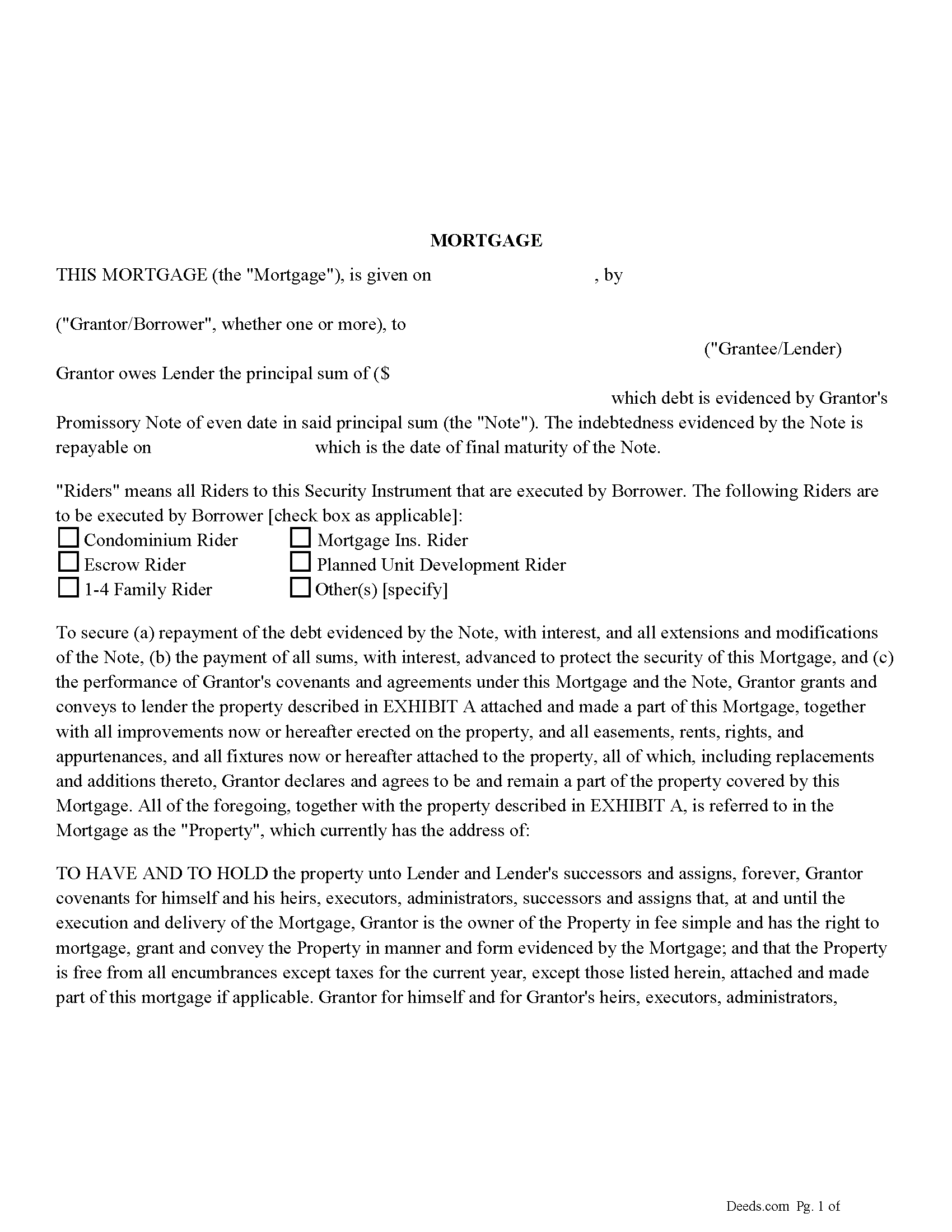
Boone County Mortgage Form
Fill in the blank form formatted to comply with all recording and content requirements.
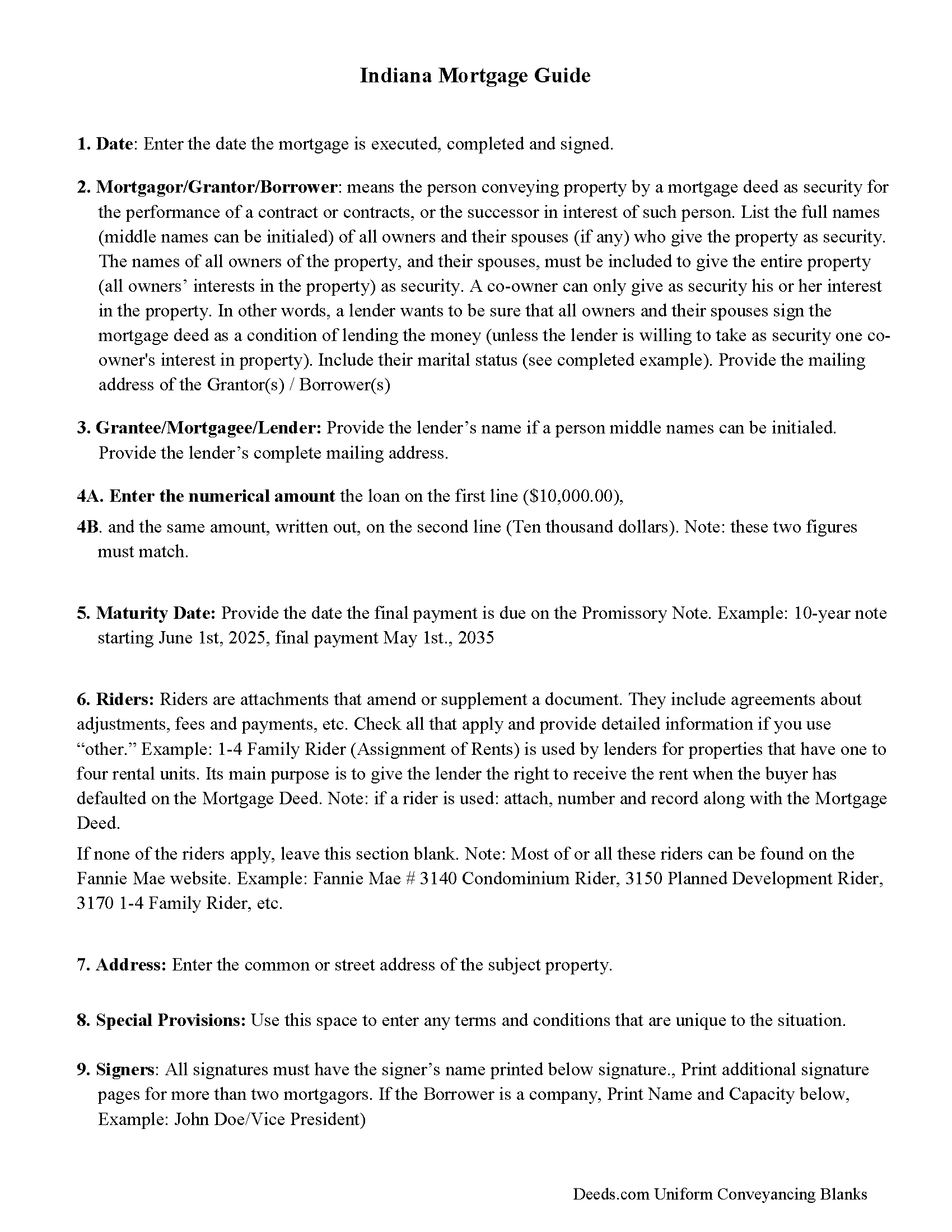
Boone County Mortgage Form Guidelines
Line by line guide explaining every blank on the form
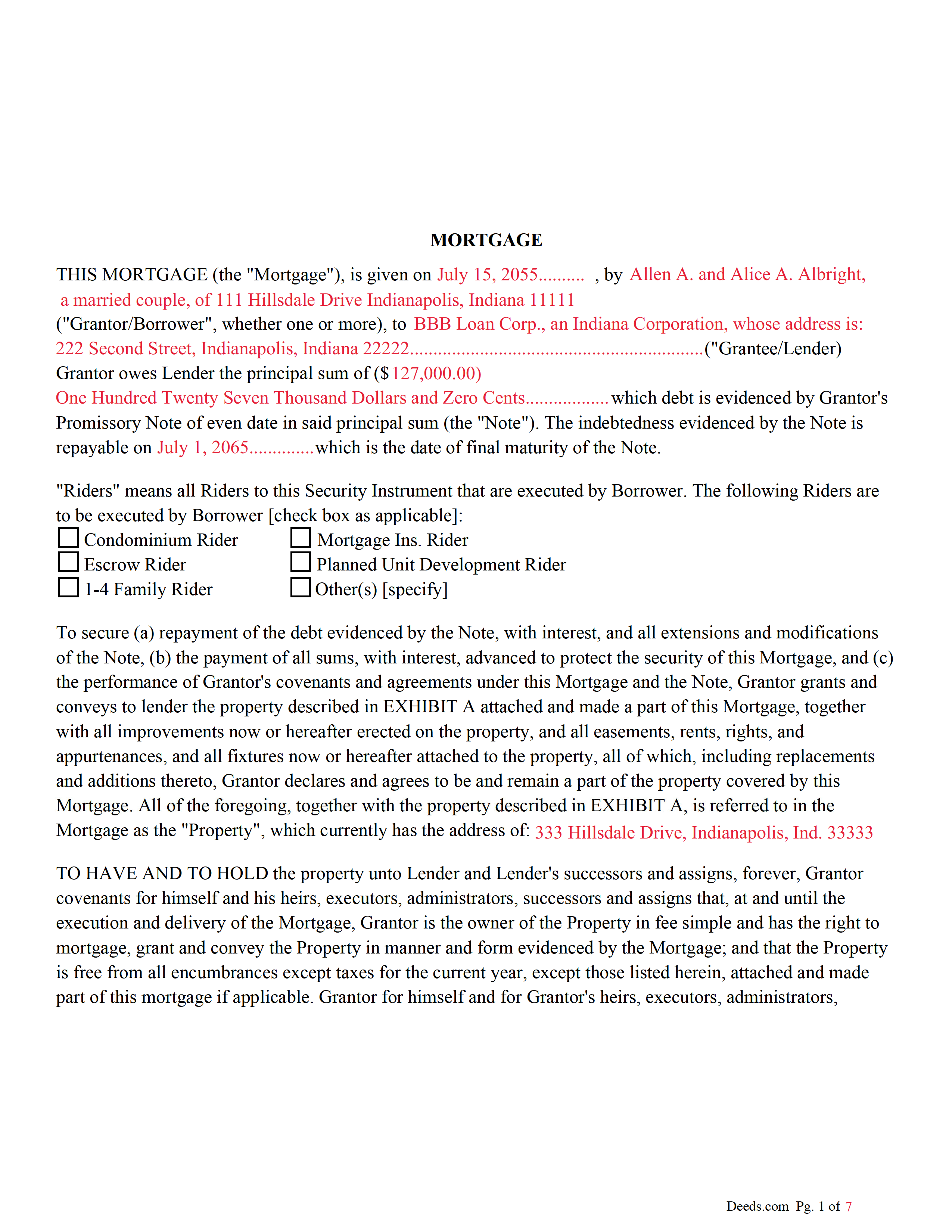
Boone County Completed Example of the Mortgage Document
Example of a properly completed form for reference.
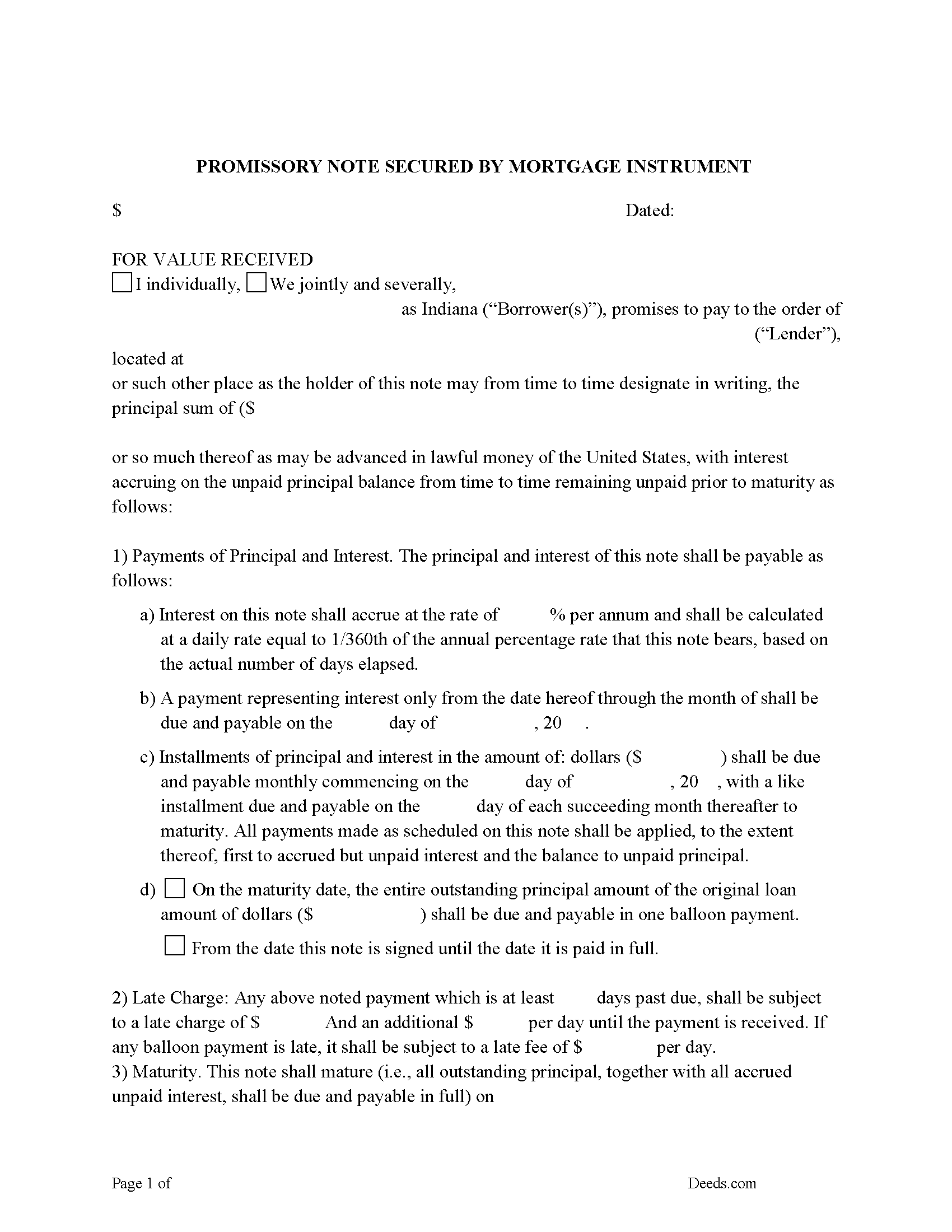
Boone County Promissory Note Form
Fill in the blank form.
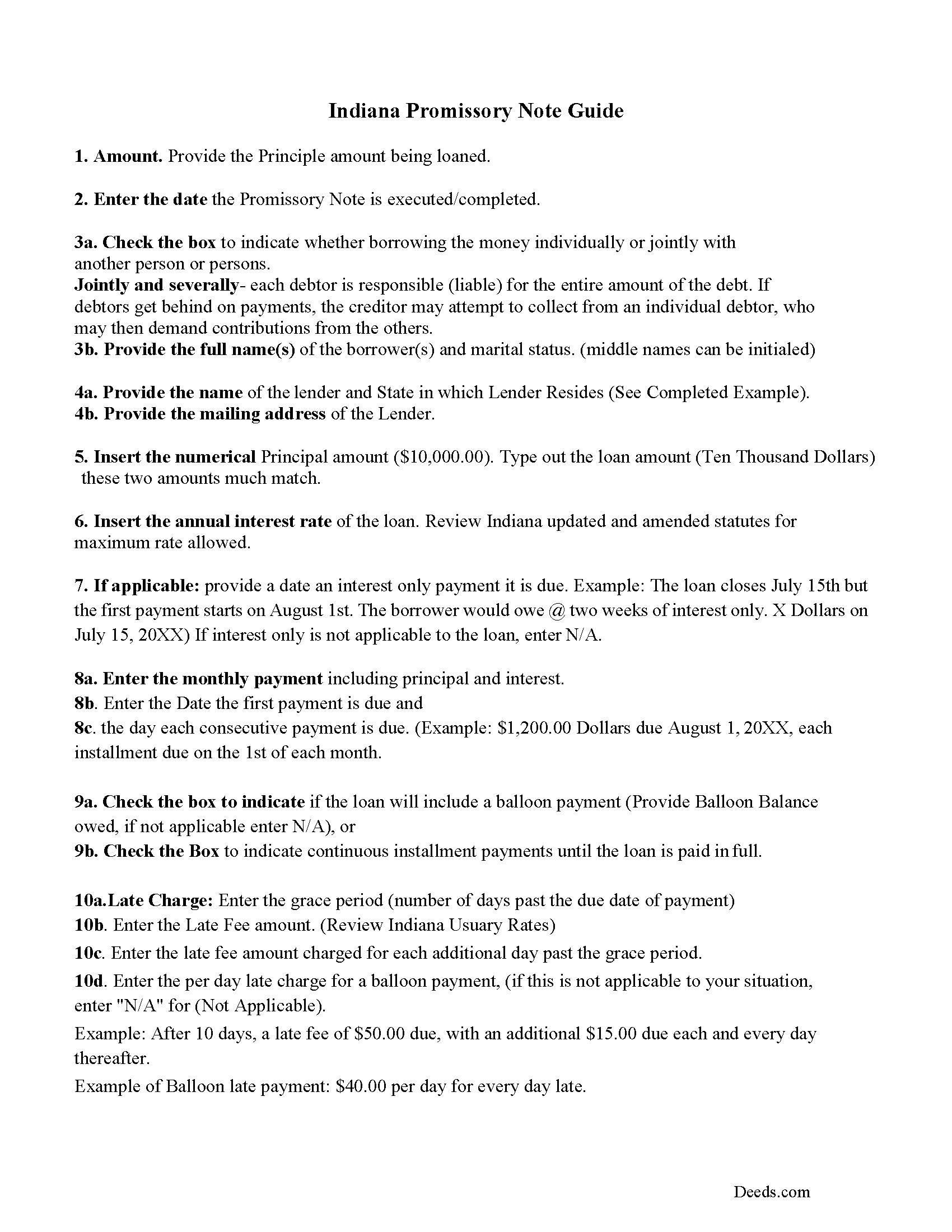
Boone County Promissory Note Guidelines
Line by line guide explaining every blank on the form.
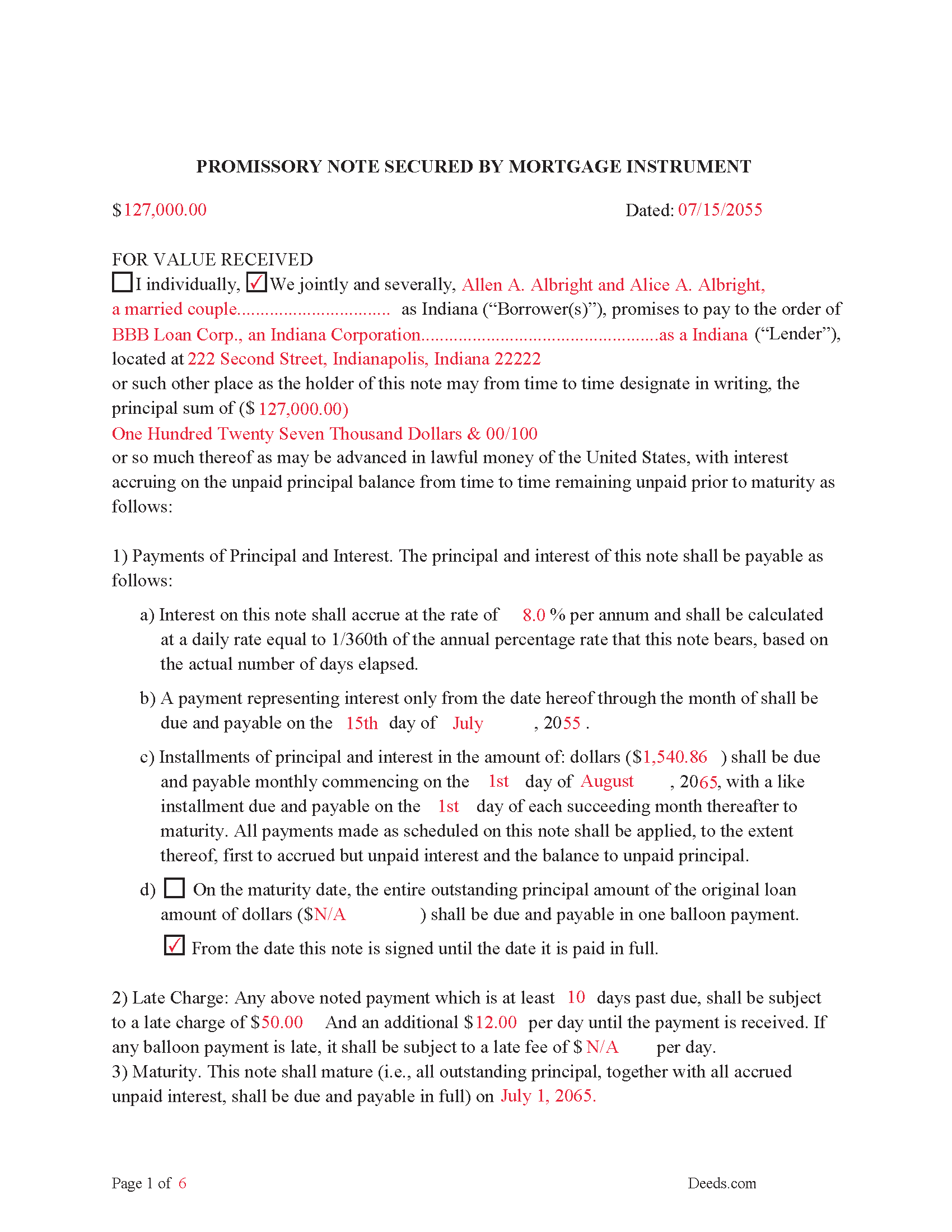
Boone County Completed Example of the Promissory Note Document
This Promissory Note is filled in and highlighted, showing how the guideline information, can be interpreted into the document.
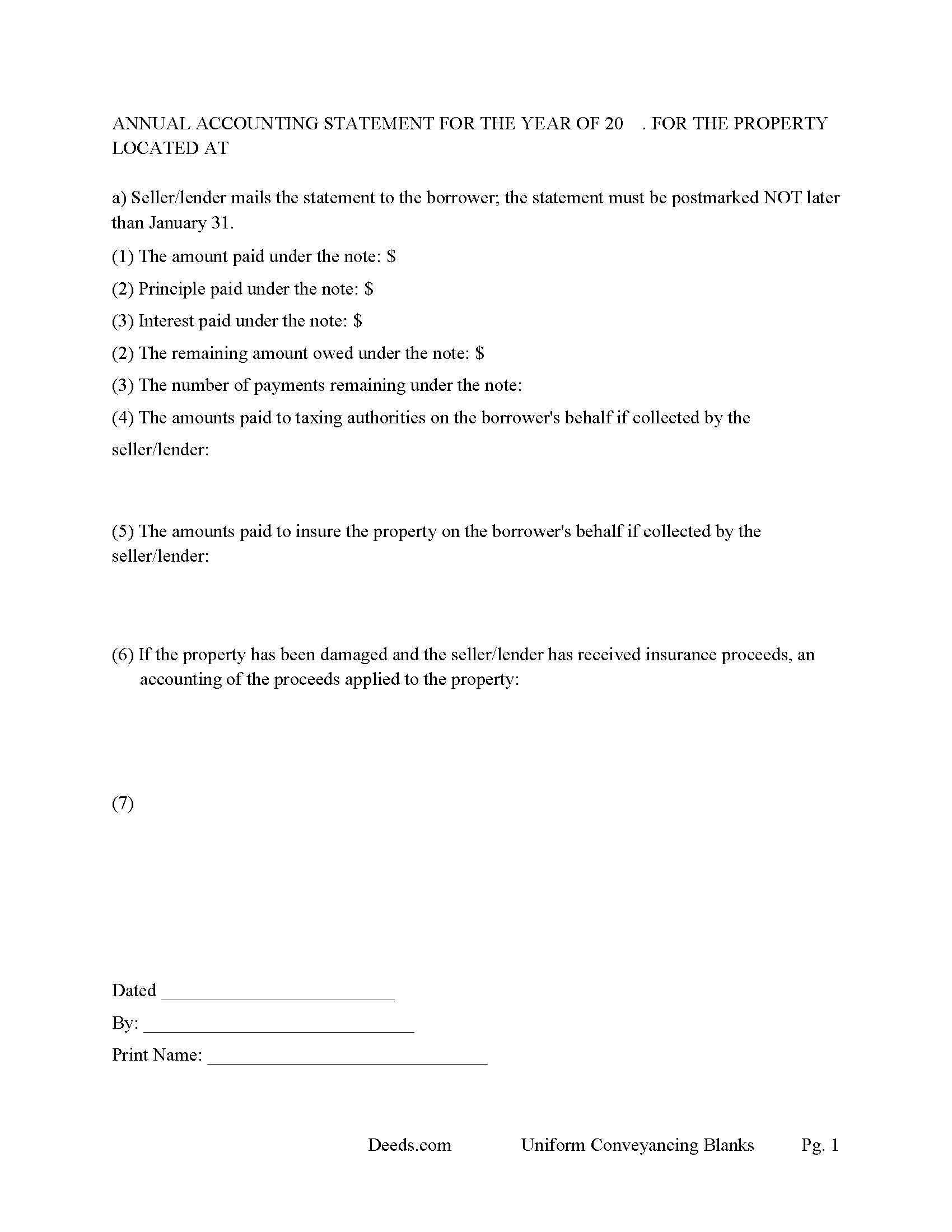
Boone County Annual Accounting Statement Form
Mail to borrower for fiscal year reporting.
All 7 documents above included • One-time purchase • No recurring fees
Immediate Download • Secure Checkout
Additional Indiana and Boone County documents included at no extra charge:
Where to Record Your Documents
Boone County Recorder
Lebanon, Indiana 46052
Hours: 8:00 to 4:00 M-F / Recording until 3:30
Phone: (765) 482-3070
Recording Tips for Boone County:
- Bring your driver's license or state-issued photo ID
- Ensure all signatures are in blue or black ink
- Ask about their eRecording option for future transactions
- Avoid the last business day of the month when possible
- Both spouses typically need to sign if property is jointly owned
Cities and Jurisdictions in Boone County
Properties in any of these areas use Boone County forms:
- Advance
- Jamestown
- Lebanon
- Thorntown
- Whitestown
- Zionsville
Hours, fees, requirements, and more for Boone County
How do I get my forms?
Forms are available for immediate download after payment. The Boone County forms will be in your account ready to download to your computer. An account is created for you during checkout if you don't have one. Forms are NOT emailed.
Are these forms guaranteed to be recordable in Boone County?
Yes. Our form blanks are guaranteed to meet or exceed the applicable formatting requirements used for recording in Boone County, including margin requirements, font requirements, and other layout standards. This guarantee applies to formatting, not to the legal sufficiency of information entered by the user or the suitability of a form for a particular transaction.
Can I reuse these forms?
Yes. You can reuse the forms for your personal use. For example, if you have multiple properties in Boone County you only need to order once.
What do I need to use these forms?
The forms are PDFs that you fill out on your computer. The free Adobe Acrobat Reader is recommended, and most PDF apps also work. You do NOT enter your property information online - you download the blank forms and complete them privately on your own computer.
Are there any recurring fees?
No. This is a one-time purchase. Nothing to cancel, no memberships, no recurring fees.
How much does it cost to record in Boone County?
Recording fees in Boone County vary. Contact the recorder's office at (765) 482-3070 for current fees.
Questions answered? Let's get started!
Indiana Mortgage -- IC 32-29; IC 36-2-7-10
Requires:
1. From parties (Grantor).
2. To parties (Grantees).
3. Legal description.
4. Amount.
5. Signatures with names typed or printed below or next to each name.
6. Signatures acknowledged or notarized.
7. Prepared by statement.
8. Social Security redaction statement.
IC 32-29-1-2 Construction of mortgage
Sec. 2. A mortgage may not be construed to imply a covenant for the payment of the sum intended to be secured by the mortgage so as to enable the mortgagee or the mortgagee's assignees or representatives to maintain an action for the recovery of this sum. If an express covenant is not contained in the mortgage for the payment and a bond or other separate instrument to secure the payment has not been given, the remedy of the mortgagee is confined to the real property described in the mortgage.
IC 32-29-1-5 Form; mortgage
Sec. 5. A mortgage of land that is:
(1) worded in substance as "A.B. mortgages and warrants to C.D." (here describe the premises) "to secure the repayment of" (here recite the sum for which the mortgage is granted, or the notes or other evidences of debt, or a description of the debt sought to be secured, and the date of the repayment); and
(2) dated and signed, sealed, and acknowledged by the grantor;
is a good and sufficient mortgage to the grantee and the grantee's heirs, assigns, executors, and administrators, with warranty from the grantor (as defined in IC 32-17-1-1) and the grantor's legal representatives of perfect title in the grantor and against all previous encumbrances. However, if in the mortgage form the words "and warrant" are omitted, the mortgage is good but without warranty.
This Mortgage States: Grantor for himself and for Grantor's heirs, executors, administrators,
successors and assigns forever, warrants and agrees to defend the title to the Property to and for Lender and Lender's successors and assigns forever, against all claims and demands, except those listed herein, attached and made part of this mortgage if applicable.
Uses include residential property, condominiums, rental property, small commercial, vacant land and planned unit developments.
(Indiana Mortgage Package includes form, guidelines, and completed example)
For use in Indiana only.
Important: Your property must be located in Boone County to use these forms. Documents should be recorded at the county recording office listed above.
This Mortgage Secured by Promissory Note meets all recording requirements specific to Boone County.
Our Promise
The documents you receive here are guaranteed to meet or exceed the applicable Boone County recording format requirements. If there is a rejection caused by our formatting, we will correct the issue or refund your payment. This guarantee applies to document formatting only and does not extend to information entered by the user, the selection of the form, or the legal effect of the completed document.
Save Time and Money
Get your Boone County Mortgage Secured by Promissory Note form done right the first time with Deeds.com Uniform Conveyancing Blanks. At Deeds.com, we understand that your time and money are valuable resources, and we don't want you to face a penalty fee or rejection imposed by a county recorder for submitting nonstandard documents. We constantly review and update our forms to meet rapidly changing state and county recording requirements for roughly 3,500 counties and local jurisdictions.
4.8 out of 5 - ( 4,828 Reviews )
Roy Y. 5 out of 5 stars
I paid for and received the form for a Quit Claim Deed. Hoping it is the form I need to complete my transaction. Thank you for making it possible to obtain the form I was in need of.
Thank you for your feedback Roy. We appreciate it!
Gary M. 5 out of 5 stars
Death of JT form was excellent. You have the best documents out there. I wish I could have read the sample just so I knew my information was entered correctly. Real problem is County wants a bar code on documents to get recorded. Now? Need four deed forms so the expense starts to be prohibitive. I would rather pay more and get multiple access.
Thank you for your feedback. We really appreciate it. Have a great day!
Stephanie B. 5 out of 5 stars
Really great, relevant and straight forward forms. Deeds.com is excellent and helps you avoid costly errors on documents.
Thank you for your feedback. We really appreciate it. Have a great day!
Delroy S. 5 out of 5 stars
Simple and complete. I found all the forms and Instructions I was looking for. Thank You.
We appreciate your business and value your feedback. Thank you. Have a wonderful day!
Colleen P. 3 out of 5 stars
It was frustrating to get the scans done but that might have been due to a learning curve. After 4 tries they were accepted. I couldn't figure out how to delete or close the failed attempts. Waiting to see if Recorder office has changed the title.
Thank you for your feedback. We really appreciate it. Have a great day!
Richard K. 3 out of 5 stars
South Carolina Warranty Deed document is good. The example and instruction documents are marginal help for Trusts.
Thank you for your feedback, Richard. We’re glad to hear the South Carolina Warranty Deed met your needs. We appreciate your note about the trust-related guidance as well. That’s helpful input, and we’ll review the example and instruction materials to see where we can improve clarity for trust transfers.
Ron D. 3 out of 5 stars
The State form I chose was valid and accurate. However, I found the ability to enter information was inadequate and difficult. Converted the form to a Word document and was then able to enter the information I needed to.
Your feedback is valuable to us and helps us improve. Thank you for sharing your thoughts!
Marcus W. 5 out of 5 stars
I was very pleased and satisfied with the ease of use, expeditious turnaround and costs involved to eRecord my documentation to the Probate Court. I live in another city and state and your service allowed me to get what I needed done. in a matter of a few hours from the time I submitted my package for filing, within an hour. I received noted and stamped confirmation from the county clerks office the document was now on file with them. I highly recommend Deeds.com and will be utilizing your online services for any future legal documentation.
We appreciate your business and value your feedback. Thank you. Have a wonderful day!
Donald C. 5 out of 5 stars
The service was VERY quick, simple and, easy. I would definetly use this service again.
We appreciate your business and value your feedback. Thank you. Have a wonderful day!
John B. 5 out of 5 stars
Fantastic service, easy to use, and supported the entire way through every process. Excellent service!
We are motivated by your feedback to continue delivering excellence. Thank you!
Carolyn R. 5 out of 5 stars
Definitely 5 stars. Everything was taken care of well within 24 hours. If our law firm needs to record a single document in a different county again, we will use your service. Thanks!
Thank you for your feedback. We really appreciate it. Have a great day!
Kathy P. 4 out of 5 stars
Can you also make a search that includes the parcel number because that is all I had to go with and regular name searches didn't come up with anything I needed.
Your insights are invaluable to us and help us strive for better service. Thank you for taking the time to share your thoughts.
Deborah M. 5 out of 5 stars
Absolutely great. The staff is responsive and knowledgeable. The online interface is excellent. The total cost for finalizing the sale on our property (minus state filing fees) was $39. A wonderful experience.
Thank you for your feedback. We really appreciate it. Have a great day!
janelle s. 5 out of 5 stars
Uncertain about use as I am new to online forms. Through use I am sure it will feel more comfortable. I like the storage of filled in info forms because I might be using I will be using them or the info in the future.
Thank you for your feedback. We really appreciate it. Have a great day!
Christina W. 5 out of 5 stars
I stand corrected. I received my report and it was exactly what I requested.
Thank you!