Fountain County Partial Lien Waiver Form
Last validated November 25, 2026 by our Forms Development TeamFormatted for recording in Fountain County, for property anywhere in the county: rural and unincorporated areas as well as Attica, Covington, Hillsboro, Kingman, Mellott, Newtown, Veedersburg, Wallace.
- 3 documents included
- Immediate PDF download
- Formatting guarantee
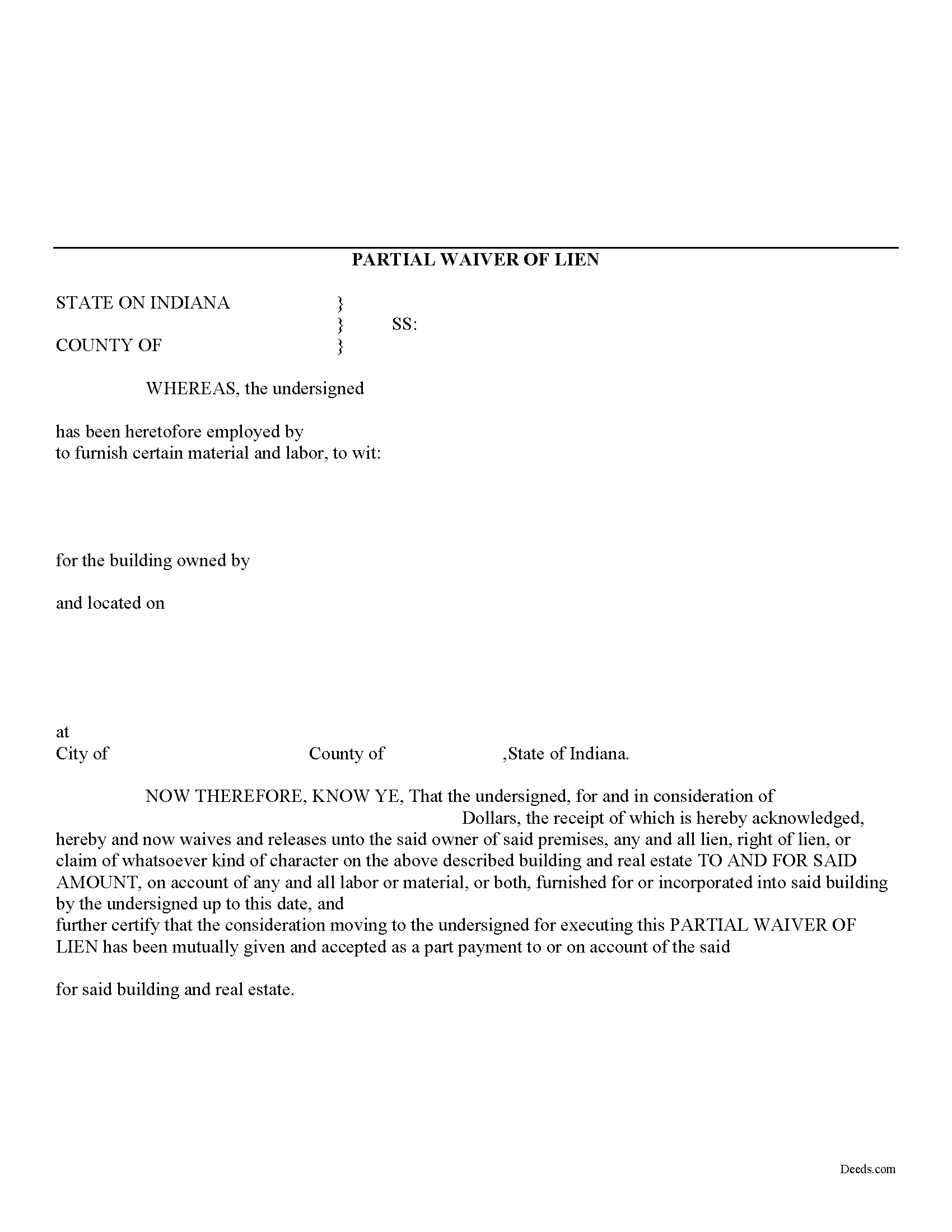
Fountain County Partial Lien Waiver Form
Fill in the blank Partial Lien Waiver form formatted to comply with all Indiana recording and content requirements.
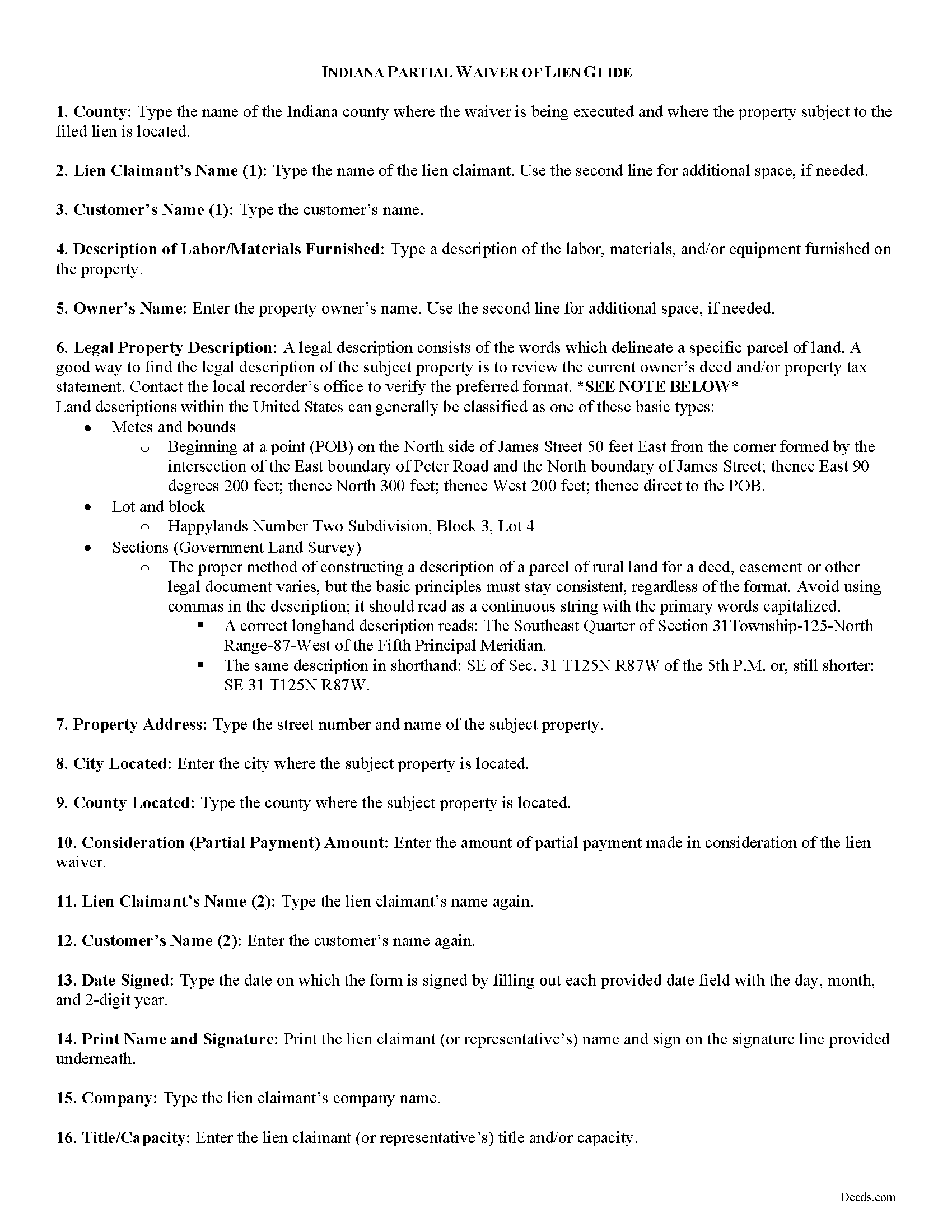
Fountain County Partial Lien Waiver Guide
Line by line guide explaining every blank on the form.
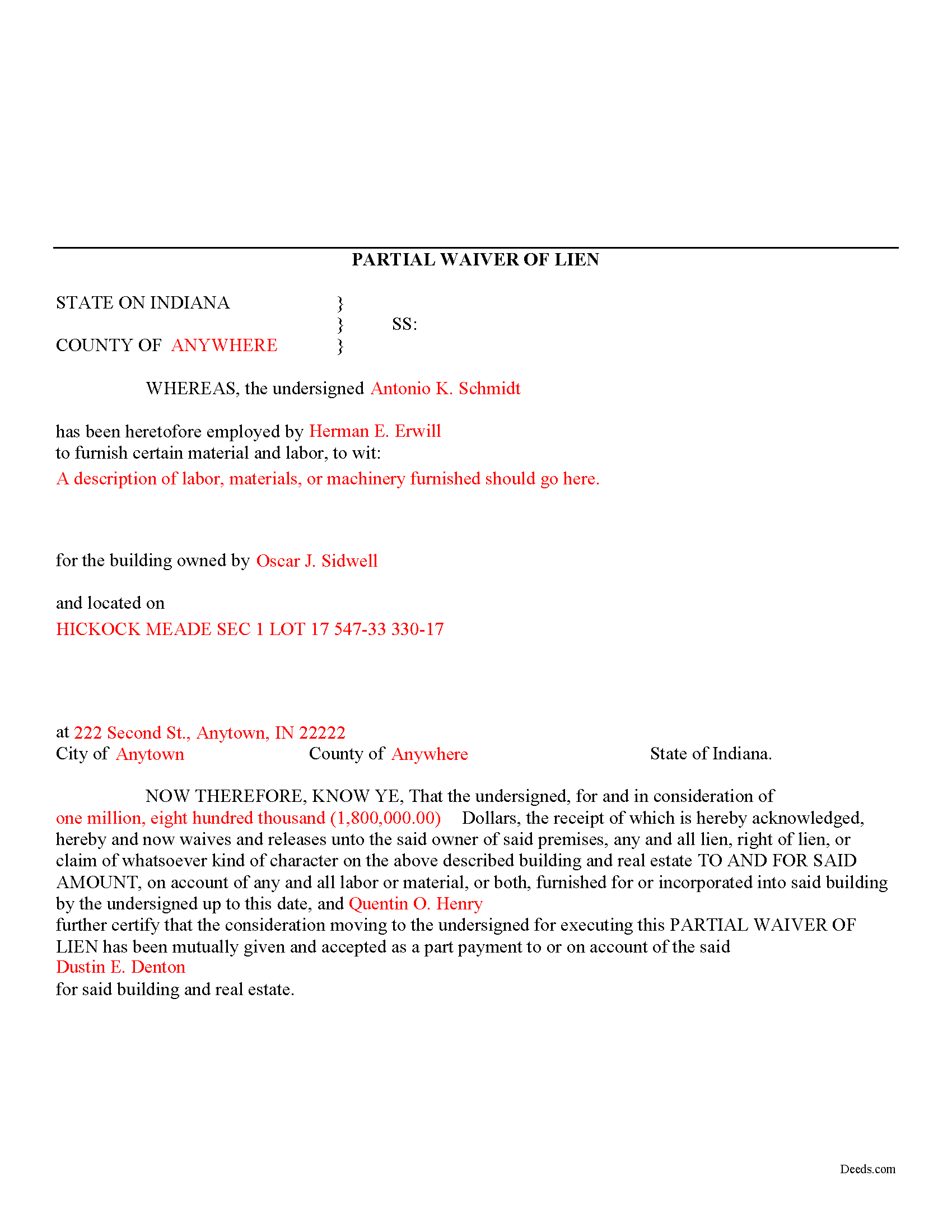
Fountain County Completed Example of the Partial Lien Waiver Document
Example of a properly completed form for reference.
All 3 documents above included • One-time purchase • No recurring fees
Immediate Download • Secure Checkout
Additional Indiana and Fountain County documents included at no extra charge:
Where to Record Your Documents
Fountain County Recorder
Covington, Indiana 47932
Hours: 8:00 to 4:00 M-F
Phone: (765) 793-2431
Recording Tips for Fountain County:
- Bring your driver's license or state-issued photo ID
- Ensure all signatures are in blue or black ink
- Bring extra funds - fees can vary by document type and page count
- Check margin requirements - usually 1-2 inches at top
- Leave recording info boxes blank - the office fills these
Cities and Jurisdictions in Fountain County
Properties in any of these areas use Fountain County forms:
- Attica
- Covington
- Hillsboro
- Kingman
- Mellott
- Newtown
- Veedersburg
- Wallace
Hours, fees, requirements, and more for Fountain County
How do I get my forms?
Forms are available for immediate download after payment. The Fountain County forms will be in your account ready to download to your computer. An account is created for you during checkout if you don't have one. Forms are NOT emailed.
Are these forms guaranteed to be recordable in Fountain County?
Yes. Our form blanks are guaranteed to meet or exceed the applicable formatting requirements used for recording in Fountain County, including margin requirements, font requirements, and other layout standards. This guarantee applies to formatting, not to the legal sufficiency of information entered by the user or the suitability of a form for a particular transaction.
Can I reuse these forms?
Yes. You can reuse the forms for your personal use. For example, if you have multiple properties in Fountain County you only need to order once.
What do I need to use these forms?
The forms are PDFs that you fill out on your computer. The free Adobe Acrobat Reader is recommended, and most PDF apps also work. You do NOT enter your property information online - you download the blank forms and complete them privately on your own computer.
Are there any recurring fees?
No. This is a one-time purchase. Nothing to cancel, no memberships, no recurring fees.
How much does it cost to record in Fountain County?
Recording fees in Fountain County vary. Contact the recorder's office at (765) 793-2431 for current fees.
Questions answered? Let's get started!
Mechanic's liens are governed under Title 32 of the Indiana Code. A waiver is a knowing relinquishment of a right. In this case, the person granting the waiver is relinquishing the right to seek a mechanic's lien for all or part of the amount due. This assurance is usually enough to get the other party to pay. In Indiana, there are no statutory forms for waivers, although according to the principles of contract law, the parties may agree to such modifications in writing.
A partial conditional waiver is used when a progress or partial payment is made and money is still due and owing. The waiver applies only to the partial payment amount and is conditioned upon the actual receipt of that money. Waivers must identify the parties, the type of materials/services provided, the location of the job, the amount paid/dates covered, and the claimant's notarized signature. Record the completed document in the land records for the county where the property is located.
This article is provided for information purposes only and should not be relied upon as a substitute for the advice from an attorney. Please speak with an Indiana attorney with questions about using a lien waiver, or any other issues related to mechanic's liens in Indiana.
Important: Your property must be located in Fountain County to use these forms. Documents should be recorded at the county recording office listed above.
This Partial Lien Waiver meets all recording requirements specific to Fountain County.
Our Promise
The documents you receive here are guaranteed to meet or exceed the applicable Fountain County recording format requirements. If there is a rejection caused by our formatting, we will correct the issue or refund your payment. This guarantee applies to document formatting only and does not extend to information entered by the user, the selection of the form, or the legal effect of the completed document.
Save Time and Money
Get your Fountain County Partial Lien Waiver form done right the first time with Deeds.com Uniform Conveyancing Blanks. At Deeds.com, we understand that your time and money are valuable resources, and we don't want you to face a penalty fee or rejection imposed by a county recorder for submitting nonstandard documents. We constantly review and update our forms to meet rapidly changing state and county recording requirements for roughly 3,500 counties and local jurisdictions.
4.8 out of 5 - ( 4,867 Reviews )
Judith S. 5 out of 5 stars
Nice and Easy: two of my favorite things.
Thank you!
Victor W. 5 out of 5 stars
Once I was able to get the code Number, it all went well. I was able to easily download and print off what I needed for my lawyer. thank you.
Thank you!
STEVEN J. 5 out of 5 stars
Great , easy to use.
We appreciate your business and value your feedback. Thank you. Have a wonderful day!
Peggy L. 5 out of 5 stars
Download worked exactly as portrayed - will definitely use service again when needed.
Thank you, Peggy. Glad everything worked as expected. We will be here whenever you need us again.
Mary W. 5 out of 5 stars
Easy to access and good instructions. Where to mail would be the only thing I would add.
Thank you for your feedback. We really appreciate it. Have a great day!
Annette H. 5 out of 5 stars
Deeds.com has done a wonderful job! They are quick to get back to me either with the Deed or reason why there is no Deed. You have saved me so much time using your services that I hope to keep using them for years to come! Thank you!
Thank you!
Herbert W. 5 out of 5 stars
The service was fast and professional. So much easier than going to the courthouse. I recommend this to anyone who has to record documents at the Clerk's office.
We appreciate your business and value your feedback. Thank you. Have a wonderful day!
Rosa Leticia A. 5 out of 5 stars
Outstanding service, quick and efficient. Provides promptly updates of the process, highly recommended.
Thank you!
Josephine H. 5 out of 5 stars
Wonderful site. Pretty complete and super easy to use. Thank you.
Thank you for your feedback. We really appreciate it. Have a great day!
Thomas M. 5 out of 5 stars
The process of finding exactly what was needed was pretty painless.
We appreciate your business and value your feedback. Thank you. Have a wonderful day!
Anthony P. 5 out of 5 stars
I was able to easily navigate the interface and purchase the forms that I needed. I was then able to prepare the forms with assistance from the reference documents provided with the deed. This was simple, easy, and user friendly. Great job!
Thanks, Anthony! We're glad to hear the process was simple and user-friendly for you. Appreciate the great feedback!
BARBARA T. 5 out of 5 stars
Love this site! So easy to use and very economical
Thank you!
David E. 5 out of 5 stars
What a great set of documents, including instructions and examples. Also has a set of bonus documents. Very nice for a do-it-yourselfer.
We appreciate your business and value your feedback. Thank you. Have a wonderful day!
Robin G. 5 out of 5 stars
Very Pleased. Was so easy and No hidden cost. Second time I have used their services. Would not use any other deed website.
We appreciate your business and value your feedback. Thank you. Have a wonderful day!
Thomas W. 5 out of 5 stars
easy to use, no problems except in beneficiary box. Need to make the box bigger because I have 4 beneficiaries to list. how do I enlarge the box.
Thanks for reaching out. All available space on the document is being used. As is noted in the guide, if you have information that does not fit in the available space the included exhibit page should be used.