Putnam County Partial Lien Waiver Form
Last validated October 26, 2026 by our Forms Development TeamFormatted for recording in Putnam County, for property anywhere in the county: rural and unincorporated areas as well as Bainbridge, Cloverdale, Coatesville, Fillmore, Greencastle, Putnamville, Reelsville, Roachdale and 1 more.
- 3 documents included
- Immediate PDF download
- Formatting guarantee
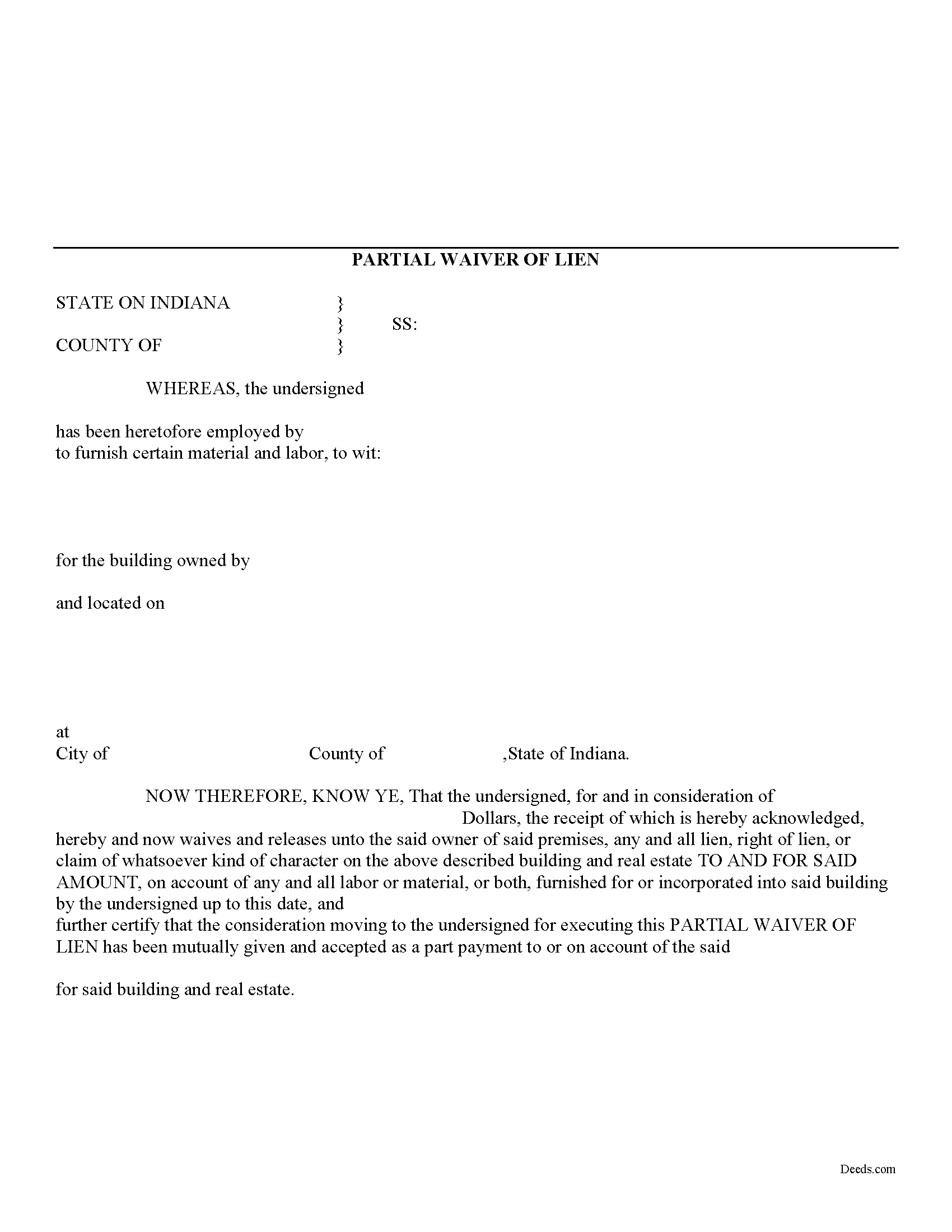
Putnam County Partial Lien Waiver Form
Fill in the blank Partial Lien Waiver form formatted to comply with all Indiana recording and content requirements.
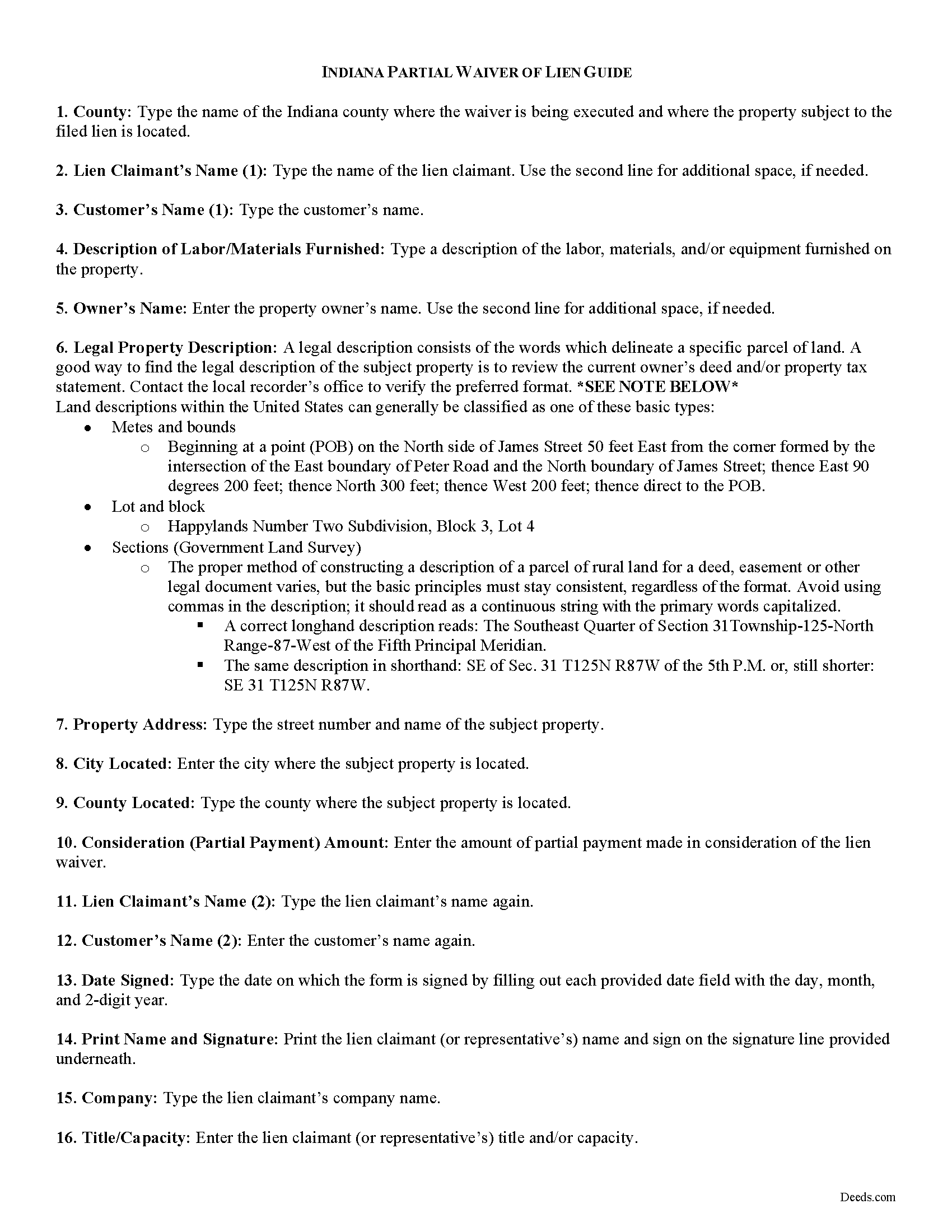
Putnam County Partial Lien Waiver Guide
Line by line guide explaining every blank on the form.
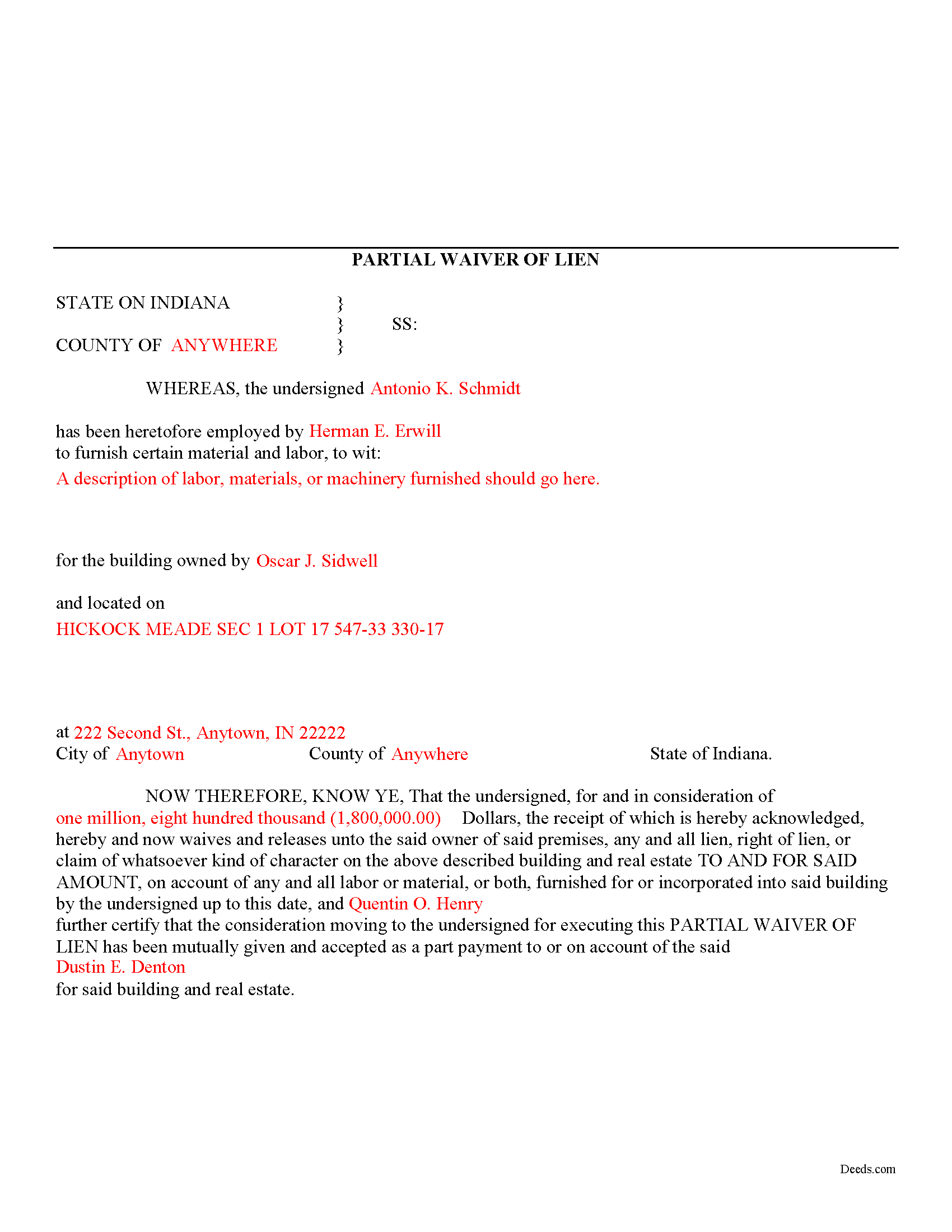
Putnam County Completed Example of the Partial Lien Waiver Document
Example of a properly completed form for reference.
All 3 documents above included • One-time purchase • No recurring fees
Immediate Download • Secure Checkout
Additional Indiana and Putnam County documents included at no extra charge:
Where to Record Your Documents
Putnam County Recorder
Greencastle, Indiana 46135
Hours: 8:00 to 4:00 Monday through Friday
Phone: (765) 653-5613
Recording Tips for Putnam County:
- Bring your driver's license or state-issued photo ID
- Ensure all signatures are in blue or black ink
- Avoid the last business day of the month when possible
- Both spouses typically need to sign if property is jointly owned
- Bring extra funds - fees can vary by document type and page count
Cities and Jurisdictions in Putnam County
Properties in any of these areas use Putnam County forms:
- Bainbridge
- Cloverdale
- Coatesville
- Fillmore
- Greencastle
- Putnamville
- Reelsville
- Roachdale
- Russellville
Hours, fees, requirements, and more for Putnam County
How do I get my forms?
Forms are available for immediate download after payment. The Putnam County forms will be in your account ready to download to your computer. An account is created for you during checkout if you don't have one. Forms are NOT emailed.
Are these forms guaranteed to be recordable in Putnam County?
Yes. Our form blanks are guaranteed to meet or exceed the applicable formatting requirements used for recording in Putnam County, including margin requirements, font requirements, and other layout standards. This guarantee applies to formatting, not to the legal sufficiency of information entered by the user or the suitability of a form for a particular transaction.
Can I reuse these forms?
Yes. You can reuse the forms for your personal use. For example, if you have multiple properties in Putnam County you only need to order once.
What do I need to use these forms?
The forms are PDFs that you fill out on your computer. The free Adobe Acrobat Reader is recommended, and most PDF apps also work. You do NOT enter your property information online - you download the blank forms and complete them privately on your own computer.
Are there any recurring fees?
No. This is a one-time purchase. Nothing to cancel, no memberships, no recurring fees.
How much does it cost to record in Putnam County?
Recording fees in Putnam County vary. Contact the recorder's office at (765) 653-5613 for current fees.
Questions answered? Let's get started!
Mechanic's liens are governed under Title 32 of the Indiana Code. A waiver is a knowing relinquishment of a right. In this case, the person granting the waiver is relinquishing the right to seek a mechanic's lien for all or part of the amount due. This assurance is usually enough to get the other party to pay. In Indiana, there are no statutory forms for waivers, although according to the principles of contract law, the parties may agree to such modifications in writing.
A partial conditional waiver is used when a progress or partial payment is made and money is still due and owing. The waiver applies only to the partial payment amount and is conditioned upon the actual receipt of that money. Waivers must identify the parties, the type of materials/services provided, the location of the job, the amount paid/dates covered, and the claimant's notarized signature. Record the completed document in the land records for the county where the property is located.
This article is provided for information purposes only and should not be relied upon as a substitute for the advice from an attorney. Please speak with an Indiana attorney with questions about using a lien waiver, or any other issues related to mechanic's liens in Indiana.
Important: Your property must be located in Putnam County to use these forms. Documents should be recorded at the county recording office listed above.
This Partial Lien Waiver meets all recording requirements specific to Putnam County.
Our Promise
The documents you receive here are guaranteed to meet or exceed the applicable Putnam County recording format requirements. If there is a rejection caused by our formatting, we will correct the issue or refund your payment. This guarantee applies to document formatting only and does not extend to information entered by the user, the selection of the form, or the legal effect of the completed document.
Save Time and Money
Get your Putnam County Partial Lien Waiver form done right the first time with Deeds.com Uniform Conveyancing Blanks. At Deeds.com, we understand that your time and money are valuable resources, and we don't want you to face a penalty fee or rejection imposed by a county recorder for submitting nonstandard documents. We constantly review and update our forms to meet rapidly changing state and county recording requirements for roughly 3,500 counties and local jurisdictions.
4.8 out of 5 - ( 4,841 Reviews )
Peggy R. 5 out of 5 stars
Thank you it was quick and easy
Thank you!
Christine R. 4 out of 5 stars
Ordering and directions were easy. The only thing missing in the instructions was how to record by mail. Thanks!
Thank you Christine. We'll work on making it more clear that one can find mailing information in our recording section. Have a great day!
Stacey H. 5 out of 5 stars
This was my first time using Deeds.com and I was very impressed on the professionalism and the expediency of the recording. Will definitely be using them again. Stacey H.
Your satisfaction with our services is of utmost importance to us. Thank you for letting us know how we did!
Bryan C. 5 out of 5 stars
Your service is sweet. It is self-explanatory and easy to download. I am excited about finding your website.
Thank you!
Cheryl M. 5 out of 5 stars
Easy.
Thank you!
Ronald B. 5 out of 5 stars
Simple to use, download, fill-in and print.
We appreciate your business and value your feedback. Thank you. Have a wonderful day!
Peter V. 5 out of 5 stars
Great set of forms. Downloaded in a min and Used immediately. Good sample as it easy to read And fill out yours. Overall good experience
We appreciate your business and value your feedback. Thank you. Have a wonderful day!
Tammy A. 5 out of 5 stars
I transferred my property to my child when I moved to another state. I don't know what I would have done without Deeds.com. I was able to find all of the forms and instructions for the state where the property was located. Highly recommend!
Thank you, Tammy. We’re honored to have been part of such an important transition for you. We’re glad the forms and state-specific instructions made the process clear and manageable. We truly appreciate your recommendation!
Larry J. 5 out of 5 stars
we are hoping this is what we need. Thanks
Thank you!
Ann C. 5 out of 5 stars
This was a very easy and pleasant experience using your website. I needed a legal document and with the sample and instructions it was easy to complete (with the fillable PDF) and print a clean document ready for execution.
Thanks, Ann! We’re happy to hear everything went smoothly for you and that the process met your needs. We appreciate you taking the time to share your experience.
Steve G. 5 out of 5 stars
The forms were very easy to use. However, the Mercer County cover page is an older version. You can find the recent version on the county website.
Thank you for your feedback. We really appreciate it. Have a great day!
Ray L. 5 out of 5 stars
This was my first time using Deeds.com It was very easy to understand and use. I was pleasantly suprised.
We appreciate your business and value your feedback. Thank you. Have a wonderful day!
Will C. 5 out of 5 stars
I was very happy with my interaction. The county didn't supply the book and page which was what I needed. The tech refunded my money since I didn't get the info I needed. I will use Deeds.com again.
Thank you for your feedback. We really appreciate it. Have a great day!
Kevin R. 5 out of 5 stars
I have been using Deeds.com for the last 2 years and find them very easy to use and expedient on all my recordings. Highly recommend.
Thank you for the kind words Kevin. We appreciate you.
Cynthia (Cindy) R. 5 out of 5 stars
This has been the most seamless process I have ever experienced. Thank you for addressing my needs so quickly and professionally.
Thank you!