Carroll County Quitclaim Deed Form
Last validated October 7, 2026 by our Forms Development TeamFormatted for recording in Carroll County, for property anywhere in the county: rural and unincorporated areas as well as Bringhurst, Burlington, Burrows, Camden, Cutler, Delphi, Flora, Rockfield and 1 more.
- 3 documents included
- Immediate PDF download
- Formatting guarantee
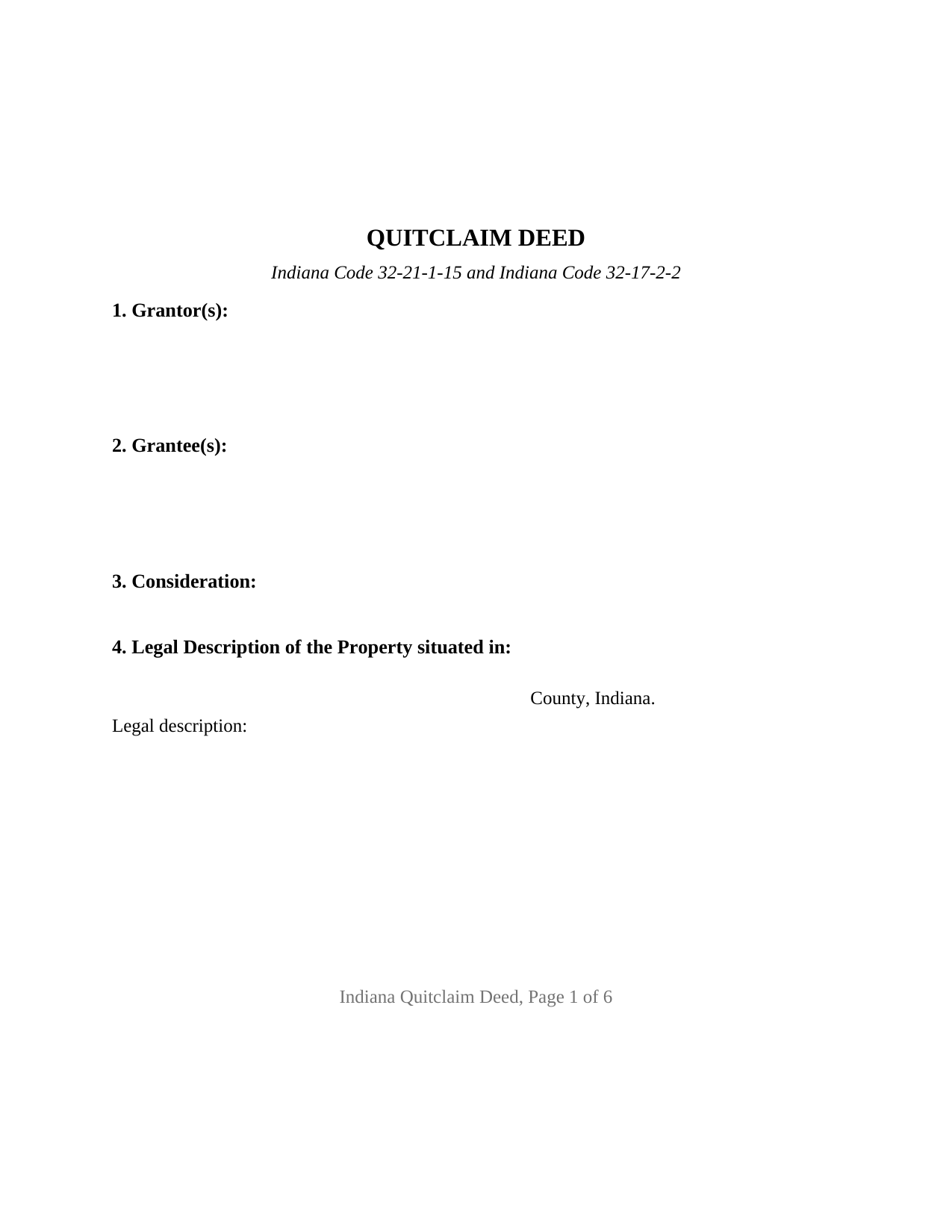
Carroll County Quitclaim Deed Form
Fill in the blank Quitclaim Deed form formatted to comply with all Indiana recording and content requirements.
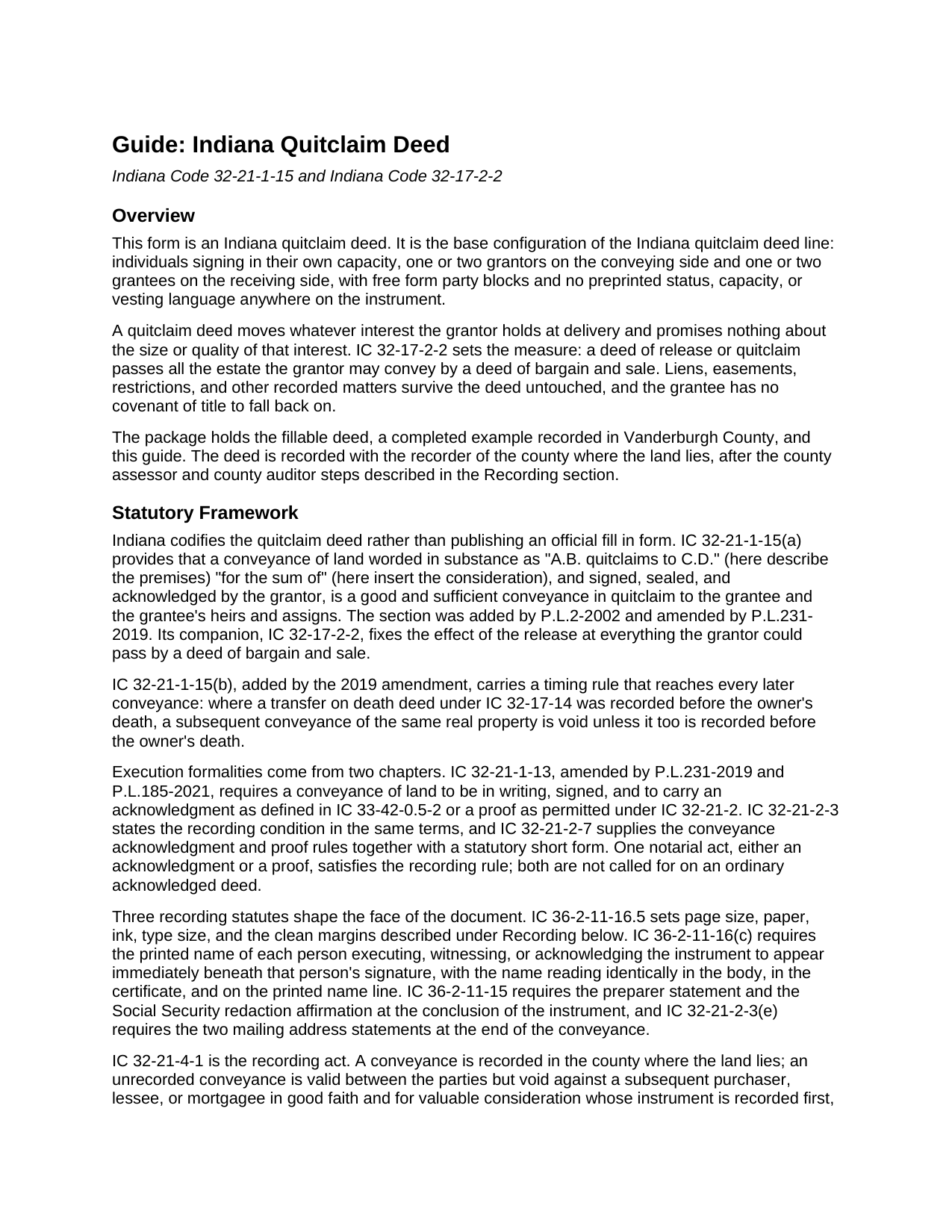
Carroll County Quitclaim Deed Guide
Line by line guide explaining every blank on the Quitclaim Deed form.
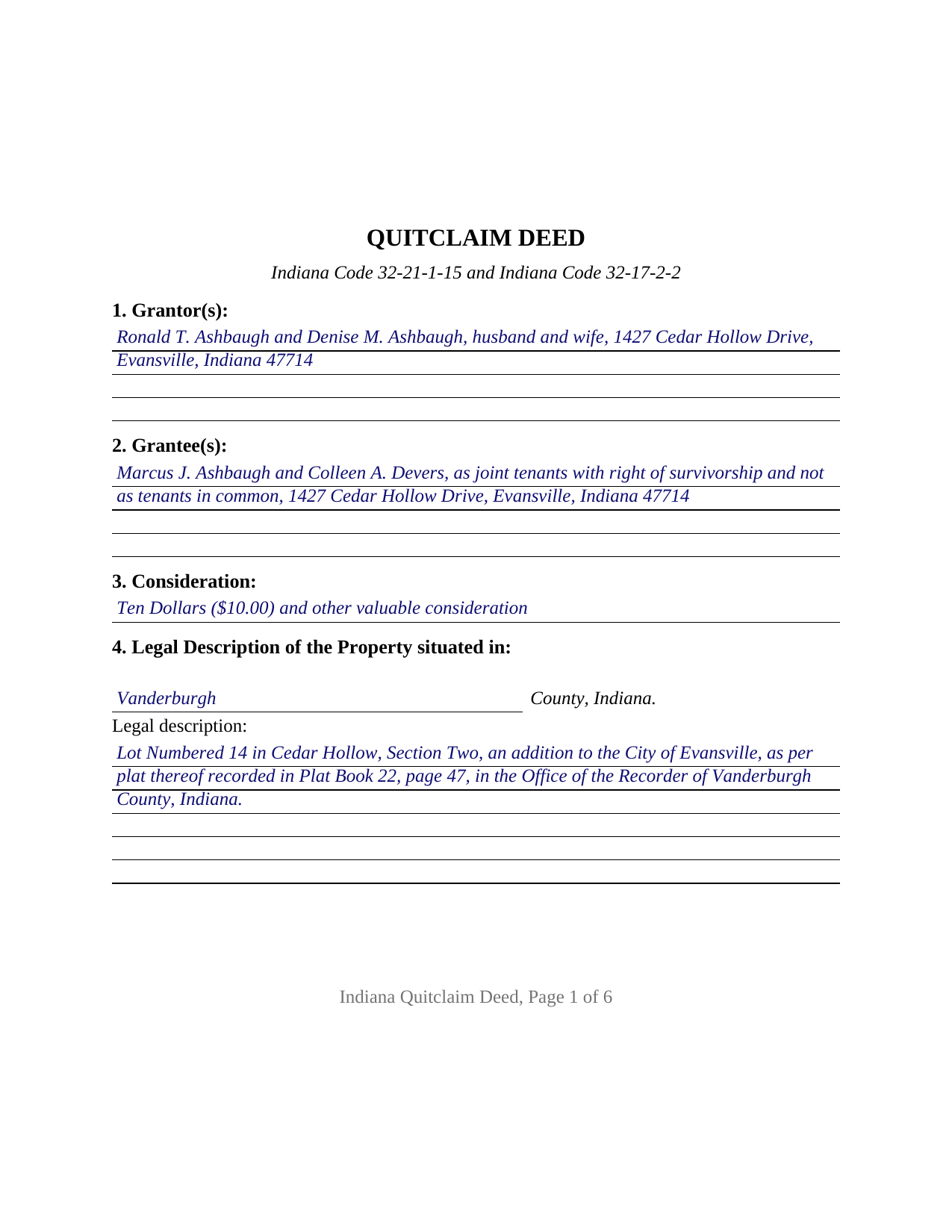
Carroll County Completed Example of the Quitclaim Deed Document
Example of a properly completed Indiana Quitclaim Deed document for reference.
All 3 documents above included • One-time purchase • No recurring fees
Immediate Download • Secure Checkout
Additional Indiana and Carroll County documents included at no extra charge:
Where to Record Your Documents
Carroll County Recorder
Delphi, Indiana 46923
Hours: Mon-Tue & Thu-Fri 8:00 to 5:00; Wed 8:00 to 12:00
Phone: (765) 564-2124
Recording Tips for Carroll County:
- Bring your driver's license or state-issued photo ID
- Ensure all signatures are in blue or black ink
- Check margin requirements - usually 1-2 inches at top
- Leave recording info boxes blank - the office fills these
- Make copies of your documents before recording - keep originals safe
Cities and Jurisdictions in Carroll County
Properties in any of these areas use Carroll County forms:
- Bringhurst
- Burlington
- Burrows
- Camden
- Cutler
- Delphi
- Flora
- Rockfield
- Yeoman
Hours, fees, requirements, and more for Carroll County
How do I get my forms?
Forms are available for immediate download after payment. The Carroll County forms will be in your account ready to download to your computer. An account is created for you during checkout if you don't have one. Forms are NOT emailed.
Are these forms guaranteed to be recordable in Carroll County?
Yes. Our form blanks are guaranteed to meet or exceed the applicable formatting requirements used for recording in Carroll County, including margin requirements, font requirements, and other layout standards. This guarantee applies to formatting, not to the legal sufficiency of information entered by the user or the suitability of a form for a particular transaction.
Can I reuse these forms?
Yes. You can reuse the forms for your personal use. For example, if you have multiple properties in Carroll County you only need to order once.
What do I need to use these forms?
The forms are PDFs that you fill out on your computer. The free Adobe Acrobat Reader is recommended, and most PDF apps also work. You do NOT enter your property information online - you download the blank forms and complete them privately on your own computer.
Are there any recurring fees?
No. This is a one-time purchase. Nothing to cancel, no memberships, no recurring fees.
How much does it cost to record in Carroll County?
Recording fees in Carroll County vary. Contact the recorder's office at (765) 564-2124 for current fees.
Questions answered? Let's get started!
Indiana never published a quitclaim deed form. What the Code publishes is a sentence: IC 32-21-1-15 provides that a conveyance of land worded in substance as one party quitclaiming to another, describing the premises and the sum, and signed and acknowledged by the grantor, is a good and sufficient conveyance in quitclaim. Every other line a county recorder looks for comes from elsewhere in the statutes, and this fillable deed gathers them into one instrument for owners signing in their own names.
One Verb, and the Measure Behind It
The operative word is quitclaims, and IC 32-17-2-2 sets its reach: a deed of release or quitclaim passes all the estate the grantor may convey by a deed of bargain and sale. A mortgage the grantor gave, a judgment docketed against the grantor, a recorded easement, and a mineral reservation all survive it. An undivided one third interest arrives as an undivided one third interest. Where the record holds nothing in the grantor's name, nothing reaches the grantee, and no covenant of title stands behind the result. Section 8 states that measure inside the instrument, so the page reads as Indiana's statutory release rather than a warranty form with its promises deleted.
One or Two Names on Each Side
The party blocks are open. Grantor(s) and Grantee(s) are free form entries sized for two names apiece, and nothing about marital status, capacity, or ownership form is preprinted, so the deed reads the way the parties' own title reads. Four count patterns come off one instrument: one or two grantors conveying to one or two grantees. Two signature blocks follow, headed GRANTOR and SECOND GRANTOR, each above the printed name line of IC 36-2-11-16(c) and each with its own acknowledgment certificate, so two signers may appear before different notarial officers on different days. A single grantor conveyance leaves the second block and certificate blank. Record patterns presenting this configuration include a sole owner deeding a parcel to an adult child, two co-owners consolidating title in one name, and a surviving co-owner passing on an inherited parcel. Every signer is a natural person signing for that person's own record interest. It is not set up for a corporation, a limited liability company, a partnership, a trustee, a signer under a power of attorney, a court appointed fiduciary, or three or more owners on a side.
Where the Vesting Words Go
With two grantees, the words entered beside their names decide the ownership form. IC 32-17-2-1 supplies both the default and the escape from it: a conveyance to two or more persons is a tenancy in common unless the instrument states a joint tenancy and survivorship or that intention manifestly appears, and unless the grantees are spouses. A conveyance to a married couple carries the entireties presumption of IC 32-17-3-1, which is why IC 32-17-3-4 later takes the joint deed of both spouses to move that estate. The example writes that wording out in full behind two grantee names.
Four Lines a Recorder Looks For
Indiana closes a recordable deed with statutory statements, and the form prints a labeled blank for each. IC 32-21-2-3(e) calls for the address to which property tax statements go under IC 6-1.1-22-8.1 and the grantee's mailing address, as a street address or rural route. IC 36-2-11-15 calls for the preparer statement and the affirmation about redacting Social Security numbers. IC 36-2-11-16(c) calls for the printed name beneath each signature. IC 36-2-11-16.5 governs the paper: black ink, ten point type or larger, and two inch clean margins top and bottom on the first and last pages.
The County Sequence Behind a Recording
Consideration sets the first stop. A transfer for valuable consideration is a conveyance under IC 6-1.1-5.5 and carries a sales disclosure form to the county assessor, though the chapter excludes a quitclaim deed that does not serve as a source of title. The auditor's taxation endorsement comes next, which IC 36-2-11-14 makes a condition of recording. The recorder then takes the deed for the flat twenty five dollars of IC 36-2-7-10, with no Indiana transfer tax, and IC 32-21-4-1 dates the grantee's priority from the time of filing.
Three files arrive with the purchase: the fillable Indiana quitclaim deed built to the state recording format, a completed example in which two owners convey an Evansville parcel recorded in Vanderburgh County, and a guide covering every entry, both certificates, and the filing sequence. These pages describe Indiana law in general terms and are informational; they are not legal advice.
Important: Your property must be located in Carroll County to use these forms. Documents should be recorded at the county recording office listed above.
This Quitclaim Deed meets all recording requirements specific to Carroll County.
Our Promise
The documents you receive here are guaranteed to meet or exceed the applicable Carroll County recording format requirements. If there is a rejection caused by our formatting, we will correct the issue or refund your payment. This guarantee applies to document formatting only and does not extend to information entered by the user, the selection of the form, or the legal effect of the completed document.
Save Time and Money
Get your Carroll County Quitclaim Deed form done right the first time with Deeds.com Uniform Conveyancing Blanks. At Deeds.com, we understand that your time and money are valuable resources, and we don't want you to face a penalty fee or rejection imposed by a county recorder for submitting nonstandard documents. We constantly review and update our forms to meet rapidly changing state and county recording requirements for roughly 3,500 counties and local jurisdictions.
4.8 out of 5 - ( 4,836 Reviews )
jim g. 5 out of 5 stars
so far so good. was hoping to have the recorded document already. i need the recorded document by friday, june 5th for my city approval. anyway you can please get it to me tomorrow. thanks, jim
Thank you!
Donnajean L. 5 out of 5 stars
The site is user friendly and uncomplicated.
Thank you!
irene w. 5 out of 5 stars
Just found this site, what a great resource ! Thank you so much for providing affordable help to those of us navigating estate planning mazes. The forms were all very easy to download, even on our rather ancient computer, and the accompanying explanations were in clear, understandable English designed to explain, with appropriate cautions to avoid problems.
Thank you for your feedback. We really appreciate it. Have a great day!
Carla H. 4 out of 5 stars
This is a very useful site for downloading legal forms - just be sure you're getting the form you need before buying. Unfortunately I selected the wrong form initially and had to buy a 2nd form to correct my error. I saw no way of communicating my error at that point - i.e., loss of one star.
Thank you for your feedback. We really appreciate it. Have a great day!
Katherine D. 5 out of 5 stars
Once I found your site it was very easy to understand, order and copy the forms. It is very helpful that you included an example of a completed form. Thank you. This form helps hundreds of seniors avoid lawyers, probate and the fear of losing their homes.
We appreciate your business and value your feedback. Thank you. Have a wonderful day!
STEVEN J. 5 out of 5 stars
Great , easy to use.
We appreciate your business and value your feedback. Thank you. Have a wonderful day!
Joseph W. 5 out of 5 stars
good place to get documents and it seems like a sound place to get forms. Self explainitory and helpful
Thank you!
Van S. 5 out of 5 stars
Easy to use...very informative...ttook care of exactly what I was looking for.
Thank you for your feedback. We really appreciate it. Have a great day!
Kecia L. 5 out of 5 stars
Great place to find much needed documents. A huge thanks!
We appreciate your business and value your feedback. Thank you. Have a wonderful day!
Kevin H. 5 out of 5 stars
I was able to find the forms I needed and questions answered
Thank you for your feedback. We really appreciate it. Have a great day!
Terry M. 4 out of 5 stars
Application is not well laid out. I guess it does the job but leaves a lot to be desired. Hard to follow
Thank you for your feedback. We really appreciate it. Have a great day!
Karen P. 5 out of 5 stars
Quick and easy.
Thank you!
DEBBY G. 5 out of 5 stars
I was so confused on how to complete the form. But I followed the instructions and used the example and got it done.
Thank you for your feedback. We really appreciate it. Have a great day!
Kevin M. 4 out of 5 stars
Thought I knew what I was doing but it turns out I was in way over my head. Thankfully customer service pointed me in the right direction to get the help I needed.
Glad to hear you are seeking the assistance you need. Have a wonderful day.
DONALD S. 5 out of 5 stars
Using the Administrators Deed, pay attention to "Exhibit A". The blank will allow you to type a full legal description BUT it will not save it. Use "Exhibit A" to type the legal description. The form was great and I filed it this morning with no problems.
Thank you for your feedback. We really appreciate it. Have a great day!