Linn County Mortgage Instrument and Promissory Note Form
Last validated October 15, 2026 by our Forms Development TeamFormatted for recording in Linn County, for property anywhere in the county: rural and unincorporated areas as well as Blue Mound, Lacygne, Mound City, Parker, Pleasanton, Prescott.
- 8 documents included
- Immediate PDF download
- Formatting guarantee
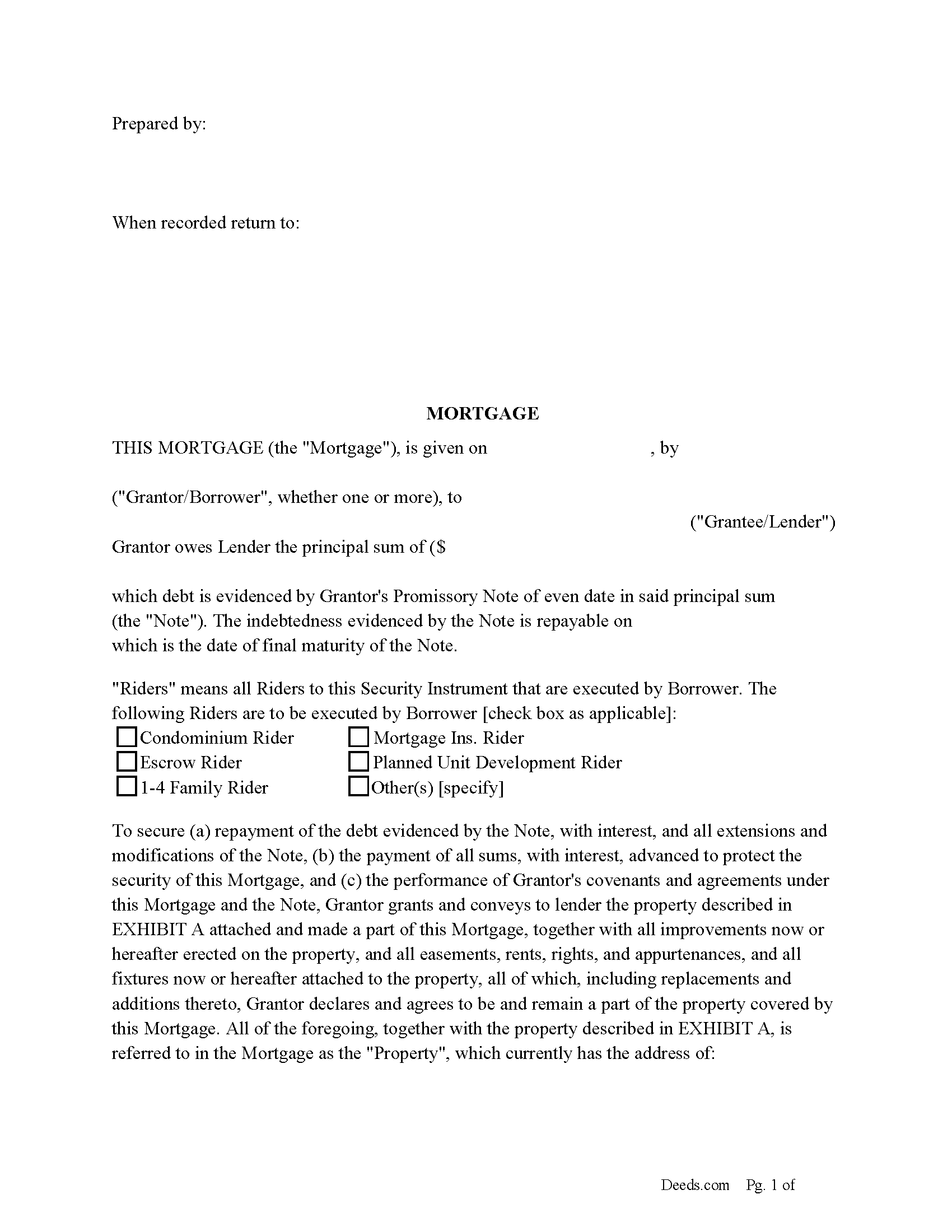
Linn County Mortgage Form
Fill in the blank form formatted to comply with all recording and content requirements.
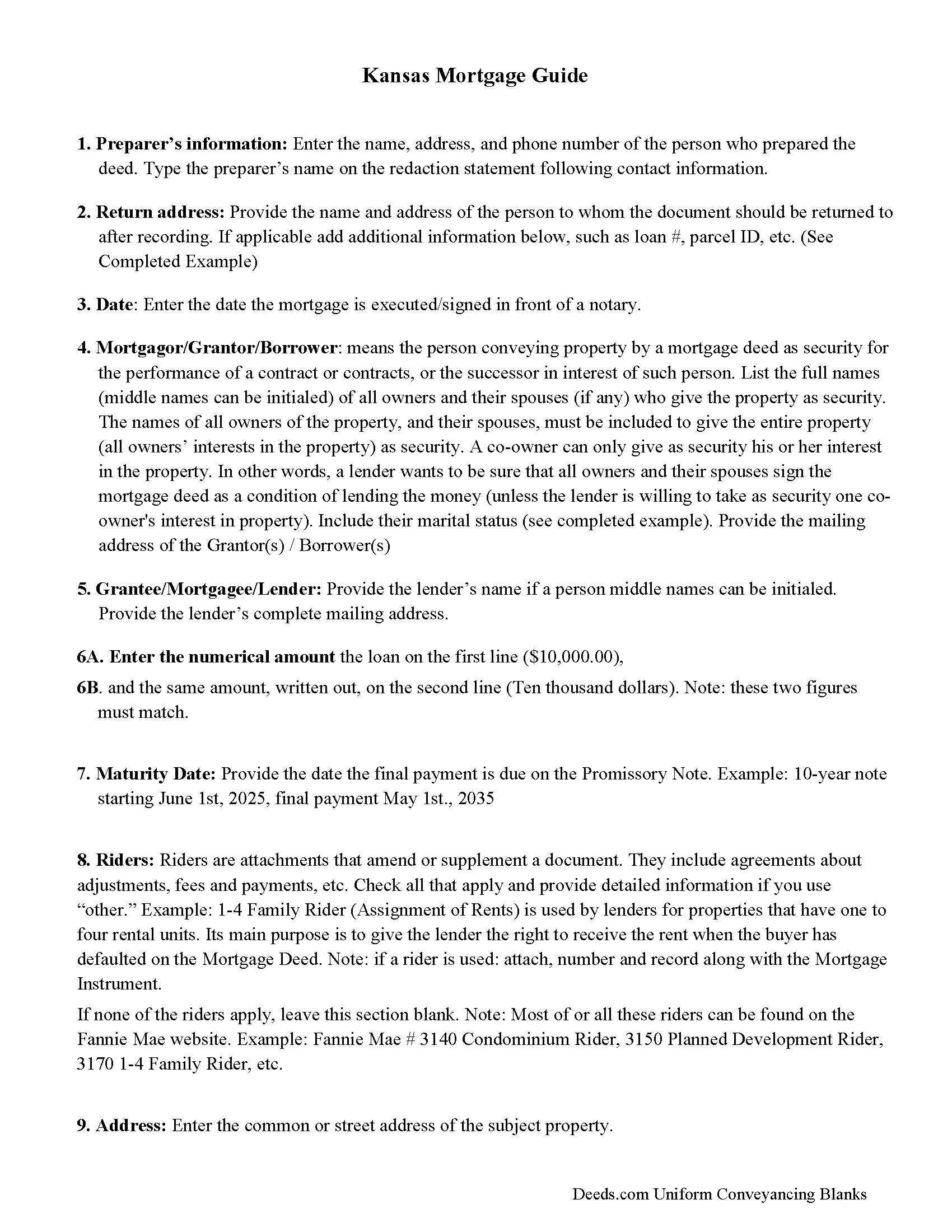
Linn County Mortgage Form Guidelines
Line by line guide explaining every blank on the form
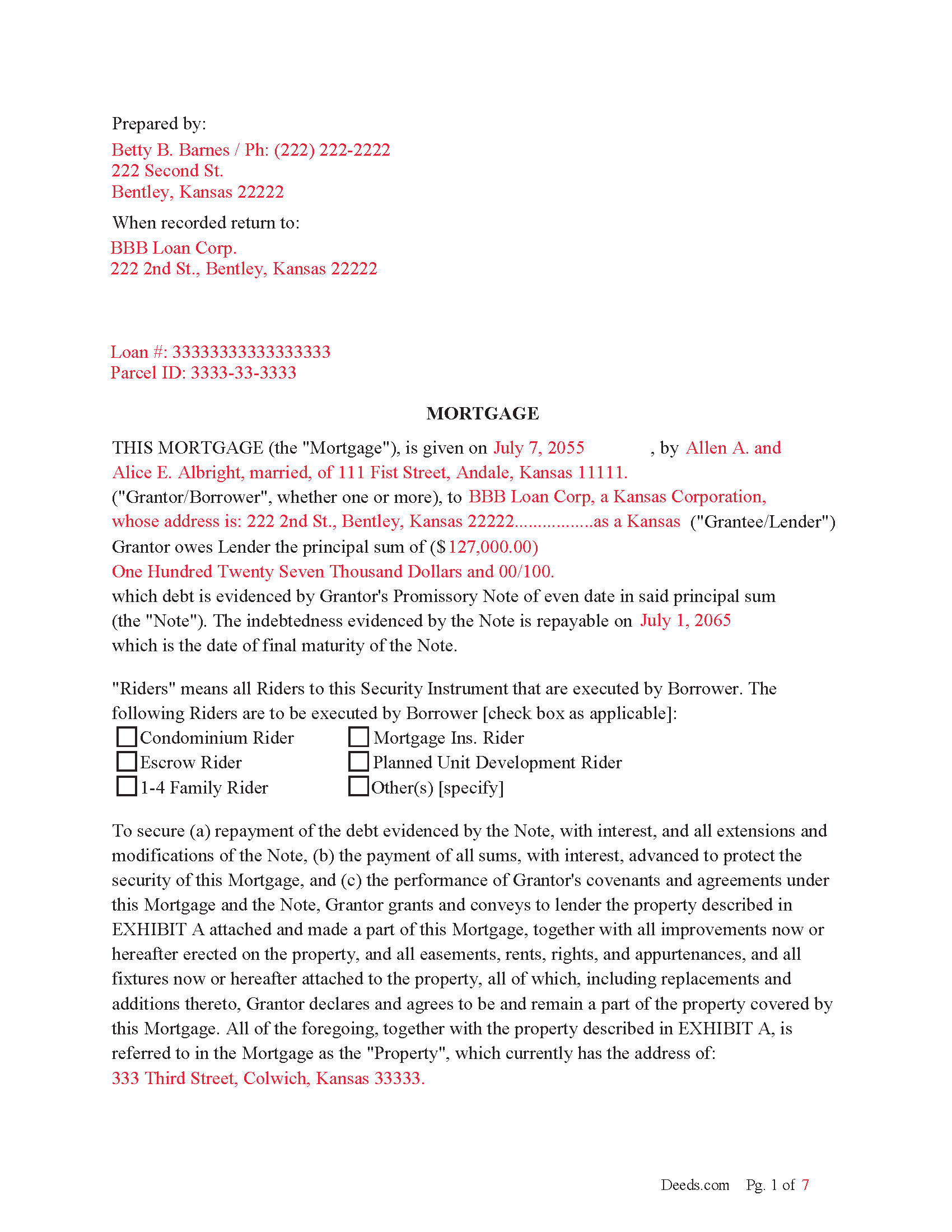
Linn County Completed Example of the Mortgage Document
Example of a properly completed form for reference.
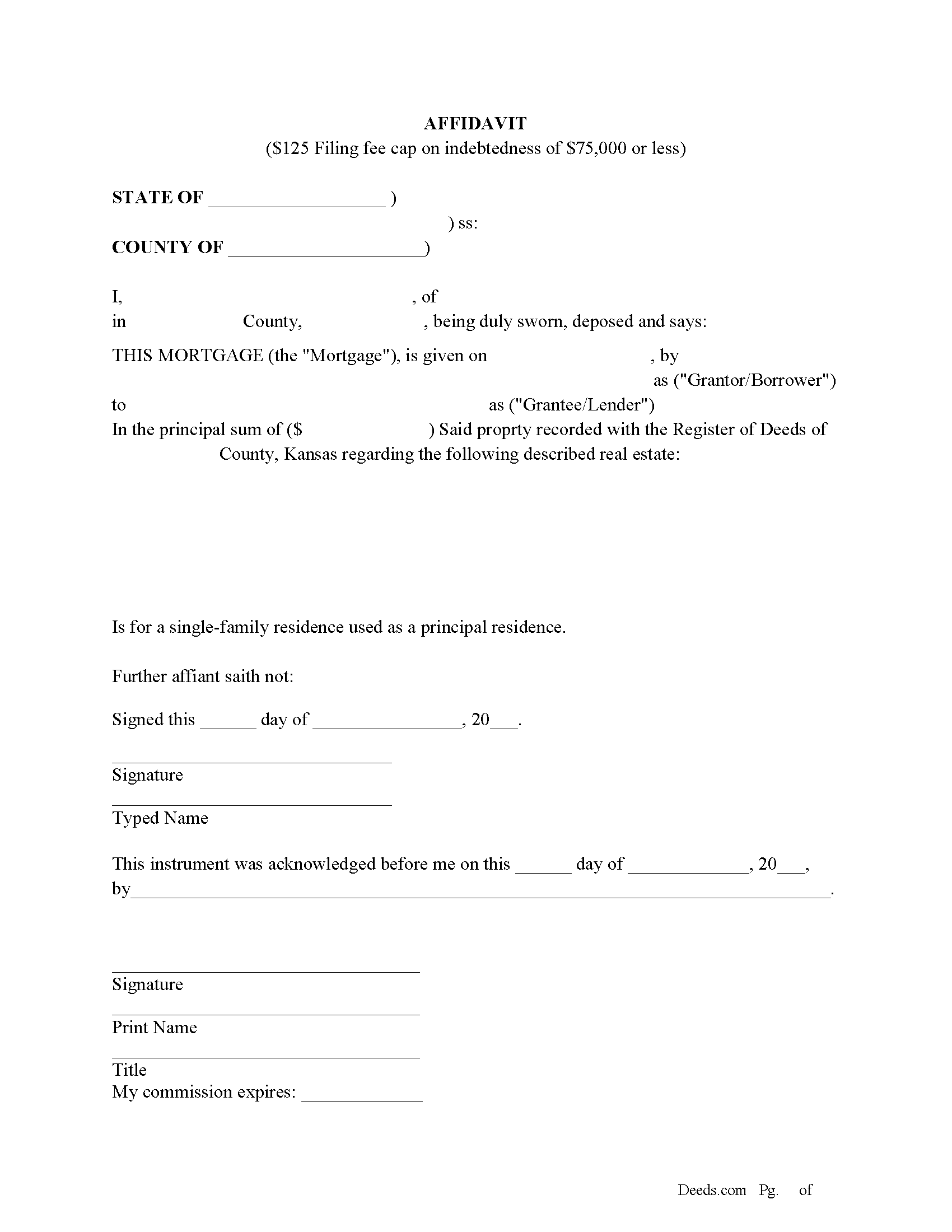
Linn County Filing Cap Fee Affidavit
Mortgages filed after January 1, 2015 have a filing fee cap of $125 if the indebtedness is $75,000 or less and it is for a single family home used as the principal residence of the owner.
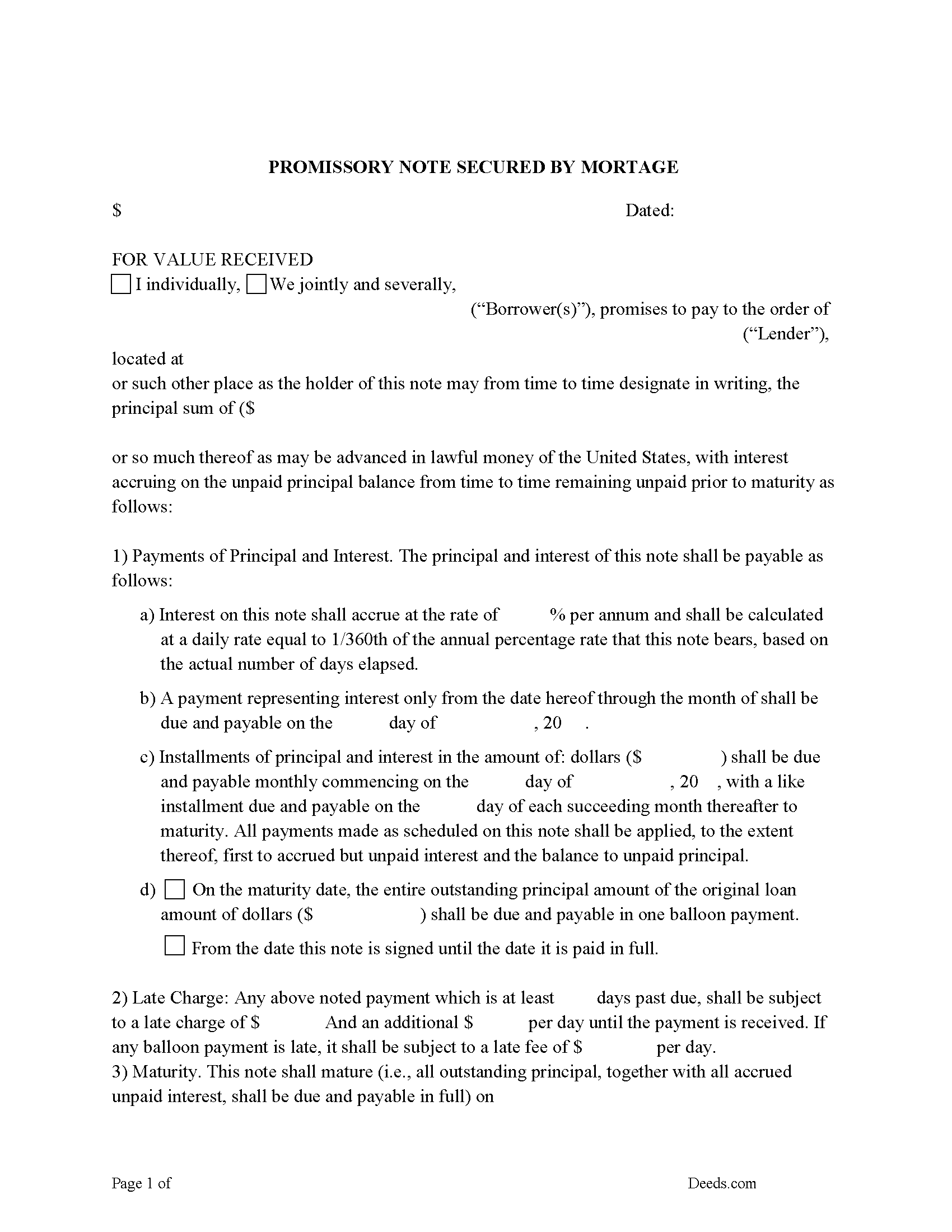
Linn County Promissory Note Form
Promissory Note secured by Mortgage.
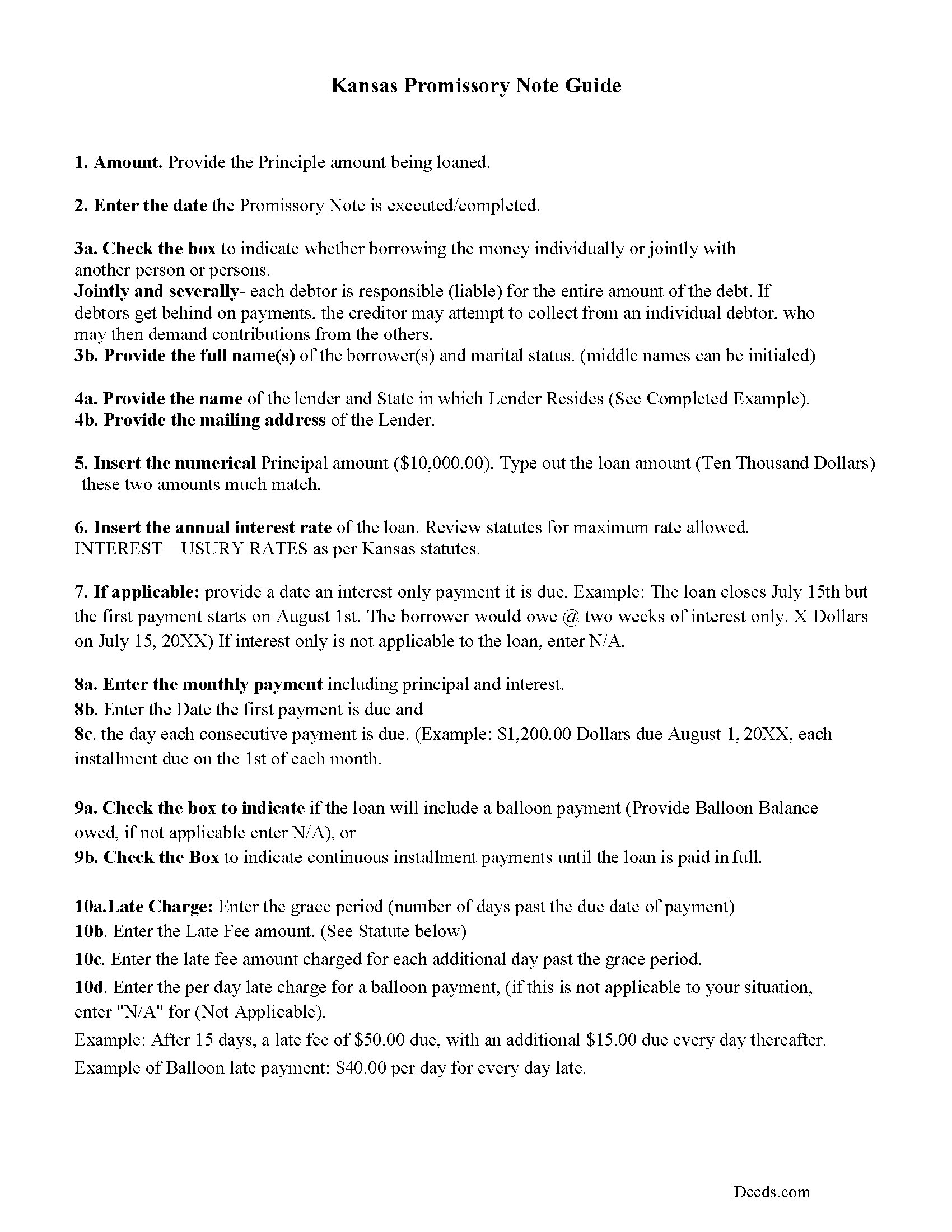
Linn County Promissory Note Guidelines
Line by line guide explaining every blank on the form.
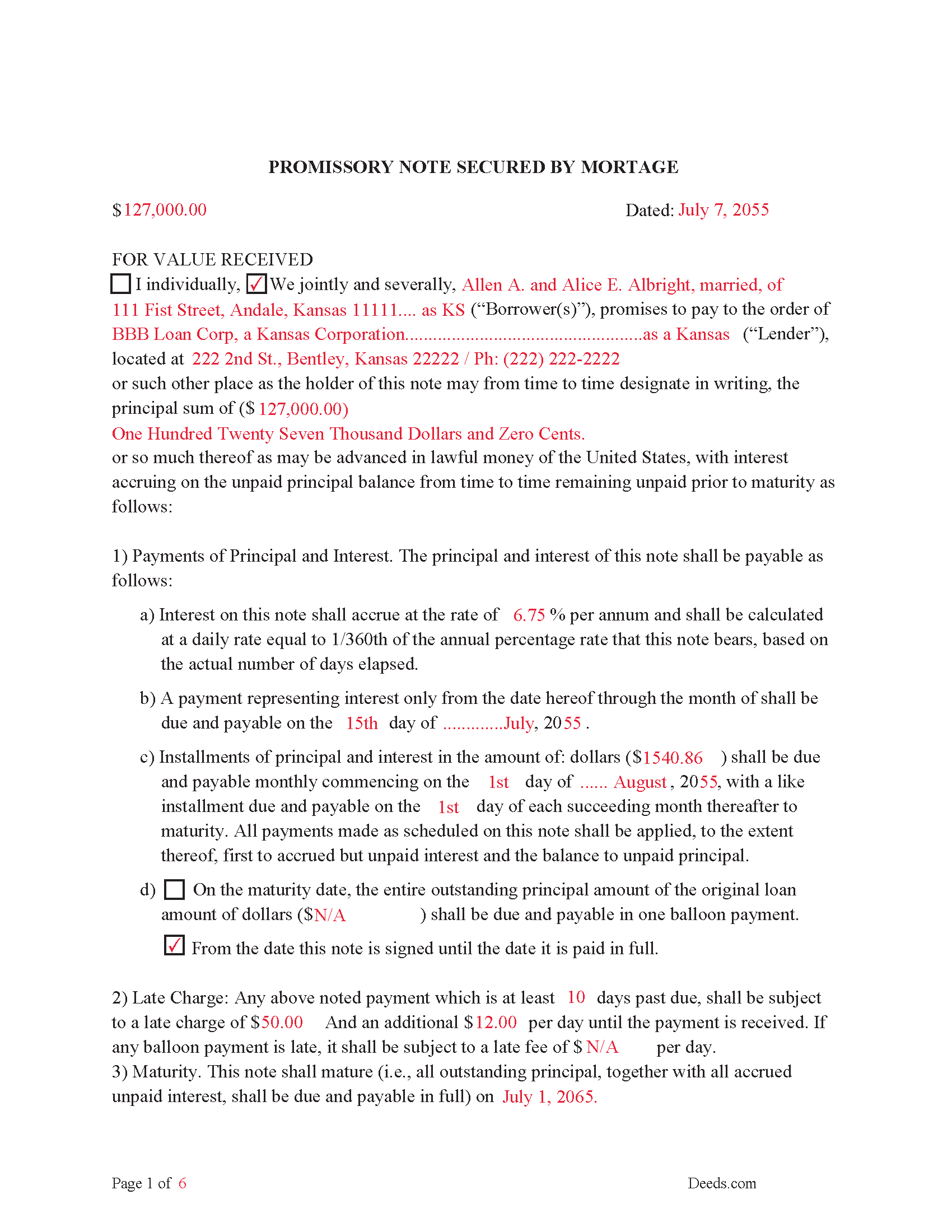
Linn County Completed Example of the Promissory Note Document
This Promissory Note is filled in and highlighted, showing how the guideline information, can be interpreted into the document.
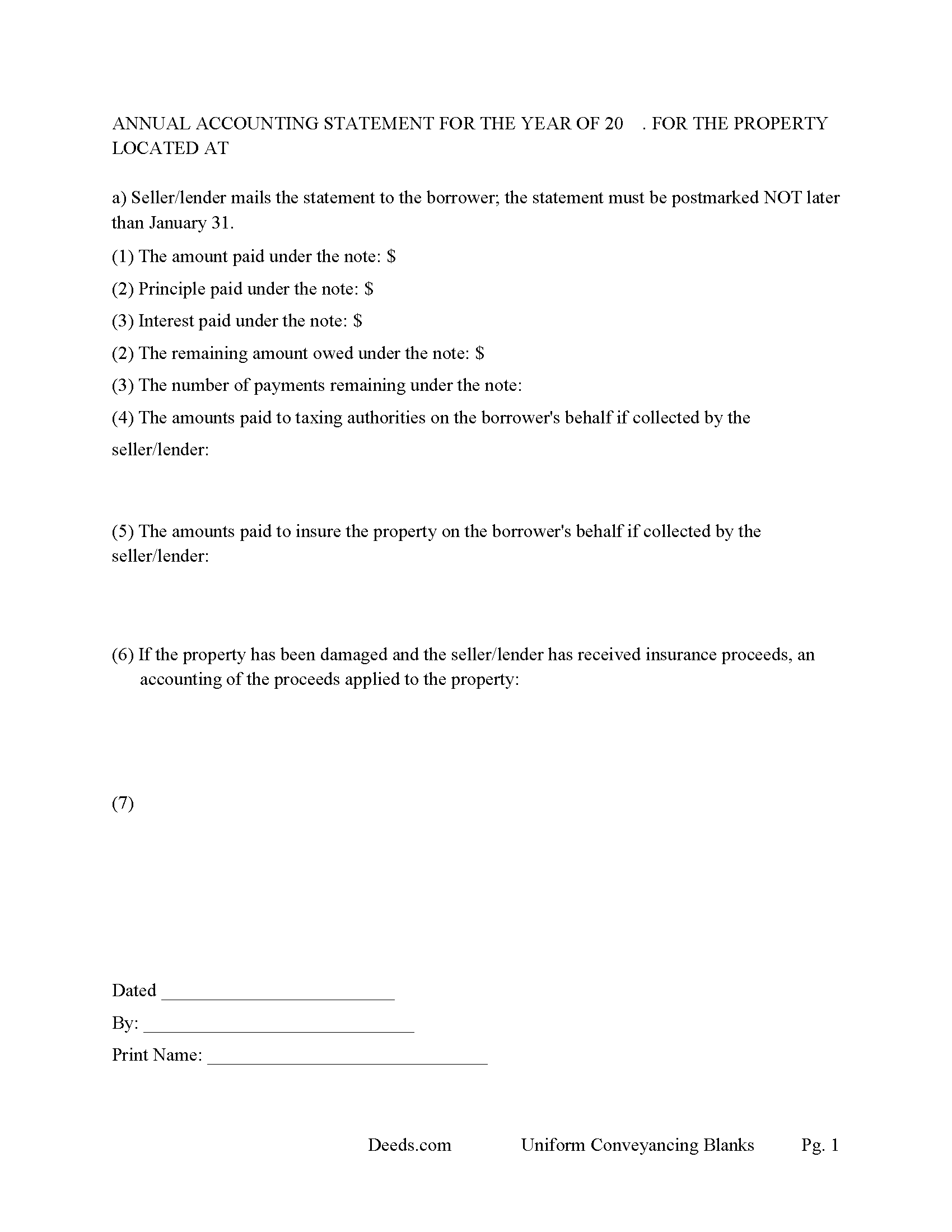
Linn County Annual Accounting Statement Form
Mail to borrower for fiscal year reporting.
All 8 documents above included • One-time purchase • No recurring fees
Immediate Download • Secure Checkout
Additional Kansas and Linn County documents included at no extra charge:
Where to Record Your Documents
Linn County Register of Deeds
Mound City, Kansas 66056
Hours: 8:00am to 4:30pm M-F
Phone: (913) 795-2226
Recording Tips for Linn County:
- Bring your driver's license or state-issued photo ID
- Ensure all signatures are in blue or black ink
- Double-check legal descriptions match your existing deed
- Verify all names are spelled correctly before recording
- White-out or correction fluid may cause rejection
Cities and Jurisdictions in Linn County
Properties in any of these areas use Linn County forms:
- Blue Mound
- Lacygne
- Mound City
- Parker
- Pleasanton
- Prescott
Hours, fees, requirements, and more for Linn County
How do I get my forms?
Forms are available for immediate download after payment. The Linn County forms will be in your account ready to download to your computer. An account is created for you during checkout if you don't have one. Forms are NOT emailed.
Are these forms guaranteed to be recordable in Linn County?
Yes. Our form blanks are guaranteed to meet or exceed the applicable formatting requirements used for recording in Linn County, including margin requirements, font requirements, and other layout standards. This guarantee applies to formatting, not to the legal sufficiency of information entered by the user or the suitability of a form for a particular transaction.
Can I reuse these forms?
Yes. You can reuse the forms for your personal use. For example, if you have multiple properties in Linn County you only need to order once.
What do I need to use these forms?
The forms are PDFs that you fill out on your computer. The free Adobe Acrobat Reader is recommended, and most PDF apps also work. You do NOT enter your property information online - you download the blank forms and complete them privately on your own computer.
Are there any recurring fees?
No. This is a one-time purchase. Nothing to cancel, no memberships, no recurring fees.
How much does it cost to record in Linn County?
Recording fees in Linn County vary. Contact the recorder's office at (913) 795-2226 for current fees.
Questions answered? Let's get started!
In this mortgage the grantor/borrower "Warrants" title to grantee/lender (the said mortgage being dated, and duly signed and acknowledged by the grantor, shall be deemed and held to be a good and sufficient mortgage to the grantee, his or her heirs, assigns, executors and administrators, with warranty from the grantor and his or her legal representatives of a perfect title in the grantor, and against all previous encumbrances; and if in the above form the words "and warrants" be omitted, the mortgage shall be good without warranty. (KS Statute 58-2303)
Use this form to finance residential property, vacant land, rental property, condominiums, small commercial property and planned unit developments. For use in Kansas only.
(Kansas Mortgage Package includes forms, guidelines, and completed examples)
Important: Your property must be located in Linn County to use these forms. Documents should be recorded at the county recording office listed above.
This Mortgage Instrument and Promissory Note meets all recording requirements specific to Linn County.
Our Promise
The documents you receive here are guaranteed to meet or exceed the applicable Linn County recording format requirements. If there is a rejection caused by our formatting, we will correct the issue or refund your payment. This guarantee applies to document formatting only and does not extend to information entered by the user, the selection of the form, or the legal effect of the completed document.
Save Time and Money
Get your Linn County Mortgage Instrument and Promissory Note form done right the first time with Deeds.com Uniform Conveyancing Blanks. At Deeds.com, we understand that your time and money are valuable resources, and we don't want you to face a penalty fee or rejection imposed by a county recorder for submitting nonstandard documents. We constantly review and update our forms to meet rapidly changing state and county recording requirements for roughly 3,500 counties and local jurisdictions.
4.8 out of 5 - ( 4,837 Reviews )
Robert B. 5 out of 5 stars
Fast and easy and Jefferson County Colorado excepted the forms.
Thank you!
Jean B. 5 out of 5 stars
Thank you for this service. Saved a lot of my time and money. The guide and sample was very helpful. Jean
We appreciate your business and value your feedback. Thank you. Have a wonderful day!
Joan P. 5 out of 5 stars
Thank you for combining all necessary documents in one simple location.
Thank you!
sandra f. 5 out of 5 stars
excellent transaction...very informative prior to purchase..
We appreciate your business and value your feedback. Thank you. Have a wonderful day!
Roberta J B. 5 out of 5 stars
User friendly
Thank you!
Bernadette W. 5 out of 5 stars
It was very easy to use the website. I wish there was an option to pay for multiple documents at once instead of having to pay for each one individually.
We appreciate your business and value your feedback. Thank you. Have a wonderful day!
William Q. 5 out of 5 stars
The website and information is fine. The proof in the pudding, of course, is whether the forms I used now will provide the results I want if the changes are challenged at some future date.
Thank you for your feedback. We really appreciate it. Have a great day!
CAMILLE C. 5 out of 5 stars
You had just the form I needed at a great price.
Thanks for your feedback. We’re glad we could help.
Roderick S. 2 out of 5 stars
It all started out well, then I was abruptly told that I would have to submit the documents directly to the recording office. No explanation was offered and I wasted a lot of time on your website for nothing. Very disappointing, as the concept of e-recording is what is needed in 2026.
We reviewed your order and our support messages. The document uploaded for recording was a very low-quality scan that did not meet the county’s eRecording image requirements. Our staff asked that a clearer scan be uploaded, but the same image was submitted again.
Because the document could not be processed electronically, we advised recording it directly with the county recorder’s office.
E-recording systems require clear, legible document images that meet county standards. When those requirements cannot be met, recording directly with the recorder is often the fastest option.
Cheryl M. 5 out of 5 stars
Easy.
Thank you!
julie S. 5 out of 5 stars
I love this company!! Excellent customer service and quick!! Thank you
We appreciate your business and value your feedback. Thank you. Have a wonderful day!
Eva L. 5 out of 5 stars
So far so good! I haven't had an opportunity to populate the forms but they seem to be very easy to do. The sample deed serves very well. Ordering the forms were very easy, I was impressed with the ease of doing so.
Thank you!
Caville B. 3 out of 5 stars
Received the documents, but the explanation and process is not as straightforward as I would have liked. The Instructions and Sample document were not always easy to follow. I may just have a real estate lawyer perform the task.
Thank you for your feedback. We really appreciate it. Have a great day!
Lara C. 5 out of 5 stars
Love it! It was super easy. Will be back!
Thank you for your feedback. We really appreciate it. Have a great day!
Karri P. 5 out of 5 stars
Great service and easy to purchase exactly what you want.
We appreciate your business and value your feedback. Thank you. Have a wonderful day!