Boyd County Mechanics Lien Form
Last validated October 23, 2026 by our Forms Development TeamFormatted for recording in Boyd County, for property anywhere in the county: rural and unincorporated areas as well as Ashland, Catlettsburg, Rush.
- 3 documents included
- Immediate PDF download
- Formatting guarantee
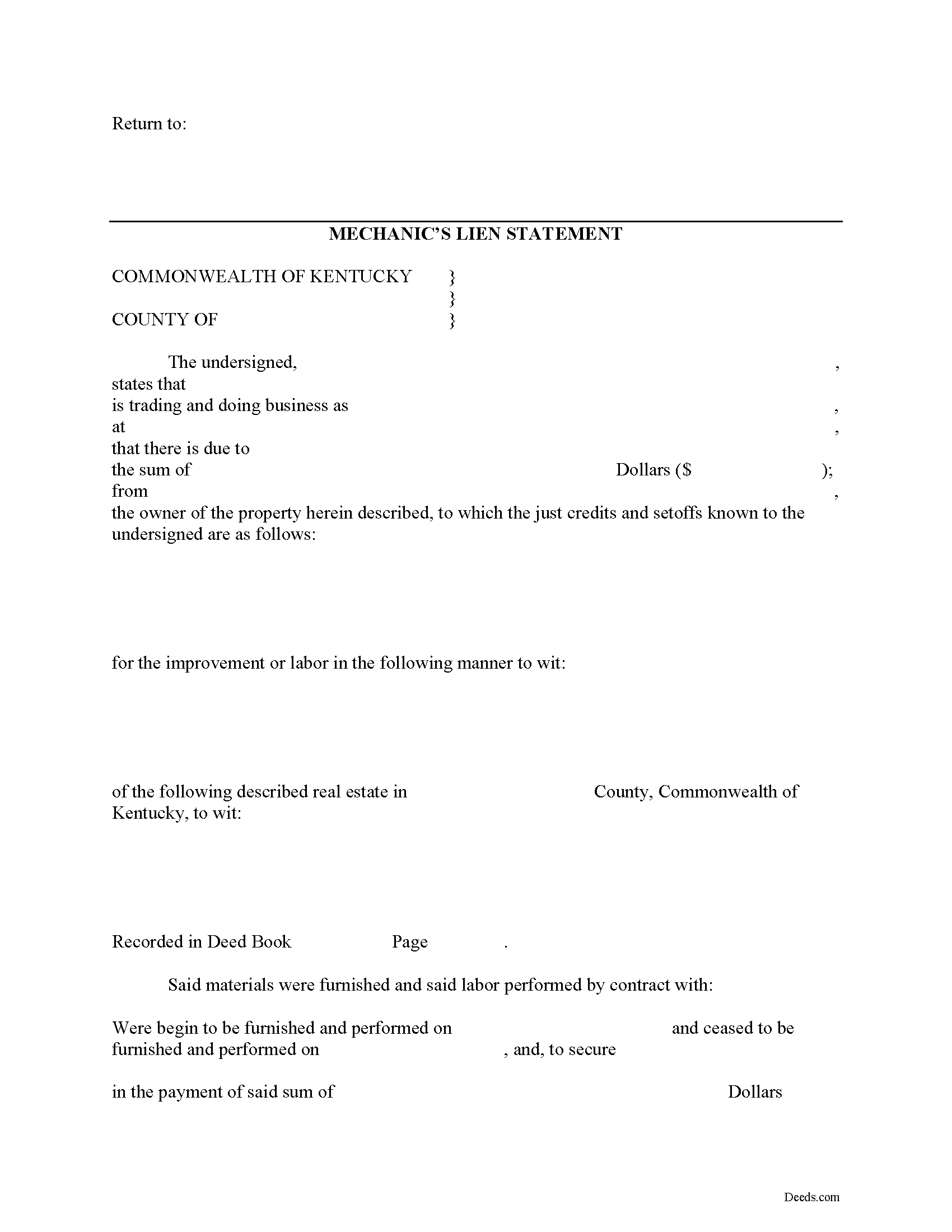
Boyd County Mechanics Lien Form
Fill in the blank Mechanics Lien form formatted to comply with all Kentucky recording and content requirements.
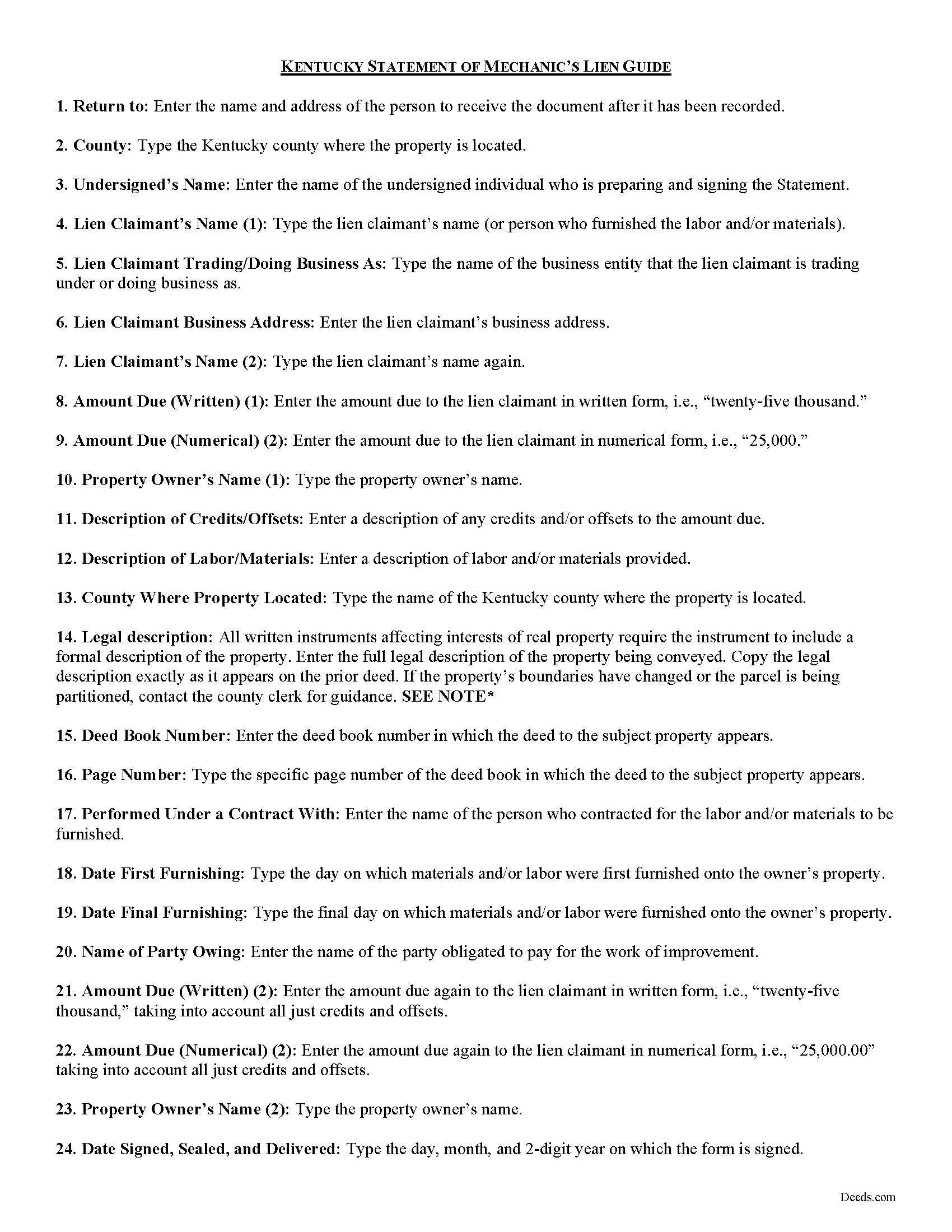
Boyd County Mechanics Lien Guide
Line by line guide explaining every blank on the form.
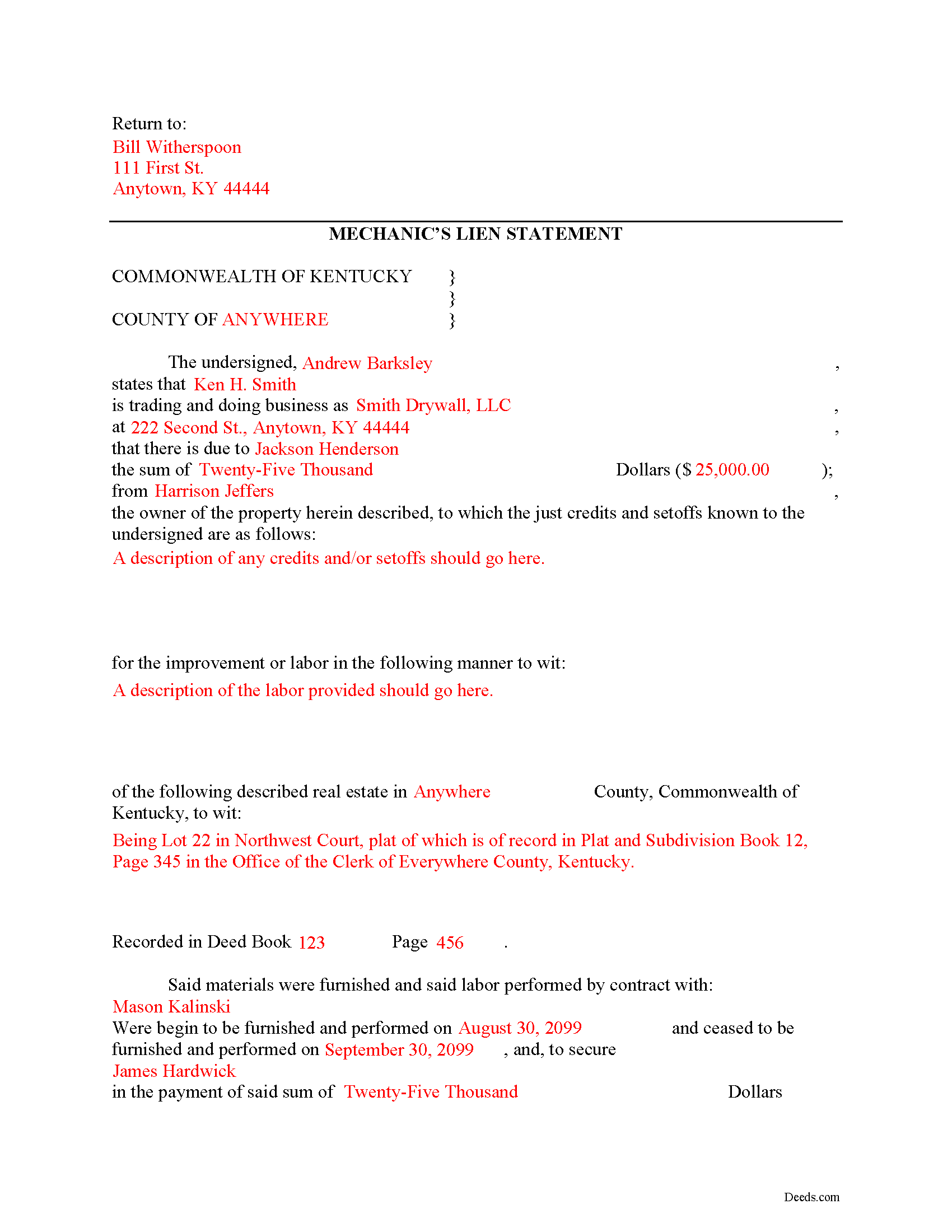
Boyd County Completed Example of the Mechanics Lien Document
Example of a properly completed form for reference.
All 3 documents above included • One-time purchase • No recurring fees
Immediate Download • Secure Checkout
Additional Kentucky and Boyd County documents included at no extra charge:
Where to Record Your Documents
Boyd County Clerk
Catlettsburg, Kentucky 41129
Hours: 8:30am to 4:00pm.M-F
Phone: (606) 739-5116
Recording Tips for Boyd County:
- Bring your driver's license or state-issued photo ID
- Ensure all signatures are in blue or black ink
- Check margin requirements - usually 1-2 inches at top
- Leave recording info boxes blank - the office fills these
- Make copies of your documents before recording - keep originals safe
Cities and Jurisdictions in Boyd County
Properties in any of these areas use Boyd County forms:
- Ashland
- Catlettsburg
- Rush
Hours, fees, requirements, and more for Boyd County
How do I get my forms?
Forms are available for immediate download after payment. The Boyd County forms will be in your account ready to download to your computer. An account is created for you during checkout if you don't have one. Forms are NOT emailed.
Are these forms guaranteed to be recordable in Boyd County?
Yes. Our form blanks are guaranteed to meet or exceed the applicable formatting requirements used for recording in Boyd County, including margin requirements, font requirements, and other layout standards. This guarantee applies to formatting, not to the legal sufficiency of information entered by the user or the suitability of a form for a particular transaction.
Can I reuse these forms?
Yes. You can reuse the forms for your personal use. For example, if you have multiple properties in Boyd County you only need to order once.
What do I need to use these forms?
The forms are PDFs that you fill out on your computer. The free Adobe Acrobat Reader is recommended, and most PDF apps also work. You do NOT enter your property information online - you download the blank forms and complete them privately on your own computer.
Are there any recurring fees?
No. This is a one-time purchase. Nothing to cancel, no memberships, no recurring fees.
How much does it cost to record in Boyd County?
Recording fees in Boyd County vary. Contact the recorder's office at (606) 739-5116 for current fees.
Questions answered? Let's get started!
Claiming a Mechanic's Lien in Kentucky
Mechanic's Liens are used to place a block on a property owner's title when a contractor, materials supplier, or other laborer such as a subcontractor has not been paid for labor, materials, or equipment provided. In Kentucky, a lien is claimed by filing a Statement of Claim document with a county recorder.
To claim a lien in Kentucky, the claimant must file a statement of the account due to him within six (6) months after he ceases to labor or furnish materials. K.R.S. 376.080(1). The statement must be filed in the office of the county clerk of the county in which the building or improvement is situated. Id. The statement must include the amount due along with a description of all just credits and set-offs known to him, together with a description of the property intended to be covered by the lien sufficiently accurate to identify it, the name of the owner, if known, and whether the materials were furnished or the labor performed by contract with the owner or with a contractor or subcontractor. Id.
The lien statement also requires the name and address of the claimant; if the claimant is a corporation, the statement must include the name and address of the corporation's process agent, or some other address at which service of process under the Rules of Civil Procedure may be accomplished. Id. If no name and address is included in the statement, service of process in an action involving the real property may be accomplished by serving the person who signs the lien statement. Id. This statement also must be subscribed and sworn to by the person claiming the lien or by someone in his behalf. Id.
After completing the statement, it must be served on the owner. The claimant shall send by regular mail a copy of the statement to the property owner at his last known address within seven (7) days of filing the statement with the county clerk. Id. Service is important because the lien will be dissolved if a copy of the statement is not sent to the property owner as provided by Kentucky law. Id.
This article is provided for informational purposes only and should not be considered legal advice or relied upon as a substitute for speaking with a legal professional. If you have any questions about filing a statement claiming a mechanic's lien, please speak with a qualified attorney.
Important: Your property must be located in Boyd County to use these forms. Documents should be recorded at the county recording office listed above.
This Mechanics Lien meets all recording requirements specific to Boyd County.
Our Promise
The documents you receive here are guaranteed to meet or exceed the applicable Boyd County recording format requirements. If there is a rejection caused by our formatting, we will correct the issue or refund your payment. This guarantee applies to document formatting only and does not extend to information entered by the user, the selection of the form, or the legal effect of the completed document.
Save Time and Money
Get your Boyd County Mechanics Lien form done right the first time with Deeds.com Uniform Conveyancing Blanks. At Deeds.com, we understand that your time and money are valuable resources, and we don't want you to face a penalty fee or rejection imposed by a county recorder for submitting nonstandard documents. We constantly review and update our forms to meet rapidly changing state and county recording requirements for roughly 3,500 counties and local jurisdictions.
4.8 out of 5 - ( 4,833 Reviews )
Richard W. 4 out of 5 stars
My experience so far is quite good. Useful documents. It would be very helpful if the labels on the files downloaded were in text format, like "Jurat" rather than "1429107022SF21141." It would save me the extra step of providing proper file names.
Thank you for your feedback. We really appreciate it. Have a great day!
Shirley T. 4 out of 5 stars
Quit Claim deed for North Carolina did not include all of the information I needed (two separate notary sections), but I was able to re-create another notary section in Word, and then insert it in the appropriate place after printing both documents. Otherwise, the document worked as described.
Thank you for your feedback. We really appreciate it. Have a great day!
Patricia J. 5 out of 5 stars
No word "Download" so had a little trouble figuring out how to download, but finally figured it out.
Thank you for your feedback. We really appreciate it. Have a great day!
Alice L. 5 out of 5 stars
County accepted Quit Claim Deed without any issues! Saved money using Deeds.com - thank you!!!!
Thank you for your feedback. We really appreciate it. Have a great day!
Joe D. 5 out of 5 stars
Complete coverage of deeds, laws, etc.
Thank you!
Michael O. 5 out of 5 stars
Great experience. Pre-printed forms, line explanations and samples - solve a lot of problems, eliminate many headaches and research. Thank You!!!
We appreciate your business and value your feedback. Thank you. Have a wonderful day!
Lisa J. 5 out of 5 stars
I ordered a Lis Pendens form and it was exactly what I needed. Saved me a lot of time since I am self representing. Already filed it at courthouse! No problem!
Thank you for your feedback. We really appreciate it. Have a great day!
Pamela P. 5 out of 5 stars
I liked the speed and efficiency of your website.
Thank you for your feedback. We really appreciate it. Have a great day!
Patrick N. 5 out of 5 stars
I was very satisfied with your service. Prompt, and thorough. Price was reasonable. Will use your service again when needed.
Thank you for your feedback. We really appreciate it. Have a great day!
Mike F. 5 out of 5 stars
The explanation sheet and example was very handy.
Thank you!
Rose M. 5 out of 5 stars
Easy to understand and complete. Lower cost than many others who offer same. Thanks so much!
We appreciate your business and value your feedback. Thank you. Have a wonderful day!
James C. 4 out of 5 stars
First time user and was directed there from a search on my home state for a state form. The downloaded form was complete with instructions and sample filled out form. I was not happy about the cost for the form, but it did the job.
Thank you for your feedback. We really appreciate it. Have a great day!
MYRON J. 5 out of 5 stars
Great way to track and save forms.
Thank you!
Stephen H. 5 out of 5 stars
Great experience. Rapid service, no unexpected problems, and reasonable pricing. I will definitely use Deeds.com again.
Thank you for your feedback. We really appreciate it. Have a great day!
Jane E. 5 out of 5 stars
The form was incompatible with my son's new computer. I do not have a printer. We did use your form to type a copy into "word" so he could print it.
Thank you!