Plaquemines Parish Quitclaim Deed (Corporation Grantor) Form
Last validated September 30, 2026 by our Forms Development TeamFormatted for recording in Plaquemines Parish, for property anywhere in the parish: rural and unincorporated areas as well as Belle Chasse, Boothville, Braithwaite, Buras, Empire, Pilottown, Pointe A La Hache, Port Sulphur and 1 more.
- 3 documents included
- Immediate PDF download
- Formatting guarantee
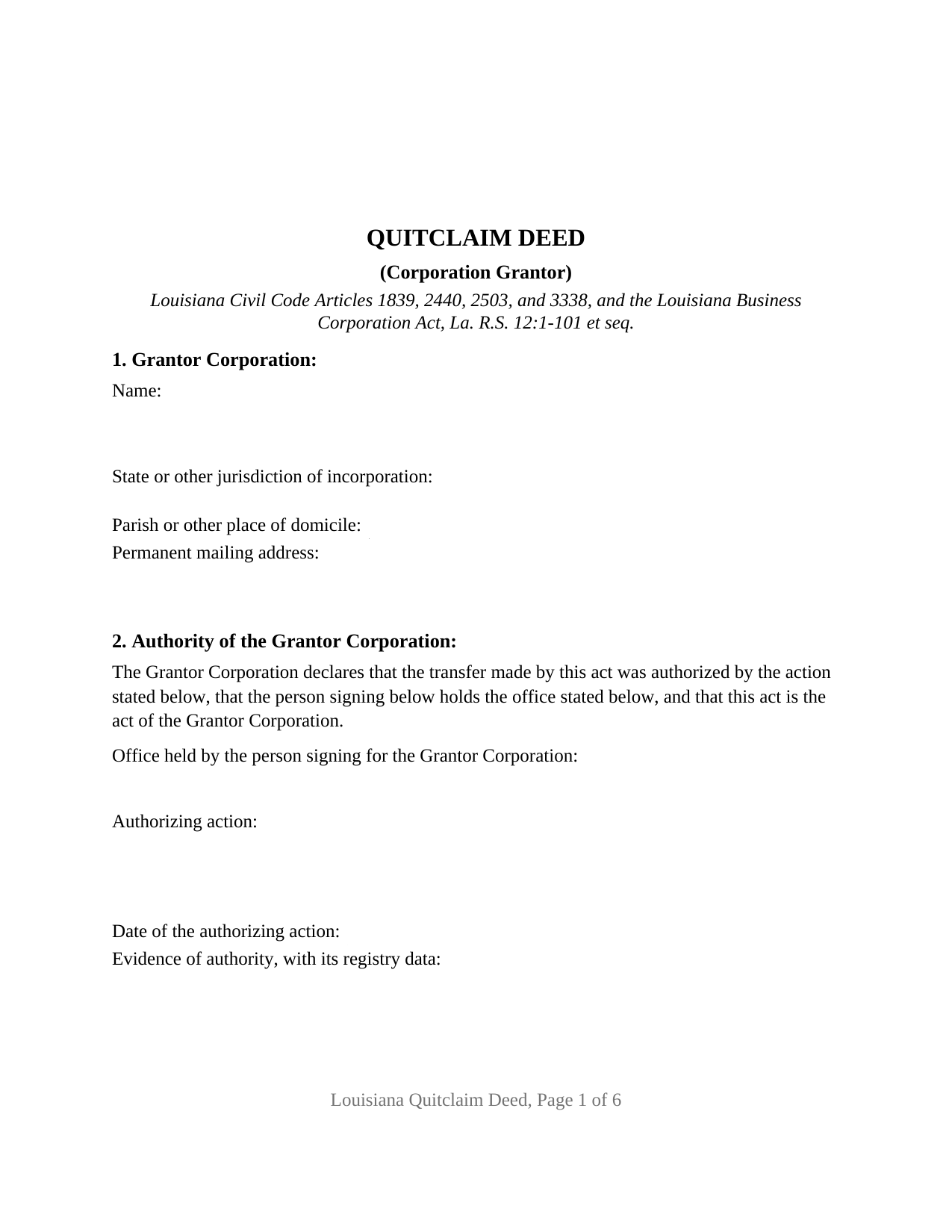
Plaquemines Parish Quitclaim Deed (Corporation Grantor) Form
Fill in the blank Quitclaim Deed (Corporation Grantor) form formatted to comply with all Louisiana recording and content requirements.
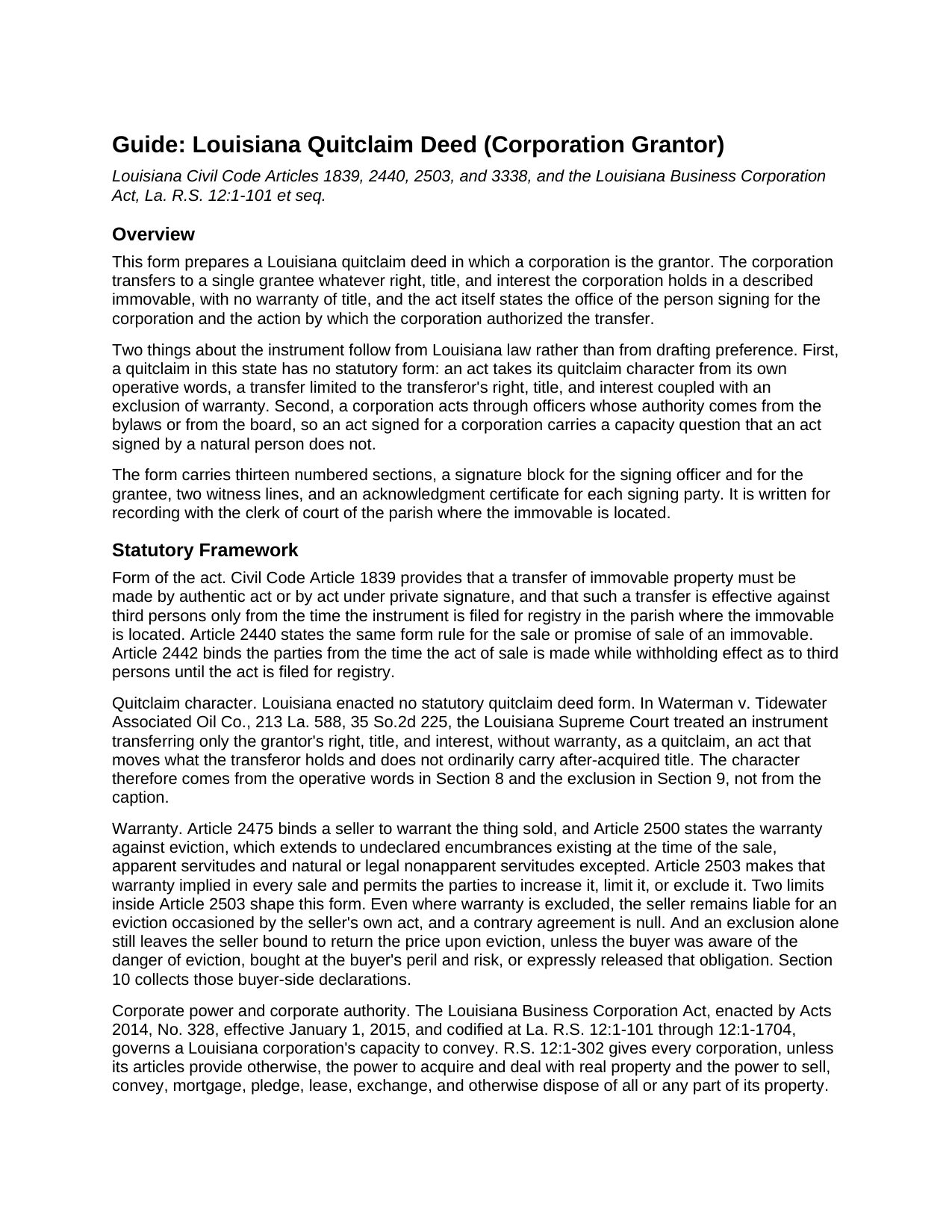
Plaquemines Parish Quitclaim Deed (Corporation Grantor) Guide
Line by line guide explaining every blank on the Quitclaim Deed (Corporation Grantor) form.
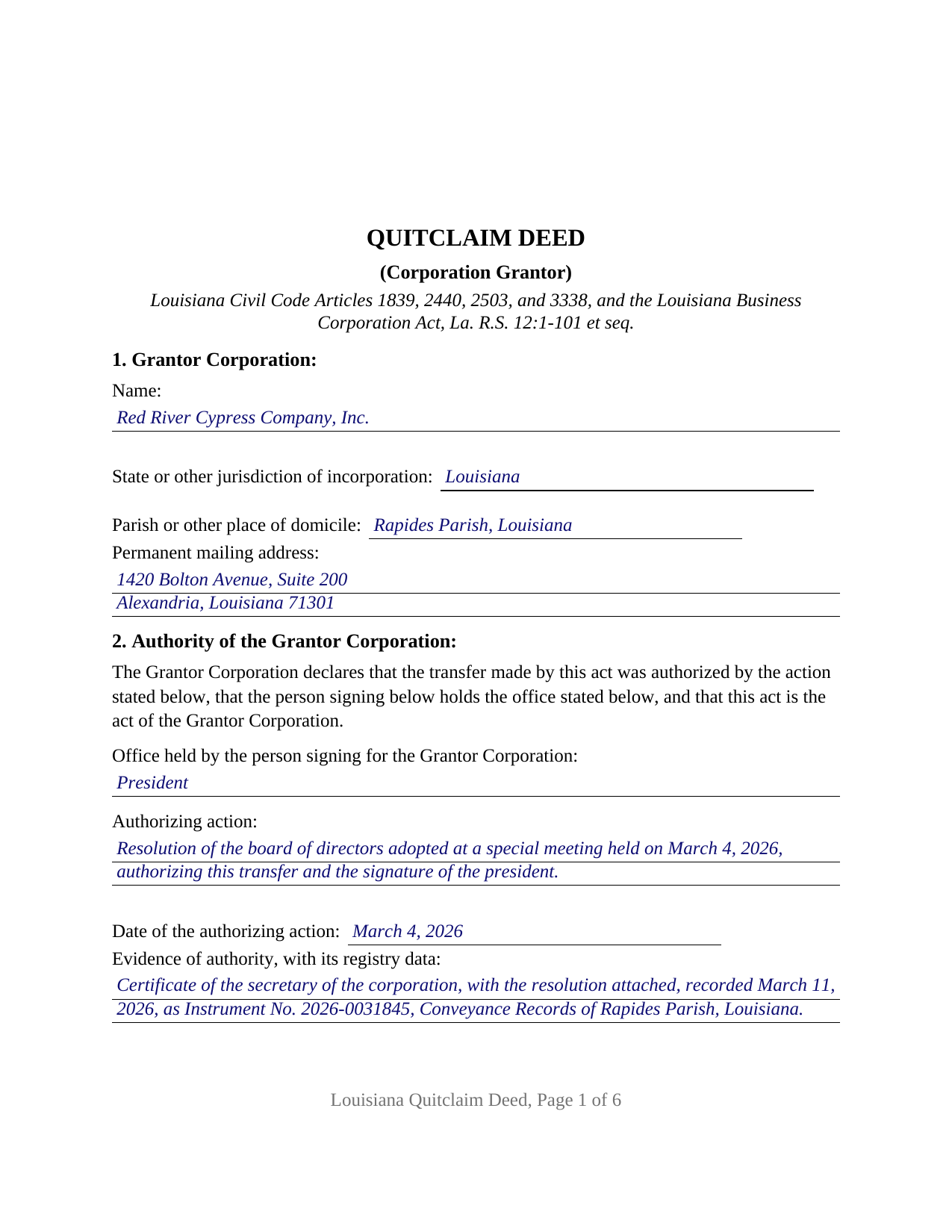
Plaquemines Parish Completed Example of the Quitclaim Deed (Corporation Grantor) Document
Example of a properly completed Louisiana Quitclaim Deed (Corporation Grantor) document for reference.
All 3 documents above included • One-time purchase • No recurring fees
Immediate Download • Secure Checkout
Additional Louisiana and Plaquemines Parish documents included at no extra charge:
Where to Record Your Documents
Plaquemines Parish Clerk of Court
Belle Chasse, Louisiana 70037
Hours: 8:30 to 4:30 M-F
Phone: (504) 297-5180
Recording Tips for Plaquemines Parish:
- Bring your driver's license or state-issued photo ID
- Ensure all signatures are in blue or black ink
- White-out or correction fluid may cause rejection
- Ask about their eRecording option for future transactions
- Avoid the last business day of the month when possible
Cities and Jurisdictions in Plaquemines Parish
Properties in any of these areas use Plaquemines Parish forms:
- Belle Chasse
- Boothville
- Braithwaite
- Buras
- Empire
- Pilottown
- Pointe A La Hache
- Port Sulphur
- Venice
Hours, fees, requirements, and more for Plaquemines Parish
How do I get my forms?
Forms are available for immediate download after payment. The Plaquemines Parish forms will be in your account ready to download to your computer. An account is created for you during checkout if you don't have one. Forms are NOT emailed.
Are these forms guaranteed to be recordable in Plaquemines Parish?
Yes. Our form blanks are guaranteed to meet or exceed the applicable formatting requirements used for recording in Plaquemines Parish, including margin requirements, font requirements, and other layout standards. This guarantee applies to formatting, not to the legal sufficiency of information entered by the user or the suitability of a form for a particular transaction.
Can I reuse these forms?
Yes. You can reuse the forms for your personal use. For example, if you have multiple properties in Plaquemines Parish you only need to order once.
What do I need to use these forms?
The forms are PDFs that you fill out on your computer. The free Adobe Acrobat Reader is recommended, and most PDF apps also work. You do NOT enter your property information online - you download the blank forms and complete them privately on your own computer.
Are there any recurring fees?
No. This is a one-time purchase. Nothing to cancel, no memberships, no recurring fees.
How much does it cost to record in Plaquemines Parish?
Recording fees in Plaquemines Parish vary. Contact the recorder's office at (504) 297-5180 for current fees.
Questions answered? Let's get started!
Louisiana's acknowledgment statute prints a certificate written for exactly this act: R.S. 35:511 sets out three forms, and the third belongs to corporations. The appearer, sworn or affirmed, states the office held and that the instrument was signed for the corporation by authority of its board of directors, then acknowledges the act as the corporation's own free act and deed. This Louisiana quitclaim deed is built around that certificate. One corporation transfers whatever right, title, and interest it holds in a described immovable, with no warranty, and the act names the officer who signs and the action that authorized it.
Corporate power is broad, and officer authority is a document question
R.S. 12:1-302 gives every corporation, unless its articles provide otherwise, the power to convey any part of its property. Which person may exercise it is answered elsewhere. R.S. 12:1-841 gives each officer the authority set forth in the bylaws or, consistent with them, the authority the board prescribes, so no statute names a default officer for corporate immovables. Section 2 carries that story into the conveyance record in four entries: the signer's office, the authorizing action, its date, and the evidence of authority with its registry data. The secretary's certificate that holds the resolution is recorded separately and is not part of this package.
Where the shareholders enter, and where they do not
R.S. 12:1-1201 keeps shareholders out of most transfers: absent contrary articles, no approval is needed to dispose of them in the usual and regular course of business, to encumber them at all, or to move them into an entity the corporation wholly owns. R.S. 12:1-1202 supplies the other half: a disposition that would leave the corporation without a significant continuing business activity takes shareholder approval, with a conclusive test at twenty five percent of total assets and of pretax income or revenues from continuing operations. That approval starts with a board resolution, and the authority section holds either answer.
A sworn certificate, and a corporation that may have no seal
The corporate certificate is not the individual certificate with a title added. The appearer is placed under oath or affirmation, and the sworn substance reaches the office held and the board's authority, printed here below the appearer line under the venue caption R.S. 35:511 calls for. The statute prints an express variation for a corporation with no corporate seal, which matters because R.S. 12:1-302 lists a seal among a corporation's powers rather than its obligations. The notary block carries the identification or bar roll number R.S. 35:12 lets a clerk treat as a ground for refusal.
Warranty excluded, price released
Civil Code article 2503 implies the warranty against eviction in every sale and lets the parties exclude it, though exclusion alone leaves the transferor owing the price back after an eviction, unless the buyer knew the danger, took at its own peril and risk, or released the obligation. Section 9 excludes the warranty as far as the article reaches and passes no title acquired later; Section 10 puts the grantee's peril and risk declaration and the express release above the accepting signature. Capitals print the one liability no agreement reaches, an eviction occasioned by the transferor's own act.
What this configuration recites
The act names one corporation, one grantee, and one signature given for the corporation. Section 1 asks for the jurisdiction of incorporation, so a corporation chartered outside Louisiana takes the same party section, and no marital status declaration sits on the transferor side, the concurrence Civil Code article 2347 calls for running between spouses rather than to an entity's property. A corporation releasing whatever interest an older recorded instrument still shows in its name, and a corporation moving a parcel to an affiliate after a reorganization, present the single-corporation pattern this deed recites. Bylaws calling for two officers to sign present a pattern it does not.
Searched as a corporate quitclaim deed, a quit claim deed from a corporation, or a deed signed by a corporate officer, it speaks Louisiana civil law and corporation law together. Recording in the parish where the immovable sits carries the transfer to third persons, and six recorded pages put the act in the $200 tier of R.S. 13:844. The package holds the blank deed as a fillable PDF, a completed example on a Rapides Parish pattern where an Alexandria corporation releases an old record interest, and a plain language guide walking the numbered sections, the authority statutes, and recording. The materials are informational and are not legal advice.
Important: Your property must be located in Plaquemines Parish to use these forms. Documents should be recorded at the parish recording office listed above.
This Quitclaim Deed (Corporation Grantor) meets all recording requirements specific to Plaquemines Parish.
Our Promise
The documents you receive here are guaranteed to meet or exceed the applicable Plaquemines Parish recording format requirements. If there is a rejection caused by our formatting, we will correct the issue or refund your payment. This guarantee applies to document formatting only and does not extend to information entered by the user, the selection of the form, or the legal effect of the completed document.
Save Time and Money
Get your Plaquemines Parish Quitclaim Deed (Corporation Grantor) form done right the first time with Deeds.com Uniform Conveyancing Blanks. At Deeds.com, we understand that your time and money are valuable resources, and we don't want you to face a penalty fee or rejection imposed by a county recorder for submitting nonstandard documents. We constantly review and update our forms to meet rapidly changing state and county recording requirements for roughly 3,500 counties and local jurisdictions.
4.8 out of 5 - ( 4,828 Reviews )
SHERRI B. 5 out of 5 stars
World class forms and service. Downloaded and prepared the deed in minutes. Used the recording service (digital), so convenient.
Thank you for the kind words Sherri. Have an amazing day!
Kevin R. 5 out of 5 stars
I have been using Deeds.com for the last 2 years and find them very easy to use and expedient on all my recordings. Highly recommend.
Thank you for the kind words Kevin. We appreciate you.
JAY W. 5 out of 5 stars
ok
Thank you!
Valerie R. 5 out of 5 stars
My expereince with Deeds.com was easy and efficent. Great way to efile documents during these trying times.
We appreciate your business and value your feedback. Thank you. Have a wonderful day!
Janalee T. 5 out of 5 stars
Fast, easy. quickly accepted by county recorder.
Thank you!
Karla L. 5 out of 5 stars
Perfect! Recorded my completed deed today with no problems.
Thank you!
STANLEY K. 5 out of 5 stars
I AM DELIGHTED TO BE PARTY TO DEEDS.COM. THE PROCESS IS DOWN-TO-EARTH AND VERY USER FRIENDLY. I MUST SAY THAT JUST THE SAVINGS IN TRAVEL TIME AND MONEY IS IN ITSELF VERY REFRESHING. THIS ON LINE PROCESS IS SO CONVENIENT FOR MY OVERALL EFFORT AND OF COURSE FOR OUR CLIENTS AS WELL. I GOT BACKED UP IN RECORDING WHEN THE VIRUS BEGAN RAGING AND PERSONAL VISITS TO LAND RECORDS BECAME A THING OF THE PAST.I FOUND THE SITE WITH A SUGGESTION FROM DC LAND RECORDS' ASSISTANT BY PHONE. I ONLY WISH I'D KNOWN ABOUT THIS AWESOME SERVICE BEFORE 2020. HATS OFF TO DEEDS.COM!
Thank you for your feedback. We really appreciate it. Have a great day!
Stacey S. 4 out of 5 stars
The system was easy to use and download my documents but the way the packages are set up it was confusing and I wish there was a way to delete an item from a package if you make a mistake.
Thank you for your feedback. We really appreciate it. Have a great day!
Lisa G. 5 out of 5 stars
Rec'd downloads for quitclaim deed process in Florida. Recorded with the clerk of courts today and the form was done perfectly--she had no changes to make. Well worth the money--thanks
Glad to hear Lisa, we appreciate you taking the time to leave your feedback.
Christine L. 5 out of 5 stars
I was very pleased with your service. You got me the information I required within one day. Thank you!
Thank you!
Nancy J. 5 out of 5 stars
This is a great service recommended by CSC. I only had one document to e-file. I would recommend to anyone.
Thank you for your feedback. We really appreciate it. Have a great day!
Daniel N. 5 out of 5 stars
Deeds.com provided the document template and instructions I needed, right when I needed them. I was able to navigate through an unfamiliar process with exactly the support I needed at an affordable and fair price. Thank you!
We appreciate your business and value your feedback. Thank you. Have a wonderful day!
Anne H. 5 out of 5 stars
After some initial general confusion -- (we sold a small piece of land privately and therefore do not typically prepare such documentation (!)) -- we were able to purchase and download all forms from Deeds.com and understand how to complete it/them. The help is all there, we just needed to read and study it - the "Example" helped alot. We were able to complete the Document per your online form(s) and then take it to be signed/notarized - and take the completed paper document to the Registry -- and it is now all registered and we are All Set. Took the morning (only). THANK YOU. A wonderful tool!!
We appreciate your business and value your feedback. Thank you. Have a wonderful day!
Rosemary W. 5 out of 5 stars
considering the current epidemic your fees save me time and parking fees. with help from DC recorder of deeds I was directed to the correct link to process my deed
Thank you for your feedback. We really appreciate it. Have a great day!
James G. 5 out of 5 stars
Very Happy. Forms saved me from making some very silly mistakes had I done them on my own.
Thank you!