Hancock County Certificate of Trust Form
Last validated October 15, 2026 by our Forms Development TeamFormatted for recording in Hancock County, for property anywhere in the county: rural and unincorporated areas as well as Aurora, Bar Harbor, Bass Harbor, Bernard, Birch Harbor, Blue Hill, Brooklin, Brooksville and 34 more.
- 3 documents included
- Immediate PDF download
- Formatting guarantee
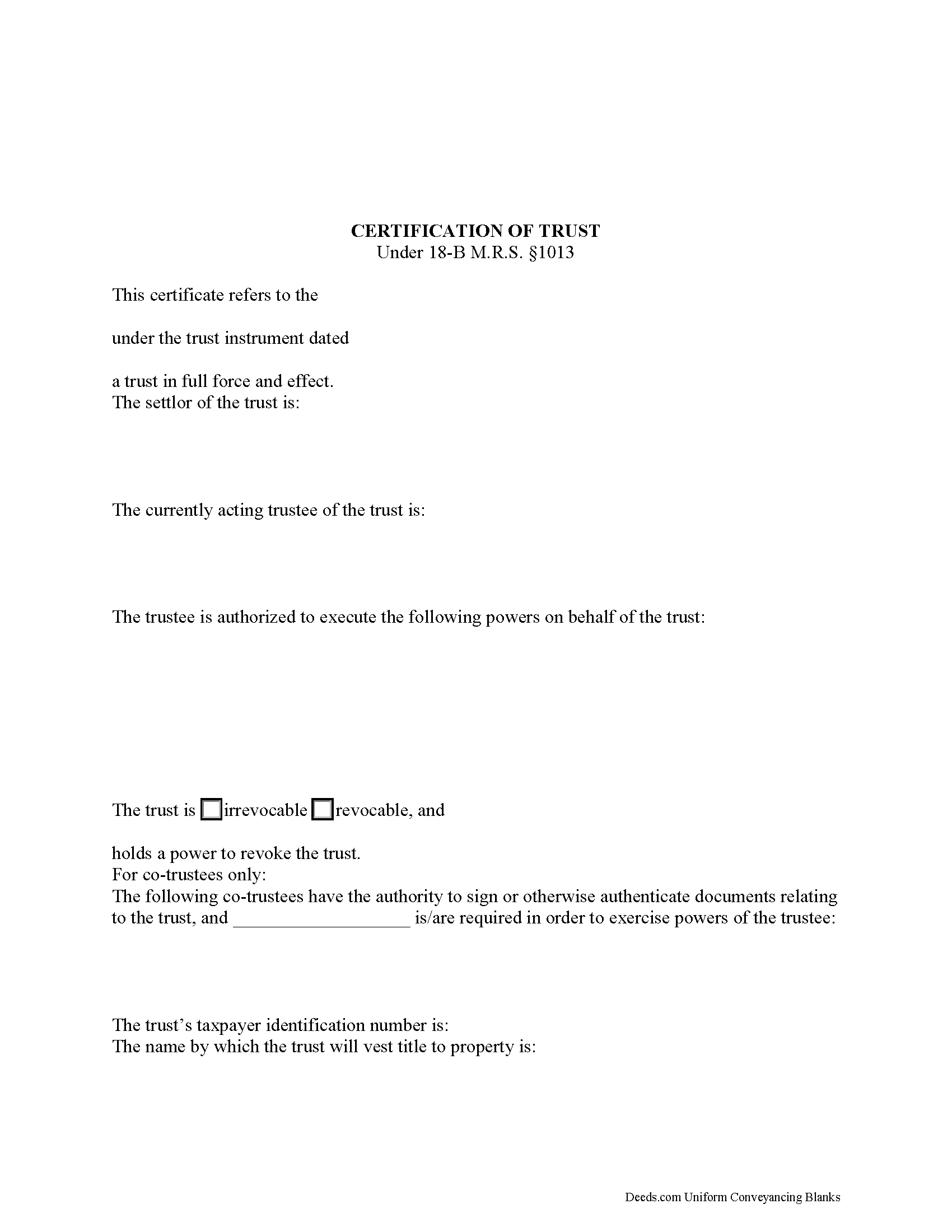
Hancock County Certificate of Trust Form
Fill in the blank form formatted to comply with all recording and content requirements.
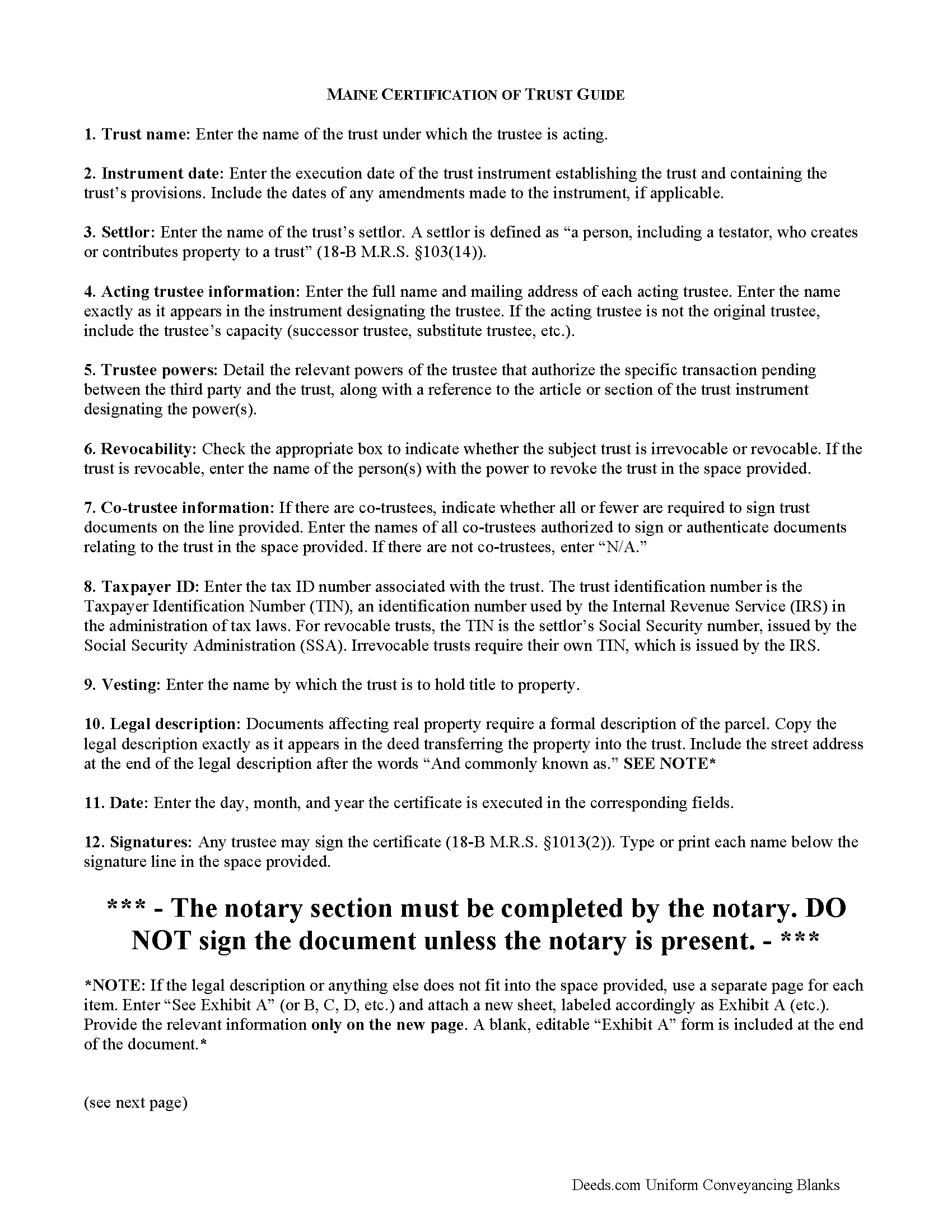
Hancock County Certificate of Trust Guide
Line by line guide explaining every blank on the form.
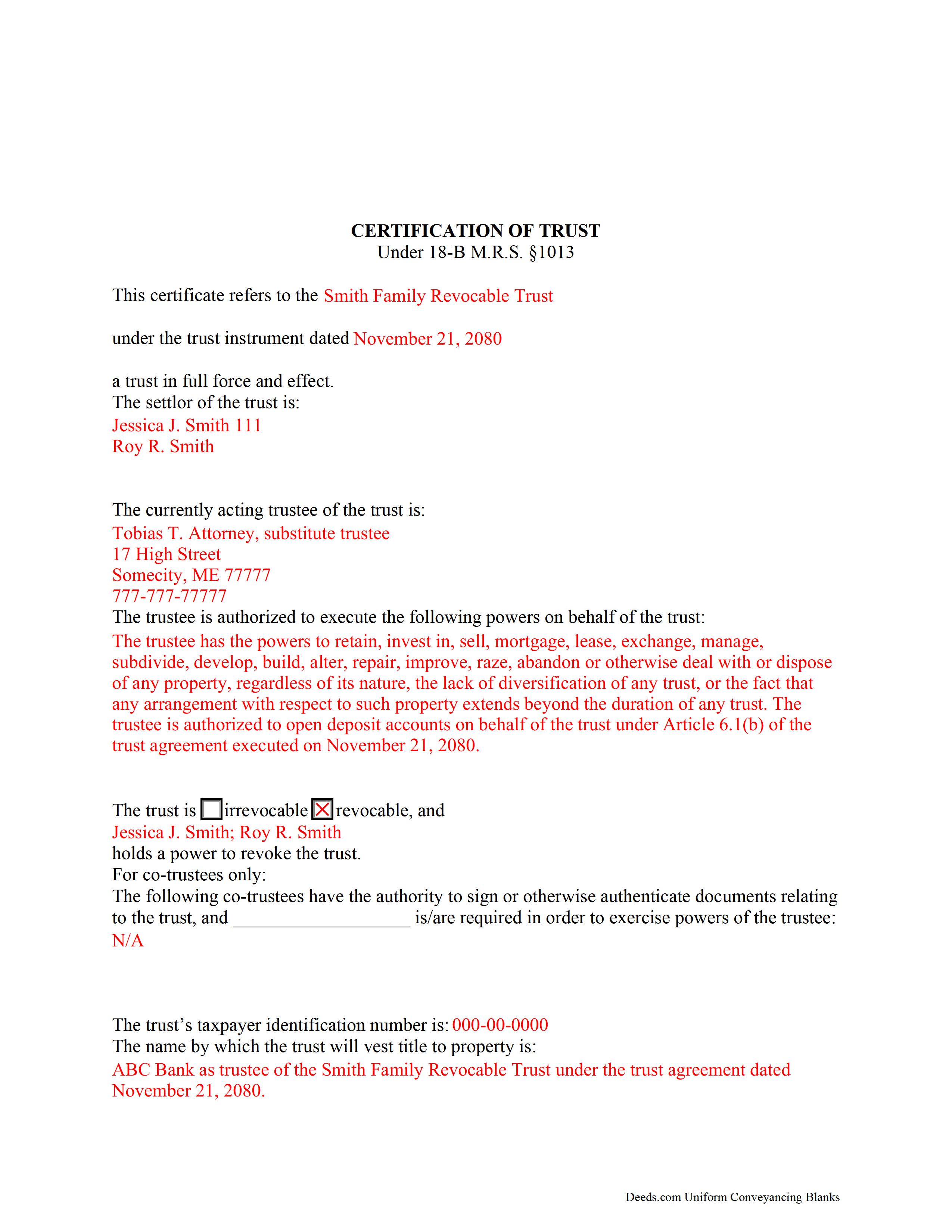
Hancock County Completed Example of the Certificate of Trust Document
Example of a properly completed form for reference.
All 3 documents above included • One-time purchase • No recurring fees
Immediate Download • Secure Checkout
Additional Maine and Hancock County documents included at no extra charge:
Where to Record Your Documents
Hancock County Register of Deeds
Ellsworth, Maine 04605
Hours: 7:30 to 4:00 M-F / Recording from 8:30 to 4:00
Phone: (207) 667-8353
Recording Tips for Hancock County:
- Bring your driver's license or state-issued photo ID
- Ensure all signatures are in blue or black ink
- Documents must be on 8.5 x 11 inch white paper
- Double-check legal descriptions match your existing deed
- Verify all names are spelled correctly before recording
Cities and Jurisdictions in Hancock County
Properties in any of these areas use Hancock County forms:
- Aurora
- Bar Harbor
- Bass Harbor
- Bernard
- Birch Harbor
- Blue Hill
- Brooklin
- Brooksville
- Bucksport
- Castine
- Corea
- Cranberry Isles
- Deer Isle
- East Blue Hill
- East Orland
- Ellsworth
- Franklin
- Frenchboro
- Gouldsboro
- Hancock
- Harborside
- Hulls Cove
- Islesford
- Little Deer Isle
- Mount Desert
- Northeast Harbor
- Orland
- Penobscot
- Prospect Harbor
- Salsbury Cove
- Sargentville
- Seal Cove
- Seal Harbor
- Sedgwick
- Sorrento
- Southwest Harbor
- Stonington
- Sullivan
- Sunset
- Surry
- Swans Island
- Winter Harbor
Hours, fees, requirements, and more for Hancock County
How do I get my forms?
Forms are available for immediate download after payment. The Hancock County forms will be in your account ready to download to your computer. An account is created for you during checkout if you don't have one. Forms are NOT emailed.
Are these forms guaranteed to be recordable in Hancock County?
Yes. Our form blanks are guaranteed to meet or exceed the applicable formatting requirements used for recording in Hancock County, including margin requirements, font requirements, and other layout standards. This guarantee applies to formatting, not to the legal sufficiency of information entered by the user or the suitability of a form for a particular transaction.
Can I reuse these forms?
Yes. You can reuse the forms for your personal use. For example, if you have multiple properties in Hancock County you only need to order once.
What do I need to use these forms?
The forms are PDFs that you fill out on your computer. The free Adobe Acrobat Reader is recommended, and most PDF apps also work. You do NOT enter your property information online - you download the blank forms and complete them privately on your own computer.
Are there any recurring fees?
No. This is a one-time purchase. Nothing to cancel, no memberships, no recurring fees.
How much does it cost to record in Hancock County?
Recording fees in Hancock County vary. Contact the recorder's office at (207) 667-8353 for current fees.
Questions answered? Let's get started!
The Maine certification of trust falls under the Maine Uniform Trust Code and is codified at 18-B M.R.S. 1013.
Under the statute, "Instead of furnishing a copy of the trust instrument to a person other than a beneficiary, the trustee may furnish to the person a certification of trust" (18-B M.R.S. 1013(1)). A trustee doing business on behalf of a trust generally provides a certificate as proof of his/her/their authority to act.
As an abstract of the trust instrument, the certificate contains only essential information relevant to the transaction at hand, allowing the trust instrument to remain private. For trustees not wishing to disclose the identity of persons having a beneficial interest in the trust, the certificate is a useful alternative to providing the trust instrument.
The certificate requires specific information about the trust, including the name and date of the trust instrument, the trust's taxpayer identification number, and whether the trust is revocable or irrevocable. It includes the trust's settlor, who is "a person, including a testator, who creates or contributes property to a trust" in addition to each acting trustee's name and address (18-B M.R.S. 103(14)).
A lawful certificate also requires a description of the trustee's powers as they relate to the transaction at hand. Since certificates are usually presented in real estate transactions involving trust property, they also require a legal description of the real property in the trust. The certificate includes the name by which the trust will hold property.
If there is more than one trustee, the certificate presents the names of each trustee who is authorized to authenticate documents, and whether all or fewer than all are required to exercise trustee powers.
Finally, the certificate requires a statement "that the trust has not been revoked, modified or amended in any manner that would cause the representations contained in the certification of trust to be incorrect" (18-B M.R.S. 1013(3)). Representations are deemed correct, and a recipient of a certification of trust is not liable for acting on the information contained within (18-B M.R.S. 1013(6)).
Recipients may ask the trustee for excerpts from the trust instrument that designate the trustee and authorize the trustee to act in the transaction at hand, but requesting the entire trust document opens them to liabilities as set out in 18-B M.R.S. 1013(8).
Certificates can be signed by any trustee (18-B M.R.S. 1013(2)). If recording, submit the certificate in the county in which the real property subject to the transaction is situated.
Trust law can be complicated, so contact an attorney with questions about using a certificate of trust or other related issues.
(Maine COT Package includes form, guidelines, and completed example)
Important: Your property must be located in Hancock County to use these forms. Documents should be recorded at the county recording office listed above.
This Certificate of Trust meets all recording requirements specific to Hancock County.
Our Promise
The documents you receive here are guaranteed to meet or exceed the applicable Hancock County recording format requirements. If there is a rejection caused by our formatting, we will correct the issue or refund your payment. This guarantee applies to document formatting only and does not extend to information entered by the user, the selection of the form, or the legal effect of the completed document.
Save Time and Money
Get your Hancock County Certificate of Trust form done right the first time with Deeds.com Uniform Conveyancing Blanks. At Deeds.com, we understand that your time and money are valuable resources, and we don't want you to face a penalty fee or rejection imposed by a county recorder for submitting nonstandard documents. We constantly review and update our forms to meet rapidly changing state and county recording requirements for roughly 3,500 counties and local jurisdictions.
4.8 out of 5 - ( 4,831 Reviews )
Tom L. 5 out of 5 stars
An excellent service that I would be happy to use again.
Thank you for your feedback. We really appreciate it. Have a great day!
ELOISA F. 5 out of 5 stars
Once I had everything right;the recording was fast and easy. I was updated at every juncture and apprised of my mistakes in order to fix and record my deed. To improve service: I think that several different examples and scenarios would have helped. If you have different names from your children; birth certificates and marriage certificates are a requirement in Clark County, NV. If you want to add anyone to the deed in a Quit Claim Deed; you have to add yourself as a grantee even if you are the grantor along with the other grantees.
Thank you for your feedback. We really appreciate it. Have a great day!
Pam B. 4 out of 5 stars
This form really helped me out a lot could be a little more explanatory in some areas but all and all it works.
Thanks Pam, we appreciate your feedback.
Ronald T H. 5 out of 5 stars
Wow ! Easy to use. Thanks Ron Holt
We appreciate your business and value your feedback. Thank you. Have a wonderful day!
Jamie W. 5 out of 5 stars
Very fast service. Wish I knew about this earlier.
We appreciate your business and value your feedback. Thank you. Have a wonderful day!
Jim D. 5 out of 5 stars
A bit pricey for someone on a fixed income.
Thank you!
Margaret S. 5 out of 5 stars
Forms & Guide easy to use. It would have been helpful if the counties with identical form packages were identified. I bought two packages when I could have used one.
Thank you for your feedback Margaret. We have processed a refund for one of your payments. Have a great day.
Brenda B. 5 out of 5 stars
Excellent transaction.
Thank you Brenda.
Dan L. 4 out of 5 stars
The only suggestion I have is to include sample of putting quitclaim into a revocable trust.
Your insights are invaluable to us and help us strive for better service. Thank you for taking the time to share your thoughts.
james h. 5 out of 5 stars
Service was quick and easy to use. I got not only the necessary forms, but instructions and sample forms filled out. Highly recommended.
Thank you!
Ron E. 5 out of 5 stars
Seems like this is a very easy process to get what you need.
We appreciate your business and value your feedback. Thank you. Have a wonderful day!
Nick A. 5 out of 5 stars
Easy to use website. Found what I was looking for.
Thank you for your feedback. We really appreciate it. Have a great day!
Diane O. 5 out of 5 stars
Filling out forms was easy....so far, I am happy !
We appreciate your business and value your feedback. Thank you. Have a wonderful day!
Mary B. 5 out of 5 stars
I was very pleased with my experience on Deeds.com. I hand purchased the wrong papers and they credited my account so I could purchase the correct papers. I will use them again
We appreciate your business and value your feedback. Thank you. Have a wonderful day!
Robin F. 5 out of 5 stars
Very Convenient and easy to use
We appreciate your business and value your feedback. Thank you. Have a wonderful day!