Calvert County CERTIFICATE OF RELEASE for Deed of Trust or Mortgage Form
Last validated October 27, 2026 by our Forms Development TeamFormatted for recording in Calvert County, for property anywhere in the county or independent city: rural and unincorporated areas as well as Barstow, Broomes Island, Chesapeake Beach, Dowell, Dunkirk, Huntingtown, Lusby, North Beach and 6 more.
- 3 documents included
- Immediate PDF download
- Formatting guarantee
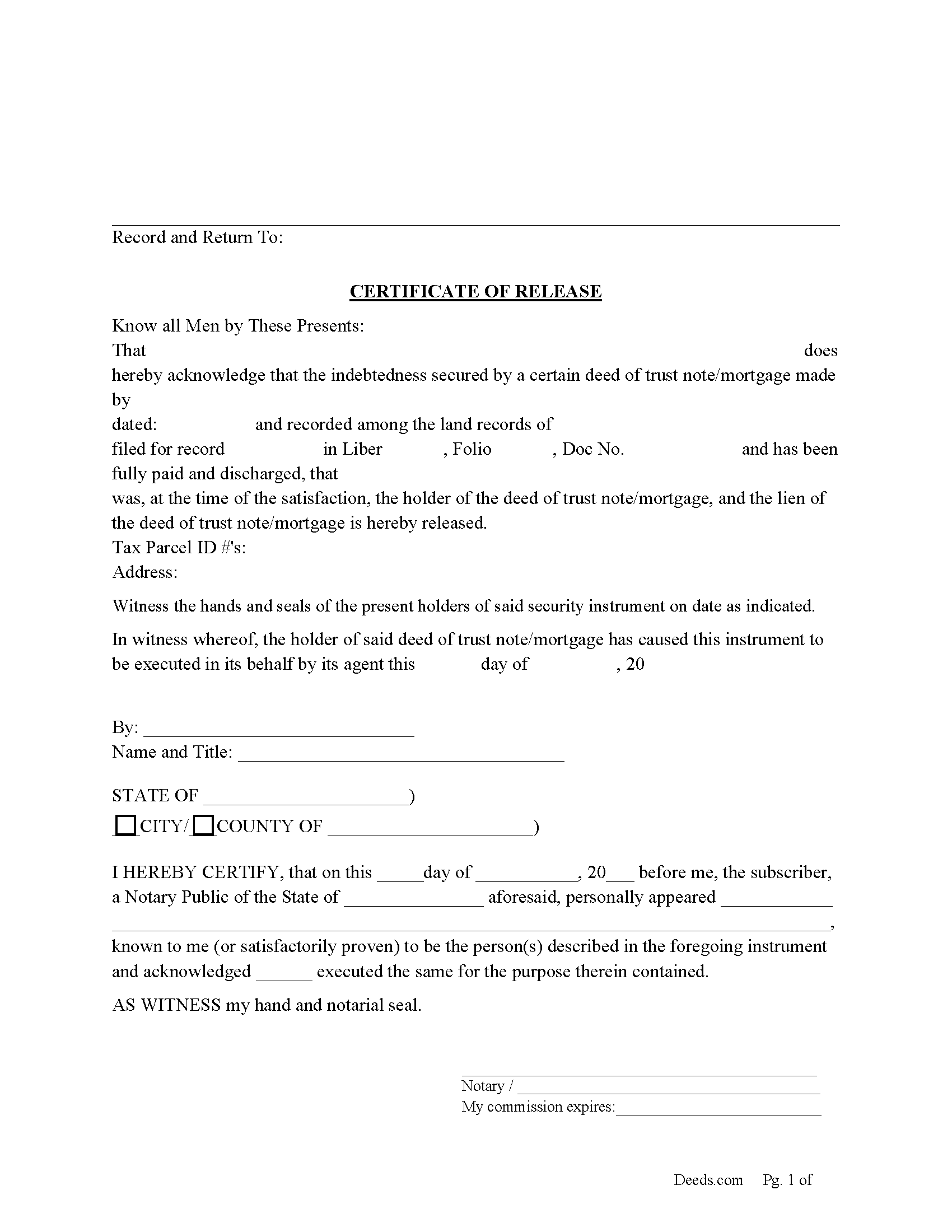
Calvert County Certificate of Release Form
Fill in the blank form formatted to comply with all recording and content requirements.
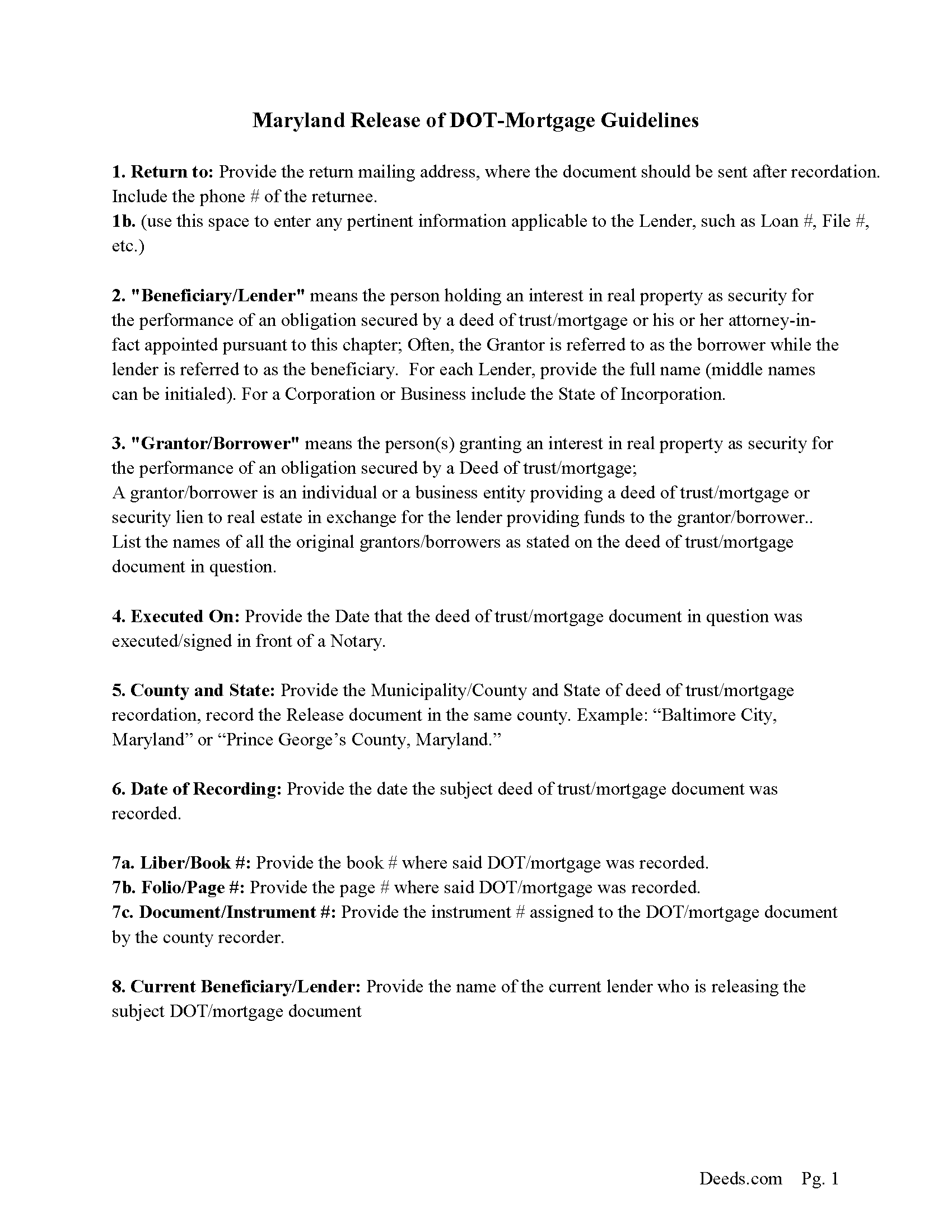
Calvert County Certificate of Release Guidelines
Line by line guide explaining every blank on the form.
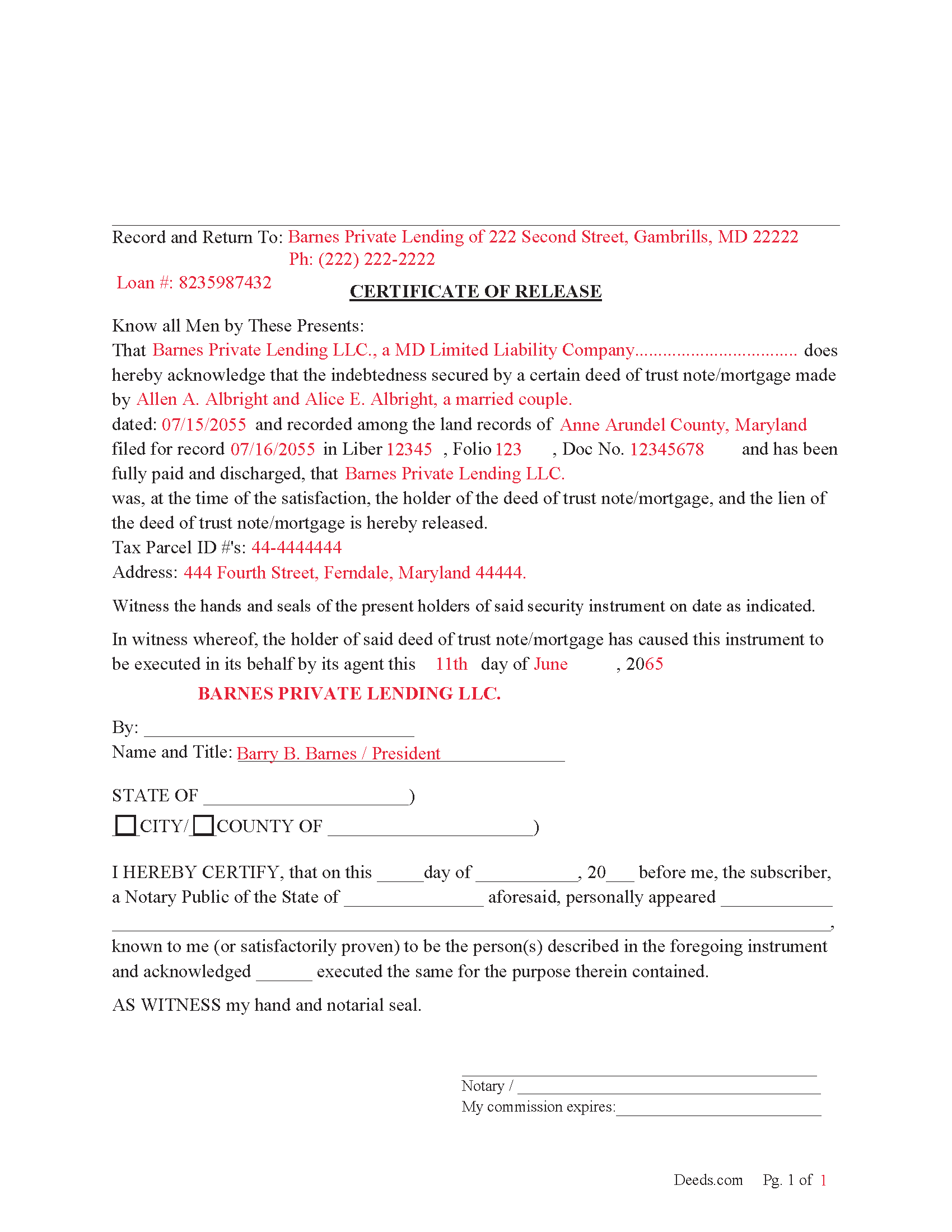
Calvert County Completed Example of the Certificate of Release Document
Example of a properly completed form for reference.
All 3 documents above included • One-time purchase • No recurring fees
Immediate Download • Secure Checkout
Additional Maryland and Calvert County documents included at no extra charge:
Where to Record Your Documents
Circuit Court Clerk's Office
Prince Frederick, Maryland 20678
Hours: 8:30 to 4:30 M-F
Phone: (410) 535-1600 Ext. 2267
Recording Tips for Calvert County:
- Bring your driver's license or state-issued photo ID
- Ensure all signatures are in blue or black ink
- Recording fees may differ from what's posted online - verify current rates
- Request a receipt showing your recording numbers
- Ask about accepted payment methods when you call ahead
Cities and Jurisdictions in Calvert County
Properties in any of these areas use Calvert County forms:
- Barstow
- Broomes Island
- Chesapeake Beach
- Dowell
- Dunkirk
- Huntingtown
- Lusby
- North Beach
- Owings
- Port Republic
- Prince Frederick
- Saint Leonard
- Solomons
- Sunderland
Hours, fees, requirements, and more for Calvert County
How do I get my forms?
Forms are available for immediate download after payment. The Calvert County forms will be in your account ready to download to your computer. An account is created for you during checkout if you don't have one. Forms are NOT emailed.
Are these forms guaranteed to be recordable in Calvert County?
Yes. Our form blanks are guaranteed to meet or exceed the applicable formatting requirements used for recording in Calvert County, including margin requirements, font requirements, and other layout standards. This guarantee applies to formatting, not to the legal sufficiency of information entered by the user or the suitability of a form for a particular transaction.
Can I reuse these forms?
Yes. You can reuse the forms for your personal use. For example, if you have multiple properties in Calvert County you only need to order once.
What do I need to use these forms?
The forms are PDFs that you fill out on your computer. The free Adobe Acrobat Reader is recommended, and most PDF apps also work. You do NOT enter your property information online - you download the blank forms and complete them privately on your own computer.
Are there any recurring fees?
No. This is a one-time purchase. Nothing to cancel, no memberships, no recurring fees.
How much does it cost to record in Calvert County?
Recording fees in Calvert County vary. Contact the recorder's office at (410) 535-1600 Ext. 2267 for current fees.
Questions answered? Let's get started!
Both Deeds of Trusts and Mortgages are used as security instruments in Maryland. This form is used by the beneficiary/lender and/or agent acting on behalf of to fully release a Deed of Trust or Mortgage upon satisfaction. A lender generally has 30 days to record and notify to avoid penalty.
(The required evidence of a recorded release shall be mailed or delivered to the vendor and purchaser within 30 days from the delivery of the deed granting title to the property. (7-106(2))
(Maryland Certificate of Release Package includes form, guidelines, and completed example)
Important: Your property must be located in Calvert County to use these forms. Documents should be recorded at the county or independent city recording office listed above.
This CERTIFICATE OF RELEASE for Deed of Trust or Mortgage meets all recording requirements specific to Calvert County.
Our Promise
The documents you receive here are guaranteed to meet or exceed the applicable Calvert County recording format requirements. If there is a rejection caused by our formatting, we will correct the issue or refund your payment. This guarantee applies to document formatting only and does not extend to information entered by the user, the selection of the form, or the legal effect of the completed document.
Save Time and Money
Get your Calvert County CERTIFICATE OF RELEASE for Deed of Trust or Mortgage form done right the first time with Deeds.com Uniform Conveyancing Blanks. At Deeds.com, we understand that your time and money are valuable resources, and we don't want you to face a penalty fee or rejection imposed by a county recorder for submitting nonstandard documents. We constantly review and update our forms to meet rapidly changing state and county recording requirements for roughly 3,500 counties and local jurisdictions.
4.8 out of 5 - ( 4,858 Reviews )
Marjorie D. 5 out of 5 stars
The process was easy and efficient. I will definitely be using this service!
Thank you for your feedback. We really appreciate it. Have a great day!
Janette K. 5 out of 5 stars
I ordered a Transfer of Deed on Death document. It was easy to fill in, came with a useful guide and was customized to my county/state. It got the job done and was well worth the money!
Thank you for your feedback. We really appreciate it. Have a great day!
Paul S. 5 out of 5 stars
Worked very well
Thank you!
L B W. 4 out of 5 stars
Bottom line - it was certainly worth the $21 (+-?) I paid for the form and instructions, etc. Admittedly the form is a little inflexible in terms of editing for readability but I understand that offering greater flexibility would likely make theft more likely. So I'm happy with what I got. One suggestion - add more info about what's required in the "Source of Title" section.
Thank you for your feedback. We really appreciate it. Have a great day!
Kevin M. 4 out of 5 stars
Thought I knew what I was doing but it turns out I was in way over my head. Thankfully customer service pointed me in the right direction to get the help I needed.
Glad to hear you are seeking the assistance you need. Have a wonderful day.
Kevin H. 5 out of 5 stars
I was able to find the forms I needed and questions answered
Thank you for your feedback. We really appreciate it. Have a great day!
marshall w. 5 out of 5 stars
was not ready to pay for much needed forms but very important
Thank you for your feedback. We really appreciate it. Have a great day!
DEBORAH H. 5 out of 5 stars
I found everything I needed
Your feedback is valuable to us and helps us improve. Thank you for sharing your thoughts!
Karen L. 5 out of 5 stars
Form is easy to complete but has a crowded look upon printing. I would put more returns between paragraphs to make it easier to read.
Thank you for your feedback. We really appreciate it. Have a great day!
William W. 5 out of 5 stars
No fuss-No muss. Very easy!
Thank you!
David N. 5 out of 5 stars
Thank you fine Deeds Company. I hope all goes well for you and all your team!
Your feedback is greatly appreciated. Thank you for taking the time to share your experience!
Ken J. 5 out of 5 stars
I liked the software, it's very easy to use. Once it's saved as a .pdf document on your computer, the source document is lost when you log out. I wish it could be saved and then edited on their site later instead of having to create a new document from scratch each time.
Thank you for your feedback. We really appreciate it. Have a great day!
Michael A. 5 out of 5 stars
very easy to use
Great to hear — thank you for taking the time to write a review.
Jan C. 5 out of 5 stars
Wow - finding your service was a lifesaver! I know my forms, but I don't have the time right now to draft them from "scratch". So once I found this site it was a couple of quick clicks and VOILA!! almost a done deal. Thanks for the assistance.
Thank you for your feedback. We really appreciate it. Have a great day!
Norma O. 5 out of 5 stars
good
Thank you!