Alger County Mortgage Subordination Form
Last validated November 6, 2026 by our Forms Development TeamFormatted for recording in Alger County, for property anywhere in the county: rural and unincorporated areas as well as Au Train, Chatham, Deerton, Eben Junction, Grand Marais, Munising, Rumely, Shingleton and 2 more.
- 3 documents included
- Immediate PDF download
- Formatting guarantee
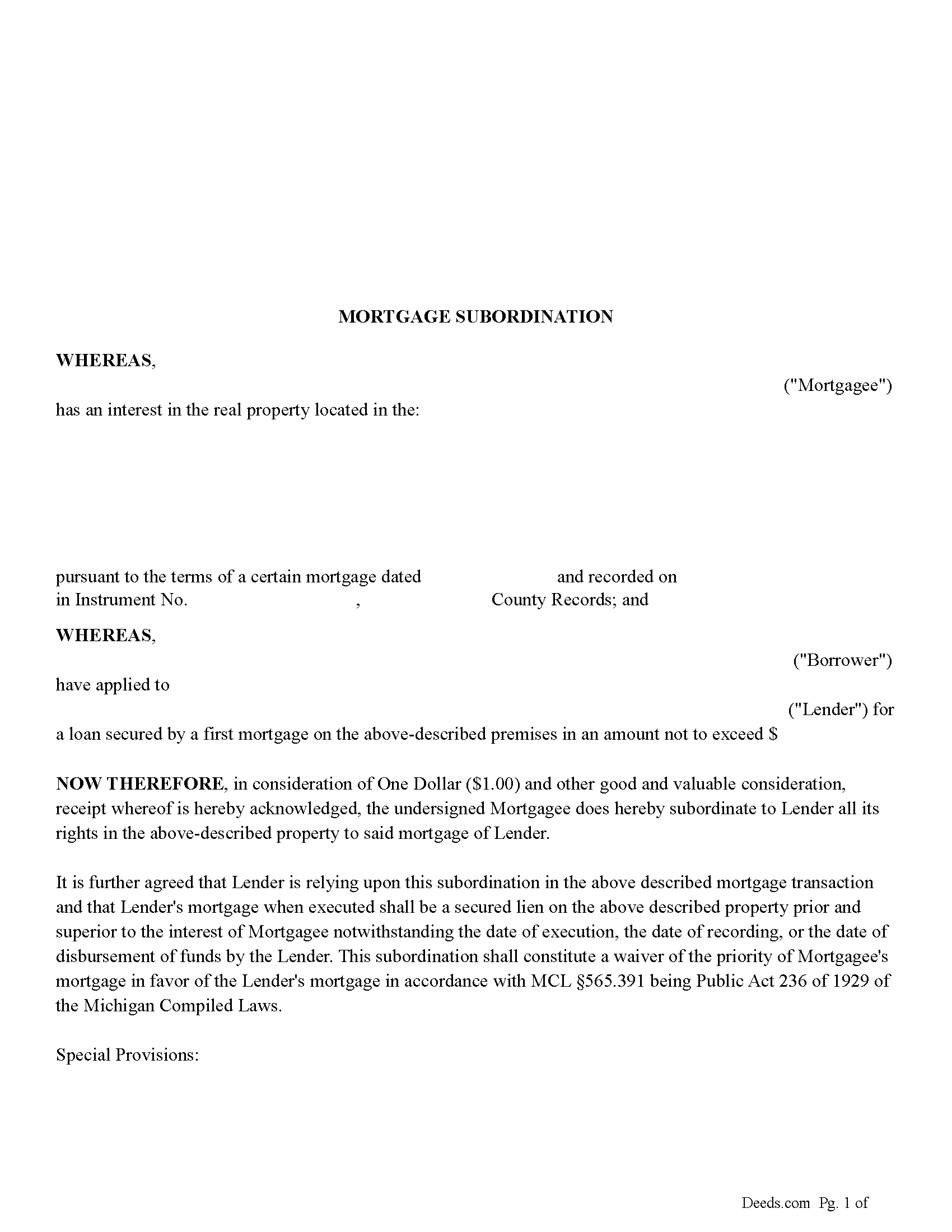
Alger County Mortgage Subordination Form
Fill in the blank form formatted to comply with all recording and content requirements.
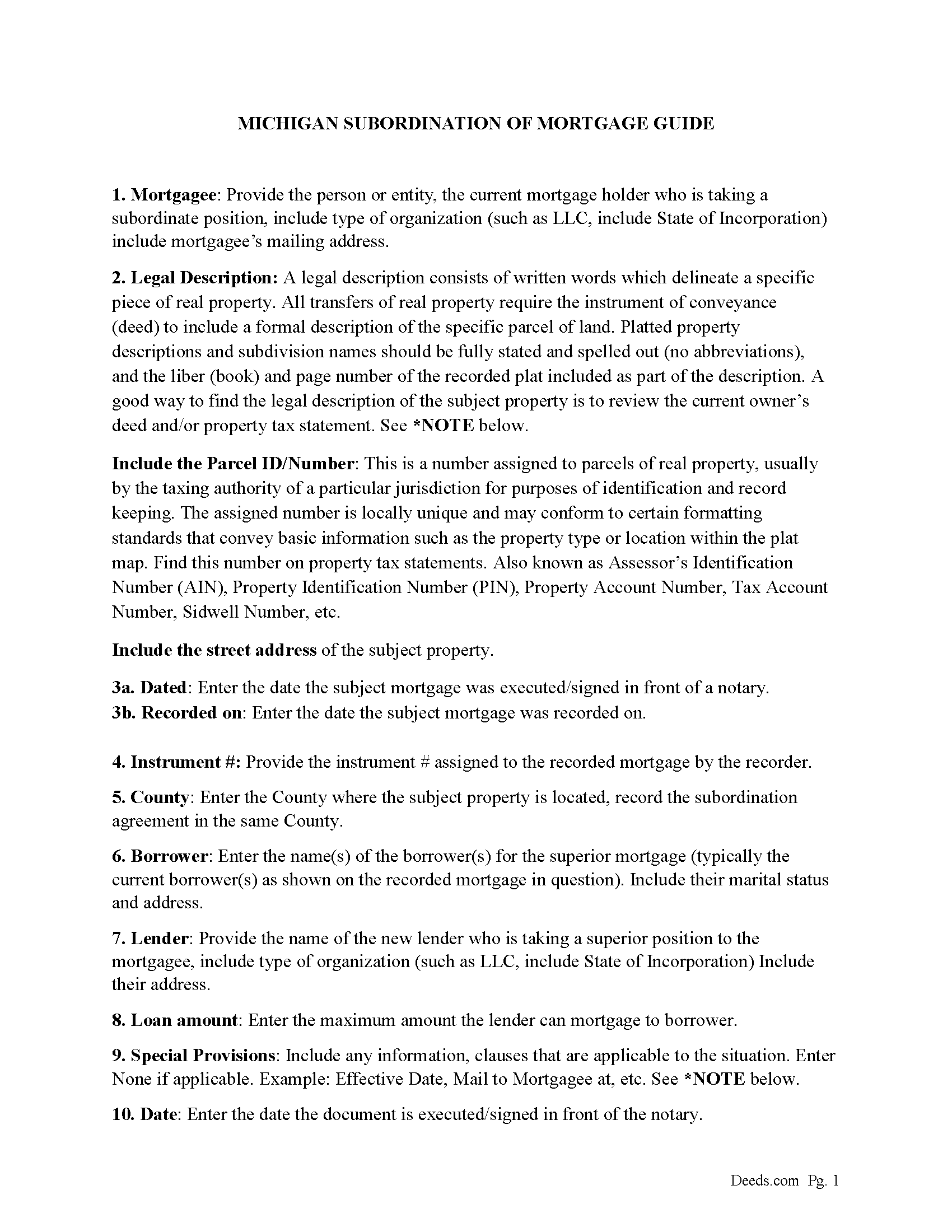
Alger County Mortgage Subordination Guide
Line by line guide explaining every blank on the form.
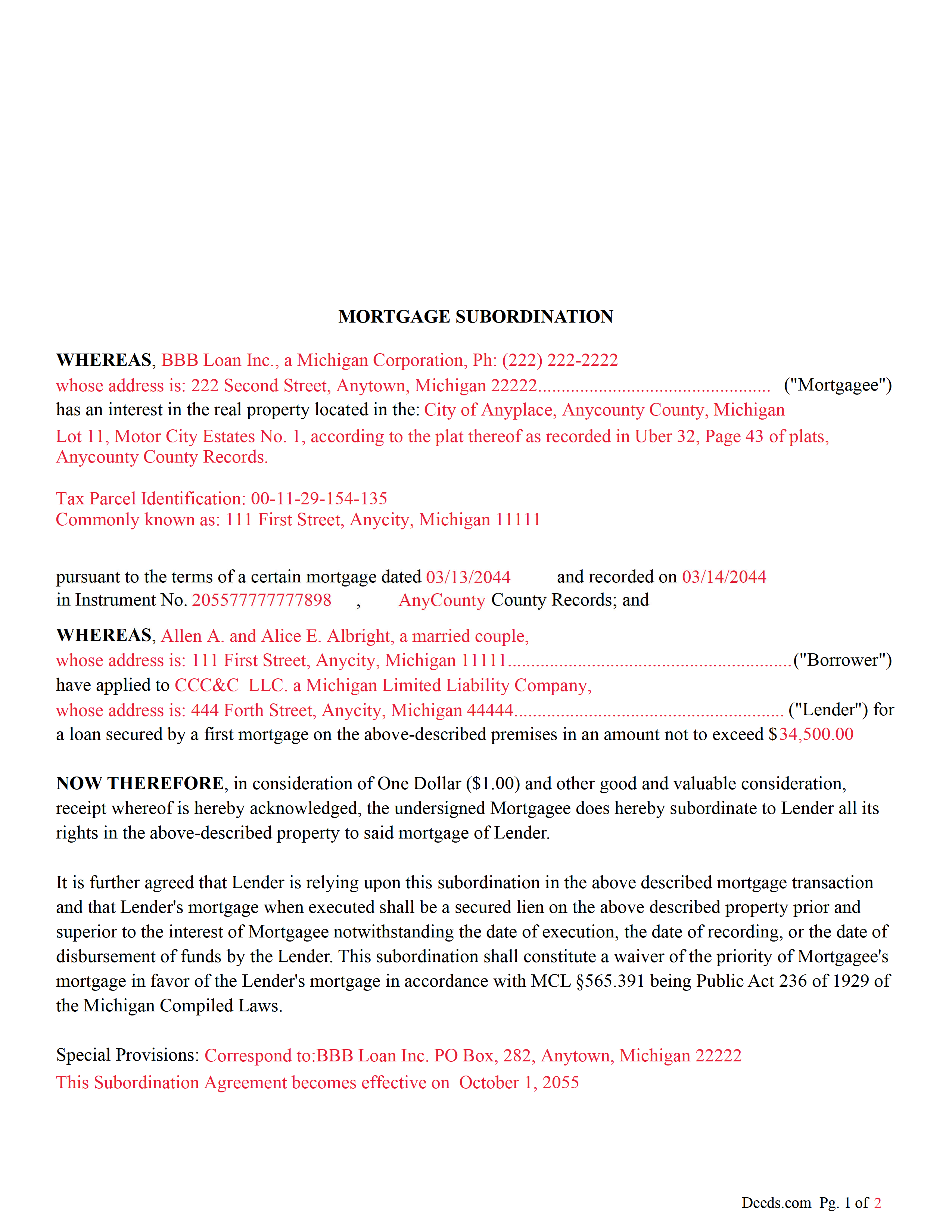
Alger County Completed Example of the Mortgage Subordination Document
Example of a properly completed form for reference.
All 3 documents above included • One-time purchase • No recurring fees
Immediate Download • Secure Checkout
Additional Michigan and Alger County documents included at no extra charge:
Where to Record Your Documents
Alger County Register of Deeds
Munising, Michigan 49862
Hours: 8:00am to 4:00pm M-F
Phone: (906) 387-2076 & 387-7034
Recording Tips for Alger County:
- Bring your driver's license or state-issued photo ID
- Ensure all signatures are in blue or black ink
- Ask about their eRecording option for future transactions
- Avoid the last business day of the month when possible
- Both spouses typically need to sign if property is jointly owned
Cities and Jurisdictions in Alger County
Properties in any of these areas use Alger County forms:
- Au Train
- Chatham
- Deerton
- Eben Junction
- Grand Marais
- Munising
- Rumely
- Shingleton
- Trenary
- Wetmore
Hours, fees, requirements, and more for Alger County
How do I get my forms?
Forms are available for immediate download after payment. The Alger County forms will be in your account ready to download to your computer. An account is created for you during checkout if you don't have one. Forms are NOT emailed.
Are these forms guaranteed to be recordable in Alger County?
Yes. Our form blanks are guaranteed to meet or exceed the applicable formatting requirements used for recording in Alger County, including margin requirements, font requirements, and other layout standards. This guarantee applies to formatting, not to the legal sufficiency of information entered by the user or the suitability of a form for a particular transaction.
Can I reuse these forms?
Yes. You can reuse the forms for your personal use. For example, if you have multiple properties in Alger County you only need to order once.
What do I need to use these forms?
The forms are PDFs that you fill out on your computer. The free Adobe Acrobat Reader is recommended, and most PDF apps also work. You do NOT enter your property information online - you download the blank forms and complete them privately on your own computer.
Are there any recurring fees?
No. This is a one-time purchase. Nothing to cancel, no memberships, no recurring fees.
How much does it cost to record in Alger County?
Recording fees in Alger County vary. Contact the recorder's office at (906) 387-2076 & 387-7034 for current fees.
Questions answered? Let's get started!
This form is executed by the current mortgagee named in the mortgage to (waive the priority of the mortgage in favor of another)(mortgage by executing a separate instrument acknowledged in the same manner as required for deeds and other instruments for the transfer of an interest in real estate. The waiver is effective to the extent of the mortgage waived.) When recorded (the waiver is constructive notice of the waiver to all persons dealing with the mortgage or with property described in the mortgage from the date the waiver is recorded.) (565.391 Sec.1)
(Michigan MS Package includes form, guidelines, and completed example) For use in Michigan only.
Important: Your property must be located in Alger County to use these forms. Documents should be recorded at the county recording office listed above.
This Mortgage Subordination meets all recording requirements specific to Alger County.
Our Promise
The documents you receive here are guaranteed to meet or exceed the applicable Alger County recording format requirements. If there is a rejection caused by our formatting, we will correct the issue or refund your payment. This guarantee applies to document formatting only and does not extend to information entered by the user, the selection of the form, or the legal effect of the completed document.
Save Time and Money
Get your Alger County Mortgage Subordination form done right the first time with Deeds.com Uniform Conveyancing Blanks. At Deeds.com, we understand that your time and money are valuable resources, and we don't want you to face a penalty fee or rejection imposed by a county recorder for submitting nonstandard documents. We constantly review and update our forms to meet rapidly changing state and county recording requirements for roughly 3,500 counties and local jurisdictions.
4.8 out of 5 - ( 4,861 Reviews )
Joseph R. 5 out of 5 stars
Deeds.com has saved me quite a bit in attorney fees by making legal forms available on line. Easy to use, just fill in the blanks.
Thank you for your feedback. We really appreciate it. Have a great day!
Caville B. 3 out of 5 stars
Received the documents, but the explanation and process is not as straightforward as I would have liked. The Instructions and Sample document were not always easy to follow. I may just have a real estate lawyer perform the task.
Thank you for your feedback. We really appreciate it. Have a great day!
Laura L. 5 out of 5 stars
Used a form from this service. Best part about these forms is that they don't let you get in trouble by removing or changing things that should not be changed. It's easy to look at something and think why is this margin so big, why is this field so small and want to change it only to find out it is incredibly important. That's why they are the deed document pros.
Thank you for the thoughtful review! We're so glad to hear you found our forms reliable and well-structured. It’s true—what might look like an odd margin or a small field is often there for a very specific legal or recording reason. We’ve seen how small changes can lead to big headaches, which is why we design our documents to be both user-friendly and compliant with strict recording standards. We really appreciate you recognizing the care that goes into each one. Thanks again for choosing us!
Emanuel W. 5 out of 5 stars
Excellent service! We surely use again
Thank you for your feedback. We really appreciate it. Have a great day!
GEORGE Q. 5 out of 5 stars
Assistance from the associate was good. He told me what I needed to hear and took the time to look up deeds that I was looking for. Though the deed was not available he gave me recommendation on my future calls to ask. Great personality and very helpful.
Thank you for your feedback. We really appreciate it. Have a great day!
Frazer W. 5 out of 5 stars
Deeds.com does a great job getting our legal documents filed with the D.C. Recorder of Deeds. Frazer Walton, Jr. Law Office of Frazer Walton, Jr.
Your appreciative words mean the world to us. Thank you.
Curtis G. 5 out of 5 stars
Easy to use.
Thank you!
Nancy R. 5 out of 5 stars
Deeds.com is very precise, helpful and friendly. I found the form I needed without any effort and everything worked perfect and smooth. I recommend it 100%. Thank you.
We are delighted to have been of service. Thank you for the positive review!
Scott A. 2 out of 5 stars
The information and instructions provided is thorough and great. But, the fill-in-the-blanks form does not work well and is very frustrating. The font size of the information I was adding on each individual line varies and is determined by the number of characters entered on that individual line. So the font size is different on each line. And the number of lines is fixed making it impossible to fill in the full legal name of the trust I needed to fill out the form for. My needs are somewhat unusual, but the form should have been designed to be flexible enough to handle it. A blank paper form would have been more useful.
Thank you for your feedback. We really appreciate it. Have a great day!
Bridgett A S. 5 out of 5 stars
It was actually very easy to use and not very expensive. I'm glad I tried it out
We truly value your business and appreciate your review.
Monica M. 5 out of 5 stars
I was very impressed with the quick responses I received from my questions. Usually when forced to communicate via email, responses aren't received right away. Thank you for being on top of things.
Thank you!
Beverly J. A. 5 out of 5 stars
The forms where easy to follow with the directions showing how to fill out the forms that I needed.
Thank you for your feedback. We really appreciate it. Have a great day!
Julie D S. 5 out of 5 stars
thank you for all the forms
Thank you!
Tim R. 5 out of 5 stars
Quick and efficient
Thank you Tim, we appreciate your feedback.
Joe L. 5 out of 5 stars
Great service, and fast.
We appreciate your business and value your feedback. Thank you. Have a wonderful day!