Livingston County Notice of Commencement Form
Last validated October 7, 2026 by our Forms Development TeamFormatted for recording in Livingston County, for property anywhere in the county: rural and unincorporated areas as well as Brighton, Cohoctah, Fowlerville, Gregory, Hamburg, Hartland, Howell, Lakeland and 2 more.
- 3 documents included
- Immediate PDF download
- Formatting guarantee
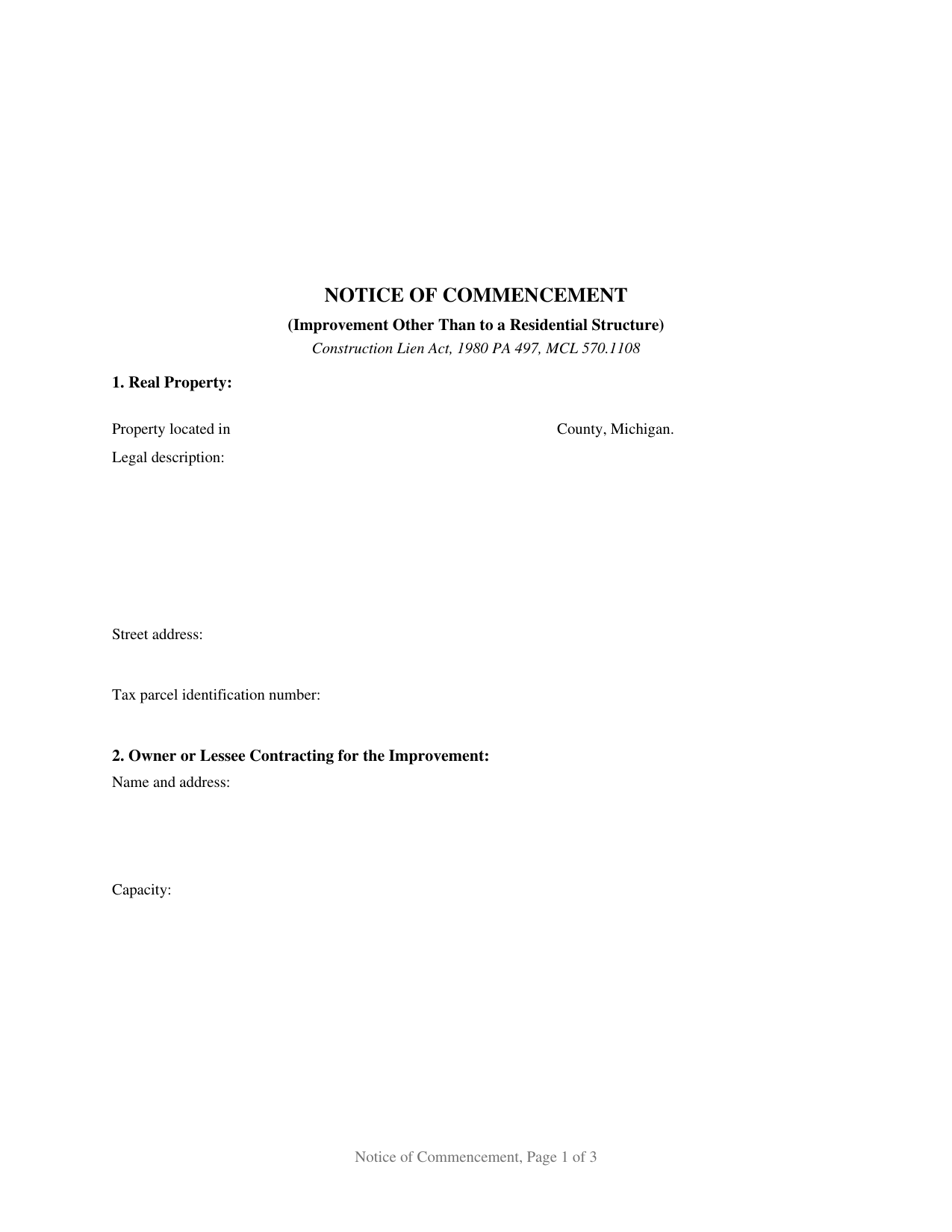
Livingston County Notice of Commencement Form
Fill in the blank Notice of Commencement form formatted to comply with all Michigan recording and content requirements.

Livingston County Notice of Commencement Guide
Line by line guide explaining every blank on the Notice of Commencement form.
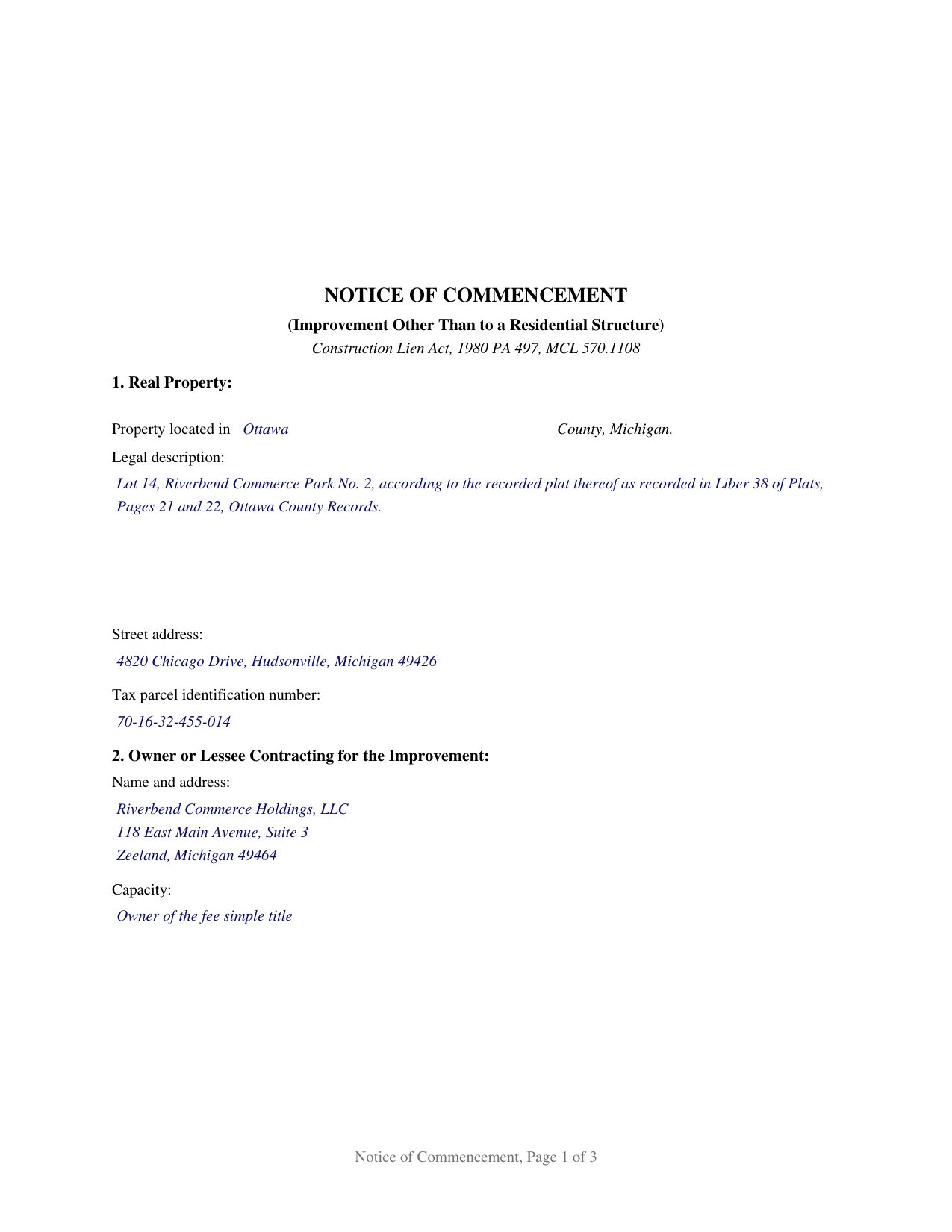
Livingston County Completed Example of the Notice of Commencement Document
Example of a properly completed Michigan Notice of Commencement document for reference.
All 3 documents above included • One-time purchase • No recurring fees
Immediate Download • Secure Checkout
Additional Michigan and Livingston County documents included at no extra charge:
Where to Record Your Documents
Livingston County Register of Deeds
Howell, Michigan 48843
Hours: 8:00am-5:00pm M-F
Phone: (517) 546-0270
Recording Tips for Livingston County:
- Bring your driver's license or state-issued photo ID
- Ensure all signatures are in blue or black ink
- Ask if they accept credit cards - many offices are cash/check only
- Check that your notary's commission hasn't expired
- Documents must be on 8.5 x 11 inch white paper
Cities and Jurisdictions in Livingston County
Properties in any of these areas use Livingston County forms:
- Brighton
- Cohoctah
- Fowlerville
- Gregory
- Hamburg
- Hartland
- Howell
- Lakeland
- Oak Grove
- Pinckney
Hours, fees, requirements, and more for Livingston County
How do I get my forms?
Forms are available for immediate download after payment. The Livingston County forms will be in your account ready to download to your computer. An account is created for you during checkout if you don't have one. Forms are NOT emailed.
Are these forms guaranteed to be recordable in Livingston County?
Yes. Our form blanks are guaranteed to meet or exceed the applicable formatting requirements used for recording in Livingston County, including margin requirements, font requirements, and other layout standards. This guarantee applies to formatting, not to the legal sufficiency of information entered by the user or the suitability of a form for a particular transaction.
Can I reuse these forms?
Yes. You can reuse the forms for your personal use. For example, if you have multiple properties in Livingston County you only need to order once.
What do I need to use these forms?
The forms are PDFs that you fill out on your computer. The free Adobe Acrobat Reader is recommended, and most PDF apps also work. You do NOT enter your property information online - you download the blank forms and complete them privately on your own computer.
Are there any recurring fees?
No. This is a one-time purchase. Nothing to cancel, no memberships, no recurring fees.
How much does it cost to record in Livingston County?
Recording fees in Livingston County vary. Contact the recorder's office at (517) 546-0270 for current fees.
Questions answered? Let's get started!
Michigan runs its construction lien system off a document recorded before the work starts. Under MCL 570.1108, section 108 of Michigan's construction lien act, the owner or lessee contracting for an improvement records a notice of commencement with the register of deeds in each county where the property to be improved sits, before the commencement of any improvements. What that recorded page says drives everything after it: the parcel, the contracting party and its capacity, the fee owner where a land contract vendee or a lessee is doing the contracting, the general contractor, and the designee whose address becomes the delivery point for lien notices. Michigan calls its mechanics lien a construction lien, and this is the instrument that opens the file.
The designee line is the working part
MCL 570.1109(1) directs a subcontractor or supplier to deliver a notice of furnishing to the designee and the general contractor named in the notice of commencement, at the address shown there, within 20 days after first furnishing labor or material; that notice of furnishing is the claimant's own instrument, prepared separately and not included in this package. A laborer's deadline runs by the fifth day of the second month after unpaid fringe benefits or withholdings came due, MCL 570.1109(3). Where no designee is named, or the designee has died, delivery goes to the owner or lessee named in the notice.
Not recording it costs time, not validity
Michigan does not void a project over a missing notice; it moves the other side's deadlines. MCL 570.1108(10) extends a subcontractor's or supplier's notice of furnishing period until 20 days after the notice of commencement has been recorded, MCL 570.1108(11) does the same where the notice was not provided on written request, and MCL 570.1108(13) gives a laborer 30 days after it has been provided. Subsections (9), (14), (15), and (16) attach liability for the actual expenses another party sustains in tracking down the same information, and MCL 570.1108(4) adds that incorrect information does not adversely affect a lien claimant's rights against the property.
A notice that is sworn
Section 108 of the construction lien act, 1980 PA 497, ends its contents list with a sworn item. MCL 570.1108(2)(h) makes an affidavit of the owner or lessee, or of the agent of the owner or lessee, verifying the notice one of the required contents, so the certificate at the end is a jurat rather than an acknowledgment. The signer swears to the verification in front of a notary public, who completes the certificate under the Michigan Law on Notarial Acts, MCL 55.261 to 55.315, carrying the county of commission, the county of the act, and the expiration date under MCL 55.287.
Recording, posting, and copies on request
Recording is the first of three duties. MCL 570.1112(2) charges the notice the same as a real estate mortgage, which MCL 600.2567(1) fixes at $30.00 without regard to page count, subject to a charter county's own ordinance schedule under MCL 600.2567(3). MCL 570.1108(8) calls for a copy posted and kept posted in a conspicuous place on the property during the improvement, and MCL 570.1108(5) calls for a copy, with a detachable blank notice of furnishing attached, within 10 days after a written request mailed by certified mail. Page format follows MCL 565.201: a 2-1/2 inch unprinted space at the top of page one, 10 point type, and a first line identifying the single recordable event.
What this form is set up as
The form is the recorded section 108 notice for an improvement other than an improvement to a residential structure, the line MCL 570.1108(18) draws; residential work runs under MCL 570.1108a, where the notice is prepared and handed over on written request rather than recorded, and MCL 570.1106(4) defines the residential structure that sorts one project from the other. One signature block and one notarial certificate appear, matching the single verifying affiant the statute names, and that block takes the owner or lessee or an agent of either. Commercial and industrial improvements, apartment work above two units, and construction on property the contracting owner will not occupy are the patterns that present this recorded form, and the statutory contents print as fixed text, including the full statement to lien claimants and subsequent purchasers under MCL 570.1108(2)(f).
The package contains the fillable notice of commencement, a completed example filled out for an Ottawa County commercial project, and a guide covering the statute, the form, the verification, and recording. The material is informational and is not legal advice.
Important: Your property must be located in Livingston County to use these forms. Documents should be recorded at the county recording office listed above.
This Notice of Commencement meets all recording requirements specific to Livingston County.
Our Promise
The documents you receive here are guaranteed to meet or exceed the applicable Livingston County recording format requirements. If there is a rejection caused by our formatting, we will correct the issue or refund your payment. This guarantee applies to document formatting only and does not extend to information entered by the user, the selection of the form, or the legal effect of the completed document.
Save Time and Money
Get your Livingston County Notice of Commencement form done right the first time with Deeds.com Uniform Conveyancing Blanks. At Deeds.com, we understand that your time and money are valuable resources, and we don't want you to face a penalty fee or rejection imposed by a county recorder for submitting nonstandard documents. We constantly review and update our forms to meet rapidly changing state and county recording requirements for roughly 3,500 counties and local jurisdictions.
4.8 out of 5 - ( 4,836 Reviews )
Debbie M. 5 out of 5 stars
The forms and instructions were easy to follow and get complete. It was very nice to be able to just find them, pay for them, and download them so that they were printed just within a matter of 30 minutes. Thank you
We appreciate your business and value your feedback. Thank you. Have a wonderful day!
Claudia S. 5 out of 5 stars
Website is very easy to navigate.
We appreciate your business and value your feedback. Thank you. Have a wonderful day!
Dyanna B. 5 out of 5 stars
Got what I needed. Easy access.
Thank you for your positive words! We’re thrilled to hear about your experience.
Carolyn N. 5 out of 5 stars
It worked! It was exactly what I needed and was easily understood.
Thank you!
Shabaz W. 5 out of 5 stars
Very convenient
Thank you!
Laura B. 5 out of 5 stars
Downloaded and completed these quit claim forms in less than one cup of coffee, quick easy and stress free.
We appreciate your business and value your feedback. Thank you. Have a wonderful day!
Harry C. 3 out of 5 stars
I got the wrong state and now they want to charge me again for the proper state. My fault, BUT!!!!
Sorry to hear that Harry. We've gone ahead and canceled the order you made in error. Have a wonderful day.
Daniel D. 5 out of 5 stars
Easier than I expected. I followed the downloaded examples step by step, and before I knew it, the form was completed correctly and good to go. Thank you, Daniel D.
We appreciate your business and value your feedback. Thank you. Have a wonderful day!
Mary R. 5 out of 5 stars
Very easy to load on computer and print off.
Thank you for your feedback. We really appreciate it. Have a great day!
Gary K. 4 out of 5 stars
Straightforward and pretty easy to use. The only downside is that there is no way to contact them directly. The number on the website is answered only by a voicemail with no return calls. Pricing seems fair compared to other services and much more efficient that filing "over the counter."
Thank you for your feedback. We really appreciate it. Have a great day!
Tim T. 5 out of 5 stars
Very easy to find forms and good examples for filling out forms!
Thank you for your feedback. We really appreciate it. Have a great day!
William T. 5 out of 5 stars
Very skeptical at first...but it worked easily and perfectly.
We’re glad you had a positive experience. Thank you.
Angela B. 5 out of 5 stars
Great forms! Quick, easy, and to the point. The completed document, when printed out, looks really professional.
We appreciate your business and value your feedback. Thank you. Have a wonderful day!
Michelle N. 5 out of 5 stars
Great experience
Thank you Michelle.
Nick A. 5 out of 5 stars
Easy to use website. Found what I was looking for.
Thank you for your feedback. We really appreciate it. Have a great day!