Hillsdale County Notice of Furnishing Form
Last validated October 21, 2026 by our Forms Development TeamFormatted for recording in Hillsdale County, for property anywhere in the county: rural and unincorporated areas as well as Allen, Camden, Frontier, Hillsdale, Jerome, Jonesville, Litchfield, Moscow and 8 more.
- 3 documents included
- Immediate PDF download
- Formatting guarantee
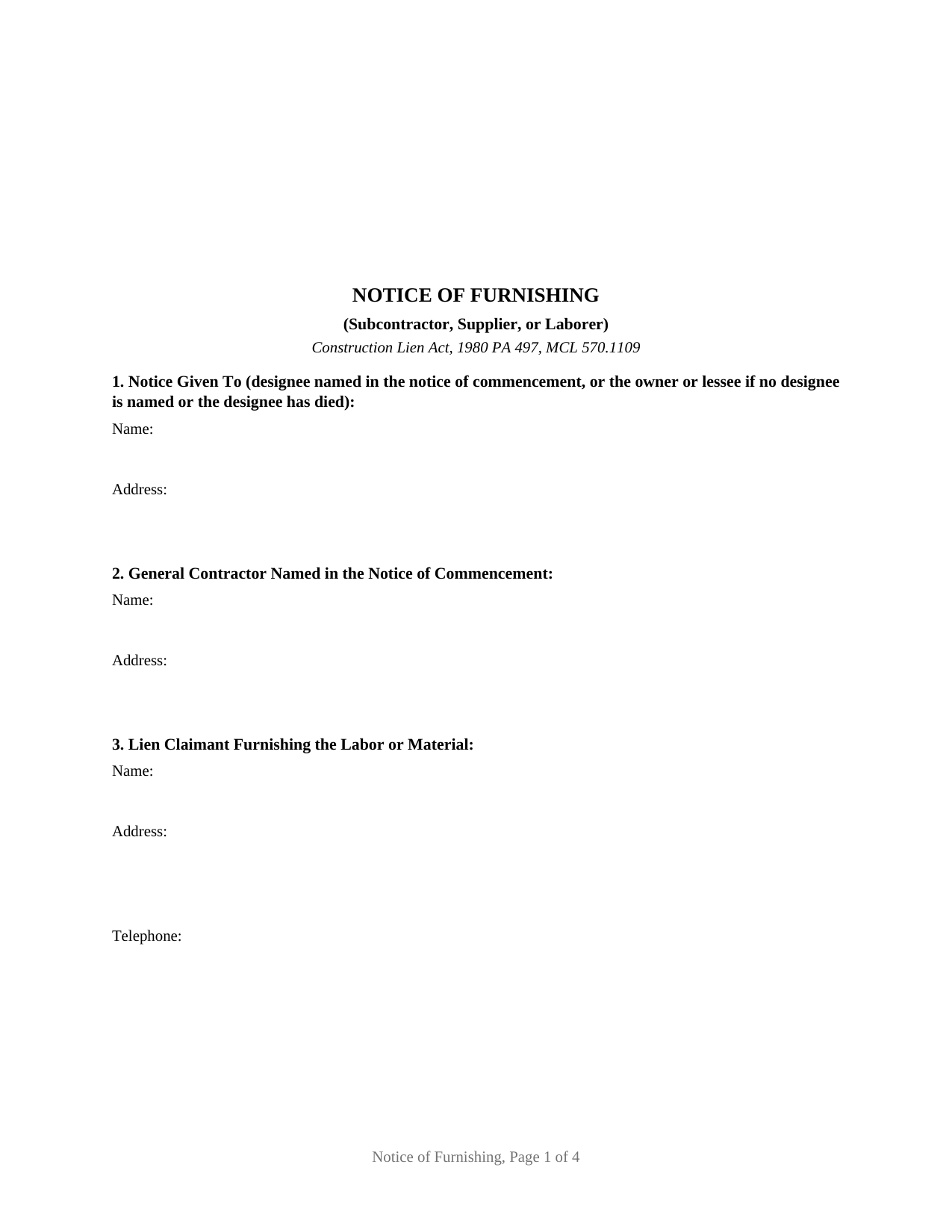
Hillsdale County Notice of Furnishing Form
Fill in the blank Notice of Furnishing form formatted to comply with all Michigan recording and content requirements.
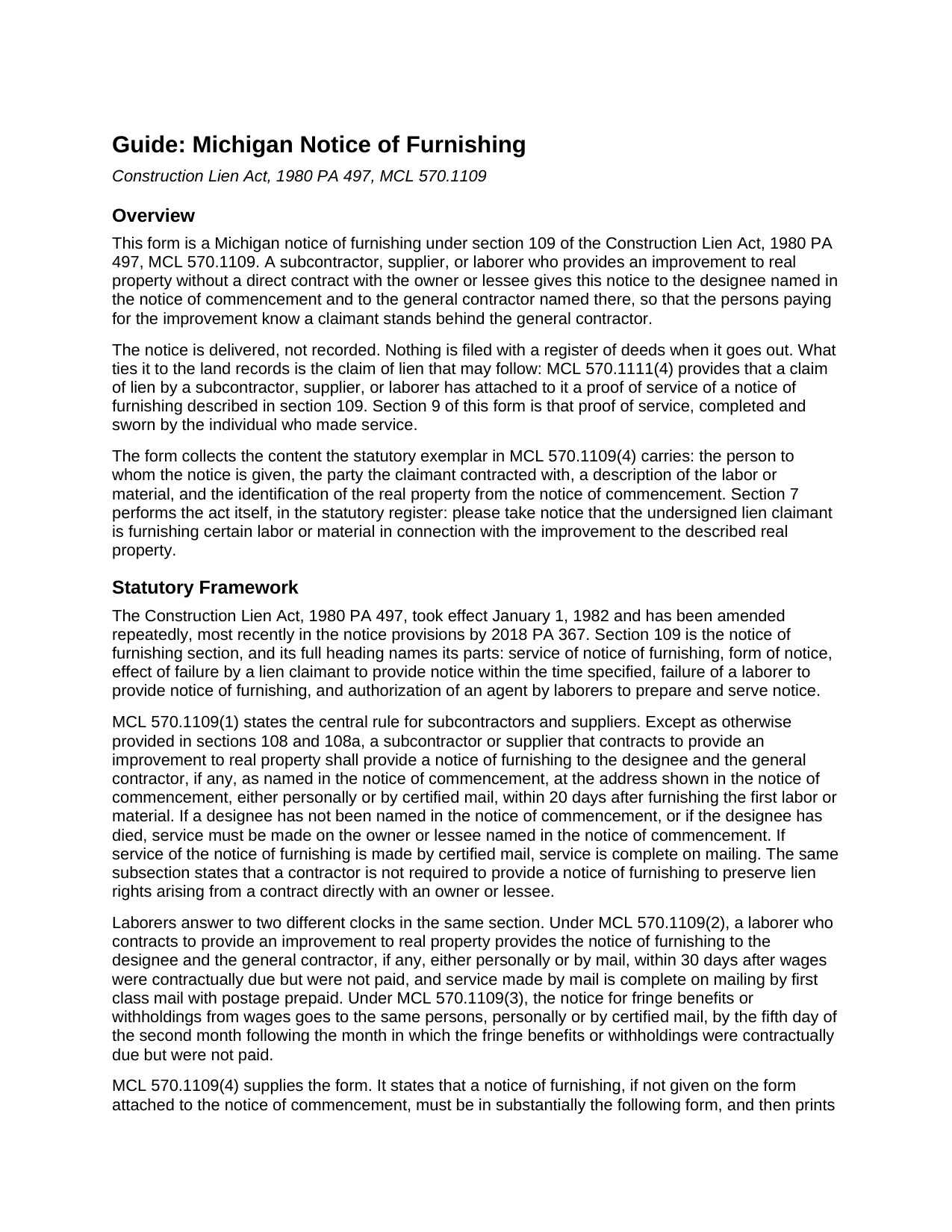
Hillsdale County Notice of Furnishing Guide
Line by line guide explaining every blank on the Notice of Furnishing form.
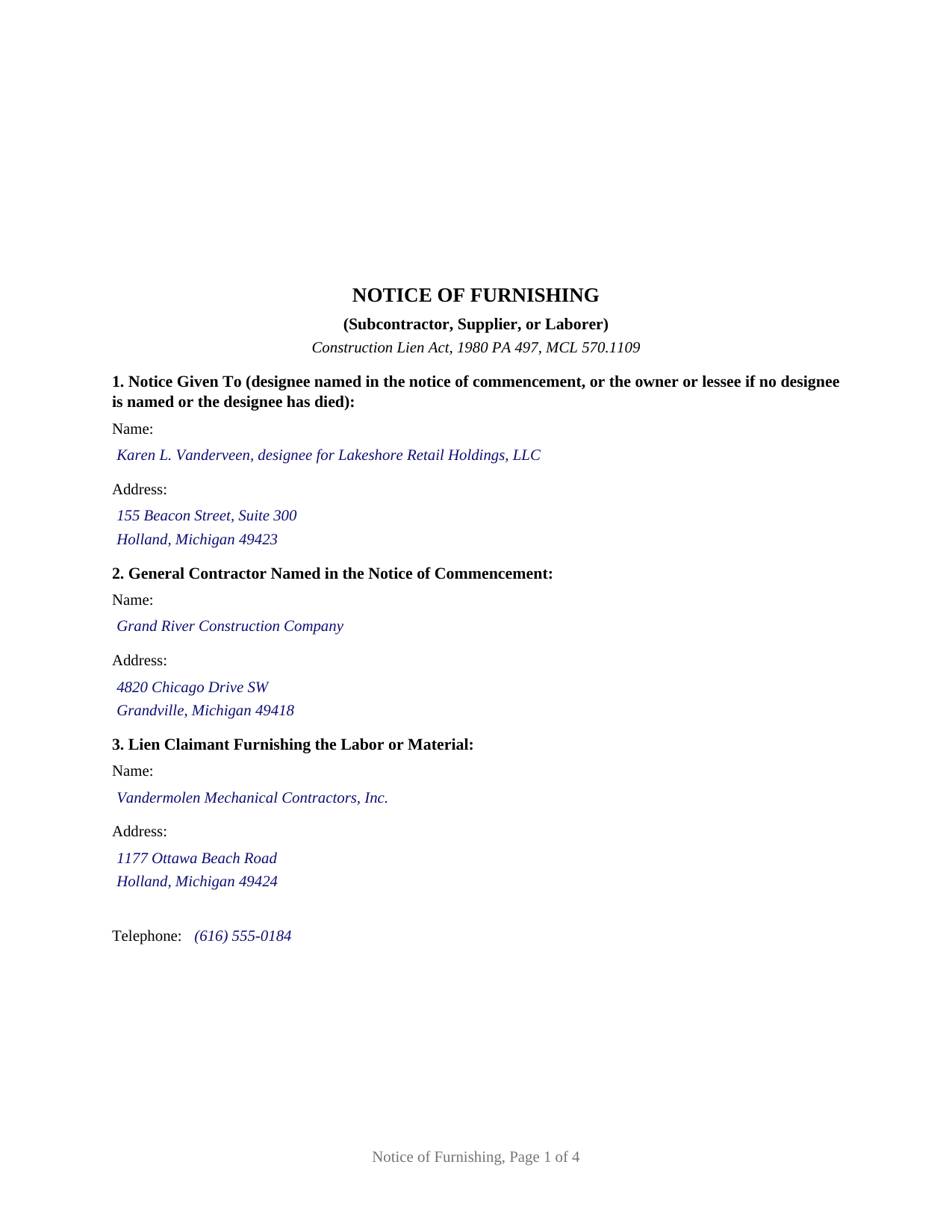
Hillsdale County Completed Example of the Notice of Furnishing Document
Example of a properly completed Michigan Notice of Furnishing document for reference.
All 3 documents above included • One-time purchase • No recurring fees
Immediate Download • Secure Checkout
Additional Michigan and Hillsdale County documents included at no extra charge:
Where to Record Your Documents
Hillsdale County Register of Deeds
Hillsdale, Michigan 49242
Hours: 8:30 to 5:00 M-F
Phone: (517) 437-2231
Recording Tips for Hillsdale County:
- Bring your driver's license or state-issued photo ID
- Ensure all signatures are in blue or black ink
- Double-check legal descriptions match your existing deed
- Verify all names are spelled correctly before recording
- White-out or correction fluid may cause rejection
Cities and Jurisdictions in Hillsdale County
Properties in any of these areas use Hillsdale County forms:
- Allen
- Camden
- Frontier
- Hillsdale
- Jerome
- Jonesville
- Litchfield
- Moscow
- Mosherville
- North Adams
- Osseo
- Pittsford
- Reading
- Somerset
- Somerset Center
- Waldron
Hours, fees, requirements, and more for Hillsdale County
How do I get my forms?
Forms are available for immediate download after payment. The Hillsdale County forms will be in your account ready to download to your computer. An account is created for you during checkout if you don't have one. Forms are NOT emailed.
Are these forms guaranteed to be recordable in Hillsdale County?
Yes. Our form blanks are guaranteed to meet or exceed the applicable formatting requirements used for recording in Hillsdale County, including margin requirements, font requirements, and other layout standards. This guarantee applies to formatting, not to the legal sufficiency of information entered by the user or the suitability of a form for a particular transaction.
Can I reuse these forms?
Yes. You can reuse the forms for your personal use. For example, if you have multiple properties in Hillsdale County you only need to order once.
What do I need to use these forms?
The forms are PDFs that you fill out on your computer. The free Adobe Acrobat Reader is recommended, and most PDF apps also work. You do NOT enter your property information online - you download the blank forms and complete them privately on your own computer.
Are there any recurring fees?
No. This is a one-time purchase. Nothing to cancel, no memberships, no recurring fees.
How much does it cost to record in Hillsdale County?
Recording fees in Hillsdale County vary. Contact the recorder's office at (517) 437-2231 for current fees.
Questions answered? Let's get started!
Twenty days after the first load of material hits a Michigan job site, a subcontractor or supplier that has no contract with the owner has already used up its introduction window. A notice of furnishing under the Construction Lien Act, 1980 PA 497, at MCL 570.1109, is that introduction. It goes to the designee named in the notice of commencement and to the general contractor named there, it names the party the claimant contracted with, it describes the labor or material, and it identifies the improved property. No lien exists yet and nothing is recorded; the notice protects the value of the lien that may come later.
Twenty days, thirty days, and the fifth of the second month
The clock depends on who is claiming. A subcontractor or supplier gives the notice within 20 days after furnishing the first labor or material, personally or by certified mail, at the address shown in the notice of commencement, under MCL 570.1109(1). A laborer claiming unpaid wages has 30 days after the wages were contractually due and unpaid, and that notice may travel by mail, with service complete on mailing by first class mail with postage prepaid, under MCL 570.1109(2). A laborer claiming unpaid fringe benefits or withholdings runs on a calendar of its own: the fifth day of the second month following the month in which they were contractually due and unpaid, under MCL 570.1109(3). A contractor holding a contract directly with the owner or lessee gives no notice of furnishing at all to preserve lien rights arising from that contract.
Where the notice goes, and when service is finished
The statute aims the notice at the designee, the person an owner or lessee names in the notice of commencement to receive notices, and at the general contractor if one is named there. Where no designee is named, or the designee has died, it goes instead to the owner or lessee named there. Certified mail finishes at the mailbox: MCL 570.1109(1) states that service by certified mail is complete on mailing, so the mailing date, not the delivery date, is the date that matters. A claimant without a copy of the notice of commencement may request one in writing by certified mail, and MCL 570.1108 and MCL 570.1108a require the copy to come with a blank notice of furnishing attached and extend the notice deadline where the request goes unanswered.
A late notice is graded, not erased
Michigan does not void a lien for a late notice of furnishing. MCL 570.1109(5) preserves the lien for work performed and materials furnished after service. MCL 570.1109(6) preserves it for work and material before service as well, except to the extent the owner or lessee already paid the contractor against a sworn account or a lien waiver covering that same work. Laborers are treated differently and more strictly: under MCL 570.1109(7) and (8), a laborer who does not reach the designee loses the lien for the wages or the fringe benefits and withholdings the notice covers, and under MCL 570.1109(9) a laborer who misses the general contractor keeps the lien but answers for the general contractor's actual damages.
The proof of service a claim of lien carries
This form is built for one claimant on one project, and it ends where the statute makes the notice provable. Sections 1 through 6 collect the designee, the general contractor, the claimant, the contracting party, the labor or material with its first furnishing date, and the property by recording reference and legal description. Section 7 performs the act in the statutory register. Section 8 carries the signature and the capacity of the individual signing for the claimant, with no notarial certificate, because section 109 makes no notarial act part of the notice. Section 9 is a proof of service, sworn by the individual who made service and finished with a jurat, because MCL 570.1111(4) provides that a claim of lien has attached to it a proof of service of a notice of furnishing described in section 109. Mechanical and electrical subcontractors on commercial work, equipment lessors, and material suppliers to a first tier subcontractor all present the single claimant pattern this notice recites.
This package includes the blank fillable notice, a completed example set on an Ottawa County commercial addition, and a guide covering the statute, each numbered section, the deadlines, the jurat, and the connection to a later claim of lien recorded under MCL 570.1111. The materials are informational and are not legal advice.
Important: Your property must be located in Hillsdale County to use these forms. Documents should be recorded at the county recording office listed above.
This Notice of Furnishing meets all recording requirements specific to Hillsdale County.
Our Promise
The documents you receive here are guaranteed to meet or exceed the applicable Hillsdale County recording format requirements. If there is a rejection caused by our formatting, we will correct the issue or refund your payment. This guarantee applies to document formatting only and does not extend to information entered by the user, the selection of the form, or the legal effect of the completed document.
Save Time and Money
Get your Hillsdale County Notice of Furnishing form done right the first time with Deeds.com Uniform Conveyancing Blanks. At Deeds.com, we understand that your time and money are valuable resources, and we don't want you to face a penalty fee or rejection imposed by a county recorder for submitting nonstandard documents. We constantly review and update our forms to meet rapidly changing state and county recording requirements for roughly 3,500 counties and local jurisdictions.
4.8 out of 5 - ( 4,839 Reviews )
Joyce D. 5 out of 5 stars
Good after I figured out the form process. Hopefully I won't be charged for two as I redid the request thinking I might have made a mistake in the first request.
Thank you for your feedback Joyce. We have reviewed your account and there have been no duplicate orders submitted. Have a great day!
Linda D. 3 out of 5 stars
It was easy to download the form I wanted BUT there were 2 other options listed for "open/download." I didn't want to risk more charges for something I couldn't determine I needed so I passed them up. There were a few others listed with the option to "view" so I did that, without down-loading, and there were no additional charges. I would've liked that opportunity for 2 others that didn't offer "view" so maybe deeds.com missed a sale?
Thank you for your feedback Linda. All the documents available for download in your account are included with your payment, no additional charges.
Melody P. 5 out of 5 stars
Great service, as always!!
We appreciate your business and value your feedback. Thank you. Have a wonderful day!
Brian T. 5 out of 5 stars
Great to find this makes for easy work when you need to secure your ownership of a property!!Thanks guys Brian the Mann
We appreciate your business and value your feedback. Thank you. Have a wonderful day!
NATALIE A. 5 out of 5 stars
The form was very easy to use and the sample tool you had was very helpful. the only problem i had was saving the document and then trying to find it later. I finally was able to figure out how to save it. but i still cannot find the saved document on my computer. Luckily i printed it before i closed it and did not need to make any changes.
Thank you for your feedback. We really appreciate it. Have a great day!
Robert H. 5 out of 5 stars
Just what I needed to file in Orange County. East to use and reasonably priced. Will use again if needed.
We appreciate your business and value your feedback. Thank you. Have a wonderful day!
Essence L. 5 out of 5 stars
Ordered and filled out the quitclaim forms. Had no issues with preparing or recording, smooth process.
Thank you!
Jana H. 5 out of 5 stars
This company has made my life so much easier. I'm not driving 25 miles twice a week to record a document. I'm almost giddy! Thank you for making my job so much faster! Jana Hamilton
We appreciate your business and value your feedback. Thank you. Have a wonderful day!
Edward M. 5 out of 5 stars
Professional and courteous and responsive service by KVH for my problem. He or she should receive a pat on the back but not on the back side. Ed Mattingly
Thank you for your feedback. We really appreciate it. Have a great day!
Michelle R. 5 out of 5 stars
Fairly easy to use. Need to be able to find platts easy.
Thank you!
Armstrong K. 5 out of 5 stars
Very smooth and speedy process. Thank you.
Thank you!
Kyle K. 5 out of 5 stars
Very quick and simple process! Will be using this service much more.
Thank you!
Dianna B. 5 out of 5 stars
Amazingly easy! I absolutely love it because it is so efficient and I only have to pay for when I use it. I use to have to drive to the recorders office or to a Kiosk station. The turn-around time was really quick as well.
Thank you!
Linda D C. 5 out of 5 stars
This was so easy to use. I appreciated the finished sample to guide me and the proper attachments necessary to process my Quit Claim Deed. I am gifting it to my nephew as I am too old to run farm and I live in a different state now. I tried other websites but their info was not up to date or accurate. Thank you so much. 71 Y/O Nana.
Thank you for your feedback. We really appreciate it. Have a great day!
Richard O. 5 out of 5 stars
Thank you for providing this service. It was quick and easy.
Thank you for your feedback. We really appreciate it. Have a great day!