Lenawee County Partial Discharge of Mortgage Form
Last validated August 20, 2026 by our Forms Development TeamFormatted for recording in Lenawee County, for property anywhere in the county: rural and unincorporated areas as well as Addison, Adrian, Blissfield, Britton, Cement City, Clayton, Clinton, Deerfield and 11 more.
- 3 documents included
- Immediate PDF download
- Formatting guarantee
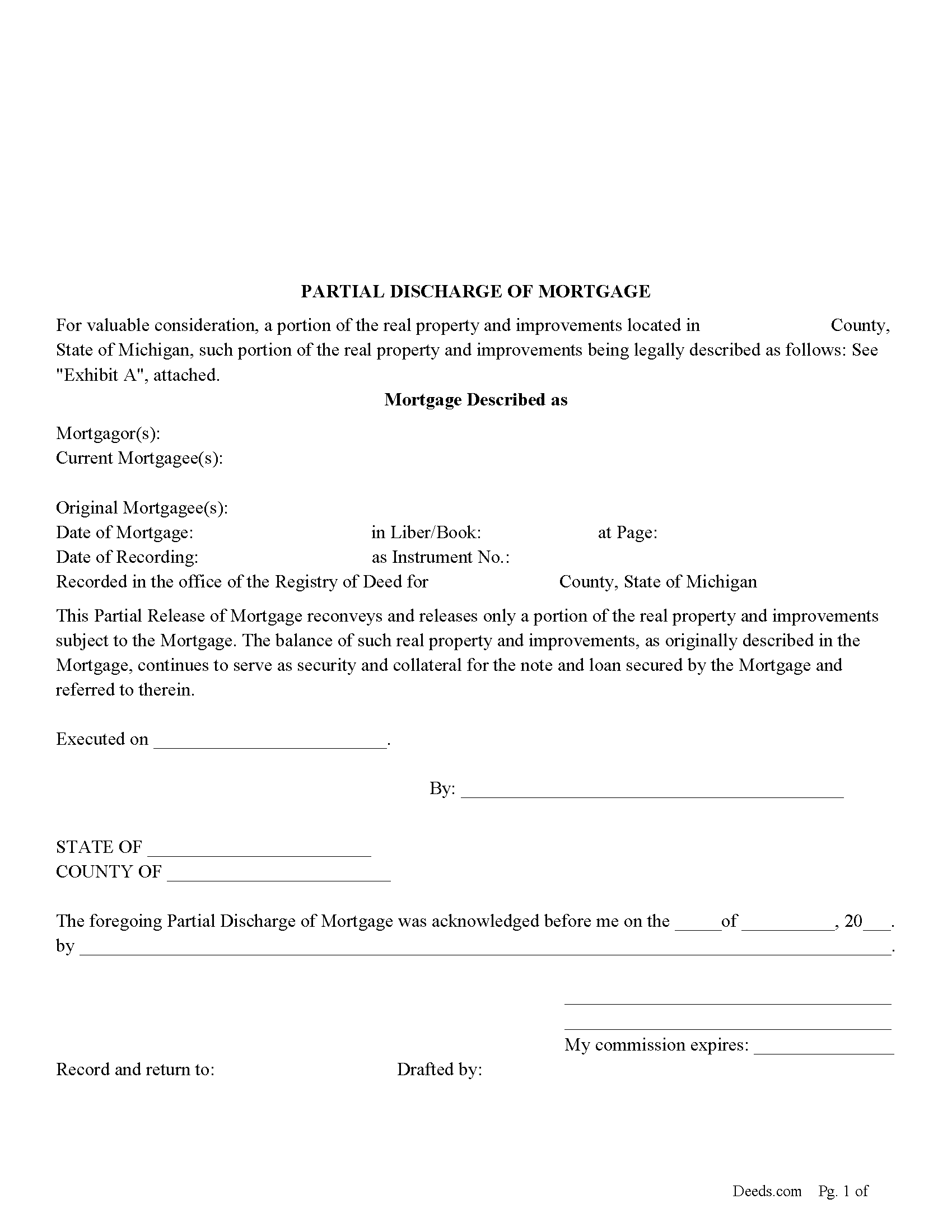
Lenawee County Partial Discharge of Mortgage Form
Fill in the blank form formatted to comply with all recording and content requirements.
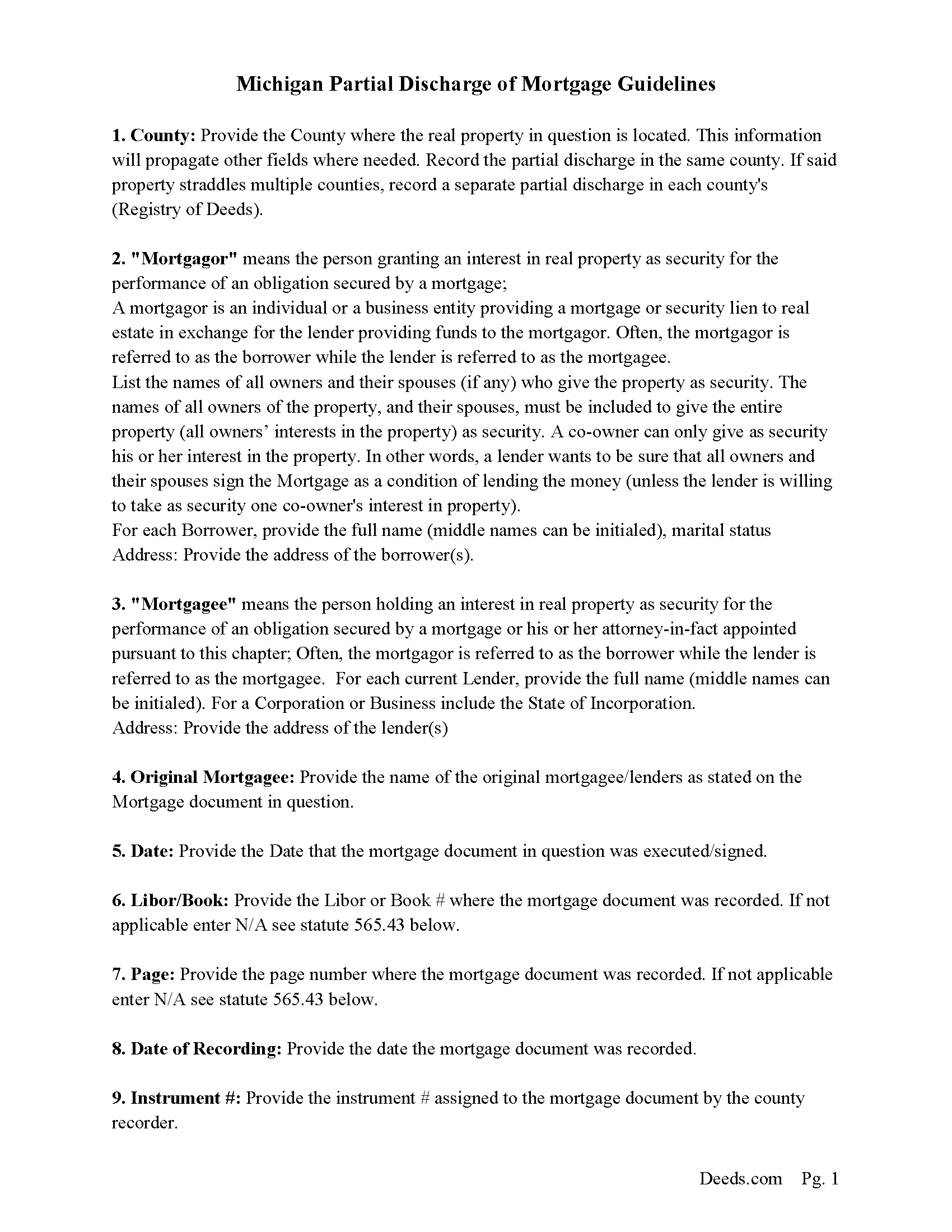
Lenawee County Guidelines for Partial Discharge of Mortgage
Line by line guide explaining every blank on the form.
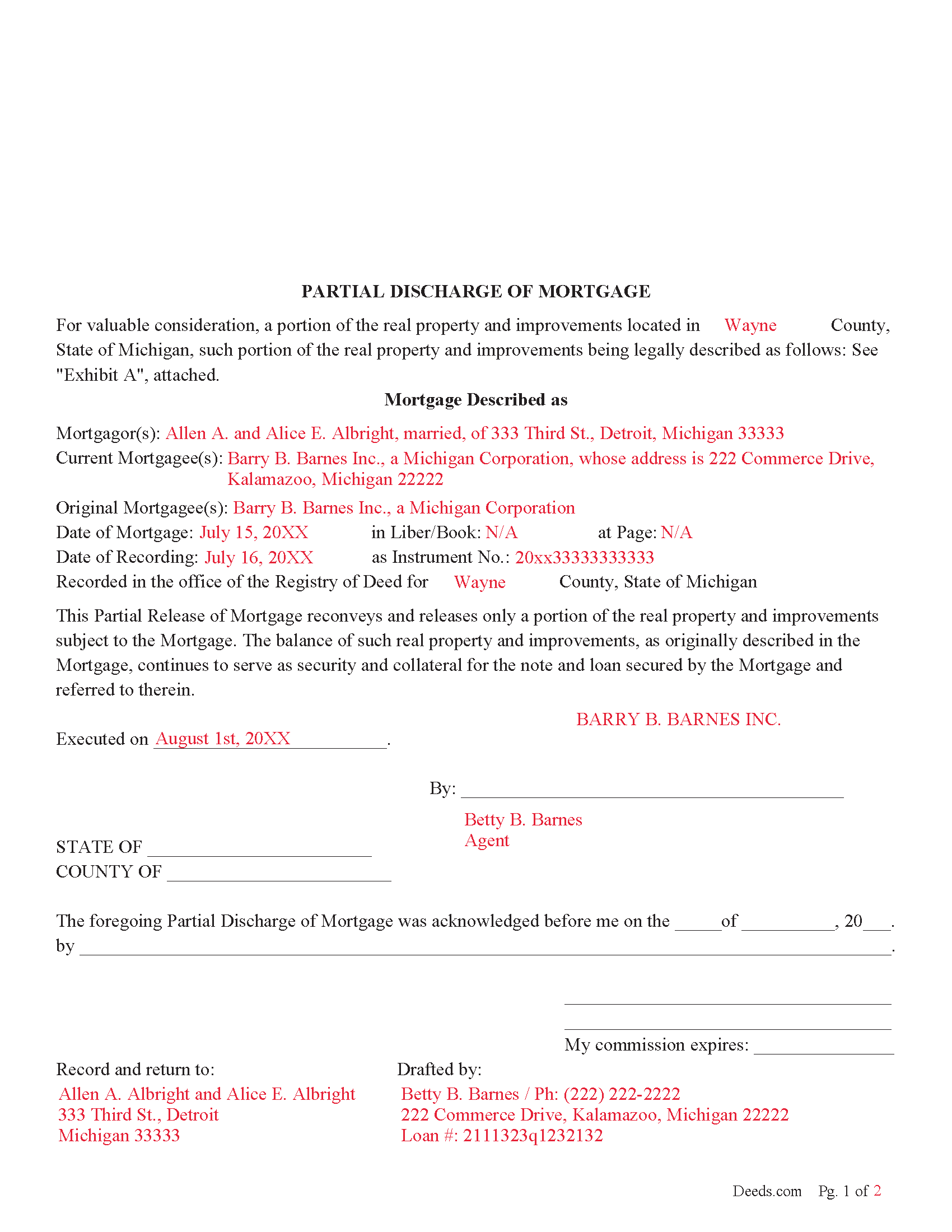
Lenawee County Completed Example of the Partial Discharge of Mortgage Document
Example of a properly completed form for reference.
All 3 documents above included • One-time purchase • No recurring fees
Immediate Download • Secure Checkout
Additional Michigan and Lenawee County documents included at no extra charge:
Where to Record Your Documents
County Register of Deeds
Adrian, Michigan 49221
Hours: 8:00 to 4:30 M-F
Phone: (517) 264-4538
Recording Tips for Lenawee County:
- Bring your driver's license or state-issued photo ID
- Ensure all signatures are in blue or black ink
- Verify all names are spelled correctly before recording
- White-out or correction fluid may cause rejection
- Ask about their eRecording option for future transactions
Cities and Jurisdictions in Lenawee County
Properties in any of these areas use Lenawee County forms:
- Addison
- Adrian
- Blissfield
- Britton
- Cement City
- Clayton
- Clinton
- Deerfield
- Hudson
- Jasper
- Manitou Beach
- Morenci
- Onsted
- Palmyra
- Riga
- Sand Creek
- Tecumseh
- Tipton
- Weston
Hours, fees, requirements, and more for Lenawee County
How do I get my forms?
Forms are available for immediate download after payment. The Lenawee County forms will be in your account ready to download to your computer. An account is created for you during checkout if you don't have one. Forms are NOT emailed.
Are these forms guaranteed to be recordable in Lenawee County?
Yes. Our form blanks are guaranteed to meet or exceed the applicable formatting requirements used for recording in Lenawee County, including margin requirements, font requirements, and other layout standards. This guarantee applies to formatting, not to the legal sufficiency of information entered by the user or the suitability of a form for a particular transaction.
Can I reuse these forms?
Yes. You can reuse the forms for your personal use. For example, if you have multiple properties in Lenawee County you only need to order once.
What do I need to use these forms?
The forms are PDFs that you fill out on your computer. The free Adobe Acrobat Reader is recommended, and most PDF apps also work. You do NOT enter your property information online - you download the blank forms and complete them privately on your own computer.
Are there any recurring fees?
No. This is a one-time purchase. Nothing to cancel, no memberships, no recurring fees.
How much does it cost to record in Lenawee County?
Recording fees in Lenawee County vary. Contact the recorder's office at (517) 264-4538 for current fees.
Questions answered? Let's get started!
Use this form to release a portion of property secured by a mortgage and promissory note. Example: borrower has financed 5 lots for $100,000.00 which has since been paid down to a balance of $30,000.00. Borrower approaches Lender and would like the lender to release lot #3 because he has it sold. The lender might think, ok - he will owe me $30,000.00 on the remaining 4 lots, I consider this a good risk. The same can also be applicable to condominiums, apartments, parcels, etc.
This form is used by the (mortgagee or the personal representative, successor, or assign of the mortgagee), who (shall prepare a discharge of the mortgage, file the discharge with the register of deeds for the county where the mortgaged property is located, and pay the fee for recording the discharge.) (565.41 Sec. 41(1)) A mortgagee is often referred to as a lender.
(Michigan PDOM Package includes form, guidelines, and completed example)
Important: Your property must be located in Lenawee County to use these forms. Documents should be recorded at the county recording office listed above.
This Partial Discharge of Mortgage meets all recording requirements specific to Lenawee County.
Our Promise
The documents you receive here are guaranteed to meet or exceed the applicable Lenawee County recording format requirements. If there is a rejection caused by our formatting, we will correct the issue or refund your payment. This guarantee applies to document formatting only and does not extend to information entered by the user, the selection of the form, or the legal effect of the completed document.
Save Time and Money
Get your Lenawee County Partial Discharge of Mortgage form done right the first time with Deeds.com Uniform Conveyancing Blanks. At Deeds.com, we understand that your time and money are valuable resources, and we don't want you to face a penalty fee or rejection imposed by a county recorder for submitting nonstandard documents. We constantly review and update our forms to meet rapidly changing state and county recording requirements for roughly 3,500 counties and local jurisdictions.
4.8 out of 5 - ( 4,829 Reviews )
Lynn S. 5 out of 5 stars
Awesome service! I was a first time user recording a document online. I received alerts and updates throughout the process to completion of recording. I highly recommend deeds.com. They made this process stress free. Thank you
Thank you Lynn, we appreciate the kind words. Have an amazing day!
Susan G. 5 out of 5 stars
I was pleased with the example of a completed beneficiary deed and instructions. It made filling out the deed very easy.
Thank you!
Rosie R. 5 out of 5 stars
LOVE THIS!! I am a REALTORand from time to time I have had to take documents for filing. I'm so glad I invested some time online researching eFiling services. The first few search results that populated required an expensive annual or monthly subscription. Luckily I continued to scroll and found Deeds.com. No annual or monthly subscription required. Just pay per use. I uploaded a ROL late one night and Deed.com had it eFiled the very next morning!!! They keep you updated throughout the process via email notifications which you click on the link provided in the email that directs you to your online portal to view the status and once your documents have been filed you can immediately download the filed of record documents including the receipt from the county in which the documents were filed. SO SIMPLE, CONVENIENT, & QUICK-THANK YOU DEEDS.com!!!
We appreciate your business and value your feedback. Thank you. Have a wonderful day!
Dirmarcus S. 5 out of 5 stars
I say I really do love Deed.com! Super easy to navigate and easy to get what you need for paperwork without spending a lot of money
Thank you for your positive words! We’re thrilled to hear about your experience.
Tarik W. 5 out of 5 stars
Excellent customer service!!!!!
We appreciate your business and value your feedback. Thank you. Have a wonderful day!
Barbara E. 5 out of 5 stars
Love the accessibility to all counties. Save money and time using Deeds for all our recording needs!
Your satisfaction with our services is of utmost importance to us. Thank you for letting us know how we did!
Jill M. 5 out of 5 stars
This service gave me the information and guide I needed to file a Quitclaim Deed. I went through the process with no problems at all.
Thank you Jill, we appreciate your feedback.
Andre W. 5 out of 5 stars
I was very please with their professionalism and dedication. The young lady that was working with me was AWESOME. i could not thank her enough.
Thank you!
Rodney K. 5 out of 5 stars
I need more time to review the vast number of documents received for such a good price. Hoping your info allows me to meet with and talk intelligently with a lawyer.
Thank you!
SheRon F. 5 out of 5 stars
It was a quick and easy process and deeds.com was very helpful and dealt with a very stressful situation, painless.
We appreciate your business and value your feedback. Thank you. Have a wonderful day!
Joanne D. 5 out of 5 stars
Loved your easy to follow instructions along with the paperwork forms that I was looking for. Would highly suggest this service to everyone. You should share this platform with other counties!! Extremely helpful
Thank you!
Dennis S. 3 out of 5 stars
I am still working on the forms. I am having problems doing the forms as you can only save as pdf and it is difficult to change or modify the pdf. You have to purchase a pdf convertor program. but all seems to be there to do the deed submittals.
Thank you for your feedback. We really appreciate it. Have a great day!
samira m. 5 out of 5 stars
I love whoever is behind this website. I bought the wrong form and I told them and they refunded me asap! I figured out which form I need days later and bought it just now. They didn't have to refund me for my own mistake. That was very kind. I'll be returning for any other forms I may need and will tell others too. Thank you so much!!!!!
Thank you for your feedback. We really appreciate it. Have a great day!
Lorna D. 4 out of 5 stars
Haven't used the form yet. But hopefully it's the correct one.
Thank you!
James W. 5 out of 5 stars
Thank-you for your excellent services
Thank you!