Missaukee County Partial Discharge of Mortgage Form
Last validated October 30, 2026 by our Forms Development TeamFormatted for recording in Missaukee County, for property anywhere in the county: rural and unincorporated areas as well as Falmouth, Lake City, Mc Bain, Merritt.
- 3 documents included
- Immediate PDF download
- Formatting guarantee
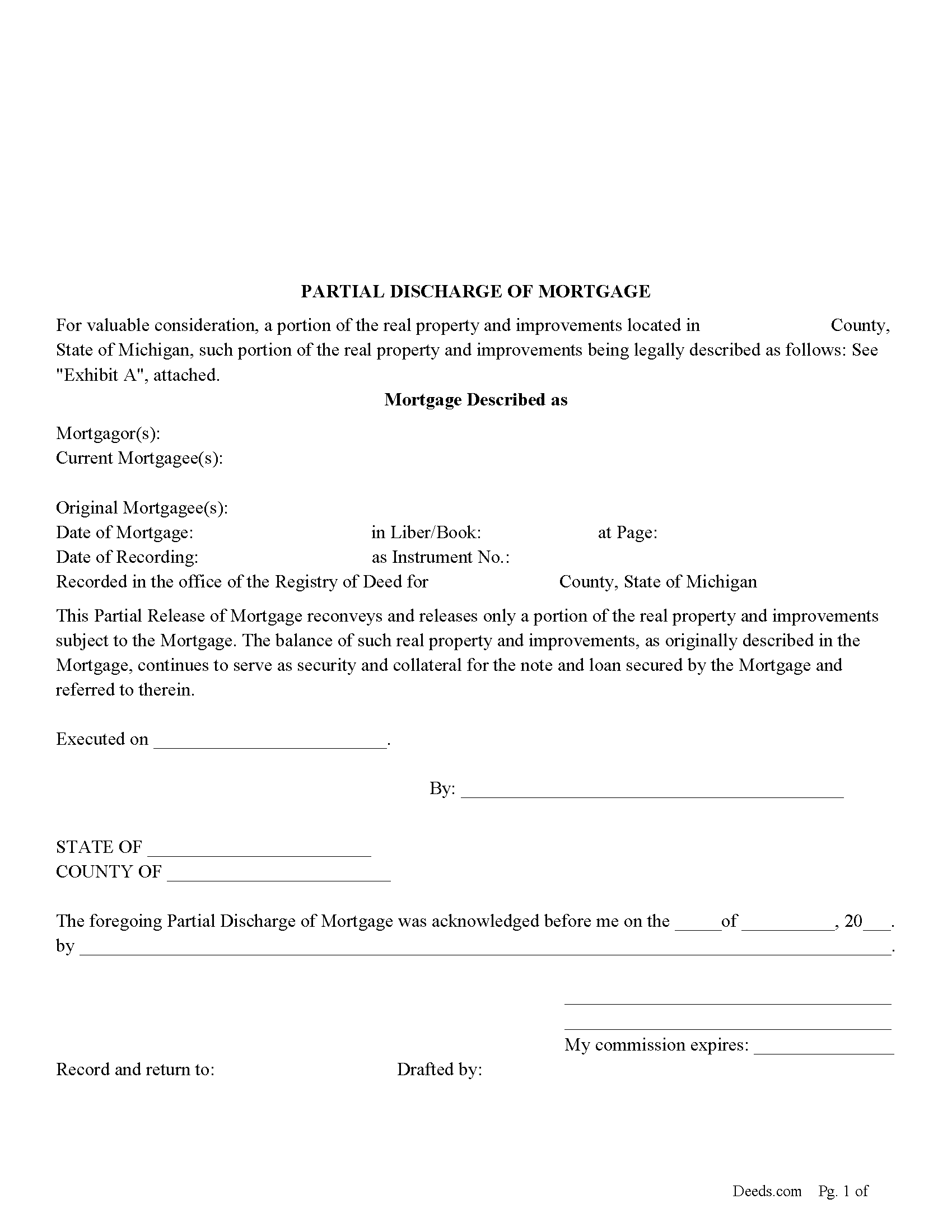
Missaukee County Partial Discharge of Mortgage Form
Fill in the blank form formatted to comply with all recording and content requirements.
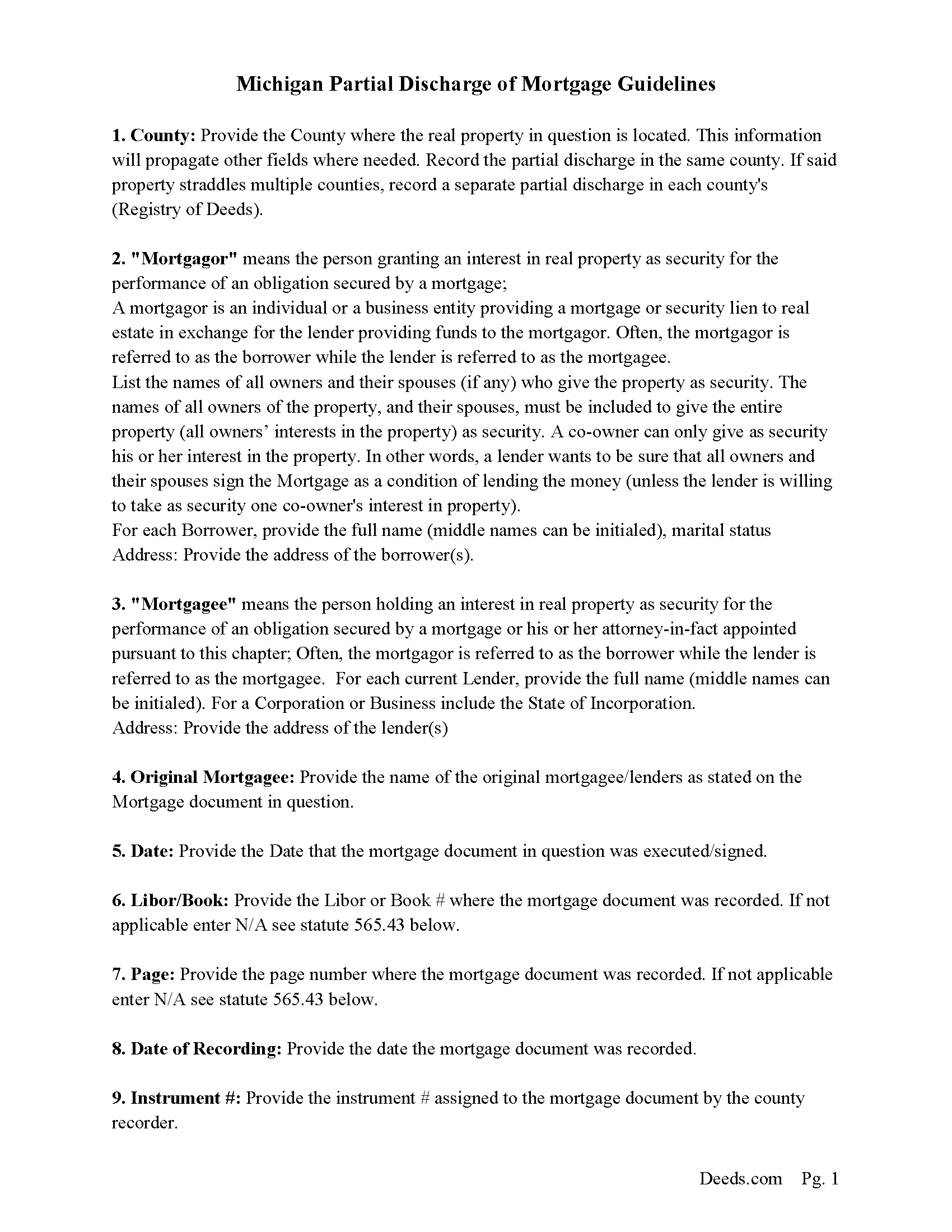
Missaukee County Guidelines for Partial Discharge of Mortgage
Line by line guide explaining every blank on the form.
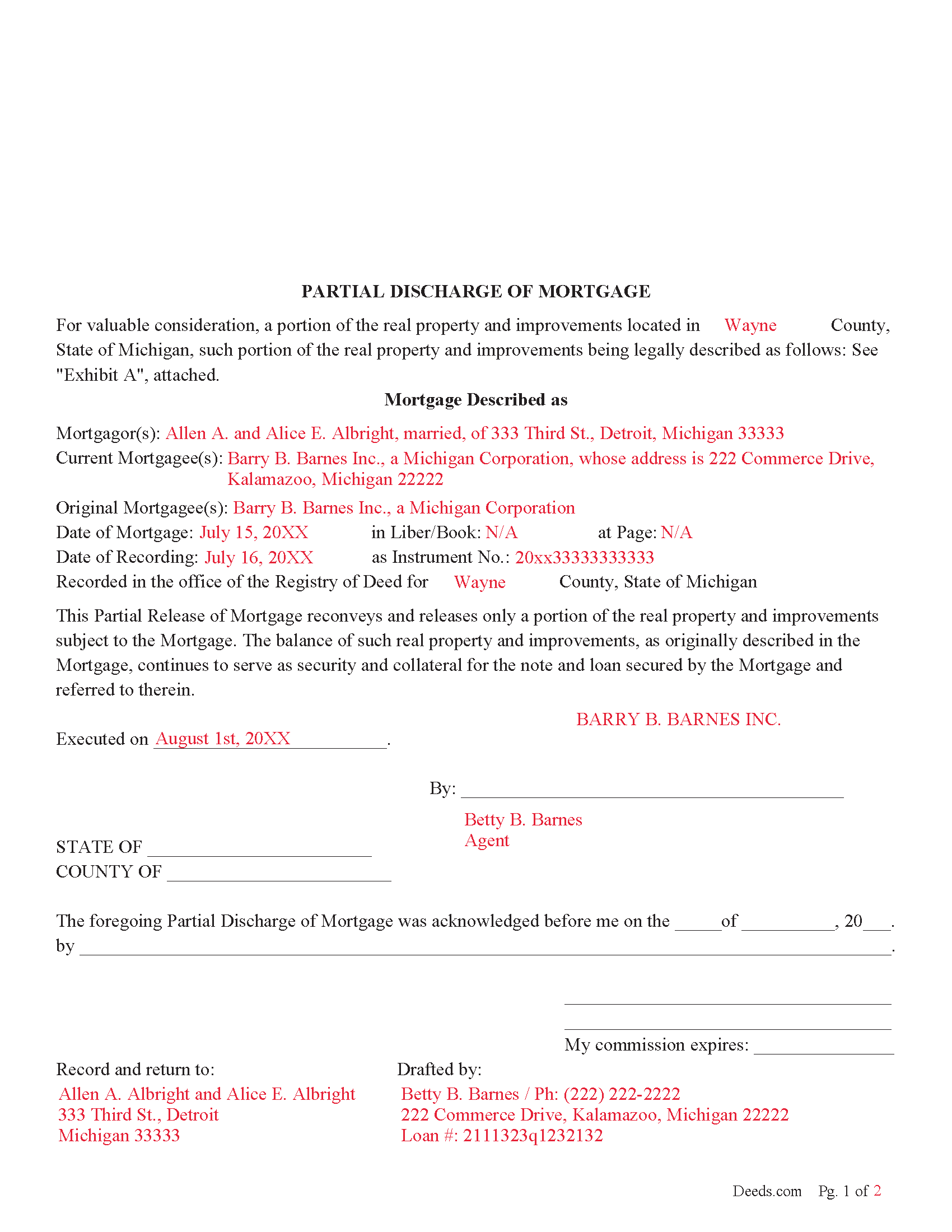
Missaukee County Completed Example of the Partial Discharge of Mortgage Document
Example of a properly completed form for reference.
All 3 documents above included • One-time purchase • No recurring fees
Immediate Download • Secure Checkout
Additional Michigan and Missaukee County documents included at no extra charge:
Where to Record Your Documents
Missaukee County Register of Deeds
Lake City, Michigan 49651
Hours: 8:30am - 5:00pm Mon-Fri
Phone: (231) 839-4967 Ext 203
Recording Tips for Missaukee County:
- Bring your driver's license or state-issued photo ID
- Ensure all signatures are in blue or black ink
- Bring extra funds - fees can vary by document type and page count
- Check margin requirements - usually 1-2 inches at top
- Leave recording info boxes blank - the office fills these
Cities and Jurisdictions in Missaukee County
Properties in any of these areas use Missaukee County forms:
- Falmouth
- Lake City
- Mc Bain
- Merritt
Hours, fees, requirements, and more for Missaukee County
How do I get my forms?
Forms are available for immediate download after payment. The Missaukee County forms will be in your account ready to download to your computer. An account is created for you during checkout if you don't have one. Forms are NOT emailed.
Are these forms guaranteed to be recordable in Missaukee County?
Yes. Our form blanks are guaranteed to meet or exceed the applicable formatting requirements used for recording in Missaukee County, including margin requirements, font requirements, and other layout standards. This guarantee applies to formatting, not to the legal sufficiency of information entered by the user or the suitability of a form for a particular transaction.
Can I reuse these forms?
Yes. You can reuse the forms for your personal use. For example, if you have multiple properties in Missaukee County you only need to order once.
What do I need to use these forms?
The forms are PDFs that you fill out on your computer. The free Adobe Acrobat Reader is recommended, and most PDF apps also work. You do NOT enter your property information online - you download the blank forms and complete them privately on your own computer.
Are there any recurring fees?
No. This is a one-time purchase. Nothing to cancel, no memberships, no recurring fees.
How much does it cost to record in Missaukee County?
Recording fees in Missaukee County vary. Contact the recorder's office at (231) 839-4967 Ext 203 for current fees.
Questions answered? Let's get started!
Use this form to release a portion of property secured by a mortgage and promissory note. Example: borrower has financed 5 lots for $100,000.00 which has since been paid down to a balance of $30,000.00. Borrower approaches Lender and would like the lender to release lot #3 because he has it sold. The lender might think, ok - he will owe me $30,000.00 on the remaining 4 lots, I consider this a good risk. The same can also be applicable to condominiums, apartments, parcels, etc.
This form is used by the (mortgagee or the personal representative, successor, or assign of the mortgagee), who (shall prepare a discharge of the mortgage, file the discharge with the register of deeds for the county where the mortgaged property is located, and pay the fee for recording the discharge.) (565.41 Sec. 41(1)) A mortgagee is often referred to as a lender.
(Michigan PDOM Package includes form, guidelines, and completed example)
Important: Your property must be located in Missaukee County to use these forms. Documents should be recorded at the county recording office listed above.
This Partial Discharge of Mortgage meets all recording requirements specific to Missaukee County.
Our Promise
The documents you receive here are guaranteed to meet or exceed the applicable Missaukee County recording format requirements. If there is a rejection caused by our formatting, we will correct the issue or refund your payment. This guarantee applies to document formatting only and does not extend to information entered by the user, the selection of the form, or the legal effect of the completed document.
Save Time and Money
Get your Missaukee County Partial Discharge of Mortgage form done right the first time with Deeds.com Uniform Conveyancing Blanks. At Deeds.com, we understand that your time and money are valuable resources, and we don't want you to face a penalty fee or rejection imposed by a county recorder for submitting nonstandard documents. We constantly review and update our forms to meet rapidly changing state and county recording requirements for roughly 3,500 counties and local jurisdictions.
4.8 out of 5 - ( 4,842 Reviews )
Theadore L. 5 out of 5 stars
Bought a transfer on death deed form and it worked great. Easy to fill out and record with the County. Got some helpful information from the county recorders office before filling out the form. I found out that I could use one deed for 2 properties. Saved me money not having to pay fees for 2 deeds.
We are delighted to have been of service. Thank you for the positive review!
John S. 5 out of 5 stars
Easy system to use. good information.
Thank you for taking a moment to share your thoughts.
Jim L. 5 out of 5 stars
Very easy to use - the completed sample was super useful
We appreciate your business and value your feedback. Thank you. Have a wonderful day!
juanita S. 5 out of 5 stars
Easy to fill with explanations to accompany
Thank you Juanita, we really appreciate your feedback.
Lloyd S. 5 out of 5 stars
What a great website. It does Pasco County PROUD !!
Thank you!
Marilyn O. 5 out of 5 stars
Good resource. Got what I needed easily
Thank you for your feedback. We really appreciate it. Have a great day!
Jayne B. 5 out of 5 stars
This makes it so easy and I'm so glad I found you. I visited two other sites before I found this one. They were cumbersome to use to the point where I abandoned them and kept on looking. Then I found yours, and it was a breeze. Thank you so much!
We appreciate your business and value your feedback. Thank you. Have a wonderful day!
Paula M. 5 out of 5 stars
So far it seems good. I am still trying to send information to this company so they can help me with the deed.
Thank you for your feedback. We really appreciate it. Have a great day!
Kris D. 5 out of 5 stars
The Executor's Guide needs more info about what to put for grantee (estate of deceased or my name as executor?) and the price (something nominal like $10?) before there is a buyer. The guide seems to use only one example.
Thank you for your feedback. We really appreciate it. Have a great day!
Jack S. 5 out of 5 stars
This is a great service and fairly priced.
Thank you Jack. hope you're having a great day!
CORA T. 5 out of 5 stars
very convenient and quick access
Thank you!
jim g. 5 out of 5 stars
so far so good. was hoping to have the recorded document already. i need the recorded document by friday, june 5th for my city approval. anyway you can please get it to me tomorrow. thanks, jim
Thank you!
Dave M. 5 out of 5 stars
Service as needed. A bit expensive.
Thank you for your feedback. We really appreciate it. Have a great day!
Richard M. 5 out of 5 stars
Needed some help at the beginning but once I was into the program it was smooth sailing.
Thank you!
Charles G. 5 out of 5 stars
I downloaded your Transfer on Death Deed Forms on Monday and registered the deed on Wednesday. Thank you.
We appreciate your business and value your feedback. Thank you. Have a wonderful day!