Pine County Assignment of Mechanic Lien Form
Last validated October 23, 2026 by our Forms Development TeamFormatted for recording in Pine County, for property anywhere in the county: rural and unincorporated areas as well as Askov, Brook Park, Bruno, Finlayson, Grasston, Henriette, Hinckley, Kerrick and 5 more.
- 3 documents included
- Immediate PDF download
- Formatting guarantee
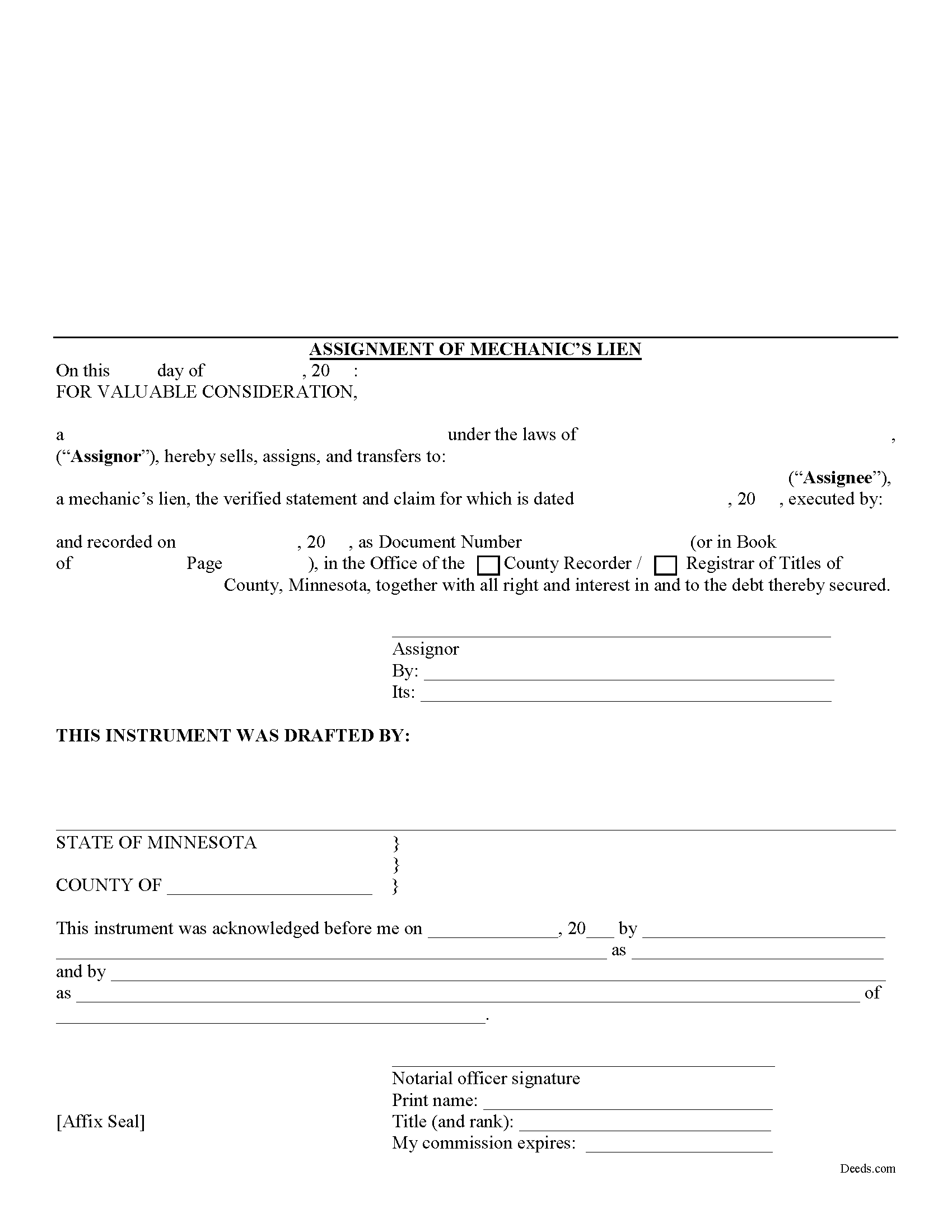
Pine County Assignment of Mechanic Lien Form
Fill in the blank Assignment of Mechanic Lien form formatted to comply with all Minnesota recording and content requirements.
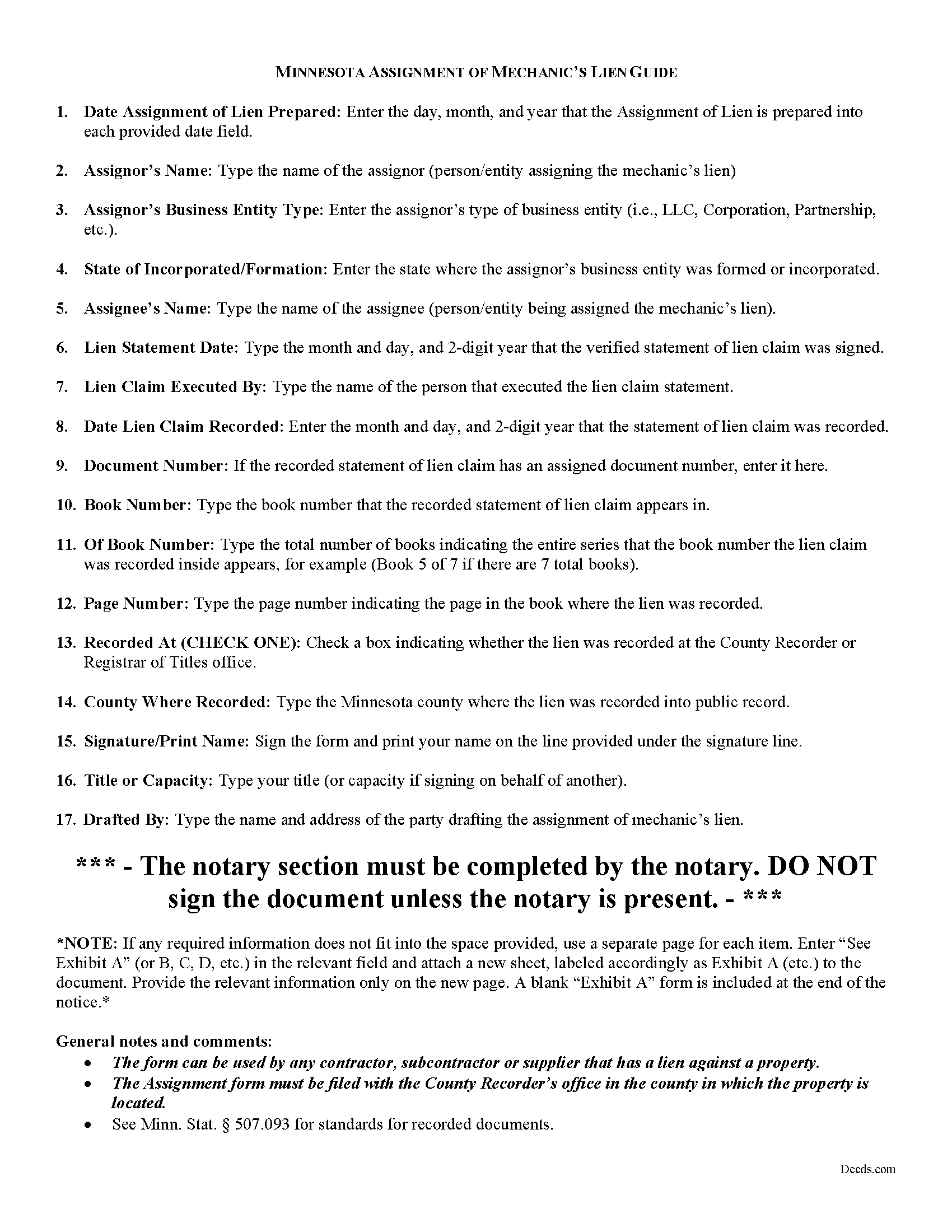
Pine County Assignment of Mechanics Lien Guide
Line by line guide explaining every blank on the form.
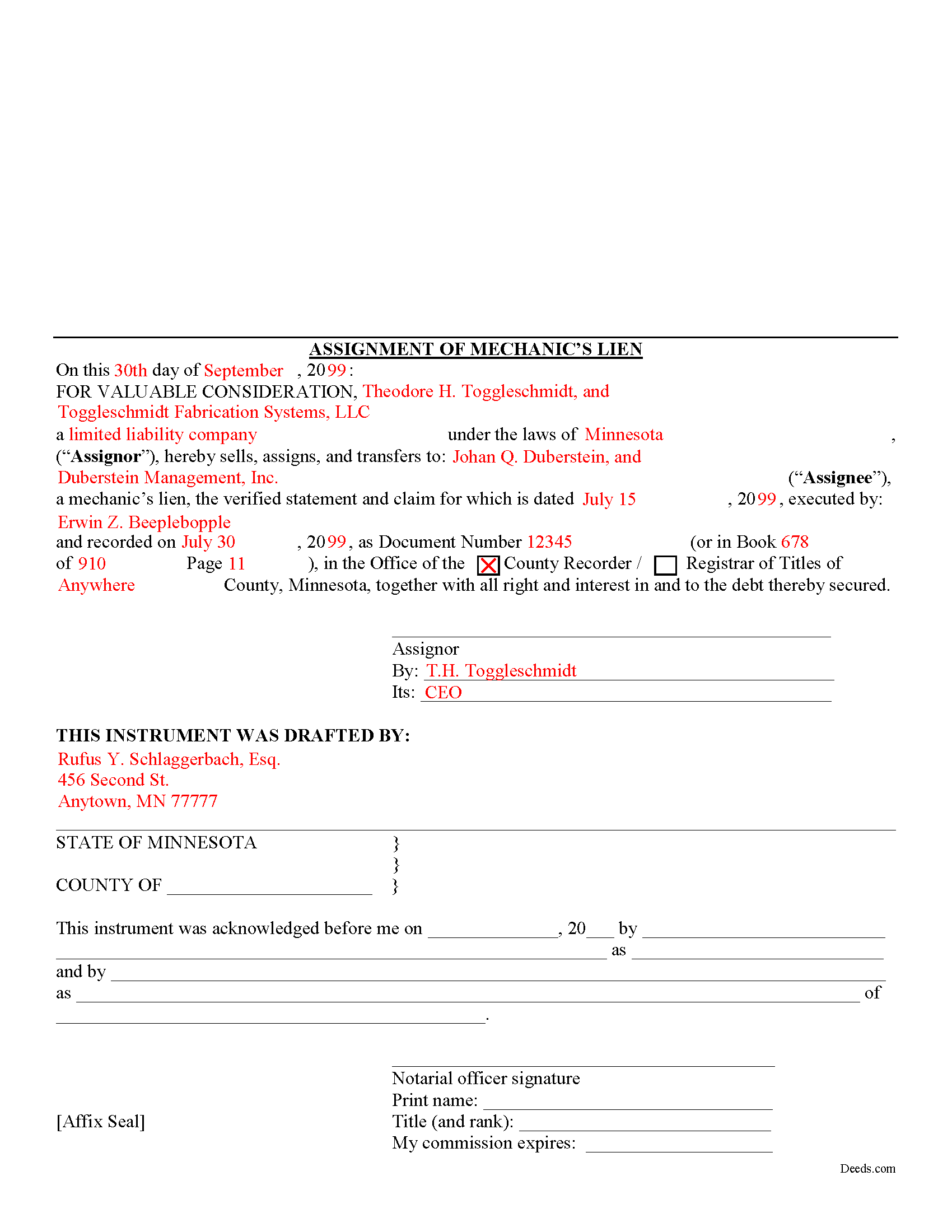
Pine County Completed Example of the Assignment of Mechanics Lien Document
Example of a properly completed form for reference.
All 3 documents above included • One-time purchase • No recurring fees
Immediate Download • Secure Checkout
Additional Minnesota and Pine County documents included at no extra charge:
Where to Record Your Documents
Pine County Recorder
Pine City, Minnesota 55063
Hours: 8:00 to 4:30 M-F
Phone: (320) 591-1642
Recording Tips for Pine County:
- Bring your driver's license or state-issued photo ID
- Ensure all signatures are in blue or black ink
- Request a receipt showing your recording numbers
- Ask about accepted payment methods when you call ahead
- Ask for certified copies if you need them for other transactions
Cities and Jurisdictions in Pine County
Properties in any of these areas use Pine County forms:
- Askov
- Brook Park
- Bruno
- Finlayson
- Grasston
- Henriette
- Hinckley
- Kerrick
- Pine City
- Rock Creek
- Sandstone
- Sturgeon Lake
- Willow River
Hours, fees, requirements, and more for Pine County
How do I get my forms?
Forms are available for immediate download after payment. The Pine County forms will be in your account ready to download to your computer. An account is created for you during checkout if you don't have one. Forms are NOT emailed.
Are these forms guaranteed to be recordable in Pine County?
Yes. Our form blanks are guaranteed to meet or exceed the applicable formatting requirements used for recording in Pine County, including margin requirements, font requirements, and other layout standards. This guarantee applies to formatting, not to the legal sufficiency of information entered by the user or the suitability of a form for a particular transaction.
Can I reuse these forms?
Yes. You can reuse the forms for your personal use. For example, if you have multiple properties in Pine County you only need to order once.
What do I need to use these forms?
The forms are PDFs that you fill out on your computer. The free Adobe Acrobat Reader is recommended, and most PDF apps also work. You do NOT enter your property information online - you download the blank forms and complete them privately on your own computer.
Are there any recurring fees?
No. This is a one-time purchase. Nothing to cancel, no memberships, no recurring fees.
How much does it cost to record in Pine County?
Recording fees in Pine County vary. Contact the recorder's office at (320) 591-1642 for current fees.
Questions answered? Let's get started!
One of the fundamental principles of contract law is the right to assign contract rights to a third party. This is a corollary to the principle of "delegation," which involves assigning the duties under a contract to a third party. For example, Jack contracts with Jill to build Jill a house. Jack then assigns the right to payment for the house to Fred (maybe he owes Fred some money on a debt). This is called an "assignment." Contrast that with if Jack were to enlist Fred to build the house for Jill to fulfill Jack and Jill's contract, this would be a "delegation" (although possibly not a legal one if Jill entered the agreement specifically to seek Jack's special services). With the basic legal terminology clarified, let's move on to how lien assignments work in Minnesota.
Lien assignments work like any other assignments of rights under other types of contracts. Therefore, they are governed under Minnesota's version of the Uniform Commercial Code which is codified under Chapter 336 of the Minnesota Statutes.
Under the Commercial Code's rule on assignments, all rights of either seller or buyer can be assigned except where the assignment would materially change the duty of the other party, or increase materially the burden or risk imposed on the other party by the contract, or impair materially the other party's chance of obtaining return performance. M.S. 336.2-210(2). In general, as long as there is no increased burden or risk, or the duties required by the party subject to the lien somehow change, an assignment is permissible.
This article is provided for informational purposes only and is not intended to be relied upon as a substitute for the advice of an attorney. Please contact a Minnesota attorney with any questions about assigning lien rights or other related issues.
Important: Your property must be located in Pine County to use these forms. Documents should be recorded at the county recording office listed above.
This Assignment of Mechanic Lien meets all recording requirements specific to Pine County.
Our Promise
The documents you receive here are guaranteed to meet or exceed the applicable Pine County recording format requirements. If there is a rejection caused by our formatting, we will correct the issue or refund your payment. This guarantee applies to document formatting only and does not extend to information entered by the user, the selection of the form, or the legal effect of the completed document.
Save Time and Money
Get your Pine County Assignment of Mechanic Lien form done right the first time with Deeds.com Uniform Conveyancing Blanks. At Deeds.com, we understand that your time and money are valuable resources, and we don't want you to face a penalty fee or rejection imposed by a county recorder for submitting nonstandard documents. We constantly review and update our forms to meet rapidly changing state and county recording requirements for roughly 3,500 counties and local jurisdictions.
4.8 out of 5 - ( 4,837 Reviews )
Michael M. 5 out of 5 stars
THE PROCESS WENT VERY SMOOTH AND EASY
Thank you for your feedback. We really appreciate it. Have a great day!
Cheryl M. 5 out of 5 stars
Easy.
Thank you!
Kenneth J. 5 out of 5 stars
I thought the forms were good but expensive, Spending almost 30 dollars for a 3 page form was a stiff price to pay. I won't be getting any more
Thank you for your feedback. We really appreciate it. Have a great day!
Lee J. 5 out of 5 stars
Very good so far -- downloading all the forms. So many forms -- I had no idea ....
Thank you for your feedback. We really appreciate it. Have a great day!
ronald s. 5 out of 5 stars
easy to use site, directions well laid out
Thank you for your feedback. We really appreciate it. Have a great day!
Dorothy J F. 5 out of 5 stars
Appreciated the prompt answers to my inquiries…
We are grateful for your engagement and feedback, which help us to serve you better. Thank you for being an integral part of our community.
Rhonda D. 3 out of 5 stars
The boxes do not allow you to add the entire information. The after recording return to box would not let me add a zipcode.
Thanks for the feedback Rhonda, we’ll take a look at that input field.
Lloyd T. 5 out of 5 stars
Example deed given did not apply to married couples as joint owners with both being grantors. The example and directions also did not show how to write more than one grantee as equal grantees. Both would have been helpful when husband and wife are granting their property to their children equally. Also when attaching the exhibit A with the property description the example did not say "see exhibit A"in the property description area, so I didn't write that. Luckily the recorder of deeds allowed me to write it in. I think directions and examples for multiple scenarios would be helpful.
Thank you for your feedback. We really appreciate it. Have a great day!
Greg R. 5 out of 5 stars
I really had no problem navigating the forms. It was helpful!
Appreciate you taking the time to share that, Greg. Glad it was a smooth experience
WJ H. 5 out of 5 stars
The Quit Claim Deed for the state of Ohio worked for me, saving me the cost of an attorney doing it. O.K., maybe that wouldn't have amounted to more than a few hundred dollars, but anywhere I thought I could save money (and learn something new on top of it) is something I want to do. That said, be forwarned. While I'm not an attorney I'm not averse to spending many hours researching the lingo found in this kind of form and thoroughly understanding exactly how everything has to be filled in. I should add that my ex-wife and I remain friends and she was the one giving me the property/house (thus, technically I filled out the forms on her behalf). Because there was no personal conflict, it made it easier to undertake. Lastly, what others have said about the county office where you must file a Quit Claim Deed not being helpful, that's true in the sense that they do not want to be instructing non-attorneys on filling out the necessary forms. I did take a preliminary draft set of the forms to the county office but was VERY CAREFUL about explaining that I only needed a couple of questions answered about procedure for submitting the final documents. They were helpful once I made it clear I wasn't asking them for "legal advice". And their help was critical as the final submittals requires stopping at three different offices (MapDocuments, Auditor and finally the Recorder's office). So I say thank you to Deeds.com. Their service for the Quit Claim Deed was invaluable.
We appreciate your business and value your feedback. Thank you. Have a wonderful day!
Christine K. 5 out of 5 stars
This site was fast and easy to use. I would highly recommend using them. Thank you Deeds.com!!!!
We appreciate your business and value your feedback. Thank you. Have a wonderful day!
Glenn W. 5 out of 5 stars
Efficient, helpful & easy! I highly recommend Deeds.com to anyone. Such a joy to use especially after trying to navigate the Cooks County Clerks office.
Thank you for your kind words and for choosing us.
Roger V. 5 out of 5 stars
Very easy to use.
Thank you Roger, we appreciate your feedback.
Matthew M. 5 out of 5 stars
Needed copy of deed in trust. Found info here, paid on line and then printed the docs. Easy to use, no driving to city offices, No parking fees, no waiting in line. Done fast and easy. Love it.
Thank you for your feedback. We really appreciate it. Have a great day!
Michael C. 5 out of 5 stars
I would appreciate being able to increase the size of the blocks such as the Grantor block and the legal description block where information is enter on the form and to adjust the font. Otherwise great product,
Thank you for your feedback Michael. We do wish we could make that an option. Unfortunately, adhering to formatting requirements (specifically margin requirements) leaves a finite amount of space available on the page.