Yellow Medicine County Assignment of Mechanic Lien Form
Last validated October 23, 2026 by our Forms Development TeamFormatted for recording in Yellow Medicine County, for property anywhere in the county: rural and unincorporated areas as well as Canby, Clarkfield, Echo, Granite Falls, Hanley Falls, Porter, Wood Lake.
- 3 documents included
- Immediate PDF download
- Formatting guarantee
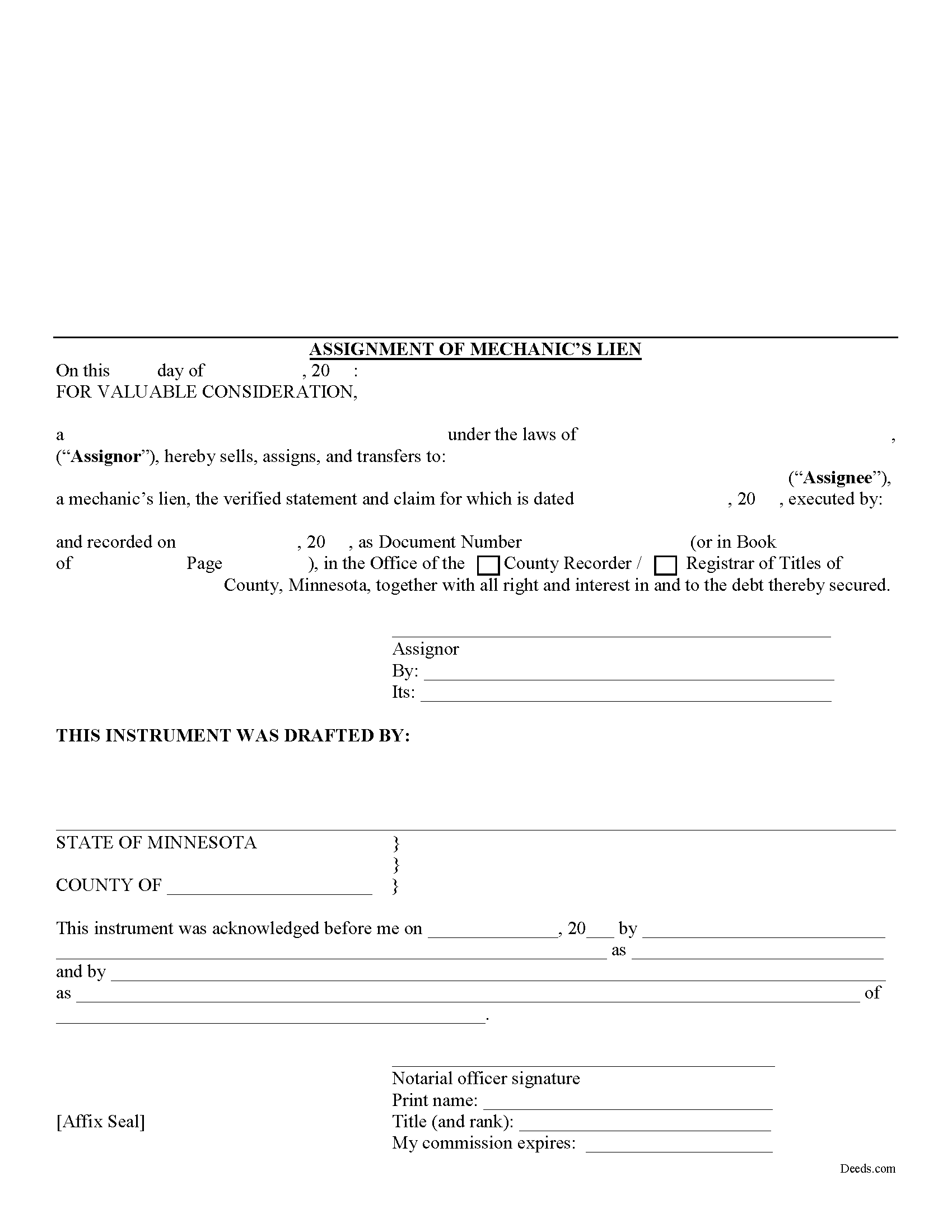
Yellow Medicine County Assignment of Mechanic Lien Form
Fill in the blank Assignment of Mechanic Lien form formatted to comply with all Minnesota recording and content requirements.
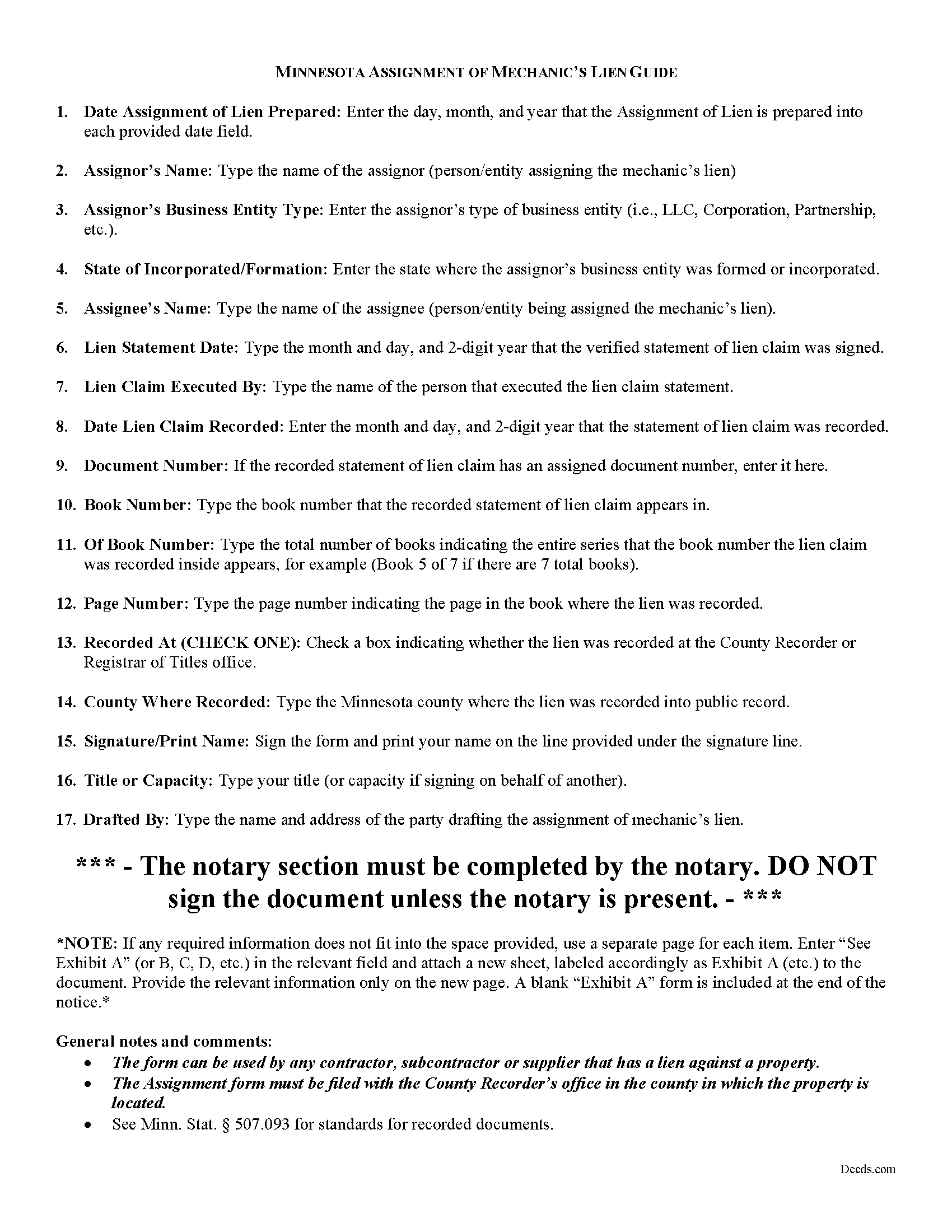
Yellow Medicine County Assignment of Mechanics Lien Guide
Line by line guide explaining every blank on the form.
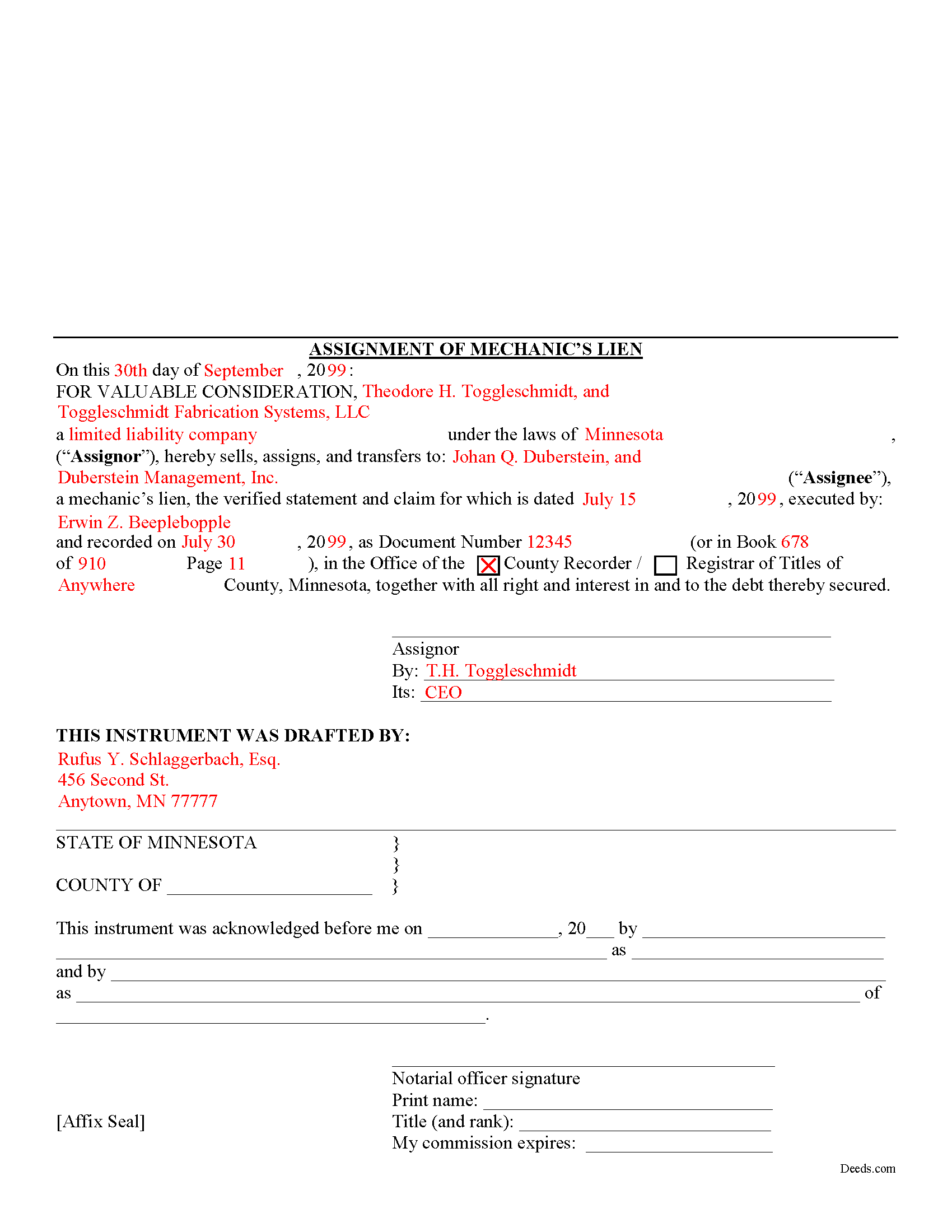
Yellow Medicine County Completed Example of the Assignment of Mechanics Lien Document
Example of a properly completed form for reference.
All 3 documents above included • One-time purchase • No recurring fees
Immediate Download • Secure Checkout
Additional Minnesota and Yellow Medicine County documents included at no extra charge:
Where to Record Your Documents
County Recorder & Registrar
Granite Falls, Minnesota 56241
Hours: 8:00 to 4:00 Monday through Friday
Phone: (320) 564-3132
Recording Tips for Yellow Medicine County:
- Bring your driver's license or state-issued photo ID
- Ensure all signatures are in blue or black ink
- Ask if they accept credit cards - many offices are cash/check only
- Check that your notary's commission hasn't expired
- Documents must be on 8.5 x 11 inch white paper
Cities and Jurisdictions in Yellow Medicine County
Properties in any of these areas use Yellow Medicine County forms:
- Canby
- Clarkfield
- Echo
- Granite Falls
- Hanley Falls
- Porter
- Wood Lake
Hours, fees, requirements, and more for Yellow Medicine County
How do I get my forms?
Forms are available for immediate download after payment. The Yellow Medicine County forms will be in your account ready to download to your computer. An account is created for you during checkout if you don't have one. Forms are NOT emailed.
Are these forms guaranteed to be recordable in Yellow Medicine County?
Yes. Our form blanks are guaranteed to meet or exceed the applicable formatting requirements used for recording in Yellow Medicine County, including margin requirements, font requirements, and other layout standards. This guarantee applies to formatting, not to the legal sufficiency of information entered by the user or the suitability of a form for a particular transaction.
Can I reuse these forms?
Yes. You can reuse the forms for your personal use. For example, if you have multiple properties in Yellow Medicine County you only need to order once.
What do I need to use these forms?
The forms are PDFs that you fill out on your computer. The free Adobe Acrobat Reader is recommended, and most PDF apps also work. You do NOT enter your property information online - you download the blank forms and complete them privately on your own computer.
Are there any recurring fees?
No. This is a one-time purchase. Nothing to cancel, no memberships, no recurring fees.
How much does it cost to record in Yellow Medicine County?
Recording fees in Yellow Medicine County vary. Contact the recorder's office at (320) 564-3132 for current fees.
Questions answered? Let's get started!
One of the fundamental principles of contract law is the right to assign contract rights to a third party. This is a corollary to the principle of "delegation," which involves assigning the duties under a contract to a third party. For example, Jack contracts with Jill to build Jill a house. Jack then assigns the right to payment for the house to Fred (maybe he owes Fred some money on a debt). This is called an "assignment." Contrast that with if Jack were to enlist Fred to build the house for Jill to fulfill Jack and Jill's contract, this would be a "delegation" (although possibly not a legal one if Jill entered the agreement specifically to seek Jack's special services). With the basic legal terminology clarified, let's move on to how lien assignments work in Minnesota.
Lien assignments work like any other assignments of rights under other types of contracts. Therefore, they are governed under Minnesota's version of the Uniform Commercial Code which is codified under Chapter 336 of the Minnesota Statutes.
Under the Commercial Code's rule on assignments, all rights of either seller or buyer can be assigned except where the assignment would materially change the duty of the other party, or increase materially the burden or risk imposed on the other party by the contract, or impair materially the other party's chance of obtaining return performance. M.S. 336.2-210(2). In general, as long as there is no increased burden or risk, or the duties required by the party subject to the lien somehow change, an assignment is permissible.
This article is provided for informational purposes only and is not intended to be relied upon as a substitute for the advice of an attorney. Please contact a Minnesota attorney with any questions about assigning lien rights or other related issues.
Important: Your property must be located in Yellow Medicine County to use these forms. Documents should be recorded at the county recording office listed above.
This Assignment of Mechanic Lien meets all recording requirements specific to Yellow Medicine County.
Our Promise
The documents you receive here are guaranteed to meet or exceed the applicable Yellow Medicine County recording format requirements. If there is a rejection caused by our formatting, we will correct the issue or refund your payment. This guarantee applies to document formatting only and does not extend to information entered by the user, the selection of the form, or the legal effect of the completed document.
Save Time and Money
Get your Yellow Medicine County Assignment of Mechanic Lien form done right the first time with Deeds.com Uniform Conveyancing Blanks. At Deeds.com, we understand that your time and money are valuable resources, and we don't want you to face a penalty fee or rejection imposed by a county recorder for submitting nonstandard documents. We constantly review and update our forms to meet rapidly changing state and county recording requirements for roughly 3,500 counties and local jurisdictions.
4.8 out of 5 - ( 4,837 Reviews )
Anne-Marie B. 5 out of 5 stars
This was the first time I have ever e-recorded a document. The process was smooth and simple. I loved being informed at each step along the way. I am glad I chose deeds.com and plan to use them in the future for all my electronic recording of legal documents.
Thank you!
Raymond M. 5 out of 5 stars
It would be really nice if you had an example of the document full size that can be examined/read before having to pay. I was gambling that it was the exact document that I needed when I paid my fee. Fortunately, it was, and I commend you for that.
Thank you for your feedback. We really appreciate it. Have a great day!
Teresa H. 5 out of 5 stars
cost effective and quick!
Thank you!
Kimberly B. 5 out of 5 stars
Great service, quick and easy!
We are grateful for your feedback and looking forward to serving you again. Thank you!
Arturo P. 5 out of 5 stars
Super easy to use! Totally satisfied. Thanks.
We appreciate your business and value your feedback. Thank you. Have a wonderful day!
SHERRI B. 5 out of 5 stars
World class forms and service. Downloaded and prepared the deed in minutes. Used the recording service (digital), so convenient.
Thank you for the kind words Sherri. Have an amazing day!
Tod F. 5 out of 5 stars
In 15 minutes I had my out of state documents. I am very pleased with the ease of acquiring them. I will definitely be using Deeds.com again if the need arises.
We appreciate your business and value your feedback. Thank you. Have a wonderful day!
Terry W. 5 out of 5 stars
Loved it no recurring fees easy to use your app
Thank you!
Hayley C. 5 out of 5 stars
Love this site, so easy to work with and customer service is amazing.
We appreciate your business and value your feedback. Thank you. Have a wonderful day!
Shirley S. 3 out of 5 stars
Laborious process to gain access; need to indicate PRIINT when complete and inform that if page is backspaced, entered info disappears, necessitating starting all over again. There is only one “A” provision, when some documents have several more. Space is too limited in some instances to provide what is necessary for recording. Thank you
Your feedback is valuable to us and helps us improve. Thank you for sharing your thoughts!
Debbie M. 5 out of 5 stars
Everything that I needed was included. I appreciate that there was a sample as well as the step-by-step directions included in the download. I would definitely recommend this site to anyone that needs it.
We appreciate your business and value your feedback. Thank you. Have a wonderful day!
Cecil S. 5 out of 5 stars
EXCELLENT SERVICE DONE WELL AND QUICKLY
We appreciate your business and value your feedback. Thank you. Have a wonderful day!
Evtishios D. 5 out of 5 stars
good site only recommendation would to allow to down load multiple forms at one time
Thank you for your feedback Evtishios.
Edward S. 5 out of 5 stars
Easy to use and comprehensive in content. Would recommend to anyone that is looking for a cheaper alternative to a lawyer. (They hate services that cut into their business)
Thank you!
Rafael R. 5 out of 5 stars
This was my first time using Deed.com. It was easier than I expected. The service is more convenient than filing documents in person or by mail. The response from Deeds.com upon the submission of my order was almost instantaneous.
We appreciate your business and value your feedback. Thank you. Have a wonderful day!