Morrison County Limited Warranty Deed Excluding Assessment Form
Last validated October 2, 2026 by our Forms Development TeamFormatted for recording in Morrison County, for property anywhere in the county: rural and unincorporated areas as well as Bowlus, Buckman, Cushing, Flensburg, Hillman, Lastrup, Little Falls, Motley and 5 more.
- 3 documents included
- Immediate PDF download
- Formatting guarantee
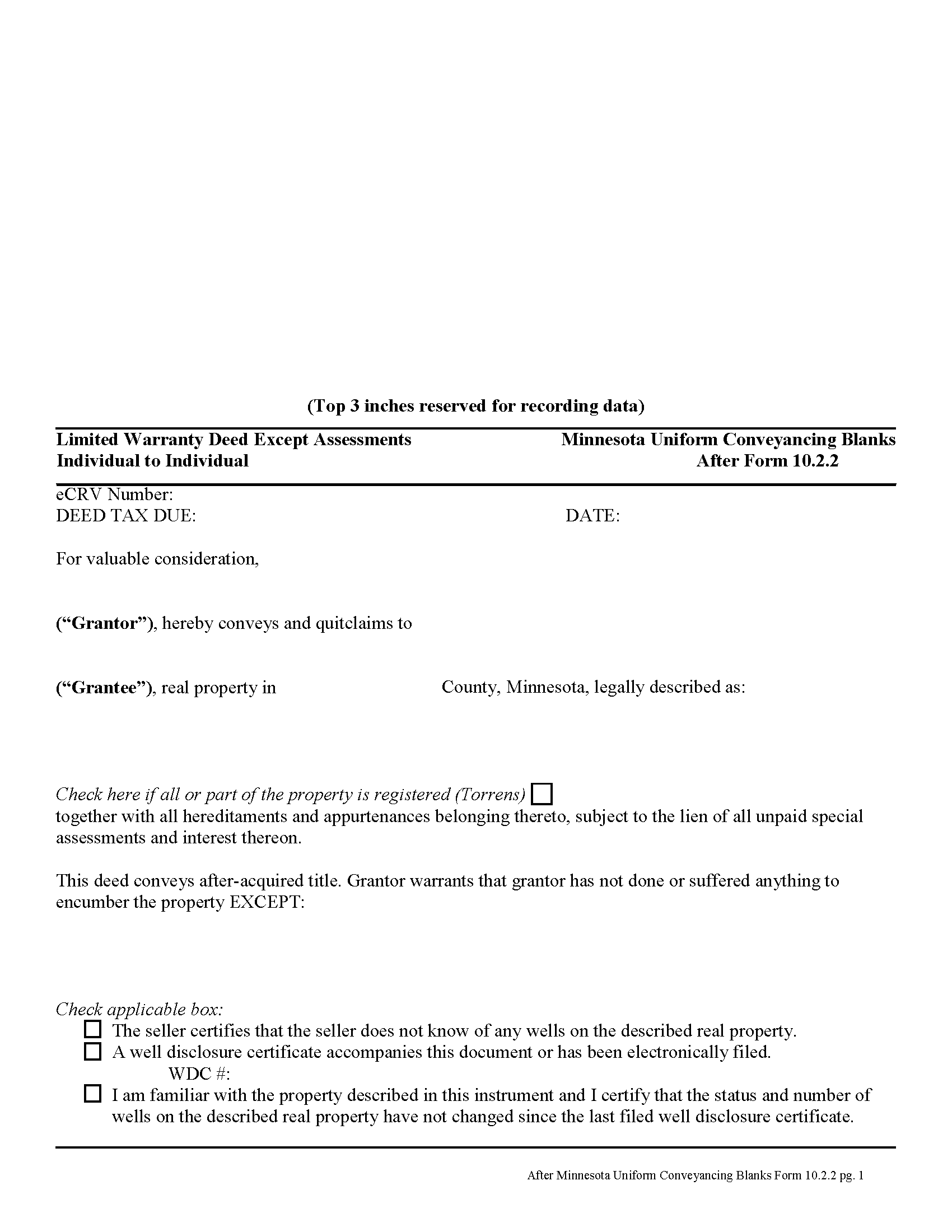
Morrison County Limited Warranty Deed Excluding Assessment Form
Fill in the blank form formatted to comply with all recording and content requirements.
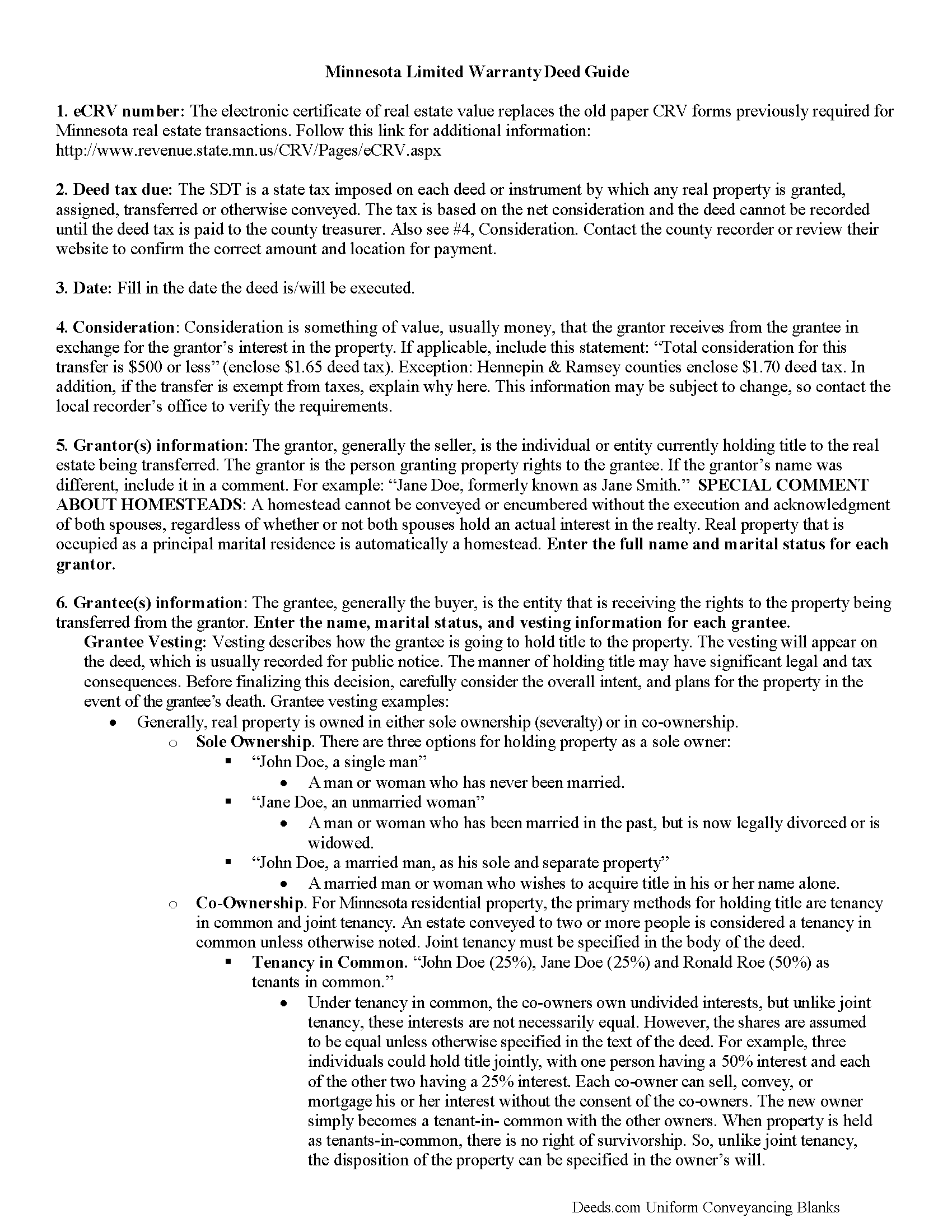
Morrison County Limited Warranty Deed Excluding Assessment Guide
Line by line guide explaining every blank on the form.
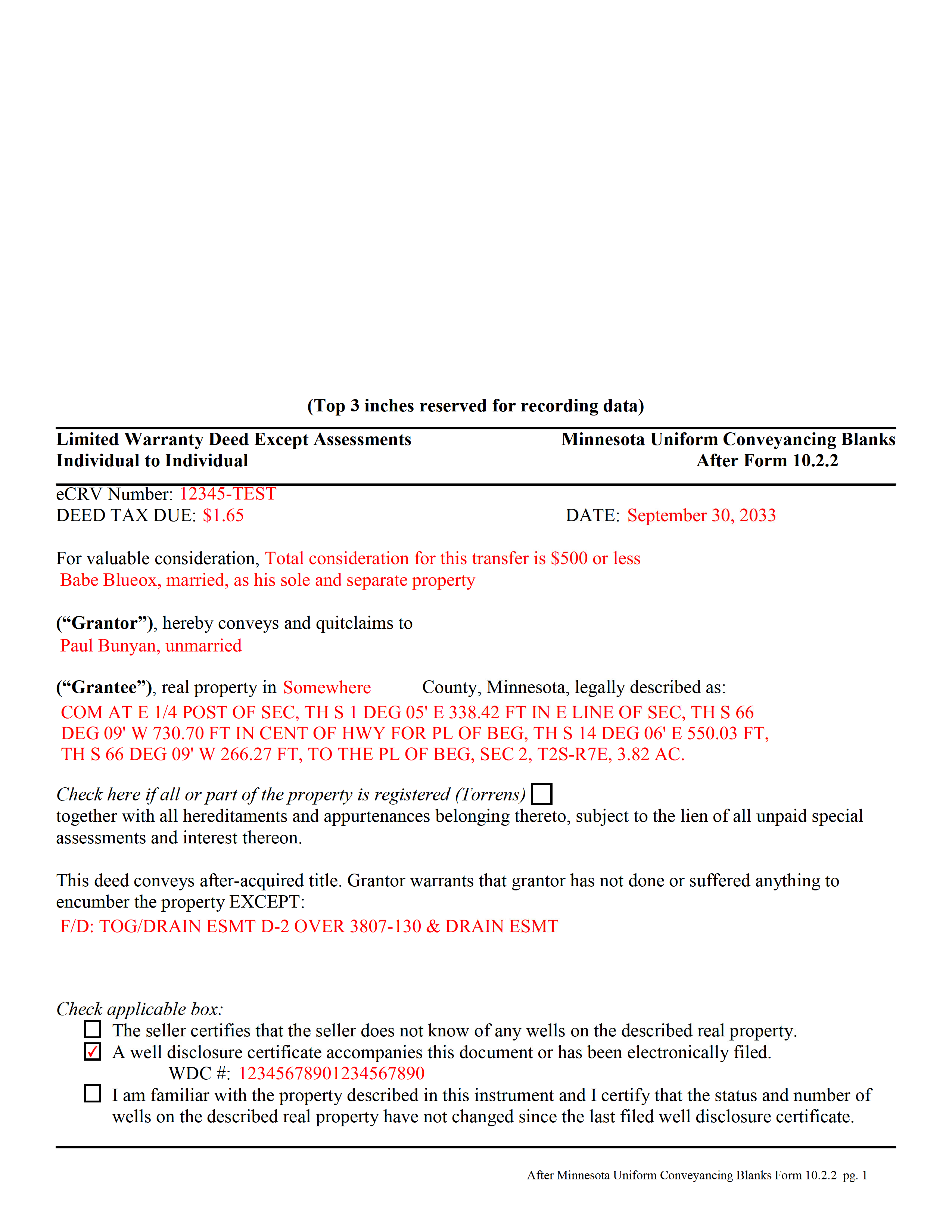
Morrison County Completed Example of the Limited Warranty Deed Excluding Assessment Form
Example of a properly completed form for reference.
All 3 documents above included • One-time purchase • No recurring fees
Immediate Download • Secure Checkout
Additional Minnesota and Morrison County documents included at no extra charge:
Where to Record Your Documents
Morrison County Recorder
Little Falls, Minnesota 56345
Hours: 8:00am to 4:30pm Monday through Friday
Phone: (320) 632-0146
Recording Tips for Morrison County:
- Bring your driver's license or state-issued photo ID
- Ensure all signatures are in blue or black ink
- Make copies of your documents before recording - keep originals safe
- Recorded documents become public record - avoid including SSNs
- Recording fees may differ from what's posted online - verify current rates
Cities and Jurisdictions in Morrison County
Properties in any of these areas use Morrison County forms:
- Bowlus
- Buckman
- Cushing
- Flensburg
- Hillman
- Lastrup
- Little Falls
- Motley
- Pierz
- Randall
- Royalton
- Swanville
- Upsala
Hours, fees, requirements, and more for Morrison County
How do I get my forms?
Forms are available for immediate download after payment. The Morrison County forms will be in your account ready to download to your computer. An account is created for you during checkout if you don't have one. Forms are NOT emailed.
Are these forms guaranteed to be recordable in Morrison County?
Yes. Our form blanks are guaranteed to meet or exceed the applicable formatting requirements used for recording in Morrison County, including margin requirements, font requirements, and other layout standards. This guarantee applies to formatting, not to the legal sufficiency of information entered by the user or the suitability of a form for a particular transaction.
Can I reuse these forms?
Yes. You can reuse the forms for your personal use. For example, if you have multiple properties in Morrison County you only need to order once.
What do I need to use these forms?
The forms are PDFs that you fill out on your computer. The free Adobe Acrobat Reader is recommended, and most PDF apps also work. You do NOT enter your property information online - you download the blank forms and complete them privately on your own computer.
Are there any recurring fees?
No. This is a one-time purchase. Nothing to cancel, no memberships, no recurring fees.
How much does it cost to record in Morrison County?
Recording fees in Morrison County vary. Contact the recorder's office at (320) 632-0146 for current fees.
Questions answered? Let's get started!
A limited warranty deed is used for Minnesota real estate transactions where the grantor agrees to guarantee that, during the time of ownership, the grantor did nothing to encumber the property. The deed also passes after-acquired title (any future rights the grantor gains to the same land transferred by the deed).
By excluding assessments from the covenants of title, the grantor alerts the grantee to the fact that one or more outstanding assessment liens and any associated interest may still be attached to the title.
(Minnesota LWD Excluding Assessment Package includes form, guidelines, and completed example)
Important: Your property must be located in Morrison County to use these forms. Documents should be recorded at the county recording office listed above.
This Limited Warranty Deed Excluding Assessment meets all recording requirements specific to Morrison County.
Our Promise
The documents you receive here are guaranteed to meet or exceed the applicable Morrison County recording format requirements. If there is a rejection caused by our formatting, we will correct the issue or refund your payment. This guarantee applies to document formatting only and does not extend to information entered by the user, the selection of the form, or the legal effect of the completed document.
Save Time and Money
Get your Morrison County Limited Warranty Deed Excluding Assessment form done right the first time with Deeds.com Uniform Conveyancing Blanks. At Deeds.com, we understand that your time and money are valuable resources, and we don't want you to face a penalty fee or rejection imposed by a county recorder for submitting nonstandard documents. We constantly review and update our forms to meet rapidly changing state and county recording requirements for roughly 3,500 counties and local jurisdictions.
4.8 out of 5 - ( 4,836 Reviews )
Richard H. 1 out of 5 stars
It was a waste of time. I asked a question via your chat service. I received an acknowledgement that you received the question, that you might or might not answer it, and don't bother to reply to you email, as no one would read it. Confirming my belief that customer service is an oxymoron for most companies. (I doubt this review will ever appear on the site, or anyuhere else.)
Thank you!
Clarence F. 5 out of 5 stars
very easy to use !!!
We appreciate your business and value your feedback. Thank you. Have a wonderful day!
Robert B. 5 out of 5 stars
Very easy to use.
Thank you for your feedback. We really appreciate it. Have a great day!
Vallerie M. 5 out of 5 stars
Amazing! Great prompt service and follow up. I couldn’t be happier
We are grateful for your engagement and feedback, which help us to serve you better. Thank you for being an integral part of our community.
Charlotte K. 5 out of 5 stars
Really a simple, quick, professional experience!
Thank you!
Klint D. 5 out of 5 stars
Quick and easy
Thank you!
Sue B. 5 out of 5 stars
Easy to download and complete. Thank you for this service!
Thank you for your feedback Sue, we really appreciate it!
Martha B. 5 out of 5 stars
Not too hard to do, I did get it checked out by an attorney after I completed it just to be safe. He said it was fine, made no changes.
We appreciate your business and value your feedback. Thank you. Have a wonderful day!
Terry S. 4 out of 5 stars
Worked well for us except for not being able to edit. Got it completed and recorded with the county clerk! Having the instructions and example made it easy!
Thank you for your feedback. We really appreciate it. Have a great day!
Lisa A. 5 out of 5 stars
I am so thankful for the time saved by using Deeds.com. Not having to run downtown and stand in line is awesome!
We are delighted to have been of service. Thank you for the positive review!
RICHARD A. 5 out of 5 stars
Smooth, simple, and complete. A great forms service.
We appreciate your business and value your feedback. Thank you. Have a wonderful day!
Richard W. 4 out of 5 stars
My experience so far is quite good. Useful documents. It would be very helpful if the labels on the files downloaded were in text format, like "Jurat" rather than "1429107022SF21141." It would save me the extra step of providing proper file names.
Thank you for your feedback. We really appreciate it. Have a great day!
Sheri L. 5 out of 5 stars
Very helpful even though what I'm looking for hasnt updated yet. I'll use you again.
Thank you!
Don M. 5 out of 5 stars
Easy to set up account. If I am presented with a chance to review the service, I will do that after I have received it.
Thank you!
Sally P. 5 out of 5 stars
I cannot thank the staff at Deeds.com enough for all of their assistance and their quick and their most pleasant responses. They were extremely quick and efficient to help me to file my documents. Thanks for everything and I will definitely be referring folks to your site.
Our team is deeply committed to providing efficient, reliable assistance and it's always rewarding to know we've made a difference for our customers. Your kind words about our quick and pleasant responses are much appreciated and will certainly serve as an extra boost of motivation for our team.
We also sincerely appreciate your intention to refer others to our site. Your trust and confidence in our service means a lot to us, and we're grateful to have you as part of the Deeds.com community.