Murray County Limited Warranty Deed Excluding Assessment Form
Last validated October 2, 2026 by our Forms Development TeamFormatted for recording in Murray County, for property anywhere in the county: rural and unincorporated areas as well as Avoca, Chandler, Currie, Dovray, Fulda, Iona, Lake Wilson, Slayton.
- 3 documents included
- Immediate PDF download
- Formatting guarantee
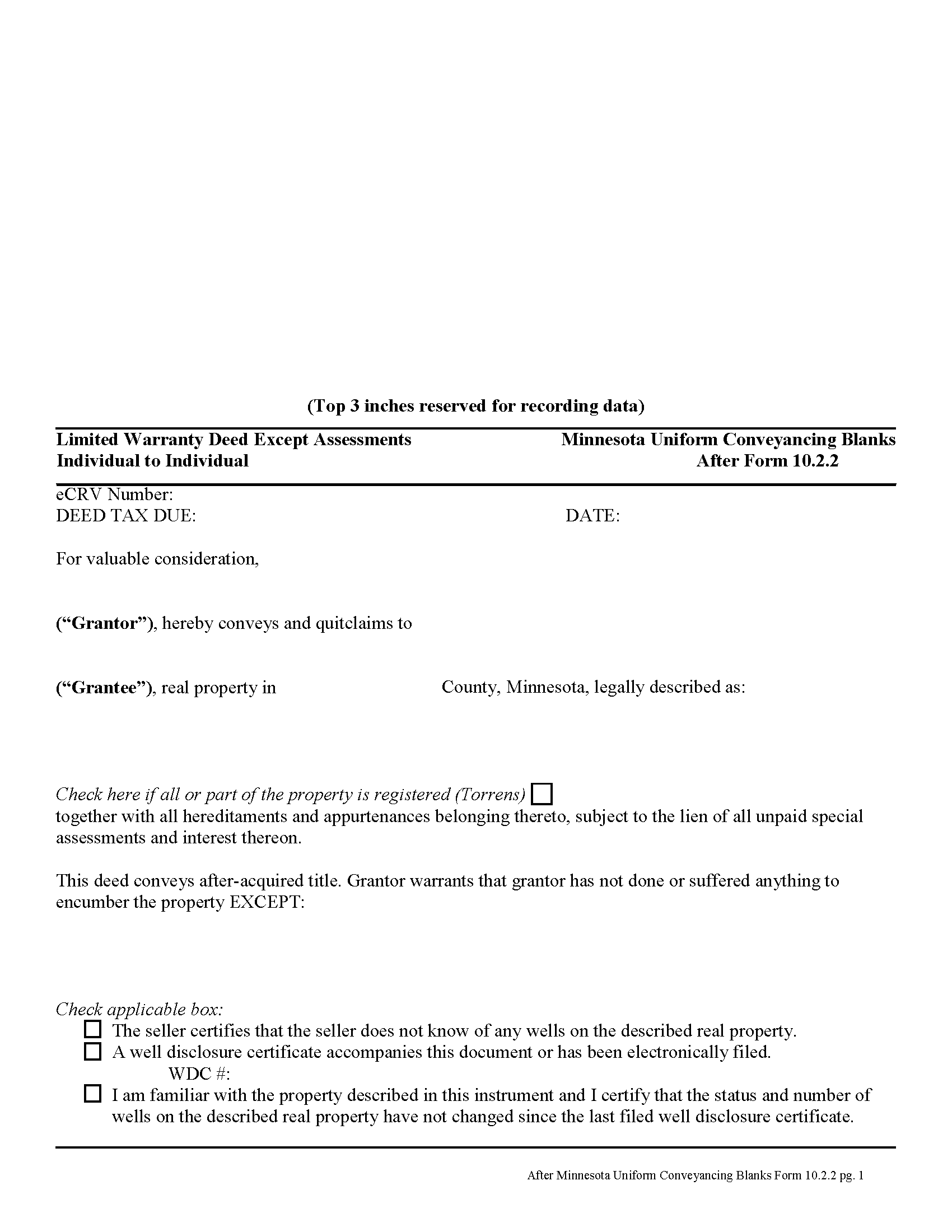
Murray County Limited Warranty Deed Excluding Assessment Form
Fill in the blank form formatted to comply with all recording and content requirements.
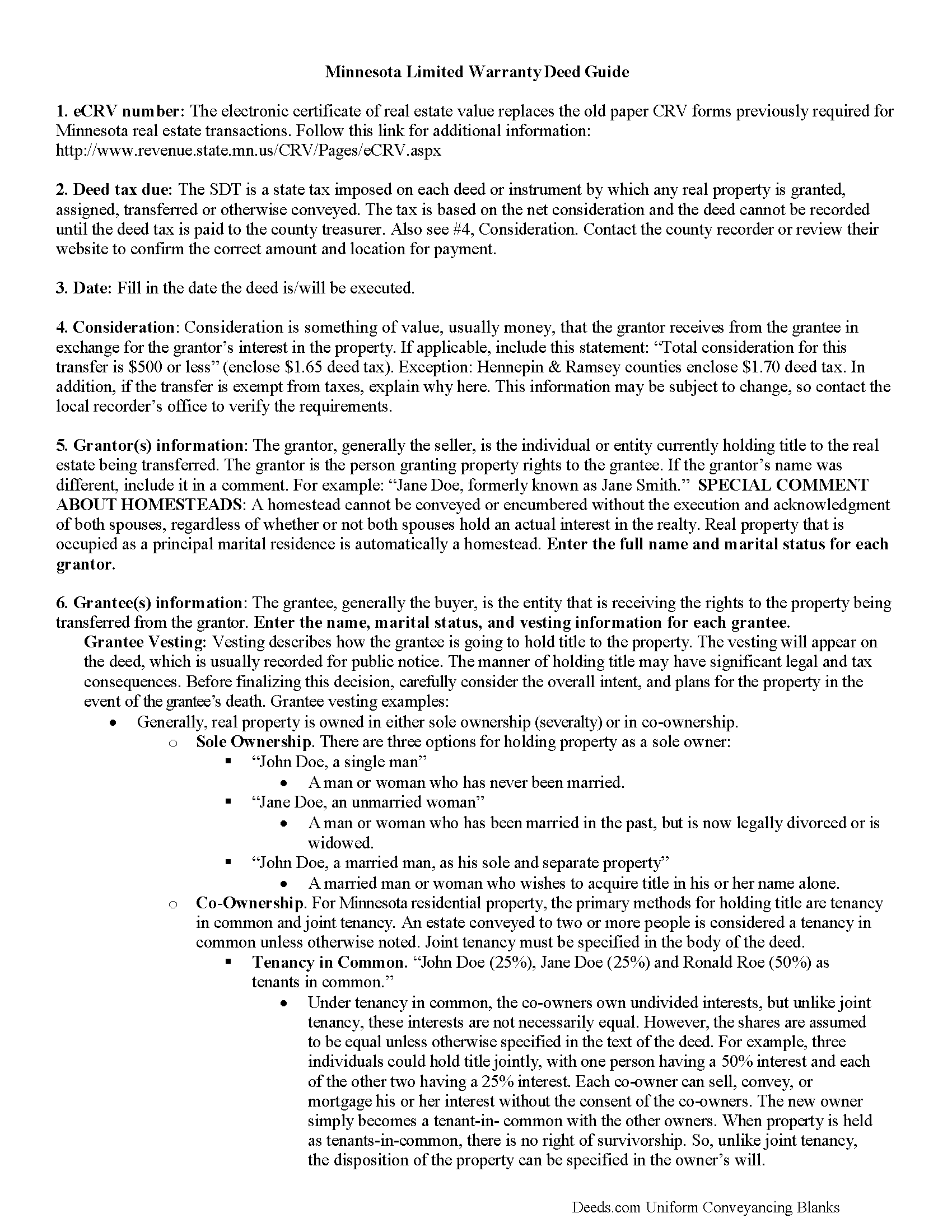
Murray County Limited Warranty Deed Excluding Assessment Guide
Line by line guide explaining every blank on the form.
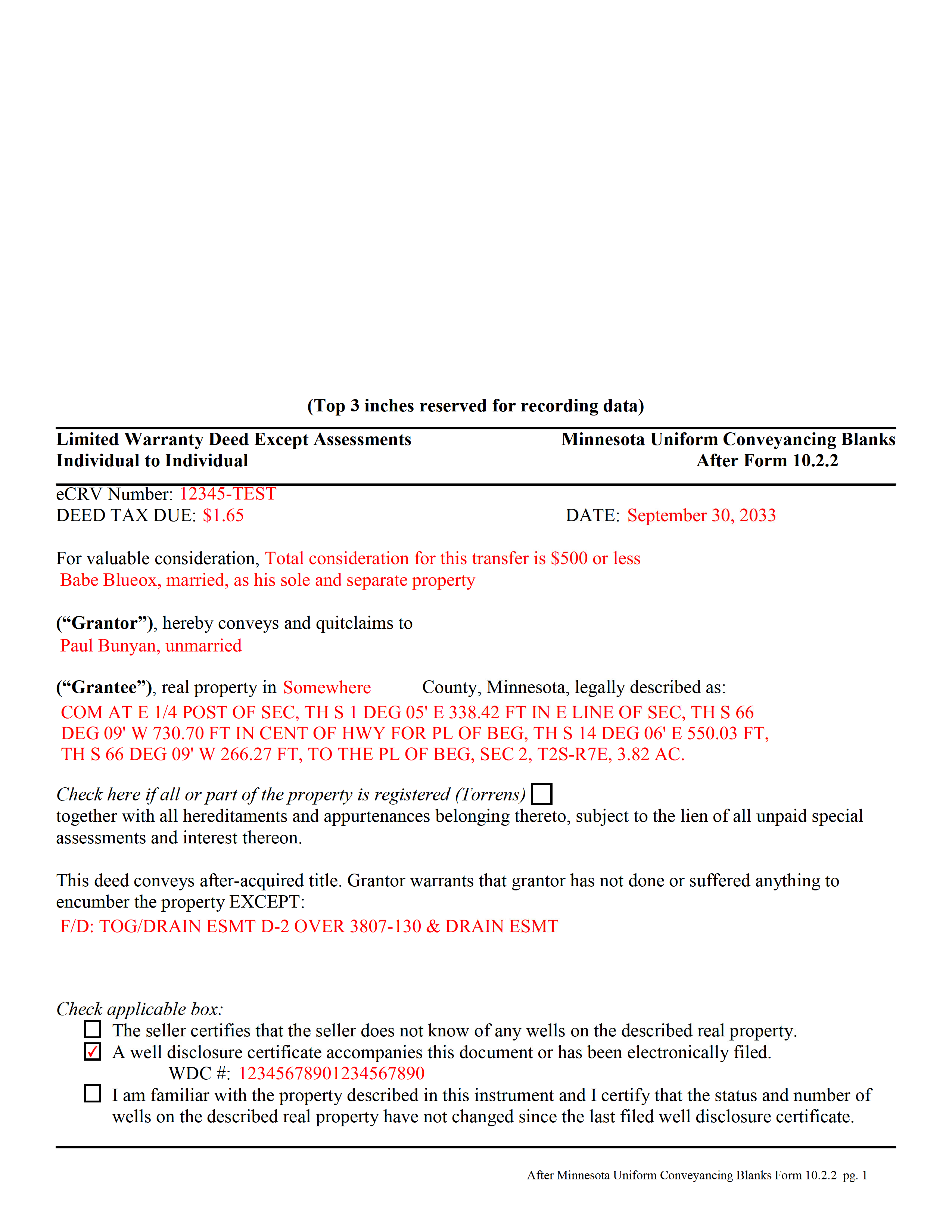
Murray County Completed Example of the Limited Warranty Deed Excluding Assessment Form
Example of a properly completed form for reference.
All 3 documents above included • One-time purchase • No recurring fees
Immediate Download • Secure Checkout
Additional Minnesota and Murray County documents included at no extra charge:
Where to Record Your Documents
Murray County Recorder
Slayton, Minnesota 56172-0057
Hours: 8:30 to 4:30 M-F
Phone: (507) 836-1161, 836-1162
Recording Tips for Murray County:
- Bring your driver's license or state-issued photo ID
- Ensure all signatures are in blue or black ink
- Both spouses typically need to sign if property is jointly owned
- Bring extra funds - fees can vary by document type and page count
- Check margin requirements - usually 1-2 inches at top
Cities and Jurisdictions in Murray County
Properties in any of these areas use Murray County forms:
- Avoca
- Chandler
- Currie
- Dovray
- Fulda
- Iona
- Lake Wilson
- Slayton
Hours, fees, requirements, and more for Murray County
How do I get my forms?
Forms are available for immediate download after payment. The Murray County forms will be in your account ready to download to your computer. An account is created for you during checkout if you don't have one. Forms are NOT emailed.
Are these forms guaranteed to be recordable in Murray County?
Yes. Our form blanks are guaranteed to meet or exceed the applicable formatting requirements used for recording in Murray County, including margin requirements, font requirements, and other layout standards. This guarantee applies to formatting, not to the legal sufficiency of information entered by the user or the suitability of a form for a particular transaction.
Can I reuse these forms?
Yes. You can reuse the forms for your personal use. For example, if you have multiple properties in Murray County you only need to order once.
What do I need to use these forms?
The forms are PDFs that you fill out on your computer. The free Adobe Acrobat Reader is recommended, and most PDF apps also work. You do NOT enter your property information online - you download the blank forms and complete them privately on your own computer.
Are there any recurring fees?
No. This is a one-time purchase. Nothing to cancel, no memberships, no recurring fees.
How much does it cost to record in Murray County?
Recording fees in Murray County vary. Contact the recorder's office at (507) 836-1161, 836-1162 for current fees.
Questions answered? Let's get started!
A limited warranty deed is used for Minnesota real estate transactions where the grantor agrees to guarantee that, during the time of ownership, the grantor did nothing to encumber the property. The deed also passes after-acquired title (any future rights the grantor gains to the same land transferred by the deed).
By excluding assessments from the covenants of title, the grantor alerts the grantee to the fact that one or more outstanding assessment liens and any associated interest may still be attached to the title.
(Minnesota LWD Excluding Assessment Package includes form, guidelines, and completed example)
Important: Your property must be located in Murray County to use these forms. Documents should be recorded at the county recording office listed above.
This Limited Warranty Deed Excluding Assessment meets all recording requirements specific to Murray County.
Our Promise
The documents you receive here are guaranteed to meet or exceed the applicable Murray County recording format requirements. If there is a rejection caused by our formatting, we will correct the issue or refund your payment. This guarantee applies to document formatting only and does not extend to information entered by the user, the selection of the form, or the legal effect of the completed document.
Save Time and Money
Get your Murray County Limited Warranty Deed Excluding Assessment form done right the first time with Deeds.com Uniform Conveyancing Blanks. At Deeds.com, we understand that your time and money are valuable resources, and we don't want you to face a penalty fee or rejection imposed by a county recorder for submitting nonstandard documents. We constantly review and update our forms to meet rapidly changing state and county recording requirements for roughly 3,500 counties and local jurisdictions.
4.8 out of 5 - ( 4,836 Reviews )
Lester A. 5 out of 5 stars
Couldnt have been easier. Docs recorded the next day!
Thanks Lester, glad we could help.
Marites T. 5 out of 5 stars
Extremely helpful team of professionals who are patient when you need to get things filed correctly. Very small price for the comfort of knowing your DOCUMENTS are FILED with you local Recorder's Office. Some of the filings, if they are correctly formatted are already uploaded and official within a few hours. Here's the ALTERNATIVE you may encounter. For Example: King County Recorder's Office moved which means most filings are backed up 7-10 days if you DROP your filing in a BOX with your CHECK or MAIL IT. Neither is a great option, since they have no WALK IN HOURS.
We appreciate your business and value your feedback. Thank you. Have a wonderful day!
John M. 5 out of 5 stars
Easy to use site with a good selection of documents
Thank you!
MIchelle S. 4 out of 5 stars
You had the generic document that I was looking for Yay! The "example" page was helpful and reassuring. The auto input sections of my document looked ok until i printed it and then it appeared to be out of alignment which is why my rating is lowered to 4 stars it would be nice to have the ability to correct the title (created by me) when downloading PDFs for an e-filing
Thank you for your feedback. We really appreciate it. Have a great day!
Linda G. 5 out of 5 stars
I like it so far- now I just need to complete my filing in the County seat!
We appreciate your business and value your feedback. Thank you. Have a wonderful day!
Debbi B. 4 out of 5 stars
The deeds were a very reasonable price. However, it was made to seem like it was part of Jefferson County, and I didn't love the deceptiveness.
Debbi, we understand that you came away with the impression that Deeds.com was part of Jefferson County, but we respectfully disagree with the characterization of our website as deceptive. Deeds.com is an independent document provider and does not represent itself as affiliated with Jefferson County or any other government agency. Jefferson County is identified because customers need forms and recording information appropriate for the correct jurisdiction. If a particular page or statement caused confusion, please contact Deeds.com Customer Care so we can review it.
Rod G. 5 out of 5 stars
You guys have it DOWN!! You made it easy to navigate your site and services. You explained things effectively. You are helpful and fast. NO WAY would even entertain using a different deed/ document recording service. I'll be back! Thank you. Rod
We appreciate your business and value your feedback. Thank you. Have a wonderful day!
Jeffrey G. 5 out of 5 stars
Nice an easy. Just wondered if I can come back and still have my order (forms) available to get again, if I have an issue with saving them.
Thank you for your feedback. We really appreciate it. Have a great day!
Coby A. 5 out of 5 stars
great service and quick filing.
Thank you!
Christopher H. 5 out of 5 stars
So far, everything we have needed was easy to find, fill out and understand. If it all works out as it should, this site will have a customer for life.
Thank you for your feedback. We really appreciate it. Have a great day!
Elverta B. 5 out of 5 stars
Very easy to complete Quitclaim Deed
We’re glad to hear things went well. Thank you for the review.
Donna T. 5 out of 5 stars
Very clear instructions. All documents were easy to download and print.
Thank you for your feedback. We really appreciate it. Have a great day!
Shannon R. 5 out of 5 stars
Good forms, served the purpose. would not hesitate to use again if needed.
We appreciate your business and value your feedback. Thank you. Have a wonderful day!
Sandra B. 5 out of 5 stars
Easy and fast. Was able to find the documents needed and saved so much money!!
We appreciate your business and value your feedback. Thank you. Have a wonderful day!
Eduardo A. 5 out of 5 stars
Perfect, blank forms, just what I ordered. Easy to download, understand, and complete.
Thank you!