Goodhue County Quitclaim Deed (Individual Grantor) Form
Last validated November 13, 2026 by our Forms Development TeamFormatted for recording in Goodhue County, for property anywhere in the county: rural and unincorporated areas as well as Cannon Falls, Dennison, Frontenac, Goodhue, Kenyon, Pine Island, Red Wing, Wanamingo and 2 more.
- 3 documents included
- Immediate PDF download
- Formatting guarantee
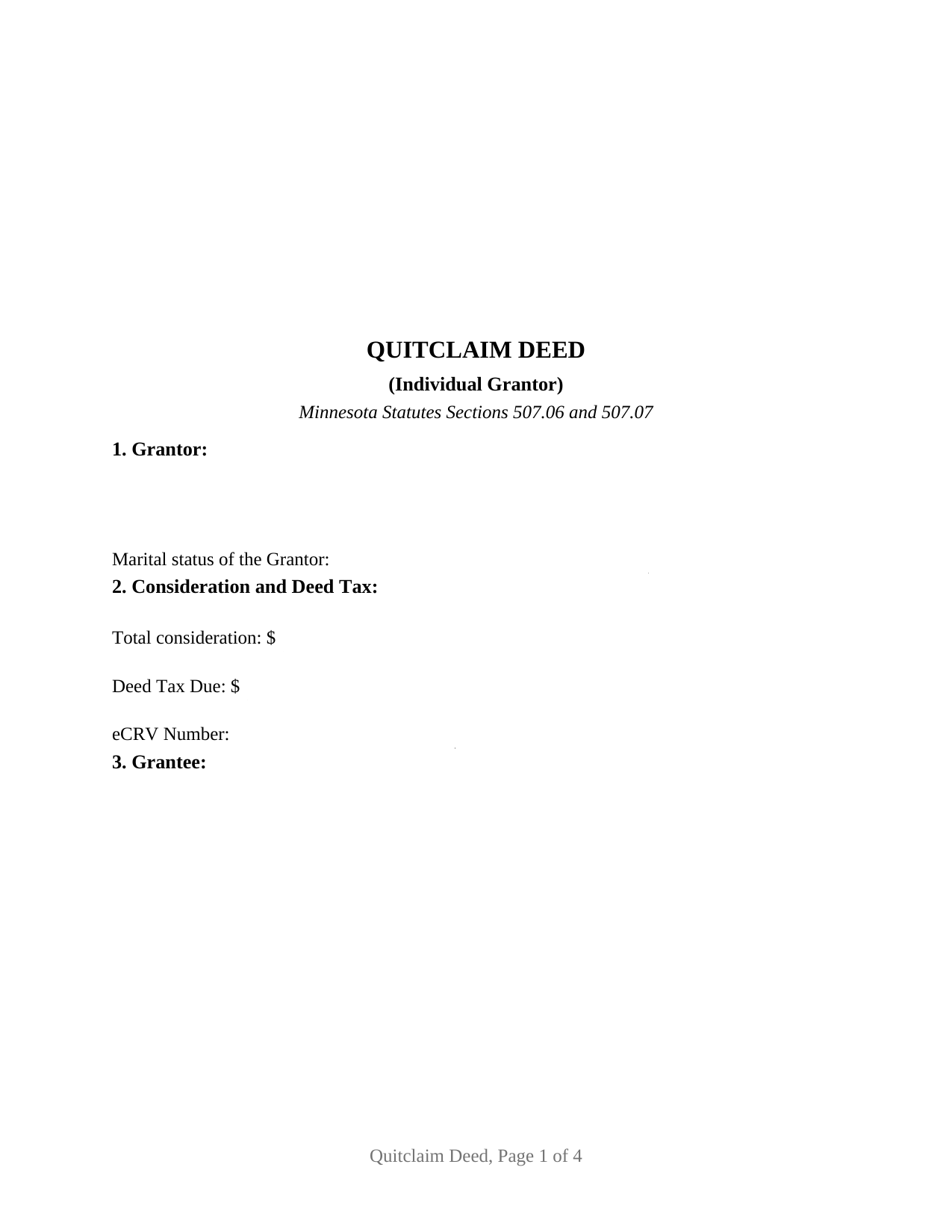
Goodhue County Quitclaim Deed (Individual Grantor) Form
Fill in the blank Quitclaim Deed (Individual Grantor) form formatted to comply with all Minnesota recording and content requirements.
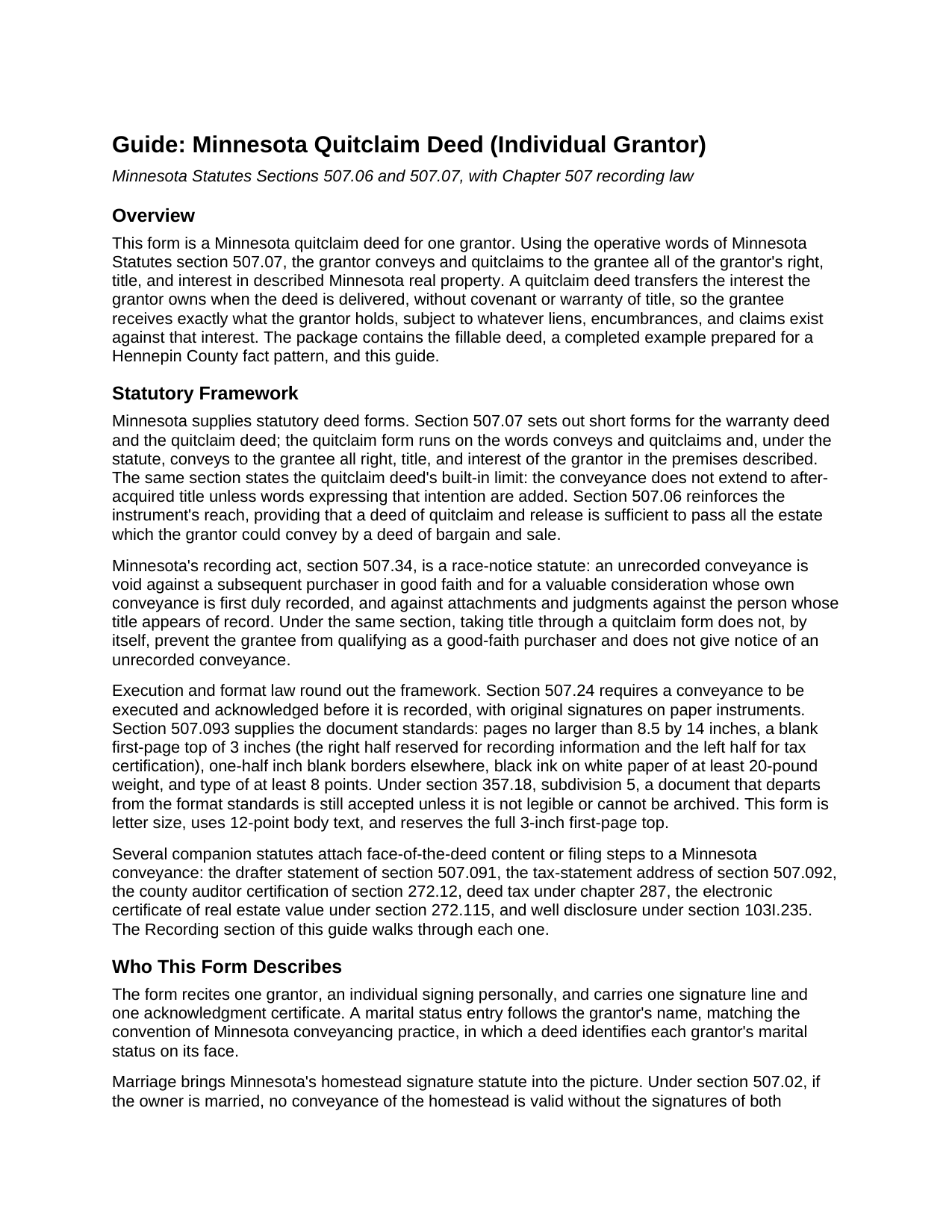
Goodhue County Quitclaim Deed (Individual Grantor) Guide
Line by line guide explaining every blank on the Quitclaim Deed (Individual Grantor) form.
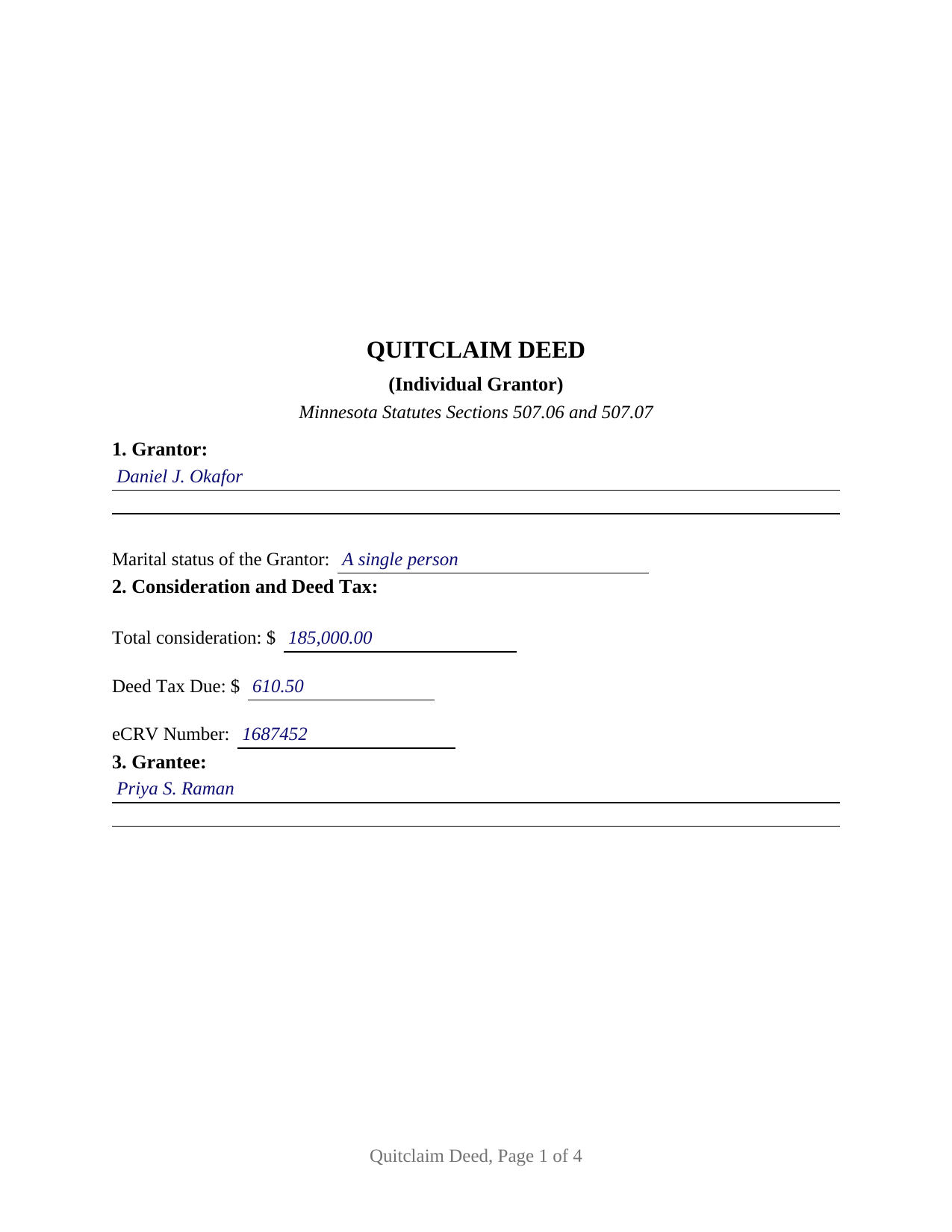
Goodhue County Completed Example of the Quitclaim Deed (Individual Grantor) Document
Example of a properly completed Minnesota Quitclaim Deed (Individual Grantor) document for reference.
All 3 documents above included • One-time purchase • No recurring fees
Immediate Download • Secure Checkout
Additional Minnesota and Goodhue County documents included at no extra charge:
Where to Record Your Documents
Goodhue County Recorder
Red Wing, Minnesota 55066
Hours: 8:00am to 4:30pm Monday through Friday
Phone: (651) 385-3152
Recording Tips for Goodhue County:
- Bring your driver's license or state-issued photo ID
- Ensure all signatures are in blue or black ink
- Bring extra funds - fees can vary by document type and page count
- Check margin requirements - usually 1-2 inches at top
- Leave recording info boxes blank - the office fills these
Cities and Jurisdictions in Goodhue County
Properties in any of these areas use Goodhue County forms:
- Cannon Falls
- Dennison
- Frontenac
- Goodhue
- Kenyon
- Pine Island
- Red Wing
- Wanamingo
- Welch
- Zumbrota
Hours, fees, requirements, and more for Goodhue County
How do I get my forms?
Forms are available for immediate download after payment. The Goodhue County forms will be in your account ready to download to your computer. An account is created for you during checkout if you don't have one. Forms are NOT emailed.
Are these forms guaranteed to be recordable in Goodhue County?
Yes. Our form blanks are guaranteed to meet or exceed the applicable formatting requirements used for recording in Goodhue County, including margin requirements, font requirements, and other layout standards. This guarantee applies to formatting, not to the legal sufficiency of information entered by the user or the suitability of a form for a particular transaction.
Can I reuse these forms?
Yes. You can reuse the forms for your personal use. For example, if you have multiple properties in Goodhue County you only need to order once.
What do I need to use these forms?
The forms are PDFs that you fill out on your computer. The free Adobe Acrobat Reader is recommended, and most PDF apps also work. You do NOT enter your property information online - you download the blank forms and complete them privately on your own computer.
Are there any recurring fees?
No. This is a one-time purchase. Nothing to cancel, no memberships, no recurring fees.
How much does it cost to record in Goodhue County?
Recording fees in Goodhue County vary. Contact the recorder's office at (651) 385-3152 for current fees.
Questions answered? Let's get started!
One signature carries this deed. The Minnesota Quitclaim Deed (Individual Grantor) prepares a quitclaim conveyance for exactly one grantor: a single signature line, a single notary acknowledgment certificate, and a marital status entry that frames the homestead question Minnesota law asks whenever a married owner conveys. Whatever interest that one grantor holds in the described Minnesota real property passes to the grantee, without any warranty of title.
One grantor, one certificate
The form recites a single conveying owner. Section 1 takes the grantor's legal name with a marital status line beneath it, and the signature section pairs one signature line with one acknowledgment certificate in the short form of Minnesota Statutes section 358.66, the certificate a Minnesota notary completes for an individual signer. The single-owner pattern runs throughout Minnesota records: a former spouse conveying under the terms of a dissolution decree, an owner moving title to the trustee of a revocable trust, a family transfer for little or no consideration, and a conveyance that clears a stray interest from a chain of title. The marital status entry earns its place because section 507.02 makes both spouses' signatures a validity requirement for a married owner's conveyance of the homestead; this deed recites exactly one grantor, so it is not set up as a two-spouse homestead conveyance, and the guide describes how that statute reaches a married owner's home.
What conveys and quitclaims means in Minnesota
Minnesota wrote the quitclaim deed into statute. Section 507.07 supplies the short form and its operative words, conveys and quitclaims, and defines the effect: the deed passes all right, title, and interest of the grantor in the described premises, but reaches no title the grantor acquires later unless express words add it. Section 507.06 adds that a deed of quitclaim and release is sufficient to pass all the estate the grantor could convey by a deed of bargain and sale. This form carries those statutory words in its conveyance section, together with the hereditaments and appurtenances clause of Minnesota conveyancing practice and a plain statement that the deed carries no covenant or warranty of title. Buyers and title examiners searching for a quit claim deed form and sellers reading about a quitclaim deed encounter the same instrument: a conveyance whose protection is the record itself rather than covenants from the grantor.
A first page built for Minnesota's recording counters
Minnesota attaches specific content to the face of a deed, and the form prints it. The first page reserves a full 3 inches at the top under section 507.093, the right half for the recorder's information and the left half for tax certification. The deed carries the drafter statement of section 507.091, the section 507.092 statement directing where future property tax statements go, and lines for the deed tax due and the eCRV number. Section 8 prints the three well disclosure statements of section 103I.235, from the seller's certification of no known wells to the no-change statement, with a blank that takes the letter of the statement applying to the conveyance and a line for an electronically filed well certificate number. A Registered (Torrens) entry signals whether the deed goes to the county recorder or to the registrar of titles.
From the auditor to the recorder
A Minnesota deed reaches the record through the county offices in order. The county auditor enters the transfer and certifies the taxes under section 272.12; without the auditor's statement, the recorder refuses the instrument. Deed tax under section 287.21 runs at 0.0033 of net consideration over $3,000, and $1.65 at or below that line, with small county additions in Hennepin and Ramsey Counties. A sale for more than $3,000 takes an electronic certificate of real estate value under section 272.115. The statewide recorder fee is a flat $46. Once recorded, the deed takes the protection of Minnesota's race-notice statute, section 507.34, against later purchasers and against judgments entered against the record owner.
The package delivers this Minnesota quitclaim deed form as a fillable PDF, a completed example showing the deed prepared for a Hennepin County transfer from a single grantor, and a guide that walks through every numbered section, the statutes behind them, and the recording steps. The materials are informational and are not legal advice.
Important: Your property must be located in Goodhue County to use these forms. Documents should be recorded at the county recording office listed above.
This Quitclaim Deed (Individual Grantor) meets all recording requirements specific to Goodhue County.
Our Promise
The documents you receive here are guaranteed to meet or exceed the applicable Goodhue County recording format requirements. If there is a rejection caused by our formatting, we will correct the issue or refund your payment. This guarantee applies to document formatting only and does not extend to information entered by the user, the selection of the form, or the legal effect of the completed document.
Save Time and Money
Get your Goodhue County Quitclaim Deed (Individual Grantor) form done right the first time with Deeds.com Uniform Conveyancing Blanks. At Deeds.com, we understand that your time and money are valuable resources, and we don't want you to face a penalty fee or rejection imposed by a county recorder for submitting nonstandard documents. We constantly review and update our forms to meet rapidly changing state and county recording requirements for roughly 3,500 counties and local jurisdictions.
4.8 out of 5 - ( 4,862 Reviews )
CHARLES H. 5 out of 5 stars
Easy to fill-in forms, easy instructions, worth purchasing
Thank you!
Shari S. 5 out of 5 stars
Deeds.com is a wonderful resource providing helpful information, forms, examples, and instructions. Thank you for your service.
We appreciate your business and value your feedback. Thank you. Have a wonderful day!
Julie S. 5 out of 5 stars
My county clerks office referred me to this website and I am so glad she did. This site is very easy to use, they do NOT try to sell you other things you don't need (or want) nor do they make you sign up for anything. Pick what you need and whalaa - there for you in seconds. Thank you so much - will use again should the need arise. JS
Thank you for your feedback. We really appreciate it. Have a great day!
jerry k. 5 out of 5 stars
very easy to download, works great
Thank you for your feedback. We really appreciate it. Have a great day!
Phillip B. 5 out of 5 stars
Nice. Quick and very easy to find and download the exact forms I needed.
Thank you for your feedback. We really appreciate it. Have a great day!
Diyang W. 5 out of 5 stars
Very Good Product. Provided a lot of good info to assist people to DIY various Deed
We are grateful for your engagement and feedback, which help us to serve you better. Thank you for being an integral part of our community.
Shawn H. 5 out of 5 stars
The site provided exactly what I needed when I needed it.
Thank you for your feedback. We really appreciate it. Have a great day!
Florentes P. 2 out of 5 stars
The form is so limited in space that I can not fit the vesting information as well as the real property information. The property information, I could put it as Exhibit A. which is not the usual way. Not happy.
Sorry to hear that you are not happy with the available space on the document you received. Per your request we have canceled your order. We do hope you are able to find a solution that meets your needs and the recording/statutory requirements of the document. Have a great day!
Forrest D. 1 out of 5 stars
Requires you work in Adobe Acrobat. Too difficult to edit, add and erase for an attorney.
Sorry to hear of your struggle. We do hope that you find something more suitable to your needs elsewhere. Have a wonderful day.
David G. 5 out of 5 stars
Thanks got what I needed
Thank you David, glad to hear that.
Teri B. 5 out of 5 stars
Glad to have all of the helpful extra information, even though they don't answer all questions for all situations. So, I accessed public records and asked questions at the auditor's office. Also, on my Mac computer, filling out the actual deed form is a challenge because the screen jumps to the last page everytime I try to type a few letters or hit the return key, so I'm rollling back up to the first 2 pages after most keystrokes. A bit annoying. Overall, happy to have these form options are available! There is really no need to wait and pay for an attorney when all the information needed is available via public records. Fill in the blanks!
Thanks so much for the feedback Teri. There are known issues between Adobe and Mac, we try to work around them as much as possible. Have a wonderful day!
Michael A. 5 out of 5 stars
Pleasant experiences. Look forward to future contacts
Thank you!
Jenni R. 5 out of 5 stars
Dry convenient and had just the form I needed and included directions, filled out sample form and other resources. Will recommend and use again if needed.
Thank you for your feedback. We really appreciate it. Have a great day!
James R. 5 out of 5 stars
Super website. Easy to use and stuff is well organized.
We appreciate your business and value your feedback. Thank you. Have a wonderful day!
Carolyn M. 5 out of 5 stars
Very helpful and informative. The online site walked you through step by step and if you had a question, which I did, I called with my question. Thanks again.
Thank you!