Pine County Quitclaim Deed (Trustee Grantee) Form
Last validated October 13, 2026 by our Forms Development TeamFormatted for recording in Pine County, for property anywhere in the county: rural and unincorporated areas as well as Askov, Brook Park, Bruno, Finlayson, Grasston, Henriette, Hinckley, Kerrick and 5 more.
- 3 documents included
- Immediate PDF download
- Formatting guarantee
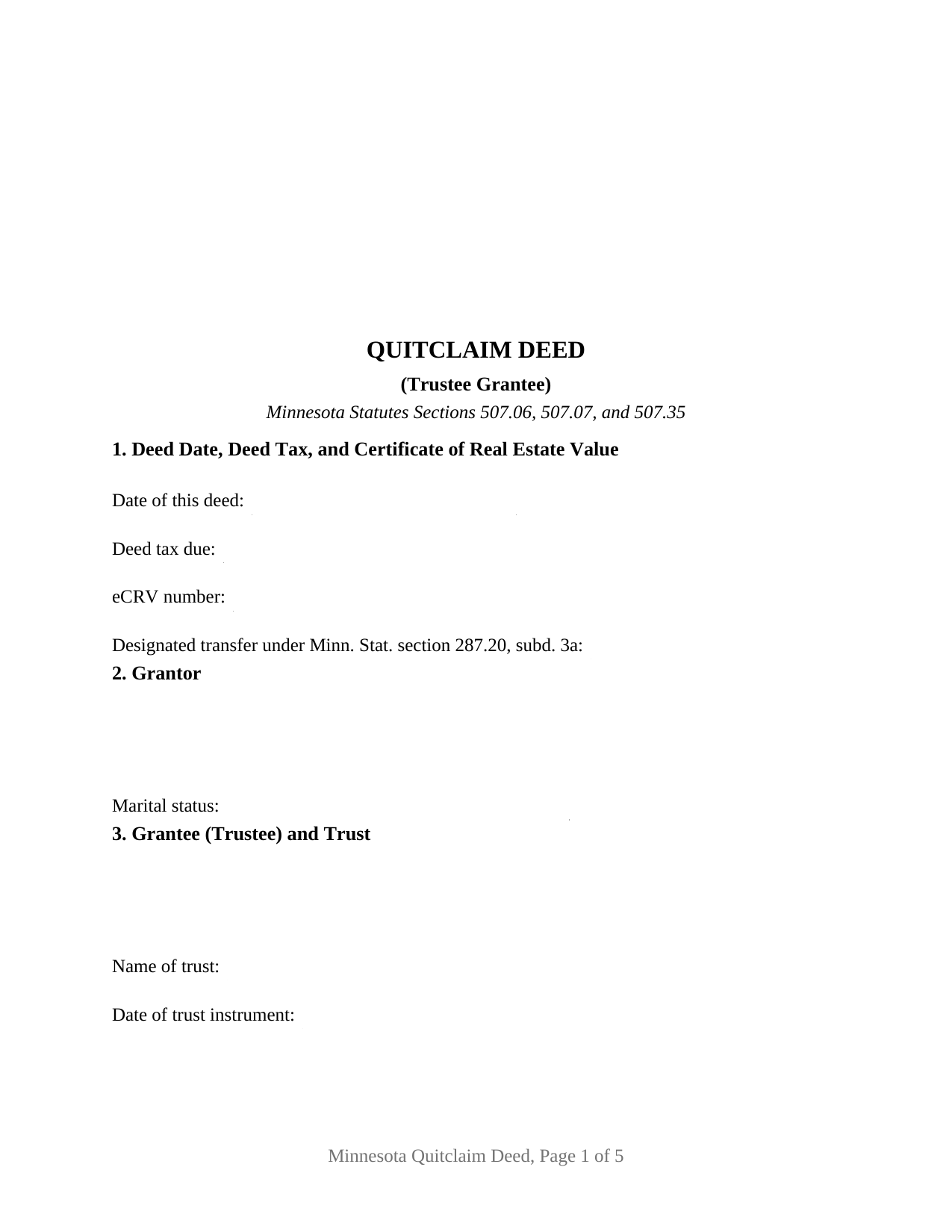
Pine County Quitclaim Deed (Trustee Grantee) Form
Fill in the blank Quitclaim Deed (Trustee Grantee) form formatted to comply with all Minnesota recording and content requirements.
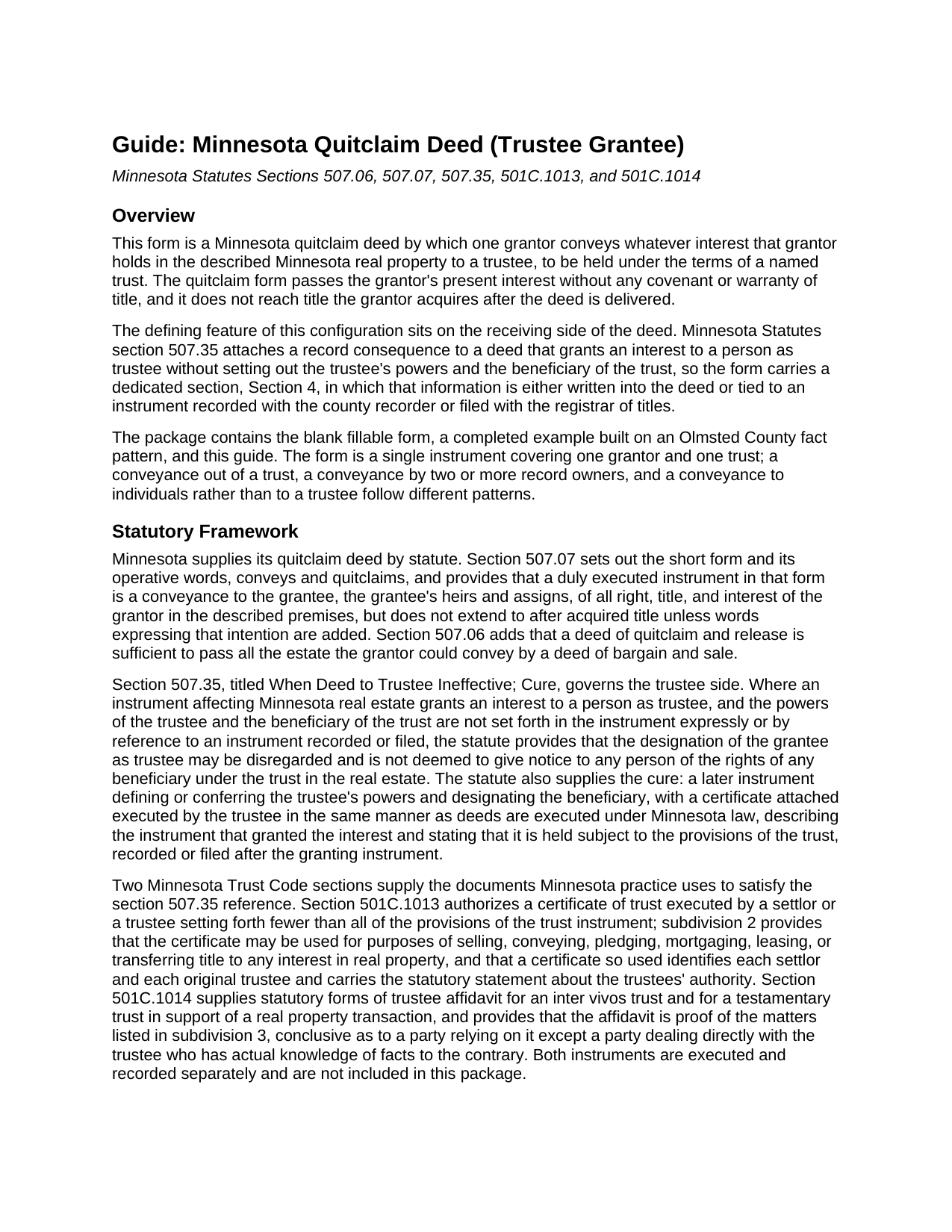
Pine County Quitclaim Deed (Trustee Grantee) Guide
Line by line guide explaining every blank on the Quitclaim Deed (Trustee Grantee) form.
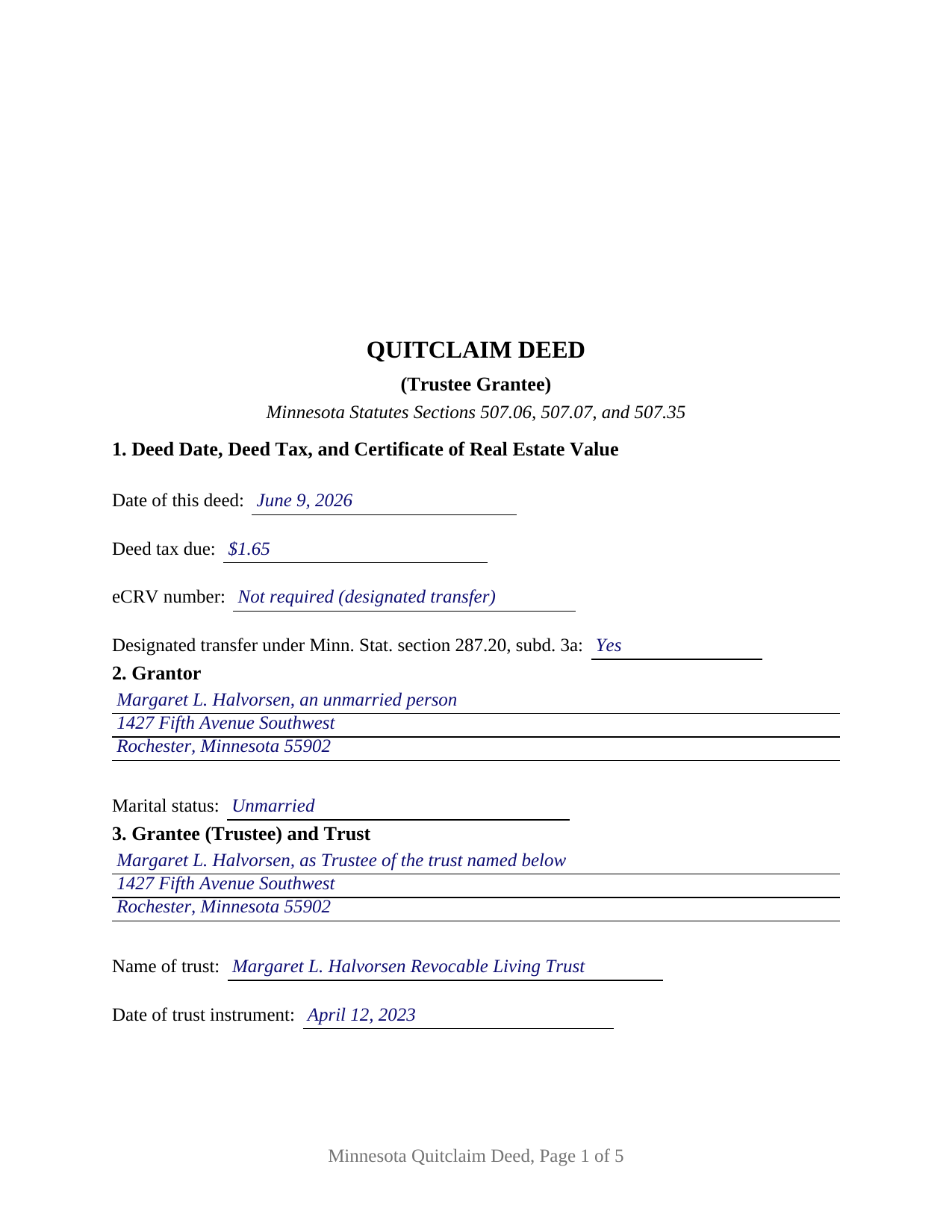
Pine County Completed Example of the Quitclaim Deed (Trustee Grantee) Document
Example of a properly completed Minnesota Quitclaim Deed (Trustee Grantee) document for reference.
All 3 documents above included • One-time purchase • No recurring fees
Immediate Download • Secure Checkout
Additional Minnesota and Pine County documents included at no extra charge:
Where to Record Your Documents
Pine County Recorder
Pine City, Minnesota 55063
Hours: 8:00 to 4:30 M-F
Phone: (320) 591-1642
Recording Tips for Pine County:
- Bring your driver's license or state-issued photo ID
- Ensure all signatures are in blue or black ink
- Both spouses typically need to sign if property is jointly owned
- Bring extra funds - fees can vary by document type and page count
- Check margin requirements - usually 1-2 inches at top
Cities and Jurisdictions in Pine County
Properties in any of these areas use Pine County forms:
- Askov
- Brook Park
- Bruno
- Finlayson
- Grasston
- Henriette
- Hinckley
- Kerrick
- Pine City
- Rock Creek
- Sandstone
- Sturgeon Lake
- Willow River
Hours, fees, requirements, and more for Pine County
How do I get my forms?
Forms are available for immediate download after payment. The Pine County forms will be in your account ready to download to your computer. An account is created for you during checkout if you don't have one. Forms are NOT emailed.
Are these forms guaranteed to be recordable in Pine County?
Yes. Our form blanks are guaranteed to meet or exceed the applicable formatting requirements used for recording in Pine County, including margin requirements, font requirements, and other layout standards. This guarantee applies to formatting, not to the legal sufficiency of information entered by the user or the suitability of a form for a particular transaction.
Can I reuse these forms?
Yes. You can reuse the forms for your personal use. For example, if you have multiple properties in Pine County you only need to order once.
What do I need to use these forms?
The forms are PDFs that you fill out on your computer. The free Adobe Acrobat Reader is recommended, and most PDF apps also work. You do NOT enter your property information online - you download the blank forms and complete them privately on your own computer.
Are there any recurring fees?
No. This is a one-time purchase. Nothing to cancel, no memberships, no recurring fees.
How much does it cost to record in Pine County?
Recording fees in Pine County vary. Contact the recorder's office at (320) 591-1642 for current fees.
Questions answered? Let's get started!
A Minnesota deed can name a trustee and still tell the record nothing about the trust. Section 507.35 is the reason: where an instrument grants an interest to a person as trustee and the trustee's powers and the beneficiary of the trust are not set forth in it or by reference to a recorded or filed instrument, the trustee designation may be disregarded and gives no notice of any beneficiary's rights in the real estate. The Minnesota Quitclaim Deed (Trustee Grantee) is organized around that sentence. Whatever interest the grantor holds in the described Minnesota real property passes to a named trustee, to be held under a named trust, without warranty of title.
Section 4 answers the trustee powers question
The form devotes a numbered section to what section 507.35 asks, with two routes. The first is reference: entries for the instrument referenced, its document number, and the office where it is recorded or filed, which a certificate of trust under section 501C.1013 supports. Subdivision 2 allows that certificate to be used for conveying or mortgaging an interest in real property, and a certificate so used names each settlor and each original trustee and carries the statutory statement about the trustees' authority. The second route is the box beneath, where the powers and the beneficiary are written into the deed itself. Section 507.35 supplies a cure as well: a later instrument defining the powers and designating the beneficiary, executed by the trustee and recorded after the deed it repairs.
One grantor, one trust, one certificate
The form names exactly one grantor with a marital status entry, and exactly one grantee, identified as trustee together with the trust name and the date of the trust instrument. One signature line and one acknowledgment certificate in the section 358.66 short form close the deed, because a grantee does not sign a Minnesota deed. Several patterns present this configuration: a parent moving a lake cabin parcel to the trustee of a family trust whose certificate of trust already sits in the county index, an heir conveying an inherited fractional interest to the trustee of a trust another settlor created, and a funding conveyance made years after the trust was signed. This deed is built for one trust and one conveying owner; it is not set up as a conveyance out of a trust, where the trustee would sign.
What the deed tax line reads on a transfer into a trust
The tax arithmetic on a funding conveyance sits on the first page. Section 287.20, subdivision 3a, counts a transfer between a revocable trust and the grantor or grantors of that revocable trust as a designated transfer, and section 287.21 taxes a designated transfer at $1.65 instead of 0.0033 of net consideration. Section 272.115, subdivision 6, exempts a designated transfer from the certificate of real estate value, on the condition that the instrument indicates on its first page or signature page that the conveyance is one, which is why Section 1 carries that entry beside the deed tax and eCRV lines. Where the trust is irrevocable, the percentage rate and the eCRV filing govern instead.
Registered land and the examiner of titles
Minnesota's Torrens system treats trust title with care, and the Abstract or Registered entry on this form is where that begins. Under section 508.62, an instrument transferring registered land held in trust is registered only on the written certification of the examiner of titles or on a district court order, and the examiner does not certify unless the trust is court supervised or a trustee affidavit under section 501C.1014, with the trust document or a certificate of trust, is registered as a memorial on the certificate of title. Section 508A.62 states the same rule for land registered under sections 508A.01 to 508A.85. Those provisions govern the later conveyance out, which is why the memorial made when registered land goes in still matters.
A certificate of trust and a trustee affidavit are prepared and recorded separately and are not included here. The package delivers this Minnesota quitclaim deed to a trustee as a fillable PDF, a completed example prepared on an Olmsted County funding conveyance carrying $1.65 of deed tax, and a guide covering the numbered sections, the section 507.35 mechanics, the ways a Minnesota grantee may hold title, and the county steps from the auditor to the recorder. A quit claim deed to a trust and a trust transfer deed name this same instrument. The materials are informational and are not legal advice.
Important: Your property must be located in Pine County to use these forms. Documents should be recorded at the county recording office listed above.
This Quitclaim Deed (Trustee Grantee) meets all recording requirements specific to Pine County.
Our Promise
The documents you receive here are guaranteed to meet or exceed the applicable Pine County recording format requirements. If there is a rejection caused by our formatting, we will correct the issue or refund your payment. This guarantee applies to document formatting only and does not extend to information entered by the user, the selection of the form, or the legal effect of the completed document.
Save Time and Money
Get your Pine County Quitclaim Deed (Trustee Grantee) form done right the first time with Deeds.com Uniform Conveyancing Blanks. At Deeds.com, we understand that your time and money are valuable resources, and we don't want you to face a penalty fee or rejection imposed by a county recorder for submitting nonstandard documents. We constantly review and update our forms to meet rapidly changing state and county recording requirements for roughly 3,500 counties and local jurisdictions.
4.8 out of 5 - ( 4,828 Reviews )
ANA I p. 5 out of 5 stars
Wow this was nice that I could used the service . Love it
We appreciate your business and value your feedback. Thank you. Have a wonderful day!
Gretchen N. 5 out of 5 stars
The filled out form could have been placed on the real form then deleted with current info. Form quite simplified but example & help good.
Thank you for your feedback Gretchen.
Christopher W. 5 out of 5 stars
Completed in 1 day and no problems filing a deed in another county. Price was less than the gas I would have used, not to mention my time. Thanks
Thank you!
CECIL E C. 5 out of 5 stars
You made it easy to attain the documents I needed. The cost was very reasonable...thanks
Thank you for your feedback Cecil, we really appreciate it.
Clint E. 5 out of 5 stars
Good value. I like not only getting the forms, but also the instructions and examples the forms came with
We appreciate your business and value your feedback. Thank you. Have a wonderful day!
John S. 5 out of 5 stars
Your service is refreshingly clear, simple, and free of superfluous claims or unnecessary marketing. And, more affordable than other online legal document providers I've looked at. So nice! I forgot I had used it some years ago for another deed so glad you are still around for this time.
Thank you for the kind words John. Have a fantastic day!
Randi M. 1 out of 5 stars
We could never figure out how to get to the website to order.
Sorry to hear that Randi. We do hope that you found something more suitable to your needs elsewhere.
Sara S. 5 out of 5 stars
Deed.com was very user friendly, made recording convenient and fast responses. I do recommend.
Thank you for your feedback. We really appreciate it. Have a great day!
Theresa S. 5 out of 5 stars
So far everything ive had to do is very simple and easy. Thanks
Thank you for your kind words and for choosing us.
James M. 4 out of 5 stars
It would be helpful to have a joint tenant example.
Thank you!
A. S. 3 out of 5 stars
First, I am glad that you gave a blank copy, an example copy, and a 'guide'. It made it much easier to do. Overall I was very happy with your products and organization... however, things got pretty confusing and I have a pretty 'serious' law background in Real Estate and Civil law. With that said, I spent about 10+ hours getting my work done, using the Deed of Trust and Promissory note from you and there were a few problems: First, it would be FANTASTIC if you actually aligned your guide to actually match the Deed or Promissory Note. What I mean is that if the Deed says 'section (E)' then your guide shouldn't be 'randomly' numbered as 1,2,3, for advice/instructions, but should EXACTLY match 'section (E)'. Some places you have to 'hunt' for what you are looking for, and if you did it based on my suggestion, you wouldn't need to 'hunt' and it would avoid confusion. 2nd: This one really 'hurt'... you had something called the 'Deed of Trust Master Form' yet you had basically no information on what it was or how to use it. The only information you had was a small section at the top of the 'Short Form Deed of Trust Guide'. Holy Cow, was that 'section' super confusing. I still don't know if I did it correctly, but your guide says only put a return address on it and leave the rest of the 16 or so page Deed of Trust beneath it blank... and then include your 'Deed of Trust' (I had to assume the short form deed that I had just created) as part of it. I had to assume that I had to print off the entire 17 page or so title page and blank deed. I also had to assume that the promissory note was supposed to be EXHIBIT A or B on the Short Form Deed. It would be great if someone would take a serious look at that short section in your 'Short Form Deed of Trust Guide' and realize that those of us using your products are seriously turning this into a county clerk to file and that most of us, probably already have a property that has an existing Deed... or at least can find one in the county records if necessary... and make sure that you make a distinction between the Deed for the property that already exists, versus the Deed of Trust and Promissory note that we are trying to file. Thanks.
Thank you for your feedback. We'll have staff review the document for clarity. Have a great day!
BARBARA L. 4 out of 5 stars
Fairly easy to use. I had to really search to get some info. I had to use the Exhibit feature because the description box was way too small and I ended up re-typing it. The package had good and useful links. The County Clerk looked at it and said, "I see you used an online form, and that's OK, but..." and proceeded to show me a couple of things that were left out. They recorded it with no problems.
Thank you!
Karen M. 5 out of 5 stars
I'm not too bright. Ordered one thing when I wanted something else. Deeds staff fixed it for me.
Glad we could help.
Lloyd F. 5 out of 5 stars
We were very pleased at how quickly the forms showed up and the guide and copy of a sample filled in form was very helpful. We will defiantly use you again if the occasion arises, and will highly recommend your company to friends and family. Thank you
We appreciate your business and value your feedback. Thank you. Have a wonderful day!
Ann E Grace S. 5 out of 5 stars
Forms and instructions are very easy to access. Thank you!
Thank you for your feedback. We really appreciate it. Have a great day!