Yellow Medicine County Quitclaim Deed (Trustee Grantee) Form
Last validated October 13, 2026 by our Forms Development TeamFormatted for recording in Yellow Medicine County, for property anywhere in the county: rural and unincorporated areas as well as Canby, Clarkfield, Echo, Granite Falls, Hanley Falls, Porter, Wood Lake.
- 3 documents included
- Immediate PDF download
- Formatting guarantee
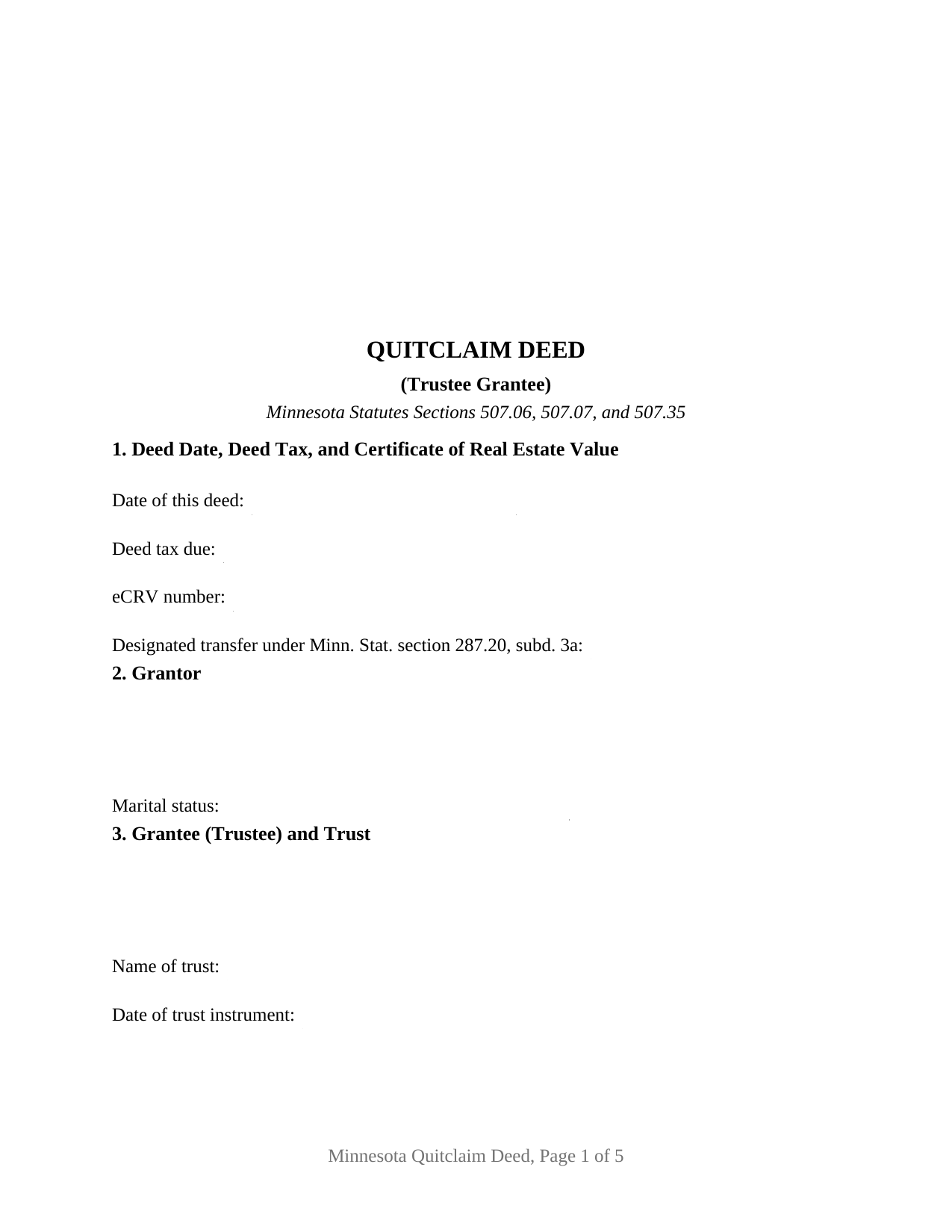
Yellow Medicine County Quitclaim Deed (Trustee Grantee) Form
Fill in the blank Quitclaim Deed (Trustee Grantee) form formatted to comply with all Minnesota recording and content requirements.
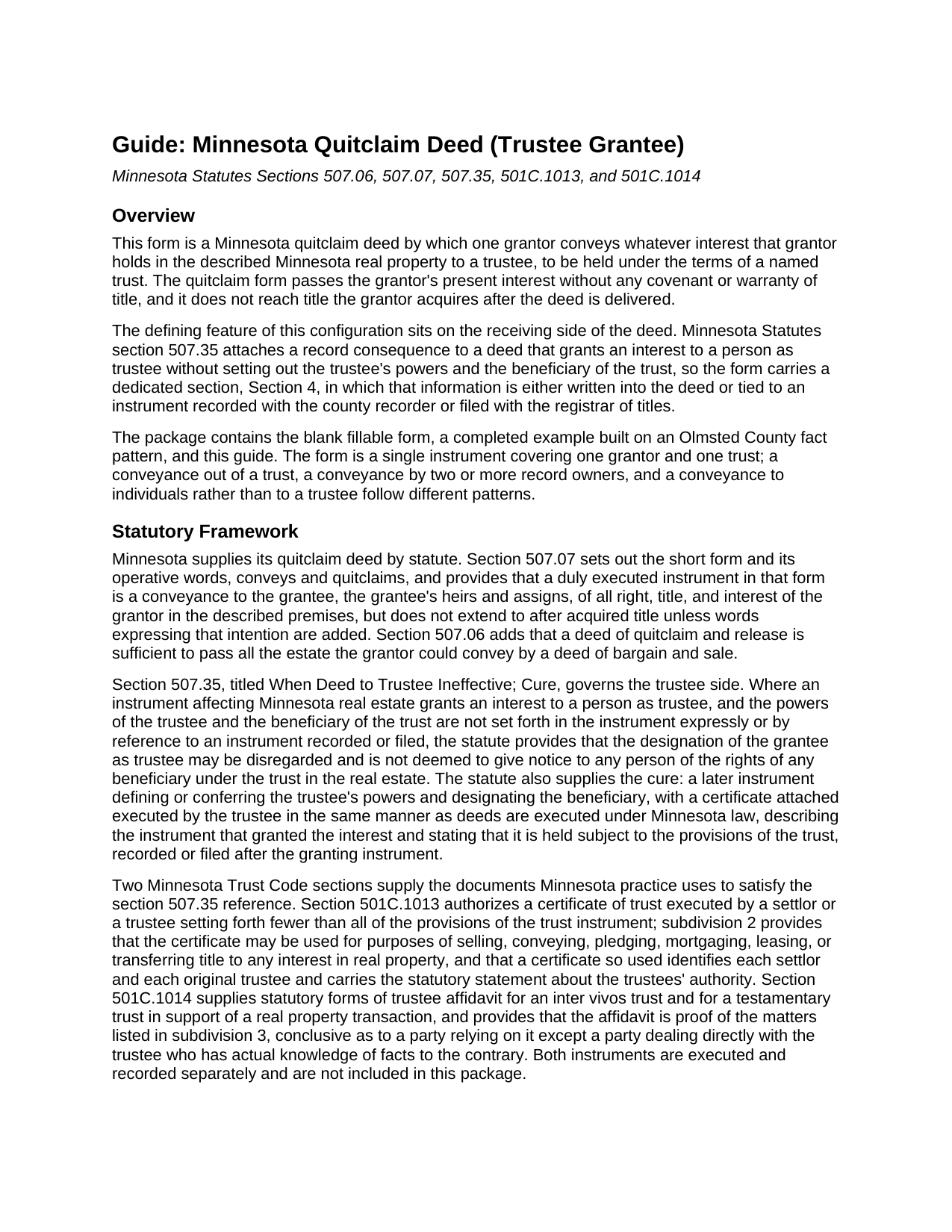
Yellow Medicine County Quitclaim Deed (Trustee Grantee) Guide
Line by line guide explaining every blank on the Quitclaim Deed (Trustee Grantee) form.
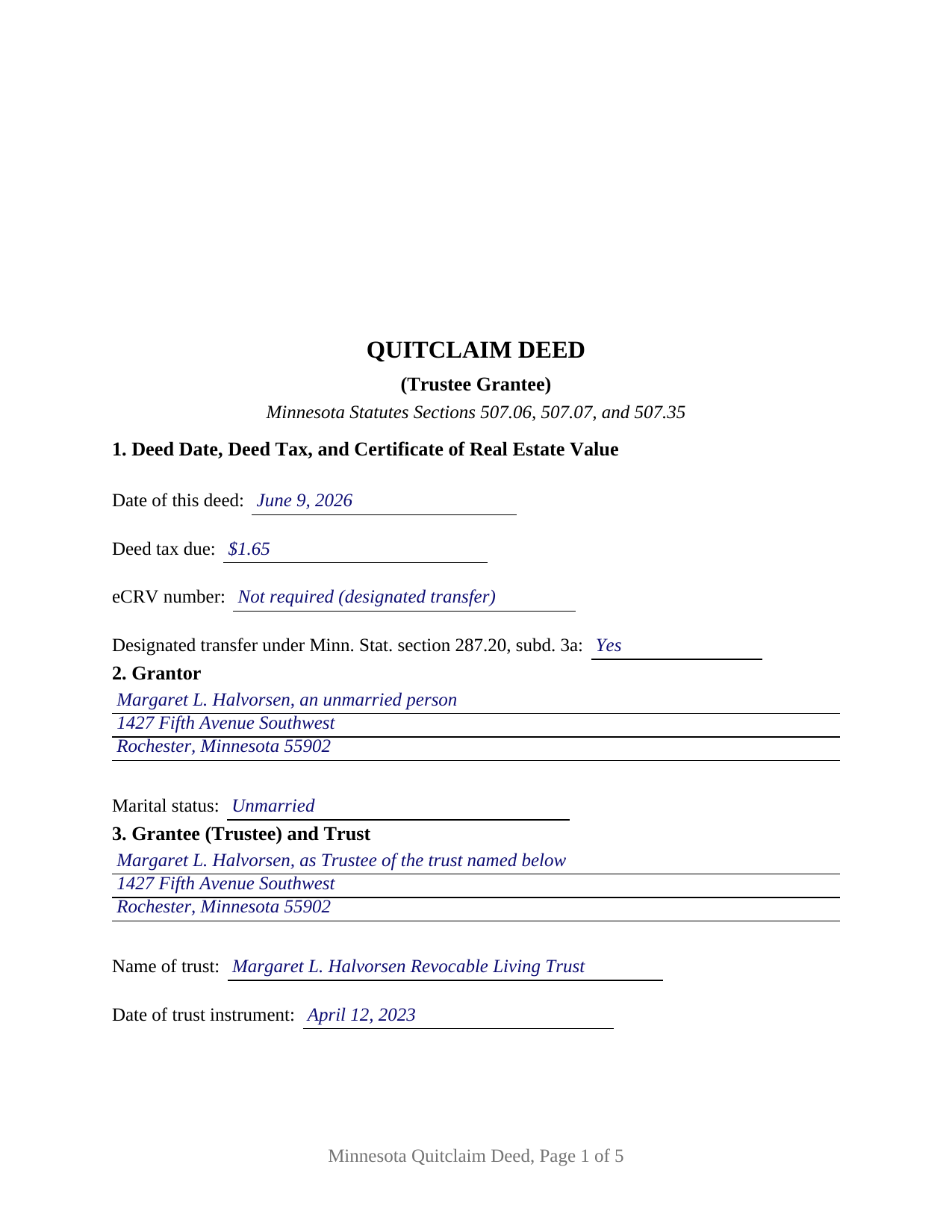
Yellow Medicine County Completed Example of the Quitclaim Deed (Trustee Grantee) Document
Example of a properly completed Minnesota Quitclaim Deed (Trustee Grantee) document for reference.
All 3 documents above included • One-time purchase • No recurring fees
Immediate Download • Secure Checkout
Additional Minnesota and Yellow Medicine County documents included at no extra charge:
Where to Record Your Documents
County Recorder & Registrar
Granite Falls, Minnesota 56241
Hours: 8:00 to 4:00 Monday through Friday
Phone: (320) 564-3132
Recording Tips for Yellow Medicine County:
- Bring your driver's license or state-issued photo ID
- Ensure all signatures are in blue or black ink
- Double-check legal descriptions match your existing deed
- Verify all names are spelled correctly before recording
- White-out or correction fluid may cause rejection
Cities and Jurisdictions in Yellow Medicine County
Properties in any of these areas use Yellow Medicine County forms:
- Canby
- Clarkfield
- Echo
- Granite Falls
- Hanley Falls
- Porter
- Wood Lake
Hours, fees, requirements, and more for Yellow Medicine County
How do I get my forms?
Forms are available for immediate download after payment. The Yellow Medicine County forms will be in your account ready to download to your computer. An account is created for you during checkout if you don't have one. Forms are NOT emailed.
Are these forms guaranteed to be recordable in Yellow Medicine County?
Yes. Our form blanks are guaranteed to meet or exceed the applicable formatting requirements used for recording in Yellow Medicine County, including margin requirements, font requirements, and other layout standards. This guarantee applies to formatting, not to the legal sufficiency of information entered by the user or the suitability of a form for a particular transaction.
Can I reuse these forms?
Yes. You can reuse the forms for your personal use. For example, if you have multiple properties in Yellow Medicine County you only need to order once.
What do I need to use these forms?
The forms are PDFs that you fill out on your computer. The free Adobe Acrobat Reader is recommended, and most PDF apps also work. You do NOT enter your property information online - you download the blank forms and complete them privately on your own computer.
Are there any recurring fees?
No. This is a one-time purchase. Nothing to cancel, no memberships, no recurring fees.
How much does it cost to record in Yellow Medicine County?
Recording fees in Yellow Medicine County vary. Contact the recorder's office at (320) 564-3132 for current fees.
Questions answered? Let's get started!
A Minnesota deed can name a trustee and still tell the record nothing about the trust. Section 507.35 is the reason: where an instrument grants an interest to a person as trustee and the trustee's powers and the beneficiary of the trust are not set forth in it or by reference to a recorded or filed instrument, the trustee designation may be disregarded and gives no notice of any beneficiary's rights in the real estate. The Minnesota Quitclaim Deed (Trustee Grantee) is organized around that sentence. Whatever interest the grantor holds in the described Minnesota real property passes to a named trustee, to be held under a named trust, without warranty of title.
Section 4 answers the trustee powers question
The form devotes a numbered section to what section 507.35 asks, with two routes. The first is reference: entries for the instrument referenced, its document number, and the office where it is recorded or filed, which a certificate of trust under section 501C.1013 supports. Subdivision 2 allows that certificate to be used for conveying or mortgaging an interest in real property, and a certificate so used names each settlor and each original trustee and carries the statutory statement about the trustees' authority. The second route is the box beneath, where the powers and the beneficiary are written into the deed itself. Section 507.35 supplies a cure as well: a later instrument defining the powers and designating the beneficiary, executed by the trustee and recorded after the deed it repairs.
One grantor, one trust, one certificate
The form names exactly one grantor with a marital status entry, and exactly one grantee, identified as trustee together with the trust name and the date of the trust instrument. One signature line and one acknowledgment certificate in the section 358.66 short form close the deed, because a grantee does not sign a Minnesota deed. Several patterns present this configuration: a parent moving a lake cabin parcel to the trustee of a family trust whose certificate of trust already sits in the county index, an heir conveying an inherited fractional interest to the trustee of a trust another settlor created, and a funding conveyance made years after the trust was signed. This deed is built for one trust and one conveying owner; it is not set up as a conveyance out of a trust, where the trustee would sign.
What the deed tax line reads on a transfer into a trust
The tax arithmetic on a funding conveyance sits on the first page. Section 287.20, subdivision 3a, counts a transfer between a revocable trust and the grantor or grantors of that revocable trust as a designated transfer, and section 287.21 taxes a designated transfer at $1.65 instead of 0.0033 of net consideration. Section 272.115, subdivision 6, exempts a designated transfer from the certificate of real estate value, on the condition that the instrument indicates on its first page or signature page that the conveyance is one, which is why Section 1 carries that entry beside the deed tax and eCRV lines. Where the trust is irrevocable, the percentage rate and the eCRV filing govern instead.
Registered land and the examiner of titles
Minnesota's Torrens system treats trust title with care, and the Abstract or Registered entry on this form is where that begins. Under section 508.62, an instrument transferring registered land held in trust is registered only on the written certification of the examiner of titles or on a district court order, and the examiner does not certify unless the trust is court supervised or a trustee affidavit under section 501C.1014, with the trust document or a certificate of trust, is registered as a memorial on the certificate of title. Section 508A.62 states the same rule for land registered under sections 508A.01 to 508A.85. Those provisions govern the later conveyance out, which is why the memorial made when registered land goes in still matters.
A certificate of trust and a trustee affidavit are prepared and recorded separately and are not included here. The package delivers this Minnesota quitclaim deed to a trustee as a fillable PDF, a completed example prepared on an Olmsted County funding conveyance carrying $1.65 of deed tax, and a guide covering the numbered sections, the section 507.35 mechanics, the ways a Minnesota grantee may hold title, and the county steps from the auditor to the recorder. A quit claim deed to a trust and a trust transfer deed name this same instrument. The materials are informational and are not legal advice.
Important: Your property must be located in Yellow Medicine County to use these forms. Documents should be recorded at the county recording office listed above.
This Quitclaim Deed (Trustee Grantee) meets all recording requirements specific to Yellow Medicine County.
Our Promise
The documents you receive here are guaranteed to meet or exceed the applicable Yellow Medicine County recording format requirements. If there is a rejection caused by our formatting, we will correct the issue or refund your payment. This guarantee applies to document formatting only and does not extend to information entered by the user, the selection of the form, or the legal effect of the completed document.
Save Time and Money
Get your Yellow Medicine County Quitclaim Deed (Trustee Grantee) form done right the first time with Deeds.com Uniform Conveyancing Blanks. At Deeds.com, we understand that your time and money are valuable resources, and we don't want you to face a penalty fee or rejection imposed by a county recorder for submitting nonstandard documents. We constantly review and update our forms to meet rapidly changing state and county recording requirements for roughly 3,500 counties and local jurisdictions.
4.8 out of 5 - ( 4,828 Reviews )
Tracy H. 5 out of 5 stars
Deeds.com was an amazing experience. They made it so easy and stress free. The agent I worked with was fantastic and communicated quickly to make it a very positive experience. I will be using them from now on. Thank you!
We appreciate your business and value your feedback. Thank you. Have a wonderful day!
Lesa F. 5 out of 5 stars
Excellent service for recovering a couple of deeds that had been misplaced. They were fast and efficient at a fair price. I would definitely use them again.
Thank you!
James J. 5 out of 5 stars
Thank you for service. The deed process was easy to complete. My new deed was accepted by the county clerk and the tax assessors office.
Thank you for your feedback. We really appreciate it. Have a great day!
JIM H. 5 out of 5 stars
Excellent service Always find the documents in minutes. Supporting docs is a super plus!
Thank you!
Viola J. 5 out of 5 stars
You made this so easy to process the Executor Deed. THANK YOU a thousand times. Appreciate that all forms are in one place and I did not have to search all over the internet to get what I needed.
We appreciate your business and value your feedback. Thank you. Have a wonderful day!
Kristen R. 5 out of 5 stars
wonderful experience. highly recommend. will use again.
We deeply appreciate the trust you have placed in our services. Thank you for your valuable feedback and for choosing us.
Kim M. 5 out of 5 stars
Purchased the Warranty Deed package for $19.95 which included all the forms I needed including instructions and a sample form. Seamless transaction filing with our local county clerk's office - she even commented it was one of the best prepared packages she has seen. Thanks for saving me a ton of money!
Thank you Kim, we appreciate your feedback.
J O. 5 out of 5 stars
It's okay, seems you need to make it easier to search deeds on properties without having to go through a lot of researching issues, make it simple!
Thank you!
Joyce B. 5 out of 5 stars
Thanks, the documents were easy to follow and complete.
Thank you for your feedback. We really appreciate it. Have a great day!
Brett T. 5 out of 5 stars
Where have you been my whole life. I will join if I can afford it. Do you have a form for a Private Family Trust Company ....Irrevocable Trust ...Revocable Trust.....send me an email so I will have contact info.
Thank you!
Joe L. 5 out of 5 stars
Great service, and fast.
We appreciate your business and value your feedback. Thank you. Have a wonderful day!
David K. 3 out of 5 stars
Price seemed high (~$28) for just some forms (especially because we may not actually use the forms), but it beats navigating the Hawaii state and Honolulu county websites for forms. It would be better if a single button push would download all 7 or 8 forms.
Thank you for your feedback. We really appreciate it. Have a great day!
Fred B. 5 out of 5 stars
Great service and all seems to be what I was looking for
Thank you Fred, have a great day!
charles g. 5 out of 5 stars
very good forms. they covered everything i needed.
Thanks Charles, we really appreciate your feedback. Have a great day!
William S. 5 out of 5 stars
Contents were well done. Could not remove and replace the "Deeds/" footer, rendering the form unusable for filing with a court and county deed records. This should be corrected.
Thank you for your feedback. We really appreciate it. Have a great day!