Morrison County Transfer on Death Deed by Married Sole Owner Form
Last validated October 22, 2026 by our Forms Development TeamFormatted for recording in Morrison County, for property anywhere in the county: rural and unincorporated areas as well as Bowlus, Buckman, Cushing, Flensburg, Hillman, Lastrup, Little Falls, Motley and 5 more.
- 3 documents included
- Immediate PDF download
- Formatting guarantee
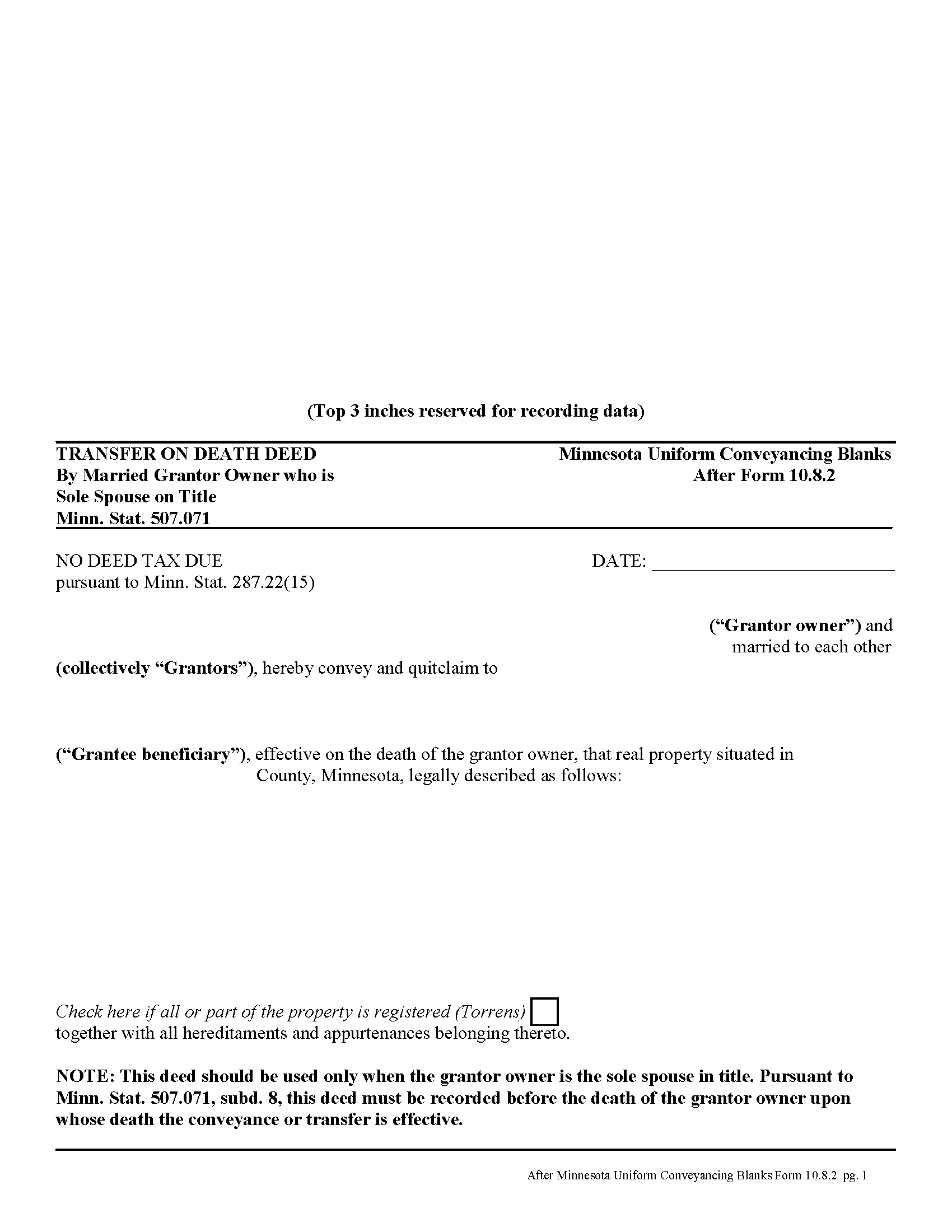
Morrison County Transfer on Death Deed by Married Sole Owner
Fill in the blank form formatted to comply with all recording and content requirements.
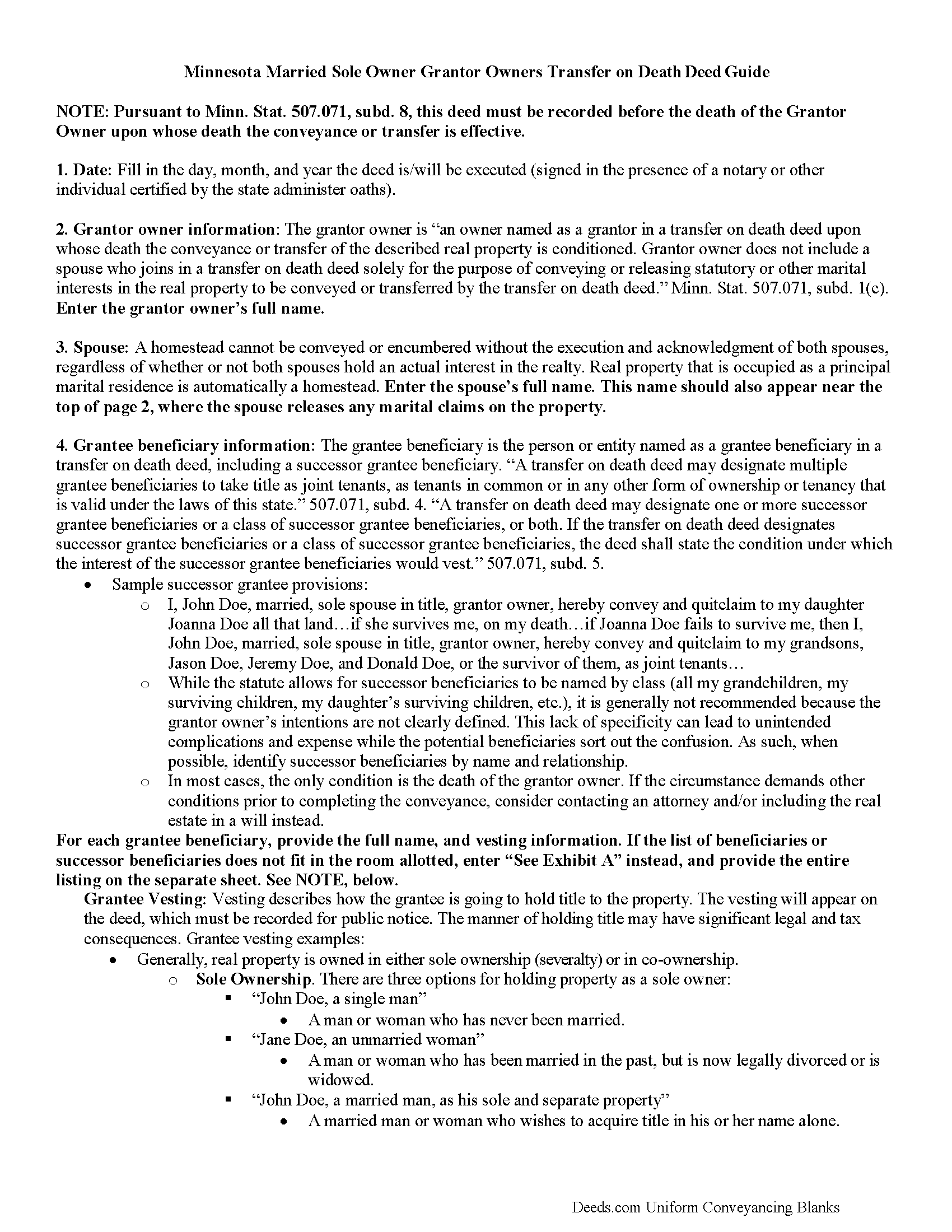
Morrison County Transfer on Death Deed by Married Sole Owner Guide
Line by line guide explaining every blank on the form.
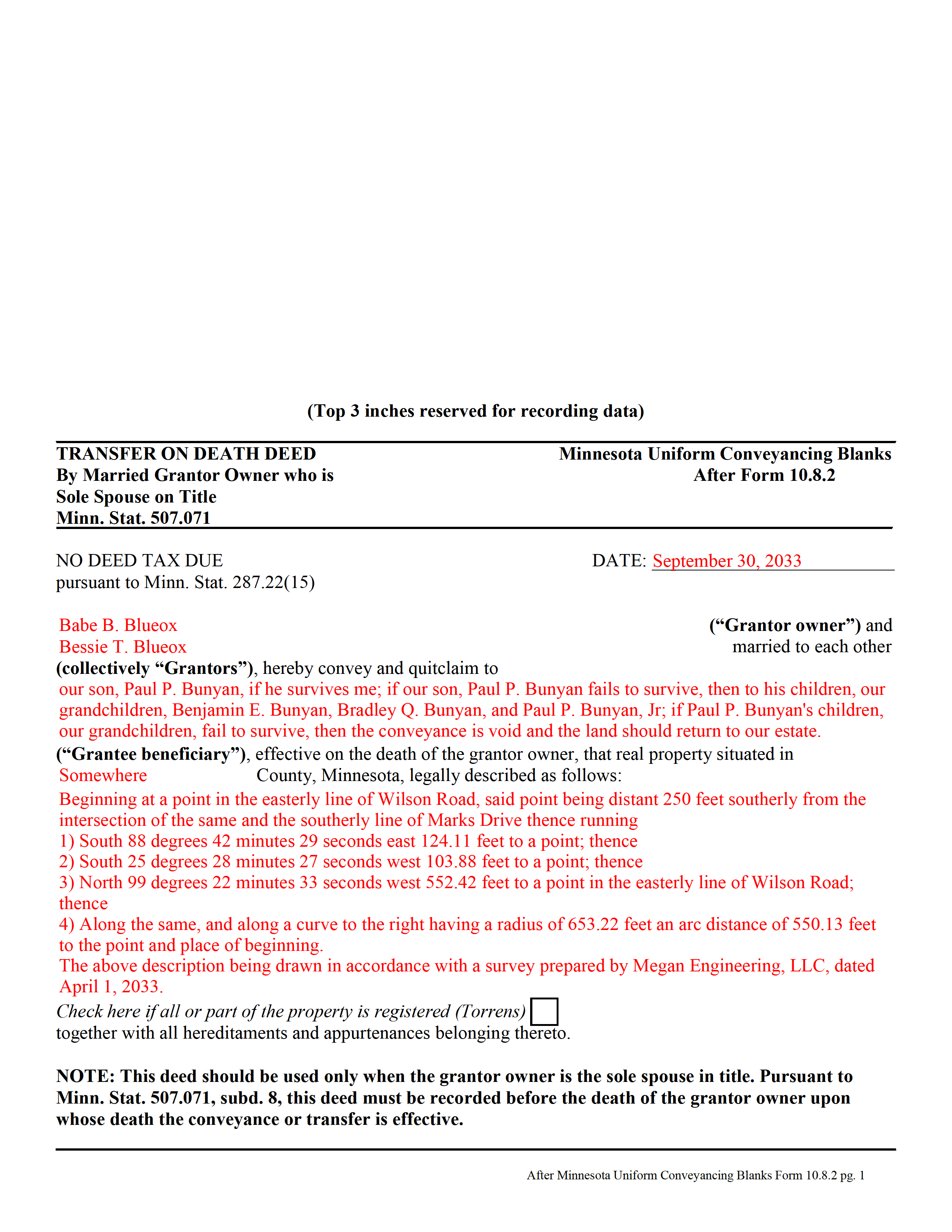
Morrison County Completed Example of the Transfer on Death Deed by Married Sole Owner Document
Example of a properly completed form for reference.
All 3 documents above included • One-time purchase • No recurring fees
Immediate Download • Secure Checkout
Additional Minnesota and Morrison County documents included at no extra charge:
Where to Record Your Documents
Morrison County Recorder
Little Falls, Minnesota 56345
Hours: 8:00am to 4:30pm Monday through Friday
Phone: (320) 632-0146
Recording Tips for Morrison County:
- Bring your driver's license or state-issued photo ID
- Ensure all signatures are in blue or black ink
- White-out or correction fluid may cause rejection
- Ask about their eRecording option for future transactions
- Avoid the last business day of the month when possible
Cities and Jurisdictions in Morrison County
Properties in any of these areas use Morrison County forms:
- Bowlus
- Buckman
- Cushing
- Flensburg
- Hillman
- Lastrup
- Little Falls
- Motley
- Pierz
- Randall
- Royalton
- Swanville
- Upsala
Hours, fees, requirements, and more for Morrison County
How do I get my forms?
Forms are available for immediate download after payment. The Morrison County forms will be in your account ready to download to your computer. An account is created for you during checkout if you don't have one. Forms are NOT emailed.
Are these forms guaranteed to be recordable in Morrison County?
Yes. Our form blanks are guaranteed to meet or exceed the applicable formatting requirements used for recording in Morrison County, including margin requirements, font requirements, and other layout standards. This guarantee applies to formatting, not to the legal sufficiency of information entered by the user or the suitability of a form for a particular transaction.
Can I reuse these forms?
Yes. You can reuse the forms for your personal use. For example, if you have multiple properties in Morrison County you only need to order once.
What do I need to use these forms?
The forms are PDFs that you fill out on your computer. The free Adobe Acrobat Reader is recommended, and most PDF apps also work. You do NOT enter your property information online - you download the blank forms and complete them privately on your own computer.
Are there any recurring fees?
No. This is a one-time purchase. Nothing to cancel, no memberships, no recurring fees.
How much does it cost to record in Morrison County?
Recording fees in Morrison County vary. Contact the recorder's office at (320) 632-0146 for current fees.
Questions answered? Let's get started!
In Minnesota, transfer on death deeds are governed by Minn. Stat. 507.071.
While the statute provides a basic form, as well as overall content requirements, the state authorized the development of uniform conveyance documents for some specific situations. One such situation occurs when a married property owner holds sole title to the real estate he or she wishes to convey with a transfer on death deed. A correctly-completed basic statutory form is valid in most cases, but because the owner's husband or wife may be able to claim spousal interest in the property, these deeds require the spouse to sign a statement releasing any marital rights. Without this release, the non-probate transfer on death may not occur, and the property could revert to the deceased owner's estate for probate distribution instead. To prevent such unintended outcomes, there is a special deed for this circumstance.
This transfer on death deed form is for use ONLY by married grantor owners who are the sole spouse on the property's title.
As with other transfer on death deeds, this form must be executed and RECORDED during the grantor owner's lifetime.
(Minnesota TOD Deed by Married Sole Owner Package includes form, guidelines, and completed example)
Important: Your property must be located in Morrison County to use these forms. Documents should be recorded at the county recording office listed above.
This Transfer on Death Deed by Married Sole Owner meets all recording requirements specific to Morrison County.
Our Promise
The documents you receive here are guaranteed to meet or exceed the applicable Morrison County recording format requirements. If there is a rejection caused by our formatting, we will correct the issue or refund your payment. This guarantee applies to document formatting only and does not extend to information entered by the user, the selection of the form, or the legal effect of the completed document.
Save Time and Money
Get your Morrison County Transfer on Death Deed by Married Sole Owner form done right the first time with Deeds.com Uniform Conveyancing Blanks. At Deeds.com, we understand that your time and money are valuable resources, and we don't want you to face a penalty fee or rejection imposed by a county recorder for submitting nonstandard documents. We constantly review and update our forms to meet rapidly changing state and county recording requirements for roughly 3,500 counties and local jurisdictions.
4.8 out of 5 - ( 4,836 Reviews )
Armando B. 5 out of 5 stars
This was so simple to get around your web site. Guide was easy to follow. Great experience. Would use again.
Thank you for your feedback. We really appreciate it. Have a great day!
Philip S. 5 out of 5 stars
You're service saved the day! I had gone to several lawyers and title companies who all said, at a Minimum, preparing a deed costs $1000... Through your service and some work reading about the requirements as well as calling my county clerks office, I was able to complete the deed and it read accepted and recorded today! Thanks so much.
Thank you for your feedback. We really appreciate it. Have a great day!
Thomas E. 5 out of 5 stars
Great, immediate access to everything I needed to assist my client! This is truly a great resource for a Notary Public! I will surely keep my account open, and will refer others as well!
Thank you for the Kind words Thomas. We really appreciate you! Have a great day.
Charles S. 5 out of 5 stars
I was very please with the deed, deed of trust and the deed of trust note. It save me a lot of preparation time.
Thank you!
Eleody L. 5 out of 5 stars
I mistakenly ordered the wrong package and within 3 minutes of asking for a replacement, I was given one by the company. I am extremely impressed with the prompt response and the forms! I will use this site again if I needed other deed forms!!!!
We appreciate your business and value your feedback. Thank you. Have a wonderful day!
Kevin E. 5 out of 5 stars
Great app works very well thank you very much
Thank you!
Angelique A. 5 out of 5 stars
Very helpful and quick customer service. Highly recommended
Thank you for your feedback Angelique, we appreciate you. Have a great day!
Karen L. 5 out of 5 stars
Form is easy to complete but has a crowded look upon printing. I would put more returns between paragraphs to make it easier to read.
Thank you for your feedback. We really appreciate it. Have a great day!
Janet M. 5 out of 5 stars
Deed.com is an amazing site. After calling many places and going on many websites to figure out what I needed to submit (most counties cannot help with questions and the place I needed to turn the documents into could not help either, they are not allowed to give legal advice) I came across Deeds.com. It has been so helpful and I was able to research what documents I needed. I purchased one document and after more research I realized I needed a different document. Deed.com refunded my first purchase. I then purchased an Affidavit of Death and a Deed for the county and state I needed them for. Both the example and guide were very helpful and I will be submitting my documents after I have them notarized. I give five stars
Your feedback is greatly appreciated. Thank you for taking the time to share your experience!
Home For Life S. 5 out of 5 stars
Covers everything; very pleased.
Thank you!
LEON S. 5 out of 5 stars
recorded deed space to small for corrective deed requirement
Thank you for your feedback. We really appreciate it. Have a great day!
Kayreen B. 5 out of 5 stars
Very happy with my experience with using Deeds.com! Especially easy to use with the sample page of what a form looks like filled out. saved a lot of money and it worked!
We appreciate your business and value your feedback. Thank you. Have a wonderful day!
Alex Q. 5 out of 5 stars
The best people to work with! Thank you for all you do. We send documents from all states to Deeds.com to record for us. They are professional, keep us updated and always notify us if there is an issue with one of our documents prior to sending to recording and that saves us money and time! Thank you!!
Thanks for the kind words Alex. We appreciate you!
Janna V. 4 out of 5 stars
Very easy process!
Thank you!
Jason B. 5 out of 5 stars
You saved me $275.00 perfect! Thank you!!
We appreciate your business and value your feedback. Thank you. Have a wonderful day!