Morrison County Transfer on Death Deed (Unmarried Sole Owner) Form
Last validated November 1, 2026 by our Forms Development TeamFormatted for recording in Morrison County, for property anywhere in the county: rural and unincorporated areas as well as Bowlus, Buckman, Cushing, Flensburg, Hillman, Lastrup, Little Falls, Motley and 5 more.
- 3 documents included
- Immediate PDF download
- Formatting guarantee
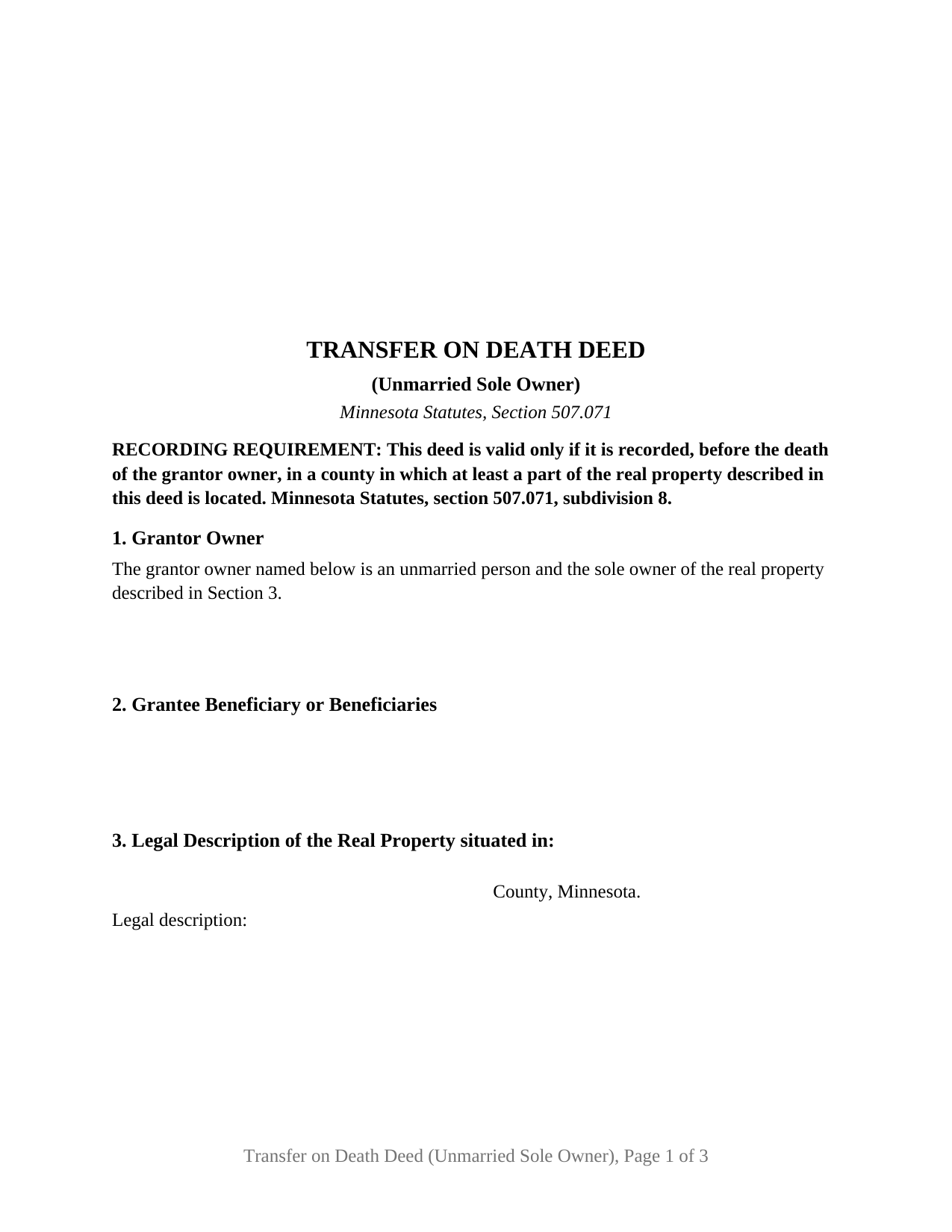
Morrison County Transfer on Death Deed (Unmarried Sole Owner) Form
Fill in the blank Transfer on Death Deed (Unmarried Sole Owner) form formatted to comply with all Minnesota recording and content requirements.
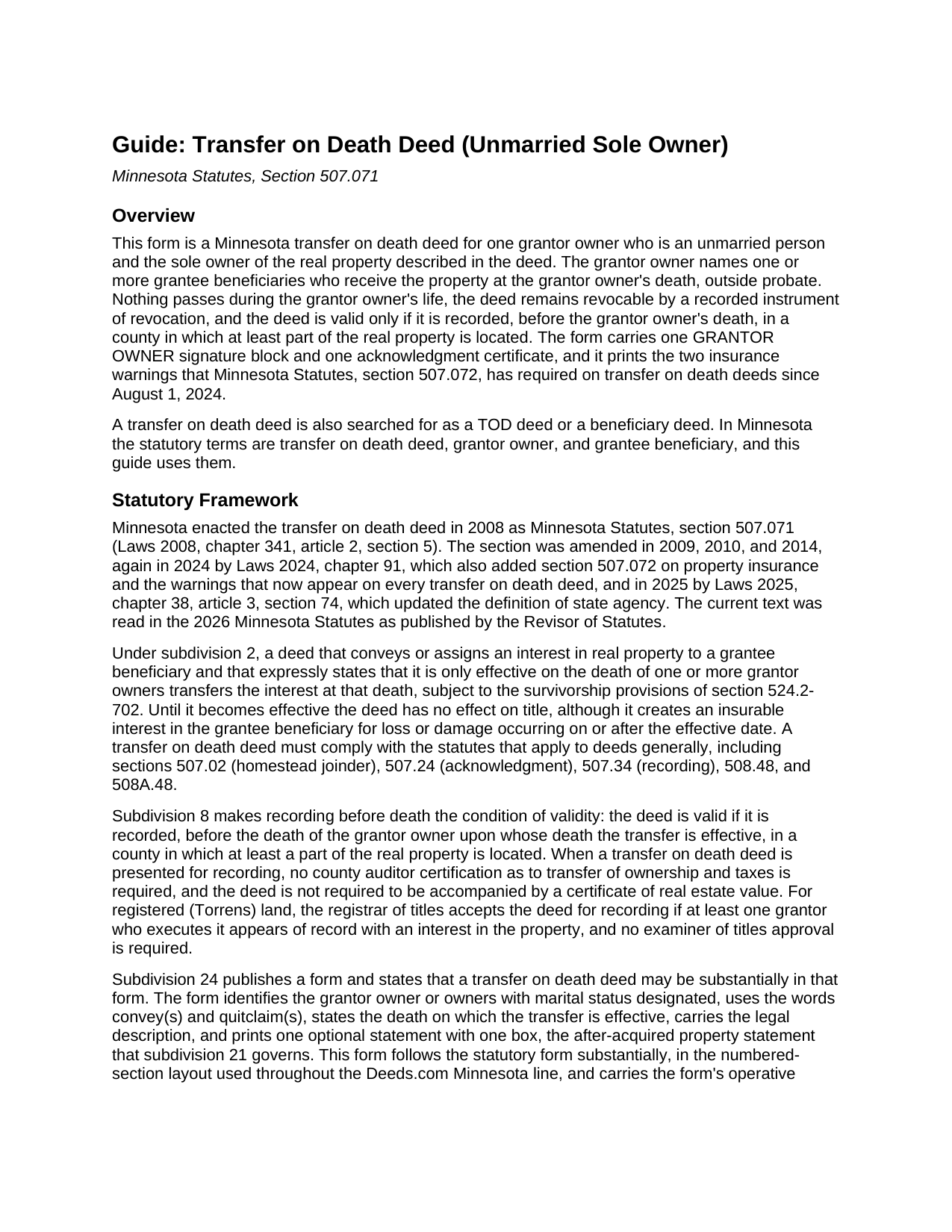
Morrison County Transfer on Death Deed (Unmarried Sole Owner) Guide
Line by line guide explaining every blank on the Transfer on Death Deed (Unmarried Sole Owner) form.
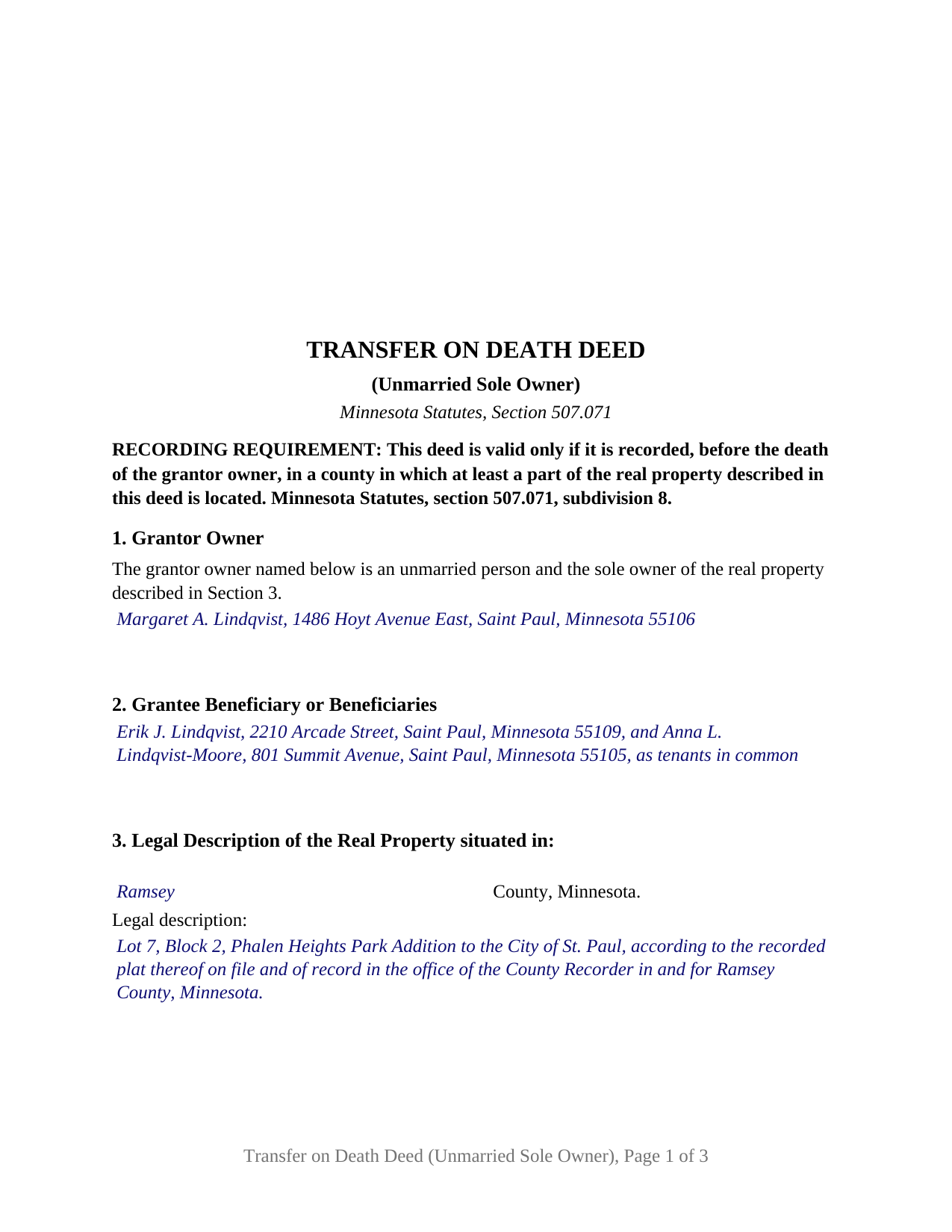
Morrison County Completed Example of the Transfer on Death Deed (Unmarried Sole Owner) Document
Example of a properly completed Minnesota Transfer on Death Deed (Unmarried Sole Owner) document for reference.
All 3 documents above included • One-time purchase • No recurring fees
Immediate Download • Secure Checkout
Additional Minnesota and Morrison County documents included at no extra charge:
Where to Record Your Documents
Morrison County Recorder
Little Falls, Minnesota 56345
Hours: 8:00am to 4:30pm Monday through Friday
Phone: (320) 632-0146
Recording Tips for Morrison County:
- Bring your driver's license or state-issued photo ID
- Ensure all signatures are in blue or black ink
- Bring extra funds - fees can vary by document type and page count
- Check margin requirements - usually 1-2 inches at top
- Leave recording info boxes blank - the office fills these
Cities and Jurisdictions in Morrison County
Properties in any of these areas use Morrison County forms:
- Bowlus
- Buckman
- Cushing
- Flensburg
- Hillman
- Lastrup
- Little Falls
- Motley
- Pierz
- Randall
- Royalton
- Swanville
- Upsala
Hours, fees, requirements, and more for Morrison County
How do I get my forms?
Forms are available for immediate download after payment. The Morrison County forms will be in your account ready to download to your computer. An account is created for you during checkout if you don't have one. Forms are NOT emailed.
Are these forms guaranteed to be recordable in Morrison County?
Yes. Our form blanks are guaranteed to meet or exceed the applicable formatting requirements used for recording in Morrison County, including margin requirements, font requirements, and other layout standards. This guarantee applies to formatting, not to the legal sufficiency of information entered by the user or the suitability of a form for a particular transaction.
Can I reuse these forms?
Yes. You can reuse the forms for your personal use. For example, if you have multiple properties in Morrison County you only need to order once.
What do I need to use these forms?
The forms are PDFs that you fill out on your computer. The free Adobe Acrobat Reader is recommended, and most PDF apps also work. You do NOT enter your property information online - you download the blank forms and complete them privately on your own computer.
Are there any recurring fees?
No. This is a one-time purchase. Nothing to cancel, no memberships, no recurring fees.
How much does it cost to record in Morrison County?
Recording fees in Morrison County vary. Contact the recorder's office at (320) 632-0146 for current fees.
Questions answered? Let's get started!
One unmarried owner, one signature, one acknowledgment certificate: this Minnesota transfer on death deed is set up for a grantor owner who holds the property alone and is not married when the deed is signed. It names who receives that property at the owner's death under Minnesota Statutes, section 507.071, and it reaches exactly one owner's interest.
Why the deed states the owner's marital status
The statutory form in section 507.071, subdivision 24, asks for the grantor owner to be identified with marital status designated, and the reason sits in section 507.02: no conveyance of a married owner's homestead is valid without both spouses' signatures, and subdivision 2 of the TOD deed statute makes a transfer on death deed subject to that rule. This deed answers as fixed text: Section 1 recites that the grantor owner named below is an unmarried person and the sole owner of the real property, and the only entries there are the owner's name and mailing address. No spouse's signature arises, and the form carries no spousal block of any kind.
One grantor owner, one death
With a single owner the deed waits for exactly one death. Section 5 provides that the grantor owner conveys and quitclaims the property to the grantee beneficiary or beneficiaries effective on the death of the grantor owner, and states, as subdivision 2 requires, that the deed is effective only on that death. The deed carries one GRANTOR OWNER signature block and one acknowledgment certificate in the short form of section 358.66,, and the owner signs personally rather than through an attorney-in-fact.
The people, trust, or entity who take
Section 2 receives the grantee beneficiary or beneficiaries by name and mailing address: a person, the trustee of a revocable or testamentary trust, or any entity qualified to hold Minnesota real property, under subdivisions 1 and 9. Where two or more are named, subdivision 4 permits the deed to say whether they take as joint tenants, as tenants in common, or in another form valid in Minnesota; the completed example names two children as tenants in common. Survival is statutory: section 524.2-702 treats a beneficiary who does not outlive the owner by 120 hours as having predeceased, and subdivisions 11 and 12 supply the antilapse and lapse rules the guide describes.
The one box on the deed
Section 5 also prints, word for word, the single optional statement the statutory form supplies, with its one box: when effective, the instrument conveys any interest in the described property the grantor owner acquires before, on, or after the date of the deed. Under subdivision 21 a TOD deed does not reach an interest acquired after signing unless the deed says so by specific language; marking the box supplies that language, and leaving it unmarked leaves the subdivision 21 rule in place. The blank ships with the box unmarked.
What the configuration recites
This configuration recites one natural person as grantor owner, unmarried and the sole owner, signing in an individual capacity, with one or more grantee beneficiaries of any class the statute permits. An owner who has never married and took title alone, an owner who holds the home alone after a dissolution decree, and an owner in whom title vested alone by survivorship after a co-owner's death present the pattern this deed recites. The form is not set up for a married owner, for two or more grantor owners, or for a trustee or entity grantor.
Recording an abstract or Torrens parcel
Subdivision 8 makes recording before the owner's death, in a county where at least part of the land lies, the condition of validity, and it smooths the path at the counter: no county auditor transfer certification is made, no certificate of real estate value accompanies the deed, and section 287.22 exempts the deed from state deed tax. For registered land, the registrar of titles accepts the deed if the grantor owner appears of record with an interest. It prints the section 507.072 insurance warnings and the section 507.091 drafter statement. After the owner's death, an affidavit of identity and survivorship and a county agency clearance certificate are recorded separately and are not included in this package.
The purchase delivers the fillable deed, a completed example prepared on a Ramsey County fact pattern, and the guide that covers each numbered section, the acknowledgment, and the recording steps. The description and the guide explain the form and the statutes behind it in general terms and are not legal advice.
Important: Your property must be located in Morrison County to use these forms. Documents should be recorded at the county recording office listed above.
This Transfer on Death Deed (Unmarried Sole Owner) meets all recording requirements specific to Morrison County.
Our Promise
The documents you receive here are guaranteed to meet or exceed the applicable Morrison County recording format requirements. If there is a rejection caused by our formatting, we will correct the issue or refund your payment. This guarantee applies to document formatting only and does not extend to information entered by the user, the selection of the form, or the legal effect of the completed document.
Save Time and Money
Get your Morrison County Transfer on Death Deed (Unmarried Sole Owner) form done right the first time with Deeds.com Uniform Conveyancing Blanks. At Deeds.com, we understand that your time and money are valuable resources, and we don't want you to face a penalty fee or rejection imposed by a county recorder for submitting nonstandard documents. We constantly review and update our forms to meet rapidly changing state and county recording requirements for roughly 3,500 counties and local jurisdictions.
4.8 out of 5 - ( 4,862 Reviews )
A. S. 3 out of 5 stars
First, I am glad that you gave a blank copy, an example copy, and a 'guide'. It made it much easier to do. Overall I was very happy with your products and organization... however, things got pretty confusing and I have a pretty 'serious' law background in Real Estate and Civil law. With that said, I spent about 10+ hours getting my work done, using the Deed of Trust and Promissory note from you and there were a few problems: First, it would be FANTASTIC if you actually aligned your guide to actually match the Deed or Promissory Note. What I mean is that if the Deed says 'section (E)' then your guide shouldn't be 'randomly' numbered as 1,2,3, for advice/instructions, but should EXACTLY match 'section (E)'. Some places you have to 'hunt' for what you are looking for, and if you did it based on my suggestion, you wouldn't need to 'hunt' and it would avoid confusion. 2nd: This one really 'hurt'... you had something called the 'Deed of Trust Master Form' yet you had basically no information on what it was or how to use it. The only information you had was a small section at the top of the 'Short Form Deed of Trust Guide'. Holy Cow, was that 'section' super confusing. I still don't know if I did it correctly, but your guide says only put a return address on it and leave the rest of the 16 or so page Deed of Trust beneath it blank... and then include your 'Deed of Trust' (I had to assume the short form deed that I had just created) as part of it. I had to assume that I had to print off the entire 17 page or so title page and blank deed. I also had to assume that the promissory note was supposed to be EXHIBIT A or B on the Short Form Deed. It would be great if someone would take a serious look at that short section in your 'Short Form Deed of Trust Guide' and realize that those of us using your products are seriously turning this into a county clerk to file and that most of us, probably already have a property that has an existing Deed... or at least can find one in the county records if necessary... and make sure that you make a distinction between the Deed for the property that already exists, versus the Deed of Trust and Promissory note that we are trying to file. Thanks.
Thank you for your feedback. We'll have staff review the document for clarity. Have a great day!
Sallie S. 5 out of 5 stars
Great speedy service with access to areas beyond my reach.
Thank you Sallie, have a great day!
Carol F. 5 out of 5 stars
Instructions were easy to follow and it was reasonable
Thank you for your feedback. We really appreciate it. Have a great day!
Gerald M. 5 out of 5 stars
So easy to do. The examples and guides are well worth the few $$ this cost. Highly recommend!!
We appreciate your business and value your feedback. Thank you. Have a wonderful day!
THOMAS C. 5 out of 5 stars
Very fast service
We appreciate your business and value your feedback. Thank you. Have a wonderful day!
Roy B. 3 out of 5 stars
Convenient yes, expensive "big YES" and with what I paid to record a lien it cost me close to $50. That seems quite exorbitant in my estimation!!
Thank you for your feedback. We really appreciate it. Have a great day!
Larry M. 5 out of 5 stars
Everything went well except that any information that I typed in on the computer download moves upward so that the letters or numbers are somewhat elevated above the line that should be even with the words on the form. I think it will be acceptable to the county recorder, but I don't especially like to submit things that appear uneven. I asked for help but just received a robotic reply that said to take steps that I already had done. So unless you know a way to correct this I likely won't use your forms again.
Thank you!
Harry B. 5 out of 5 stars
I received exactly what I was looking for on Deeds.com. Not only that, but this website provided instructions for form completion, and an example of a completed form. I'm certainly glad I chose this website.
Thank you for your feedback. We really appreciate it. Have a great day!
Cedric W. 5 out of 5 stars
This process was very easy to go through, from beginning to end. It was fast, precise and got the job done without me having to leave my computer. If opportunities arise, I will definitely use deeds.com again.
Thank you for your feedback. We really appreciate it. Have a great day!
Jerry B. 5 out of 5 stars
Easy to use and fully comprehensive.
Thank you for your feedback Jerry, we appreciate you.
Betty B. 5 out of 5 stars
Thank you . I appreciate your assistance Once again thanks
Thank you!
Hilary C. 5 out of 5 stars
Within 10 minutes I had my Deed!!! Fantastic!!!!
Thank you for your feedback. We really appreciate it. Have a great day!
Jo Ann P. 3 out of 5 stars
Was hoping I would be sent copies on paper so I can fill them out without a desk computer
We appreciate your feedback. Our forms are delivered instantly as digital files, so customers can download and print as many copies as they need. This way, you have the flexibility to complete them by hand if you prefer.
Deb D. 5 out of 5 stars
Excellent website - easy to use, and found exactly the form I needed right away. Highly recommend.
Thank you for your feedback. We really appreciate it. Have a great day!
jennifer e. 5 out of 5 stars
EXCELLENT, PROMPT SERVICE. I will definitely use again .HIGHLY RECOMMEND.
Thank you for your feedback. We really appreciate it. Have a great day!