Stearns County Transfer on Death Deed Form
Last validated November 1, 2026 by our Forms Development TeamFormatted for recording in Stearns County, for property anywhere in the county: rural and unincorporated areas as well as Albany, Avon, Belgrade, Brooten, Cold Spring, Collegeville, Elrosa, Freeport and 16 more.
- 3 documents included
- Immediate PDF download
- Formatting guarantee
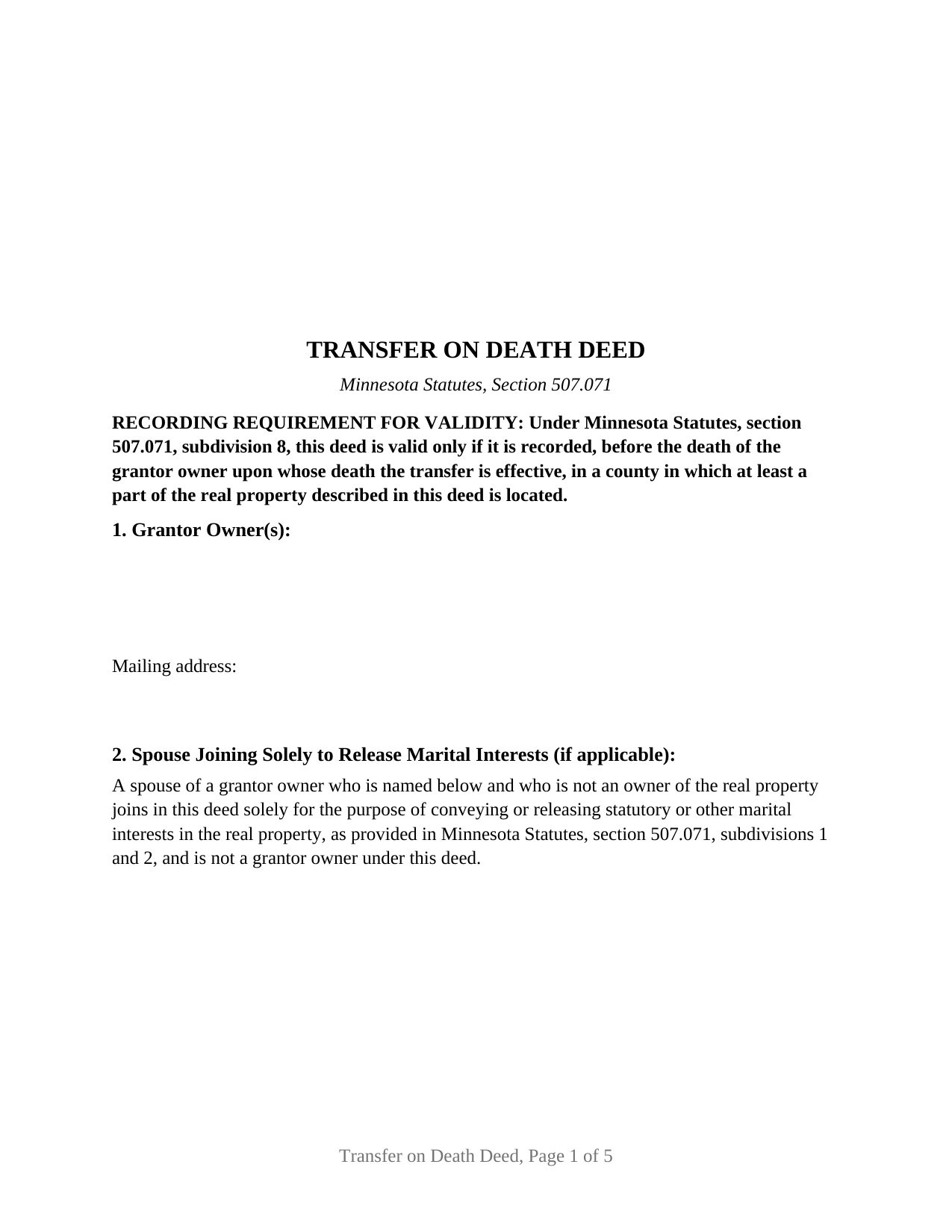
Stearns County Transfer on Death Deed Form
Fill in the blank Transfer on Death Deed form formatted to comply with all Minnesota recording and content requirements.
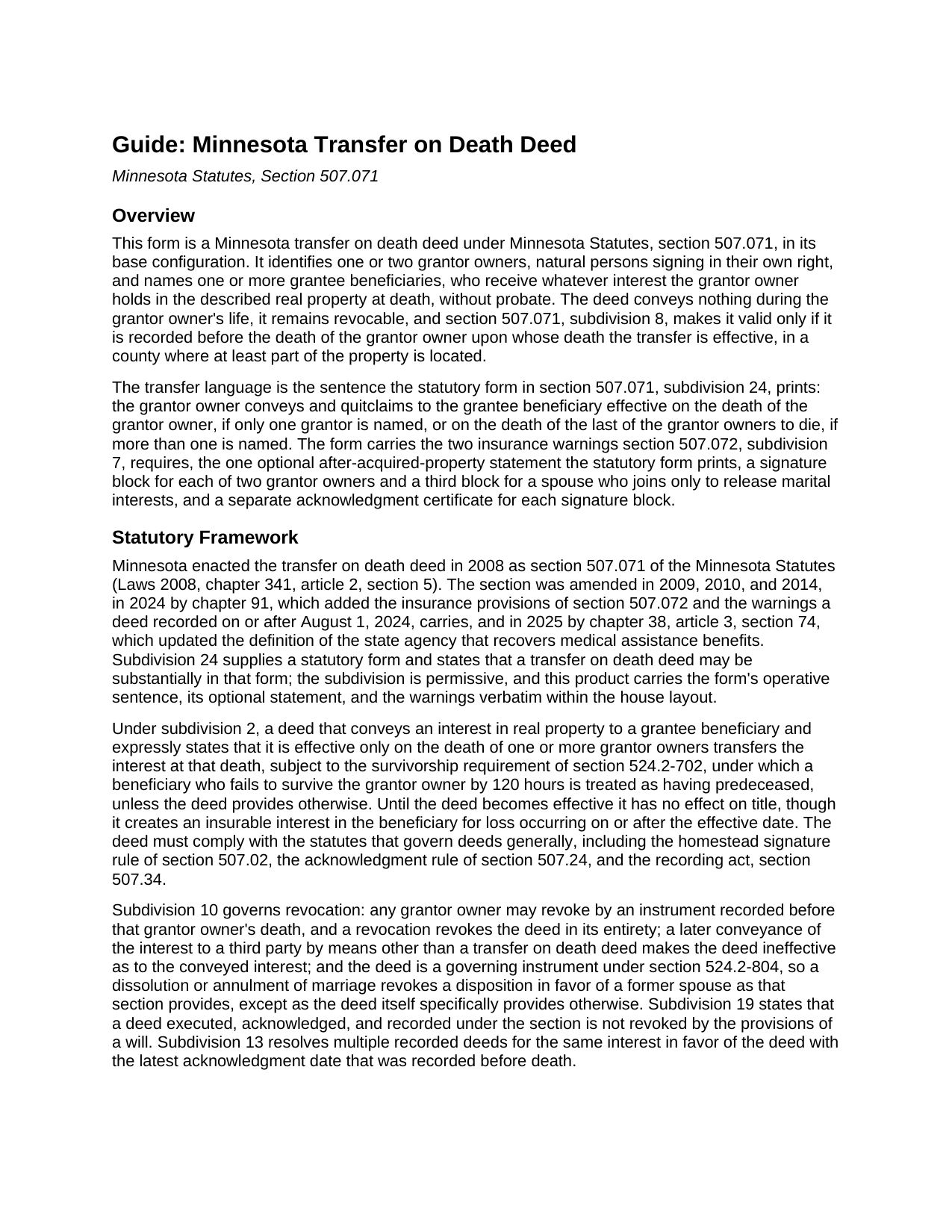
Stearns County Transfer on Death Deed Guide
Line by line guide explaining every blank on the Transfer on Death Deed form.
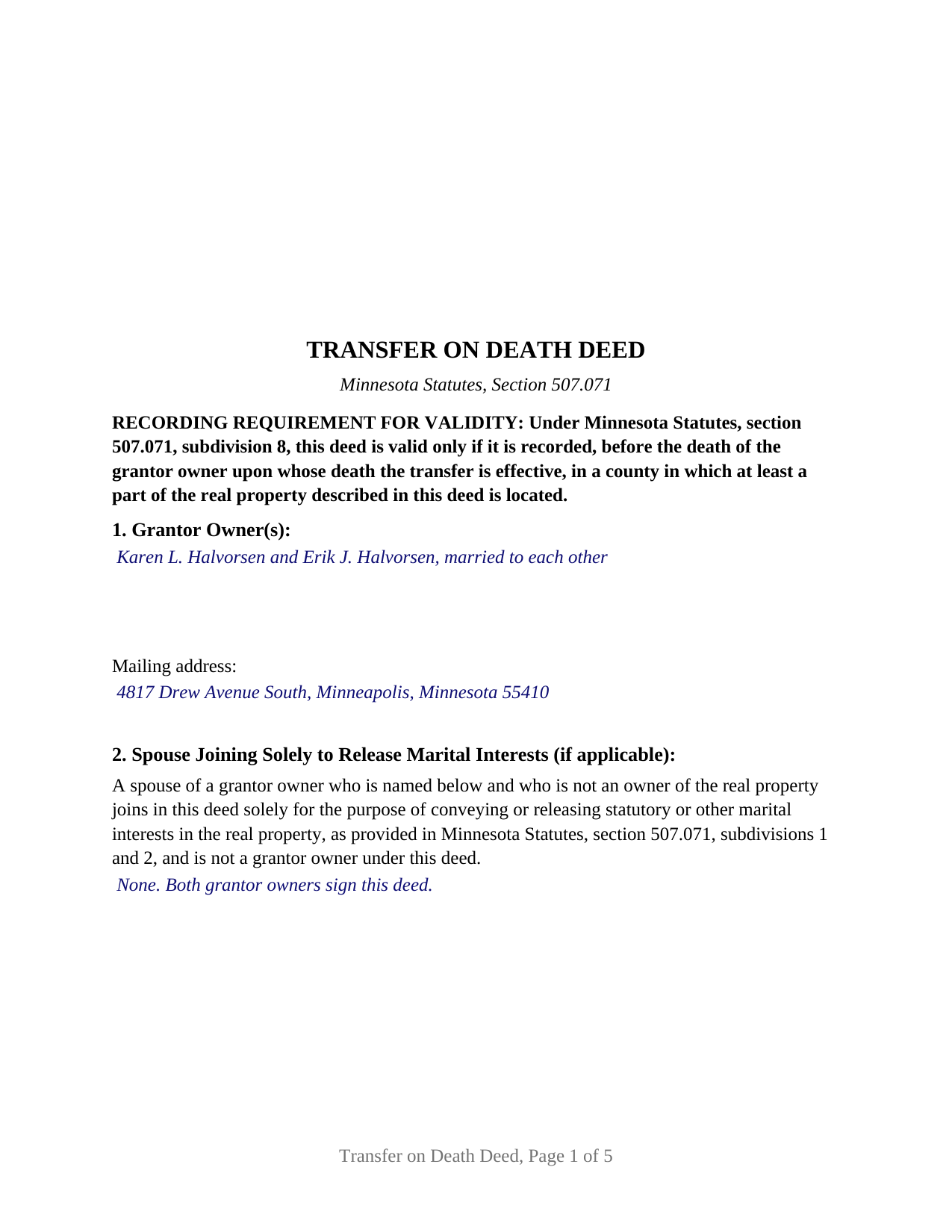
Stearns County Completed Example of the Transfer on Death Deed Document
Example of a properly completed Minnesota Transfer on Death Deed document for reference.
All 3 documents above included • One-time purchase • No recurring fees
Immediate Download • Secure Checkout
Additional Minnesota and Stearns County documents included at no extra charge:
Where to Record Your Documents
Service Center, Room 2203
Waite Park, Minnesota 56387
Hours: 8:00am to 4:30pm M-F
Phone: (320) 656-3855
Recording Tips for Stearns County:
- Bring your driver's license or state-issued photo ID
- Ensure all signatures are in blue or black ink
- Request a receipt showing your recording numbers
- Ask about accepted payment methods when you call ahead
- Ask for certified copies if you need them for other transactions
Cities and Jurisdictions in Stearns County
Properties in any of these areas use Stearns County forms:
- Albany
- Avon
- Belgrade
- Brooten
- Cold Spring
- Collegeville
- Elrosa
- Freeport
- Greenwald
- Holdingford
- Kimball
- Melrose
- New Munich
- Paynesville
- Richmond
- Rockville
- Roscoe
- Saint Cloud
- Saint Joseph
- Saint Martin
- Saint Stephen
- Sartell
- Sauk Centre
- Waite Park
Hours, fees, requirements, and more for Stearns County
How do I get my forms?
Forms are available for immediate download after payment. The Stearns County forms will be in your account ready to download to your computer. An account is created for you during checkout if you don't have one. Forms are NOT emailed.
Are these forms guaranteed to be recordable in Stearns County?
Yes. Our form blanks are guaranteed to meet or exceed the applicable formatting requirements used for recording in Stearns County, including margin requirements, font requirements, and other layout standards. This guarantee applies to formatting, not to the legal sufficiency of information entered by the user or the suitability of a form for a particular transaction.
Can I reuse these forms?
Yes. You can reuse the forms for your personal use. For example, if you have multiple properties in Stearns County you only need to order once.
What do I need to use these forms?
The forms are PDFs that you fill out on your computer. The free Adobe Acrobat Reader is recommended, and most PDF apps also work. You do NOT enter your property information online - you download the blank forms and complete them privately on your own computer.
Are there any recurring fees?
No. This is a one-time purchase. Nothing to cancel, no memberships, no recurring fees.
How much does it cost to record in Stearns County?
Recording fees in Stearns County vary. Contact the recorder's office at (320) 656-3855 for current fees.
Questions answered? Let's get started!
A Minnesota transfer on death deed names who receives real property when its owner dies, without probate and without giving anything up during life. This form prepares that deed under Minnesota Statutes, section 507.071, for one or two grantor owners, with the insurance warnings section 507.072 has required on every TOD deed recorded since August 1, 2024.
A deed that is valid only if recorded before death
Under section 507.071, subdivision 8, a transfer on death deed is valid if it is recorded, before the death of the grantor owner upon whose death the transfer takes effect, in a county where at least part of the property is located. A deed that is signed and notarized but still in a drawer at that death transfers nothing. Until then the deed changes nothing about title, and the owner keeps every power to sell, mortgage, or lease.
The statutory form's own words
Section 507.071, subdivision 24, publishes a form, and this deed uses its operative sentence verbatim: the grantor owner conveys and quitclaims to the grantee beneficiary effective on the death of the grantor owner, if only one grantor is named, or on the death of the last of the grantor owners to die, if more than one is named. The statutory form also prints one optional statement with one box, the after-acquired property election of subdivision 21; the deed prints that statement exactly as the statute does, with its box unmarked, and the guide describes what the statute provides either way.
Two owners, one deed, one later death
Where two owners hold as joint tenants, section 507.071, subdivision 6, moves the transfer to the death of the last surviving grantor owner, and the deed's sentence states that trigger in the statute's words. A surviving joint tenant who did not sign prevails over the beneficiary, which is why the form provides for both owners to sign. Two tenants in common present a different picture, because subdivision 14 voids the deed as to property the grantor owner no longer owned at death; the guide describes that consequence.
Who signs, and the spouse who is not an owner
The form carries a free-form grantor owner block and two signature blocks, OWNER and SECOND OWNER, each with its own acknowledgment certificate. Section 507.02 provides that no conveyance of a married owner's homestead is valid without both spouses' signatures, and section 507.071 makes the transfer on death deed subject to that rule while excluding from the term grantor owner a spouse who joins only to release marital interests. The deed therefore carries a separate joining-spouse section and signature block, with a fixed sentence identifying the capacity in which that spouse signs, so the spouse's signature never reads as a second owner's. When both spouses own the property, both sign as owners and the joining-spouse section reads None.
What the configuration recites
This is the base configuration of the Minnesota TOD deed: one or two natural persons as grantor owners, one or more grantee beneficiaries of any class the statute permits, whether individuals, the trustee of a revocable or testamentary trust, or a qualified entity, and no preprinted statement about marital status or form of co-ownership beyond the statutory trigger sentence itself. A widowed parent naming adult children, and spouses holding a home in joint tenancy, present the one-owner and two-owner patterns this deed recites. The form is not set up as a deed signed by an entity, a trustee, or an attorney-in-fact, nor for three or more owners on either side.
The warnings the 2024 amendment added
Since August 1, 2024, a Minnesota transfer on death deed contains two warnings under section 507.072, subdivision 7: one to the grantor owner, that temporary extended fire and casualty coverage after death exists only if the owner has notified the insurer of the deed and of every beneficiary's name and contact information, and one to the grantee beneficiary, that coverage is not to be presumed to continue after the owner's death. After the owner's death, a county agency clearance certificate and an affidavit of identity and survivorship follow, each recorded separately and not included in this package.
The package includes the fillable transfer on death deed, a completed example filled in for a realistic Hennepin County fact pattern, and the guide that walks through every numbered section, the signing rules, and the recording process. This description and the guide describe the form and the governing statutes in general terms; they are not legal advice.
Important: Your property must be located in Stearns County to use these forms. Documents should be recorded at the county recording office listed above.
This Transfer on Death Deed meets all recording requirements specific to Stearns County.
Our Promise
The documents you receive here are guaranteed to meet or exceed the applicable Stearns County recording format requirements. If there is a rejection caused by our formatting, we will correct the issue or refund your payment. This guarantee applies to document formatting only and does not extend to information entered by the user, the selection of the form, or the legal effect of the completed document.
Save Time and Money
Get your Stearns County Transfer on Death Deed form done right the first time with Deeds.com Uniform Conveyancing Blanks. At Deeds.com, we understand that your time and money are valuable resources, and we don't want you to face a penalty fee or rejection imposed by a county recorder for submitting nonstandard documents. We constantly review and update our forms to meet rapidly changing state and county recording requirements for roughly 3,500 counties and local jurisdictions.
4.8 out of 5 - ( 4,857 Reviews )
Z. L. 5 out of 5 stars
I appreciate a service that can reach any county in Texas to file deed distribution deeds. It is convenient, time and money saving for our clients and takes the headache out of estate administration. Thanks.
Thank you!
Michael R. 5 out of 5 stars
A suggestion: Include instructions on how to add your spouse to the deed, rather than transferring completely to a third party
Thank you for your thoughtful feedback. Adding a spouse to a deed is a common need, and suggestions like yours help us identify where additional guidance would be useful. We’ll take this into consideration as we continue improving our resources.
Herman B. 5 out of 5 stars
Special Warranty Deed I can't seem to type all my info in the blank spaces. It won't allow me to type any more. Maybe you should consider either allowing typists to type more (leaving more space) or allowing more room to type more.
Thank you!
Pamela B. 5 out of 5 stars
Fantastic system, so easy to use even for a simpleton like me.
Thank you!
alena t. 5 out of 5 stars
It was quick and easy to print and download the forms I needed.
We appreciate your business and value your feedback. Thank you. Have a wonderful day!
Kevin R. 5 out of 5 stars
Deeds.com made a very difficult time in our lives much easier to deal with. So happy that we found this app when we did!
Your feedback is greatly appreciated. Thank you for taking the time to share your experience!
John T. 5 out of 5 stars
Great site, I was able to navigate with ease. We appreciate all those who contributed in making this possible
Thank you!
SHIRLEY H. 3 out of 5 stars
I like that they have all the forms, but I could not find it they would submit the forms to the recorders office
Thank you!
BARRY D. 5 out of 5 stars
Could not have been easier. Instructions were clear. Guidelines and example were clearly written. Erecording worked fast and let me skip a dreaded trip downtown to be ignored by government employees who hate their jobs.
Thank you for your positive words! We’re thrilled to hear about your experience.
SHERRI B. 5 out of 5 stars
World class forms and service. Downloaded and prepared the deed in minutes. Used the recording service (digital), so convenient.
Thank you for the kind words Sherri. Have an amazing day!
Dianne W. 5 out of 5 stars
Thank you for responding so quickly to my question. I was able to locate the form and get everything downloaded. Once I saw the icon, it was easy peasy!!
Thank you!
Karen F. 3 out of 5 stars
Form needs to be gender neutral. Also, while the format prompts for the correct information to be included, more of the form needs to be open for editing and to eliminate unnecessary spacing.
Karen, thank you for your helpful feedback. We appreciate you pointing this out and are reviewing the form to make the language gender neutral, improve editability, and reduce unnecessary spacing so it is easier to complete.
HELEN F. 5 out of 5 stars
Was straight to the point... Easy to read instructions... smooth process
Thank you for your feedback. We really appreciate it. Have a great day!
William Q. 5 out of 5 stars
The website and information is fine. The proof in the pudding, of course, is whether the forms I used now will provide the results I want if the changes are challenged at some future date.
Thank you for your feedback. We really appreciate it. Have a great day!
Marlin M. 5 out of 5 stars
all round GREAT!
Always great to hear kind words from such a long time customer Marlin, thank you.