Roseau County Transfer on Death Revocation Form
Last validated November 1, 2026 by our Forms Development TeamFormatted for recording in Roseau County, for property anywhere in the county: rural and unincorporated areas as well as Badger, Greenbush, Roosevelt, Roseau, Salol, Strathcona, Swift, Wannaska and 1 more.
- 3 documents included
- Immediate PDF download
- Formatting guarantee
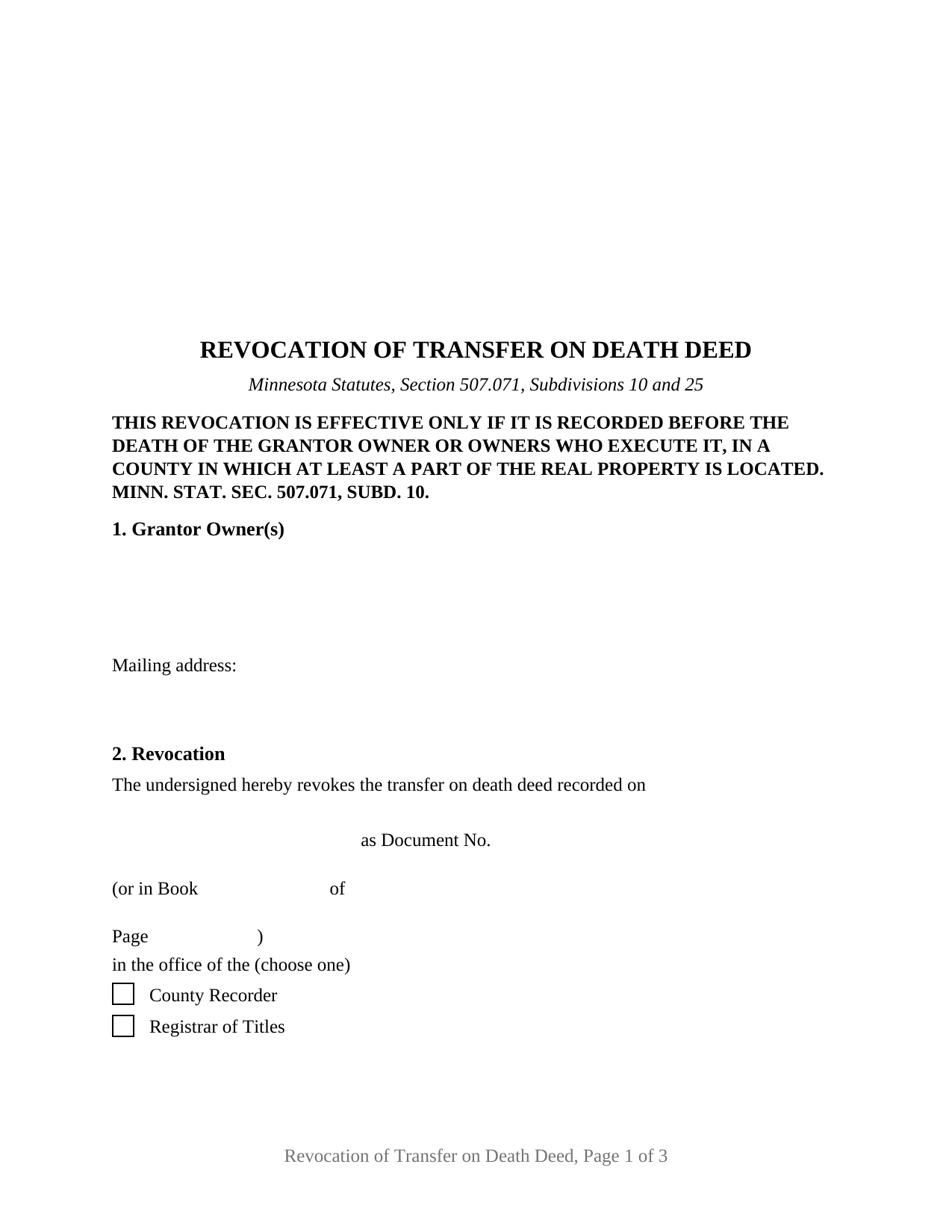
Roseau County Transfer on Death Revocation Form
Fill in the blank Transfer on Death Revocation form formatted to comply with all Minnesota recording and content requirements.
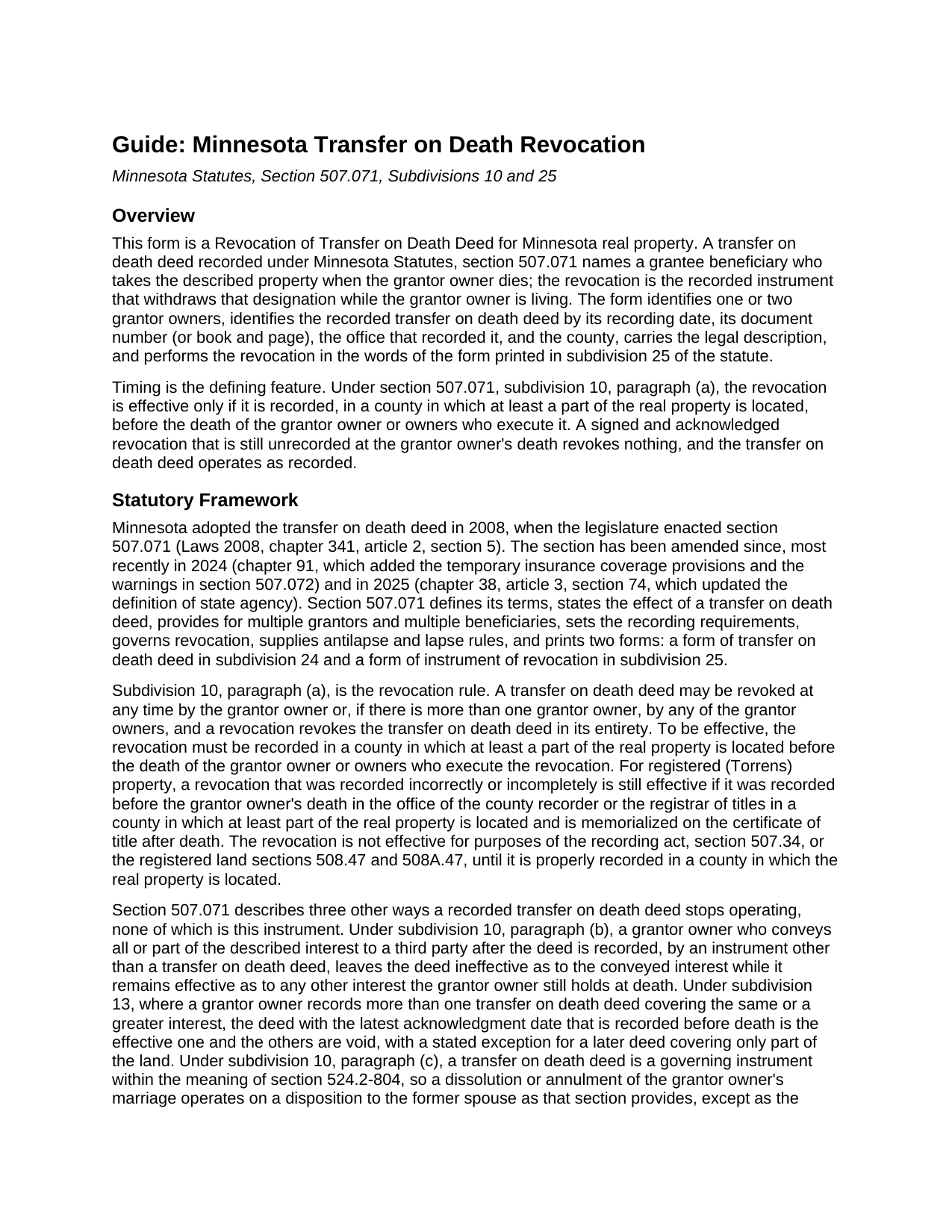
Roseau County Transfer on Death Revocation Guide
Line by line guide explaining every blank on the Transfer on Death Revocation form.
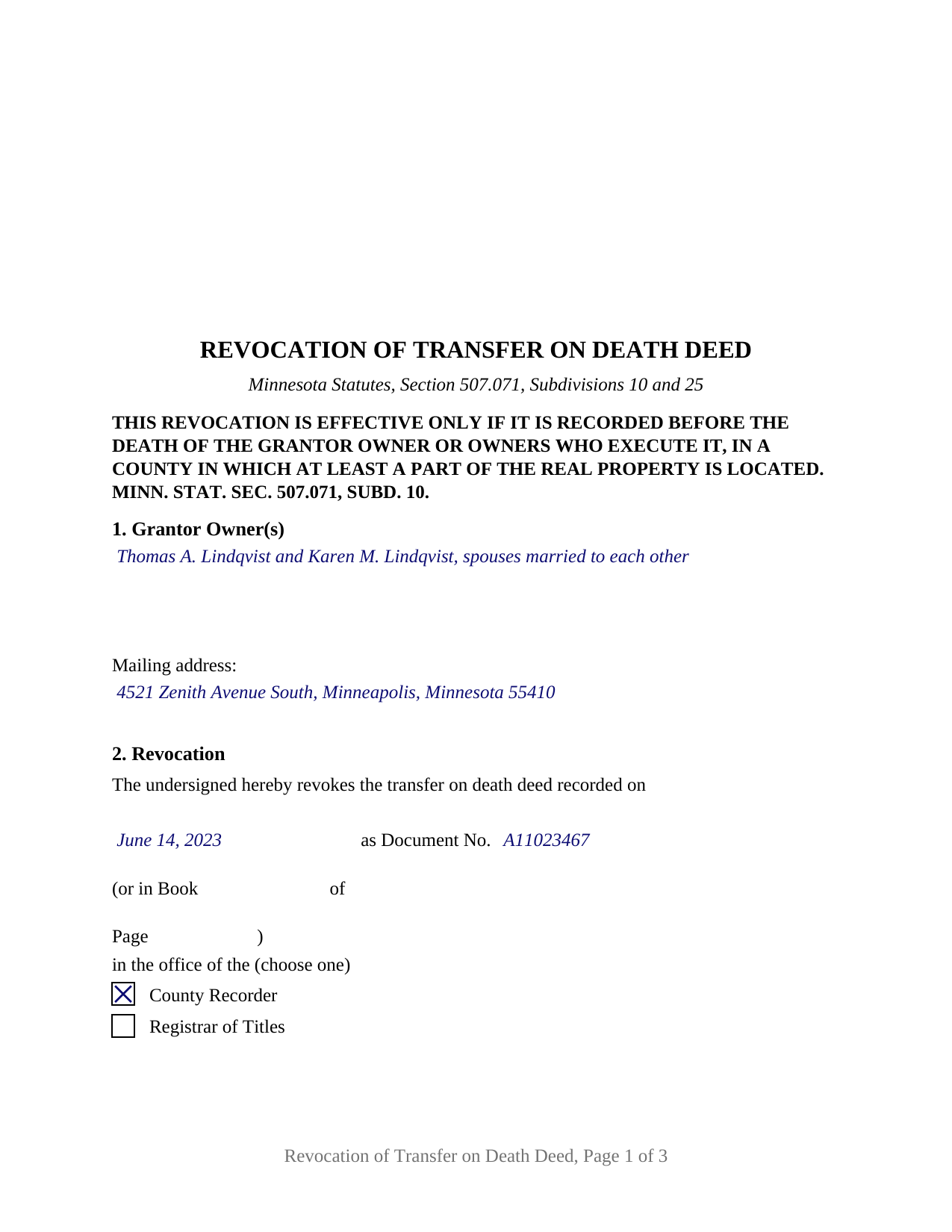
Roseau County Completed Example of the Transfer on Death Revocation Document
Example of a properly completed Minnesota Transfer on Death Revocation document for reference.
All 3 documents above included • One-time purchase • No recurring fees
Immediate Download • Secure Checkout
Additional Minnesota and Roseau County documents included at no extra charge:
Where to Record Your Documents
Roseau County Recorder
Roseau, Minnesota 56751
Hours: 8:00 to 4:30 M-F
Phone: (218) 463-2061
Recording Tips for Roseau County:
- Bring your driver's license or state-issued photo ID
- Ensure all signatures are in blue or black ink
- Recorded documents become public record - avoid including SSNs
- Recording fees may differ from what's posted online - verify current rates
- Request a receipt showing your recording numbers
Cities and Jurisdictions in Roseau County
Properties in any of these areas use Roseau County forms:
- Badger
- Greenbush
- Roosevelt
- Roseau
- Salol
- Strathcona
- Swift
- Wannaska
- Warroad
Hours, fees, requirements, and more for Roseau County
How do I get my forms?
Forms are available for immediate download after payment. The Roseau County forms will be in your account ready to download to your computer. An account is created for you during checkout if you don't have one. Forms are NOT emailed.
Are these forms guaranteed to be recordable in Roseau County?
Yes. Our form blanks are guaranteed to meet or exceed the applicable formatting requirements used for recording in Roseau County, including margin requirements, font requirements, and other layout standards. This guarantee applies to formatting, not to the legal sufficiency of information entered by the user or the suitability of a form for a particular transaction.
Can I reuse these forms?
Yes. You can reuse the forms for your personal use. For example, if you have multiple properties in Roseau County you only need to order once.
What do I need to use these forms?
The forms are PDFs that you fill out on your computer. The free Adobe Acrobat Reader is recommended, and most PDF apps also work. You do NOT enter your property information online - you download the blank forms and complete them privately on your own computer.
Are there any recurring fees?
No. This is a one-time purchase. Nothing to cancel, no memberships, no recurring fees.
How much does it cost to record in Roseau County?
Recording fees in Roseau County vary. Contact the recorder's office at (218) 463-2061 for current fees.
Questions answered? Let's get started!
A Minnesota transfer on death deed stays revocable for as long as the grantor owner lives, but revoking it takes a recorded instrument. This form prepares the Revocation of Transfer on Death Deed that Minnesota Statutes, section 507.071, subdivision 25 prints, for one or two grantor owners who signed the deed being revoked, whether the deed sits with the county recorder or the registrar of titles.
One grantor owner's signature undoes the whole deed
Section 507.071, subdivision 10, paragraph (a), lets the grantor owner revoke at any time and, where there is more than one grantor owner, lets any of them do it alone. A revocation revokes the transfer on death deed in its entirety: the statute states no partial revocation as to one signer's share and no requirement that the other grantor owner join. The form carries two signature blocks and two acknowledgment certificates: both grantor owners complete a block when they revoke together, and the second block stays empty when one revokes alone.
Recorded before death, or not at all
Minnesota ties the revocation's effect to the county records. Under subdivision 10, paragraph (a), the instrument is effective only if it is recorded, before the death of the grantor owner or owners who execute it, in a county in which at least a part of the real property is located. A revocation left unrecorded at death revokes nothing, and under subdivision 19 a will does not revoke a recorded transfer on death deed either. For registered (Torrens) property, a revocation recorded incorrectly before death remains effective if it is memorialized on the certificate of title afterward. The form prints the recording condition in capital letters directly below its title.
County Recorder or Registrar of Titles
The statutory form identifies the deed being revoked by its recording date, its document number (or book and page), and the office that recorded it, and this form carries that sentence word for word. The office appears as two printed boxes, County Recorder for abstract property and Registrar of Titles for registered property, answered from the recording stamp on the deed. The legal description is copied from the deed, and a street address line follows for everyday identification.
What the revocation changes and what it leaves alone
The instrument withdraws the designation; it conveys nothing. Where the property passes instead is a matter for a will, the intestacy statutes, or a new transfer on death deed, a separate instrument recorded separately and not included in this package. Because a revocation is a document that references a transfer on death deed, the state deed tax does not apply to it under section 287.22, clause (15), and no certificate of real estate value accompanies it, since nothing is sold.
Drawn for one or two grantor owners
The form recites no marital status, vesting, or capacity of its own. Its first section is an open block that receives the name of one or two grantor owners as the transfer on death deed stated them, with the marital status that deed recited. Two spouses who signed one transfer on death deed and revoke it together, siblings holding as joint tenants who made one deed, and a sole owner withdrawing a designation present the patterns this form carries; the completed example shows two spouses in Hennepin County revoking a deed recorded with the county recorder. The form is not set up as a revocation by an attorney-in-fact, a trustee, a conservator, a business entity, or three or more grantor owners on one instrument.
Signing and recording in Minnesota
Each grantor owner who revokes signs before a notarial officer, since section 507.24 makes acknowledgment the recording formality, and the certificate sentence on the form is the short form of section 358.66. The separate certificates let two owners acknowledge on different dates, before different officers, or in different states. The document follows section 507.093: letter size, 12 point body type above the 8 point minimum, a 3 inch blank space at the top of the first page, and the title directly below it. The county recorder's fee for recording and indexing is a flat $46 under section 357.18.
The package includes the fillable form, a completed example filled in for a realistic Hennepin County fact pattern, and the guide that walks through every numbered section and the recording process. This description and the guide describe the form and the governing Minnesota statutes in general terms; they are not legal advice.
Important: Your property must be located in Roseau County to use these forms. Documents should be recorded at the county recording office listed above.
This Transfer on Death Revocation meets all recording requirements specific to Roseau County.
Our Promise
The documents you receive here are guaranteed to meet or exceed the applicable Roseau County recording format requirements. If there is a rejection caused by our formatting, we will correct the issue or refund your payment. This guarantee applies to document formatting only and does not extend to information entered by the user, the selection of the form, or the legal effect of the completed document.
Save Time and Money
Get your Roseau County Transfer on Death Revocation form done right the first time with Deeds.com Uniform Conveyancing Blanks. At Deeds.com, we understand that your time and money are valuable resources, and we don't want you to face a penalty fee or rejection imposed by a county recorder for submitting nonstandard documents. We constantly review and update our forms to meet rapidly changing state and county recording requirements for roughly 3,500 counties and local jurisdictions.
4.8 out of 5 - ( 4,853 Reviews )
REBECCA B. 5 out of 5 stars
Documents arrived instantly. Performed exactly as stated. Will use website again.
We appreciate your business and value your feedback. Thank you. Have a wonderful day!
Chris H. 5 out of 5 stars
Fast and Easy. Did not have to leave my office to get this done.
Thank you!
Steven W. 5 out of 5 stars
Good form with an example and instructions
Thanks, Steven! We’re glad the example and instructions were helpful. We appreciate you taking the time to leave a review.
Valerie B. 5 out of 5 stars
I had no clue how to write an easement termination, and I did not want to pay an attorney for it, so I ordered the instructions and form. It was very helpful to have a completed sample. I am satisfied and confident in the document I produced.
We appreciate your business and value your feedback. Thank you. Have a wonderful day!
Anitra C. 5 out of 5 stars
This was so easy and the instructions were great.
We appreciate your business and value your feedback. Thank you. Have a wonderful day!
James G. 5 out of 5 stars
Very Happy. Forms saved me from making some very silly mistakes had I done them on my own.
Thank you!
Karl L. 5 out of 5 stars
Excellent Service Terrific Follow Up and Follow Throught
Your appreciative words mean the world to us. Thank you.
Sander G. 4 out of 5 stars
Good but knocked off a star because the download file names are mostly numbers instead of recognizable names of the file contents (e.g., Promissory_Note_blank.pdf). Renaming would be a great help!
Thank you for your feedback. We really appreciate it. Have a great day!
Peter M. 5 out of 5 stars
Quick and complete. Thanks!
Thank you!
Cherene K. 4 out of 5 stars
The process was easy and reasonable. My only problem was that, when I filled out my form on the computer, the writing I did overlapped with the pre-written words on the form, so that I had to end up doing it by hand. I've used DEEDS before and have not had that problem.
Thank you for your feedback Cherene. We've emailed you for some followup regarding the issue you reported.
Martha D. 5 out of 5 stars
Excellent website. I found exactly what I was looking for!
Thank you!
Rosie R. 5 out of 5 stars
LOVE THIS!! I am a REALTORand from time to time I have had to take documents for filing. I'm so glad I invested some time online researching eFiling services. The first few search results that populated required an expensive annual or monthly subscription. Luckily I continued to scroll and found Deeds.com. No annual or monthly subscription required. Just pay per use. I uploaded a ROL late one night and Deed.com had it eFiled the very next morning!!! They keep you updated throughout the process via email notifications which you click on the link provided in the email that directs you to your online portal to view the status and once your documents have been filed you can immediately download the filed of record documents including the receipt from the county in which the documents were filed. SO SIMPLE, CONVENIENT, & QUICK-THANK YOU DEEDS.com!!!
We appreciate your business and value your feedback. Thank you. Have a wonderful day!
Todd W. 2 out of 5 stars
Communication is hard. The reps need to be empowered and encouraged to call the customers when necessary. They encourage 300 dpi resolution and under 2 MB PDF file, which is not even possible with our scanner. They made a vague comment about a legal description looking abbreviated but did not explain. They refused to call me. They said the county said "Image is light please darken", but the image looked fine to me. Maybe not their fault, but they refused to help work with the county on that for me. I followed their suggestion though and re-scanned at 300 dpi, but they misunderstood me and did not re-submit it right away. Over 48 hours later, it's still not recorded yet. I hope it will be today.
Thank you for your feedback Todd.
JAMES WILLIAM H. 5 out of 5 stars
The DOCUMENT AND INFORMATION WAS JUST WHAT I WANTED AND NEEDED. HOWEVER, NAVIGATING THE ON LINE PROCESS WAS A PROBLEM.. AT ONE POINT IT LOOKED LIKE I HAD PAID FOR THE PRODUCT AND LOST CONTACT WITH THE SYSTEM. I FINALLY GOT TO PRINT WHAT I PURCHASED. FOR SUCH I WOULD ONLY GIVE A FOUR STAR RATING.
Thank you, James. We're glad the documents and information met your needs, and we appreciate you pointing out the navigation issue. Feedback like this helps us improve the ordering experience. Thank you for your review and your business.
Joseph W. 5 out of 5 stars
good place to get documents and it seems like a sound place to get forms. Self explainitory and helpful
Thank you!