Webster County Quitclaim Deed (LLC Grantor) Form
Last validated October 2, 2026 by our Forms Development TeamFormatted for recording in Webster County, for property anywhere in the county or independent city: rural and unincorporated areas as well as Diggins, Fordland, Marshfield, Niangua, Rogersville, Seymour.
- 3 documents included
- Immediate PDF download
- Formatting guarantee
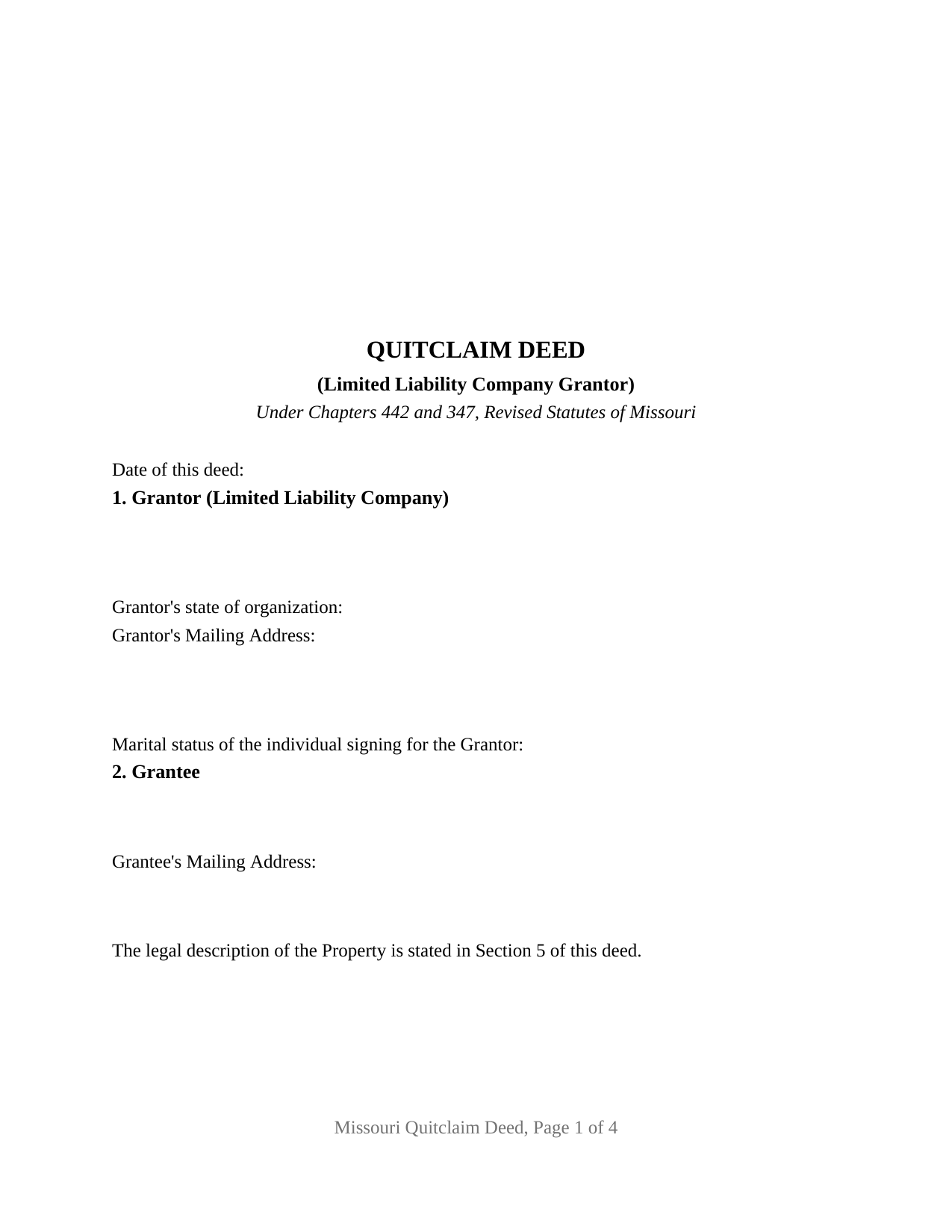
Webster County Quitclaim Deed (LLC Grantor) Form
Fill in the blank Quitclaim Deed (LLC Grantor) form formatted to comply with all Missouri recording and content requirements.
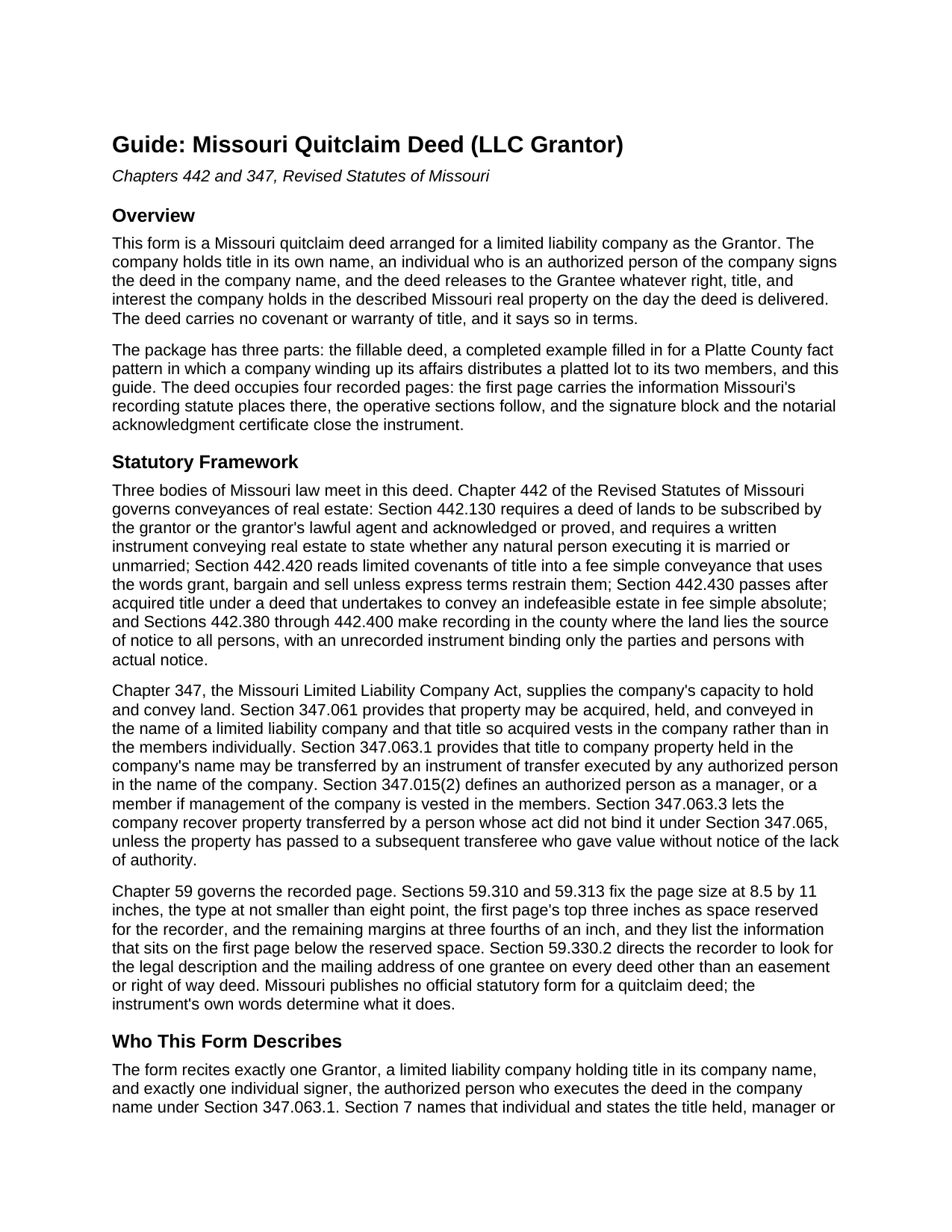
Webster County Quitclaim Deed (LLC Grantor) Guide
Line by line guide explaining every blank on the Quitclaim Deed (LLC Grantor) form.
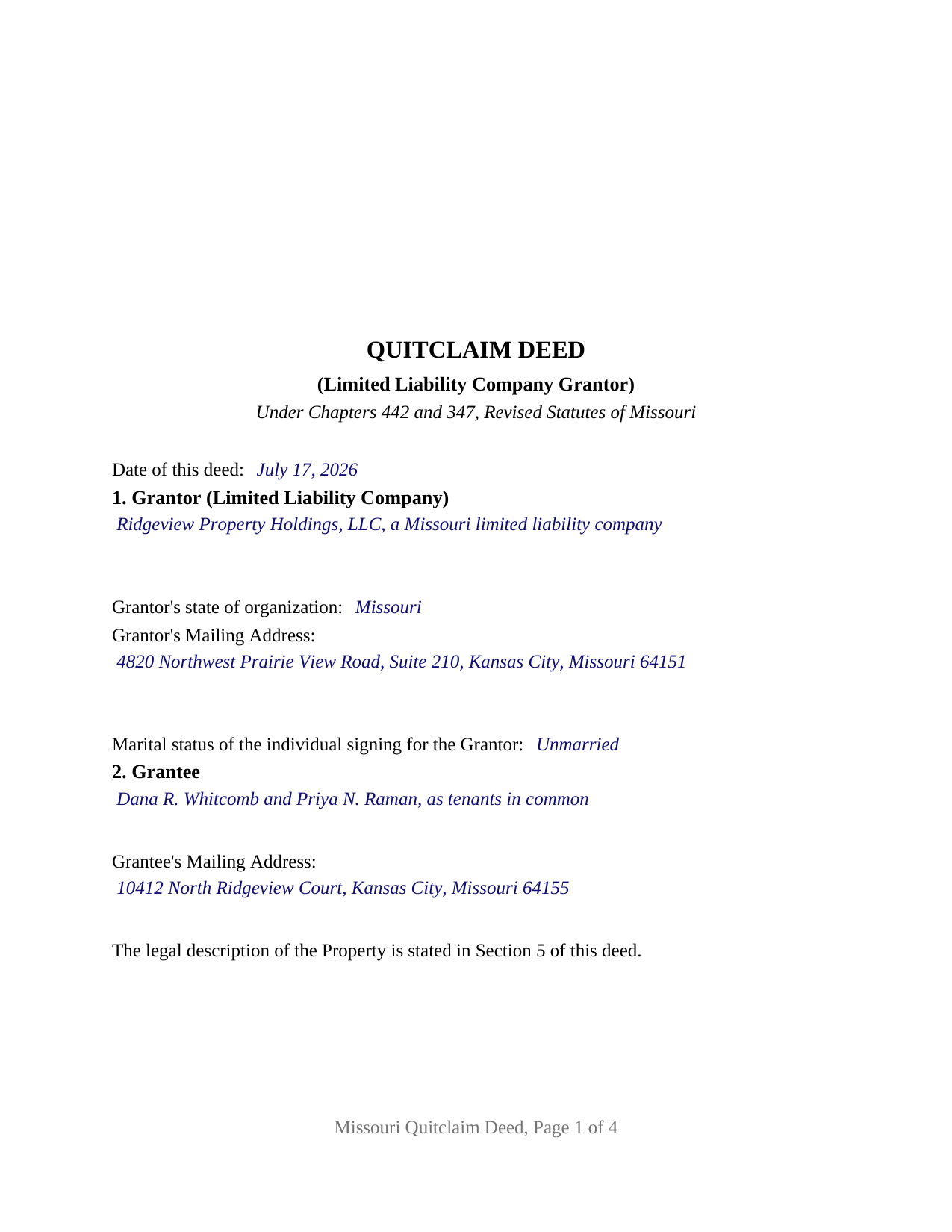
Webster County Completed Example of the Quitclaim Deed (LLC Grantor) Document
Example of a properly completed Missouri Quitclaim Deed (LLC Grantor) document for reference.
All 3 documents above included • One-time purchase • No recurring fees
Immediate Download • Secure Checkout
Additional Missouri and Webster County documents included at no extra charge:
Where to Record Your Documents
Webster County Recorder of Deeds
Marshfield, Missouri 65706
Hours: 8:00 to 4:00 Monday through Friday
Phone: (417) 859-5882
Recording Tips for Webster County:
- Bring your driver's license or state-issued photo ID
- Ensure all signatures are in blue or black ink
- White-out or correction fluid may cause rejection
- Ask about their eRecording option for future transactions
- Avoid the last business day of the month when possible
Cities and Jurisdictions in Webster County
Properties in any of these areas use Webster County forms:
- Diggins
- Fordland
- Marshfield
- Niangua
- Rogersville
- Seymour
Hours, fees, requirements, and more for Webster County
How do I get my forms?
Forms are available for immediate download after payment. The Webster County forms will be in your account ready to download to your computer. An account is created for you during checkout if you don't have one. Forms are NOT emailed.
Are these forms guaranteed to be recordable in Webster County?
Yes. Our form blanks are guaranteed to meet or exceed the applicable formatting requirements used for recording in Webster County, including margin requirements, font requirements, and other layout standards. This guarantee applies to formatting, not to the legal sufficiency of information entered by the user or the suitability of a form for a particular transaction.
Can I reuse these forms?
Yes. You can reuse the forms for your personal use. For example, if you have multiple properties in Webster County you only need to order once.
What do I need to use these forms?
The forms are PDFs that you fill out on your computer. The free Adobe Acrobat Reader is recommended, and most PDF apps also work. You do NOT enter your property information online - you download the blank forms and complete them privately on your own computer.
Are there any recurring fees?
No. This is a one-time purchase. Nothing to cancel, no memberships, no recurring fees.
How much does it cost to record in Webster County?
Recording fees in Webster County vary. Contact the recorder's office at (417) 859-5882 for current fees.
Questions answered? Let's get started!
A limited liability company owns land in its own name and signs nothing, because signing takes a person. Missouri resolves that in one sentence of Section 347.063.1 of the Revised Statutes of Missouri: title held in the name of a limited liability company may be transferred by an instrument executed by any authorized person in the name of the company. This Missouri quitclaim deed is arranged around that sentence: the company is the Grantor, an authorized person signs for it, and the face of the deed records who signed and in what capacity.
Who signs when the owner is a company
The form recites exactly one Grantor, a limited liability company holding title in its company name, and exactly one signer. Section 7 collects the signer's name and title, manager or member, the two roles Section 347.015 defines as an authorized person, and states that the individual named executes the deed in the company name under Section 347.063.1. Section 9 carries one signature line headed for the company by its authorized person, a printed name line beneath it, and one notarial acknowledgment certificate whose acknowledger line names the individual together with the company. A conveyance by two companies, by a corporation, whose Section 442.210.1(3) certificate recites a corporate seal and board authority, or by a trustee recites a different grantor block.
The blanks that name the company
Company identity takes three first page blanks rather than one: the legal name as Section 347.020 requires it to read, with the limited liability company words or the LC, LLC, L.C., or L.L.C. abbreviation; the state under whose law the company is organized; and a designated Grantor's Mailing Address. Nothing in the deed proves authority to bind the company. Section 347.063.3 lets the company recover the property where it shows the signer's act did not bind it under Section 347.065, unless a later transferee gave value without notice, so a resolution or certificate of company authority is prepared separately and does not travel with this package.
Marital status when no natural person is the grantor
Section 442.130.2 has every written instrument conveying Missouri real estate state whether any natural person acting as grantor, mortgagor, or other party executing it is married or unmarried, and Missouri recorders publish grantor marital status as first page content on documents that transfer land. A company has no marital status, and the deed says so in terms. The individual who executes the instrument for the company is a natural person, so page one carries a married or unmarried line for that signer, where county indexing looks for it, while Section 8 states that the signer takes no interest and makes no covenant. Because a company rather than a married person owns the land, the homestead and marital joinder rules of Section 513.475 and Section 474.150.2 have nothing to attach to, and no spouse signs.
A release of interest, warranted by no one
Missouri prints no official quit claim deed form, so the operative words do the work. Section 442.420 turns grant, bargain and sell into limited statutory covenants of title, so those words stay off this page. The deed remises, releases, and forever quitclaims whatever right, title, and interest the company holds when the deed is delivered, adds an express sentence that no covenant of title arises from anything written in it, and keeps later acquired title outside the transaction. Deeds of trust, judgment liens, easements, and unpaid taxes ride along untouched.
Page one, recording, and the county filing
Sections 59.310 and 59.313 reserve the top three inches of page one for the recorder and list what sits below: title, date, party names, grantor marital status, the grantee mailing address Section 59.330.2 calls for, and the legal description or a printed reference locating it, which this form places in Section 5. Missouri levies no transfer tax on a deed, although St. Charles County, St. Louis County, and the City of St. Louis each collect a certificate of value with the deed, an assessment form prepared outside this package. The completed example works a Platte County distribution, a company winding up its affairs releasing a platted lot to its two members.
The download carries three files: this LLC quitclaim deed as a fillable PDF, the completed example described above filled in from the date line through the return address, and a plain language guide to every blank, the company authority statutes, and recording. The materials cover Missouri law in general terms, for information, and are not legal advice.
Important: Your property must be located in Webster County to use these forms. Documents should be recorded at the county or independent city recording office listed above.
This Quitclaim Deed (LLC Grantor) meets all recording requirements specific to Webster County.
Our Promise
The documents you receive here are guaranteed to meet or exceed the applicable Webster County recording format requirements. If there is a rejection caused by our formatting, we will correct the issue or refund your payment. This guarantee applies to document formatting only and does not extend to information entered by the user, the selection of the form, or the legal effect of the completed document.
Save Time and Money
Get your Webster County Quitclaim Deed (LLC Grantor) form done right the first time with Deeds.com Uniform Conveyancing Blanks. At Deeds.com, we understand that your time and money are valuable resources, and we don't want you to face a penalty fee or rejection imposed by a county recorder for submitting nonstandard documents. We constantly review and update our forms to meet rapidly changing state and county recording requirements for roughly 3,500 counties and local jurisdictions.
4.8 out of 5 - ( 4,863 Reviews )
ed d. 5 out of 5 stars
Fast efficient hassle free
Thank you for your feedback. We really appreciate it. Have a great day!
Wendy C. 3 out of 5 stars
I purchased a Warranty Deed "package" on Friday and found that the Main download was a working document, but the secondary document (which is required) was not. In other words, I was able to use the fill-in feature on the main document, but not on the second document. I used the portal on the website to report my issue the same day. That was Friday. This is Wednesday. I have not heard a word from them and I have to use my documents in 2 days. I will probably have to resort to pen and ink for that document, but I have already tried filling it out twice and have to keep reprinting and starting over. You can't white out or cross out. I would really prefer to have the complete service that I paid for.
Thank you for your feedback. As is noted on the site, supplemental forms are provided as a courtesy with your order. They are not our forms, we did not create them. They are created and provided by the jurisdiction/agency that requires them. Have a wonderful day.
Gregory h. 5 out of 5 stars
OUtsdtanding. Quick and easy, both of which are a huge plus
We appreciate your business and value your feedback. Thank you. Have a wonderful day!
Frank R. 5 out of 5 stars
Our notary. Marie was prompt, courteous and professional. Would definitely use again and reccomend
Thank you for your feedback. We really appreciate it. Have a great day!
Biinah B. 5 out of 5 stars
Wished I had known about this site earlier. Just what we needed. Get tool to get lip to date legal help.
Thank you for your feedback. We really appreciate it. Have a great day!
Anthony F. 5 out of 5 stars
quick, easy and simple. Also thank you for having the e-submission area particularly with the Covid-19 /Shelter in place things happening.
Thank you for your feedback. We really appreciate it. Have a great day!
Linda P. 5 out of 5 stars
Very informative. It was very helpful.
Thank you!
Christine K. 5 out of 5 stars
This site was fast and easy to use. I would highly recommend using them. Thank you Deeds.com!!!!
We appreciate your business and value your feedback. Thank you. Have a wonderful day!
Jeffry C. 5 out of 5 stars
Deeds.com has been a lifesaver for my house buying business. Excellent support!
Thank you Jeffry, glad we could help.
Karen O. 5 out of 5 stars
I often think I am smarter than I am. Thankfully there are people that know what they are doing so I can focus on my business and the big picture without worrying about the little things.
Thank you!
Carol T. 2 out of 5 stars
It was very difficult to maneuver through your website the wording on certain things are very difficult to figure out. I can't seem to get through to one place that I want versus what I don't want. I think it needs to be a little more explanatory and I am a college graduate so it's not like I'm stupid or anything. Thank you
Thank you for your feedback. Very sorry to hear that we failed you with our navigation. We will certainly address it to see how we can approve. Have a wonderful day.
Mark S. 5 out of 5 stars
The forms were easy and convenient to use
Thank you Mark. We appreciate your feedback.
Kay I. 5 out of 5 stars
Very easy to use. However, the "sample" filled in red ink did not print for me to refer to. Is that the correct desire, not to print?
Thank you for your feedback. We really appreciate it. Have a great day!
Dennis W. 4 out of 5 stars
Fairly straight forward. Notary had a small amount of confusion regarding what wanted in their area.
Thank you for your feedback, Dennis! We're glad the process was straightforward overall. We appreciate you noting the confusion about area requirements - we'll work with our notary partners to ensure clearer communication going forward. Your input helps us improve!
Barry C. 5 out of 5 stars
prompt, complete and efficient process --- kudos to you
Thank you so much Barry. Have a great day!