Garfield County Certificate of Trust Form
Last validated October 6, 2026 by our Forms Development TeamFormatted for recording in Garfield County, for property anywhere in the county: rural and unincorporated areas as well as Brusett, Cohagen, Jordan, Mosby, Sand Springs.
- 3 documents included
- Immediate PDF download
- Formatting guarantee
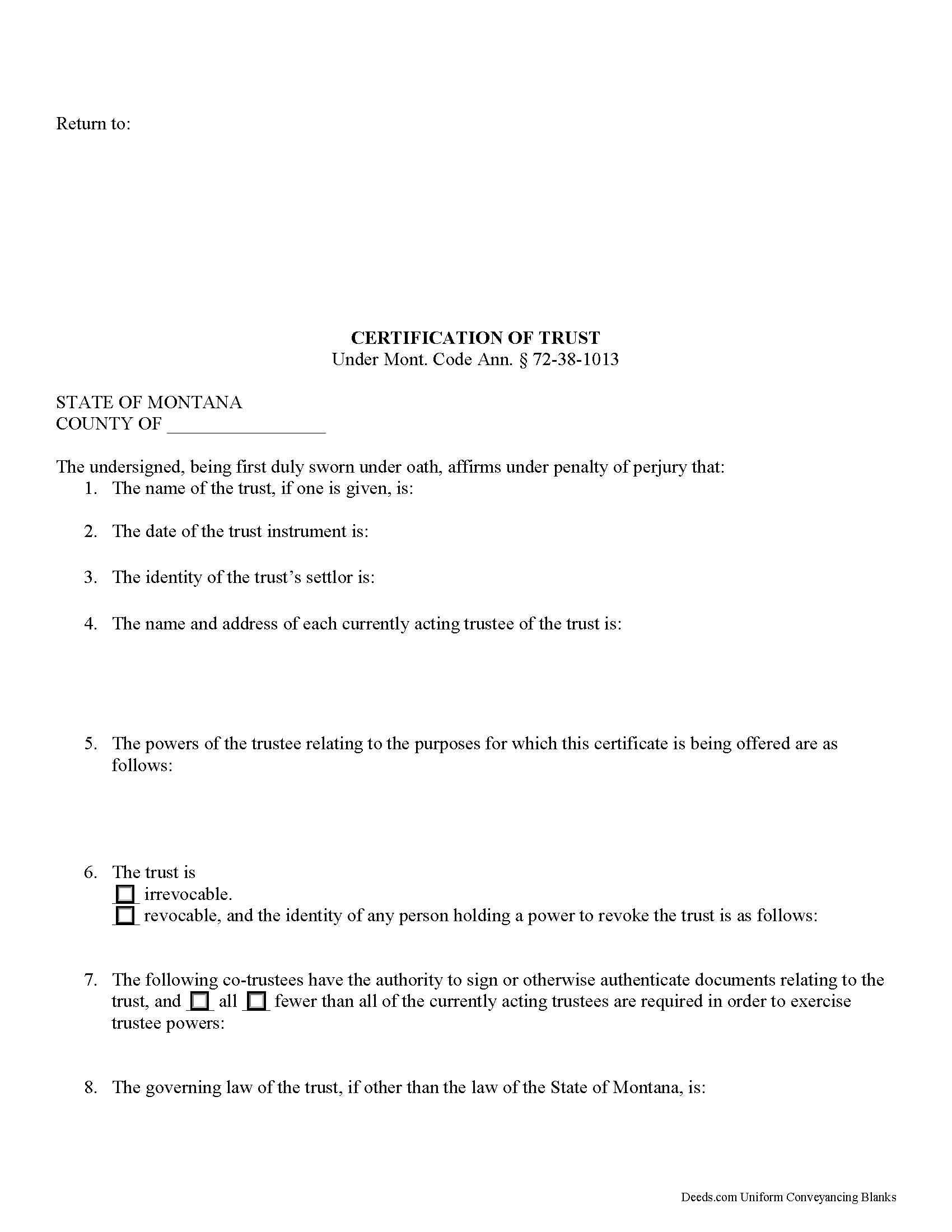
Garfield County Certificate of Trust Form
Fill in the blank form formatted to comply with all recording and content requirements.
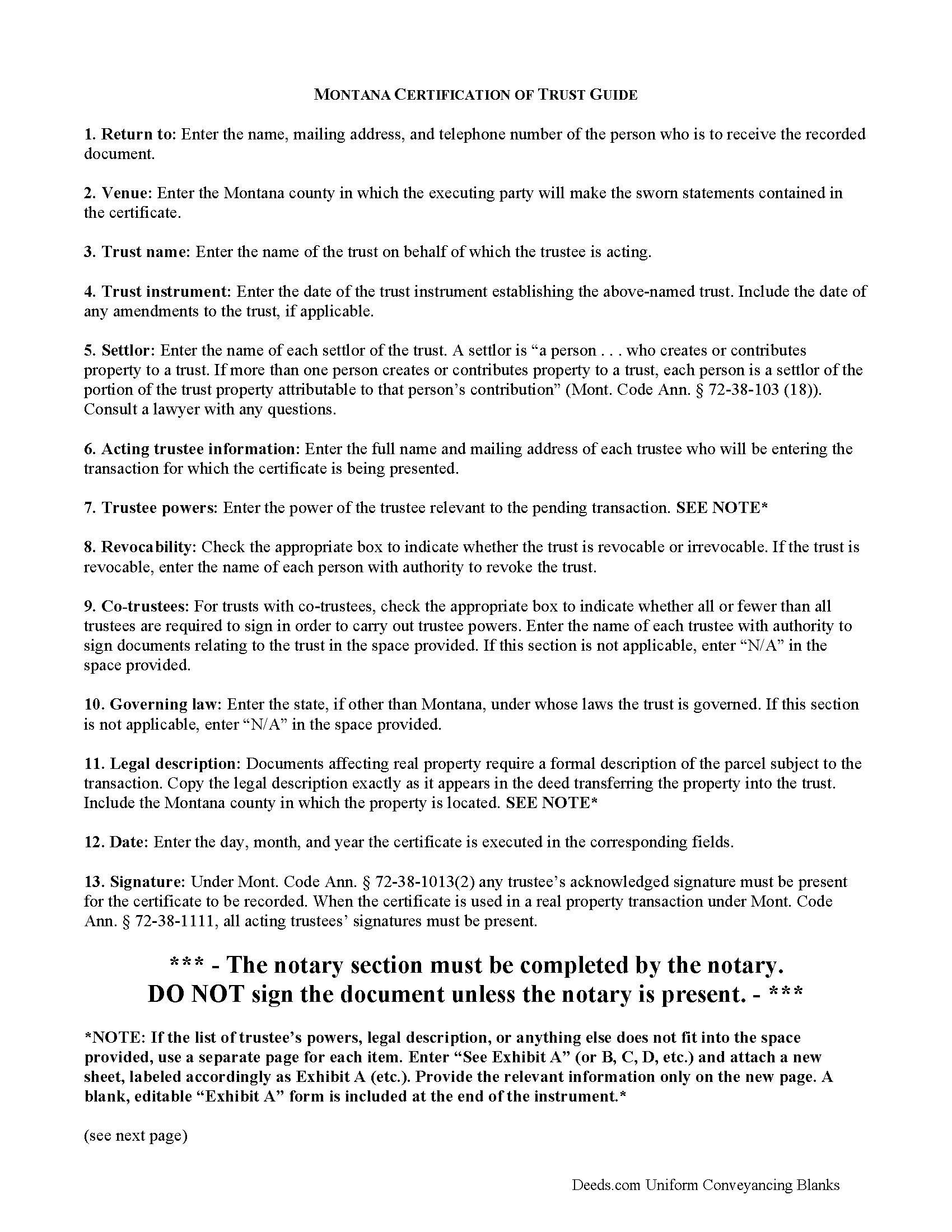
Garfield County Certificate of Trust Guide
Line by line guide explaining every blank on the form.
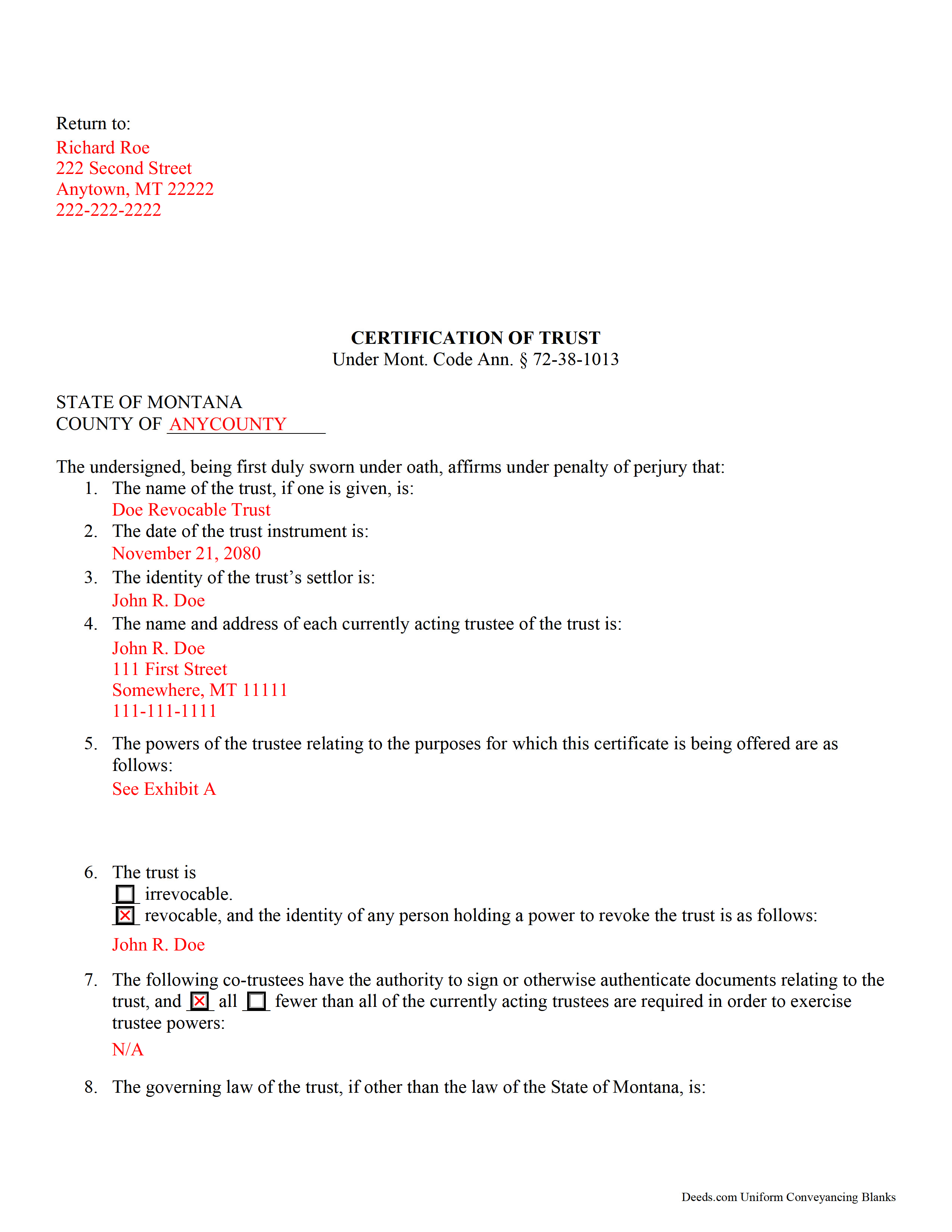
Garfield County Completed Example of the Certificate of Trust Document
Example of a properly completed form for reference.
All 3 documents above included • One-time purchase • No recurring fees
Immediate Download • Secure Checkout
Additional Montana and Garfield County documents included at no extra charge:
Where to Record Your Documents
Garfield County Clerk / Recorder
Jordan, Montana 59337
Hours: 8:00 to 5:00 M-F
Phone: (406) 557-2760
Recording Tips for Garfield County:
- Bring your driver's license or state-issued photo ID
- Ensure all signatures are in blue or black ink
- Documents must be on 8.5 x 11 inch white paper
- Double-check legal descriptions match your existing deed
- Verify all names are spelled correctly before recording
Cities and Jurisdictions in Garfield County
Properties in any of these areas use Garfield County forms:
- Brusett
- Cohagen
- Jordan
- Mosby
- Sand Springs
Hours, fees, requirements, and more for Garfield County
How do I get my forms?
Forms are available for immediate download after payment. The Garfield County forms will be in your account ready to download to your computer. An account is created for you during checkout if you don't have one. Forms are NOT emailed.
Are these forms guaranteed to be recordable in Garfield County?
Yes. Our form blanks are guaranteed to meet or exceed the applicable formatting requirements used for recording in Garfield County, including margin requirements, font requirements, and other layout standards. This guarantee applies to formatting, not to the legal sufficiency of information entered by the user or the suitability of a form for a particular transaction.
Can I reuse these forms?
Yes. You can reuse the forms for your personal use. For example, if you have multiple properties in Garfield County you only need to order once.
What do I need to use these forms?
The forms are PDFs that you fill out on your computer. The free Adobe Acrobat Reader is recommended, and most PDF apps also work. You do NOT enter your property information online - you download the blank forms and complete them privately on your own computer.
Are there any recurring fees?
No. This is a one-time purchase. Nothing to cancel, no memberships, no recurring fees.
How much does it cost to record in Garfield County?
Recording fees in Garfield County vary. Contact the recorder's office at (406) 557-2760 for current fees.
Questions answered? Let's get started!
The certification of trust in Montana is an affidavit containing sworn statements made by the trustee or trustees of a trust.
In a trust arrangement, a settlor entrusts property to a trustee for the benefit of a beneficiary. The trustee is the administrator of the trust's assets.
Instead of furnishing the trust instrument (an unrecorded document containing the trust's provisions, including the designation of the trust's beneficiary) the certificate is an abstract supplying only the relevant information required of the trustee in order to prove his authority to enter into a transaction on the trust's behalf.
Codified under the Montana Uniform Trust Code at 72-38-1013, the certification of trust contains basic information, such as the trust's name, date, settlor, and each trustee's name and address. The certificate verifies that the trust exists and that the trustee is authorized to act by providing a description of the trustee's powers relating to the pending action.
For example, a trustee may furnish a certificate when conveying real property held in a living trust. When used in real property transactions, a recorded certificate fulfills the requirements under Mont. Code Ann. 72-38-1111 for a valid transfer of real property by a trustee. When used for transactions involving real property, the certificate should also include the legal description of the parcel subject to the transaction.
The certificate must also designate whether or not the trust is revocable, and who, if any, has authority to revoke the trust. For trusts with multiple trustees, the document also specifies which trustees have signing authority, and how many are required in order to execute the trustee's powers. The certificate also cites the governing law under which the trust was formed.
Mont. Code Ann. 72-38-1013 provides that the certificate can be signed by any trustee, and signatures must be acknowledged if the document is recorded. When used in real property transfers under 72-38-1111, each acting trustee must sign before the document is recorded, and the certificate should meet all requirements of form and content for recording documents in Montana under 7-4-2636.
Recipients of the certificate can request, in addition, excerpts and/or later amendments from the trust instrument which name the trustee and confer the relevant powers upon the trustee. Requesting the entire trust document exposes the person making the request to certain liabilities ( 72-38-1013(8)).
Finally, the certificate contains a statement confirming that the trust has not been modified in any way that would cause the statements made within to be inaccurate, and the recipient "may assume without inquiry the existence of the facts contained" within ( 72-38-1013(6)).
Consult a lawyer with any questions and for professional guidance regarding certifications of trust in Montana, as each situation is unique.
(Montana COT Package includes form, guidelines, and completed example)
Important: Your property must be located in Garfield County to use these forms. Documents should be recorded at the county recording office listed above.
This Certificate of Trust meets all recording requirements specific to Garfield County.
Our Promise
The documents you receive here are guaranteed to meet or exceed the applicable Garfield County recording format requirements. If there is a rejection caused by our formatting, we will correct the issue or refund your payment. This guarantee applies to document formatting only and does not extend to information entered by the user, the selection of the form, or the legal effect of the completed document.
Save Time and Money
Get your Garfield County Certificate of Trust form done right the first time with Deeds.com Uniform Conveyancing Blanks. At Deeds.com, we understand that your time and money are valuable resources, and we don't want you to face a penalty fee or rejection imposed by a county recorder for submitting nonstandard documents. We constantly review and update our forms to meet rapidly changing state and county recording requirements for roughly 3,500 counties and local jurisdictions.
4.8 out of 5 - ( 4,828 Reviews )
Christopher G. 5 out of 5 stars
Great service and very easy to complete
Thank you for your feedback. We really appreciate it. Have a great day!
Tamara B. 5 out of 5 stars
Simple and easy to use
Your feedback means a lot to us. Thank you.
Russell N. 5 out of 5 stars
Very simple process to purchase and download. Made it easy to understand the different forms and their uses and how to select the right form.
We appreciate your business and value your feedback. Thank you. Have a wonderful day!
Michelle G. 5 out of 5 stars
EXCEPTIONAL CUSTOMER SERIVCE!!! THANK YOU!!!
Thank you for your feedback. We really appreciate it. Have a great day!
Jimmy P. 5 out of 5 stars
Works well. Very satisfied.
Thank you!
Debra K. 5 out of 5 stars
Very happy with forms downloaded. Well worth the price. Could not find them anywhere else on the web. Also had easy to understand instructions and a demo form as a guide
Thank you Debra, we appreciate your feedback. Have a wonderful day!
Steve D. 5 out of 5 stars
I requested a property detail report on two houses that I own. The requests were easy to make. After submitting the requests, each report was available for my review within 15 minutes. The reports contained all the information I needed. I am very satisfied with this service.
We appreciate your business and value your feedback. Thank you. Have a wonderful day!
Roberta J B. 5 out of 5 stars
User friendly
Thank you!
Lloyd T. 5 out of 5 stars
Example deed given did not apply to married couples as joint owners with both being grantors. The example and directions also did not show how to write more than one grantee as equal grantees. Both would have been helpful when husband and wife are granting their property to their children equally. Also when attaching the exhibit A with the property description the example did not say "see exhibit A"in the property description area, so I didn't write that. Luckily the recorder of deeds allowed me to write it in. I think directions and examples for multiple scenarios would be helpful.
Thank you for your feedback. We really appreciate it. Have a great day!
Michelle M. 5 out of 5 stars
This was an excellent source. The fee was much lower than the first site I checked. The sample form was very helpful.
Thank you!
Lance T. W. 4 out of 5 stars
All in all an easy, cost-effective approach to simple legal work.
Thank you for your feedback. We really appreciate it. Have a great day!
Johnny A. 5 out of 5 stars
My complete name is Johnny Alicea Rodriguez And the DEED is on my half brother and mine name. Jimmy Dominguez and myself Thanks
Kevin C. 3 out of 5 stars
Nice site but $30 to download a blank form is a bit much.
Thank you for your feedback. We really appreciate it. Have a great day!
Richard C. 5 out of 5 stars
Amazing from start to finish!
Thank you for your feedback. We really appreciate it. Have a great day!
Judith O. 1 out of 5 stars
Unfortunately, it wasn't the information I needed. I wanted something that could remove my husbands name on our deed, because he passed away last month.
Sorry to hear about your situation Judith. The document you selected is one that would need to be used during the grantor's lifetime. Under the circumstances, we have canceled your order and refunded your payment.