Socorro County Affidavit of Deceased Joint Tenant Form
Last validated October 1, 2026 by our Forms Development TeamFormatted for recording in Socorro County, for property anywhere in the county: rural and unincorporated areas as well as Claunch, La Joya, Lemitar, Magdalena, Polvadera, San Acacia, San Antonio, Socorro and 1 more.
- 3 documents included
- Immediate PDF download
- Formatting guarantee
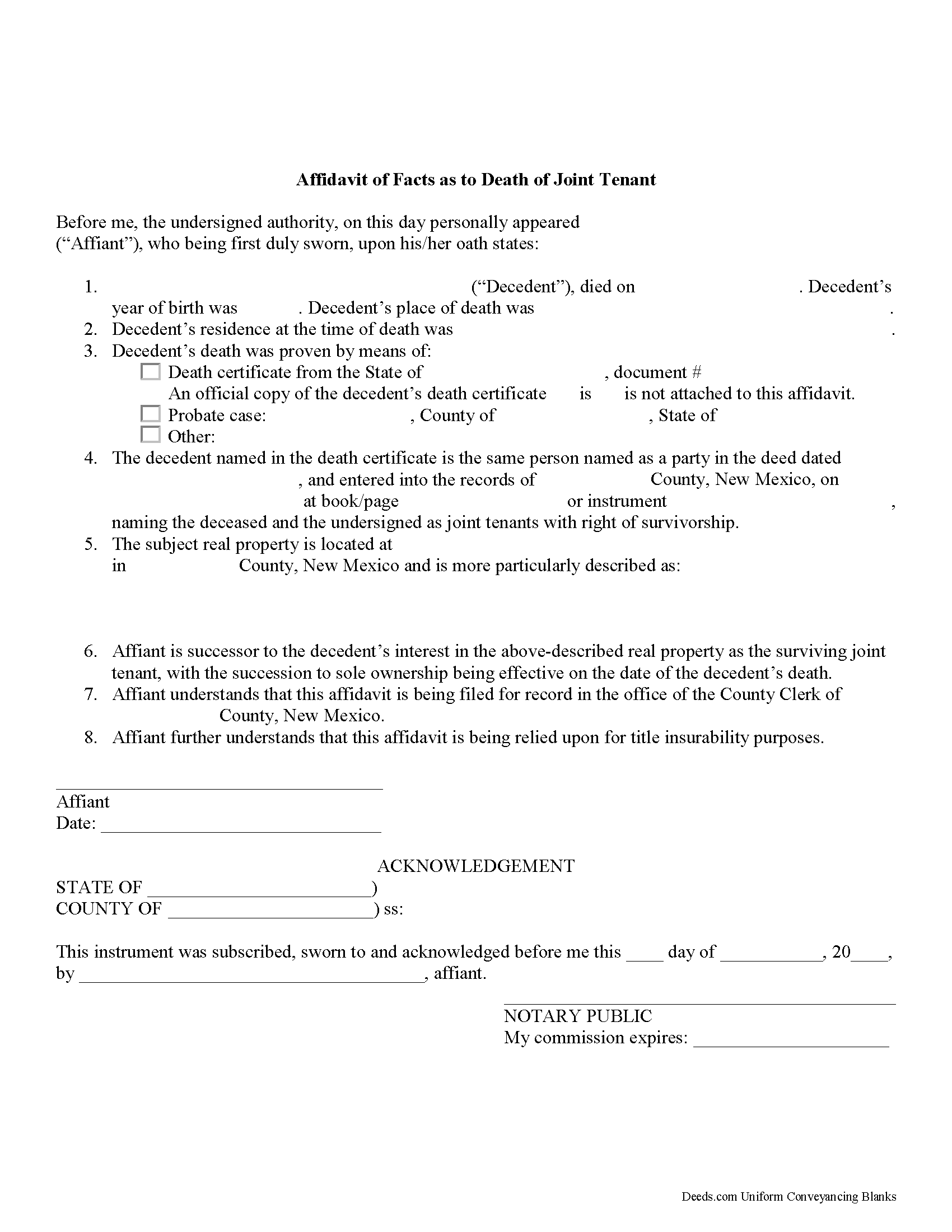
Socorro County Affidavit of Deceased Joint Tenant Form
Fill in the blank form formatted to comply with all recording and content requirements.
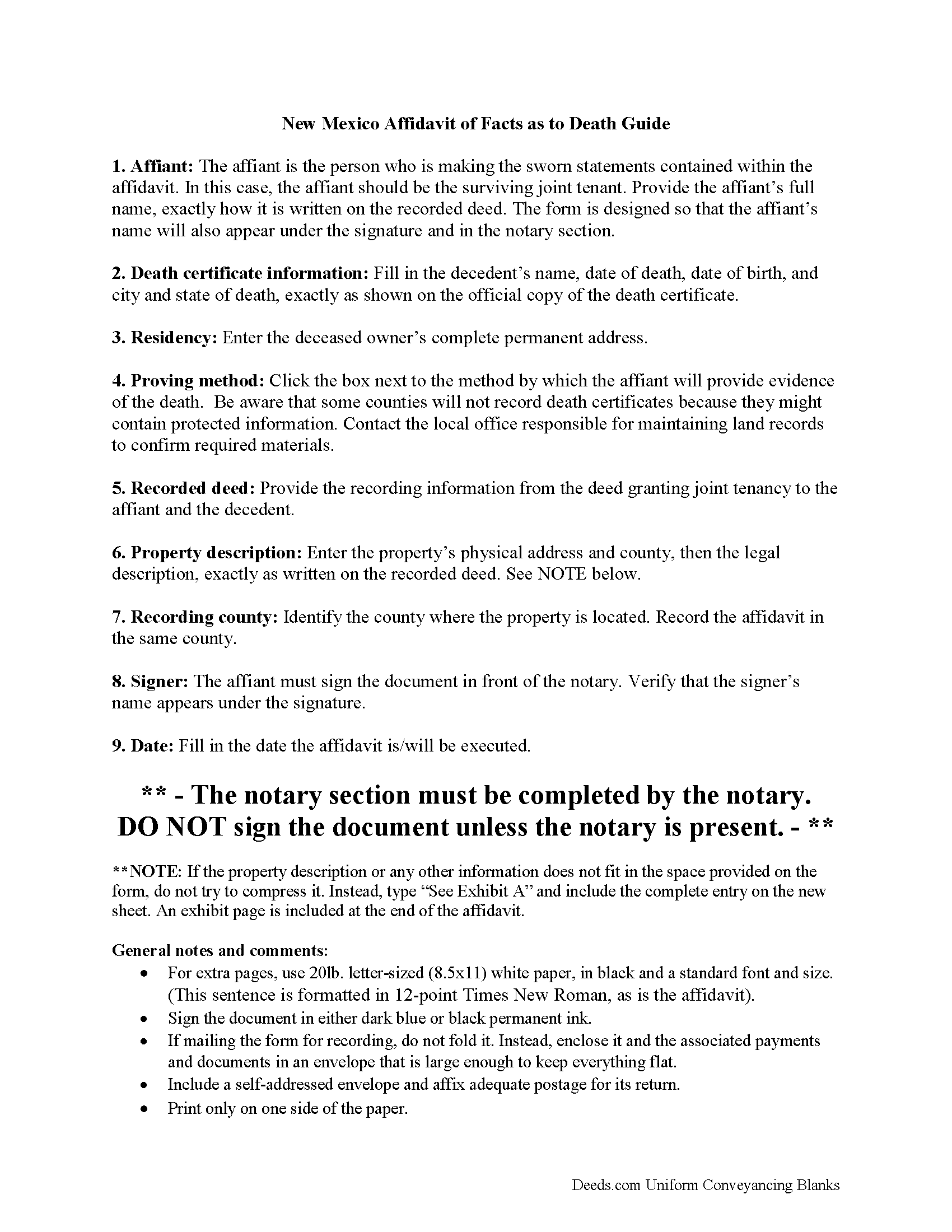
Socorro County Affidavit of Deceased Joint Tenant Guide
Line by line guide explaining every blank on the form.
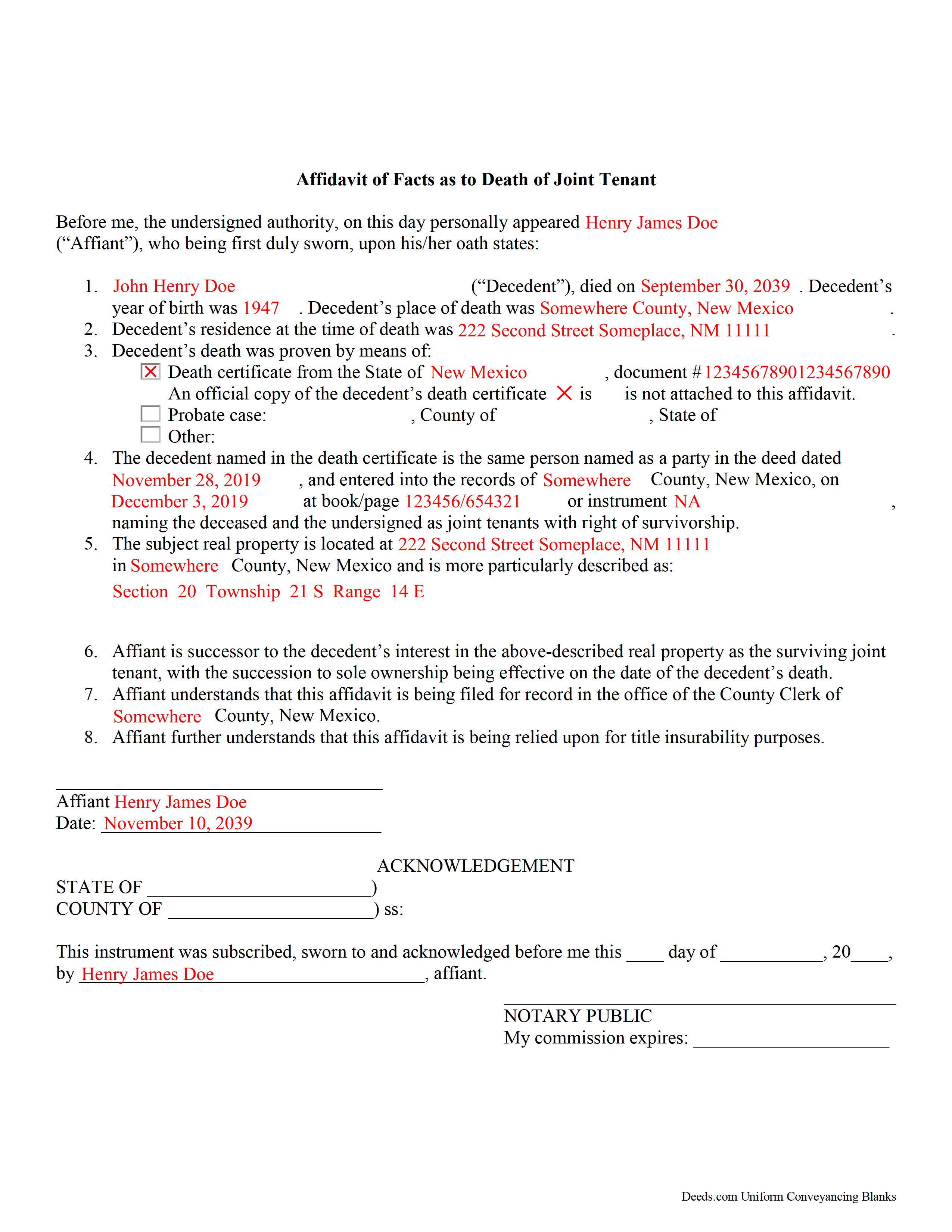
Socorro County Completed Example of the Affidavit of Deceased Joint Tenant Document
Example of a properly completed form for reference.
All 3 documents above included • One-time purchase • No recurring fees
Immediate Download • Secure Checkout
Additional New Mexico and Socorro County documents included at no extra charge:
Where to Record Your Documents
Socorro County Clerk
Socorro, New Mexico 87801
Hours: 8:00 to 5:00 M-F
Phone: (575) 835-0423
Recording Tips for Socorro County:
- Bring your driver's license or state-issued photo ID
- Ensure all signatures are in blue or black ink
- Verify all names are spelled correctly before recording
- White-out or correction fluid may cause rejection
- Ask about their eRecording option for future transactions
Cities and Jurisdictions in Socorro County
Properties in any of these areas use Socorro County forms:
- Claunch
- La Joya
- Lemitar
- Magdalena
- Polvadera
- San Acacia
- San Antonio
- Socorro
- Veguita
Hours, fees, requirements, and more for Socorro County
How do I get my forms?
Forms are available for immediate download after payment. The Socorro County forms will be in your account ready to download to your computer. An account is created for you during checkout if you don't have one. Forms are NOT emailed.
Are these forms guaranteed to be recordable in Socorro County?
Yes. Our form blanks are guaranteed to meet or exceed the applicable formatting requirements used for recording in Socorro County, including margin requirements, font requirements, and other layout standards. This guarantee applies to formatting, not to the legal sufficiency of information entered by the user or the suitability of a form for a particular transaction.
Can I reuse these forms?
Yes. You can reuse the forms for your personal use. For example, if you have multiple properties in Socorro County you only need to order once.
What do I need to use these forms?
The forms are PDFs that you fill out on your computer. The free Adobe Acrobat Reader is recommended, and most PDF apps also work. You do NOT enter your property information online - you download the blank forms and complete them privately on your own computer.
Are there any recurring fees?
No. This is a one-time purchase. Nothing to cancel, no memberships, no recurring fees.
How much does it cost to record in Socorro County?
Recording fees in Socorro County vary. Contact the recorder's office at (575) 835-0423 for current fees.
Questions answered? Let's get started!
Removing a Deceased Joint Tenant from a New Mexico Real Estate Title
New Mexico's statutes define joint tenancy at 47-1-36. This law states that a "joint tenancy in real property is one owned by two or more persons, each owning the whole and an equal undivided share, by a title created by a single devise or conveyance, when expressly declared . . . to be a joint tenancy." Property titled in this manner cannot be passed in a will; instead, a deceased joint tenant's share is distributed equally amongst the survivors as a function of law until only one person holds the property in sole ownership.
While technically accurate, this description oversimplifies the situation. What happens when it's time to sell the property? Unless the local recording office cross-references death notices with real estate records, the deceased owner's name still appears on the title. This inaccuracy can create confusion during a title search and slow down the transfer process. In addition, outdated ownership information might interfere with property tax billing, which could lead to unnecessary fees and/or penalties.
The surviving owner(s) may prevent these potential issues with a simple step: when one joint tenant dies, the other(s) can execute and record an affidavit of facts as to death with the local recording office. It is possible to address this at the time of sale, but it makes sense to handle it within a short time after the owner's death because the necessary documentation is more likely to be easily accessible. This action keeps property records up-to-date, verifies the owner's interest and rights to the title, and ensures smoother transfers in the future.
Each circumstance is unique, so please contact an attorney with questions or for complex situations.
(New Mexico Affidavit of DJT Package includes form, guidelines, and completed example)
Important: Your property must be located in Socorro County to use these forms. Documents should be recorded at the county recording office listed above.
This Affidavit of Deceased Joint Tenant meets all recording requirements specific to Socorro County.
Our Promise
The documents you receive here are guaranteed to meet or exceed the applicable Socorro County recording format requirements. If there is a rejection caused by our formatting, we will correct the issue or refund your payment. This guarantee applies to document formatting only and does not extend to information entered by the user, the selection of the form, or the legal effect of the completed document.
Save Time and Money
Get your Socorro County Affidavit of Deceased Joint Tenant form done right the first time with Deeds.com Uniform Conveyancing Blanks. At Deeds.com, we understand that your time and money are valuable resources, and we don't want you to face a penalty fee or rejection imposed by a county recorder for submitting nonstandard documents. We constantly review and update our forms to meet rapidly changing state and county recording requirements for roughly 3,500 counties and local jurisdictions.
4.8 out of 5 - ( 4,832 Reviews )
Deb F. 5 out of 5 stars
The county clerk accepted your mineral deed. It was a blessing finding your deed and instructions for filling it out online. Thank you
Thank you for your feedback. We really appreciate it. Have a great day!
Patricia K. 5 out of 5 stars
Able to find the information that I needed.
Thank you!
Kenneth C. 5 out of 5 stars
Great forms, easy to use if you have at least a sixth grade education.
Thank you!
John G. 5 out of 5 stars
Applied for my Notice of Commencement to be recorded and it went very smoothly and fast. Will use again if a need irises. Thank You
Thank you for your feedback John, glad we could help.
Joshua A. 5 out of 5 stars
It was fast, secure, and reliable, and for the cost it saved me time, and driving four hours to the courthouse and back. It really saved me. Thank You.
Thank you Joshua, glad we could help.
David S. 5 out of 5 stars
This site was recommended by my County's Clerks office website. Let me tell you when I received my specific State and County's Quit Claim Deed forms from Deeds.com, every conceivable form that could be needed in addition to the full instructions, and a sample filled out form, I was impressed (five stars) and made things so easy for me to feel confident in my legal activity on a land transaction.
Thank you for your positive words! We’re thrilled to hear about your experience.
Paul W. 5 out of 5 stars
Exceptionally easy site to navigate. Forms and related documents downloaded quickly and were helpful in completing the forms, which have already been filed with the County Registrar of Deeds. Many thanks for an extremely useful site!
We appreciate your business and value your feedback. Thank you. Have a wonderful day!
RUTH A. 5 out of 5 stars
I am so very thankful for the service that you provide for the public, thank you very much.
We deeply appreciate the trust you have placed in our services. Thank you for your valuable feedback and for choosing us.
James G. 5 out of 5 stars
Deed.com had some hard to find mineral interest deeds for Oklahoma.I'm an attorney in Texas with no Ok experience. The examples on Deed.com were very useful and saved me lots of time. James G.
We appreciate your business and value your feedback. Thank you. Have a wonderful day!
Kimberly R. 5 out of 5 stars
Love this site. Very informative and helpful!
Thank you for your feedback. We really appreciate it. Have a great day!
Michael H. 4 out of 5 stars
Found documents I needed quickly and at a reasonable price. MH
Thank you for your feedback. We really appreciate it. Have a great day!
Richard A. 5 out of 5 stars
Great product. It would be better if the document files were not embedded within other files. It made downloading a little confusing. The titles of the forms did not match exactly word for word, which required a lot of back and forth to make sure I had downloaded the proper document. What would be great is if once you download a document, the hyperlink changed color, or somehow denoted the document had been downloaded. Just a suggestion. You have my email address if you have questions. STILL! Five stars for you guys. I would not let that hiccup dissuade me from buying any form package from you guys. Thanks!
Thank you for your feedback. We really appreciate it. Have a great day!
Robert W. 5 out of 5 stars
very good forms and easy to print and read. I need a notary form from a different state. We are both from the state of Michigan. This would make it easier to complete out of the State of Utah. Thanks Robert W.
Thank you for your feedback. We really appreciate it. Have a great day!
Douglas A. 5 out of 5 stars
So far so good once we got the initial problems worked out.
Thank you!
William P. 5 out of 5 stars
I was very pleased with the end results regarding Quitclaim deeds.
Thank you!