Nassau County Memorandum of Trust Form
Last validated October 14, 2026 by our Forms Development TeamFormatted for recording in Nassau County, for property anywhere in the county: rural and unincorporated areas as well as Albertson, Atlantic Beach, Baldwin, Bayville, Bellmore, Bethpage, Carle Place, Cedarhurst and 55 more.
- 2 documents included
- Immediate PDF download
- Formatting guarantee
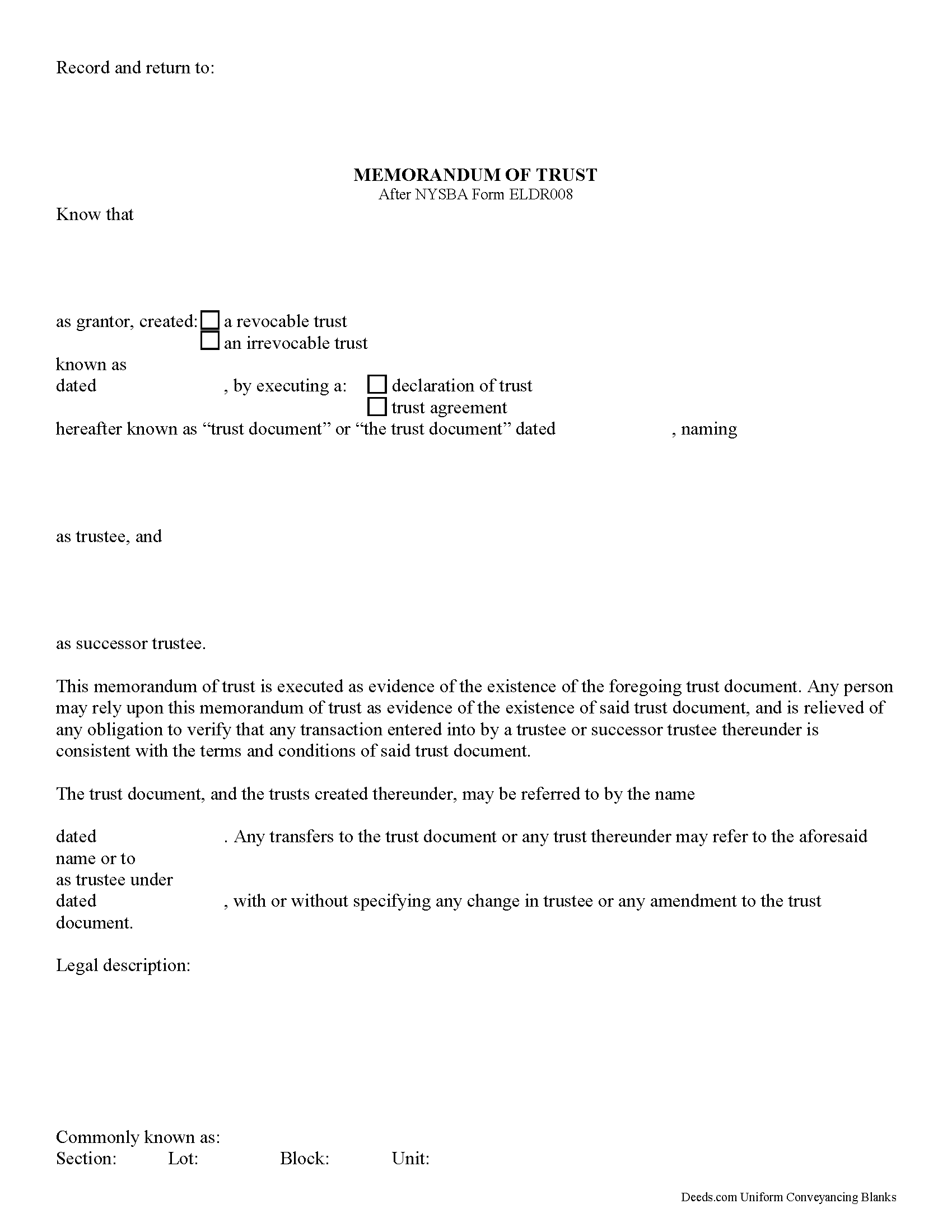
Nassau County Memorandum of Trust Form
Fill in the blank form formatted to comply with all recording and content requirements.
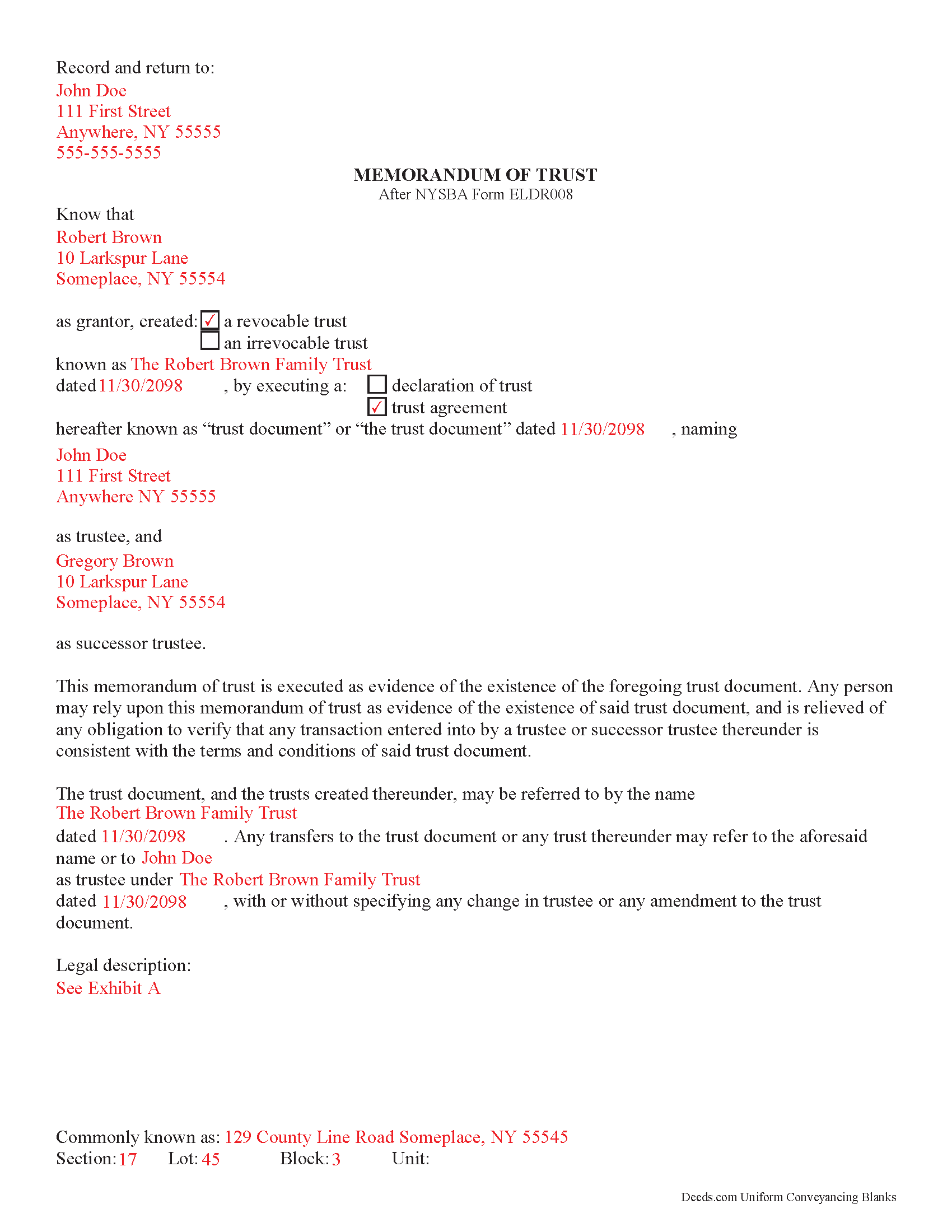
Nassau County Completed Example of the Memorandum of Trust
Line by line guide explaining every blank on the form.
All 2 documents above included • One-time purchase • No recurring fees
Immediate Download • Secure Checkout
Additional New York and Nassau County documents included at no extra charge:
Where to Record Your Documents
Nassau County Clerk
Mineola, New York 11501
Hours: Mon - Fri 9:00am to 5:00pm / Tue until 7:00pm
Phone: (516) 571-2660
Recording Tips for Nassau County:
- Bring your driver's license or state-issued photo ID
- Ensure all signatures are in blue or black ink
- White-out or correction fluid may cause rejection
- Ask about their eRecording option for future transactions
- Avoid the last business day of the month when possible
Cities and Jurisdictions in Nassau County
Properties in any of these areas use Nassau County forms:
- Albertson
- Atlantic Beach
- Baldwin
- Bayville
- Bellmore
- Bethpage
- Carle Place
- Cedarhurst
- East Meadow
- East Norwich
- East Rockaway
- Elmont
- Farmingdale
- Floral Park
- Franklin Square
- Freeport
- Garden City
- Glen Cove
- Glen Head
- Glenwood Landing
- Great Neck
- Greenvale
- Hempstead
- Hewlett
- Hicksville
- Inwood
- Island Park
- Jericho
- Lawrence
- Levittown
- Locust Valley
- Long Beach
- Lynbrook
- Malverne
- Manhasset
- Massapequa
- Massapequa Park
- Merrick
- Mill Neck
- Mineola
- New Hyde Park
- Oceanside
- Old Bethpage
- Old Westbury
- Oyster Bay
- Plainview
- Point Lookout
- Port Washington
- Rockville Centre
- Roosevelt
- Roslyn
- Roslyn Heights
- Sea Cliff
- Seaford
- Syosset
- Uniondale
- Valley Stream
- Wantagh
- West Hempstead
- Westbury
- Williston Park
- Woodbury
- Woodmere
Hours, fees, requirements, and more for Nassau County
How do I get my forms?
Forms are available for immediate download after payment. The Nassau County forms will be in your account ready to download to your computer. An account is created for you during checkout if you don't have one. Forms are NOT emailed.
Are these forms guaranteed to be recordable in Nassau County?
Yes. Our form blanks are guaranteed to meet or exceed the applicable formatting requirements used for recording in Nassau County, including margin requirements, font requirements, and other layout standards. This guarantee applies to formatting, not to the legal sufficiency of information entered by the user or the suitability of a form for a particular transaction.
Can I reuse these forms?
Yes. You can reuse the forms for your personal use. For example, if you have multiple properties in Nassau County you only need to order once.
What do I need to use these forms?
The forms are PDFs that you fill out on your computer. The free Adobe Acrobat Reader is recommended, and most PDF apps also work. You do NOT enter your property information online - you download the blank forms and complete them privately on your own computer.
Are there any recurring fees?
No. This is a one-time purchase. Nothing to cancel, no memberships, no recurring fees.
How much does it cost to record in Nassau County?
Recording fees in Nassau County vary. Contact the recorder's office at (516) 571-2660 for current fees.
Questions answered? Let's get started!
Using a New York Memorandum of Trust
In New York, trustees of personal trusts use a memorandum of trust to certify the existence of a trust and their authority to act on behalf of the trust. The memorandum is used in place of the actual trust document and provides only essential information about the trust for lending institutions or other third parties. In this way, information that may be personal in nature, such as the designated beneficiaries under the trust, is kept confidential.
The memorandum is executed and signed by the grantor of the trust under the trust instrument, as well as the trust's formal name and date of origination. It identifies the trustee and any successor trustees with power to act on behalf of the trust.
The difference between a declaration of trust and a trust agreement, as designated in the memorandum of trust document, is the grantor's relationship to the trustee. If the trustee and the grantor are the same person and the grantor controls trust assets, the trust falls under a declaration of trust. If the grantor and the trustee are separate people and the trustee controls the trust assets, trust is under a trust agreement [1].
The distinction between a declaration of trust and a trust agreement also affects the name by which the trust takes title to real property as a grantee. In the following example, "John Doe," under a declaration of trust, serves as both grantor and trustee: "John Doe, trustee under declaration of trust dated mm/dd/yyyy." Under a trust agreement, the grantor name is included as well: "John Doe under agreement with Robert Grantor dated mm/dd/yyyy" [1].
All recorded documents relating to real property in the State of New York are required to include a physical description of the property, as well as the section, lot, block, and unit numbers.
[1] https://www.treasurydirect.gov/indiv/planning/plan_estate_trustsq_a.pdf
(New York MOT Package includes form, guidelines, and completed example)
Important: Your property must be located in Nassau County to use these forms. Documents should be recorded at the county recording office listed above.
This Memorandum of Trust meets all recording requirements specific to Nassau County.
Our Promise
The documents you receive here are guaranteed to meet or exceed the applicable Nassau County recording format requirements. If there is a rejection caused by our formatting, we will correct the issue or refund your payment. This guarantee applies to document formatting only and does not extend to information entered by the user, the selection of the form, or the legal effect of the completed document.
Save Time and Money
Get your Nassau County Memorandum of Trust form done right the first time with Deeds.com Uniform Conveyancing Blanks. At Deeds.com, we understand that your time and money are valuable resources, and we don't want you to face a penalty fee or rejection imposed by a county recorder for submitting nonstandard documents. We constantly review and update our forms to meet rapidly changing state and county recording requirements for roughly 3,500 counties and local jurisdictions.
4.8 out of 5 - ( 4,830 Reviews )
Rhonda L. 5 out of 5 stars
This was one of the most simple but efficient process. Walked me thru every step. Total process was less than 2 weeks.
Thank you!
Jamie F. 5 out of 5 stars
Your service was very helpful as we were able to obtain a form for another state for our client.
We appreciate your business and value your feedback. Thank you. Have a wonderful day!
Marsha D. 5 out of 5 stars
Outstanding product and so easy to use! Highly recommend this product. We successfully used the Virginia deeds. Thank you.
Thank you!
Thomas M. 5 out of 5 stars
Thomas hopefully these are the correct forms I need wish me luck
Thank you!
Tammie S. 5 out of 5 stars
No review provided.
Thank you for your feedback. We really appreciate it. Have a great day!
Carlin L. 5 out of 5 stars
I have yet to have my Certification of Trust notarized nor have I gone to my bank to see if it's acceptable I hope it will be it was rather easy to do thank you so much.
Thank you for your feedback Carlin.
Kristopher K. 3 out of 5 stars
Process is easy but system would not accept 3 different credit cards on first day. No phone number to call. Sent message and response was all 3 cards must have been declined. However, next day one of those cards went through with no problem.
Thank you for your feedback. Unfortunately we have no control over which payment get approved or declined.
tamica l. 5 out of 5 stars
Excellent Service! Fast and friendly. Thank you will use again!
Thank you!
Samuel Shera Singh B. 5 out of 5 stars
I found the documents I needed and so many more that I will utilize for business, personal and family needs. Also I made a purchase of an additional document I did not need that serves the same purpose as one I purchased and Deeds.com had no issue refunding the unnecessary document in an unbelievably quick response and refund. I would recommend this document provider to everyone including legal office management.
Thank you for your feedback. We really appreciate it. Have a great day!
CECIL E C. 5 out of 5 stars
You made it easy to attain the documents I needed. The cost was very reasonable...thanks
Thank you for your feedback Cecil, we really appreciate it.
Linda P. 5 out of 5 stars
Very informative. It was very helpful.
Thank you!
Kristina H. 5 out of 5 stars
Everything I needed to complete my release of lien was easy to obtain from Deed.com - and the example and instructions were helpful as well. The website is simple and efficient. Thanks!
We appreciate your business and value your feedback. Thank you. Have a wonderful day!
Natalie F. 5 out of 5 stars
So convenient and easy to use! Will definitely recommend to anyone.
We appreciate your business and value your feedback. Thank you. Have a wonderful day!
John M. 5 out of 5 stars
Just finished downloading all of the forms; so far so good
Thank you for your feedback. We really appreciate it. Have a great day!
sheila B. 5 out of 5 stars
awesome
Thank you!