Suffolk County Memorandum of Trust Form
Last validated October 14, 2026 by our Forms Development TeamFormatted for recording in Suffolk County, for property anywhere in the county: rural and unincorporated areas as well as Amagansett, Amityville, Aquebogue, Babylon, Bay Shore, Bayport, Bellport, Blue Point and 98 more.
- 2 documents included
- Immediate PDF download
- Formatting guarantee
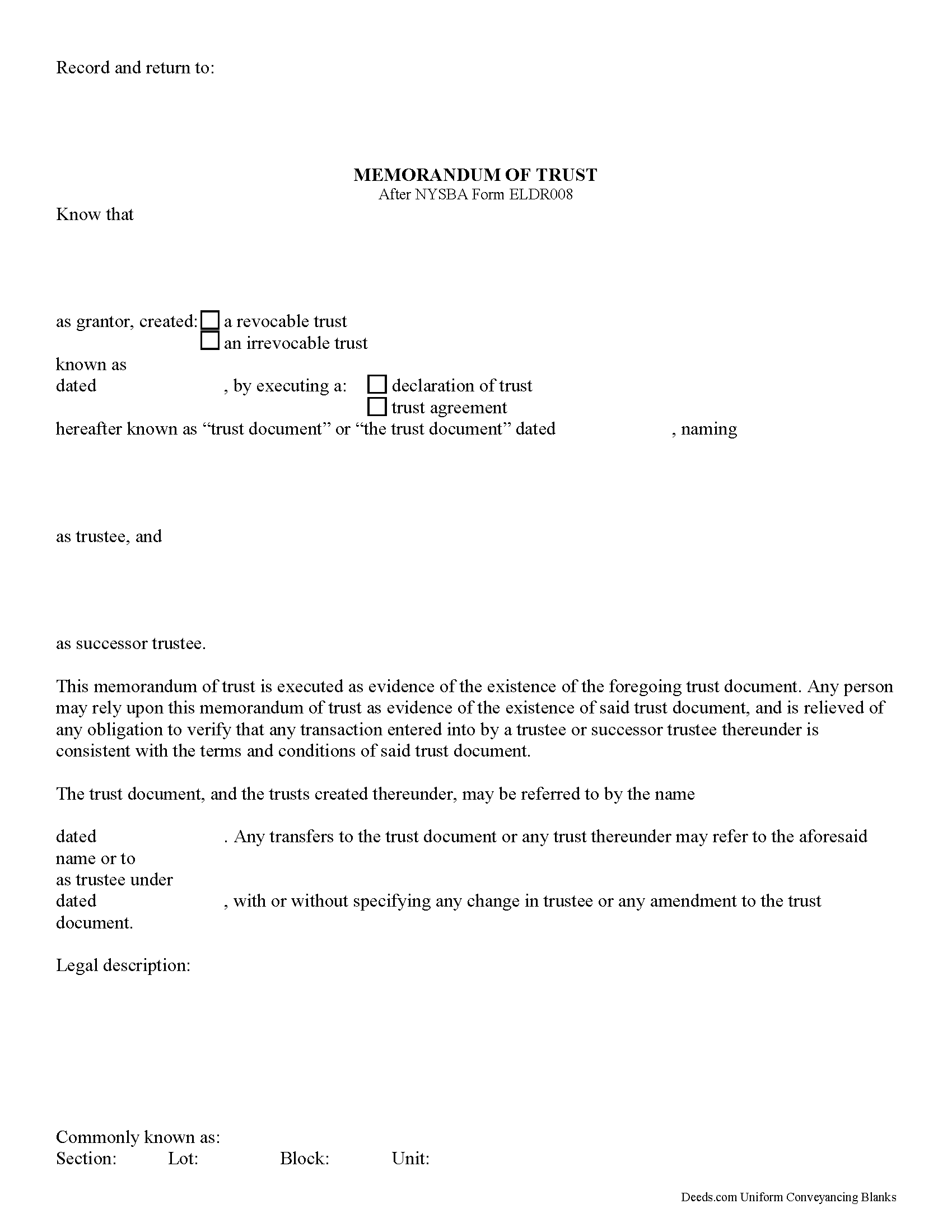
Suffolk County Memorandum of Trust Form
Fill in the blank form formatted to comply with all recording and content requirements.
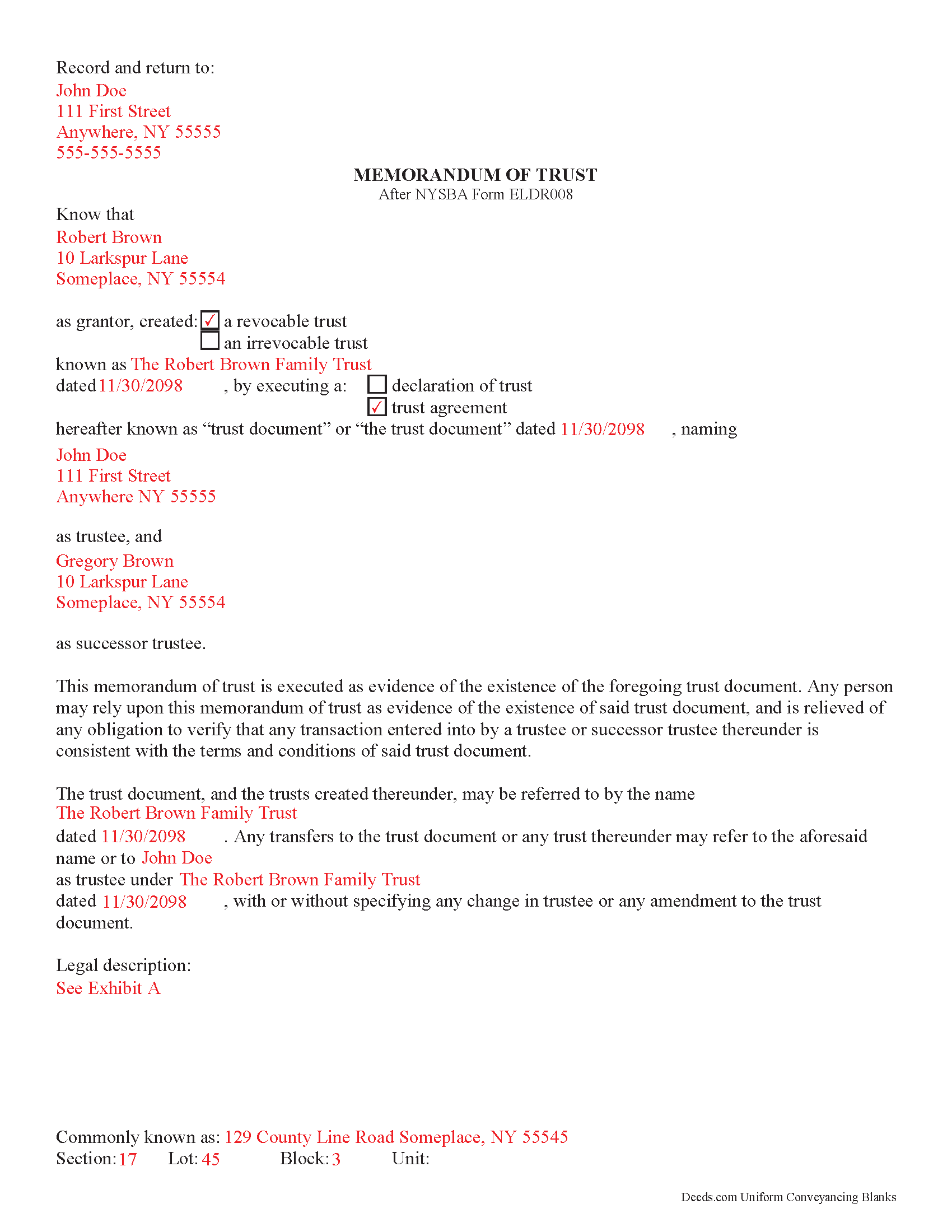
Suffolk County Completed Example of the Memorandum of Trust
Line by line guide explaining every blank on the form.
All 2 documents above included • One-time purchase • No recurring fees
Immediate Download • Secure Checkout
Additional New York and Suffolk County documents included at no extra charge:
Where to Record Your Documents
Suffolk County Clerk
Riverhead, New York 11901- 3392
Hours: 8:30 to 4:30 M-F
Phone: (631) 852-2000
Recording Tips for Suffolk County:
- Bring your driver's license or state-issued photo ID
- Ensure all signatures are in blue or black ink
- Make copies of your documents before recording - keep originals safe
- Recorded documents become public record - avoid including SSNs
- Recording fees may differ from what's posted online - verify current rates
Cities and Jurisdictions in Suffolk County
Properties in any of these areas use Suffolk County forms:
- Amagansett
- Amityville
- Aquebogue
- Babylon
- Bay Shore
- Bayport
- Bellport
- Blue Point
- Bohemia
- Brentwood
- Bridgehampton
- Brightwaters
- Brookhaven
- Calverton
- Center Moriches
- Centereach
- Centerport
- Central Islip
- Cold Spring Harbor
- Commack
- Copiague
- Coram
- Cutchogue
- Deer Park
- East Hampton
- East Islip
- East Marion
- East Moriches
- East Northport
- East Quogue
- East Setauket
- Eastport
- Farmingville
- Fishers Island
- Great River
- Greenlawn
- Greenport
- Hampton Bays
- Hauppauge
- Holbrook
- Holtsville
- Huntington
- Huntington Station
- Islandia
- Islip
- Islip Terrace
- Jamesport
- Kings Park
- Lake Grove
- Laurel
- Lindenhurst
- Manorville
- Mastic
- Mastic Beach
- Mattituck
- Medford
- Melville
- Middle Island
- Miller Place
- Montauk
- Moriches
- Mount Sinai
- Nesconset
- New Suffolk
- North Babylon
- Northport
- Oakdale
- Ocean Beach
- Orient
- Patchogue
- Peconic
- Port Jefferson
- Port Jefferson Station
- Quogue
- Remsenburg
- Ridge
- Riverhead
- Rocky Point
- Ronkonkoma
- Sag Harbor
- Sagaponack
- Saint James
- Sayville
- Selden
- Shelter Island
- Shelter Island Heights
- Shirley
- Shoreham
- Smithtown
- Sound Beach
- South Jamesport
- Southampton
- Southold
- Speonk
- Stony Brook
- Upton
- Wading River
- Wainscott
- Water Mill
- West Babylon
- West Islip
- West Sayville
- Westhampton
- Westhampton Beach
- Wyandanch
- Yaphank
Hours, fees, requirements, and more for Suffolk County
How do I get my forms?
Forms are available for immediate download after payment. The Suffolk County forms will be in your account ready to download to your computer. An account is created for you during checkout if you don't have one. Forms are NOT emailed.
Are these forms guaranteed to be recordable in Suffolk County?
Yes. Our form blanks are guaranteed to meet or exceed the applicable formatting requirements used for recording in Suffolk County, including margin requirements, font requirements, and other layout standards. This guarantee applies to formatting, not to the legal sufficiency of information entered by the user or the suitability of a form for a particular transaction.
Can I reuse these forms?
Yes. You can reuse the forms for your personal use. For example, if you have multiple properties in Suffolk County you only need to order once.
What do I need to use these forms?
The forms are PDFs that you fill out on your computer. The free Adobe Acrobat Reader is recommended, and most PDF apps also work. You do NOT enter your property information online - you download the blank forms and complete them privately on your own computer.
Are there any recurring fees?
No. This is a one-time purchase. Nothing to cancel, no memberships, no recurring fees.
How much does it cost to record in Suffolk County?
Recording fees in Suffolk County vary. Contact the recorder's office at (631) 852-2000 for current fees.
Questions answered? Let's get started!
Using a New York Memorandum of Trust
In New York, trustees of personal trusts use a memorandum of trust to certify the existence of a trust and their authority to act on behalf of the trust. The memorandum is used in place of the actual trust document and provides only essential information about the trust for lending institutions or other third parties. In this way, information that may be personal in nature, such as the designated beneficiaries under the trust, is kept confidential.
The memorandum is executed and signed by the grantor of the trust under the trust instrument, as well as the trust's formal name and date of origination. It identifies the trustee and any successor trustees with power to act on behalf of the trust.
The difference between a declaration of trust and a trust agreement, as designated in the memorandum of trust document, is the grantor's relationship to the trustee. If the trustee and the grantor are the same person and the grantor controls trust assets, the trust falls under a declaration of trust. If the grantor and the trustee are separate people and the trustee controls the trust assets, trust is under a trust agreement [1].
The distinction between a declaration of trust and a trust agreement also affects the name by which the trust takes title to real property as a grantee. In the following example, "John Doe," under a declaration of trust, serves as both grantor and trustee: "John Doe, trustee under declaration of trust dated mm/dd/yyyy." Under a trust agreement, the grantor name is included as well: "John Doe under agreement with Robert Grantor dated mm/dd/yyyy" [1].
All recorded documents relating to real property in the State of New York are required to include a physical description of the property, as well as the section, lot, block, and unit numbers.
[1] https://www.treasurydirect.gov/indiv/planning/plan_estate_trustsq_a.pdf
(New York MOT Package includes form, guidelines, and completed example)
Important: Your property must be located in Suffolk County to use these forms. Documents should be recorded at the county recording office listed above.
This Memorandum of Trust meets all recording requirements specific to Suffolk County.
Our Promise
The documents you receive here are guaranteed to meet or exceed the applicable Suffolk County recording format requirements. If there is a rejection caused by our formatting, we will correct the issue or refund your payment. This guarantee applies to document formatting only and does not extend to information entered by the user, the selection of the form, or the legal effect of the completed document.
Save Time and Money
Get your Suffolk County Memorandum of Trust form done right the first time with Deeds.com Uniform Conveyancing Blanks. At Deeds.com, we understand that your time and money are valuable resources, and we don't want you to face a penalty fee or rejection imposed by a county recorder for submitting nonstandard documents. We constantly review and update our forms to meet rapidly changing state and county recording requirements for roughly 3,500 counties and local jurisdictions.
4.8 out of 5 - ( 4,828 Reviews )
KIMBER M. 5 out of 5 stars
It took me a while to locate my documents. Check out was a breeze.
Thank you!
Dennis O. 5 out of 5 stars
Everything I needed plus more. Great service!!!
Thank you for your feedback. We really appreciate it. Have a great day!
Marvin G. 5 out of 5 stars
I found exactly the perfect forms that I needed with Deeds, and much more. I definitely will be using Deeds com from this day going forward.
We appreciate your comments and your trust in us. Thank you.
Susan N. 5 out of 5 stars
Very easy to use and I received the information in a timely manner. I will use this service again.
Thank you!
Cherene K. 4 out of 5 stars
The process was easy and reasonable. My only problem was that, when I filled out my form on the computer, the writing I did overlapped with the pre-written words on the form, so that I had to end up doing it by hand. I've used DEEDS before and have not had that problem.
Thank you for your feedback Cherene. We've emailed you for some followup regarding the issue you reported.
Virginia C. 5 out of 5 stars
I had a nice surprise seeing how fast the process was to download in a safe manner the documents. The example and guide to fill the original document are very valuable to facilitate the filling in. Thank you!!
Thank you for your feedback. We really appreciate it. Have a great day!
Randall M. 5 out of 5 stars
These forms worked fantastic!
We appreciate your business and value your feedback. Thank you. Have a wonderful day!
Susan G. 5 out of 5 stars
This is very helpful.
Thank you!
SHASTA S. 3 out of 5 stars
Ordered quitclaim deed form for Knox county Illinois. It got the job done however it was not a very good format. I had to explain all to the county recorder & was worried she would reject it. I would not recommend this item.
Thank you!
Dina O. 5 out of 5 stars
easy to use and efficient i like that they give you an example to compare your work to
We are motivated by your feedback to continue delivering excellence. Thank you!
Kay I. 5 out of 5 stars
Very easy to use. However, the "sample" filled in red ink did not print for me to refer to. Is that the correct desire, not to print?
Thank you for your feedback. We really appreciate it. Have a great day!
John B. 5 out of 5 stars
Simply amazing. I had absolutely no idea how to properly file a deed, until someone told me about deeds.com. It's just such a well designed service, with fantastic customer support, and speed. Bravo to everyone at deeds.
We appreciate your business and value your feedback. Thank you. Have a wonderful day!
Shaaron Z. 5 out of 5 stars
So far, this is working well. However, I don't see a form to change name due to marriage.
Thank you!
Lori S. 5 out of 5 stars
The documents I created on deeds com turned out beautiful and very professional looking. The example they gave along with the instruction booklet made it very easy t create a professional looking document for our land Sale. I was very pleased with how easy it was and would recommend it to anyone needing professional documents without having to go thru an attorney or title company. I was very impressed!
We appreciate your business and value your feedback. Thank you. Have a wonderful day!
Phyllis C. 3 out of 5 stars
So far So Good. Ill come back and re review after it is all finished. I have downloaded all the documents. next I need to fill them out.
Thank you!