Mcdowell County Assignment of Deed of Trust Form
Last validated November 16, 2026 by our Forms Development TeamFormatted for recording in Mcdowell County, for property anywhere in the county: rural and unincorporated areas as well as Glenwood, Little Switzerland, Marion, Nebo, Old Fort.
- 6 documents included
- Immediate PDF download
- Formatting guarantee
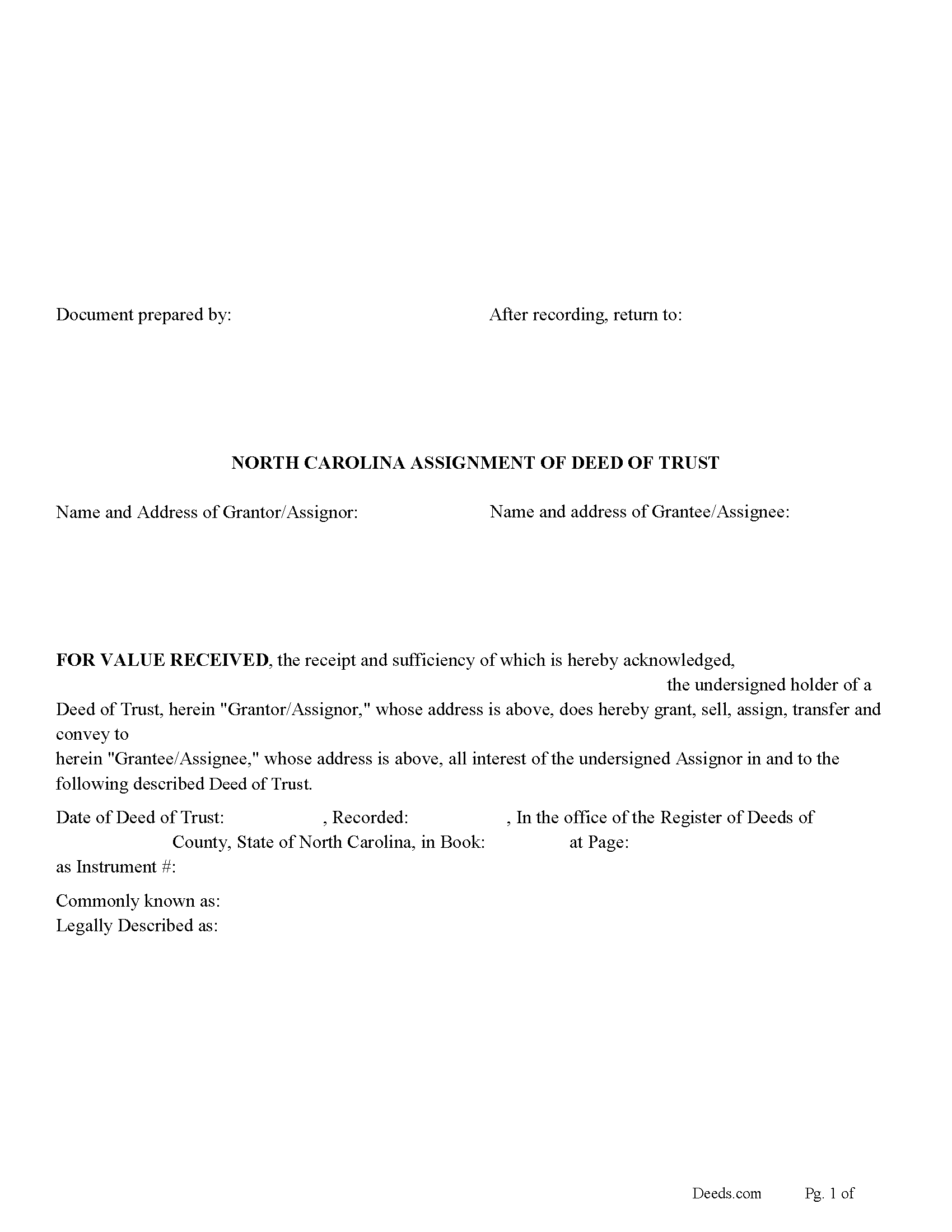
Mcdowell County Assignment of Deed of Trust Form
Fill in the blank form formatted to comply with all recording and content requirements.
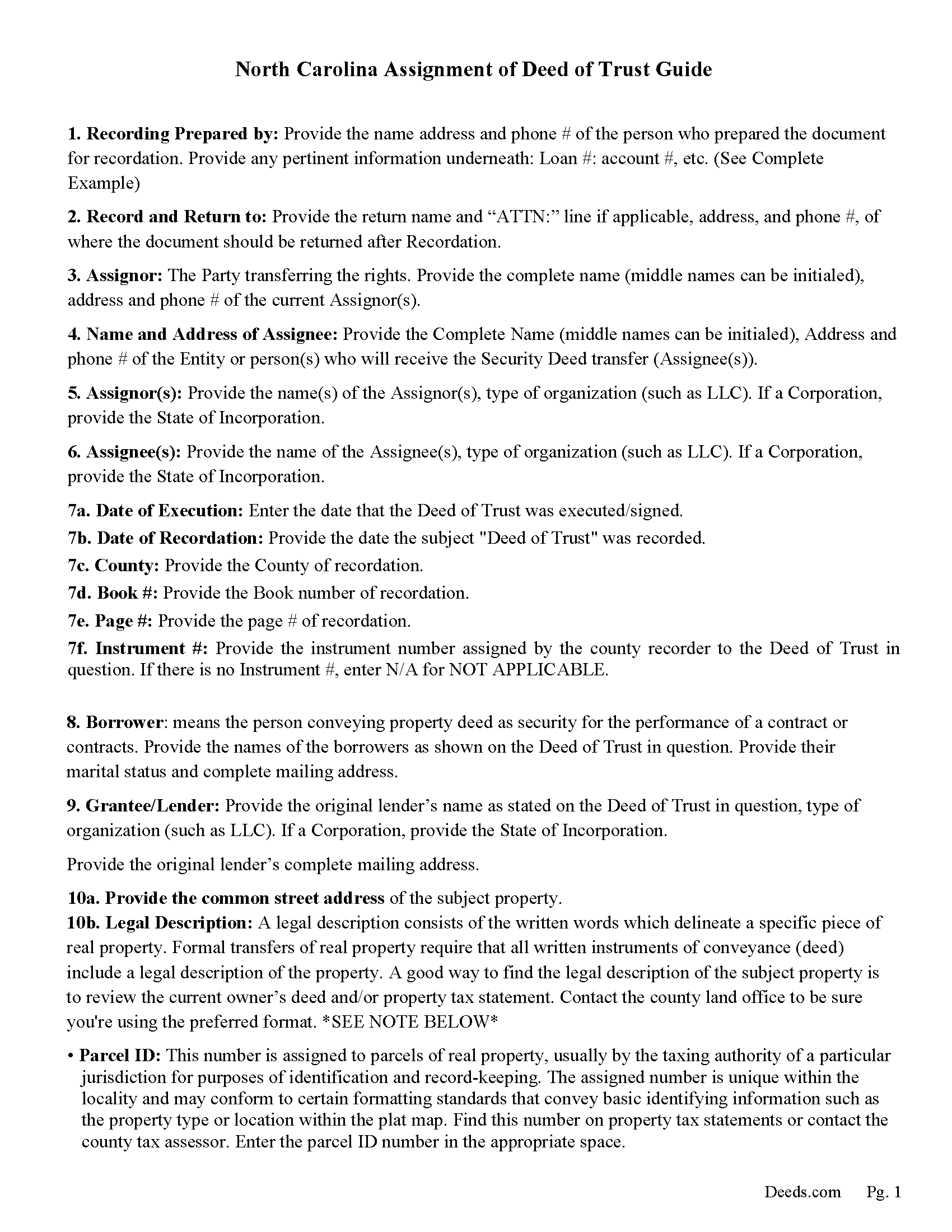
Mcdowell County Guidelines for Assignment of Deed of Trust
Line by line guide explaining every blank on the form.
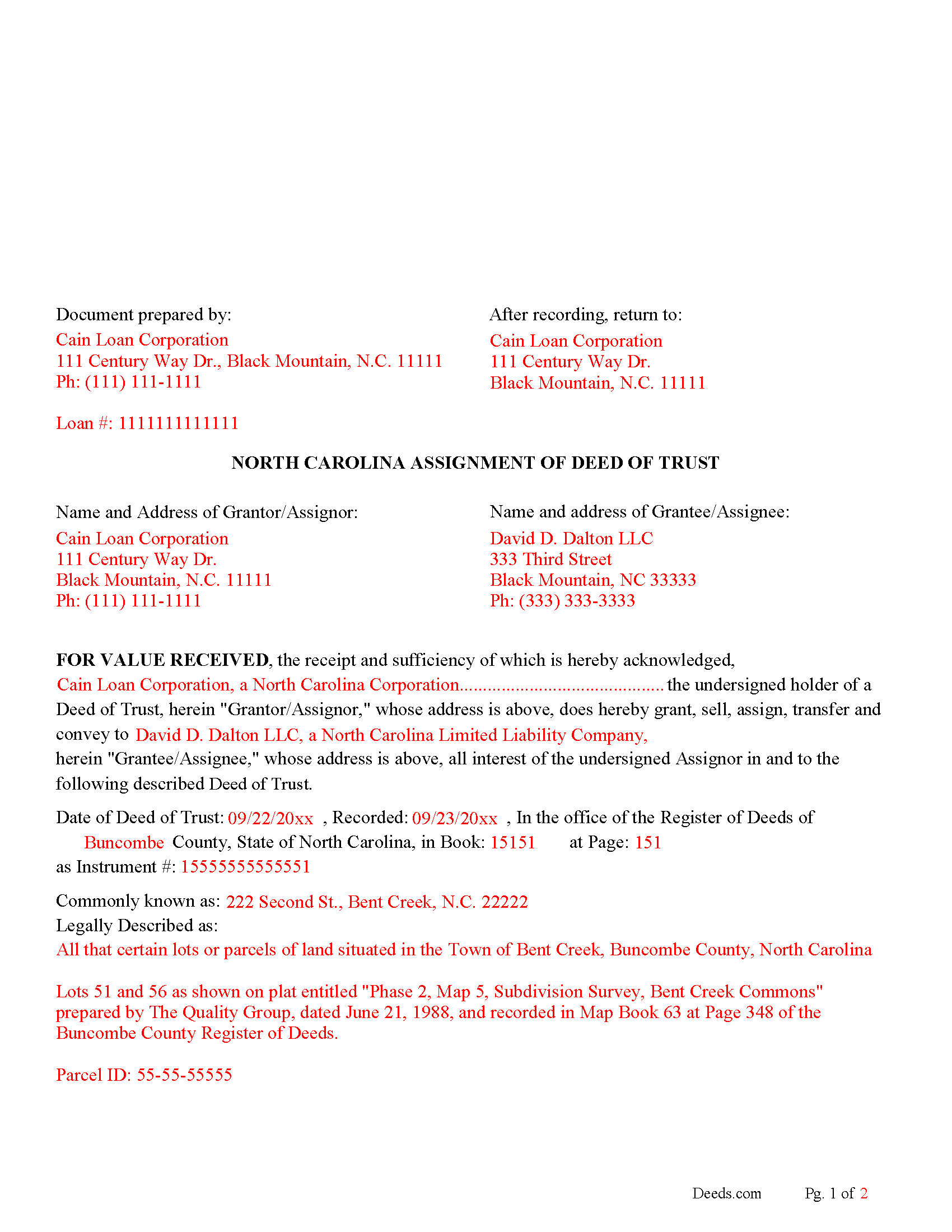
Mcdowell County Completed Example of the Assignment of Deed of Trust Document
Example of a properly completed form for reference.
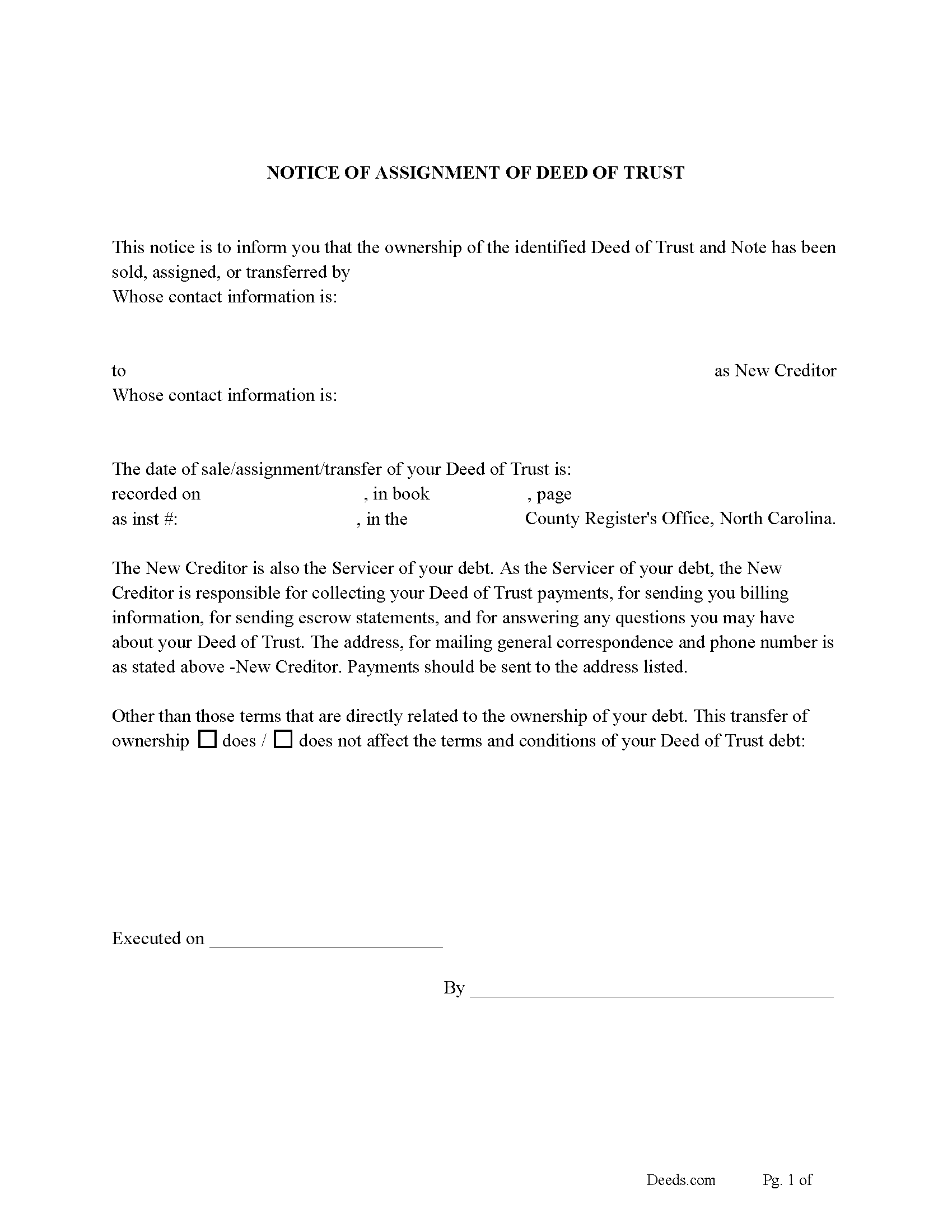
Mcdowell County Notice of Assignment of Deed of Trust Form
Fill in the blank form formatted to comply with content requirements.
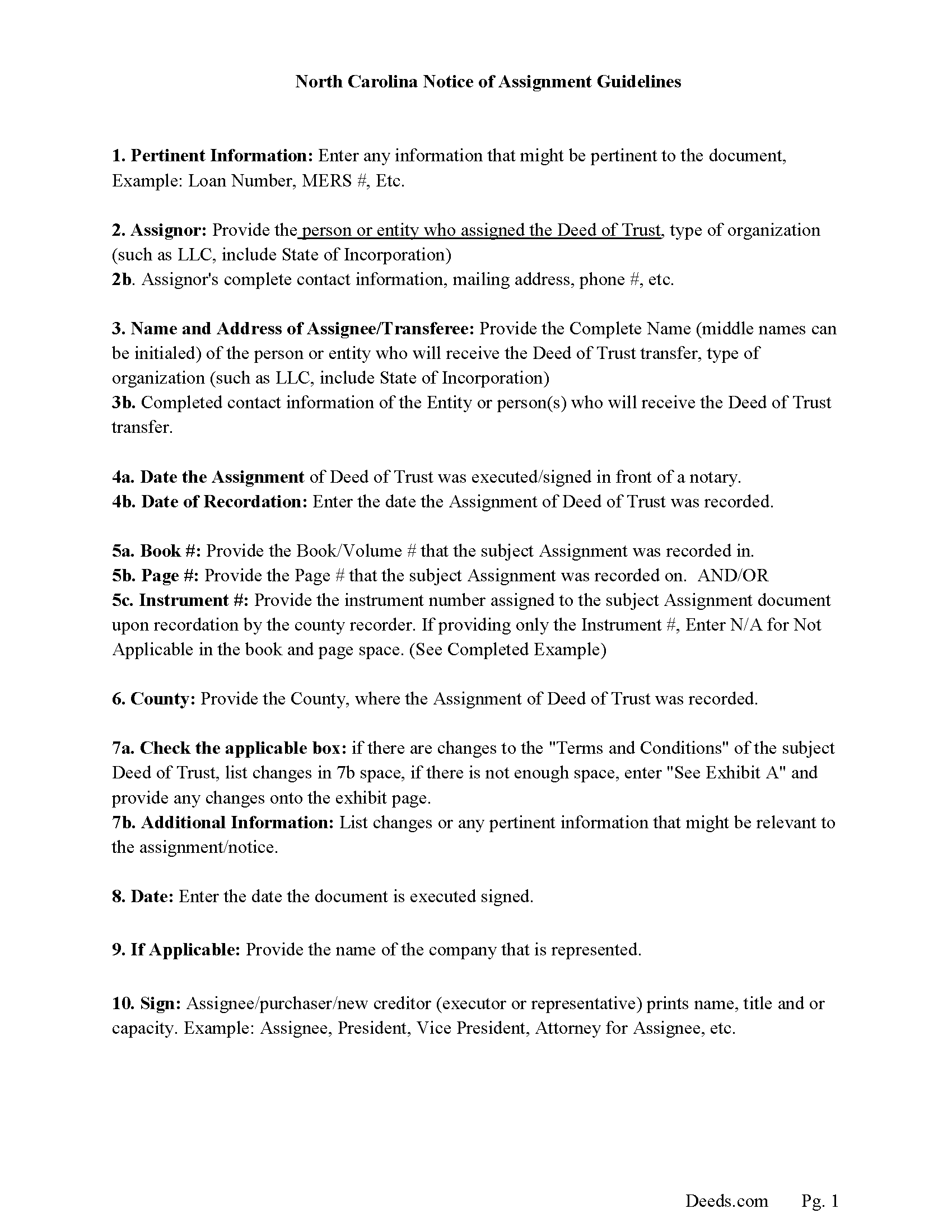
Mcdowell County Notice of Assignment Guidelines
Line by line guide explaining every blank on the form.
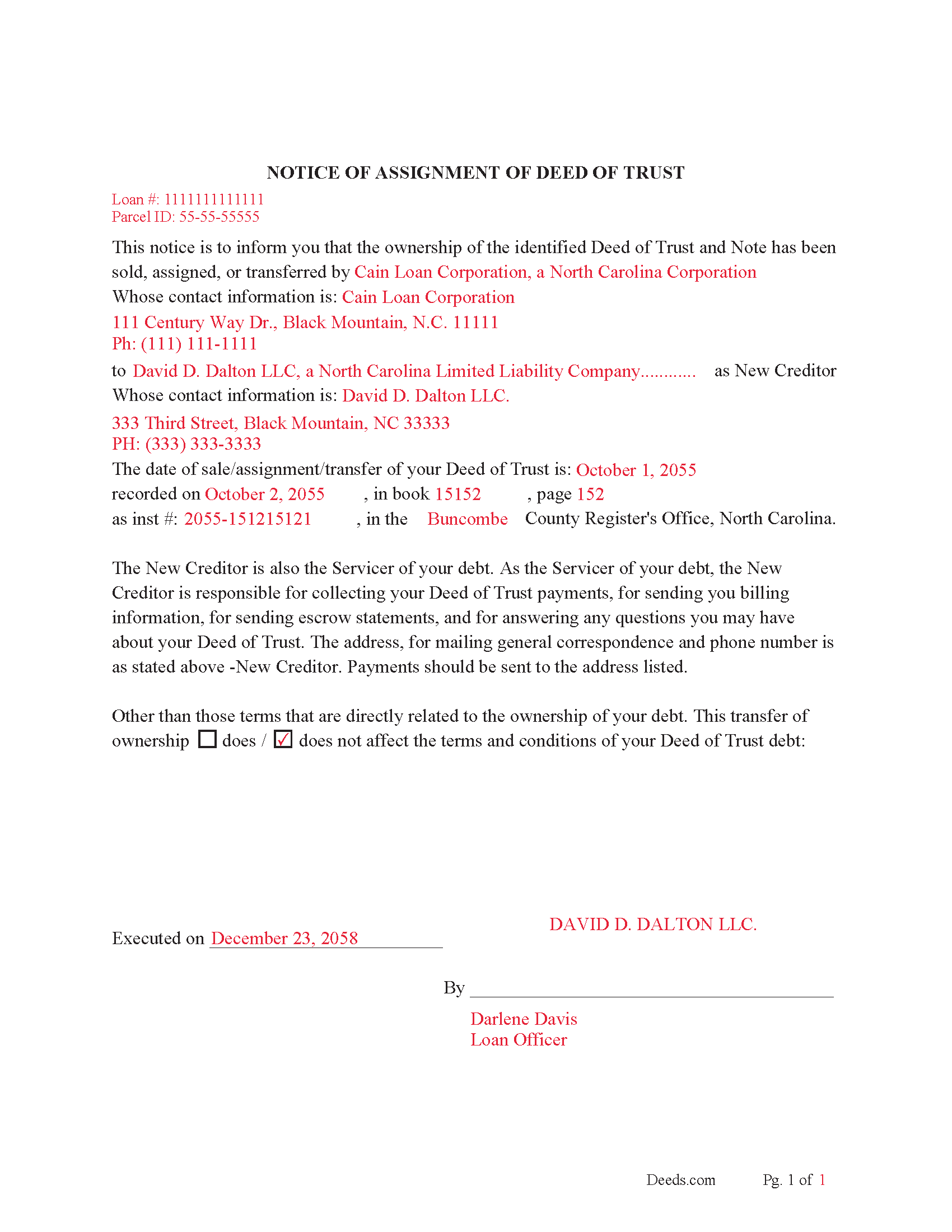
Mcdowell County Completed Example of Notice of Assignment Document
Example of a properly completed form for reference.
All 6 documents above included • One-time purchase • No recurring fees
Immediate Download • Secure Checkout
Additional North Carolina and Mcdowell County documents included at no extra charge:
Where to Record Your Documents
McDowell County Register of Deeds
Marion, North Carolina 28752
Hours: 8:30am-5:00pm M-F
Phone: (828) 652-4727
Recording Tips for Mcdowell County:
- Bring your driver's license or state-issued photo ID
- Ensure all signatures are in blue or black ink
- Ask if they accept credit cards - many offices are cash/check only
- Check that your notary's commission hasn't expired
- Documents must be on 8.5 x 11 inch white paper
Cities and Jurisdictions in Mcdowell County
Properties in any of these areas use Mcdowell County forms:
- Glenwood
- Little Switzerland
- Marion
- Nebo
- Old Fort
Hours, fees, requirements, and more for Mcdowell County
How do I get my forms?
Forms are available for immediate download after payment. The Mcdowell County forms will be in your account ready to download to your computer. An account is created for you during checkout if you don't have one. Forms are NOT emailed.
Are these forms guaranteed to be recordable in Mcdowell County?
Yes. Our form blanks are guaranteed to meet or exceed the applicable formatting requirements used for recording in Mcdowell County, including margin requirements, font requirements, and other layout standards. This guarantee applies to formatting, not to the legal sufficiency of information entered by the user or the suitability of a form for a particular transaction.
Can I reuse these forms?
Yes. You can reuse the forms for your personal use. For example, if you have multiple properties in Mcdowell County you only need to order once.
What do I need to use these forms?
The forms are PDFs that you fill out on your computer. The free Adobe Acrobat Reader is recommended, and most PDF apps also work. You do NOT enter your property information online - you download the blank forms and complete them privately on your own computer.
Are there any recurring fees?
No. This is a one-time purchase. Nothing to cancel, no memberships, no recurring fees.
How much does it cost to record in Mcdowell County?
Recording fees in Mcdowell County vary. Contact the recorder's office at (828) 652-4727 for current fees.
Questions answered? Let's get started!
This form is used by a beneficiary/lender who can be a corporation or individual to assign deed of trust and promissory note to another entity/corporation or individual. This is commonly done when a deed of trust has been sold. (The assignee of the note shall have the right to enforce all obligations contained in the promissory note or other agreement, and all the rights of the assignor in the deed of trust, mortgage, or other security instrument, including the right to substitute the trustee named in any deed of trust, and to exercise any power of sale contained in the instrument without restriction.) (47-17.2)
Current Borrowers must be notified of the assignment. Notification consists of contact information of the new creditor, recording dates, recording instrument numbers, changes in loan, etc. Included are "Notice of Assignment of Deed of Trust" forms.
The Truth and lending act requires that borrowers be notified when their Deed of Trust debt has been sold, transferred, or assigned to a new creditor. Generally, within 30 days to avoid up to $2,000.00 in statutory damages, plus reasonable attorney's fees. Systematic violations can reach up $500,000.00.
(North Carolina Assignment of DOT Package includes form, guidelines, and completed example) For use in North Carolina only.
Important: Your property must be located in Mcdowell County to use these forms. Documents should be recorded at the county recording office listed above.
This Assignment of Deed of Trust meets all recording requirements specific to Mcdowell County.
Our Promise
The documents you receive here are guaranteed to meet or exceed the applicable Mcdowell County recording format requirements. If there is a rejection caused by our formatting, we will correct the issue or refund your payment. This guarantee applies to document formatting only and does not extend to information entered by the user, the selection of the form, or the legal effect of the completed document.
Save Time and Money
Get your Mcdowell County Assignment of Deed of Trust form done right the first time with Deeds.com Uniform Conveyancing Blanks. At Deeds.com, we understand that your time and money are valuable resources, and we don't want you to face a penalty fee or rejection imposed by a county recorder for submitting nonstandard documents. We constantly review and update our forms to meet rapidly changing state and county recording requirements for roughly 3,500 counties and local jurisdictions.
4.8 out of 5 - ( 4,863 Reviews )
Stephen M. 5 out of 5 stars
Using the service is very quick and easy. The staff was very attentive, knowledgeable, professional and followed up promptly, and kept me informed regarding the status of my package.
Thank you, Stephen! We appreciate your feedback and are glad our team made the process smooth and efficient for you.
Michael M. 5 out of 5 stars
Received the documents as ordered in a timely fashion. Can't ask for much better than that!
Thank you!
Mohamed ali H. 5 out of 5 stars
My experience on this website has been amazing and the process was very easy to understand and I was able to get my document filed within 3-4 hours. I plan to use this service in the future if I need to. Thank you for your excellent service!
Thank you for your feedback. We really appreciate it. Have a great day!
brian p. 4 out of 5 stars
Good, easy to use, quit claim form worked as expected.
We appreciate your business and value your feedback. Thank you. Have a wonderful day!
James S. 2 out of 5 stars
Order Process: 5 Stars - very easy Material Received: 2 Stars Issues: 1. Printing- Document would not print in format displayed. Format would continually shrink to approx 2/3 size thus not useable for formal doc submission to County Records office. 2. Document Format- Data insertion fields (addresses) were not of correct size for data input. I needed a 4 line input space but was limited to only 3 lines. Also, Date field (year) was mis-oriented in-so-much that the 3rd digit (inputted) overlapped on 2nd digit (pre-printed) and also was of noticeably different font. 3. Useability- Hand-written input space provided (for Notary) was deficient in space and spacing. It was a challenge to utilize the space available to complete fully and maintain legibility. Overall - the document worked marginally as advertised, I did need to re-write the entire document myself. It is a good concept but I'd recommend that Deeds company improve the downloaded forms for actual useability, readability, functionability. regards, Jim S
Thank you for your feedback. We really appreciate it. Have a great day!
Gerry C. 4 out of 5 stars
Forms appear to be most current and instructions clear. Inserting grantor/grantee information onto form a bit "clunky" however no major issues. I will be using services again.
Thank you!
Doris M M. 5 out of 5 stars
EXCELLENT SERVICE. WILL MAINTAIN CONTACT FOR FUTURE REFERENCE. THANK YOU!
We appreciate your business and value your feedback. Thank you. Have a wonderful day!
Thomas E. 4 out of 5 stars
For the most part the process went smoothly. However, I have some suggestions to make the photo verification process better. 1) State up front that you must configure your appearance to conform with the photo on your state issued ID. In other words, take off you glasses if you are not wearing them in the photo. I know you issued that suggestion AFTER a couple of failed attempts. 2) I do not need glasses for driving, but I do need them for reading and close up work. I had difficulty reading the instructions about turning my head right and left on the screen without my glasses.
Thank you, Thomas. Both suggestions are fair and we have passed them along for the ID verification step. Glad the rest of the process went smoothly.
Wanda R. 5 out of 5 stars
Very satisfied with the ease of using your database. Excellent place to get help with deeds.
We appreciate your business and value your feedback. Thank you. Have a wonderful day!
George D. 4 out of 5 stars
The TODD form has been notarized and registered with my county Register of Deeds office, so it works just fine. My only quibble is that when I printed it out, it missed part of the last line of the notary's info and the fine print in the bottom corners. When I printed it at 90% scale, it included those things.
Thank you for your feedback. We really appreciate it. Have a great day!
Alison B. 5 out of 5 stars
The Deed of trust form was fine but the promissory note was less user friendly since I needed to change a few things that were fixed in the template. I ended up using white-out after I got no response when I emailed the help site that was provided in one of your emails, so it looks a little odd but should be usable
Thank you for your feedback. We really appreciate it. Have a great day!
Ronald C. 5 out of 5 stars
Easy to navigate and very concise
Thank you!
Vickey W. 5 out of 5 stars
Your company was great, you all walked me through every step of the process. With the pandemic and the inability to go into the DC Recorder of Deeds office. I look forward to working with you in the future.
Thank you for your feedback. We really appreciate it. Have a great day!
Kay M. 5 out of 5 stars
Worked great. Not being real tech savey was no problem.
We appreciate your business and value your feedback. Thank you. Have a wonderful day!
Thomas J. 5 out of 5 stars
Seems to be just what I needed. I will certainly keep your services handy in the future. I will recommend your site whenever I can.
We are delighted to have been of service. Thank you for the positive review!