Johnston County Release of a Memorandum of a Contract for Deed Form
Last validated November 10, 2026 by our Forms Development TeamFormatted for recording in Johnston County, for property anywhere in the county: rural and unincorporated areas as well as Benson, Clayton, Four Oaks, Kenly, Micro, Pine Level, Princeton, Selma and 2 more.
- 3 documents included
- Immediate PDF download
- Formatting guarantee
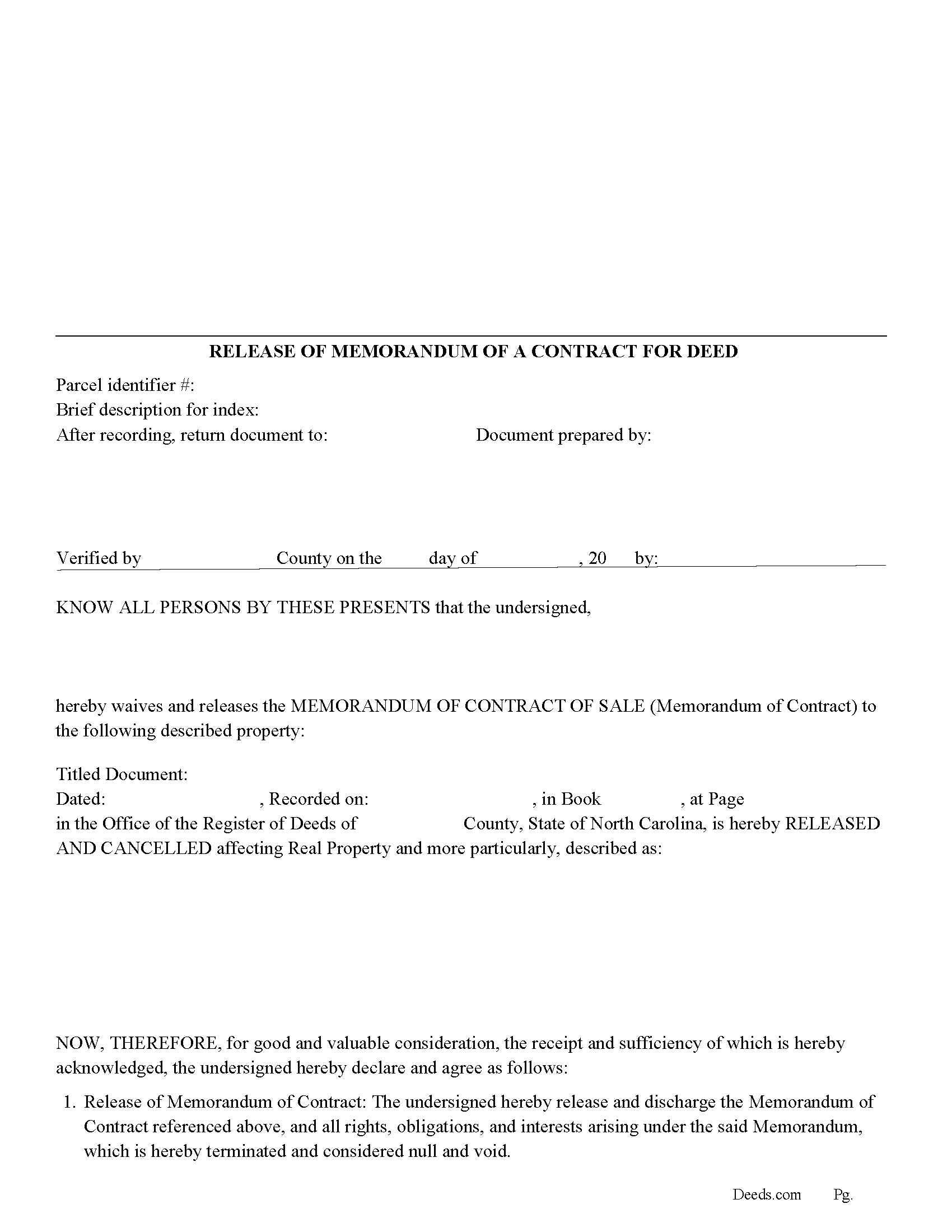
Johnston County Release of a Memorandum of a Contract for Deed Form
Fill in the blank Release of a Memorandum of a Contract for Deed form formatted to comply with all North Carolina recording and content requirements.
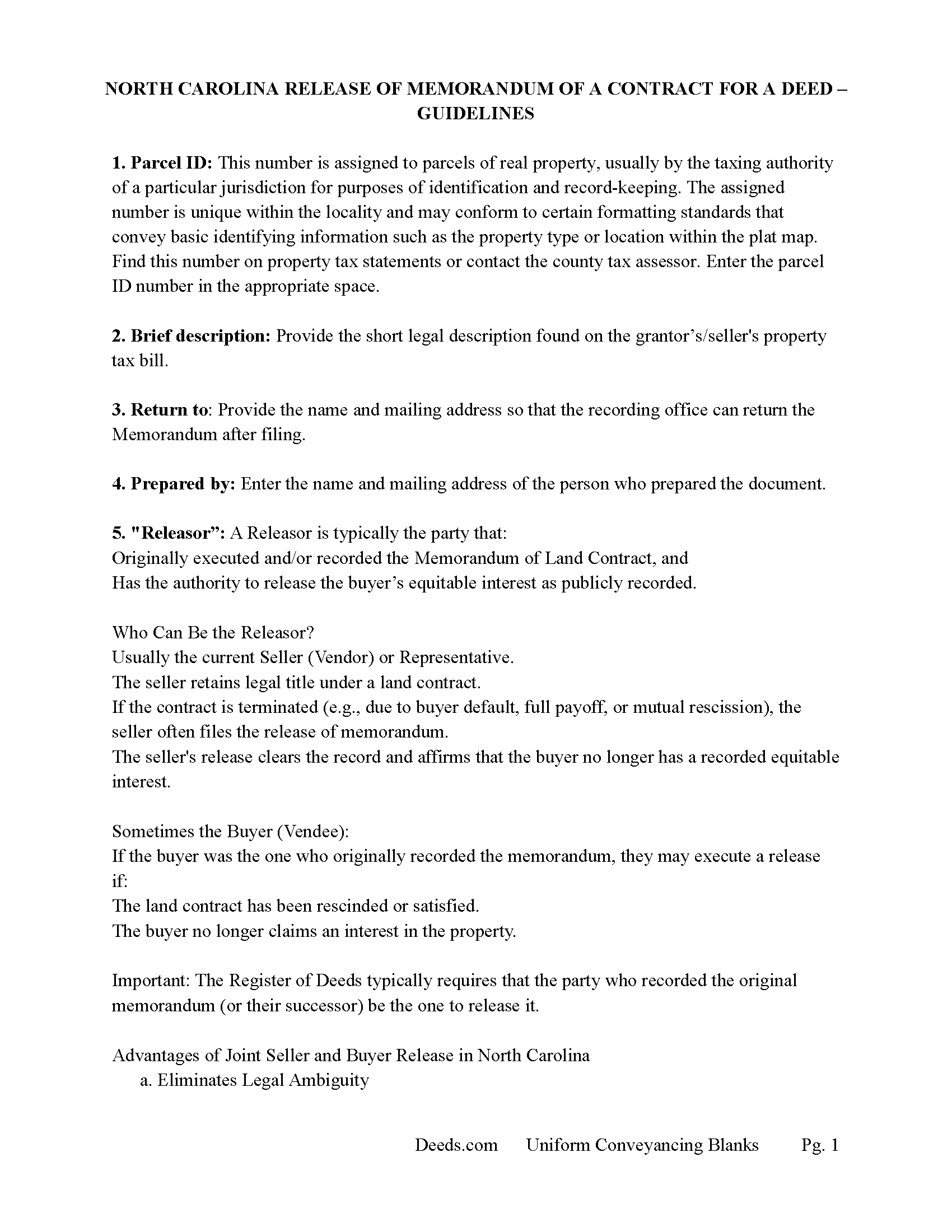
Johnston County Release of a Memorandum of a Contract for Deed Guide
Line by line guide explaining every blank on the Release of a Memorandum of a Contract for Deed form.
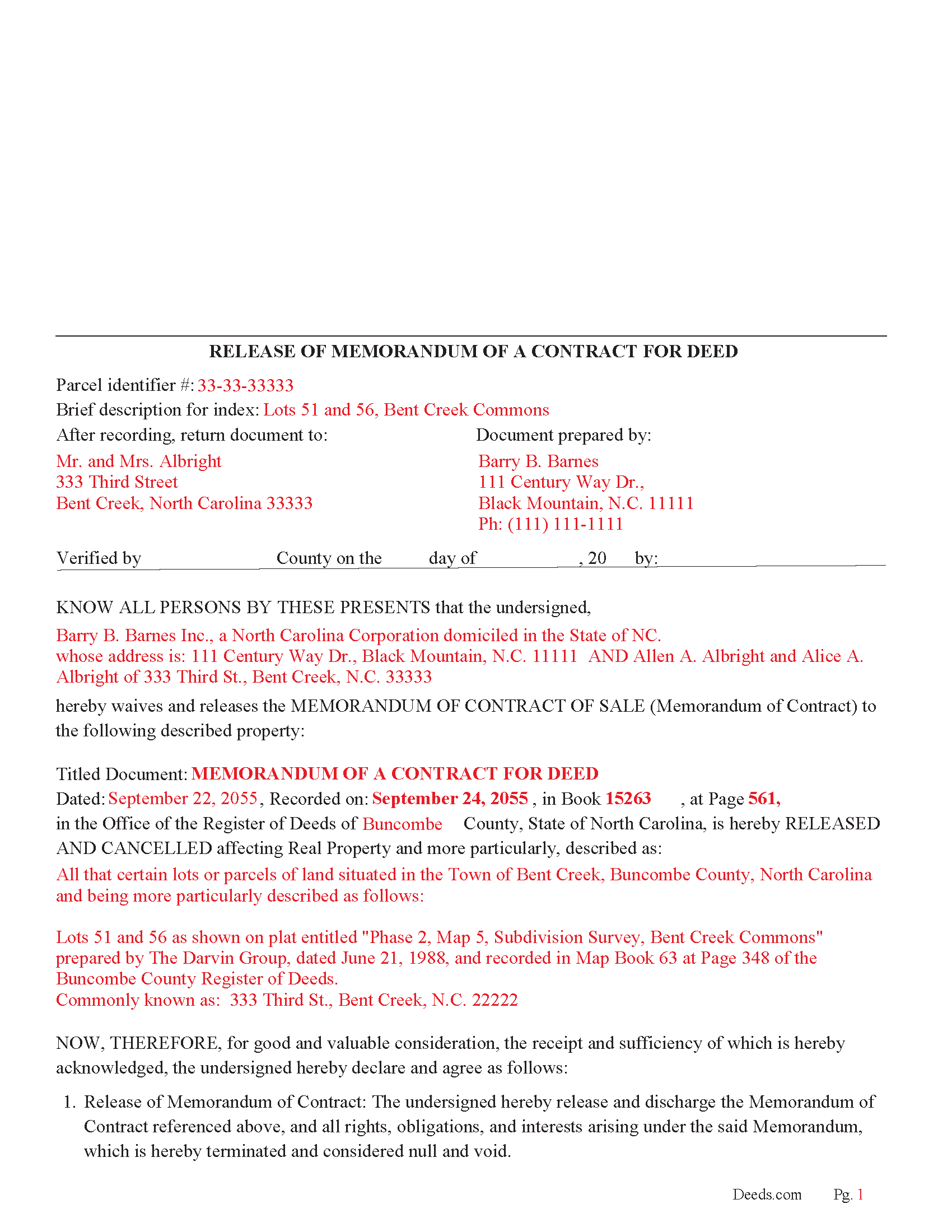
Johnston County Completed Example of the Release of a Memorandum of a Contract for Deed Document
Example of a properly completed North Carolina Release of a Memorandum of a Contract for Deed document for reference.
All 3 documents above included • One-time purchase • No recurring fees
Immediate Download • Secure Checkout
Additional North Carolina and Johnston County documents included at no extra charge:
Where to Record Your Documents
Johnston County Register of Deeds
Smithfield, North Carolina 27577
Hours: 8:00 to 5:00 M-F
Phone: (919) 989-5160
Recording Tips for Johnston County:
- Bring your driver's license or state-issued photo ID
- Ensure all signatures are in blue or black ink
- Ask about accepted payment methods when you call ahead
- Ask for certified copies if you need them for other transactions
- Ask if they accept credit cards - many offices are cash/check only
Cities and Jurisdictions in Johnston County
Properties in any of these areas use Johnston County forms:
- Benson
- Clayton
- Four Oaks
- Kenly
- Micro
- Pine Level
- Princeton
- Selma
- Smithfield
- Wilsons Mills
Hours, fees, requirements, and more for Johnston County
How do I get my forms?
Forms are available for immediate download after payment. The Johnston County forms will be in your account ready to download to your computer. An account is created for you during checkout if you don't have one. Forms are NOT emailed.
Are these forms guaranteed to be recordable in Johnston County?
Yes. Our form blanks are guaranteed to meet or exceed the applicable formatting requirements used for recording in Johnston County, including margin requirements, font requirements, and other layout standards. This guarantee applies to formatting, not to the legal sufficiency of information entered by the user or the suitability of a form for a particular transaction.
Can I reuse these forms?
Yes. You can reuse the forms for your personal use. For example, if you have multiple properties in Johnston County you only need to order once.
What do I need to use these forms?
The forms are PDFs that you fill out on your computer. The free Adobe Acrobat Reader is recommended, and most PDF apps also work. You do NOT enter your property information online - you download the blank forms and complete them privately on your own computer.
Are there any recurring fees?
No. This is a one-time purchase. Nothing to cancel, no memberships, no recurring fees.
How much does it cost to record in Johnston County?
Recording fees in Johnston County vary. Contact the recorder's office at (919) 989-5160 for current fees.
Questions answered? Let's get started!
In North Carolina, a release of a Memorandum of a Contract for Deed is a legal document used to formally terminate or cancel a previously recorded Memorandum of a Contract for Deed, indicating that the underlying contract for deed (also known as a land contract) is no longer in effect. Below, I’ll explain its purpose and who should sign it, based on North Carolina law and general real estate practices, while incorporating relevant details from the provided web results.
Purpose of a Release of a Memorandum of a Contract for Deed: A Memorandum of a Contract for Deed is recorded in the county register of deeds to publicly notify that a property is under a contract for deed, protecting the buyer’s equitable interest and preventing the seller from encumbering or selling the property to another party without notice. A release of this memorandum serves the following purposes:
• Termination of the Contract: It signals that the contract for deed has been terminated, either because:
• The buyer has fulfilled all payment obligations, and the seller has conveyed the deed, completing the transaction.
• The parties mutually agreed to cancel the contract.
• The buyer defaulted, and the seller exercised forfeiture rights after proper notice and failure to cure, extinguishing the buyer’s equitable interest.
• Clearing the Property Title: The release removes the memorandum from the public record, clearing any cloud on the property’s title. This ensures the seller can freely convey the property to another party or refinance without encumbrances tied to the prior contract.
• Legal Protection: It provides clarity to third parties (e.g., future buyers, lenders) that the contract for deed is no longer active, preventing disputes or claims on the property.
For example, if the buyer paid off the contract, the release confirms the transaction’s completion. If the contract was canceled (e.g., within the three-day cancellation period allowed under N.C. Statute 47H-2 or due to default), the release documents the termination.
Who Should Sign the Release? The signatories depend on the circumstances of the termination, but typically include:
• Seller (Vendor): The seller, who holds legal title to the property under the contract for deed, must sign the release to confirm the contract’s termination and release the memorandum from the public record.
• Buyer (Purchaser): In cases of mutual termination, the buyer should also sign to acknowledge the cancellation of the contract and their equitable interest in the property. This is explicitly required for a mutual termination under N.C. Statute 47H-2(e), which states that a mutual termination must be executed by both parties and recorded in the county register of deeds.
• Notary Public: The signatures of the seller (and buyer, if applicable) must be acknowledged by a notary public to meet North Carolina’s acknowledgment requirements for recording. This ensures the document complies with N.C. Statute 47-38 and is valid for registration.
Additional Notes:
• If the termination results from a forfeiture due to the buyer’s default, the seller may sign unilaterally after providing proper notice of default and intent to forfeit (per N.C. Statute 47H-4) and the buyer’s failure to cure within the specified period (at least 30 days).
• The release must be recorded in the office of the register of deeds in the county where the property is located, typically by the seller, unless the parties agree otherwise.
Practical Details
• Content: The release should reference the original Memorandum of a Contract for Deed, including the names of the parties, property description, and date of the original contract. It may also note the reason for termination (e.g., fulfillment, mutual cancellation, or forfeiture).
• Recording: Like the original memorandum, the release must be filed with the county register of deeds to update the public record.
• Format: The document must comply with North Carolina’s recording requirements, such as those outlined in N.C. Statutes and local county rules.
Example Scenario
• Completion of Contract: An Individual buys a property under a contract for deed, pays all installments, and the seller conveys the deed. The seller signs a release of the memorandum, notarized, and records it to clear the title.
• Mutual Cancellation: If buyer and the seller agree to cancel the contract within the three-day cancellation period or later, both sign a mutual termination and release, which is notarized and recorded.
• Default: If the buyer defaults and fails to cure after notice, the seller signs the release alone after forfeiture procedures, documenting the termination.
Important: Your property must be located in Johnston County to use these forms. Documents should be recorded at the county recording office listed above.
This Release of a Memorandum of a Contract for Deed meets all recording requirements specific to Johnston County.
Our Promise
The documents you receive here are guaranteed to meet or exceed the applicable Johnston County recording format requirements. If there is a rejection caused by our formatting, we will correct the issue or refund your payment. This guarantee applies to document formatting only and does not extend to information entered by the user, the selection of the form, or the legal effect of the completed document.
Save Time and Money
Get your Johnston County Release of a Memorandum of a Contract for Deed form done right the first time with Deeds.com Uniform Conveyancing Blanks. At Deeds.com, we understand that your time and money are valuable resources, and we don't want you to face a penalty fee or rejection imposed by a county recorder for submitting nonstandard documents. We constantly review and update our forms to meet rapidly changing state and county recording requirements for roughly 3,500 counties and local jurisdictions.
4.8 out of 5 - ( 4,857 Reviews )
Diane W. 3 out of 5 stars
The forms were immediately available for download, which was nice. However, I was not impressed by the lack of several features: 1) there was no way to edit set text in the form, such as where it says you should consult an attorney. That is not necessary for recording the deed and I wanted to deleted it, but could not. 2) Also, under the "Notes" section, there is a limited area to write; I tried adding a fuller explanation of something, but the form would not accept or include it when I printed the final document. The form may do the job, but it's not very sophisticated or elegant.
Thank you for your feedback. We really appreciate it. Have a great day!
Roger G. 4 out of 5 stars
was difficult to find the location on the website to actually download the form I needed. Initially was directed only to information pages related to the form I needed
Thank you for your feedback. We really appreciate it. Have a great day!
JOHN H. 5 out of 5 stars
It was simple and fast thanks so much.
We appreciate your business and value your feedback. Thank you. Have a wonderful day!
Craig W. 5 out of 5 stars
This is a great way to get paper work to the land love it
We appreciate your business and value your feedback. Thank you. Have a wonderful day!
Norbert C. 5 out of 5 stars
Great resource and everything went smoothly except email was performed through autofill prompted by the system but the autofill added a letter that gave wrong email. I can still sign in with wrong email since the system recognizes it as mine even though it is wrong. May be my fault and not the system since I did not catch the discrepancy in time. I would suggest a field that allows a correction to any misinformation prior to signing out from the initial sign on. Still think it is a great resource if all documents are processed and accepted by the pwers to be. Thanks.
Thank you!
Darrell J. 5 out of 5 stars
Easy to use, rapid response, excellent service.
Thank you for your feedback. We really appreciate it. Have a great day!
Ray L. 5 out of 5 stars
This was my first time using Deeds.com It was very easy to understand and use. I was pleasantly suprised.
We appreciate your business and value your feedback. Thank you. Have a wonderful day!
Audrey A. 5 out of 5 stars
Great!
Thank you!
Donna C. 5 out of 5 stars
Easy to use.
Thank you!
Brian S. 3 out of 5 stars
PDF fields change font sizes leading to an unprofessional-appearing printed page. The examples for "Convey to" section don't include how to specify just one person instead of a married couple. Maybe that is simple but it would help to spell it out in an example. Haven't submitted to County Recorder yet, so will find out if it is acceptable.
Thank you for the feedback Brian.
The font issue is caused by using a PDF viewer other than Adobe Acrobat Reader. Our form fields are set to a uniform 12-point font, but non-Adobe viewers often render form fields inconsistently. Opening and printing the form with the free Adobe Acrobat Reader will resolve that.
Regarding the examples, that's a fair point, we'll look at expanding them.
Mohamed ali H. 5 out of 5 stars
My experience on this website has been amazing and the process was very easy to understand and I was able to get my document filed within 3-4 hours. I plan to use this service in the future if I need to. Thank you for your excellent service!
Thank you for your feedback. We really appreciate it. Have a great day!
Alan E. 5 out of 5 stars
I couldn't be happier with this service. They're helpful, quick and thorough. They make filing government documents very easy.
Thank you for your feedback. We really appreciate it. Have a great day!
Meg R. 5 out of 5 stars
Good system fairly easy to use
Thank you!
Katherine D. 5 out of 5 stars
Once I found your site it was very easy to understand, order and copy the forms. It is very helpful that you included an example of a completed form. Thank you. This form helps hundreds of seniors avoid lawyers, probate and the fear of losing their homes.
We appreciate your business and value your feedback. Thank you. Have a wonderful day!
Angela B. 5 out of 5 stars
Great forms! Quick, easy, and to the point. The completed document, when printed out, looks really professional.
We appreciate your business and value your feedback. Thank you. Have a wonderful day!