Bladen County Special Warranty Deed Form
Last validated October 14, 2026 by our Forms Development TeamFormatted for recording in Bladen County, for property anywhere in the county: rural and unincorporated areas as well as Bladenboro, Clarkton, Council, Dublin, Elizabethtown, Kelly, Tar Heel, White Oak.
- 3 documents included
- Immediate PDF download
- Formatting guarantee
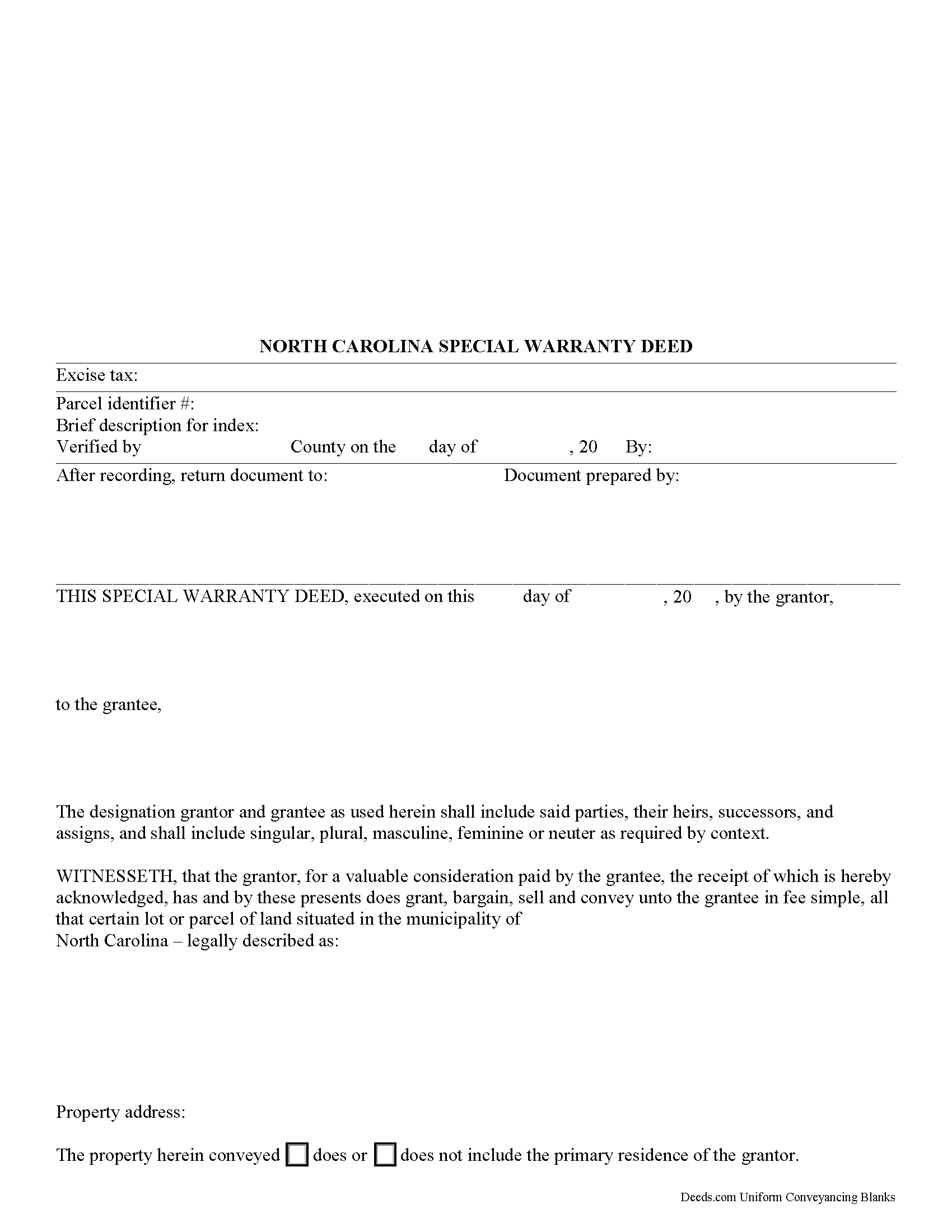
Bladen County Special Warranty Deed Form
Fill in the blank form formatted to comply with all recording and content requirements.
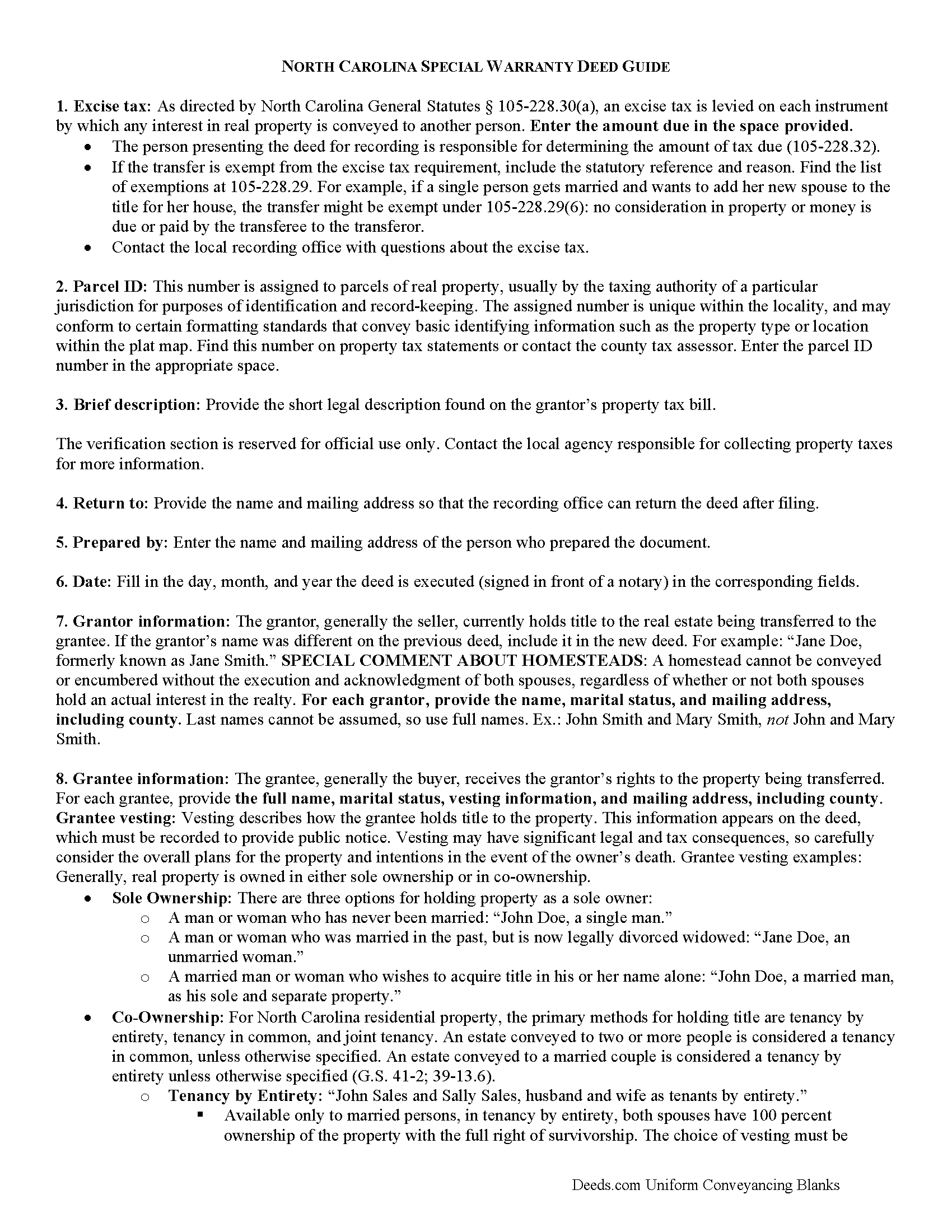
Bladen County Special Warranty Deed Form
Line by line guide explaining every blank on the form.
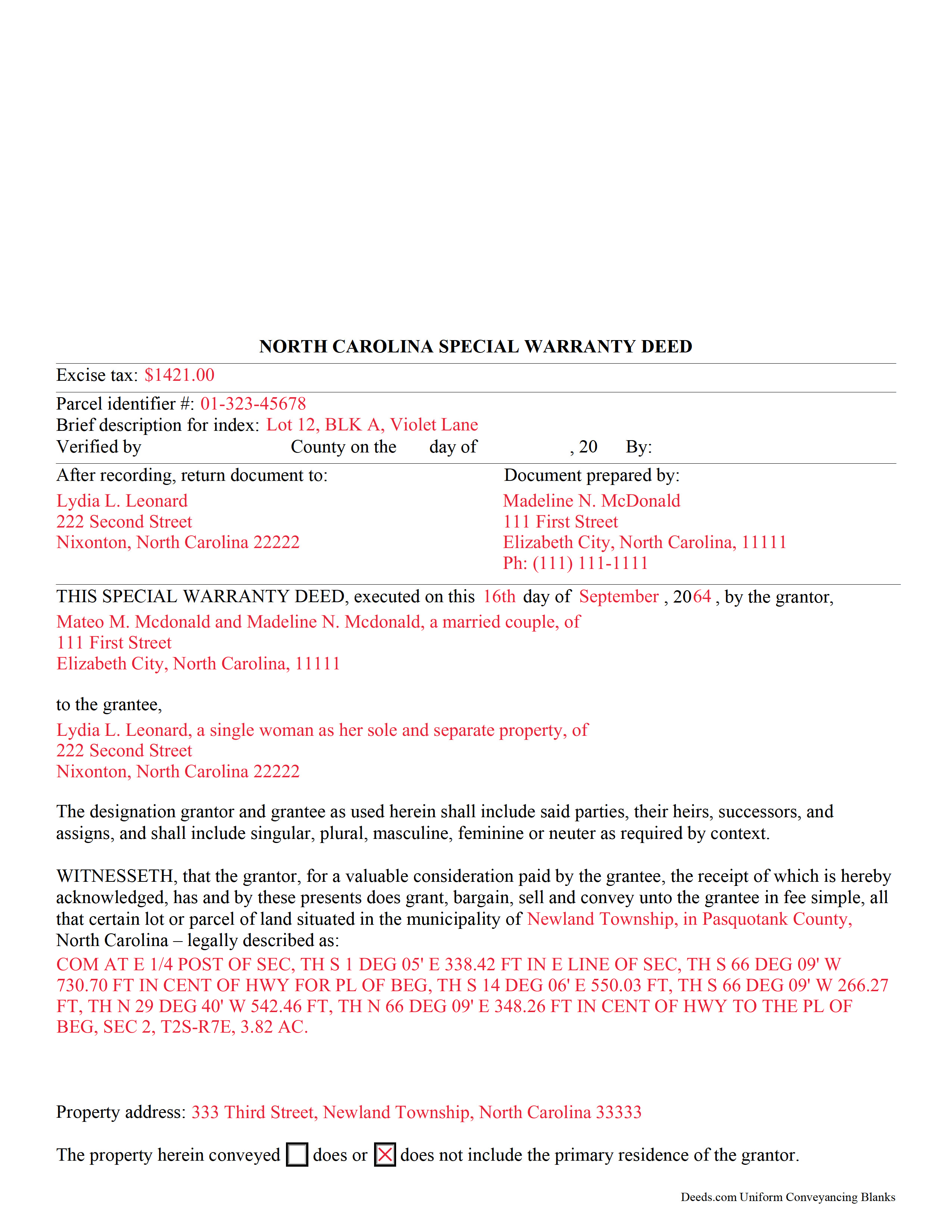
Bladen County Completed Example of the Special Warranty Deed Document
Example of a properly completed form for reference.
All 3 documents above included • One-time purchase • No recurring fees
Immediate Download • Secure Checkout
Additional North Carolina and Bladen County documents included at no extra charge:
Where to Record Your Documents
Bladen County Register of Deeds
Elizabethtown, North Carolina 28337
Hours: 8:30am-5:00pm M-F
Phone: (910) 862-6710
Recording Tips for Bladen County:
- Bring your driver's license or state-issued photo ID
- Ensure all signatures are in blue or black ink
- Verify all names are spelled correctly before recording
- White-out or correction fluid may cause rejection
- Ask about their eRecording option for future transactions
Cities and Jurisdictions in Bladen County
Properties in any of these areas use Bladen County forms:
- Bladenboro
- Clarkton
- Council
- Dublin
- Elizabethtown
- Kelly
- Tar Heel
- White Oak
Hours, fees, requirements, and more for Bladen County
How do I get my forms?
Forms are available for immediate download after payment. The Bladen County forms will be in your account ready to download to your computer. An account is created for you during checkout if you don't have one. Forms are NOT emailed.
Are these forms guaranteed to be recordable in Bladen County?
Yes. Our form blanks are guaranteed to meet or exceed the applicable formatting requirements used for recording in Bladen County, including margin requirements, font requirements, and other layout standards. This guarantee applies to formatting, not to the legal sufficiency of information entered by the user or the suitability of a form for a particular transaction.
Can I reuse these forms?
Yes. You can reuse the forms for your personal use. For example, if you have multiple properties in Bladen County you only need to order once.
What do I need to use these forms?
The forms are PDFs that you fill out on your computer. The free Adobe Acrobat Reader is recommended, and most PDF apps also work. You do NOT enter your property information online - you download the blank forms and complete them privately on your own computer.
Are there any recurring fees?
No. This is a one-time purchase. Nothing to cancel, no memberships, no recurring fees.
How much does it cost to record in Bladen County?
Recording fees in Bladen County vary. Contact the recorder's office at (910) 862-6710 for current fees.
Questions answered? Let's get started!
Real property can be transferred in North Carolina by using a special warranty deed. This type of deed does not have the same warranties of title contained in a general warranty deed. The North Carolina General Statutes do not offer a statutory form for real estate deeds. The grantor in a special warranty deed offers the following covenants to the grantee: (1) that the grantor has done nothing to encumber the title, and (2) that the grantor will warrant and defend such title against the lawful claims of all persons claiming by, through, or under the grantor.
North Carolina requires strict compliance with the statutory acknowledgment provisions in order for documents to be recorded and to provide constructive notice. Before it can be accepted for recording by a register of deeds, a special warranty deed must be signed by the grantor and properly acknowledged before an officer authorized by the state of North Carolina to take acknowledgments of deeds. The individual form for an acknowledgment by a grantor in 47 38 of the North Carolina General Statutes is sufficient to use for a special warranty deed acknowledged within the state. If a special warranty deed has been executed and acknowledged in a state other than North Carolina, the deed will be valid to record in this state, but it must conform to North Carolina law.
The recording statute in North Carolina is a pure race statute, which means that the first document recorded will have priority. A conveyance of land will not be valid to pass any property interest as against a lien creditor or purchaser for valuable consideration from the donor, bargainer, or lesser until it is registered in the county where the land lies. If the land is situated in more than one county, the deed must be recorded in each such county. Unless it is stated otherwise on the special warranty deed or on a separate registered instrument executed by the party whose priority interest is adversely affected, instruments that have been registered in the office of the register of deeds will have priority based on the order of registration. If registered simultaneously, priority will be determined by the earliest document number set forth on the registered instrument or on the sequential book and page number if there is no document number ( 47 18).
(North Carolina SWD Package includes form, guidelines, and completed example)
Important: Your property must be located in Bladen County to use these forms. Documents should be recorded at the county recording office listed above.
This Special Warranty Deed meets all recording requirements specific to Bladen County.
Our Promise
The documents you receive here are guaranteed to meet or exceed the applicable Bladen County recording format requirements. If there is a rejection caused by our formatting, we will correct the issue or refund your payment. This guarantee applies to document formatting only and does not extend to information entered by the user, the selection of the form, or the legal effect of the completed document.
Save Time and Money
Get your Bladen County Special Warranty Deed form done right the first time with Deeds.com Uniform Conveyancing Blanks. At Deeds.com, we understand that your time and money are valuable resources, and we don't want you to face a penalty fee or rejection imposed by a county recorder for submitting nonstandard documents. We constantly review and update our forms to meet rapidly changing state and county recording requirements for roughly 3,500 counties and local jurisdictions.
4.8 out of 5 - ( 4,830 Reviews )
Lew B. 3 out of 5 stars
The forms look great, but I received an Error message when downloading.
We are sincerely grateful for your feedback and are committed to providing the highest quality service. Thank you for your trust in us.
JOHN H. 5 out of 5 stars
It was simple and fast thanks so much.
We appreciate your business and value your feedback. Thank you. Have a wonderful day!
Becky B. 1 out of 5 stars
Terrible form format
Thank you for taking the time to leave your feedback Becky. We do hope that you found something more suitable to your needs elsewhere. Have a wonderful day.
Sherri S. 5 out of 5 stars
Easy to access forms, and reasonably priced. I'll definitely use again in the future.
We appreciate your business and value your feedback. Thank you. Have a wonderful day!
Robert K. 5 out of 5 stars
This document was exactly what I needed and with the corresponding sample I was easily able to complete it. This saved me a lot of money by not having to hire an attorney to fill out a form. Thank you!
Thank you for your feedback. We really appreciate it. Have a great day!
Robert M. 5 out of 5 stars
Got the documents needed.. simple to use!!!
Thank you Robert, we appreciate your feedback. Have a great day.
Haydee P. 5 out of 5 stars
Thanks for advertising the forms and sharing to the public for easy access. I have been looking for a lawyer to process the papers but did not realize that I can do it myself until I googled the information. I found your website. Thanks again
Thank you for your feedback. We really appreciate it. Have a great day!
Carolyn R. 5 out of 5 stars
Definitely 5 stars. Everything was taken care of well within 24 hours. If our law firm needs to record a single document in a different county again, we will use your service. Thanks!
Thank you for your feedback. We really appreciate it. Have a great day!
Karen W. 5 out of 5 stars
Great experience. Easy.
We appreciate your business and value your feedback. Thank you. Have a wonderful day!
Robin G. 5 out of 5 stars
Very user friendly. I was totally amazed. Thank you so much.
We are delighted to have been of service. Thank you for the positive review!
Juanita G. 5 out of 5 stars
Easy and efficient service. The communication is on point. Thank you!
Thank you for your positive words! We’re thrilled to hear about your experience.
Pat A. 5 out of 5 stars
I was impressed that the forms were easy to read and the directions were helpful. Thank you for providing this.
Thank you!
David B. 5 out of 5 stars
Prompt review and submission of documents could be an appropriate tagline for this business. The attention to detail and rapid response makes the company a great go to for servicing needs related to deeds.
Your feedback is greatly appreciated. Thank you for taking the time to share your experience!
MARY LACEY M. 5 out of 5 stars
I am extremely impressed with the quality of this service. They are a pleasure to work with and I know I can rely on them.
Thank you for your feedback. We really appreciate it. Have a great day!
Pamela M. 5 out of 5 stars
Saved a great deal of time and hassle. THANKS
Thank you!