Mccurtain County Memorandum of Trust Form
Last validated August 31, 2026 by our Forms Development TeamFormatted for recording in Mccurtain County, for property anywhere in the county: rural and unincorporated areas as well as Battiest, Bethel, Broken Bow, Eagletown, Garvin, Golden, Haworth, Idabel and 8 more.
- 3 documents included
- Immediate PDF download
- Formatting guarantee
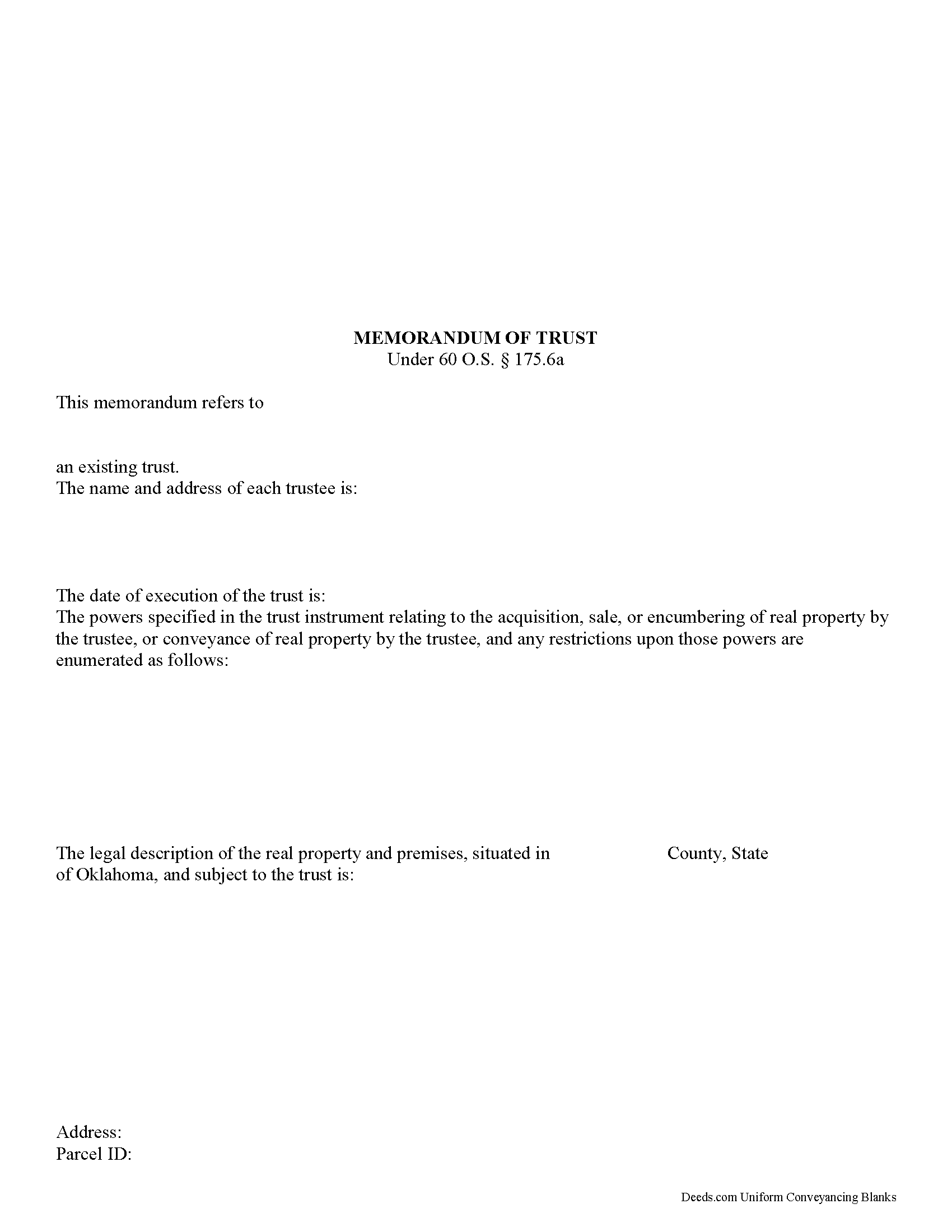
Mccurtain County Memorandum of Trust Form
Fill in the blank form formatted to comply with all recording and content requirements.
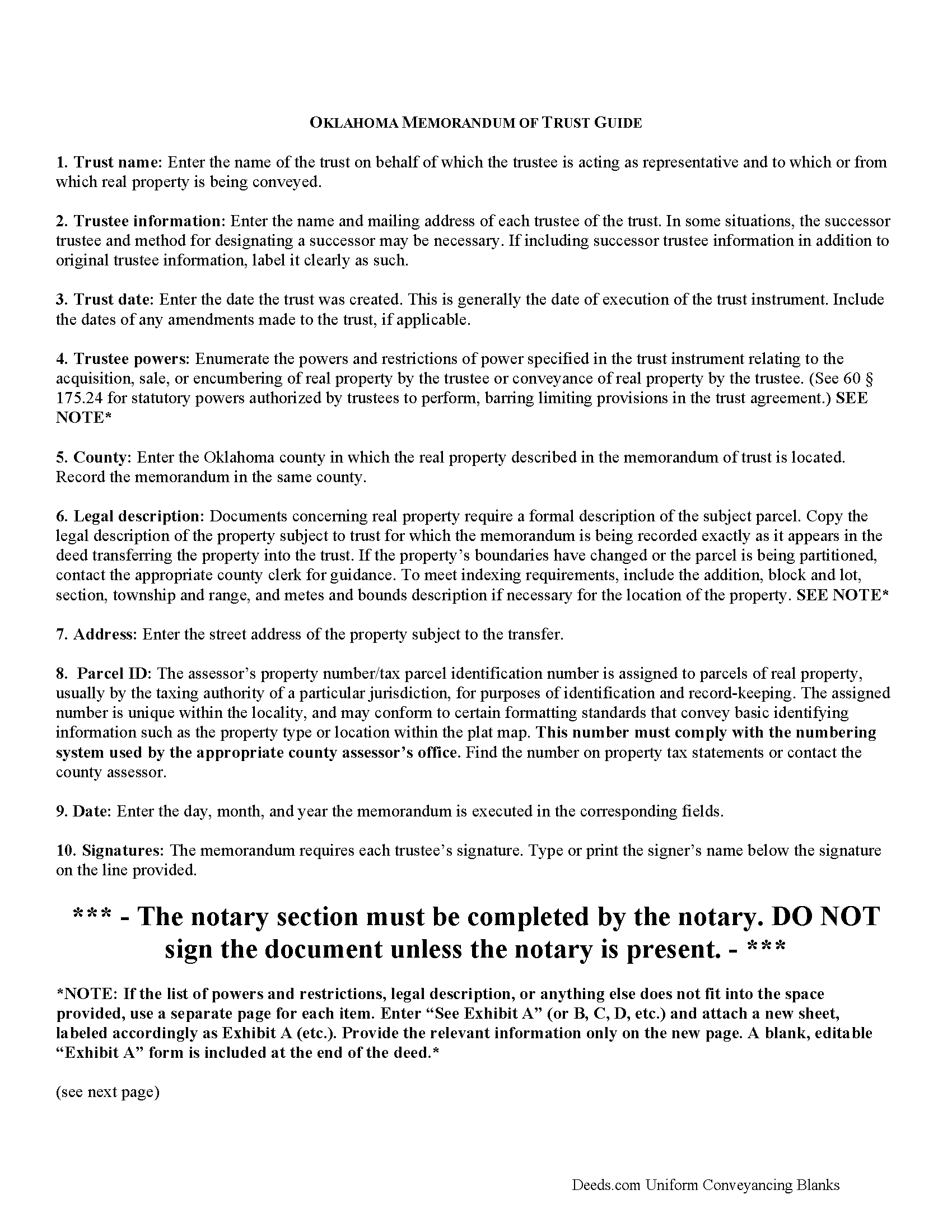
Mccurtain County Memorandum of Trust Guide
Line by line guide explaining every blank on the form.
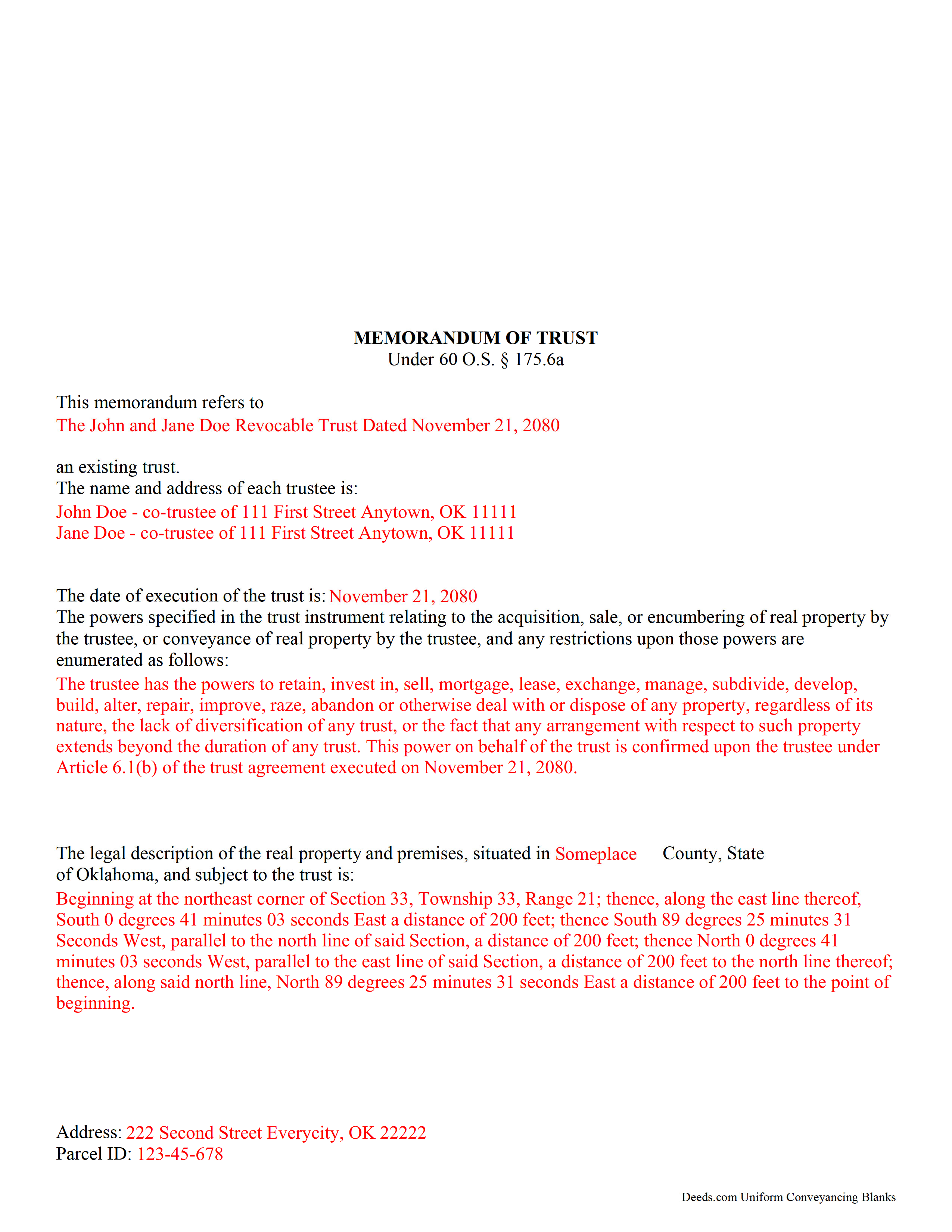
Mccurtain County Completed Example of the Memorandum of Trust Form
Example of a properly completed form for reference.
All 3 documents above included • One-time purchase • No recurring fees
Immediate Download • Secure Checkout
Additional Oklahoma and Mccurtain County documents included at no extra charge:
Where to Record Your Documents
McCurtain County Clerk
Idabel, Oklahoma 74745
Hours: 8:00am to 4:00pm M-F
Phone: (580) 286-2370
Recording Tips for Mccurtain County:
- Bring your driver's license or state-issued photo ID
- Ensure all signatures are in blue or black ink
- Make copies of your documents before recording - keep originals safe
- Recorded documents become public record - avoid including SSNs
- Recording fees may differ from what's posted online - verify current rates
Cities and Jurisdictions in Mccurtain County
Properties in any of these areas use Mccurtain County forms:
- Battiest
- Bethel
- Broken Bow
- Eagletown
- Garvin
- Golden
- Haworth
- Idabel
- Millerton
- Pickens
- Ringold
- Rufe
- Smithville
- Valliant
- Watson
- Wright City
Hours, fees, requirements, and more for Mccurtain County
How do I get my forms?
Forms are available for immediate download after payment. The Mccurtain County forms will be in your account ready to download to your computer. An account is created for you during checkout if you don't have one. Forms are NOT emailed.
Are these forms guaranteed to be recordable in Mccurtain County?
Yes. Our form blanks are guaranteed to meet or exceed the applicable formatting requirements used for recording in Mccurtain County, including margin requirements, font requirements, and other layout standards. This guarantee applies to formatting, not to the legal sufficiency of information entered by the user or the suitability of a form for a particular transaction.
Can I reuse these forms?
Yes. You can reuse the forms for your personal use. For example, if you have multiple properties in Mccurtain County you only need to order once.
What do I need to use these forms?
The forms are PDFs that you fill out on your computer. The free Adobe Acrobat Reader is recommended, and most PDF apps also work. You do NOT enter your property information online - you download the blank forms and complete them privately on your own computer.
Are there any recurring fees?
No. This is a one-time purchase. Nothing to cancel, no memberships, no recurring fees.
How much does it cost to record in Mccurtain County?
Recording fees in Mccurtain County vary. Contact the recorder's office at (580) 286-2370 for current fees.
Questions answered? Let's get started!
In Oklahoma, the memorandum of trust is codified at 60 O.S. 175.6a. Executed by a trustee, the memorandum of trust is a recorded document pertaining to real property acquisitions and transfers by an express private trust.
An express private trust refers to any trust that is "created with the settlor's express intent, usually declared in writing," and is not a business trust [1]. In a trust arrangement, a settlor conveys property to another person (the trustee) to be held for a third (the beneficiary). The trust is administered pursuant to the terms of a written document executed by the settlor. This document, called the trust instrument, designates the trustee and trust beneficiaries and outlines the provisions of the trust and the scope of the trust's assets. In some cases, the trust instrument may be recorded, but it is generally a private document.
In lieu of providing parties outside of the trust arrangement with the full trust instrument, a trustee may provide a memorandum when entering into real property transactions. The memorandum is an abstract of the trust instrument that is recorded when the trust acquires real property or when the trustee is conveying real property held in the trust. The document contains only essential information about the trust, allowing the settlor to keep his estate plans and other information irrelevant to the transaction at hand private. It is similar to a certification of trust (under the Uniform Trust Code), the major difference being that the certification is generally not recorded.
There are differences of opinion among title examiners on when a memorandum is required [2]. Oklahoma Title Standard 15.2 states that when real property is transferred to or by the name of a trustee as trustee of a named express private trust, a memorandum of trust is not required. Where a settlor makes a conveyance to a trust using the trust's name alone as the grantee, the Title Standards require a memorandum of trust (see also 60 O.S. 175.6a) [3].
The memorandum of trust provides the name of the trust and the name and address of each trustee of the trust, as well as the date the trust was created. Because the document pertains to real property, a legal description of the parcel subject to the transaction for which the memorandum is being recorded may be required.
A memorandum of trust is sometimes recorded alongside a conveyance by trustee as part of the deed as evidence of the trust's existence and the trustee's authority (as the trust instrument is generally not a matter of public record). The form should be signed by the trustees of a trust in the presence of a notary public before recording in the county in which the real property is located.
Consult a lawyer with questions about express private trusts and memoranda of trust in Oklahoma.
[1] Black's Law Dictionary, 8th ed.
[2] http://www.jhbpc.com/Estate-Planning-In-Depth/memotrust.htm
[3] http://eppersonlaw.com/wp-content/uploads/2013/05/1-ORIGINAL-2016-TES-HANDBOOK-Final-160111.pdf
(Oklahoma MOT Package includes form, guidelines, and completed example)
Important: Your property must be located in Mccurtain County to use these forms. Documents should be recorded at the county recording office listed above.
This Memorandum of Trust meets all recording requirements specific to Mccurtain County.
Our Promise
The documents you receive here are guaranteed to meet or exceed the applicable Mccurtain County recording format requirements. If there is a rejection caused by our formatting, we will correct the issue or refund your payment. This guarantee applies to document formatting only and does not extend to information entered by the user, the selection of the form, or the legal effect of the completed document.
Save Time and Money
Get your Mccurtain County Memorandum of Trust form done right the first time with Deeds.com Uniform Conveyancing Blanks. At Deeds.com, we understand that your time and money are valuable resources, and we don't want you to face a penalty fee or rejection imposed by a county recorder for submitting nonstandard documents. We constantly review and update our forms to meet rapidly changing state and county recording requirements for roughly 3,500 counties and local jurisdictions.
4.8 out of 5 - ( 4,845 Reviews )
Dale V. 5 out of 5 stars
Great site good price everything easy to use and correct.. Thanks
We appreciate your business and value your feedback. Thank you. Have a wonderful day!
Arnold R. 5 out of 5 stars
this online service worked efficiently and as quickly as the registry allowed it to record new deeds. Thank you for providing services
Thank you for your feedback. We really appreciate it. Have a great day!
DEBORAH H. 5 out of 5 stars
I found everything I needed
Your feedback is valuable to us and helps us improve. Thank you for sharing your thoughts!
Melanie K. 5 out of 5 stars
Great service! Super easy to use! I used the service to download a deed notice to do a TOD on a property in Fairfax County, VA. Just a heads up that Fairfax County required me to add the last deed book and page # onto the deed notice but otherwise all was just as they required!
Thank you!
Lance G. 1 out of 5 stars
You did not include the Notice of Intent to File a Lien Statement form which is necessary to properly file a mechanic's lien in Colorado. If you are going to charge people $20 to download the forms, you should include all of them not half of them.
Thank you for your feedback. We really appreciate it. Have a great day!
Ralph E. 5 out of 5 stars
I wish I had found this site earlier!!! Not only was it helpful and just what I needed but I got my information so fast AND on the weekend. I would recommend this site to everyone. I plan on using it more. Its cheap and I can get my information while sitting at home. Very impressed!
Thank you for the kinds words Ralph. Have a great day!
Daniel C. 5 out of 5 stars
This is a wonderful service and your staff is very responsive through the chat. My one suggestion is that there be an added sentence to your instructions that sates that once you upload there is nothing more to do as in a "submit" or "Finished uploading" button. After uploading instinct says there is something to click to let you all know that we have finished with our uploads.
Your feedback is valuable to us and helps us improve. Thank you for sharing your thoughts!
Deanna K. 5 out of 5 stars
Great service. Prompt and great communication tools. Affordably priced.
We appreciate your business and value your feedback. Thank you. Have a wonderful day!
Melinda P. 5 out of 5 stars
I received my documents immediately! Thats was a huge relief!
We appreciate your business and value your feedback. Thank you. Have a wonderful day!
Daniel D. 5 out of 5 stars
quick and easy
Thank you Daniel.
Terri E. 5 out of 5 stars
Quick Accurate experience will recommend this service to my friends
We appreciate your business and value your feedback. Thank you. Have a wonderful day!
Sharon M. 5 out of 5 stars
Purchasing the real estate deed form from your platform was a breeze. The form was easy to fill out and the instructions provided were clear and concise. I was able to quickly complete my property transaction without any hitches. I highly recommend your services to anyone in need of real estate documentation. Thank you for making this process so straightforward!
Thanks a million for the positive feedback! It truly means a lot to us.
George T. 5 out of 5 stars
Very good. Thanks.
Thank you!
Christine B. B. 4 out of 5 stars
The Personal Representatives Deed is definitely a helpful document for my files. I find it need just a little tweaking by deeds.com , There should be more space for the legal description. I did see in the FAQ's you recommend putting it in the Exhibit and this is what I did. Also I couldn't get the year to be accepted and had to write it in. These are just some minor suggestions, on the whole I was grateful to find this document. Thank you.
Thank you for your feedback. Sorry to hear that you had trouble with the date field, we will have it reviewed.
John Q. 5 out of 5 stars
I downloaded the forms, which was very easy, and filled them out with the help of the very helpful instructions! I was able to go down to my court house and file the forms within 24 hours of downloading! I am at peace knowing my son's will avoid a lot of headaches when I pass because my property deed will transfer to them without probate court TOD !!!!
We appreciate your business and value your feedback. Thank you. Have a wonderful day!